-
-

Logo
-
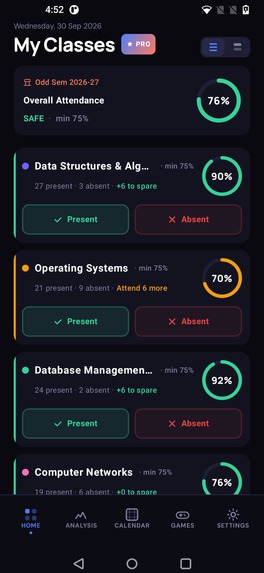
Home Screen
-
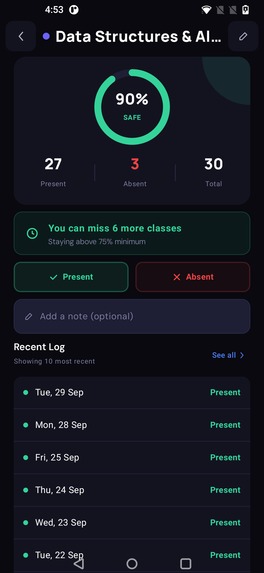
Subject Detail Screen
-
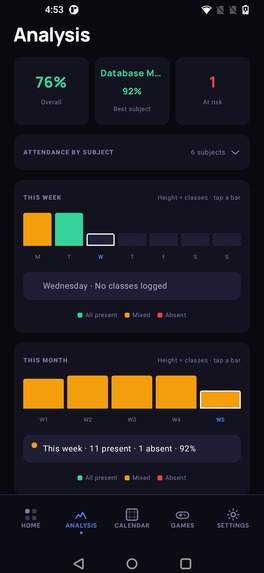
Analytics Screen
-
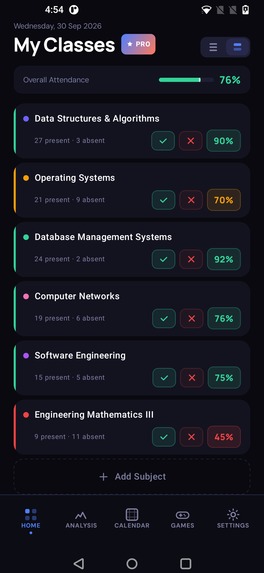
Home Screen Compact Mode
-
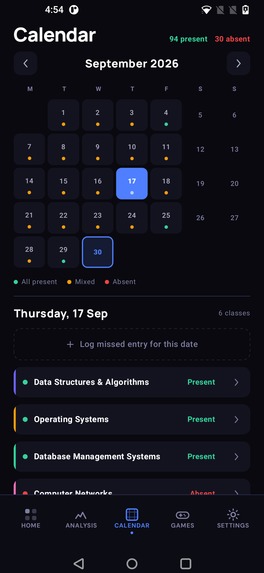
Calendar Screen
-
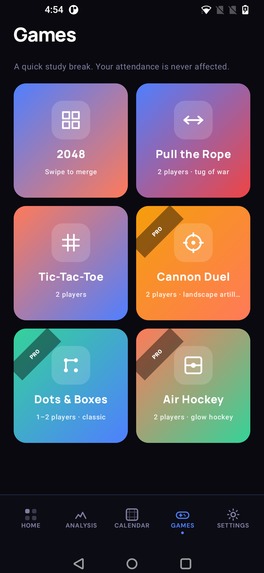
Games Screen

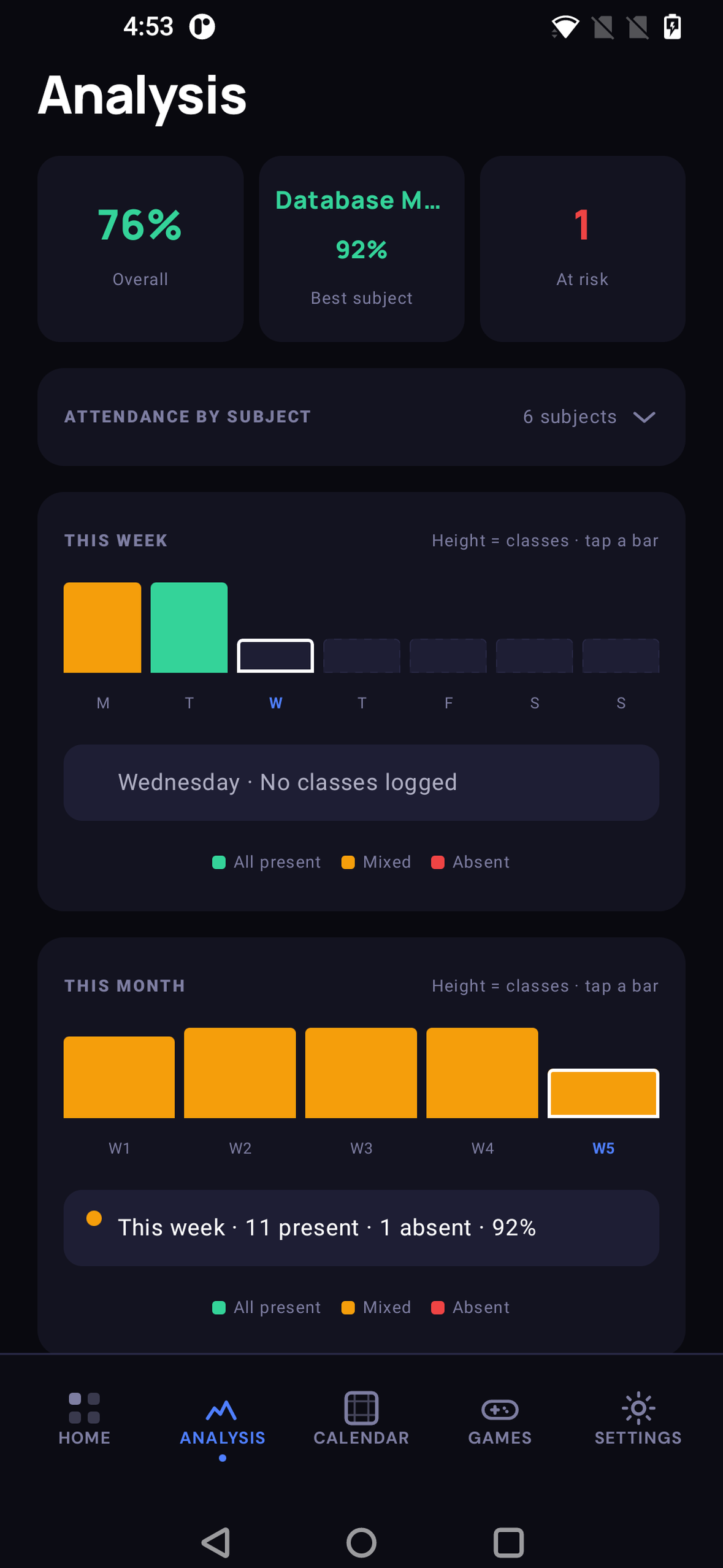
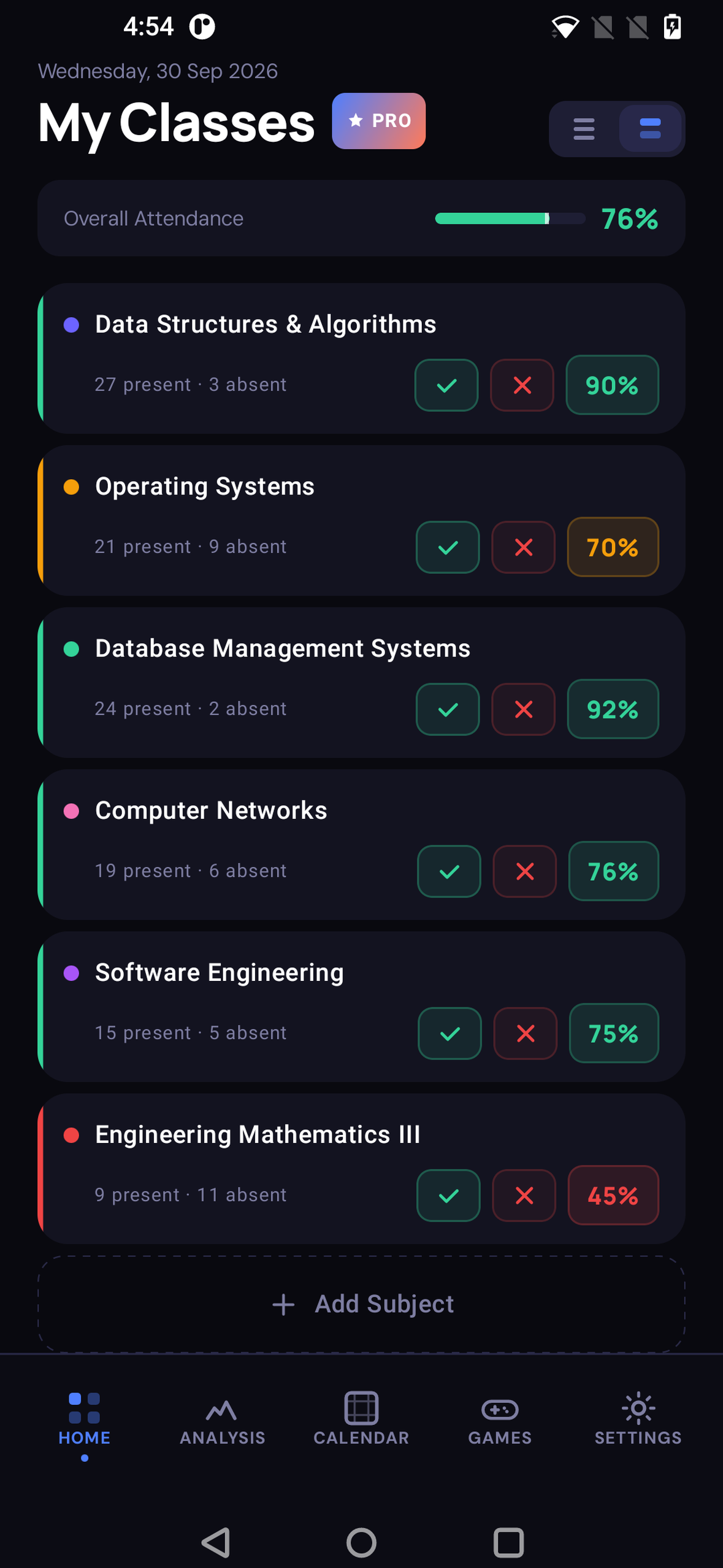
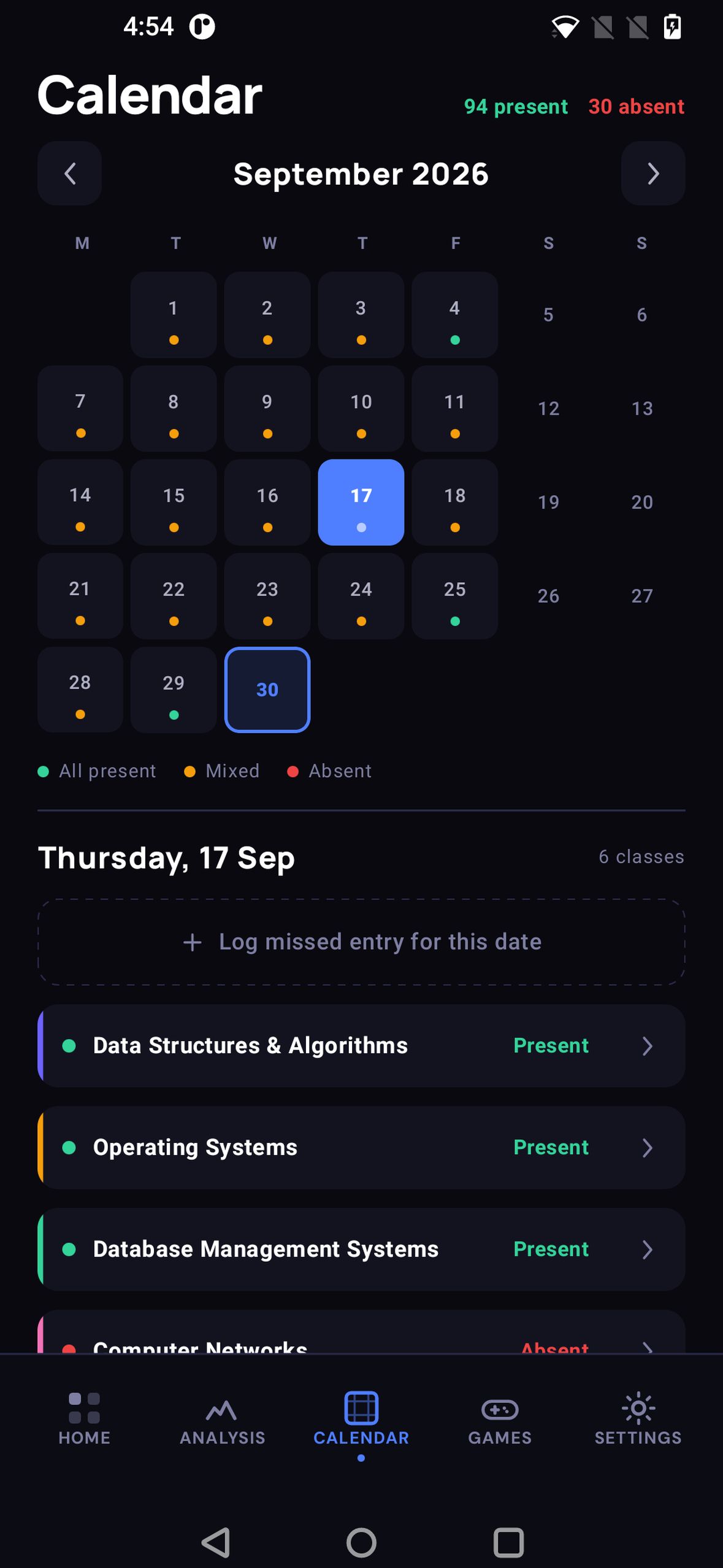
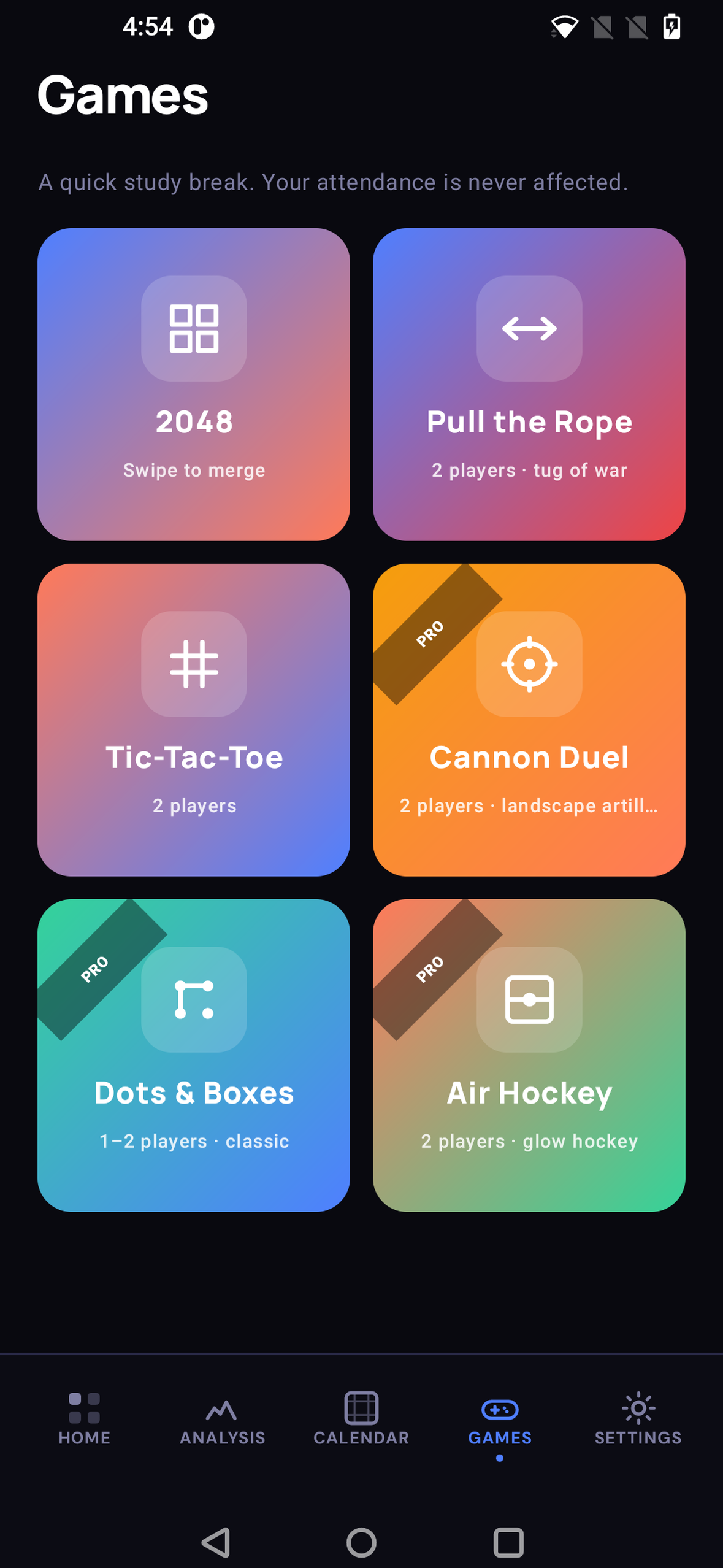
Inspiration
This started with my younger brother. Every month, and especially before tests and exams, he had the same worry: am I above the attendance cut-off? If not, how many more lectures do I need to attend to be safe?
It wasn't a lazy-student problem. He lived far from college and was freelancing alongside his studies, so every lecture meant a long commute he had to plan around his work. He needed to know which lectures he could afford to miss, and which ones he couldn't miss at any cost. Instead he did the math on paper or in his head, subject by subject, and never fully trusted the answer.
Many Indian colleges enforce a 75% minimum per subject, and falling short can bar you from that subject's exam. Most students only find out they're short when the college publishes the list, and by then it's too late to fix. I wanted my brother, and every student juggling college with work, travel or family, to always know exactly where they stand, early enough to plan.
What it does
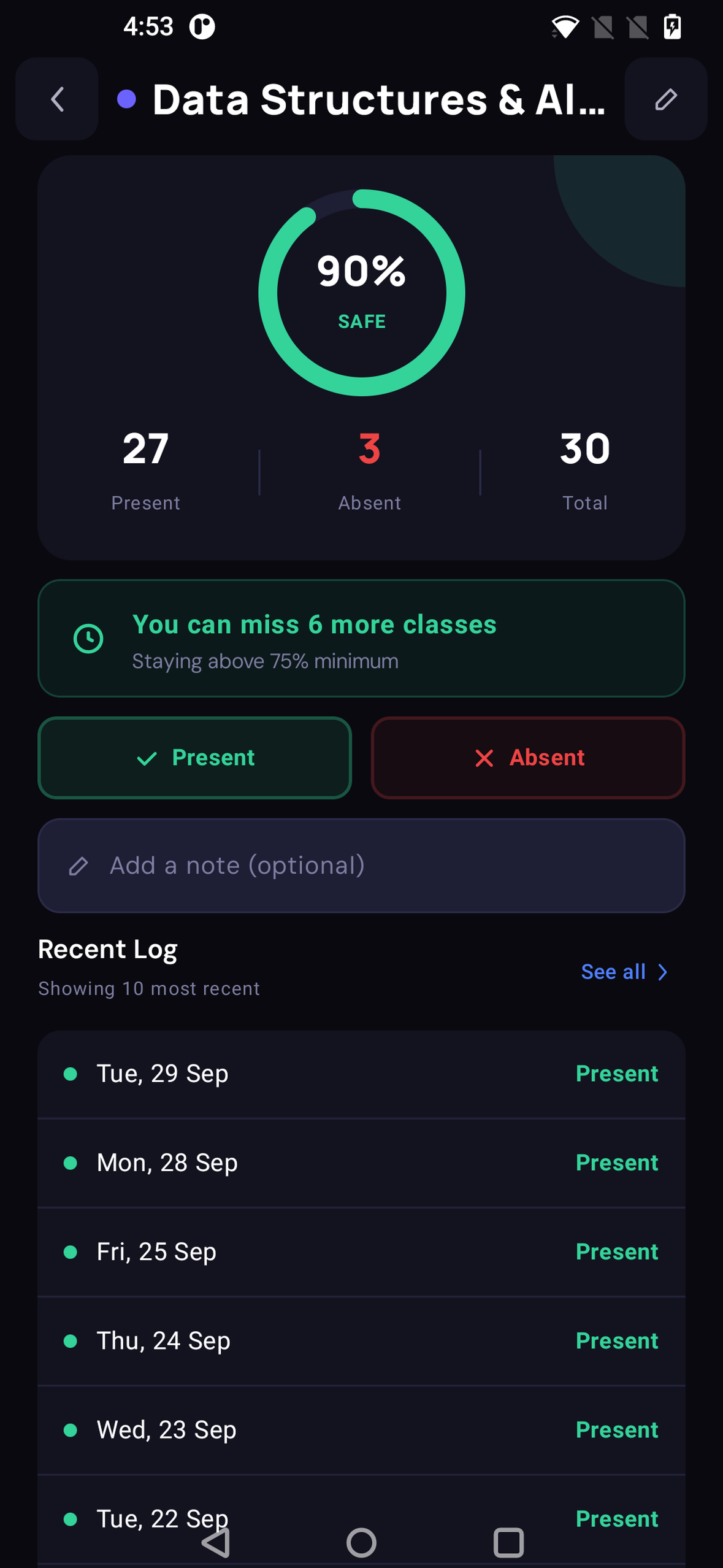
- Tap Present or Absent after each class. No semester totals to type in. Attendup counts from your own logs.
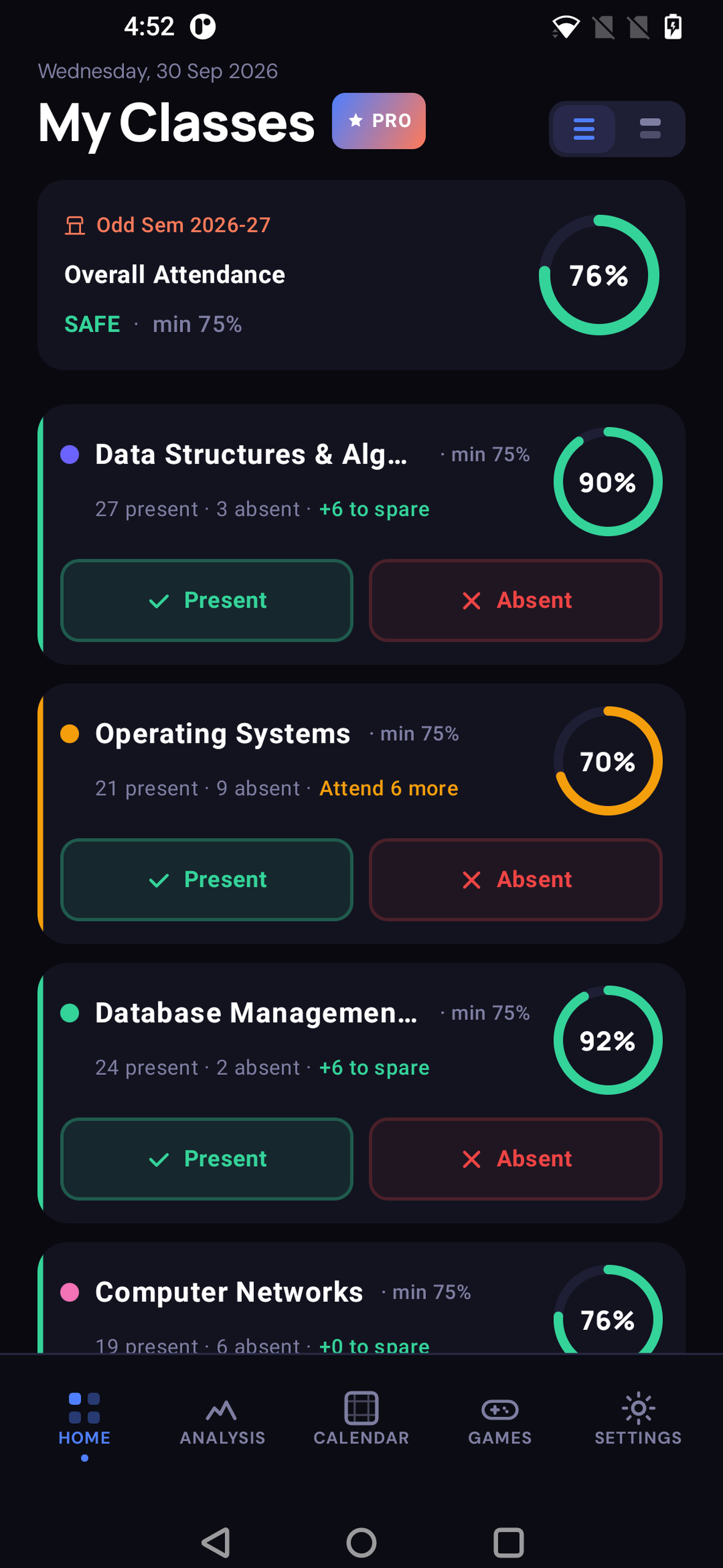
- Get the one number that matters, per subject: "you can spare 6 more" or "attend 6 more to be safe", against your own minimum (75%, 80%, whatever your college sets).
- See three colour-coded bands (Safe / Warning / At Risk), so one glance at Home tells you where you stand.
- Low-attendance alerts (Pro): an early heads-up when a subject gets close to your minimum, and a notification the moment it drops below, while there's still time to recover.
- More tools: a compact view for checking every subject at once, Analysis, a full calendar, backfilling missed days, marking planned leave in advance, CSV export, backup & restore, multiple semesters, and a small offline arcade with 2-player games for breaks between lectures.
- No account, no internet needed, no ads. Everything stays on the phone.
How we built it
Attendup is a native Android app in Kotlin + Jetpack Compose, using an MVI architecture (State / Action / Event per screen).
- Offline-first and log-driven: every Present/Absent tap is a row in Room. Percentages, bands and the math above are derived from the logs, never typed in, so they can't drift out of sync.
- A pure-Kotlin calculation engine with no Android dependencies, thoroughly unit-tested, including the edge cases (no logs yet, a 100% minimum, mid-semester starting totals).
- Alerts are evaluated after every mark and scheduled with WorkManager, with a daily cap so students aren't spammed.
- Monetization runs through RevenueCat: a free tier (3 subjects) and a one-time Attendup Pro lifetime unlock through Google Play Billing. The app checks a single entitlement, so pricing and packaging can change from the RevenueCat dashboard without an app update. No subscription, because students distrust recurring charges.
- Other pieces: Koin for DI, Coroutines/Flow, DataStore, and Firebase Crashlytics + Analytics.
- Its own identity: the Mark E logo, three stacked ascending chevrons that read as both an "A" and a level-up glyph, drawn as a vector across the launcher icon, splash, About screen and store art.
Challenges we ran into
- A silent entitlement bug. My code checked the entitlement by its display name ("Attendup Pro"), but RevenueCat keys entitlements by identifier (
attendup_pro). Every purchase would have succeeded and still left the user locked out. I caught it while wiring up billing, before any real user could hit it. - A layout bug I only found while shooting store screenshots: long subject names like "Data Structures & Algorithms" squeezed the "min 75%" label into a vertical column of single letters. I fixed it with proper weight and ellipsis constraints.
- A bug only a real user could find. Testing on his own phone with his full course load, my brother found that the Calendar's "log a missed or upcoming day" sheet clipped subjects and hid the Save button once there were more than three subjects. My own test data had never had that many subjects on that screen.
Accomplishments that we're proud of
- Turning a monthly worry into one glance, tested by the person it was built for. My brother has been testing development builds from the start. The question he used to work out by hand ("how many more lectures do I need?") is now answered on the Home screen, per subject, the moment he taps Present or Absent.
- A free tier that's genuinely useful on its own: 3 subjects forever, no ads, no account and no internet needed, so the protective part of the app isn't locked behind a payment.
- Honest, student-friendly monetization: one small lifetime purchase through RevenueCat, placed at the moment of need, with "One-time purchase · Lifetime · No subscription" stated plainly on the paywall.
- Shipping a real, published app inside the Shipaton window, and catching the entitlement bug before it could lock out a single paying user.
What we learned
- Real users find what you don't. My brother's day-to-day testing shaped the app:
- He found a bug I'd missed: when logging a past or upcoming day from the Calendar, the sheet didn't scroll, so with more than three subjects the rest of the list and the Save button were cut off. I fixed it by pinning the title and Save button and scrolling only the subject list, so it works however many subjects you have.
- He relied on the compact view, a one-line-per-subject list with just the percentage and status, which is what he checked between lectures. Because of that, I made Home remember whether you last used the compact or expanded view.
- He played the built-in 2-player games with friends between lectures. That convinced me the small offline arcade belongs in a student app: it's something you open with friends, not only when you're worried.
- The best feature is one clear number. My brother never wanted a dashboard; he wanted to know "can I skip Thursday's lecture or not?" Designing the whole UI around that answer made everything simpler.
- Framing matters as much as features. The same calculation can read as "how many can I skip" or as "how do I stay eligible". The second is what students, parents and colleges can all get behind, so every line of copy in Attendup is written that way.
- Monetization should match how the app is used. A semester tracker is used in bursts, by people on tight budgets. A small one-time unlock placed at the moment of need (adding a 4th subject, or turning on alerts) fits better than a subscription.
- Test the purchase path end to end. The entitlement bug looked fine in code review; only tracing the real RevenueCat flow exposed it.
What's next for Attendup
- A home-screen widget, so the number is visible without opening the app
- Hindi and other regional-language support
- Timetable import, so reminders line up with the actual lecture schedule
- Paywall experiments with RevenueCat once there's real conversion data

Log in or sign up for Devpost to join the conversation.