-
-
COVERPAGE
-
DETAILED VIEW
Inspiration
At my college (Thapar Institute, India), you need 75% attendance in every subject or you can be debarred from exams. The college portal shows a percentage like "72.4%", but it never answers the question every student actually asks: can I skip tomorrow's class? So we all do the math in our heads, and we get it wrong right before exams.
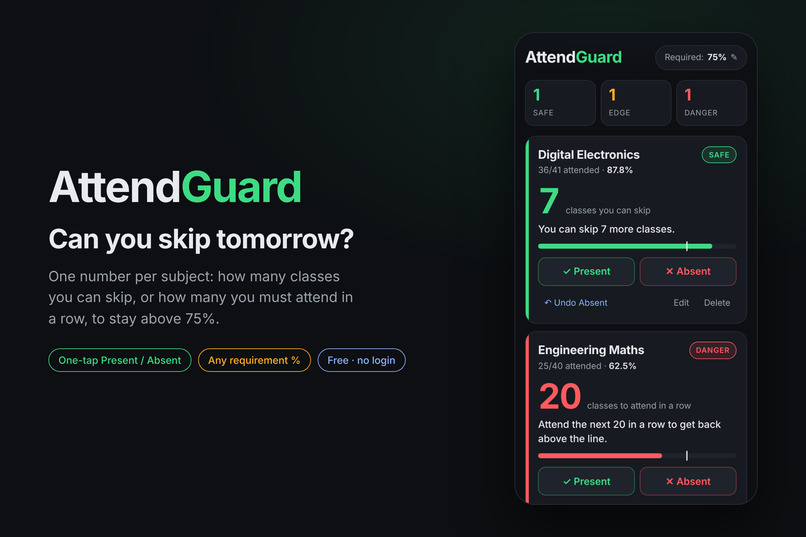
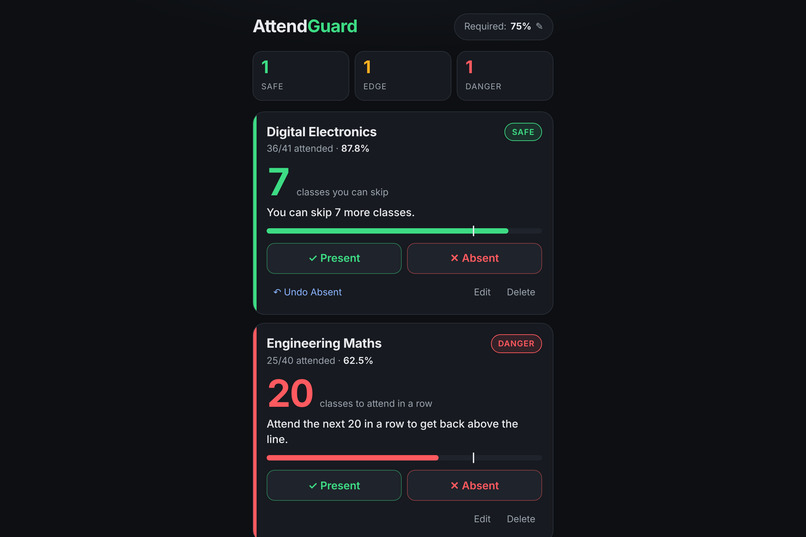
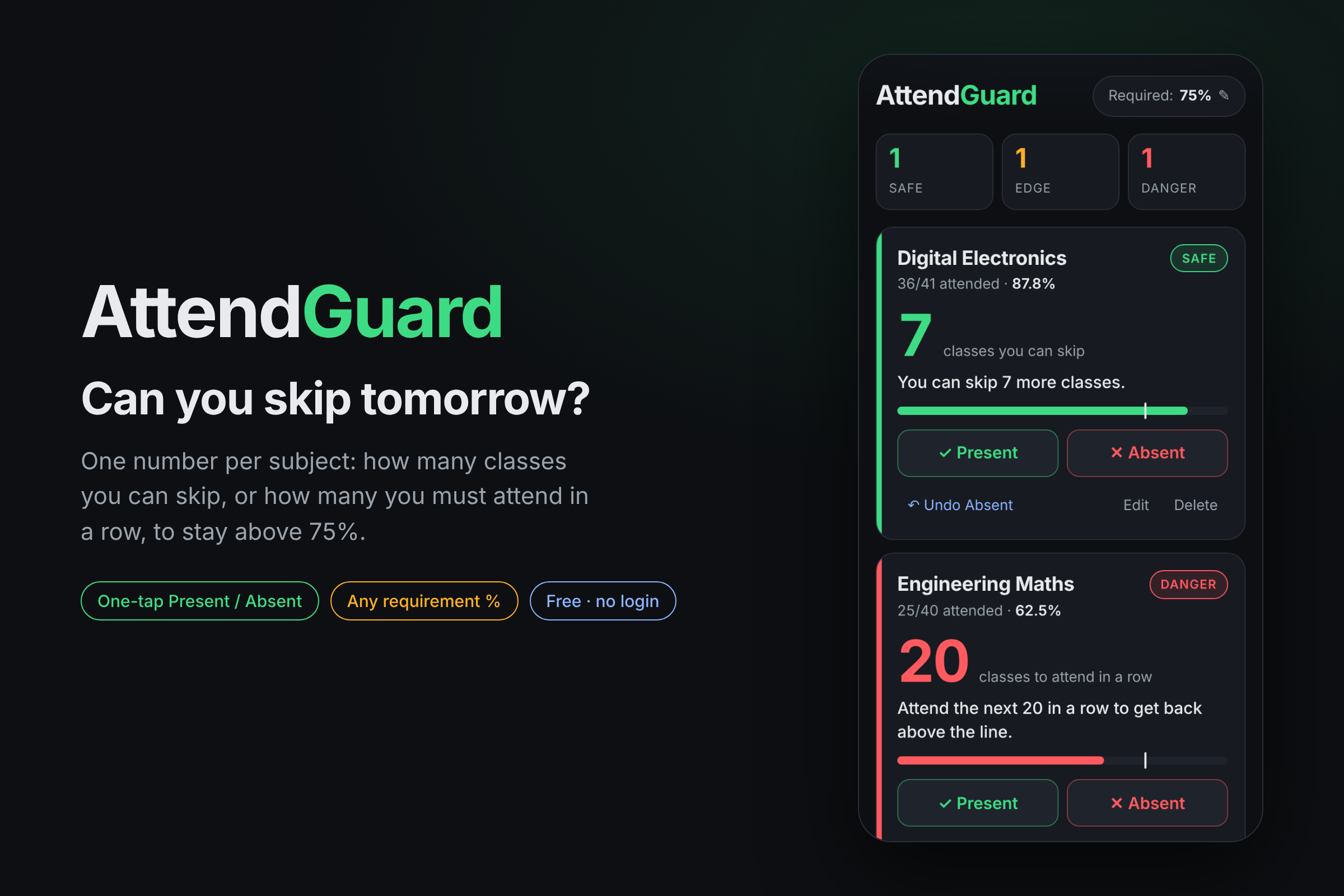
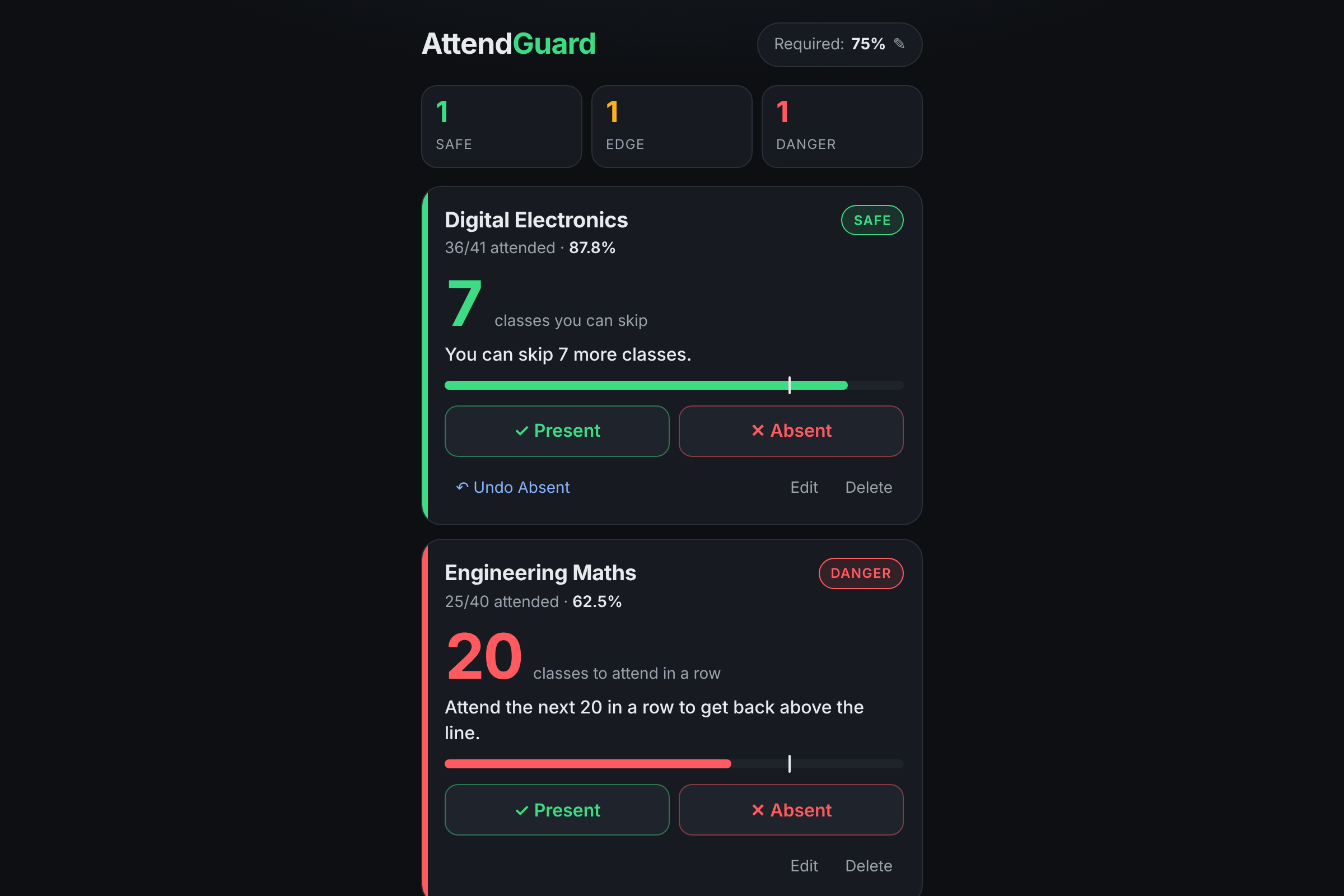
What It Does Clear Verdicts: AttendGuard gives every subject one clear number:
Safe: "You can skip 8 more classes."
On the Edge: "Don't skip, you're right at the line."
Danger: "Attend the next 20 in a row to get back above the line."
Instant Updates: After each class, tap Present or Absent, and the verdict updates instantly. An Undo button fixes mistaken taps.
Customizable Targets: Change the required percentage (e.g., 80%, 85%) to accommodate different college rules.
Quick Summary: A dashboard at the top shows exactly how many subjects are safe, on the edge, or in danger.
Privacy-First & Offline: It is completely free, requires no login, works offline, and saves data exclusively in your browser's local storage.
How I Built It Structured Workflow: Started from an empty folder using the Devpost Learn skill pack and an AI coding agent, strictly following a plan-first workflow: Start -> Scope -> PRD -> Spec -> Build -> Ship. The scope, PRD, and spec were written and approved before any code was generated.
Iterative Build: Development happened in three small, independently tested slices:
Adding a subject and calculating its verdict (core logic).
Implementing one-tap Present/Absent, Undo, edit/delete functions, and the top summary.
Adding browser storage, adjustable requirements, and empty/error states.
Tech Stack: React 18, Vite, vanilla CSS, Vitest, and localStorage. The project is hosted for free on GitHub Pages.
Integer Math: Used strictly integer-based math to eliminate floating-point errors, ensuring provably correct numbers:
Classes you can skip: floor((100 * attended - R * held) / R)
Classes to attend in a row: ceil((R * held - 100 * attended) / (100 - R))
Challenges I Ran Into Mathematical Precision: "Close enough" is not acceptable when exam eligibility is at stake. I rigorously tested the formulas against the PRD's examples and ran a brute-force simulation for every combination up to 60 classes across seven different requirement levels.
Handling Edge Cases: Managed scenarios like 0 classes held, attended being greater than held, a 100% requirement after a missed class (preventing division by zero), and browsers blocking local storage. Each scenario gracefully displays a clear message instead of crashing the app.
Mobile Responsiveness: Initial form inputs overflowed on narrow screens. Implementing screenshot checks at mobile widths caught and resolved these layout issues early.
Deployment Bottlenecks: GitHub Actions queued indefinitely, prompting a switch to serving the pre-built site directly from a gh-pages branch, bypassing the need for a build machine.
Accomplishments That I'm Proud Of Distilling a stressful, complex calculation into a single, provably correct number for students.
Building, testing, and launching a fully working product in a single afternoon at zero cost.
Maintaining strict alignment between planning documents and the final code; every deployed feature traces directly back to a specific line in the PRD.
What I Learned Plan Before Prompting: Writing the scope and PRD first kept the project tightly scoped. Features like logins, databases, and portal scraping were cut on day one, preventing the AI from wandering into unnecessary complexity.
Write Expected Answers First: Putting concrete examples in the PRD (e.g., 36/40 -> skip 8; 25/40 -> attend 20) naturally translated into robust tests, verifying the math instead of just hoping it worked.
Build in Slices, Not Layers: Creating functional, testable slices at each step meant problems surfaced early when they were easiest to fix.
Document Adjustments: When a plan meets reality, adjusting and documenting changes (like the layout fix and deployment pivot) in the project's Revisions section maintains a clear source of truth.
What's Next for AttendGuard Daily Planner: A "What if I skip today?" planner that projects the impact across all subjects simultaneously.
Timetable Projections: Timetable-aware forecasting to show where your attendance will stand by the end of the semester.
Social Sharing: Generating a shareable summary image for friends and class group chats.
Built With
- css
- github
- javascript
- localstorage
- react
- vite
- vitest

Log in or sign up for Devpost to join the conversation.