-
Tool cybersec
Inspiration
I recently started getting into cybersecurity and wanted to build my own tools to better understand how systems expose themselves. Attack Surface Visualizer was created both as a personal learning project and as a practical tool to help others better understand their local machine’s attack surface. The idea was to take something that is usually hidden behind command-line outputs and logs, and turn it into something visual, interactive, and easier to reason about.
What it does
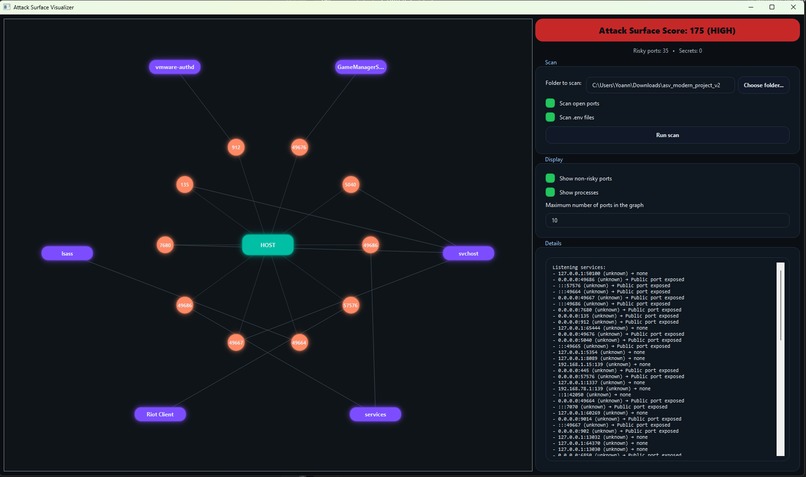
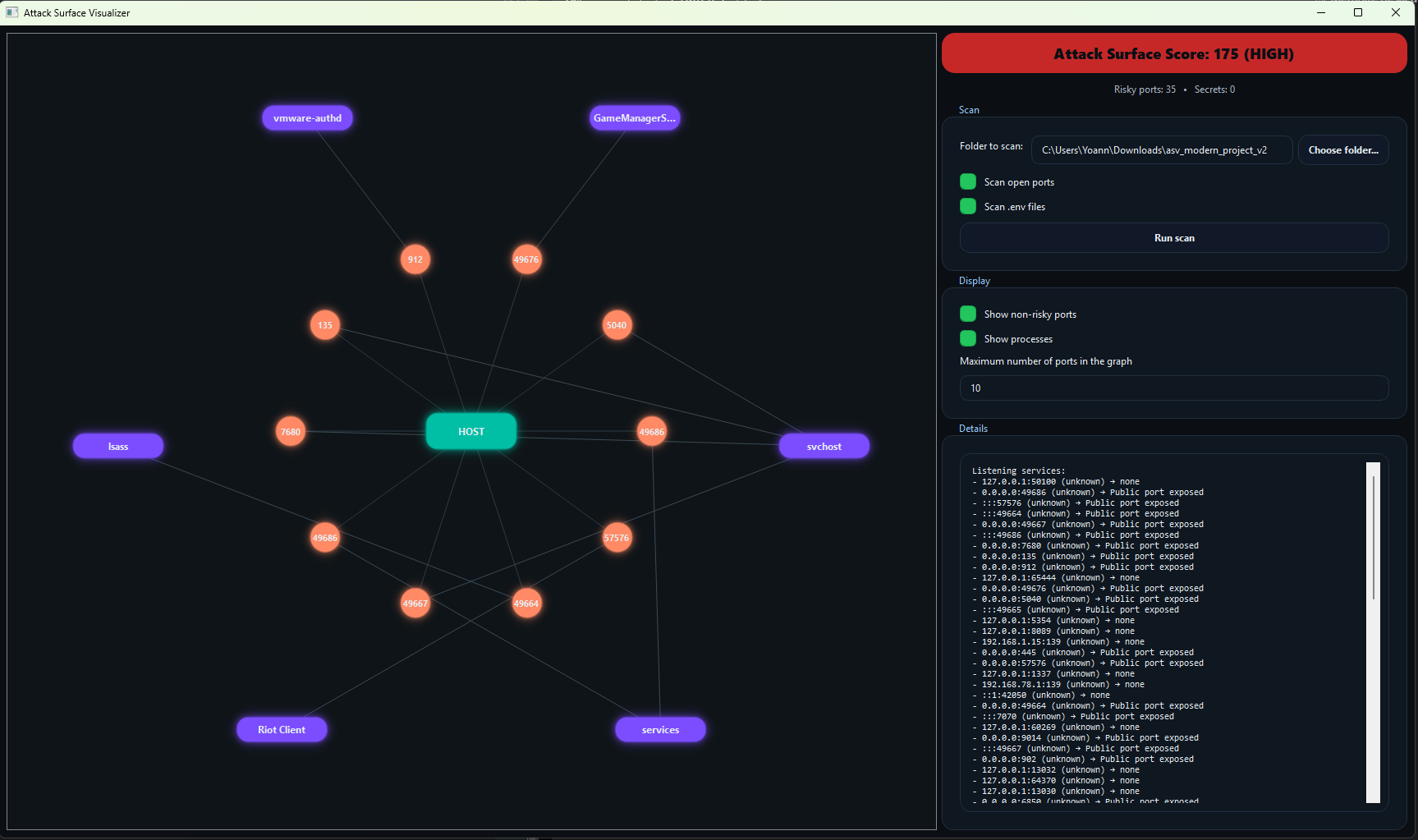
The application scans a local machine to detect open ports, the processes associated with those ports, and sensitive information stored in .env files. It then transforms this technical data into an interactive graph with a dynamic risk score, allowing users to clearly see which services may be exposed and where potential weaknesses exist. The focus is on local machine protection and awareness, helping users understand what is actually running and potentially reachable on their system.
How we built it
The project was built in Python using PyQt5 for the modern desktop interface and QGraphicsView for rendering the interactive graph. Psutil is used to retrieve real-time information about open ports and processes, and custom logic was implemented to manage hover animations, node selection, and visual hierarchy. The goal was not only to make it functional, but also visually engaging and intuitive.
Challenges we ran into
One of the main challenges was dealing with the large number of open ports on a typical Windows machine, which quickly made the visualization cluttered and hard to read. Designing a layout that remained clear while still representing meaningful relationships required several iterations. Another significant challenge was working with QGraphicsView, especially handling z-ordering, hover effects, click propagation, and smooth animations without causing instability.
Accomplishments that we're proud of
I am proud that the application performs real, live scans of the system and accurately visualizes actual open ports and processes. The tool is fully functional, demo-ready, and includes interactive elements such as smooth hover animations and dynamic risk scoring. Beyond the technical implementation, it successfully translates complex system information into a more understandable visual format.
What we learned and What's next for Attack Surface Visualizer
Through this project, I learned how to work deeply with QGraphicsView, custom QGraphicsItems, and Qt animations, as well as how important user experience is in cybersecurity tools. Simply displaying raw data is not enough; clarity and structure are essential to make security insights actionable. In the future, I would like to extend the project with features such as CVE mapping for detected services, multi-machine scanning capabilities, exportable PDF reports, and more advanced security analytics, evolving it into a more complete security analysis platform.
Built With
- psutil
- pyqt5-(qgraphicsview)
- python

Log in or sign up for Devpost to join the conversation.