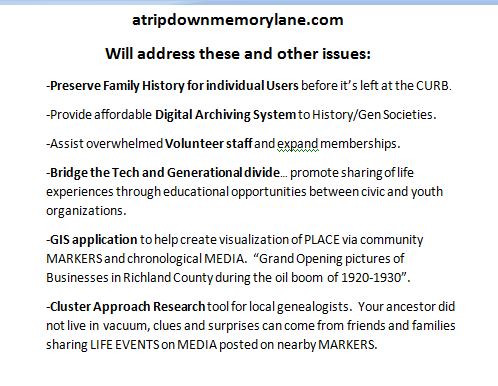
After an editor's deadline was missed for a pictorial book on family history, I was inspired to build a Community data preservation website for family and local history that was dynamic and available to users at anytime from anywhere.
The website, Atripdownmemorylane.com, is structured first on GIS Google maps: PLACE (where), then TIME (when), LIFE EVENTS (what & why), and FAMILY (who). This structure is the reverse of the journalistic investigative method of asking and answering the questions …Who, what, why, when and where? Most current genealogy digital tools are currently based on the journalistic model…starting first with your ancestor (WHO)
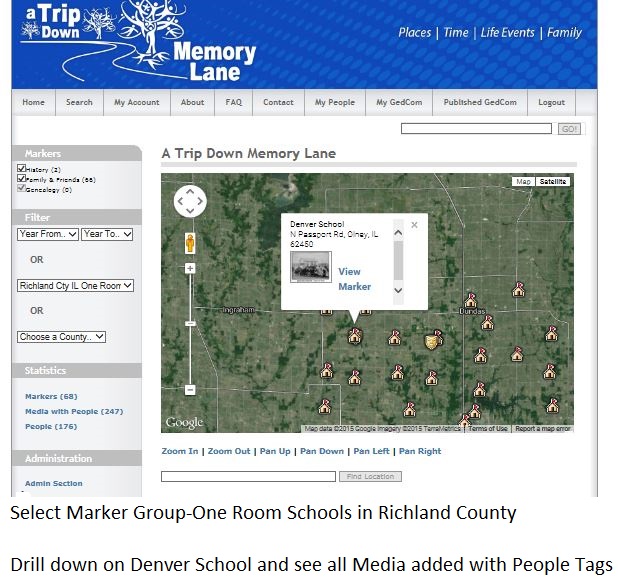
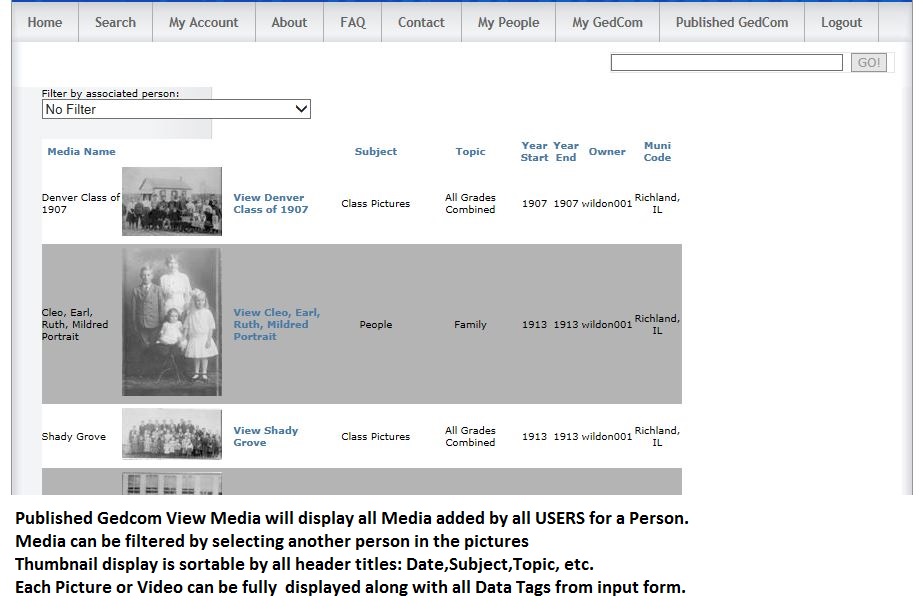
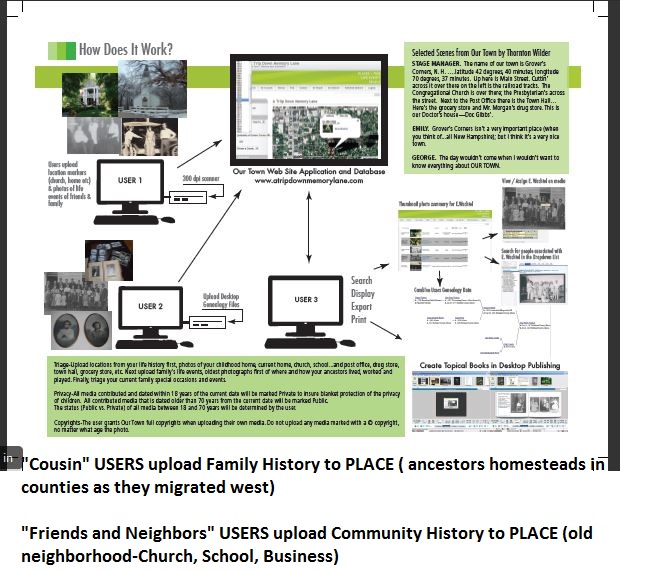
The data (Markers and Media) can be viewed geographically and chronologically from three different perspectives: Family & Friends VIEW, History VIEW, and Genealogy VIEW.
Registered users:
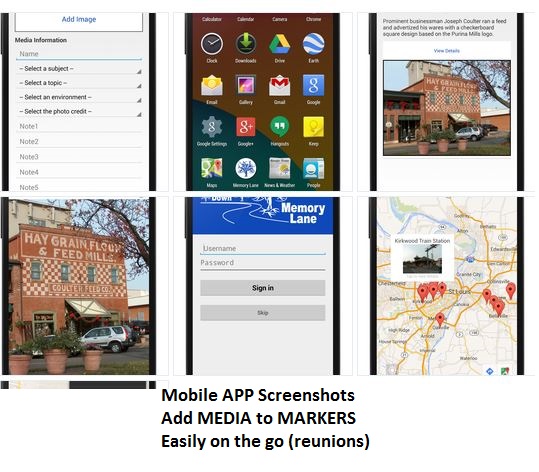
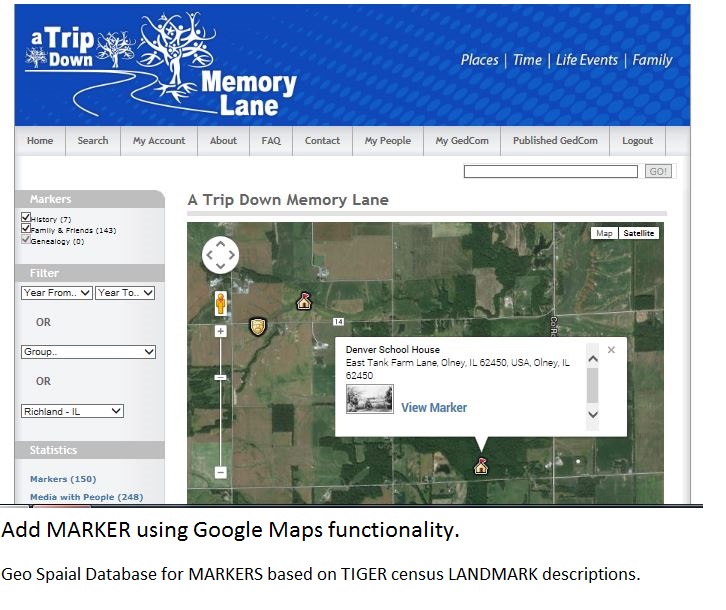
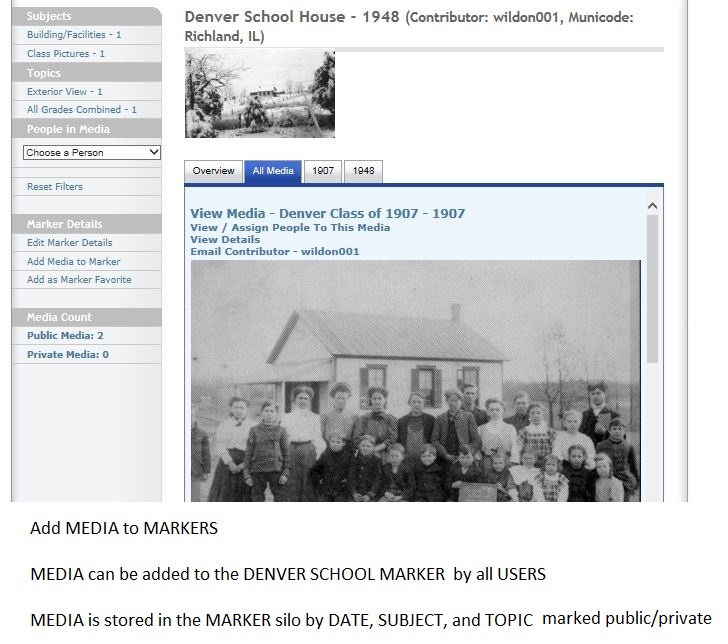
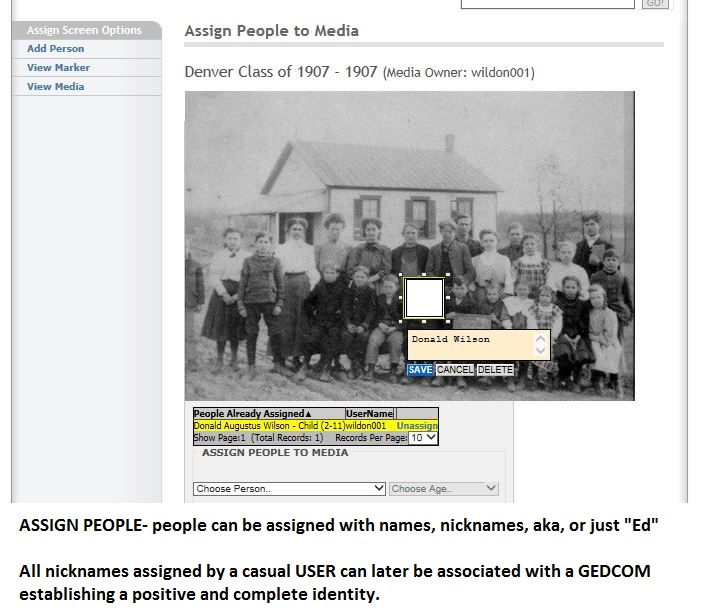
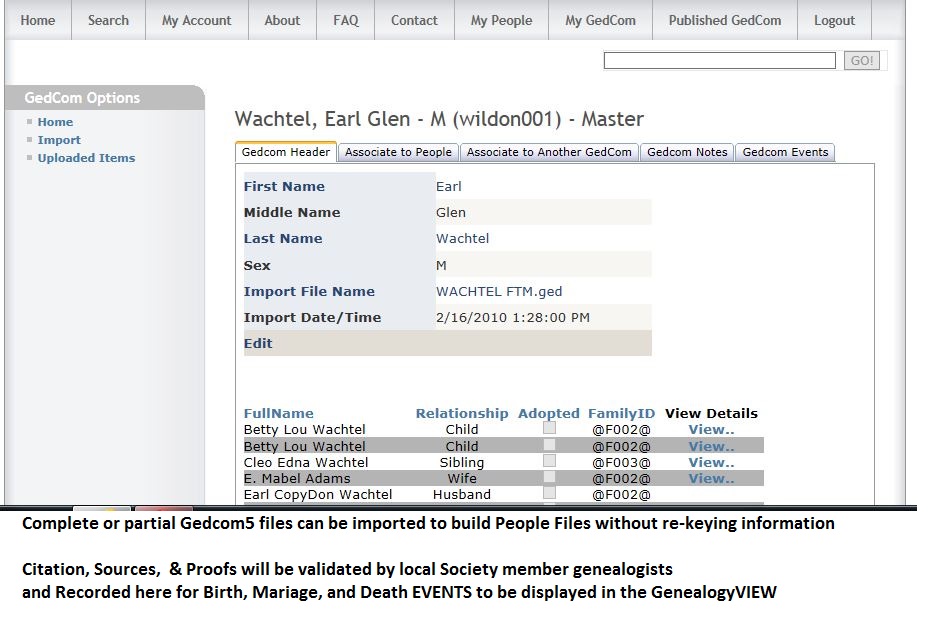
User Profile-Registered users can fully utilize the PLACE features of the system based on their previous address history. Discover-Users can explore the database by navigating through Google Maps and search for user added Markers, for instance in their hometown. Add Markers-Users can then drill down on the Marker (Church, school, business, residence, etc) and view existing pictures contributed by family and friends or add new multimedia to the marker (pictures, video, audio, and documents) Add Media-Users can add public media or designate as Private and only share with defined other users in a user defined User Group. (Family and Friends View) Mobile APP-Registered users can use a Mobile APP to add Media to their favorite Marker anytime from anywhere by snapping a picture filling out the input data form and uploading the Media to the website. Import Genealogy files-Standard Gedcom5 files can be imported and managed on the website (edited, updated, and associated to Media))
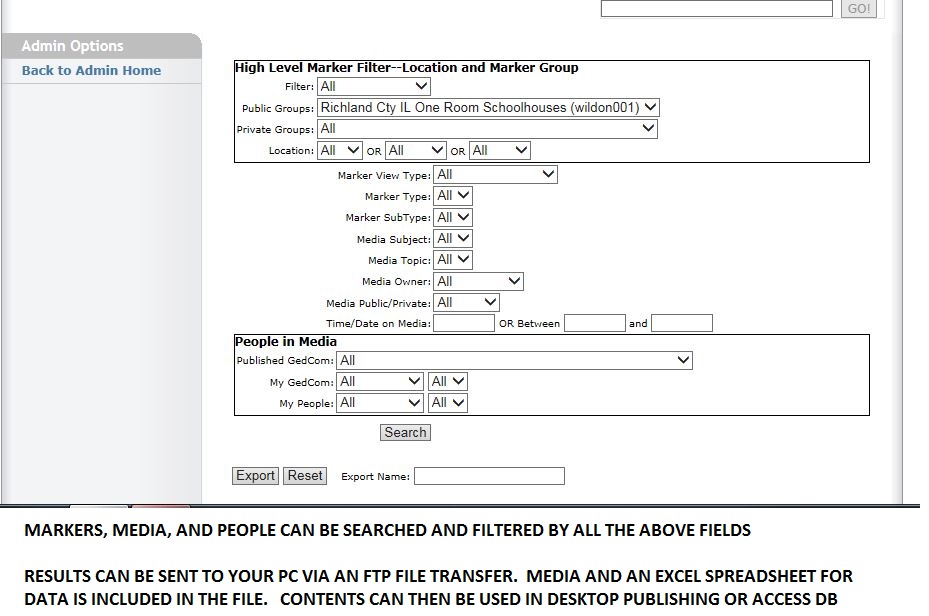
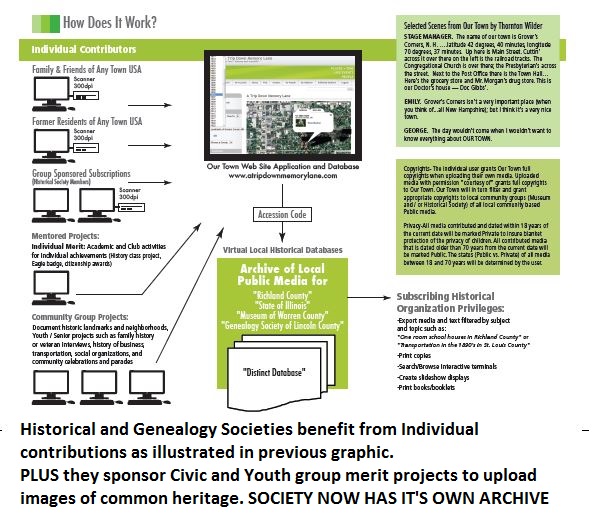
Historical & Genealogical Societies can have Advanced Database Searches be performed and the database can be filtered by:
- Who, what, why, when and where OR
- Where, when, what & why and who
Query results can be exported and transferred to a remote computer via the internet using FTP (file transfer protocol).
- Where, when, what & why and who
Query results can be exported and transferred to a remote computer via the internet using FTP (file transfer protocol).
The file contains Media with reference # and all data associated with media in an EXCEL spreadsheet. Data can then imported to a desktop Publishing program or Office Access Database for projects to help complete their Mission Statement: To collect and preserve Local History and to share and educate their citizens.
Built With
- .net
- android
- google-map-kit-plug-in
- google-maps
- microsoft-sql-db


Log in or sign up for Devpost to join the conversation.