-
-
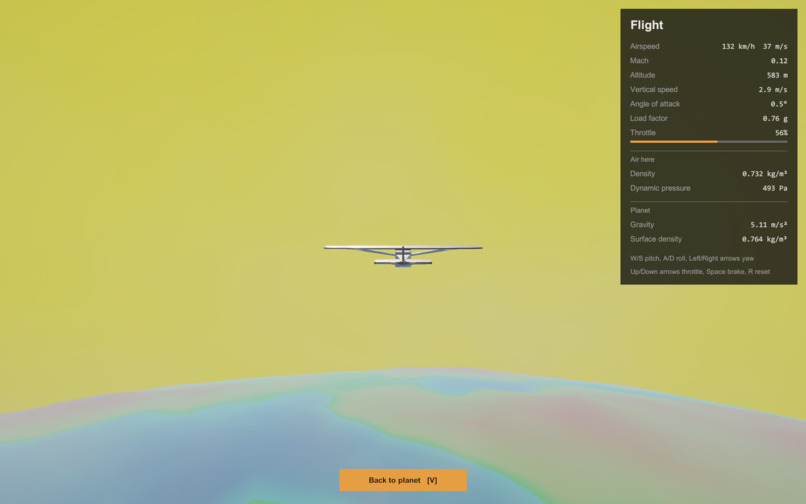
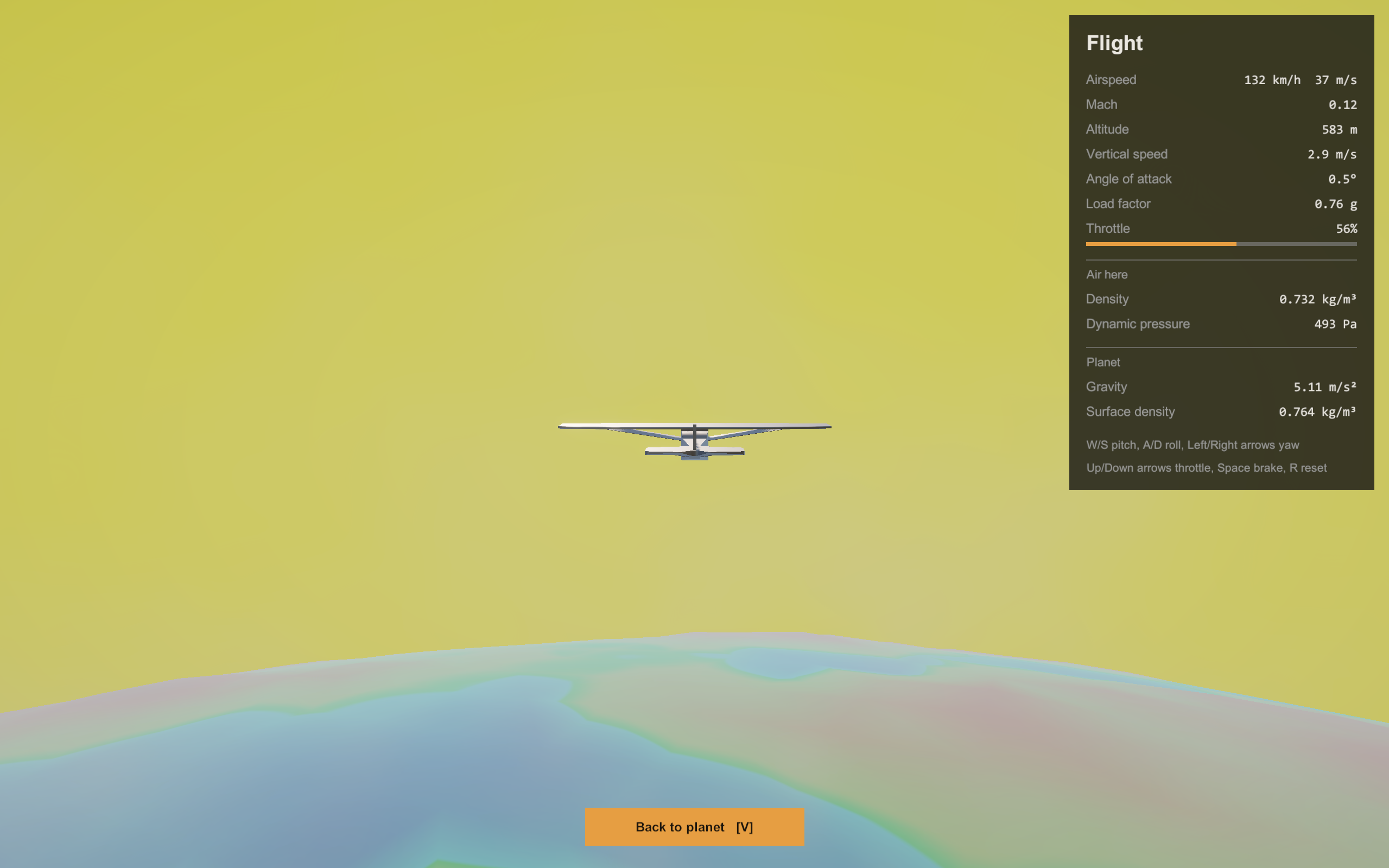
The flight simulation. Notice the yellow sky due to the composition of the gases in the atmosphere.
-
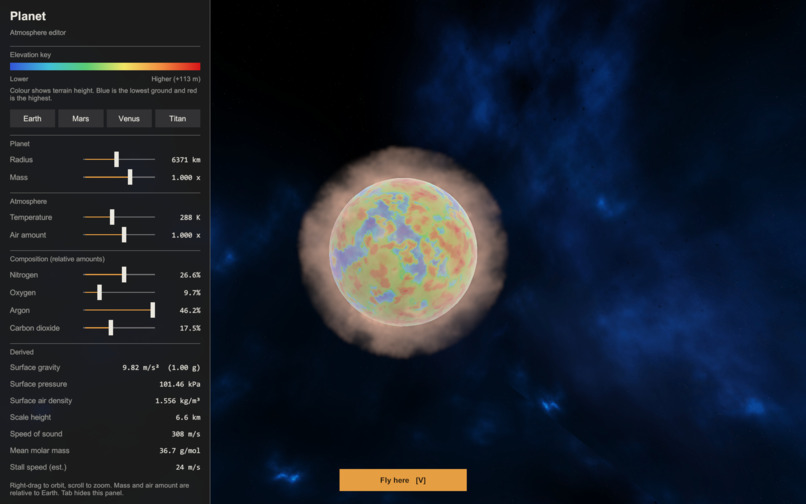
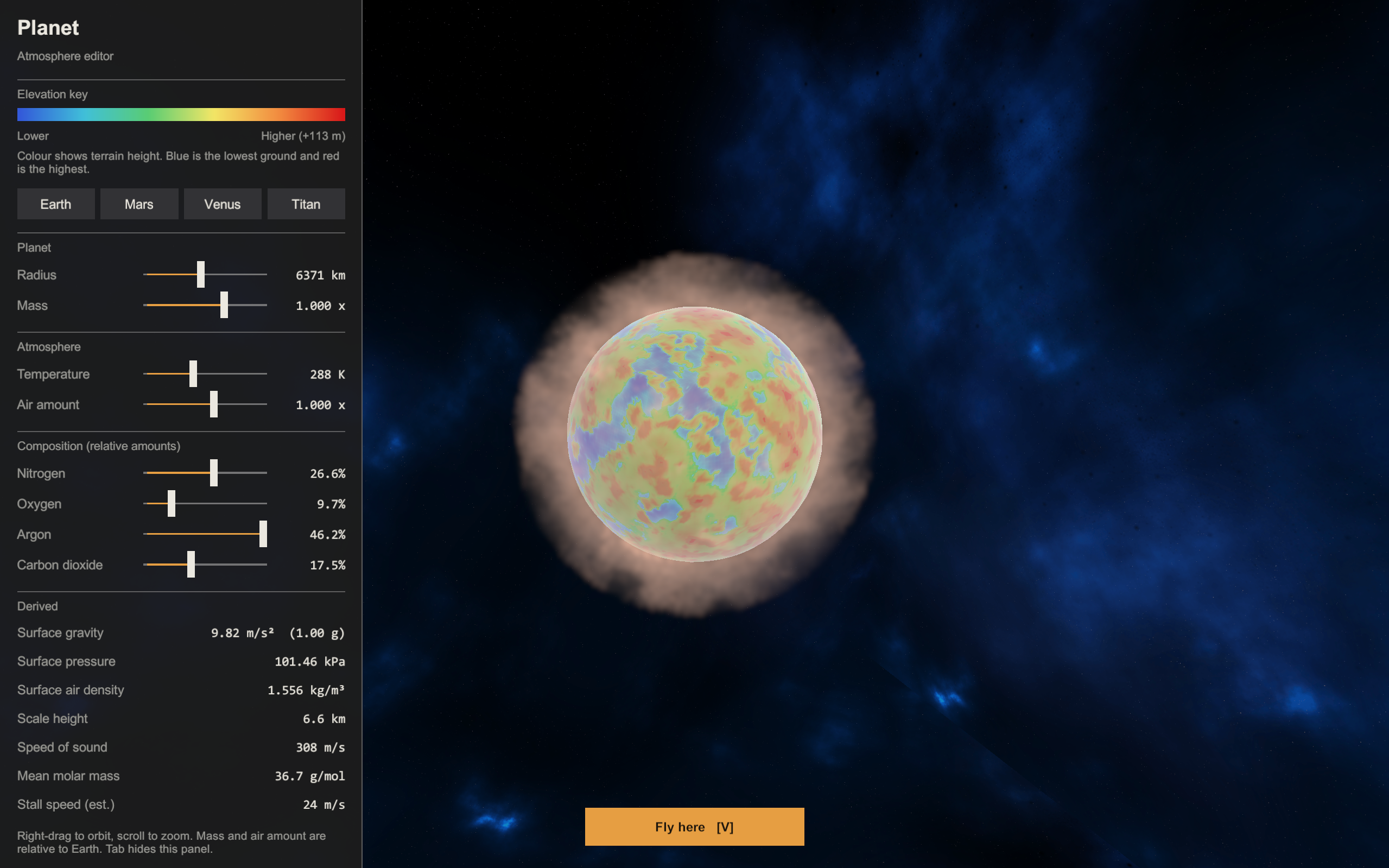
This planet is smaller than Earth, notice the atmosphere size and information at the bottom left corner.
-
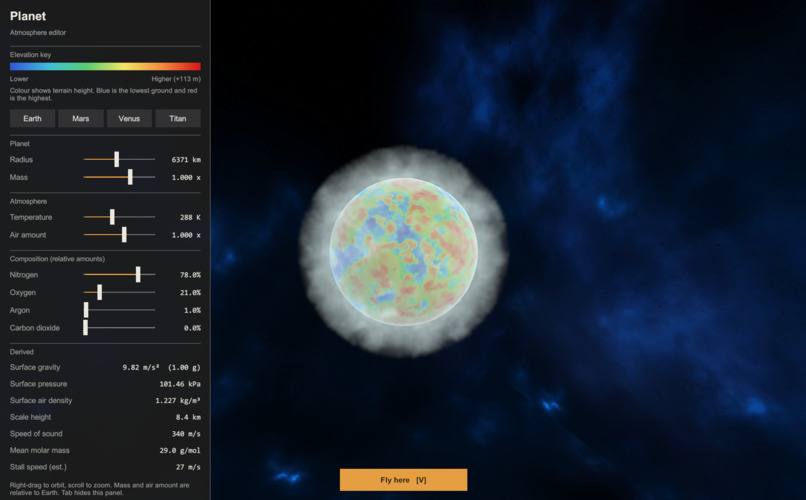
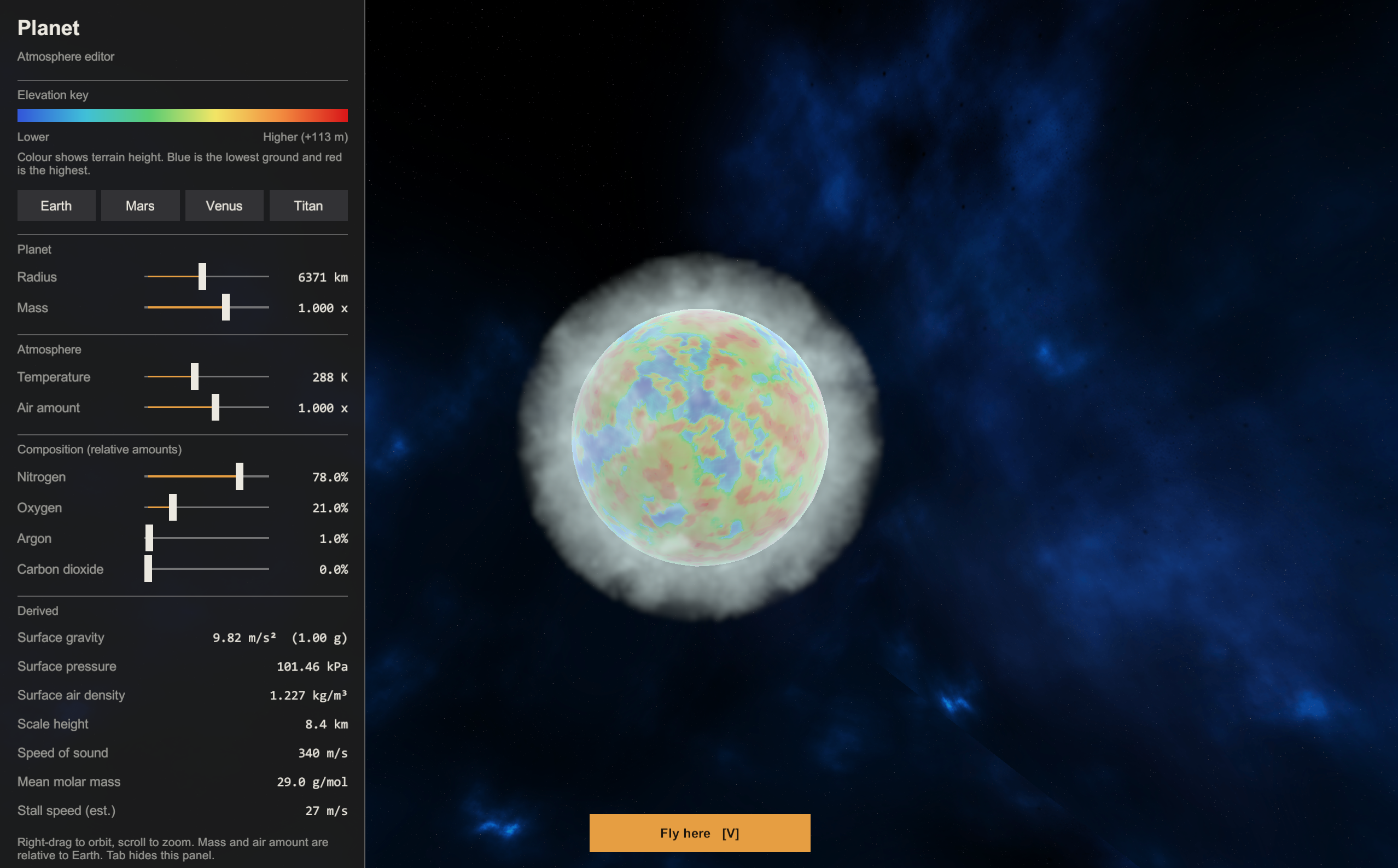
This picture shows the atmosphere and size of a planet similar to Earth
-
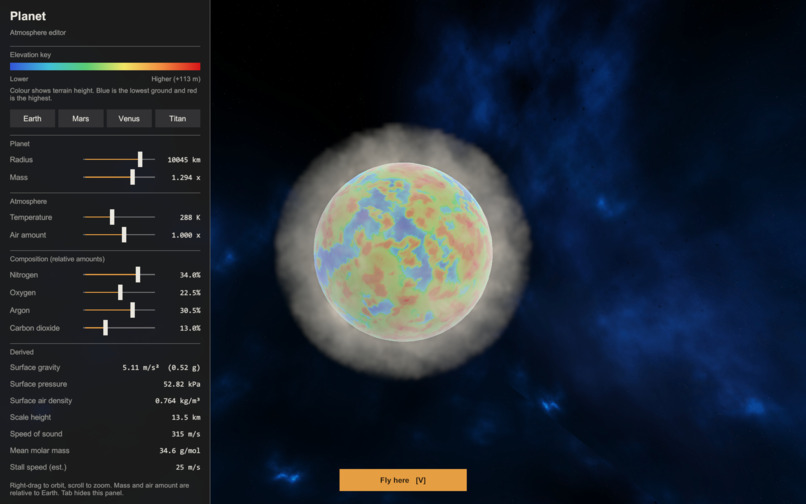
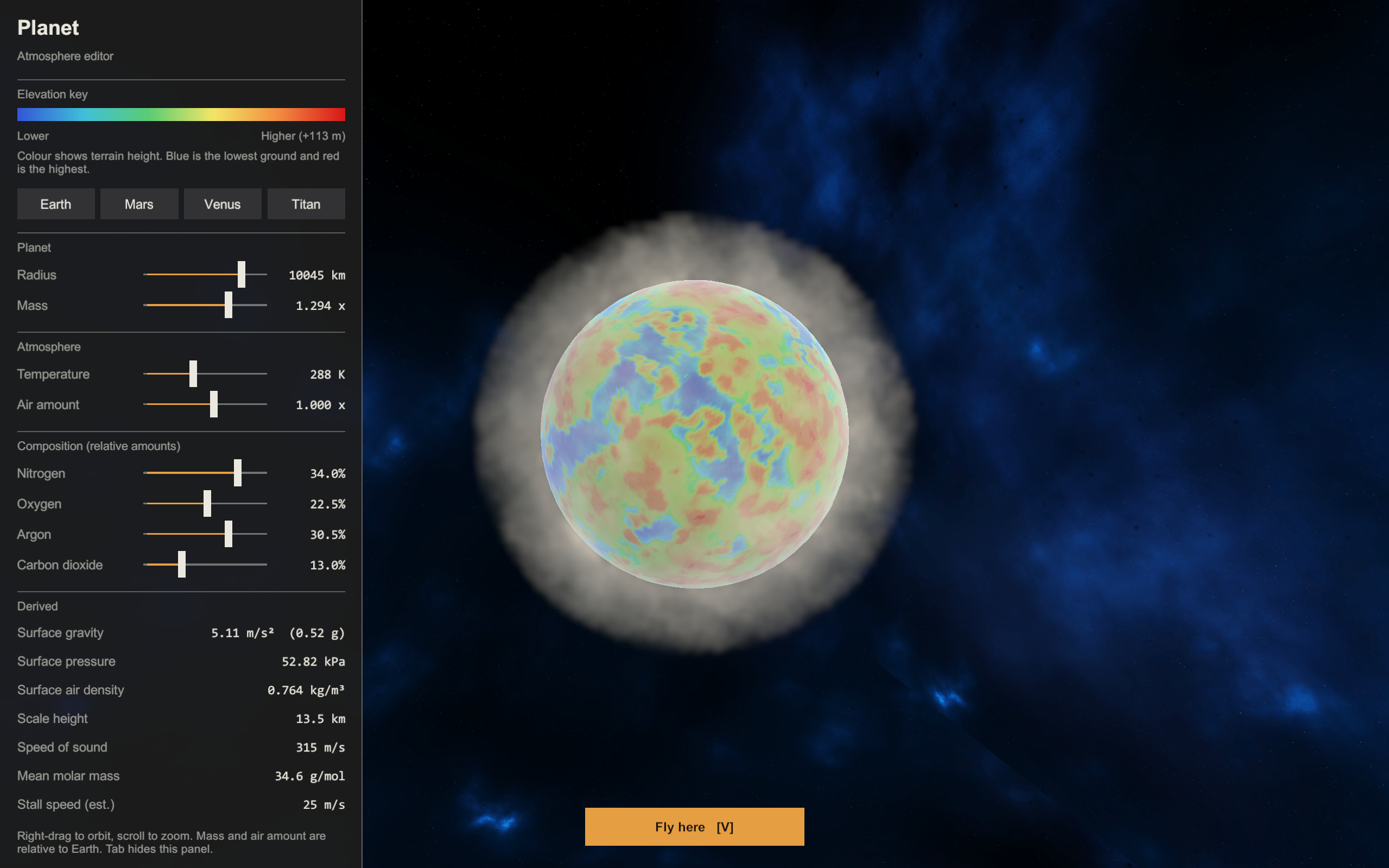
This is a planet much bigger than Earth. The gas composition is also different.
Our inspiration was that we didn't just want to make a video game, we wanted to make something applicable in real life that could be valued by real professors. We wanted to make something that is engaging, fun, and informative!
When the user starts the project, they can change many aspects of the starting planet. For example, the radius, mass, temperature, air composition, etc. The simulation will calculate things like gravity, pressure, air density, the speed of sound, and more using the user's input. Once the user is satisfied, they can choose to fly a plane through this new atmosphere! The plane flying teaches them about how our industrial planes would respond to changes in the environment around us. Flying a plane in Earth is completely different than Mars or Jupiter!
First, we organized the group into three categories. Idhant was in charge of designing the plane (more specifically, a Cessna 172 Skyhawk) and developing the flight simulation. The flight simulation was created by simulating the real physics of lift, drag, angle of attack, and other factors of a real plane. Anay and Saket were in charge of creating procedural planets, which are planets that are mathematically generated with terrain and specific meshes and layers. Neel was in charge of creating the simulation of the atmosphere, and he used a research paper from Jos Stam to create this. The Jos Stam paper is 8-pages long. It breaks down the Navier-Stokes equations to make it computational and efficient to simulate stable fluids. Using partial derivatives and varying linear algebra techniques, Neel simulated the atmosphere with different gases (Nitrogen, Oxygen, Carbon Dioxide, etc.) as well as temperature and gravity. Everyone created their own simulations seperately on different GitHub projects, and then we combined them into one project.
When Neel was trying to simulate the atmosphere, simulating temperature was quite difficult. It required the usage of math that we had not learned yet. To solve this, Neel used buoyancy variables to move forces in the velocity vector to accurately simulate temperature without needing to use complex equations. This allowed him to not only add temperature, but also jet streams! One challenge we never solved was that we didn't have enough time to simulate every single gas in the atmosphere. While Anay and Saket were working on the procedural planets, most of the resources online were deprecated and weren't compatible with the current version of Unity. They used AI developmental tools and Unity documentation to create a more modern shader program. While Idhant was creating the flight simulation, he ran into problem of balancing realism with user-friendliness. Making a realistic flight simulation would make it quite difficult to actually drive the plane. To solve this issue, he kept the realism but then added more scripts to make the plane easier to control. A few of these scripts included auto-leveling and eay thrust control. Additionally, Idhant had to measure the cross-sectional and surface areas of parts of his plane to properly simulate things like the lift coefficient, drag cofficient, angle of attack, and thrust. If he miscalculated the center of gravity of any of his parts, it would cause the plane to spiral out of control. Finally, a big problem was that our computers could not handle the data and processing of our code. To solve this, we had to optimize our GPU and CPU to handle O(N^3). One of the things we used was Red Black Gaussian Seidel Solver so that the results would be deterministic and it wouldn't be a race between the threads of the GPU.
An accomplishment Neel is really proud of is actually being able to decipher a research paper and optimize it for simulations in Unity. He needed to optimize his code for his GPU to handle all of the procedures in the code, and doing this made him step out of his comfort zone. An accomplishment Anay is proud of is using the Unity environment for the first time and successfully creating a procedural planet. Saket's answer was quite simple; he was actually just proud of himself for having fun while balancing his workload. Although the competition is important, having fun is just as great too. Idhant is proud of being able to use his CAD skills and coding skills together to create something fun and educative. Playing games is really fun, but playing your own games is even better!
One thing Neel learned is how to debug in Unity and GitHub, more specifically how to merge different projects together seamlessly without errors. This was actually the first time Saket and Anay used Unity, and they watched many tutorials beforehand so that they were properly prepared. Hopefully, that hard work paid off! Idhant learned how to use physics in Unity. Before doing the hackathon, he would usually code movement with simple Vector3 Add Force and altering transform.position but now he learned how to use rigidbodies, colliders, textures, and real world formulas. This allowed him to make Unity do the work for him, because the physics itself allowed the plane to glide on its own.
In the future, we plan to expand this project by adding more realistic features of this world (El Nino, coriolis effect, hurricanes, tornadoes, etc.). We want to use this simulation for real academic purposes. For example, it could be used for us to figure out what planets may be suitable for human life. We could also include greenhouse gas emissions, to simulate how gases enter the atmosphere. Adding on, simulating greenhouse gases could also be used to educate about the dangers of global warming and the importance of wildlife. One thing that we wished we added was more gases. Currently, we only have 4 gases, which are nitrogen, oxygen, argon, and carbon dioxide (the four most common gases in our atmosphere). We didn't have enough time to add more gases, but the project would definitely be more realistic with more gases.
Built With
- c#
- claude
- github
- hlsl
- jos-stam-research-paper
- onshape
- procedural-planets
- unity
- visual-studio


Log in or sign up for Devpost to join the conversation.