🌤️ AtmoSnap – Real-Time Weather Inside Jira
💡 Inspiration
Atlassian tools like Jira are central to how teams plan and execute tasks, but external factors like weather often impact decisions — especially in industries like logistics, construction, and fieldwork. We wanted to build a lightweight tool that brings real-time weather intelligence directly into Jira, right where teams work. The goal was to minimize context switching and empower users with hyperlocal insights at a glance.
🧠 What it does
AtmoSnap is a Jira Dashboard Gadget (built with Forge UI Kit) that allows users to:
- View real-time weather based on city and country input
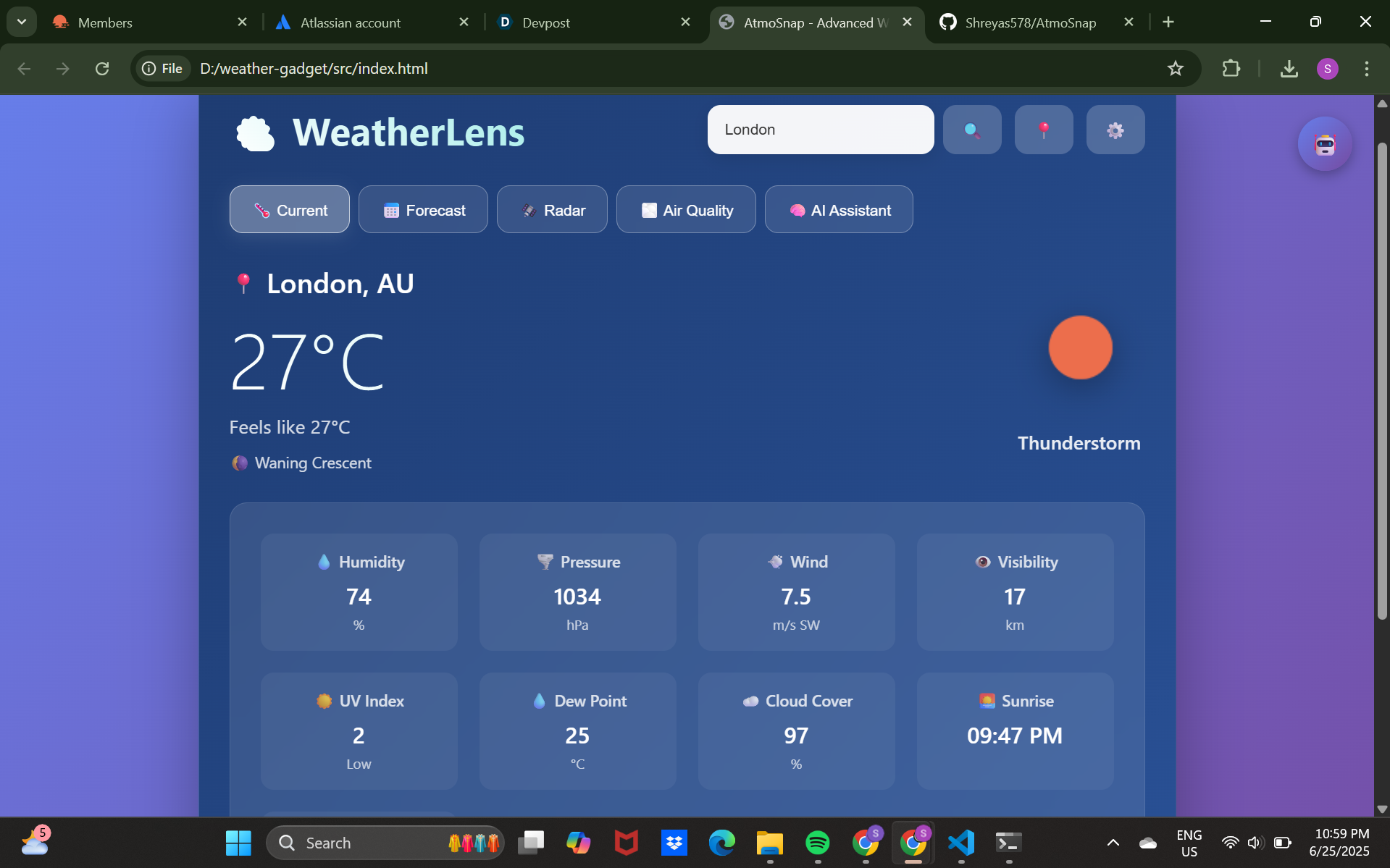
- See temperature, conditions, humidity, and wind in one clean panel
- Get a quick snapshot of today’s weather without leaving Jira
Optional features in progress include:
- Severe weather alerts
- 7-day forecast view
- Geo-based detection for automatic location display
🛠️ How we built it
We built AtmoSnap using:
- Atlassian Forge (UI Kit) – for secure, native Jira integration
- OpenWeatherMap API – for real-time weather data
- Forge’s serverless functions and resolvers – to handle API calls securely
- Jira dashboard module – to embed the gadget in dashboards
- Form handling with
useForm()– to capture user input (city/country)
The entire app was written using JavaScript and YAML (manifest.yml) and deployed using the Forge CLI.
🚧 Challenges we ran into
-**Overall forge platform is an amazing concept which eases the load to make an app easily as it provides all the js aswell as yml files and makes it a bit easy for the beginners with the setup required for the app. But it has some issues too which i personally faced that were during deploying it on jira i found it very difficult to view my app and its features that's why i was forced to take a different route which was to build the frontend using html, css and js for showcasing the app, whereas the frontend index.jsx and src index.js of backend played a huge role. But as i was not able to get the view of my app on jira i used html and all.
- JSX errors with UI Kit: Initially tried to use JSX but had to refactor into UI Kit-compatible syntax
- Installation permissions: Faced issues installing the app into Jira without proper admin rights; resolved by using the Atlassian Developer Console install link
- Cold starts: Learned that Forge apps take longer to load after inactivity due to serverless architecture
- API key protection: Ensured no API keys were exposed by using backend resolvers only
🏆 Accomplishments that we're proud of
- Fully working Forge gadget with real-time weather rendering in Jira
- Clean, user-friendly UI built using only UI Kit components
- No external servers — entire app runs securely inside Atlassian's infrastructure
- Learned Forge in a very short time and went from concept to deployment quickly
📚 What we learned
- How to build and deploy a Forge app from scratch using
forge create,deploy, andinstall - How UI Kit differs from Custom UI — especially the importance of JSX compatibility
- How to work with
resolverfunctions to securely call external APIs - How to troubleshoot permissions and install issues on the Atlassian platform
🔮 What's next for AtmoSnap
- Add 7-day forecast view
- Integrate severe weather alerts
- Add location auto-detection using browser geolocation
- Build a Custom UI version for richer user experience (with charts/maps)
- Publish to the Atlassian Marketplace as a free utility for weather-aware teams
AtmoSnap aims to make Jira smarter by connecting it to the sky 🌥️ — one forecast at a time.


Log in or sign up for Devpost to join the conversation.