-
Atlasic logo, made with 100% human creativity!
-
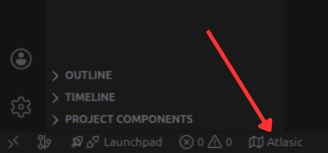
The Atlasic VSCode extension button
-
Atlasic VSCode extension page.
-
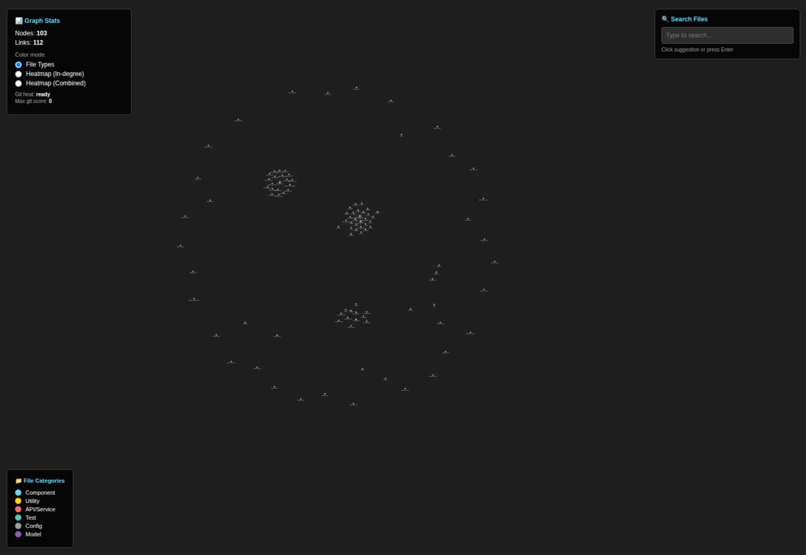
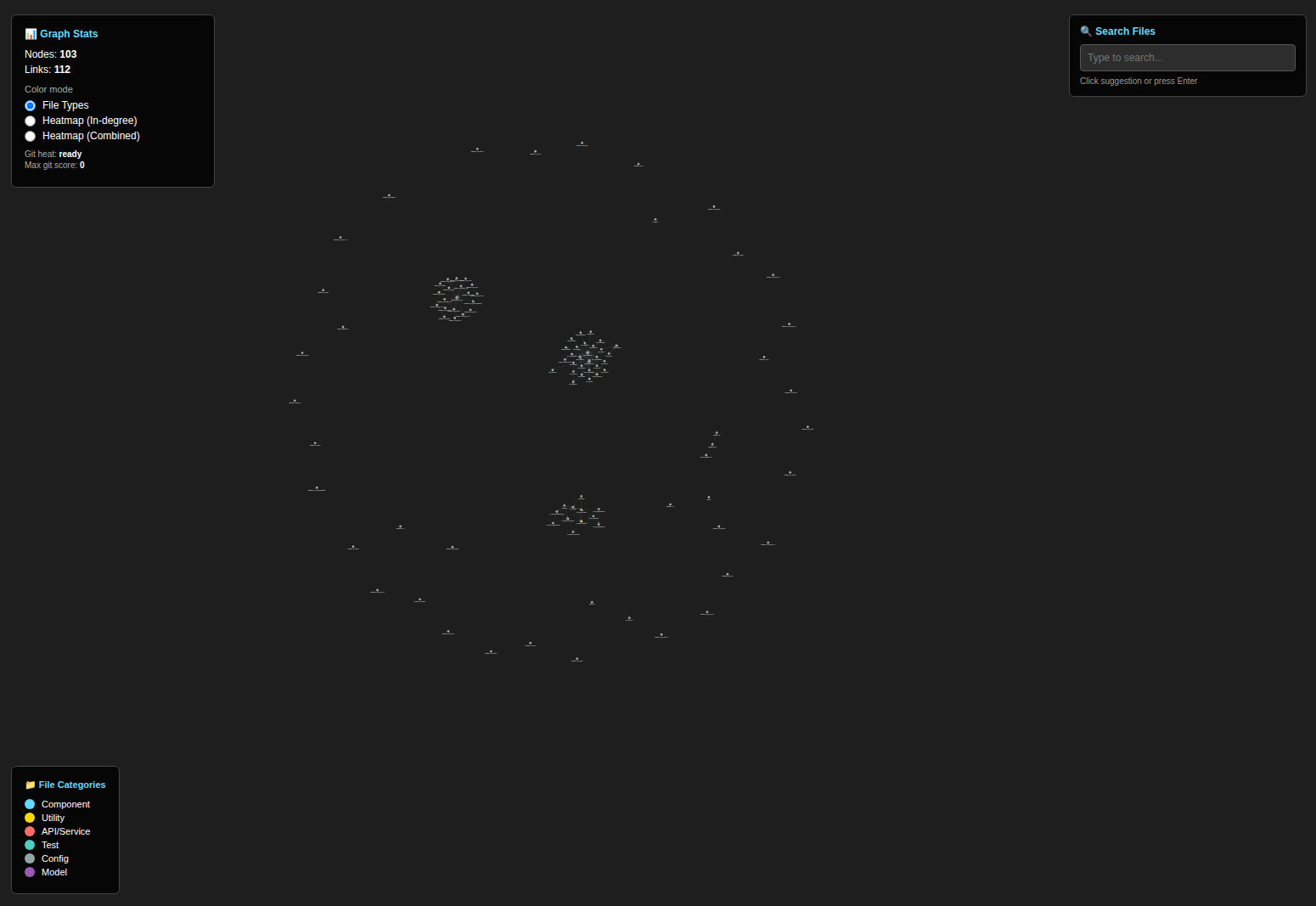
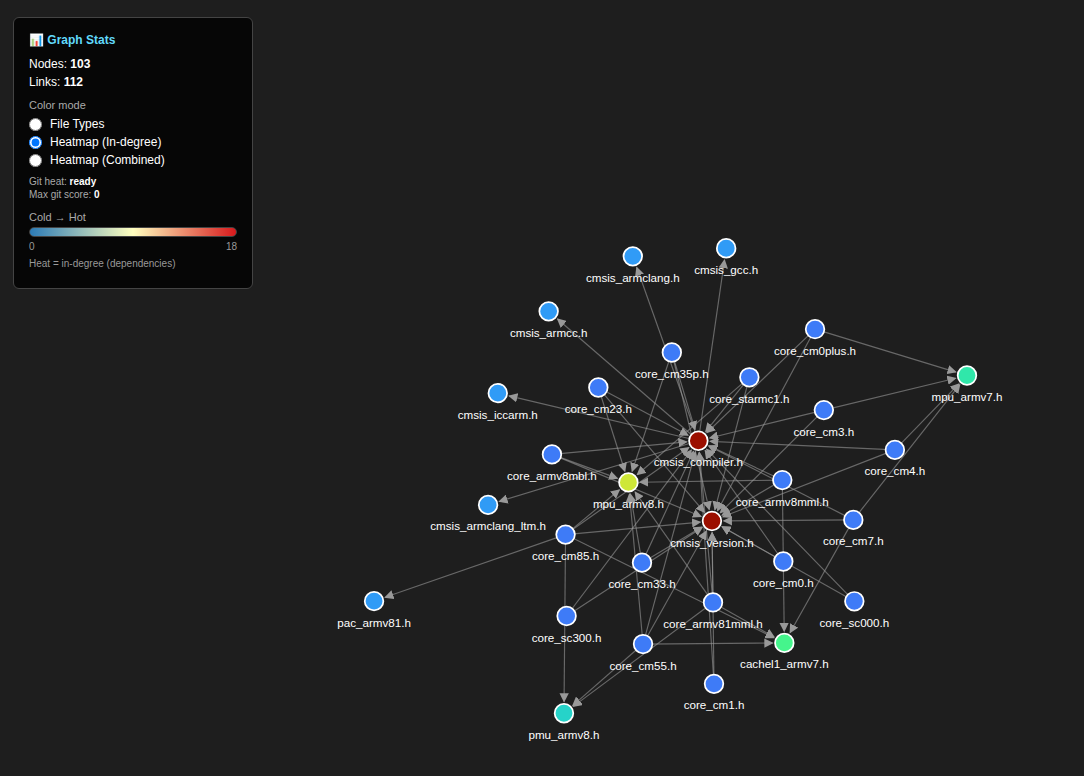
Atlasic view zoomed out.
-
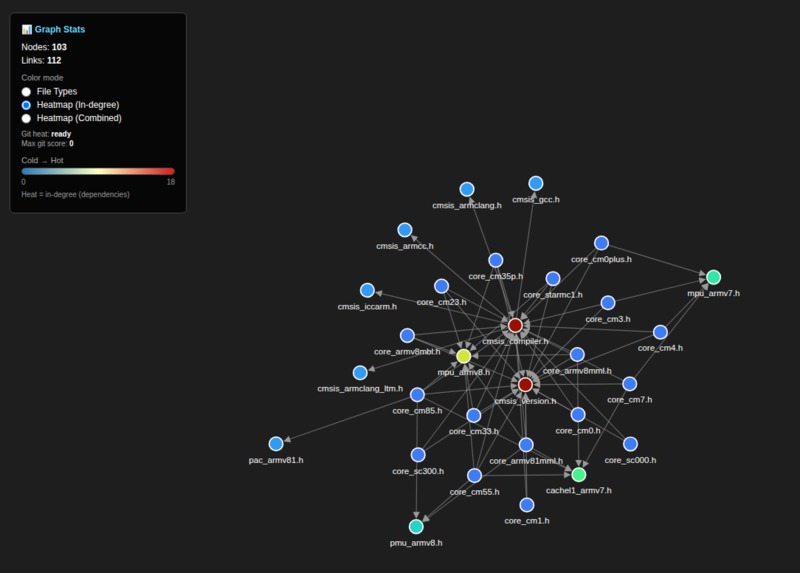
Atlsaic heatmap feature showing files that are most depended on.
-
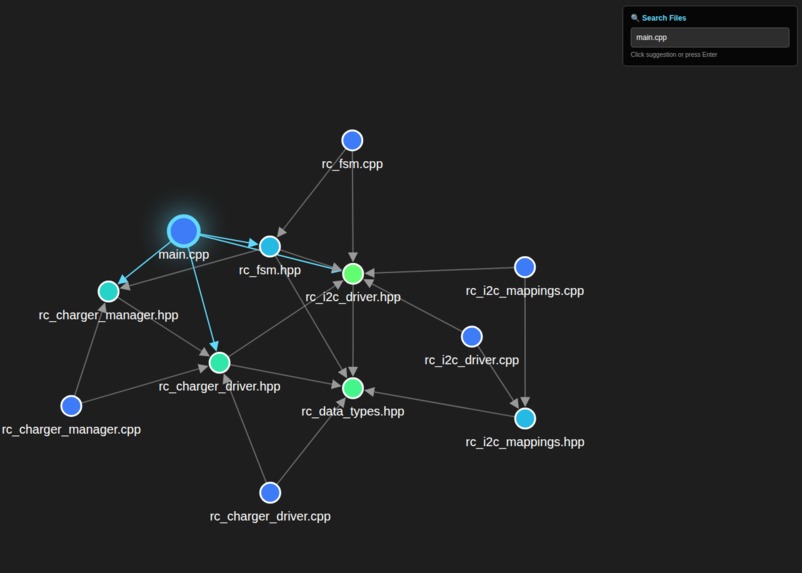
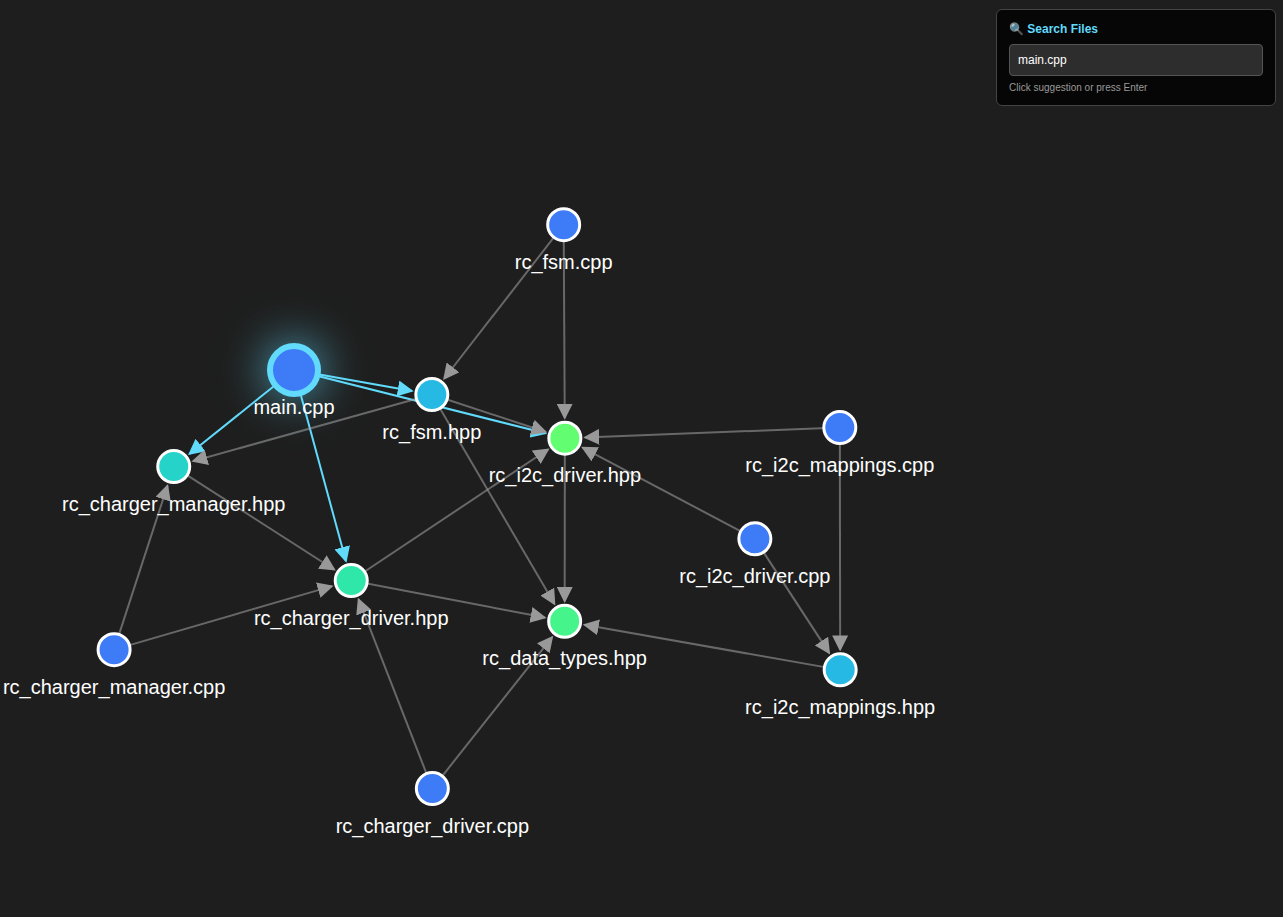
Atlasic search feature highlighting the found node and dependencies.
-
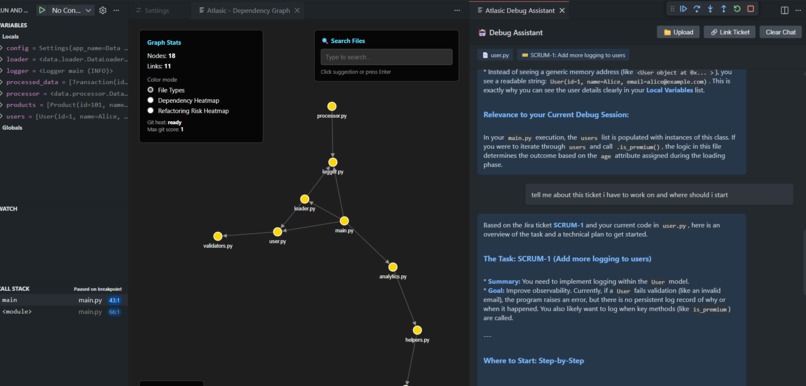
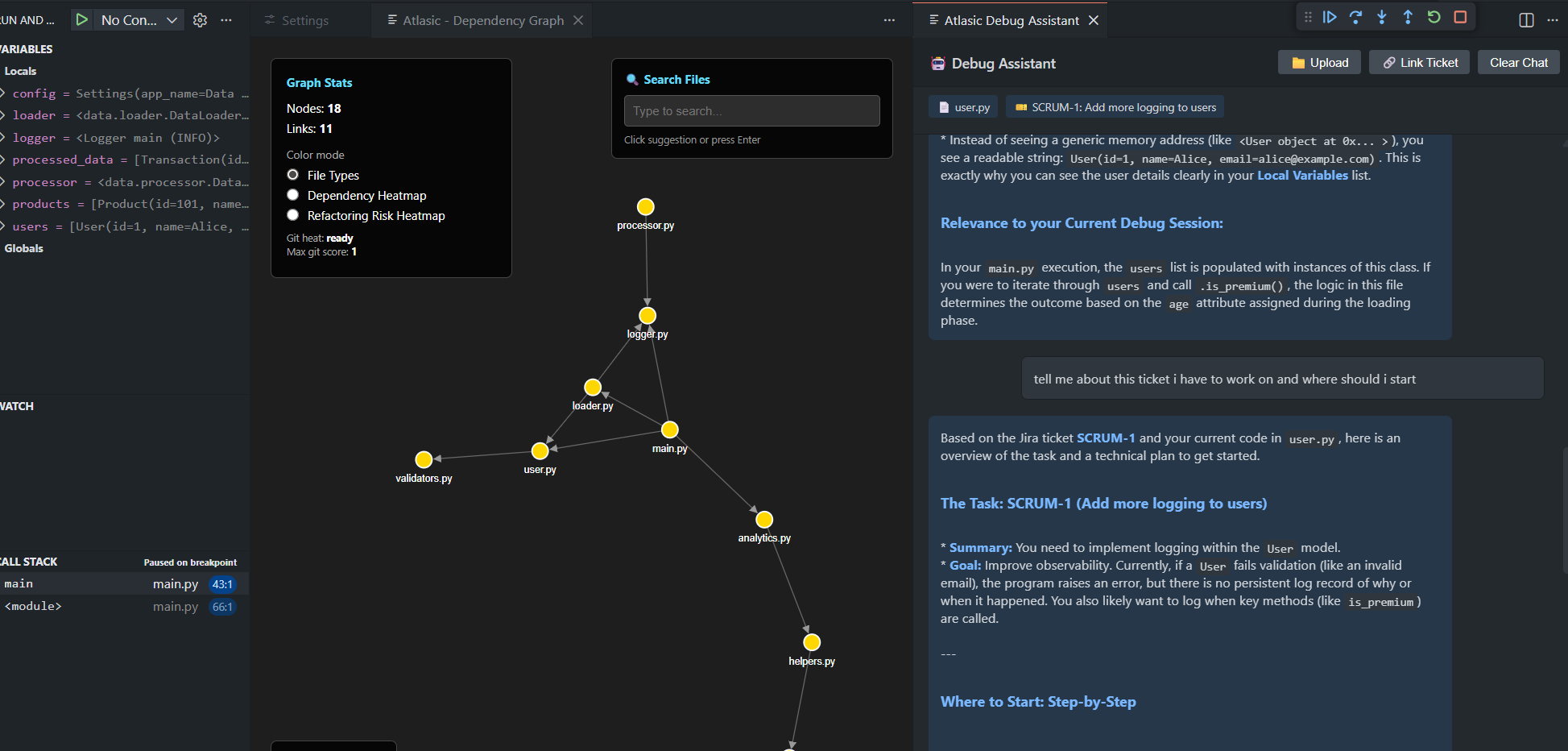
Atlasic assisting with debug with context from JIRA ticket.
-
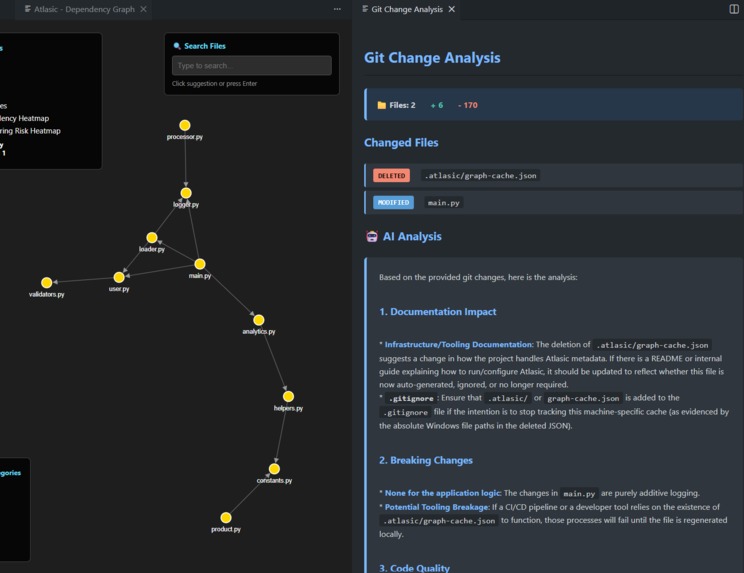
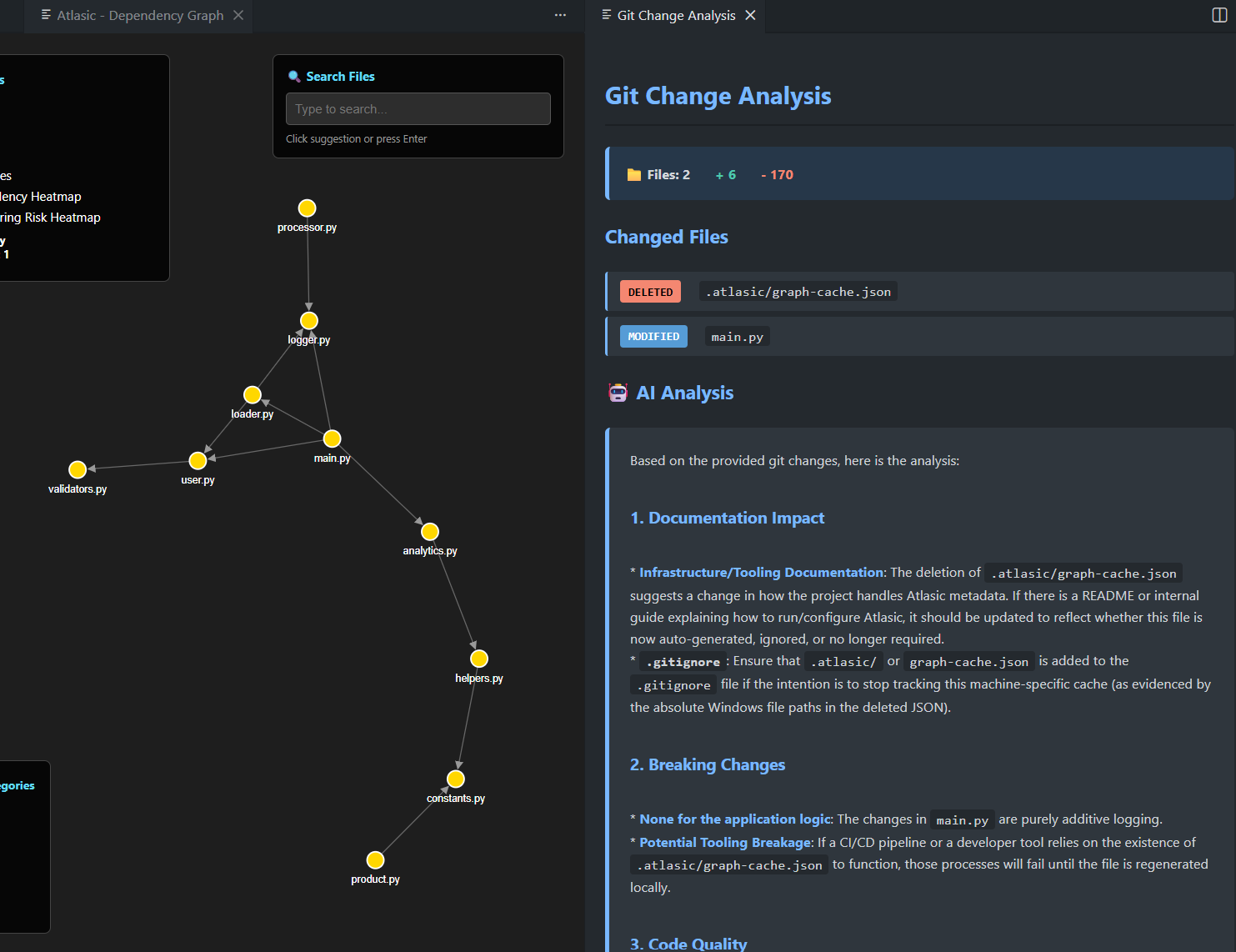
Atlasic reviewing your git diff.
Inspiration
Have you ever been overwhelmed while trying to keep track of all the relevant dependencies of a codebase? Us too...
Whether you're:
- building your first feature at a new job
- figuring out what parts of the architecture need optimization/refactoring
- documenting and communicating changes
... it can take way longer than it should. The problem is not that you're too slow of a learner or expected to know an entire codebase like the back of your hand.
Humans are primarily VISUAL thinkers and learners, but code and documentation is all just a bunch of non-stimulating text!
What it does
Atlasic is an atlas for your logic.
We take your codebase's logic and give you back an interactive atlas of the relationships that matter, so you can navigate the structure of the system faster. This way, you can spend more of your time building solutions instead of figuring out where to start.
How we built it
Atlasic is built as a VSCode extension written primarily in TypeScript that spins up a dedicated Webview panel for the UI and runs a repository analysis to produce a graph model.
Upon activation through our command buttons, the extension scans the workspace filesystem (with some inclusion/exclusion rules), and builds an in-memory "Codebase Graph" which consists of nodes and edges. Nodes are files/modules and edges are dependencies.
That graph is serialized to JSON and sent over VSCode's "postMessage" bridge to the Webview, where a client-side renderer (TS + a graph layout and drawing approach) lays out the nodes/edges and draws them. This handles interactions like zoom/pan, search, and "highlight this node" without blocking the extension host.
UI state lives in the Webview, while the extension acts as the controller that rebuilds or updates the graph and pushes fresh snapshots when the repo or settings change.
Challenges we ran into
Optimization! We noticed that for absolutely massive codebases such as the Linux Kernel, Atlasic's performance drops significantly.
Our main solution to this was using NAPI RS which is a tool that lets you create Node.js addons in Rust that you can call from TypeScript. We noticed a significant increase in speed for our graph generation module when rewriting the "file finding" component of our graph generator module.
Accomplishments that we're proud of
We are super proud of the insights that we have been able to provide through our work on Atlasic! We have tested it on very real and very large codebases, such as Microsoft's VSCode and even Linus Torvald's Linux Kernel and are super proud to see how well Atlasic performs on such massive codebases.
Also, it feels so cool to have a published VSCode extension!
What we learned
Diego's Learnings
I come from an Engineering background, so I have always worked with hardware when it comes to writing code. This is my first project of this size that isn't firmware, meaning I learned a lot! This was my first time using TypeScript, Gemini, and creating a VSCode extension! It was super fun to learn more about the high-level stuff that I don't usually get to play around with.
Tamzeed's Learnings
I learned a lot about the different APIs that VSCode offers to create and publish an extension. It was also interesting to brush up on fundamentals, such as when we used regex to parse file dependencies. It all felt especially rewarding when we got our extension published and started to see some downloads!
What's next for Atlasic
Optimization
This hackathon, we discovered the existence of N-API for Rust. This means that we can build Node.js addons in Rust, dramatically increasing the performance potential of Atlasic. We would love to push this optimization to the max and rewrite costly operations to see how fast we can make Atlasic, especially to parse and graph massive codebases like the Linux Kernel.
Contextualization
We would love to improve and refine the "context" and insights that Atlasic provides. The ultimate goal is to have someone install our VSCode extension, click a button and understand what needs to be done ASAP. While we think Atlasic already accomplishes this goal to a successful degree, we would be naive to think that we don't have room for improvement.
Potential areas for improvement could be:
- Integration with task management platforms for catering to the specific needs of a ticket.
- Creating "context layers" to make the visual experience as specific or as abstracted as a user desires.


Log in or sign up for Devpost to join the conversation.