-
-
-
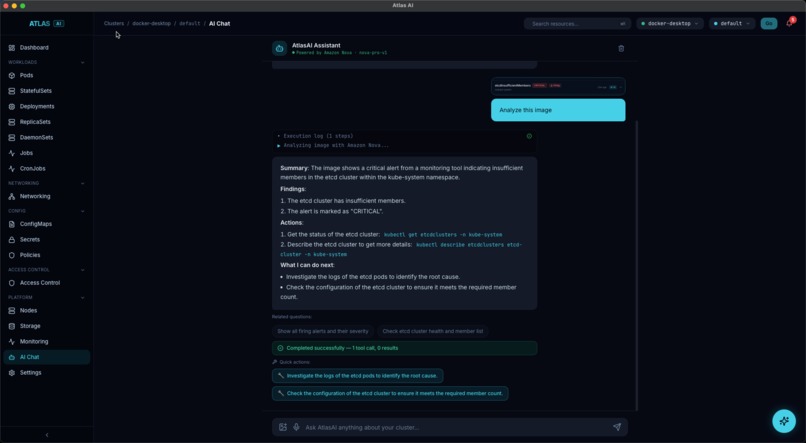
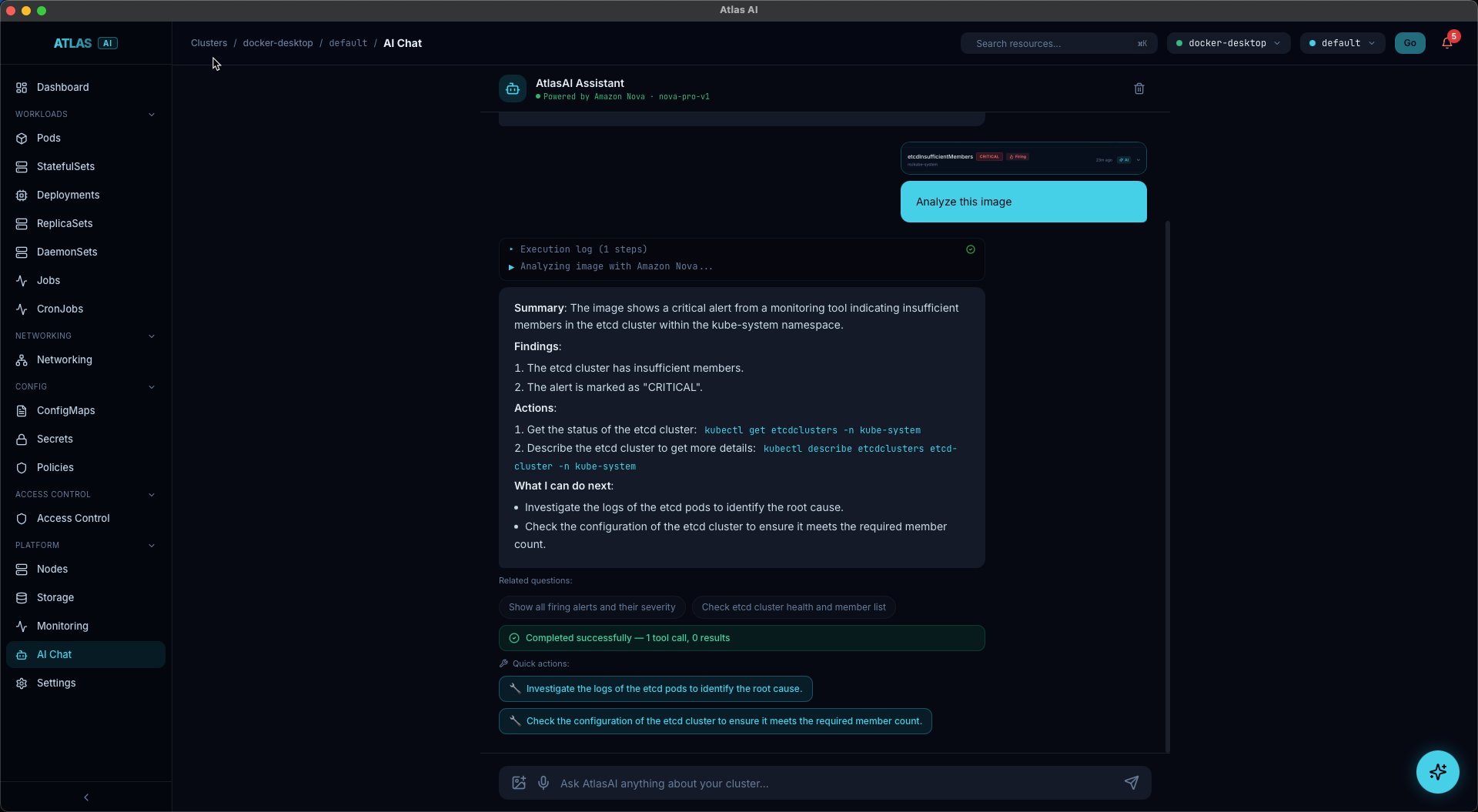
AI Chat powered by Amazon Nova
-
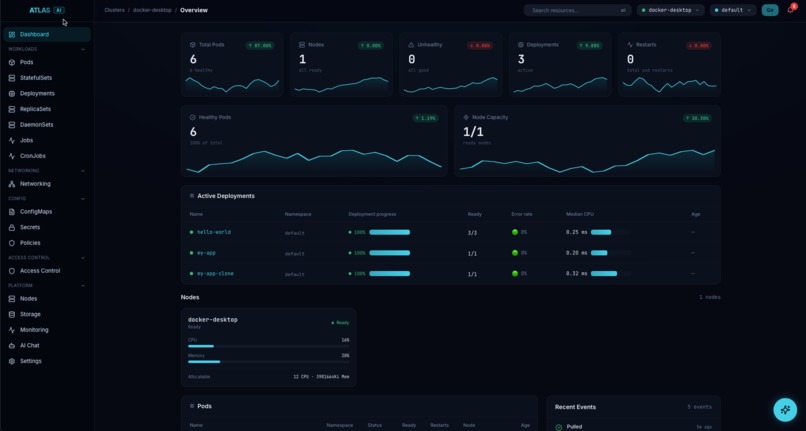
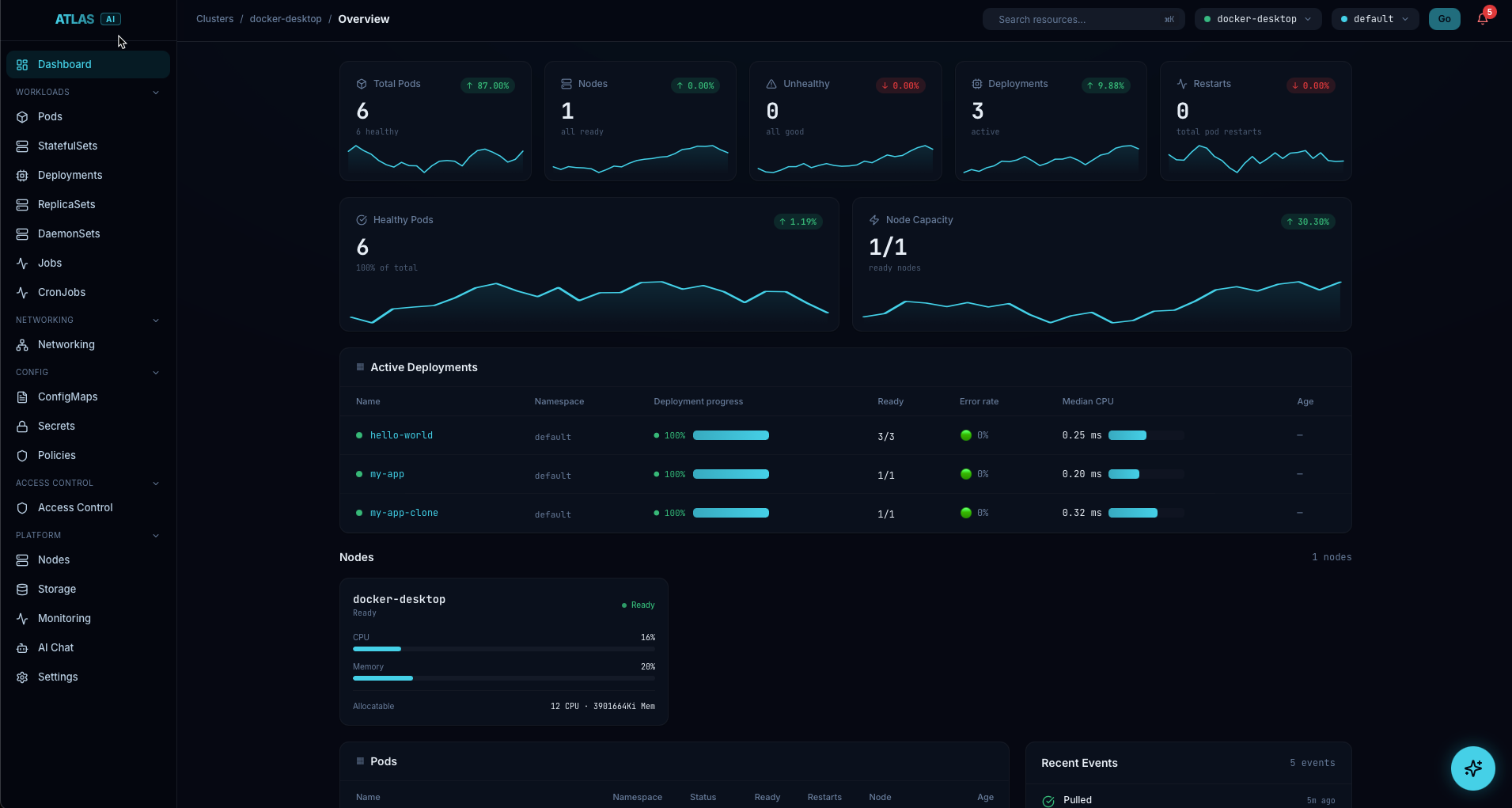
Dashboard
-
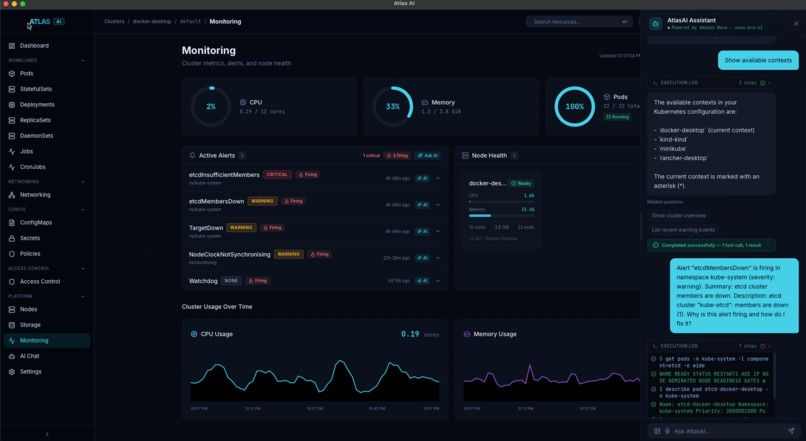
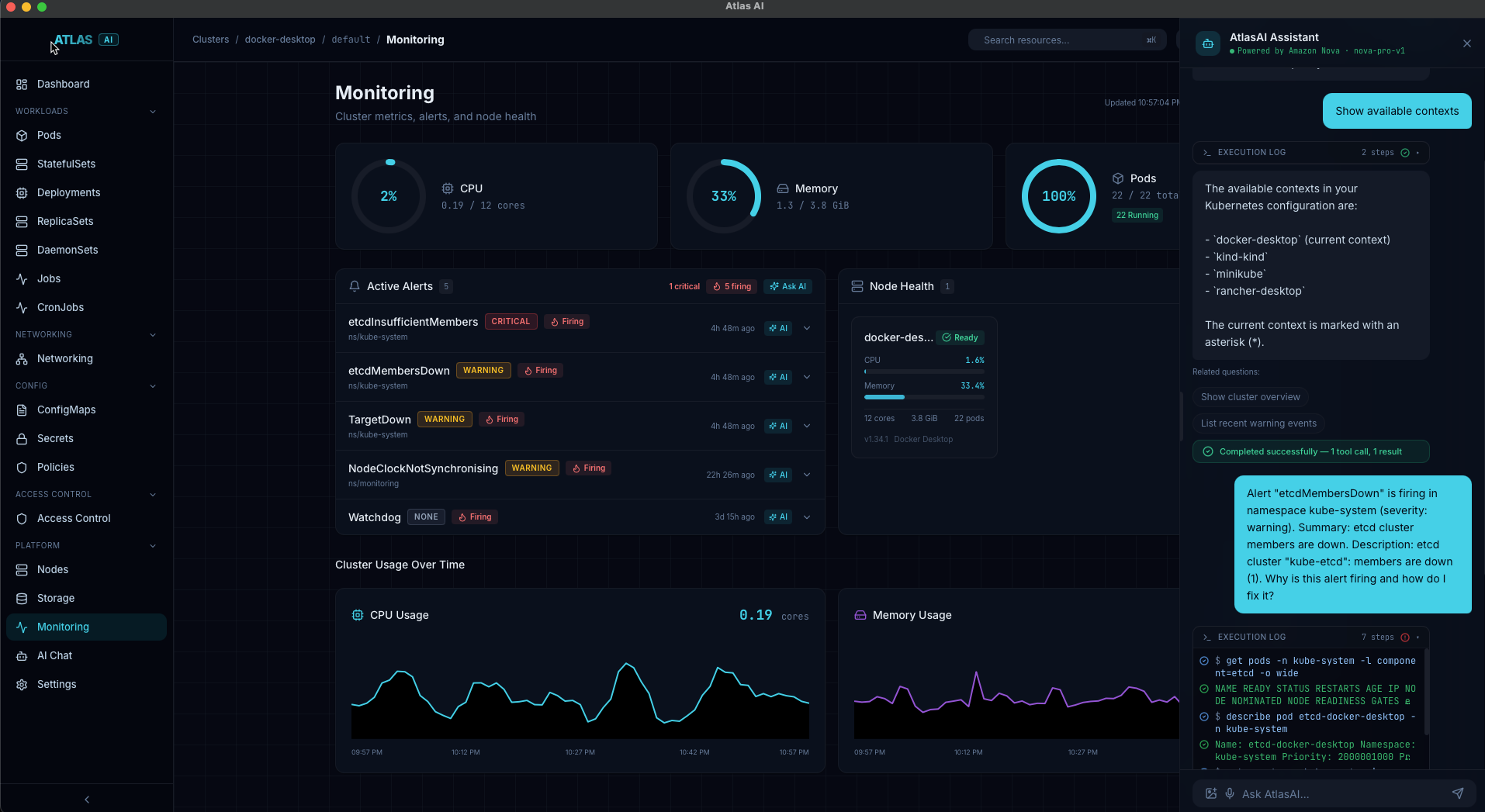
Prometheus alerts to real time AI research
Atlas AI — Project Story
Inspiration
Kubernetes is powerful, but it's also complex. Even experienced engineers spend a lot of time switching between terminals, dashboards, and documentation just to figure out why a pod is crashing.
I asked myself: What if you could just ask your cluster what's wrong — and it tells you?
That was the idea. Build a single tool where you can see everything happening in your cluster, and talk to it using plain English. No memorizing kubectl commands. No digging through YAML files. Just ask, and get answers.
Amazon Nova gave us the perfect AI backbone — fast, capable, and with multimodal vision so the AI can even understand screenshots.
What It Does
Atlas AI is a desktop application (built with Tauri) that combines:
- A full Kubernetes dashboard — pods, deployments, services, networking, storage, RBAC, monitoring — all in one place
- An AI chat panel powered by Amazon Nova — ask questions like "why is my API pod crashing?" and get real answers from your live cluster
- Multimodal image analysis — paste a screenshot of a Grafana dashboard or error log, and Nova analyzes it with your cluster's actual state
- Real-time streaming — watch the AI think step by step as it calls kubectl tools and builds its answer
- Safety controls — destructive operations (delete, scale to zero) are caught and blocked. You must confirm before anything dangerous runs
How I Built It
The project has three main parts:
Frontend — React + TypeScript + Tailwind CSS + shadcn/ui. I used Vite for fast development and TanStack Query for data fetching. The UI is responsive and works both as a web app and a Tauri desktop app.
Backend — A Go server using the Gin framework and the official Kubernetes client library. It talks directly to the Kubernetes API and proxies Prometheus for monitoring data. It also manages the AI subprocess.
AI Layer — I integrated
kubectl-ai(an open-source agentic CLI tool) as a subprocess. The backend spawns it, forwards user queries, and streams the results back. kubectl-ai uses Amazon Nova as its LLM provider and has real tools — it runs actual kubectl commands to answer questions.
For image analysis, I call the Amazon Nova Pro API directly using its OpenAI-compatible endpoint. We enrich the prompt with live cluster state (unhealthy pods, deployment status, node conditions) so Nova can correlate what it sees in the image with what's actually happening.
Architecture overview:
User → React UI → Go Backend → kubectl-ai (subprocess) → Amazon Nova API
                       ↓                                        ↓
                 Kubernetes API                          Tool calls (kubectl)
                 Prometheus API                          Streaming responses
Challenges We Faced
1. Streaming AI responses reliably
Getting Server-Sent Events (SSE) to work end-to-end — from kubectl-ai's NDJSON output → Go backend → browser — was tricky. I had to handle buffering, connection drops, and partial JSON parsing carefully.
2. Keeping the AI subprocess alive
Cold-starting kubectl-ai on every request was too slow. We built a "warm worker" pattern — a persistent process that stays alive and accepts queries via stdin/stdout. When it crashes or gets stuck, we detect that and restart it automatically.
3. Safety without ruining the experience
I wanted the AI to be useful but not dangerous. I built a regex-based detection system for destructive commands (delete, destroy, scale to zero, etc.) that shows the command but does not execute it. Finding the right balance took several iterations.
4. Multimodal context enrichment
Sending just an image to Nova wasn't enough — it didn't know the cluster context. I added automatic enrichment: before each image analysis, we fetch the current cluster state and include it in the prompt. This way Nova can say "The OOMKilled pod you see in the screenshot is api-server in the production namespace, and it has restarted 15 times".
5. Making 20+ resource types manageable
Kubernetes has a lot of resource types. Building a UI for each one (list, detail, YAML edit, delete) was repetitive. We settled on consistent patterns — every resource type has the same interaction model, which made both development and user experience better.
What We Learned
- Amazon Nova Pro is fast. Response latency is noticeably lower compared to other providers we tested, which matters a lot for a real-time chat experience.
- Multimodal AI is underused in DevOps. Being able to paste a screenshot and get actionable kubectl commands is surprisingly powerful. SREs already share screenshots in Slack — now they can just paste them here.
- Agentic AI needs guardrails. An AI that can run kubectl commands is powerful but risky. Designing the safety layer was as important as the AI integration itself.
- Streaming makes AI feel alive. Showing tool calls and intermediate results as they happen makes the experience much more engaging than waiting for a final answer.
What's Next
- AI-powered root cause analysis — automatic incident investigation across logs, events, and metrics
- Natural language → YAML generation — describe what you want and get deployable manifests
- Security audit — AI scans your cluster for misconfigurations and vulnerabilities
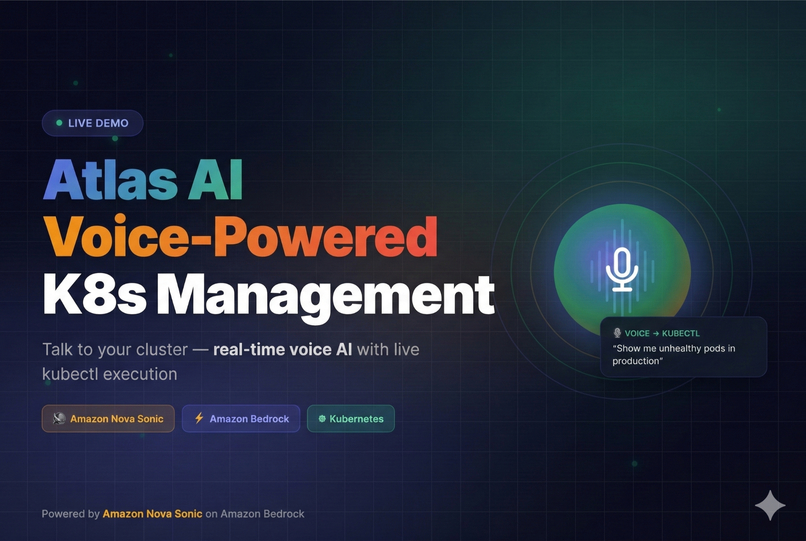
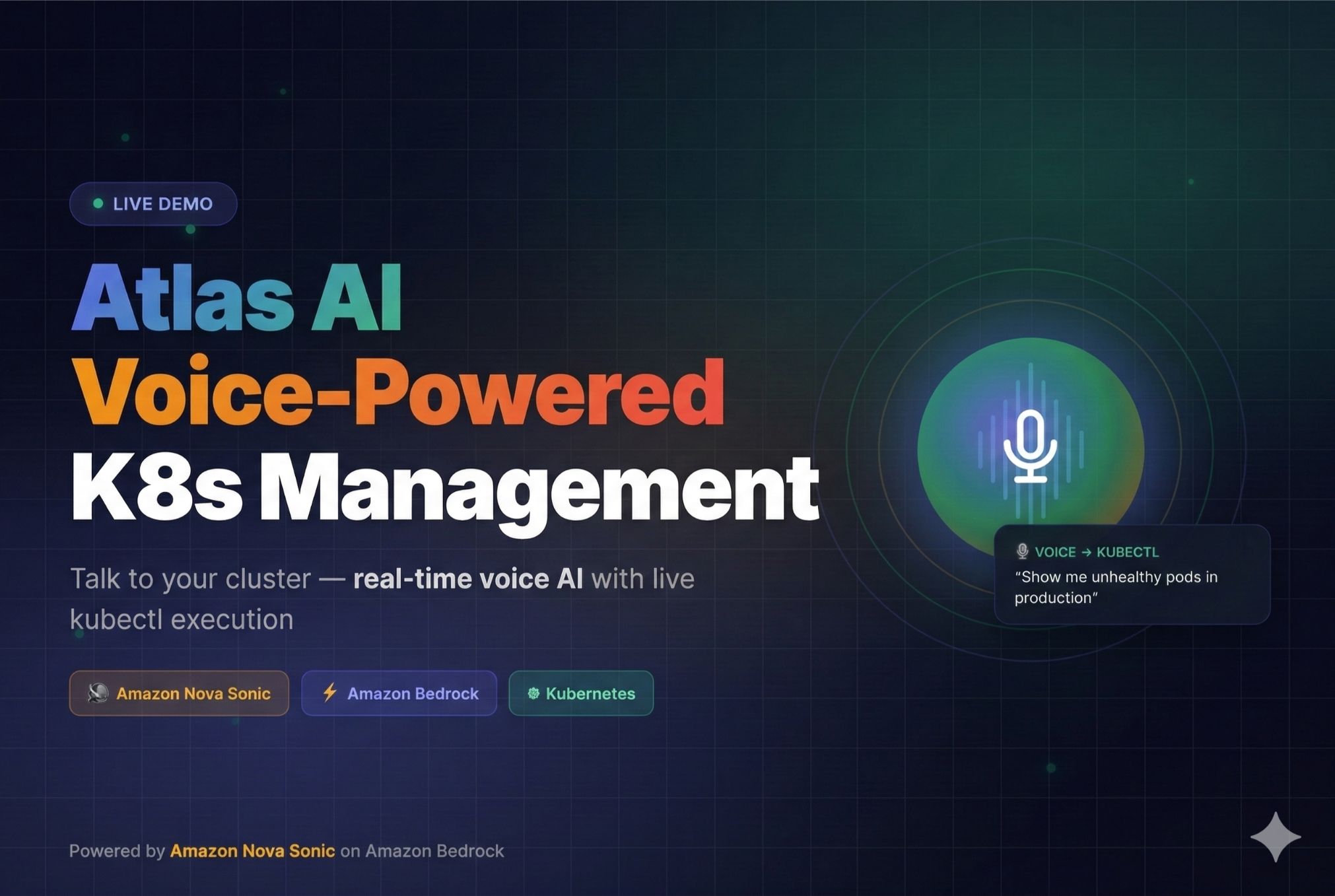
- Voice input — manage your cluster hands-free during incidents
Built With
- css
- go
- react
- tailwind
- tauri
- typescript



Log in or sign up for Devpost to join the conversation.