Inspiration
We've always believed the way most people "study" for technical interviews is backwards. Grind enough problems, memorize enough patterns, and you can pass an interview without ever really understanding why a solution works. We had this idea early on: what if the tool didn't give you answers at all — what if it only asked questions, the way a good teacher or interviewer actually does?
That idea started small, as a simple chatbot tuned for Socratic learning of data structures and algorithms — instead of handing over answers, it asked guiding questions so the user learned by reasoning through the problem themselves. The moment it worked, it was obvious this had to be more than a chatbot. Almost every coding-prep tool, and every AI chatbot on the market, does the opposite of what actually helps you learn. Ask ChatGPT or Claude to solve a problem and it will — happily, instantly, and without checking whether you understood a single step of it.
We realized the real gap wasn't "another AI coding assistant." It was a tool that refuses to just give you the answer, structured specifically around how real technical interviews actually work: a problem, a blank editor, a ticking clock, and someone watching how you think — not just what you type.
That's Atlas.
What it does
Atlas has two core modes:
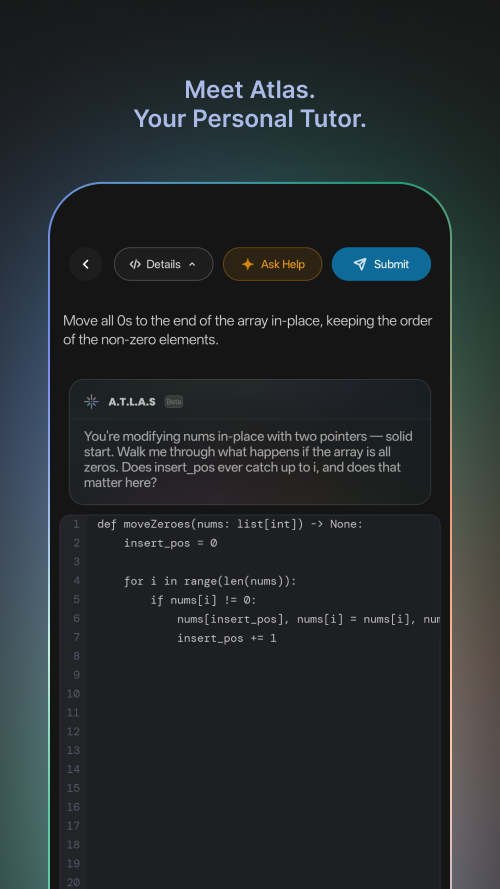
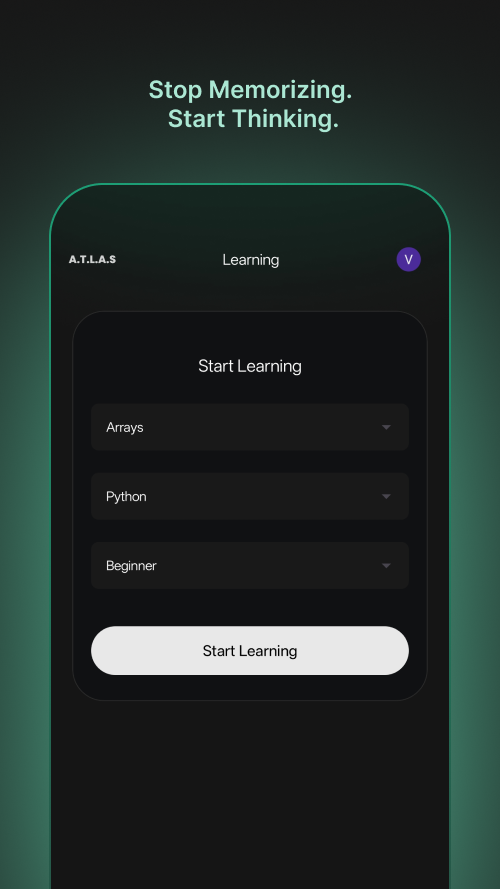
Learning mode — pick a topic, language, and difficulty, and Atlas generates a problem for you to solve. As you write code, you can ask Atlas for help — it responds not with a fix, but with a pointed question about your approach, an edge case you might have missed, or the complexity of what you've written.
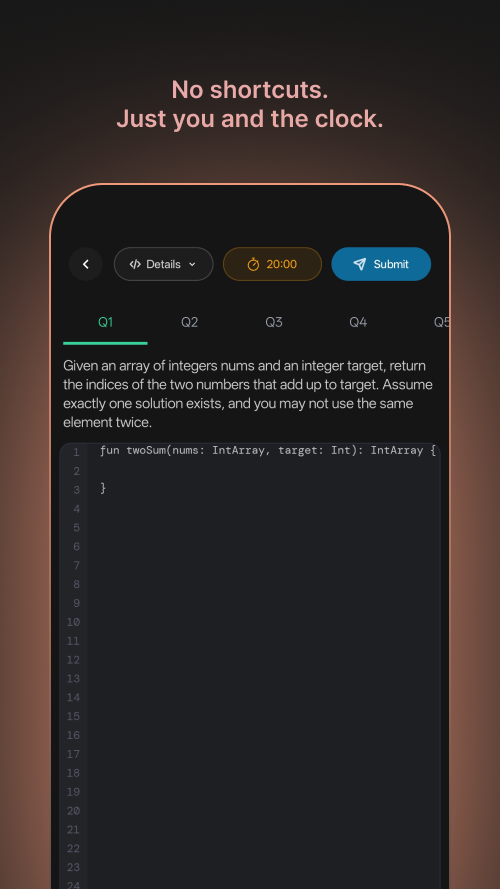
Interview mode — a timed, simulated technical interview. Atlas generates multiple problems up front; you solve them under the clock, with no hints unless you explicitly ask. When time runs out or you submit, Atlas reviews every answer and gives you a full breakdown: what you solved, what you missed, and where to improve next.
A Progress tab tracks every session and interview over time, so the app isn't just a one-off practice tool — it's building a picture of where you're actually stuck, not just how many problems you've completed.
How we built it
- Frontend: native Android, Kotlin + Jetpack Compose
- Backend: Express, calling the Gemini API for both question generation and Socratic feedback
- Monetization: RevenueCat, gating Interview Mode, unlimited sessions, and adaptive progress tracking behind a subscription
A lot of the build time went into details that don't show up as a single feature but shape how the whole app feels: a custom animated glow-border effect that reacts to what Atlas is doing (thinking, submitting, evaluating), color-coded by mode — teal for learning, coral for interview — so the UI itself reinforces which mode you're in and when the AI is actively "thinking."
Challenges we ran into
Avoiding the "it's just a ChatGPT wrapper" trap. Early on we had to be honest with ourselves: if the entire product is "send a prompt to Gemini, get a response back," a user can already do that for free in any AI chat app. We deliberately pushed features toward things a raw chat session can't do — persistent state across sessions, structured interview constraints (timers, no-hints enforcement), and deterministic logic (topic weighting, gap tracking) that lives in our code, not inside the model's one-off response.
A gradient border that only looked right on a square. Our animated glow border used an angle-based gradient that looked perfect in a square preview but visibly distorted — bunching up at the top and bottom — on an actual phone screen's aspect ratio. We rebuilt it to color based on distance travelled along the actual border path instead of angle, which fixed it regardless of screen shape.
Deciding what's worth gating behind Pro. We went back and forth several times on whether Interview Mode should be free-with-limits or fully Pro-gated, and eventually anchored every paywall decision to one question: does this feature require real engineering to exist, or is it just "more of the same"? That's what shaped our final Pro feature set.
What we learned
- A good AI feature isn't the AI call itself — it's everything around it: the state it doesn't have, the rules it has to follow, and the structure that turns a single response into a real multi-step experience.
- Small perceptual details (making a loading animation actually look like it's moving, not just shifting color) matter as much as the underlying logic.
- Pricing and paywall structure are genuinely hard design decisions, not an afterthought to bolt on at the end.
What's next
- iOS app (in development)
- A web app version
- A full in-app compiler with syntax highlighting and real test case execution
- A progress dashboard with deeper, longer-term trend tracking
- Curated, adaptive learning plans based on actual performance history
- The ability to plug in different AI models of your choice
Built With
- compose
- fastapi
- firebase
- gemini
- google-cloud
- kotlin
- python

Log in or sign up for Devpost to join the conversation.