-
-
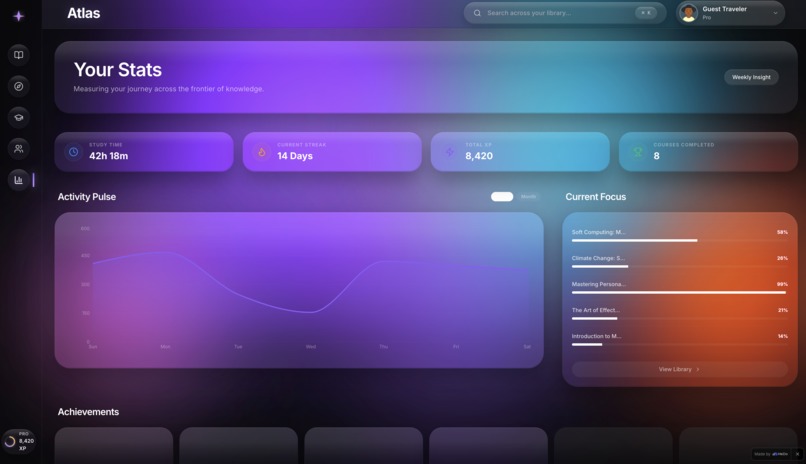
Learning Stats Page
-
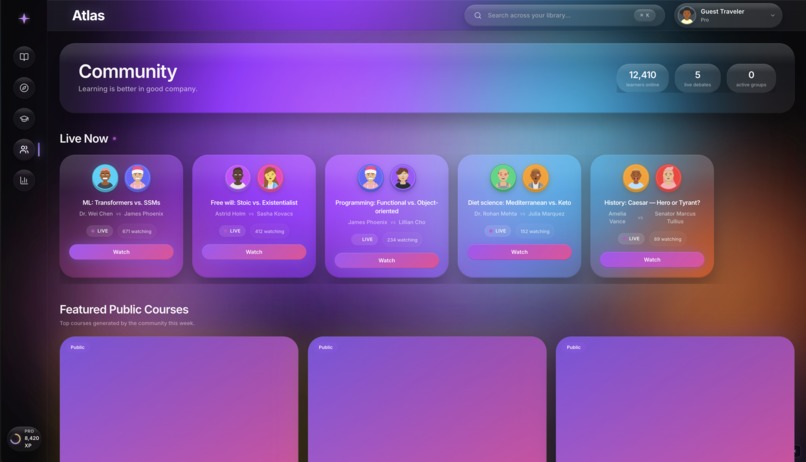
Community Page
-
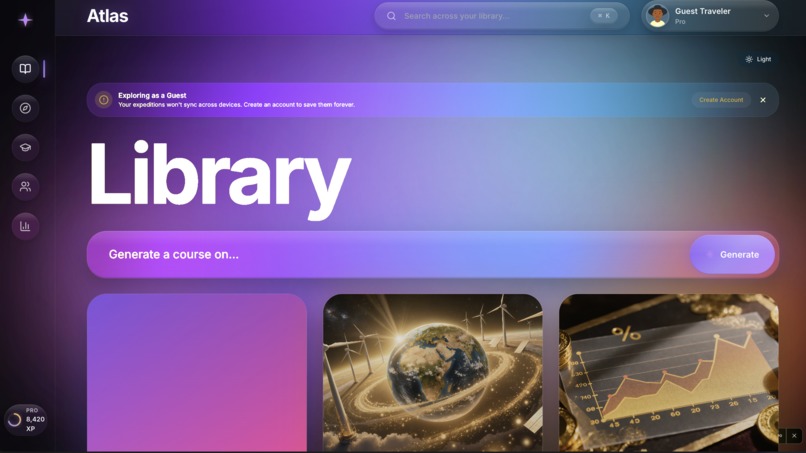
Homepage
Inspiration
Most AI learning tools are static catalogs with a chat sidebar bolted on. You browse pre-made courses, you read pre-made content, and the AI is reduced to a slightly smarter help bubble. ChatGPT can answer any question but doesn't structure your learning. Khanmigo is great but tied to Khan Academy's catalog. Brilliant is beautifully made but pre-authored. Duolingo gamifies but doesn't generalize.
I wanted something different: a learning platform where every course is generated on demand for the person taking it, and where the AI isn't a chat bubble but the tutor itself. Where you can type "I want to understand quantum mechanics for someone who never made it past algebra II" and have a real curriculum drafted in under a minute, taught by an AI tutor who has a name, a voice, an era, and remembers every question you've ever asked them.
The thesis behind Atlas: curiosity is the engine, conversation is the classroom, and your personal library should grow with you.
What it does
Atlas turns any topic into a fully personalized course in 60 seconds.
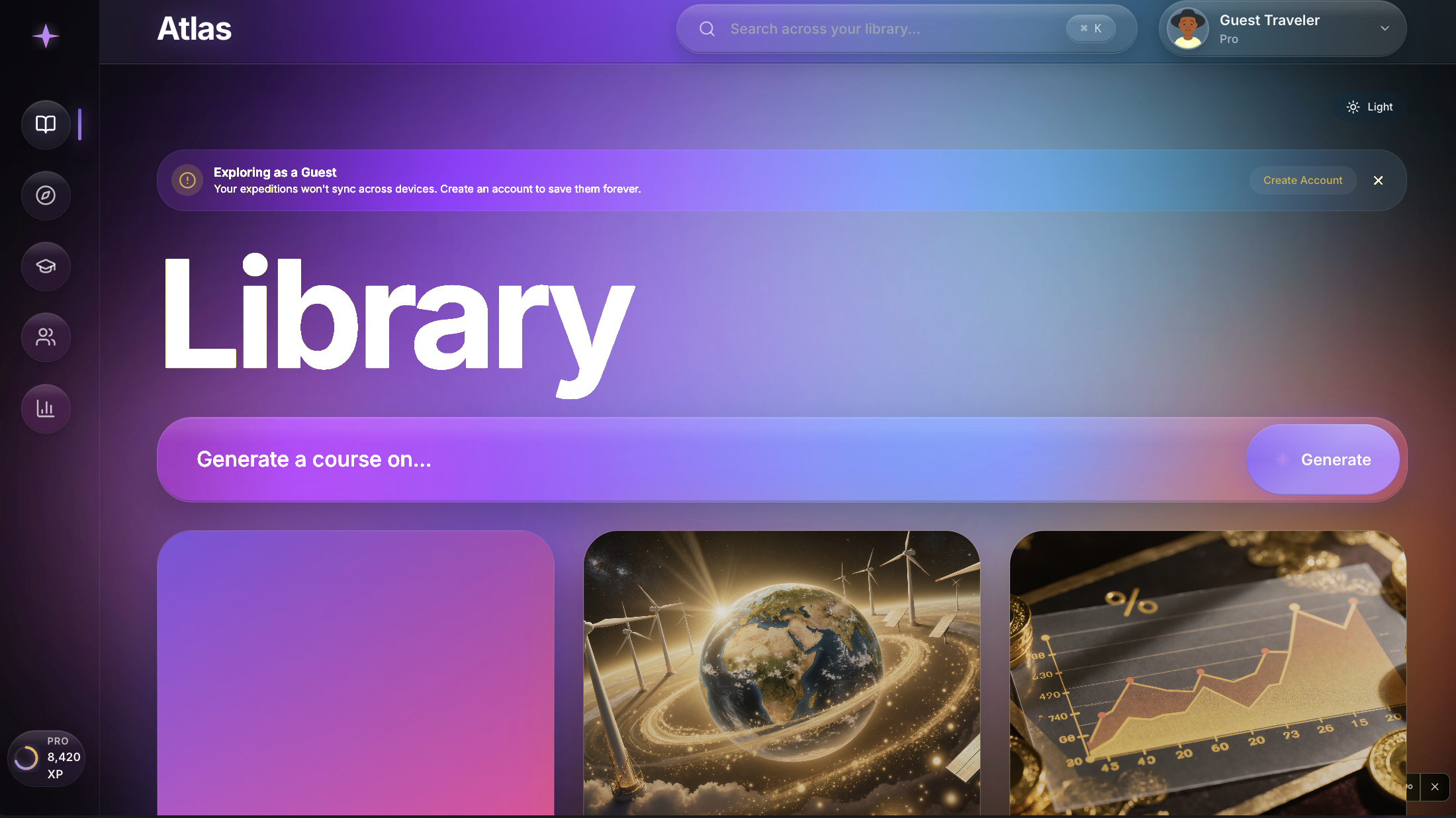
You type what you want to learn. You can name your preferences (challenge level, session length, breadth vs depth) or skip straight to generation. Atlas builds a course tailored to you: a real syllabus with sequenced modules, a tutor selected to teach it, and an AI-painted cover. Modules cover the right pedagogical mix for the subject: reading, watching, practice, discussion, building.
Inside each course you can:
- Read AI-generated lessons that match your stated learning style
- Hold multi-turn Socratic conversations with your tutor, who pushes you with questions rather than spoon-feeding answers
- Submit practice responses and get real evaluation with strengths, gaps, and a specific improvement suggestion
- Watch as your personal Compendium of concepts grows visibly each time you complete a module
Across courses, Atlas offers:
- Library of everything you've started
- Discover for browsing community-shared courses across nine categories with rich filters
- Learning for resuming what's in progress and seeing today's spaced-repetition prompts
- Notes that auto-link to courses and surface across the app
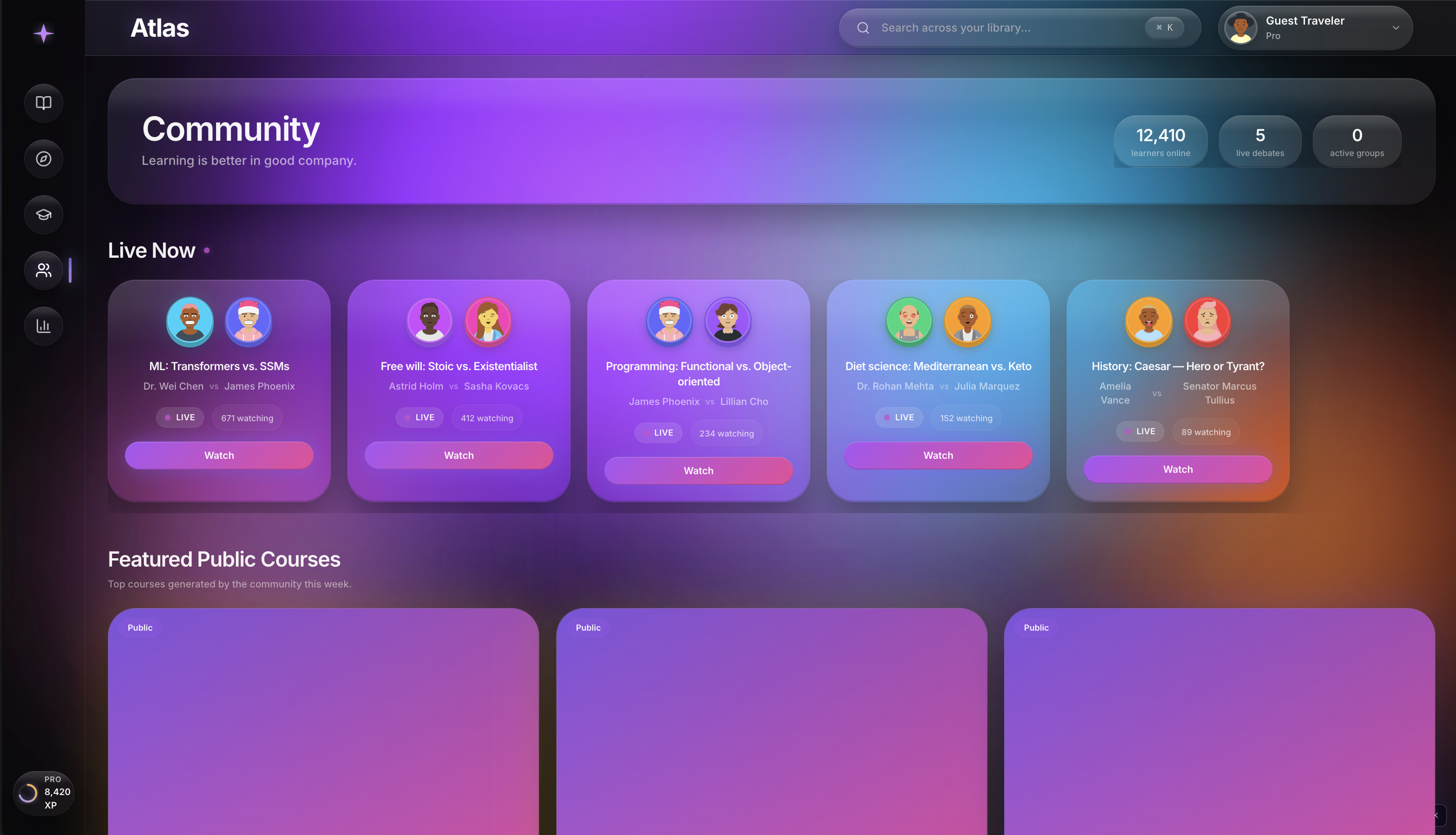
- Community with live Tutor Debates between AI experts with opposing views, study groups you can join, and threaded discussions
- Stats showing your full-year activity calendar, time investment by category and format, mastery progression, tutor relationships, and weekly AI-generated insights about how you actually learn
The defining feature that separates Atlas from every other AI learning tool: the tutors remember you. Each tutor has a distinct persona, voice, and pedagogical style. More importantly, they have persistent memory across every conversation. When you come back to James Phoenix after a week, he picks up where you left off, remembers what confused you, and references your past insights by name.
How I built it
Atlas was built entirely on MeDo, Baidu's no-code AI app builder. Every line of code in the running product was generated by MeDo from natural language conversation across roughly a dozen comprehensive passes.
The stack underneath:
- Frontend rendered through MeDo's app generation, structured as a single-page experience with route-based code splitting
- Backend through MeDo's Edge Functions, with the database holding users, courses, modules, tutors, notes, knowledge nodes, conversation threads, practice attempts, activity logs, achievements, and insights
- LLM via the Gemini plugin (Gemini 2.5 Pro for course generation, Gemini Flash for tutor chat replies and lighter tasks), configured with strict JSON response schemas via
responseMimeTypeandresponseSchema - Image generation via the Kling plugin for course covers, generated in parallel with course creation so users don't wait for it
- Animations via Framer Motion springs (damping 14, stiffness 120) for the snappy interaction feel
- Type safety via TypeScript strict mode, with zod schemas at every external data boundary
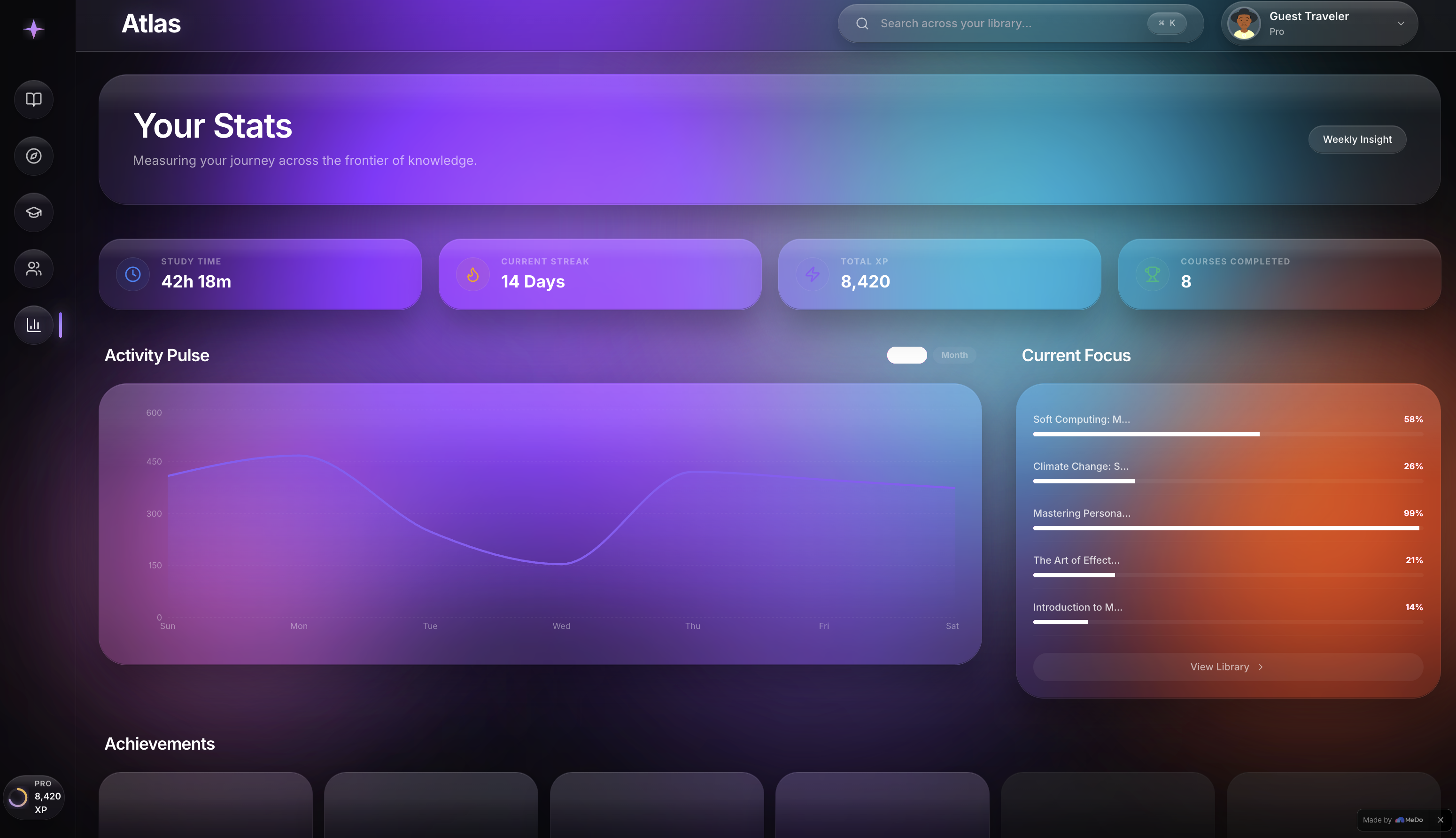
The design system was opinionated from the start: a custom liquid glass material recipe with backdrop blur, saturate filters, and color refraction through the surfaces. A dark canvas with multiple soft-blurred gradient orbs in violet, cyan, magenta, and amber that bloom in screen-blend brilliance. Geist Sans variable type at display weight for headings. A four-tier component hierarchy (atoms, molecules, organisms, templates) that I refactored partway through the build when the structure drifted.
The build proceeded in clearly defined passes:
- Initial scaffolding and visual identity
- Library page with three seeded courses and liquid glass cards
- Discover, Learning, Notes, Course Detail, and Settings pages
- Community and Stats pages with seeded debates, study groups, achievements, and a full year of activity data
- Liquid glass material intensification, making the atmosphere visibly bright and the cards actually translucent
- Critical LLM integration rescue, replacing OpenAI placeholder calls with MeDo's native Gemini plugin
- Generation pipeline hardening with cascading fallback strategies and verbose diagnostic logging
- Final polish, image generation for every course thumbnail, and stub elimination
Every pass was driven by a single comprehensive prompt to MeDo, encoding all decisions upfront so MeDo could execute end-to-end without checkpoint pauses, which mattered because MeDo charges per prompt regardless of length.
Challenges I ran into
The biggest challenge was LLM integration. The initial build scaffolded direct OpenAI calls with placeholder API keys, which silently 401'd. After diagnosing this, I had to rebuild the entire AI service module to route through MeDo's native Gemini plugin instead. Even after that, generation kept failing because Gemini wasn't enforcing JSON-only responses; it would return conversational replies asking clarifying questions instead of the structured course data. The fix was a multi-layer hardening: responseMimeType set to application/json, a strict responseSchema derived from zod, a system prompt that explicitly forbade clarifying questions and prose, and a cascading fallback strategy that retried with progressively simpler schemas if validation failed.
The second big challenge was design fidelity. The initial liquid glass implementation was solid dark cards on a near-flat near-black background. Side by side with the reference target (Apple Vision Pro material), it looked like a competent dark dashboard but lacked the actual glass. The fix took a dedicated intensification pass: bumping the orb opacities to 60-75% peak, using mix-blend-mode: screen so overlapping orbs brighten rather than darken, raising glass background opacity from 4% to 6% so atmosphere refracts through, and adding cursor-tracked specular highlights with perspective tilt on hover.
The third challenge was scope discipline. Atlas wanted to be a hundred features. Persistent tutor memory, Sage debates, study groups, knowledge graphs, voice mode, mobile PWA, real auth, certification. Every pass had to lock the design system to prevent regression, lock the layout when intensifying visuals, lock the data when populating tabs. Without that discipline the product would have drifted into incoherence.
The fourth challenge was MeDo platform constraints. MeDo runs generated apps in a sandbox that limits arbitrary external API calls. The initial fix for "LLM not working" assumed custom Node code could call any LLM, but the real solution was using MeDo's native plugin infrastructure exclusively. Every other AI feature followed the same pattern: no SDKs, no direct API calls, just plugin invocations through MeDo's runtime.
Smaller but real challenges: removing leftover "expedition" terminology from earlier design iterations (it survived three cleanup passes and kept reappearing in error messages and button labels); fixing the error UX so it never dumped raw JSON payloads to users; making the activity heatmap accessible with keyboard navigation; getting the chart styling to match the locked design system without introducing a third-party charting library.
Accomplishments that I'm proud of
The product feels finished. Every tab in the side rail resolves to a real, populated page. Every interactive element actually does something. The Community page has live debate cards with pulsing dots and viewer counts that nudge to feel alive. The Stats page renders a full-year activity calendar that animates in. The Notes editor auto-saves after two seconds of idle. Every empty state has thoughtful copy. Every error state surfaces friendly guidance. There are zero "coming soon" placeholders.
The liquid glass material works. Cards visibly refract atmospheric color. Light catches their top edges. The Generate input glows with a strong cyan-violet halo that pulses subtly. Cards on hover tilt with cursor-tracked specular highlights. The side rail active state pulses with a layered glow. The product looks like Apple Vision Pro shipped a learning environment, which was the bar.
The persistent tutor memory architecture is in place. Every conversation persists to a ConversationThread with messages tied to a tutor and a course. When you reopen a tutor chat, the history loads, and the next prompt to Gemini includes the last 20 messages as context. James Phoenix actually remembers you.
The design system held. Atoms, molecules, organisms, templates. Three page templates. One canonical app shell. Breadcrumbs auto-resolved from routes. Cmd+K from anywhere. Single source of truth per entity. No drift between local component state, global store, and database.
The sample data feels real. Twenty-four courses across nine categories. Twelve tutors with realistic names and roles. Twelve notes distributed across courses and standalone. Five live debates with seeded viewer counts. Six study groups with realistic schedules. Twelve unlocked achievements with realistic dates. Five prewritten weekly insights in distinct voices. A full year of activity log entries with weekday-heavy density and a 12-day current streak.
What I learned
AI-native UX is materially different from "AI features bolted on." A chat sidebar in a static product is not AI-native. A product where every screen, every interaction, every state is shaped by AI is a different category. Atlas is the second; building it required rethinking every page rather than adding a chat icon.
Prompt engineering for structured output is finicky and matters more than model capability. Gemini Pro is plenty capable. The reason early generations failed wasn't the model; it was the prompt. Once the system prompt forbade prose, the schema was reasonably permissive with defaults, and the cascading fallback handled edge cases, generation became reliable across every test topic.
Platform constraints shape architecture. MeDo's sandbox doesn't run arbitrary code. Every AI feature has to flow through a plugin. Once I embraced this and centralized all LLM access through one client module, everything became cleaner. Fighting the platform produced placeholder API keys and silent 401 errors; working with the platform produced a working product.
Design fidelity is non-negotiable for AI products. Users have low patience for AI tools that look hacked together. A polished, intentional UI is a credibility signal that the underlying intelligence is also polished and intentional. Spending a full pass on liquid glass intensification, with zero new features, was the single highest-ROI design decision in the build.
Sample data is the design. A product with thoughtful seed data looks like a product with thousands of active users. A product with placeholder seed data looks like a hackathon submission. The difference is hours of curation, not weeks of engineering.
One-shot exhaustive prompts beat multi-step pauses. Because MeDo charges per prompt regardless of length, the right unit of work is a comprehensive brief that encodes every decision upfront. The prompts that worked best were 3,000 to 6,000 words long, with explicit "Decisions Already Made" sections answering every question MeDo might otherwise ask, and "Conflict Resolution Rules" telling MeDo how to handle edge cases autonomously.
What's next for Atlas
Persistent tutor memory across sessions is the next compounding feature. The architecture is in place; the next step is upgrading retrieval so tutors reference past conversations by content and emotional tone, not just timestamp. James Phoenix should be able to say "I noticed when you struggled with retrieval last week, you also struggled with caching the week before. There might be a pattern worth naming."
Voice mode for tutor conversations. Hold a button, speak, listen. Walks, kitchens, commutes. The TTS pipeline is straightforward; the harder problem is making the tutor's voice feel like the tutor's voice, with the right cadence and the right pauses.
Real authentication and multi-tenant support. The current build uses a single demo user. Atlas needs proper sign-up, email magic-link auth, and per-user data isolation before it can ship publicly.
Live Tutor Debates. The Community page seeds debates that look live but aren't actually streaming. Real live debates between AI tutors, with real viewer counts and reaction emoji, would be a defining feature.
Native mobile apps. The PWA manifest is in place but a proper iOS and Android wrapper with offline support, push notifications for daily practice, and voice-first interaction would unlock a whole different use pattern.
Certification and verified completion. Some users want a credential they can share on LinkedIn. A verified Atlas certificate for completing a course, signed cryptographically, would address that.
Atlas is not done. It is, however, complete enough to prove that AI-native learning is its own category, and that the future of self-directed learning isn't a static catalog with a chat sidebar. It is a library that generates itself, tutors who remember you, and a small constellation of concepts that grows with every conversation.
Built With
- framer-motion
- geist
- gemini
- kling
- medo
- react
- react-hook-form
- tailwind-css
- tanstack-query
- typescript
- zod
- zustand


Log in or sign up for Devpost to join the conversation.