Atelier — The Story
Inspiration
The idea started from something almost everyone does but nobody really talks about: pre-planning your look days in advance. "I have a party Wednesday, my hair gets oily fast, so I should wash it Tuesday night." That kind of quiet mental math happens constantly — except the plan breaks the moment real life doesn't cooperate. A random zit shows up. Dark circles hit harder than usual. The skin just isn't behaving that morning. Suddenly the whole plan needs adjusting, and there's no easy way to re-plan on the fly.
The same uncertainty shows up in bigger decisions too — a new haircut, a new hair color — the kind of thing you don't want to commit to without seeing it first. We wanted a way to actually see the outcome before making the call, instead of just hoping it works out.
That's the moment we built for: not "what's my skincare routine" in the abstract, but "it's this morning, my skin looks like this, the weather's doing this, here's what's in my closet — what do I actually do right now?"
What it does
Atelier is built around four tools that all answer the same question: what will this actually look like on you — before you commit to it?
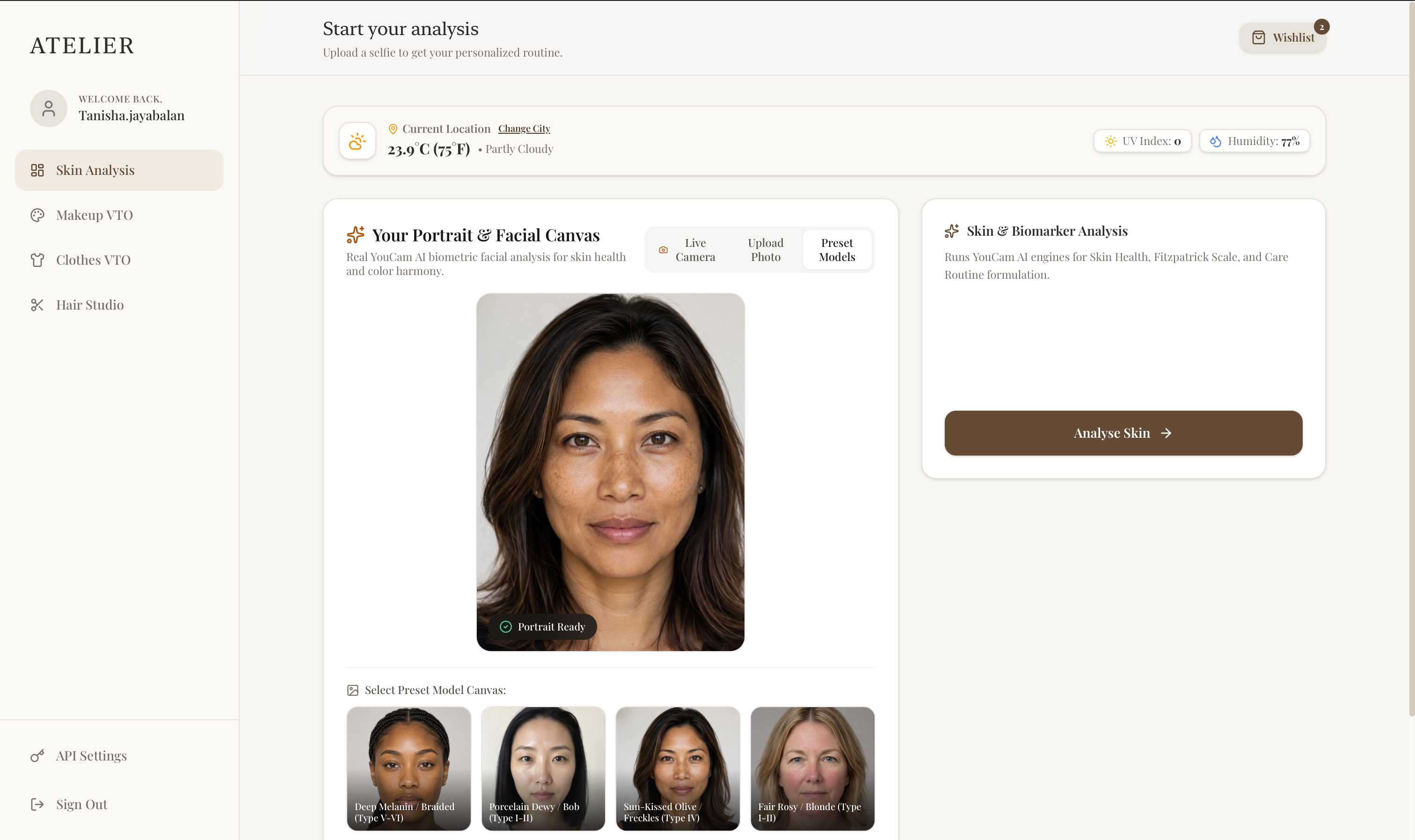
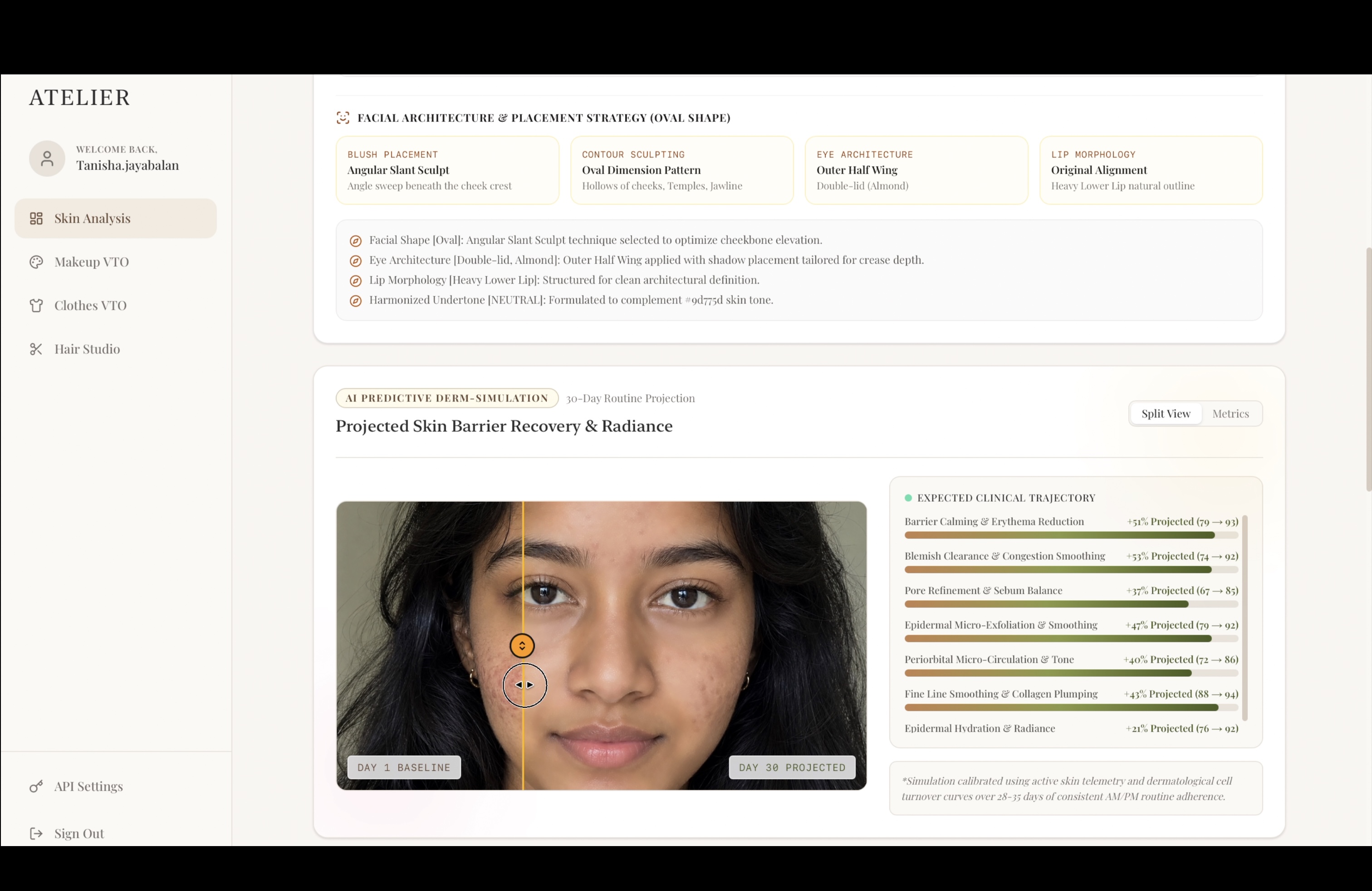
Start with Skin Analysis, and the app reads your face across 14 biomarkers — redness, hydration, texture, fine lines, dark circles, and more — turning what used to be a guess in the mirror into an actual read on your skin's condition that day. But skin doesn't exist in a vacuum, and neither does Atelier: it pulls real-time weather and UV data for wherever you are and factors that directly into what it recommends — cranking up SPF guidance on a high-UV day, adjusting hydration steps for dry air, catching the environmental stress your skin is actually under instead of giving you the same generic routine regardless of what's happening outside your window. From there, it runs a 30-day skincare simulation, letting you drag a before/after slider to see where your skin is realistically headed if you stick with a routine, and builds out a daily AM/PM plan tuned to both your skin's biomarkers and today's atmospheric conditions — right down to flagging when something in your routine might be working against you.
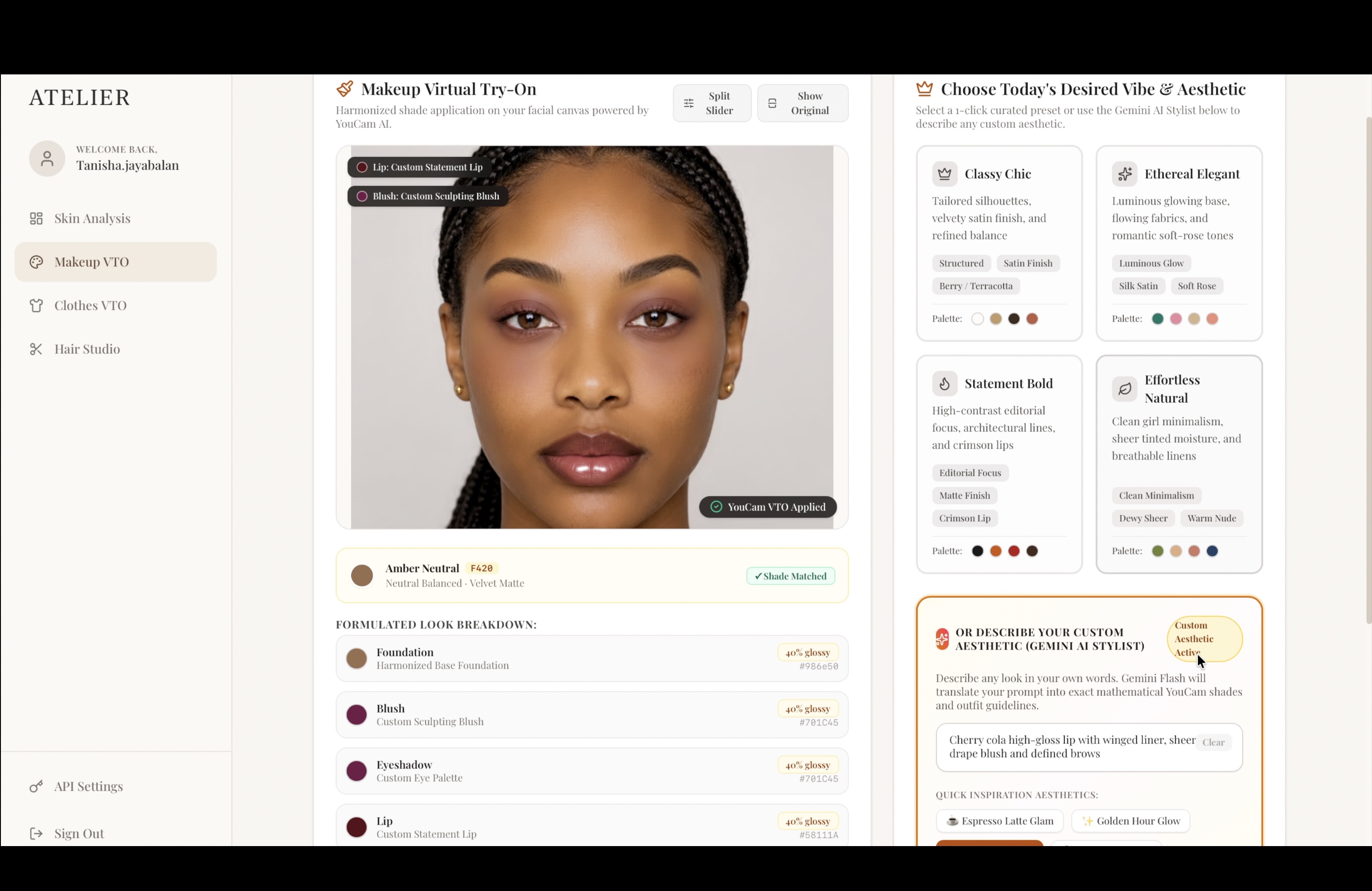
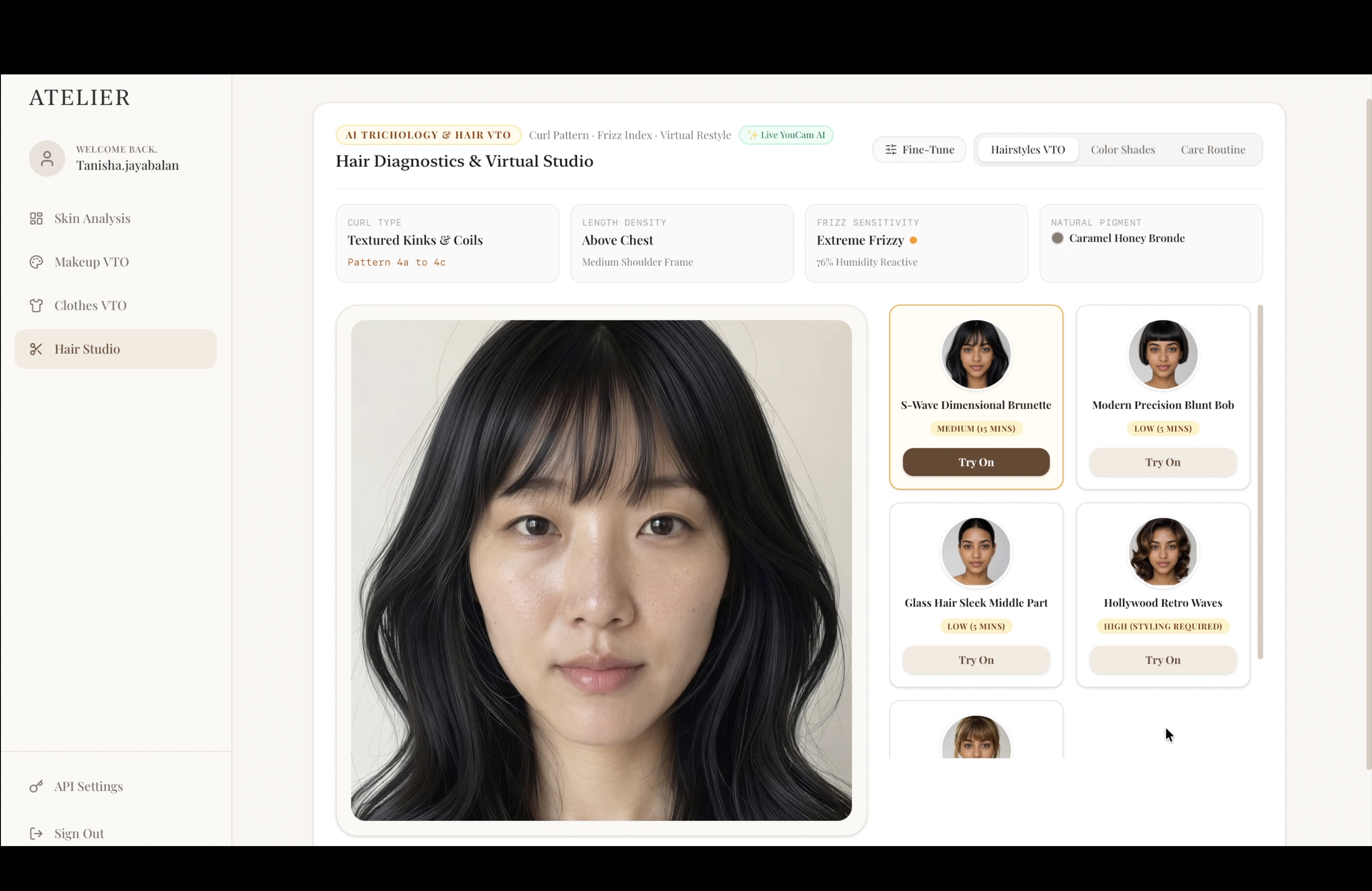
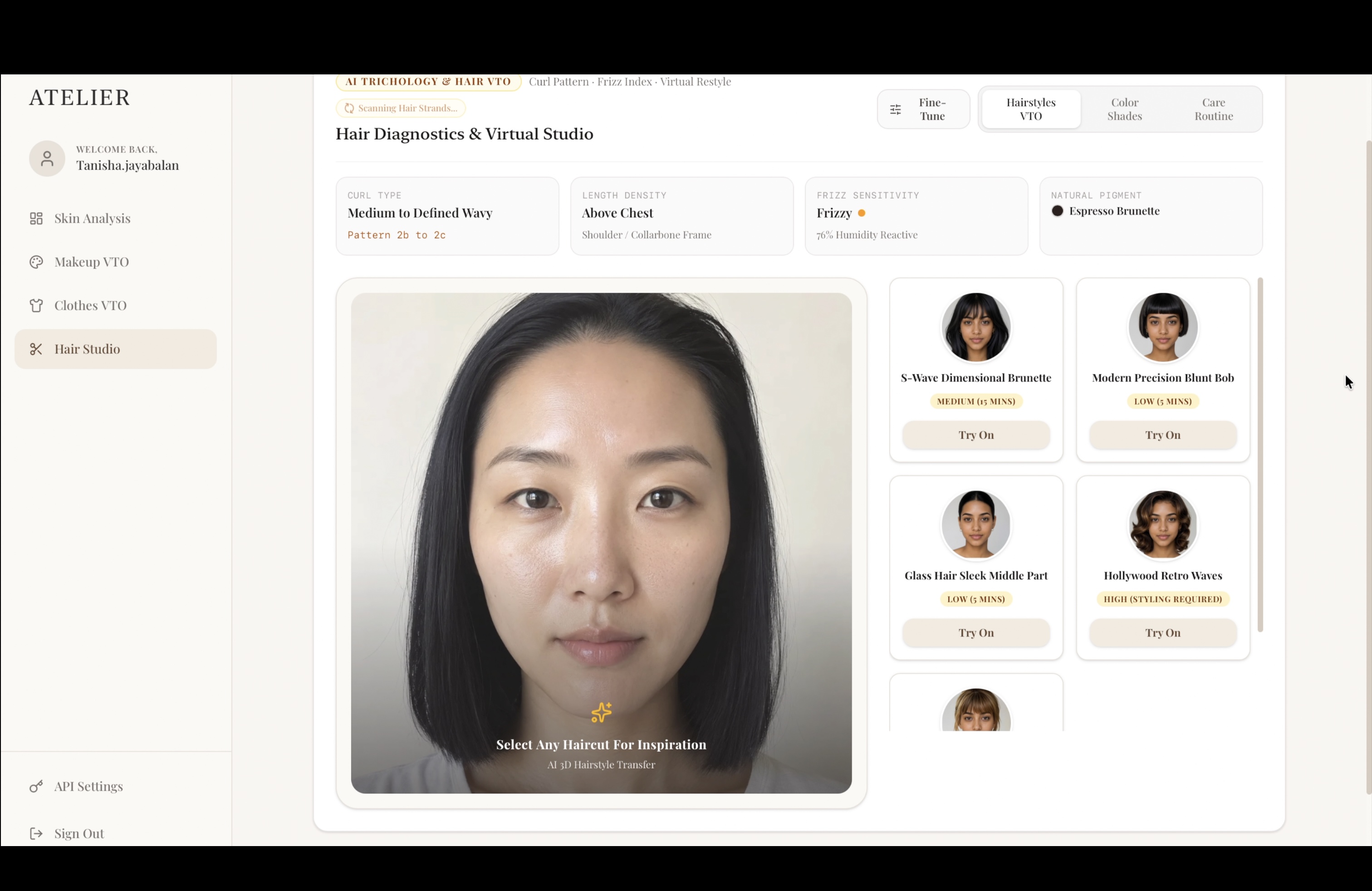
Once you know where your skin stands, Makeup VTO lets you pick a look — a shade, a style, a whole face of makeup — and see it rendered live on your own face, so you're never trying to picture how a product translates from the bottle to your actual features (You can also choose to describe your own custom look and try it on!). Clothes VTO does the same for your closet: choose a piece, see it on your own body, and know whether it actually works for you before you're standing in a fitting room or shipping a return back. And Hair Studio rounds it out by analyzing your hair type and turning that into a real care routine, then letting you try on new cuts and new colors on your own face — so a haircut stops being a leap of faith and becomes something you've already seen.
Four tools, one shared idea: your skin, your closet, and the actual world around you — all read before you commit to anything.
How we built it
The app is a full end-to-end Next.js + TypeScript web app, deployed live rather than left running locally. On the AI side, we integrated multiple YouCam APIs — Skin Analysis, Facial Color Tones Analysis, Makeup Virtual Try-On, Clothes Virtual Try-On, and the hair suite (type, frizziness, color, and style try-on) — layered with a live weather API and a rules-based recommendation engine we wrote ourselves to turn all of that raw analysis into an actual styling decision, not just a data dump.
Challenges we ran into
The YouCam API documentation was extensive, and integrating it correctly took real effort. Getting authentication and the request payload format exactly right took several passes — we kept hitting errors, going back to the docs, and rebuilding our request shapes to match their spec precisely, field by field. Even things like photo size and format had to be strictly correct or the API would reject the call outright.
Accomplishments that we're proud of
Getting Atelier fully deployed and working end-to-end with live YouCam API calls — not a local demo, not a prototype held together behind the scenes — is the thing we're most proud of. Four distinct AI-powered tools, each hitting a real endpoint and returning a real result, all built and shipped in the time we had. We're also proud of catching a subtle but serious problem mid-build, where part of the app was quietly falling back to fabricated results instead of using YouCam's actual response, and taking the time to properly rebuild that integration layer rather than leave it looking like it worked. And we're proud of the weather/UV integration specifically — it's a small piece of the stack, but it's the detail that turns a generic skincare recommendation into one that actually reflects the day you're having.
What we learned
Building a real, deployed, end-to-end TypeScript application — from UI to API orchestration to deployment — start to finish was a big learning curve on its own. Beyond that, we learned just how important it is to verify that an integration is actually producing real results, not just something that looks like it's working. A feature that fails loudly is far easier to fix than one that fails silently.
What's next for Atelier
Right now, each tool in Atelier stands on its own — skin, makeup, clothes, and hair as four separate reads on you. The next step is tying them together into one daily recommendation: given today's skin, today's weather, and what's already in your closet, tell the user the single best makeup and outfit combination for the day, instead of four answers they have to combine themselves. Beyond that, we'd want to build out a real product-matching layer — so gaps in what someone owns turn into specific, purchasable product suggestions — and grow the wardrobe/product input from a seeded demo closet into something users can actually populate with their own things.
Built With
- api
- computer-vision
- fullstack
- javascript
- nextjs
- node.js
- postgresql
- react
- rest-api
- supabase
- typescript
- vercel
- weather-api
- youcam

Log in or sign up for Devpost to join the conversation.