-
The Web App
Inspiration
Now more than ever, the role of technology is viewed as vital to our everyday lives. Ever-changing and advancing, technology is becoming increasingly integrated into our daily routines. I wanted to create a web app that could serve as a central headquarters for a user's internet activities. French for 'workshop', Atelier helps streamline all the websites and digital resources a user uses for everyday convenience and productivity.
What it does
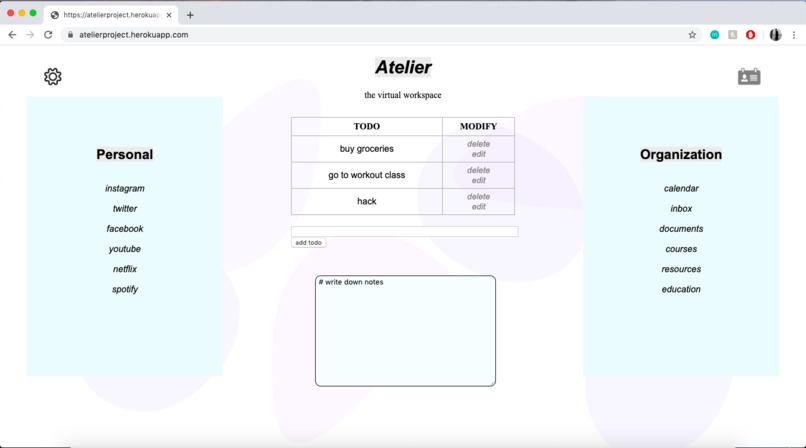
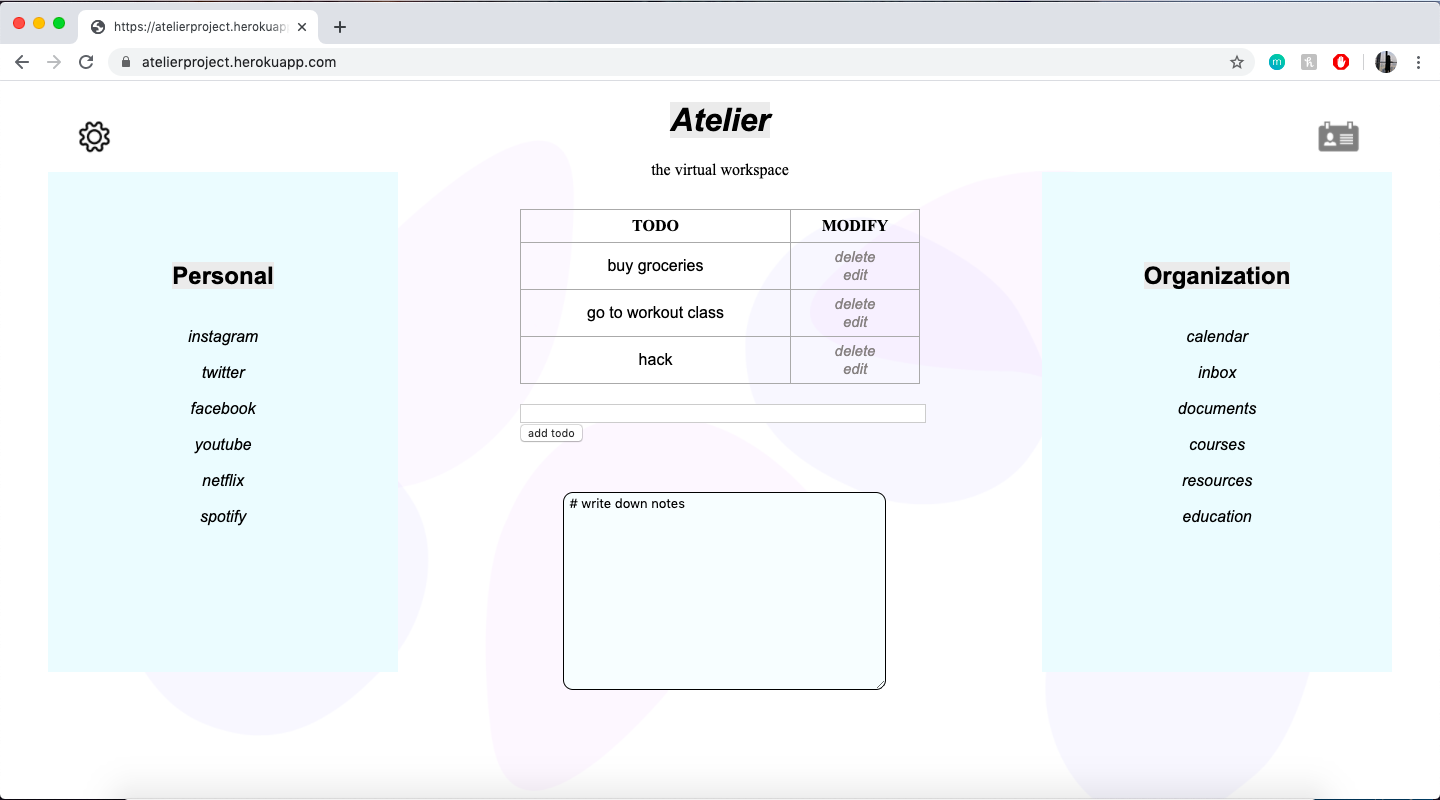
Atelier is a website that comprises of four main features. Located in the centre of the web app to encourage productivity is a todo list for users to keep track of tasks they need to accomplish. Individuals can add, edit or delete as many todos as they would like. Below the todo list is a note taking box which can be used in a versatile way for anything that needs to be documented. On the left side of the app is the personal tab, containing links to all of the user's frequently visited websites used for personal and/or entertainment reasons. On the right side is the organization tab, which stores the links a user uses for productivity, academic, professional or management purposes.
How I built it
I built this app using html, css, python, flask and deployed the app onto heroku. I began by learning how to create a todo list application by following a tutorial using python and the flask framework. Then I proceeded to add the notes feature, the entertainment tab and the organization tab using html. I linked various websites to demonstrate their usage. I also spent time designing a simple and positive interface using css in order to ensure a better user experience. I added different colours and designed a background using adobe xd. Finally, I used heroku to run the application.
Challenges I ran into
As someone with little experience with coding projects from scratch, it was challenging to get started with the application. Although I know the python language, I find it difficult to create something without any guidelines. I also never used flask before. Following tutorials really helped me learn how all the code works, but adding my own ideas and creativity is really what encouraged me to obtain new skills in order to implement my visions.
Accomplishments that I'm proud of
Although still very primitive, I am glad that I managed to generate a product that somewhat works and bring my ideas to life. When it comes to coding, I am used to taking my time. The time restrictions of a hackathon compelled me to learn a lot quickly. It was interesting to combine a variety of languages to generate a product which I have never done before. I prefer to focus on the design of applications which is what I mainly involved myself with in past hackathons. I am proud that I managed to do both the coding and designing this time.
What I learned
Through the making of Atelier and the time restrictions that came with it, I learned a lot more about html, css and python in a short amount of time. It was an opportunity for me to practice the languages more in order to acquire new coding skills. I am also glad to have gained an introductory experience with flask and ways to deploy a web app to a live site using heroku.
What's next for Atelier
Atelier is only in its beginning stages. Due to time constraints I was only able to implement the most basic features. Theoretically, there would be components for which users can edit their personal and organization tab links as well as customize the colours and backgrounds of their workspace for optimal use. There would also be a profile and settings page so that users can save their data. Beyond that, Atelier would continue to improve their user interface and connect users to the growing digital world.

Log in or sign up for Devpost to join the conversation.