What inspired us
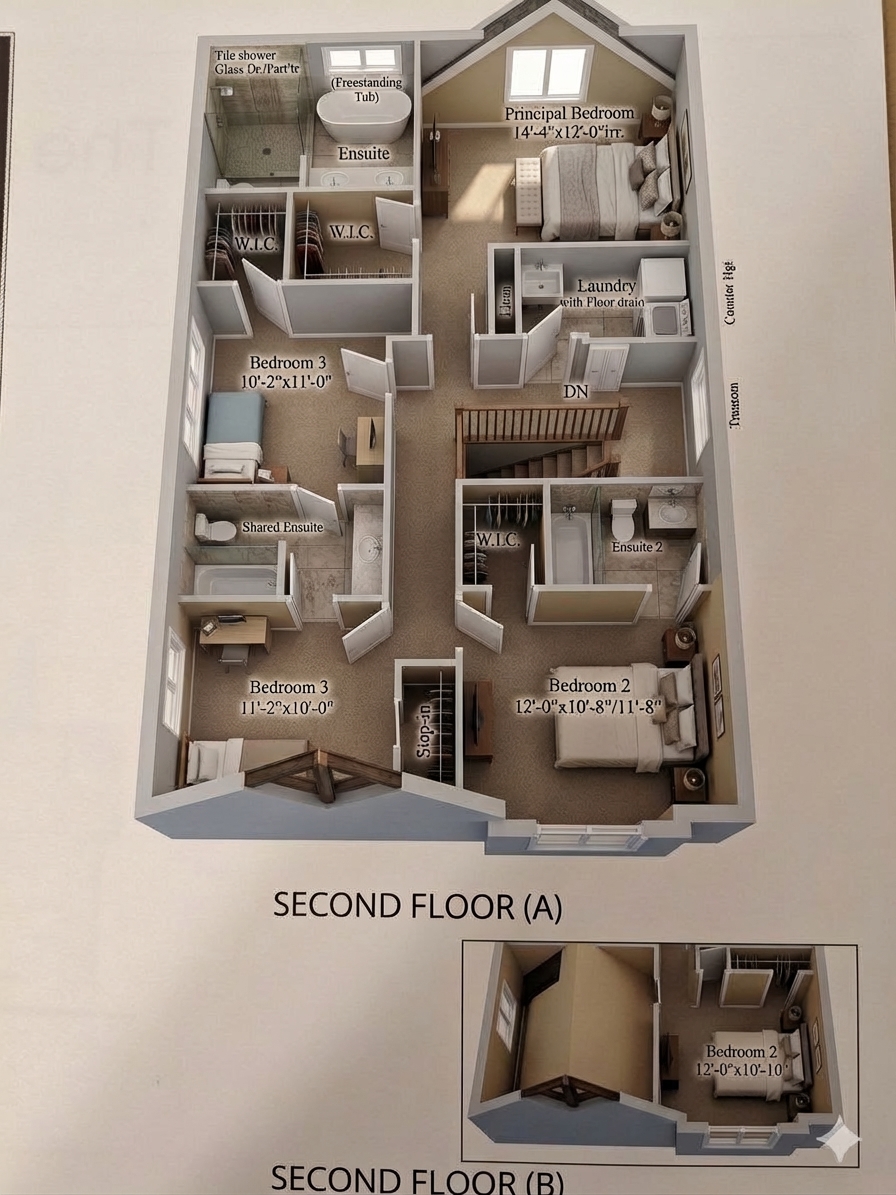
When looking at real estate listings, architectural drafts, or home renovation plans, most people are confronted with flat, technical 2D blueprints. Unless you're a trained architect, it is incredibly difficult to mentally visualize the spatial flow, depth, and scale of those lines on paper. Manual 3D modeling software (like AutoCAD or Blender) is notoriously complex, taking days of work and thousands of dollars to produce a single interior visualization.
We asked ourselves: What if we could instantly bridge the gap between a flat drawing and a fully explorable reality? We built Astro to democratize 3D visualization, turning a tedious barrier into a seamless experience.
How we built it
Astro is separated into two major technical achievements: a cinematic frontend and a complex AI pipeline.
The Frontend & Landing Page: We wanted the user's first impression to be breathtaking. We built the scroll-driven landing page using Vanilla TypeScript and the Canvas API. To achieve buttery-smooth video scrubbing on scroll, we pre-extracted video frames into a canvas sequence, layering it beneath a dark luxury theme with glassmorphic cards and dynamic particle systems. The main web app was built with React 19, Vite, and TypeScript.
The AI Pipeline: Astro utilizes an intelligent three-step generative pipeline via the Google Gemini API:
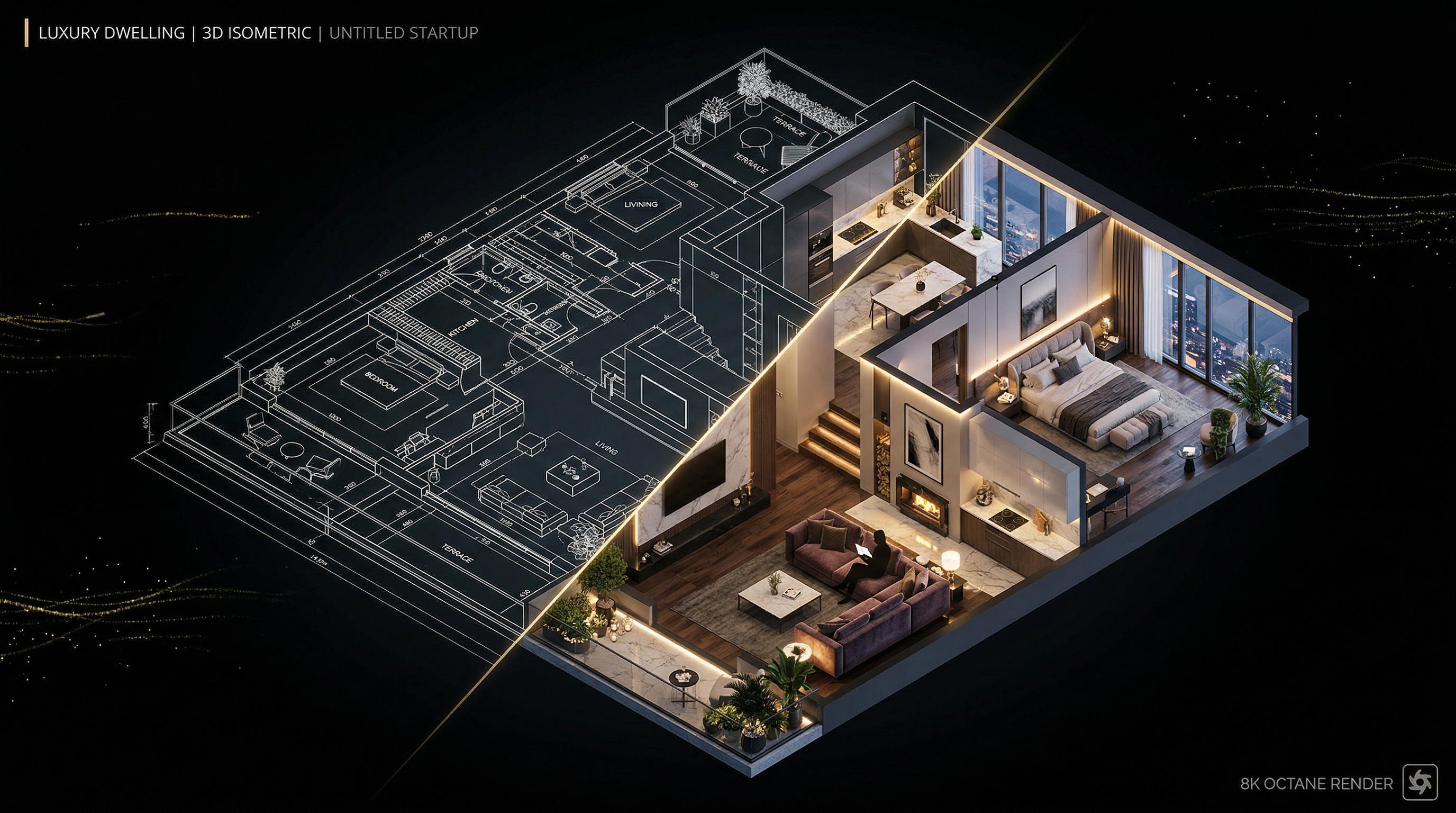
- Visual Render Phase: We send the raw uploaded floor plan to the Gemini Image model to generate a photorealistic top-down architectural layout.
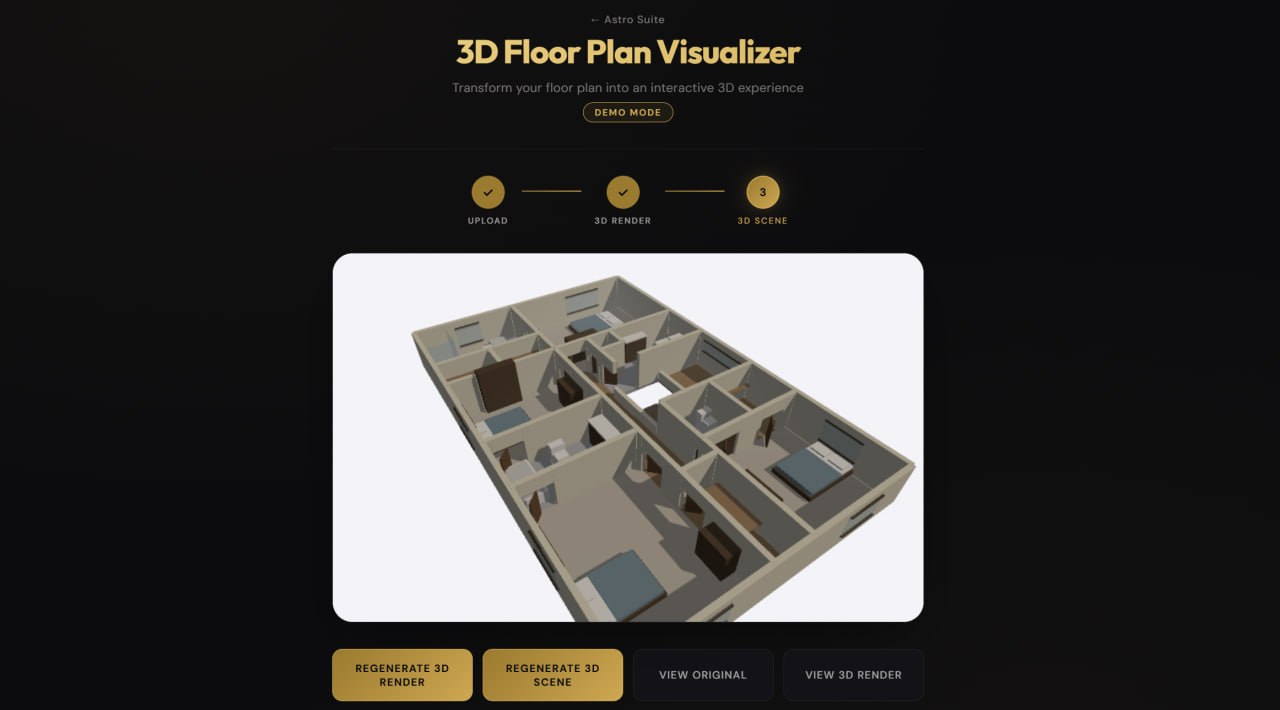
- Data Extraction Phase: We pass the blueprint through a complex Chain-of-Thought (CoT) prompt, streaming JSON data as Gemini maps room boundaries, extracts wall coordinates, and decides on voxel furniture placement based on room types.
- 3D Construction Phase: The frontend interprets the JSON stream and dynamically injects the data into a Three.js engine, compiling a standalone HTML scene equipped with WASD camera controls.
Challenges we faced
Building an AI that reliably generates strictly formatted geometric data was incredibly challenging.
Challenge 1: Halting Infinite Generation Loops Initially, we used a chained multi-agent pipeline where one model drafted the 3D code and another critiqued it. However, this sometimes led to infinite loops or browser crashes due to massive, memory-heavy Three.js scripts. We solved this by refactoring to a single-pass "Chain-of-Thought" generation prompt, massively improving stability and generation speed.
Challenge 2: Coordinate Space Mapping (The Math) Translating raw pixel coordinates from a 2D floor plan into a normalized 3D Cartesian environment required precise coordinate mapping to avoid distorting the geometry.
Let the uploaded image have a pixel width W and height H. For any detected wall coordinate at pixel (x, y), we needed to calculate its position (X, Z) on our 3D voxel grid. We centered the geometry at the origin (0,0) and applied a unified scale factor α to ensure realistic proportions:
$$ X = \left( x - \frac{W}{2} \right) \cdot \alpha $$ $$ Z = \left( y - \frac{H}{2} \right) \cdot \alpha $$
Furthermore, to extrude walls to a realistic height Y_wall, while factoring in the baseline floor offset Y_0 and the wall's thickness T, the volume V of a generated wall segment of pixel length L becomes:
$$ V = (L \cdot \alpha) \cdot Y_{wall} \cdot (T \cdot \alpha) $$
Getting this spatial scaling math right was the key to making the generated environments feel like real, walkable rooms rather than stretched, broken polygons.
What we learned
We learned an incredible amount about how to force Large Language Models into strict structural compliance when outputting JSON for geometric data. Additionally, we mastered advanced DOM manipulation and canvas optimizations to build our frame-scrubbing landing page without dropping frames.
What's next for Astro
We plan to expand Astro beyond single-floor residential spaces. We want to implement multi-story support (staircase detection), export options to .obj and .gltf for professional CAD pipelines, and eventually integrate WebXR so users can step directly into their generated blueprints using VR headsets.


Log in or sign up for Devpost to join the conversation.