Inspiration
We built Astralis because most space apps feel either too basic or too technical. We wanted something you could actually explore, not just read.
What it does
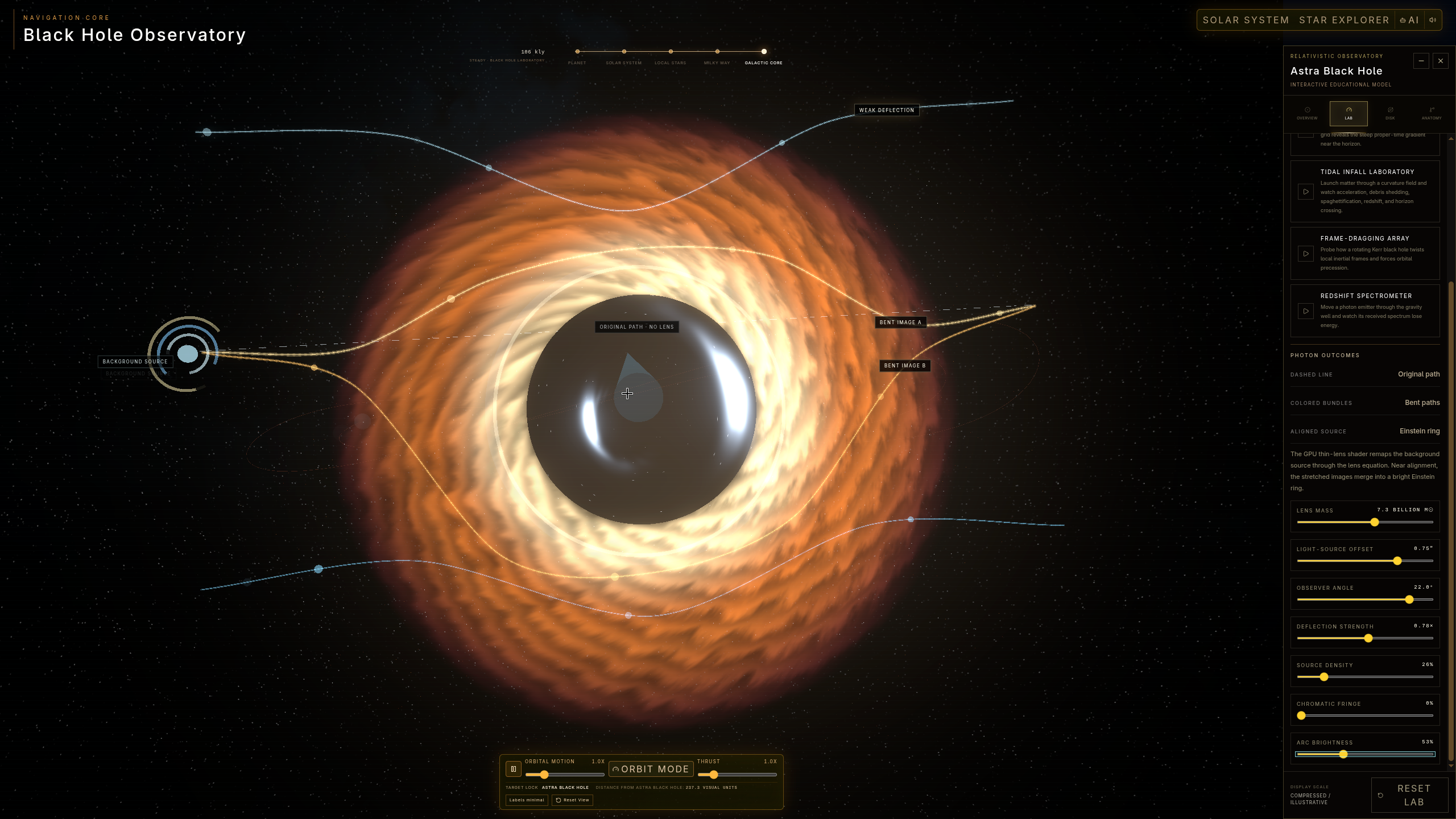
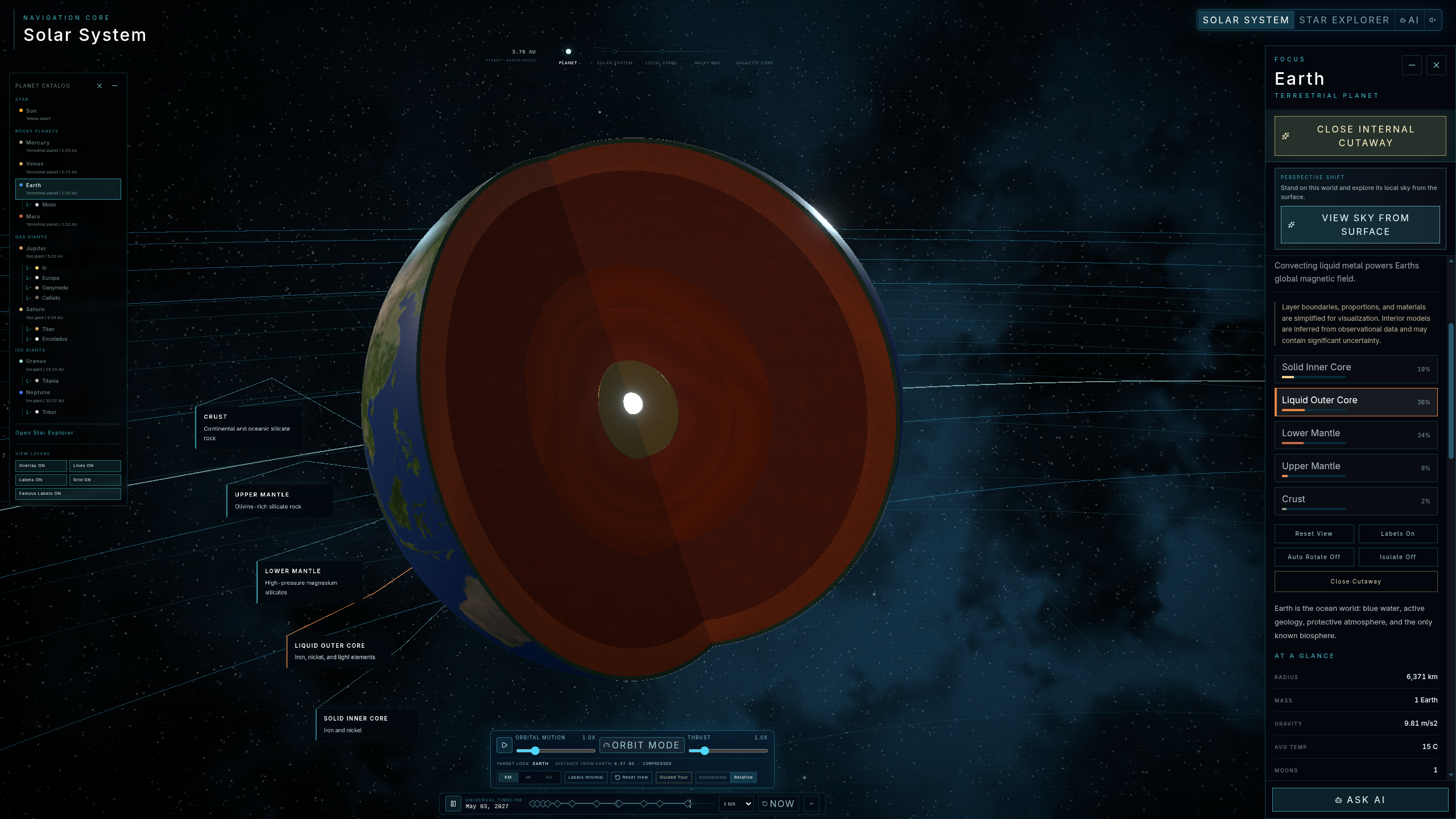
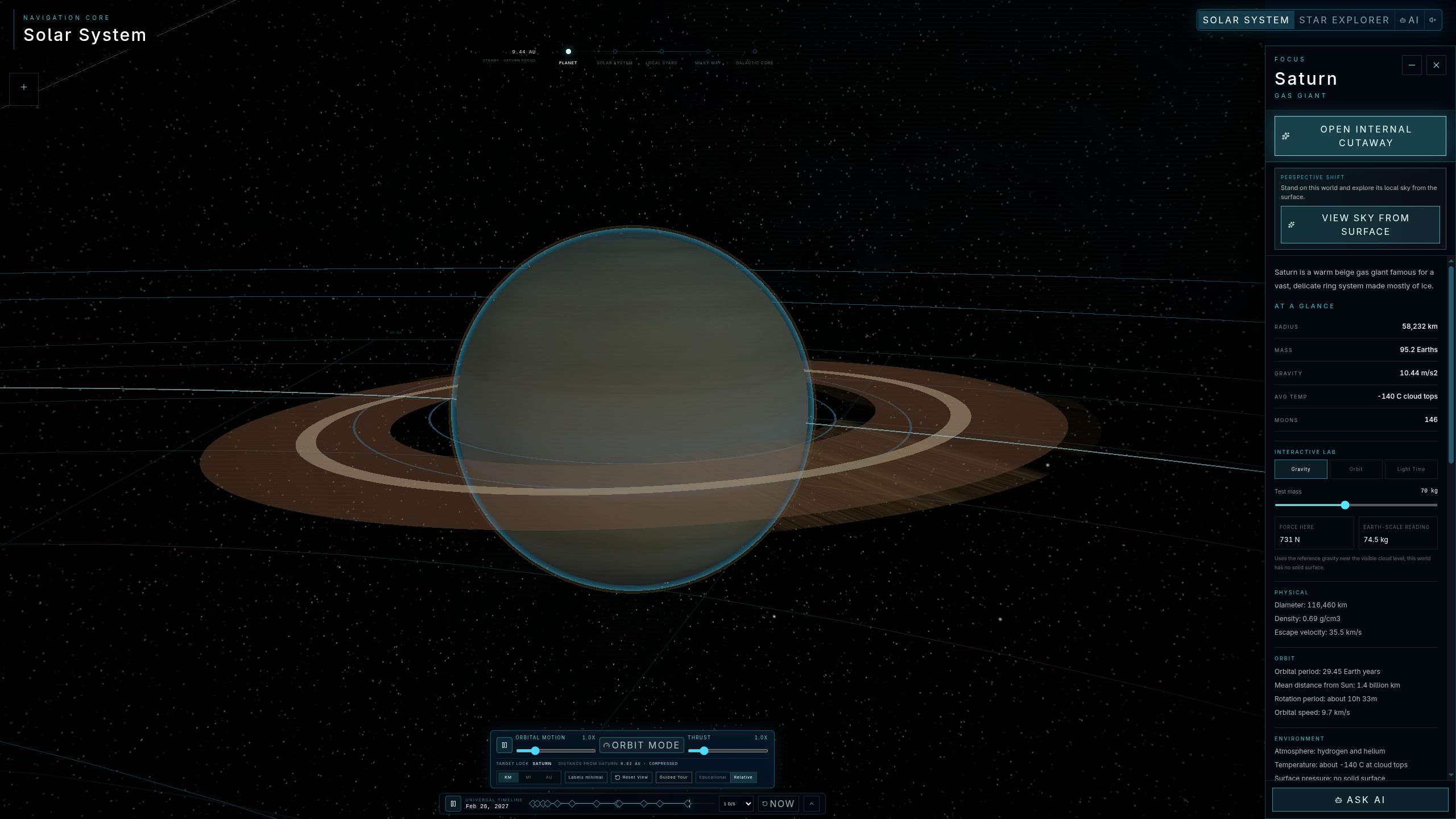
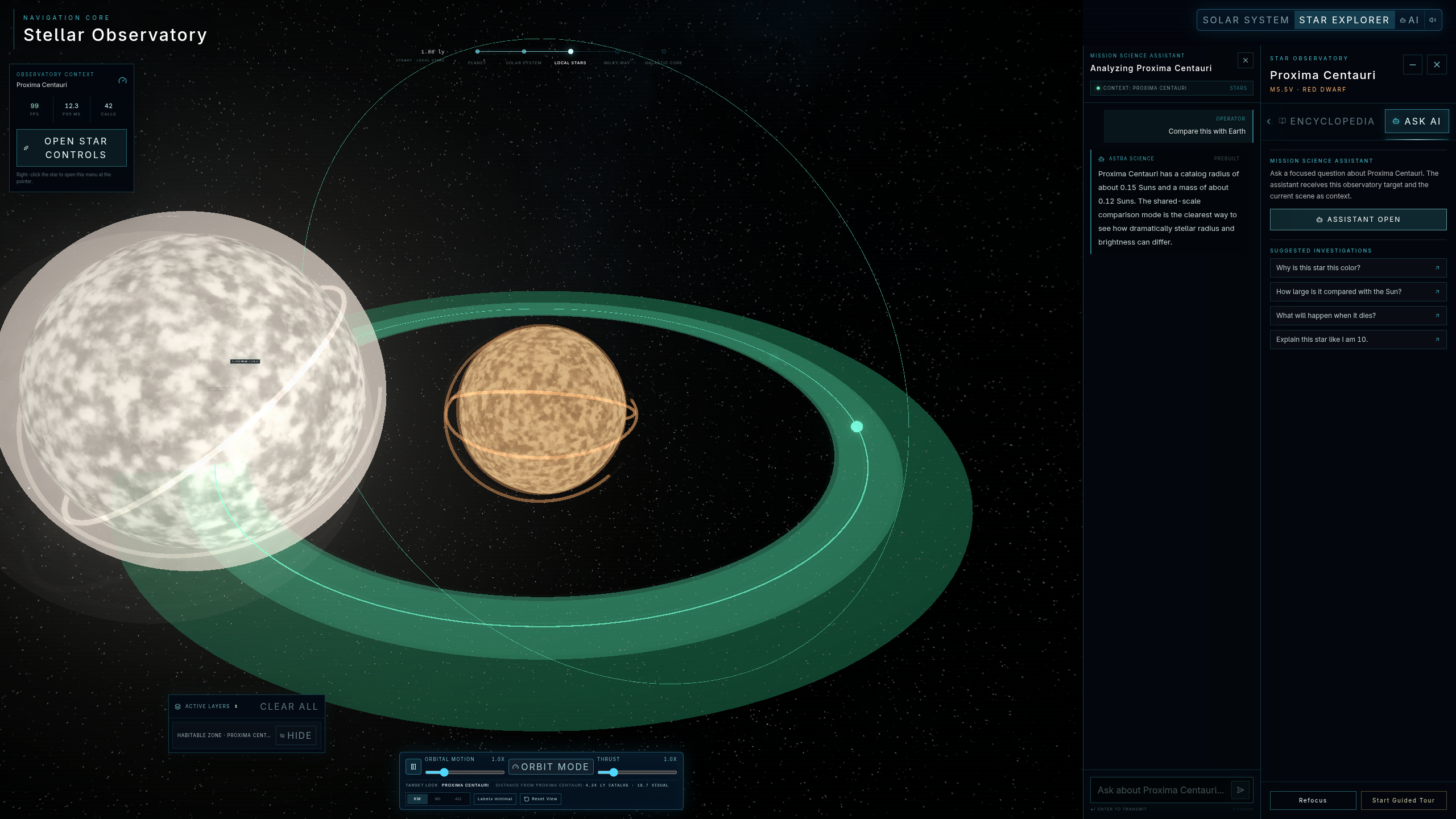
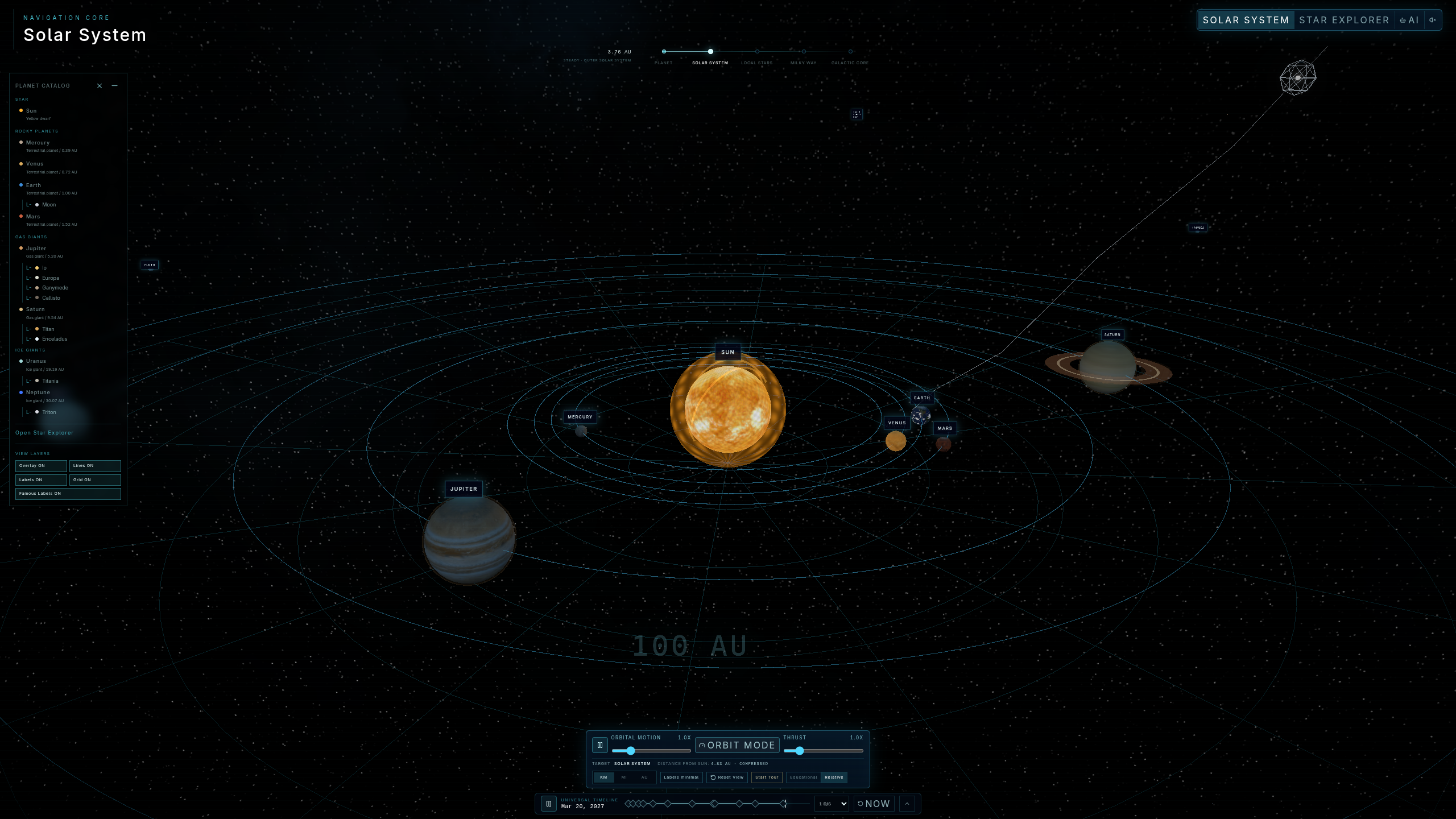
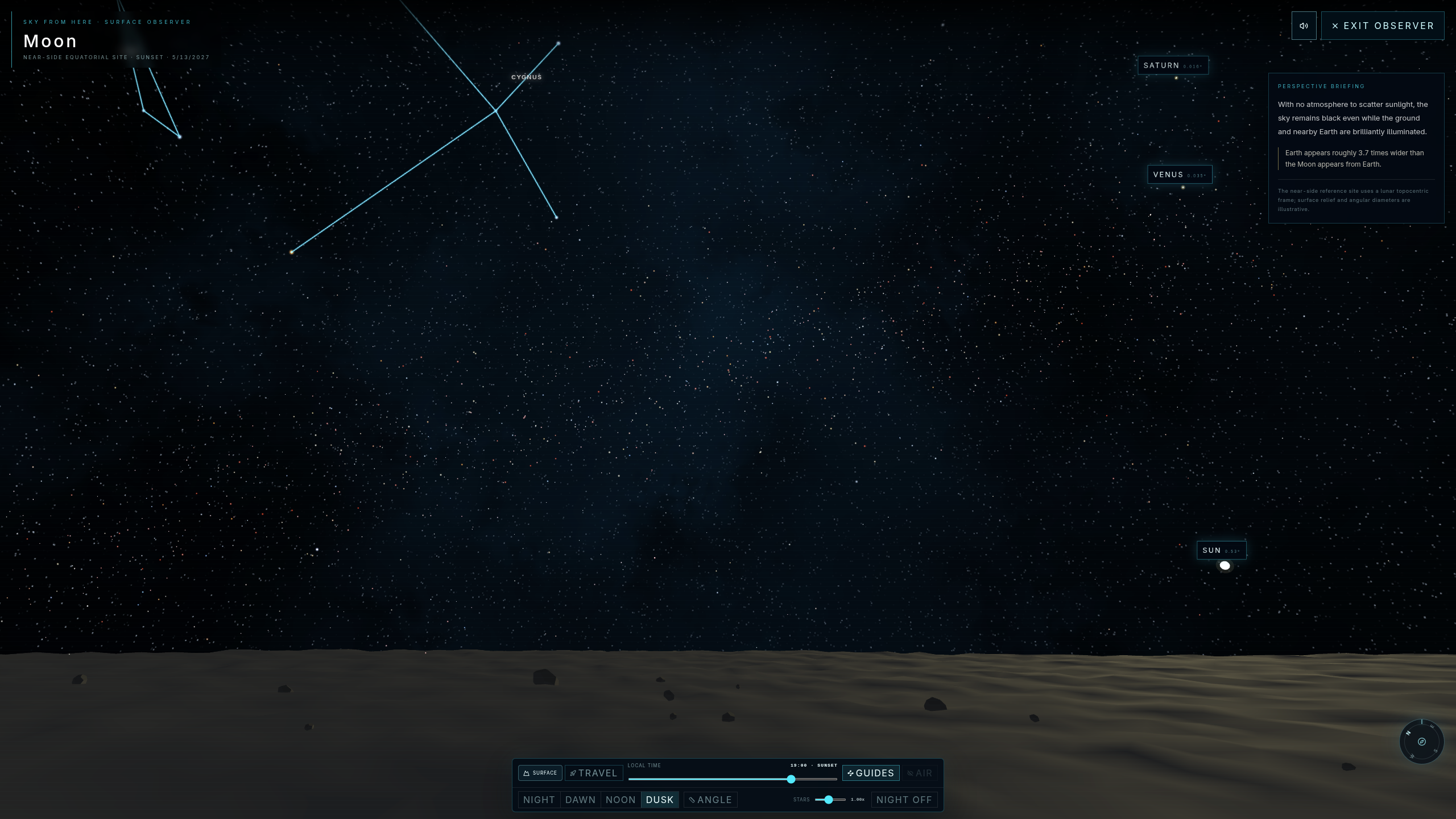
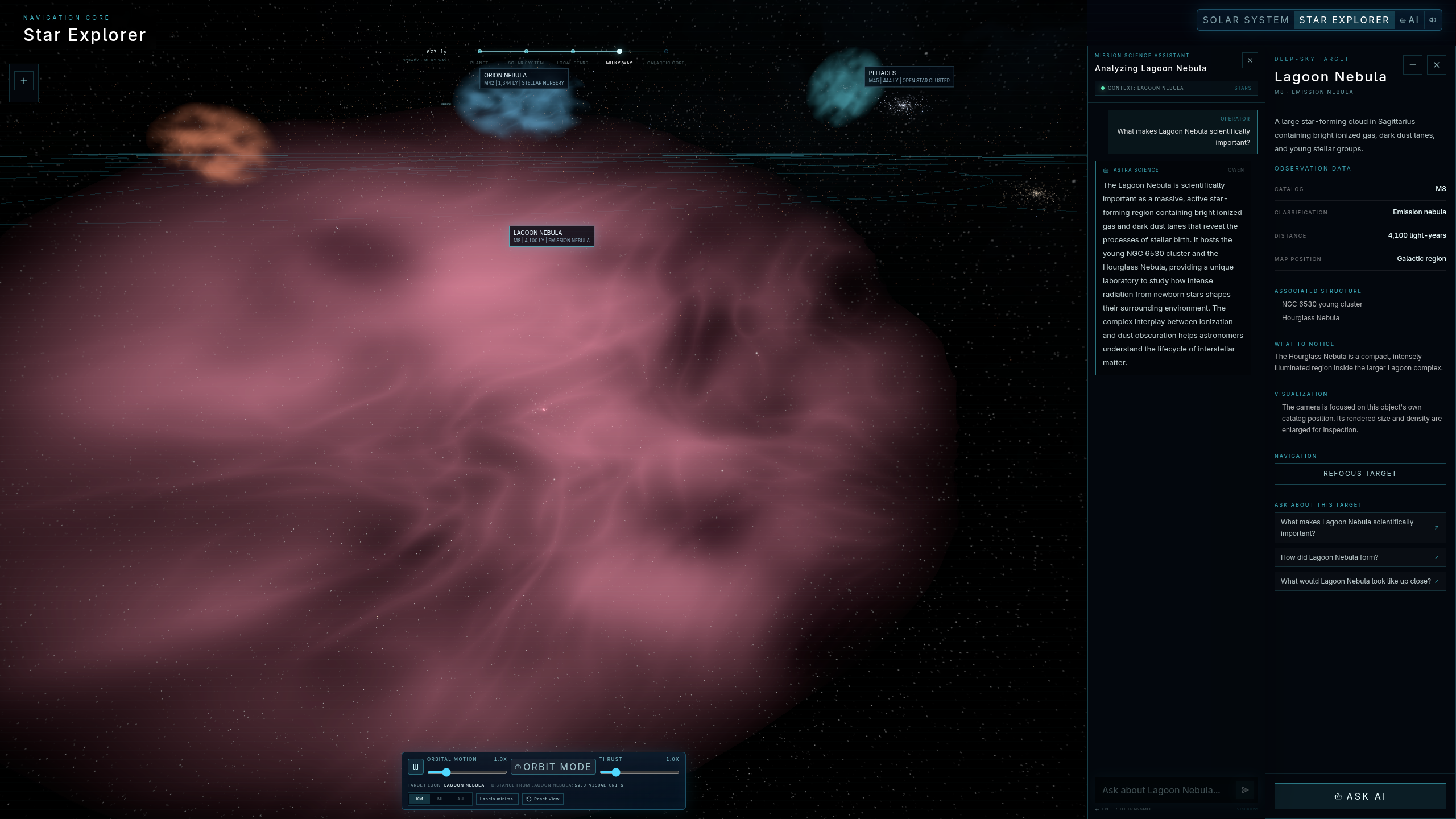
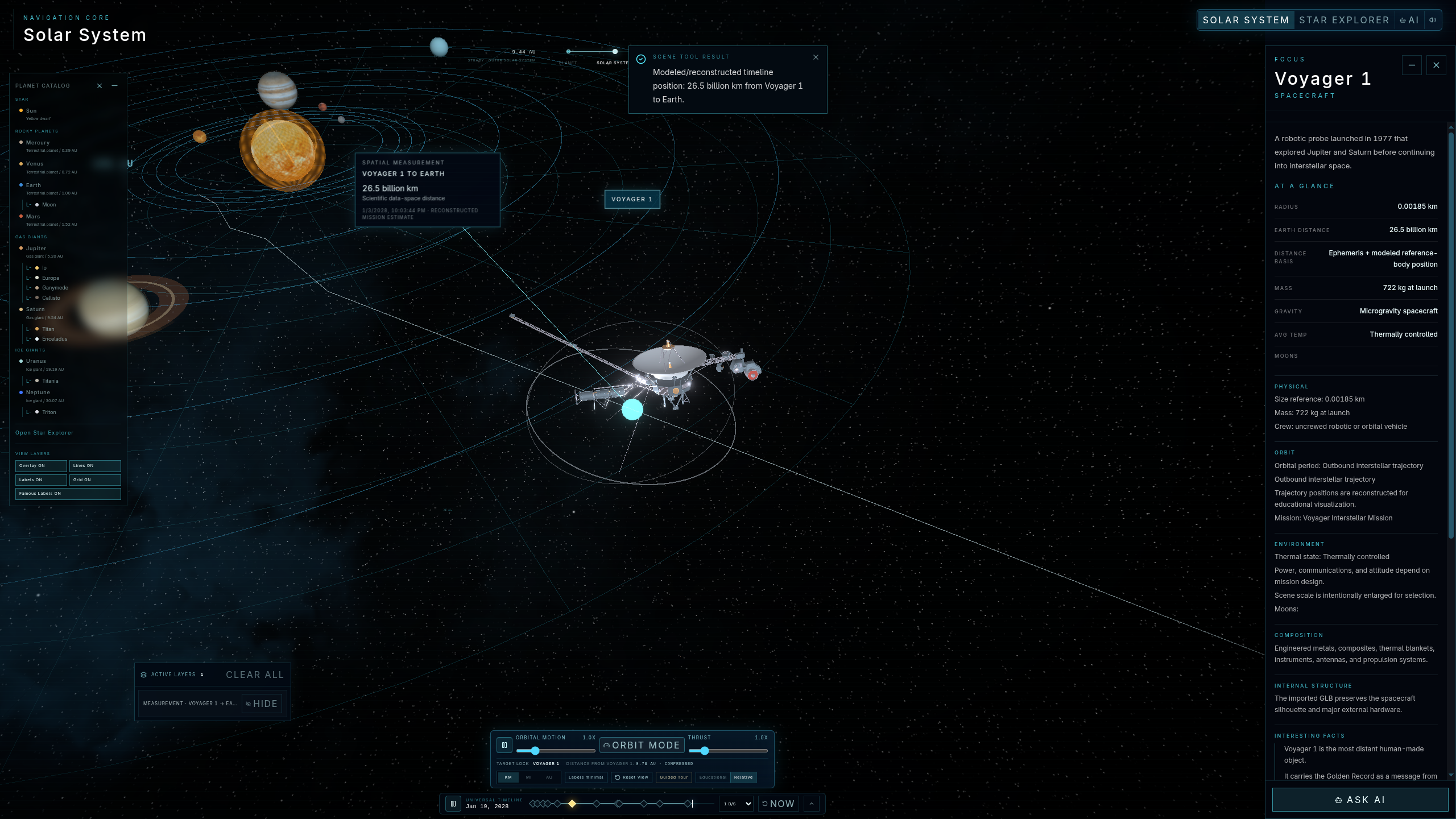
Astralis is a 3D space learning app. You can move through the Solar System, inspect planets, follow orbits, control time, explore missions, view planetary interiors, and ask the AI guide questions about what you see.
It also includes Sky Mode, Stars Explorer, and a Black Hole mode.
How we built it
We used React, TypeScript, Three.js, React Three Fiber, Zustand, Tailwind CSS, and Codex to help us build and iterate faster.
Most of the work went into the 3D scenes, camera movement, planet data, timelines, interactions, and keeping the different modes connected.
Challenges we ran into
The biggest challenge was scale. Real space distances do not work well in an interactive app, so we had to compress them without making the scene feel wrong.
We also spent a lot of time fixing camera movement, performance, labels, and transitions between modes.
Accomplishments that we're proud of
We are proud that Astralis feels like one complete product.
You can move from planets to missions, stars, black holes, and internal structures without the experience feeling disconnected.
What we learned
We learned that good educational software needs more than accurate data. It also needs strong visuals, smooth interaction, and clear explanations.
We also learned a lot about 3D performance, camera systems, shaders, and scene design.
What's next for Astralis
We want to add more missions, stars, moons, events, guided lessons, and interactive challenges.
The long-term goal is to turn Astralis into a full platform for learning astronomy through exploration.


Log in or sign up for Devpost to join the conversation.