
Inspiration
Most AI products begin with an empty chat box.
That means every useful interaction starts with deciding what to ask, gathering the right context, explaining the situation, and prompting again when the first answer is incomplete.
I wanted to explore a different kind of assistant, one that could understand what mattered to me, recognize what needed attention today, and take care of useful work without making me reconstruct my life inside a chat window.
That became Astra, a contextual, voice-first AI executive assistant.
What Astra does
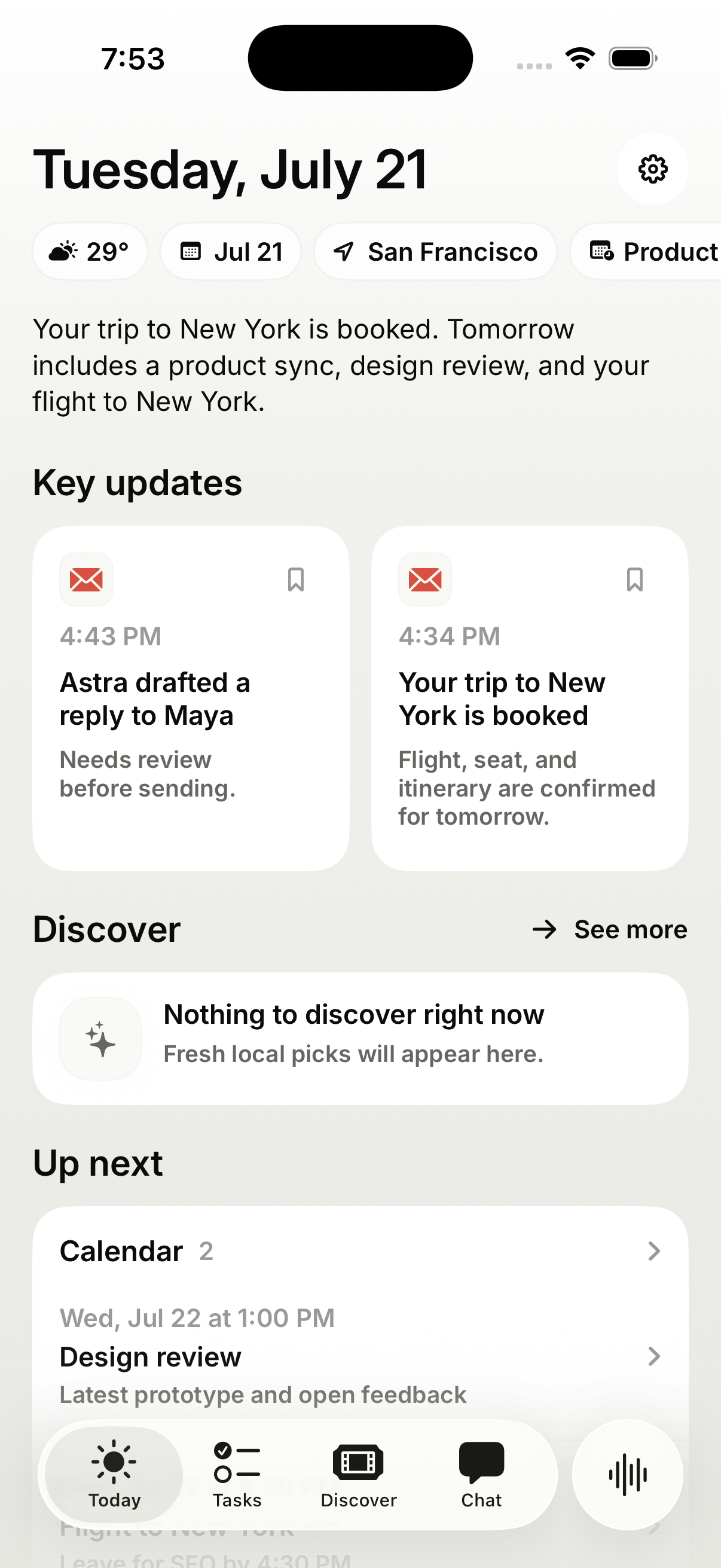
Astra brings together the context a real executive assistant would need: email, calendar, memory, location, interests, existing tasks, and the part of the app you are currently viewing.
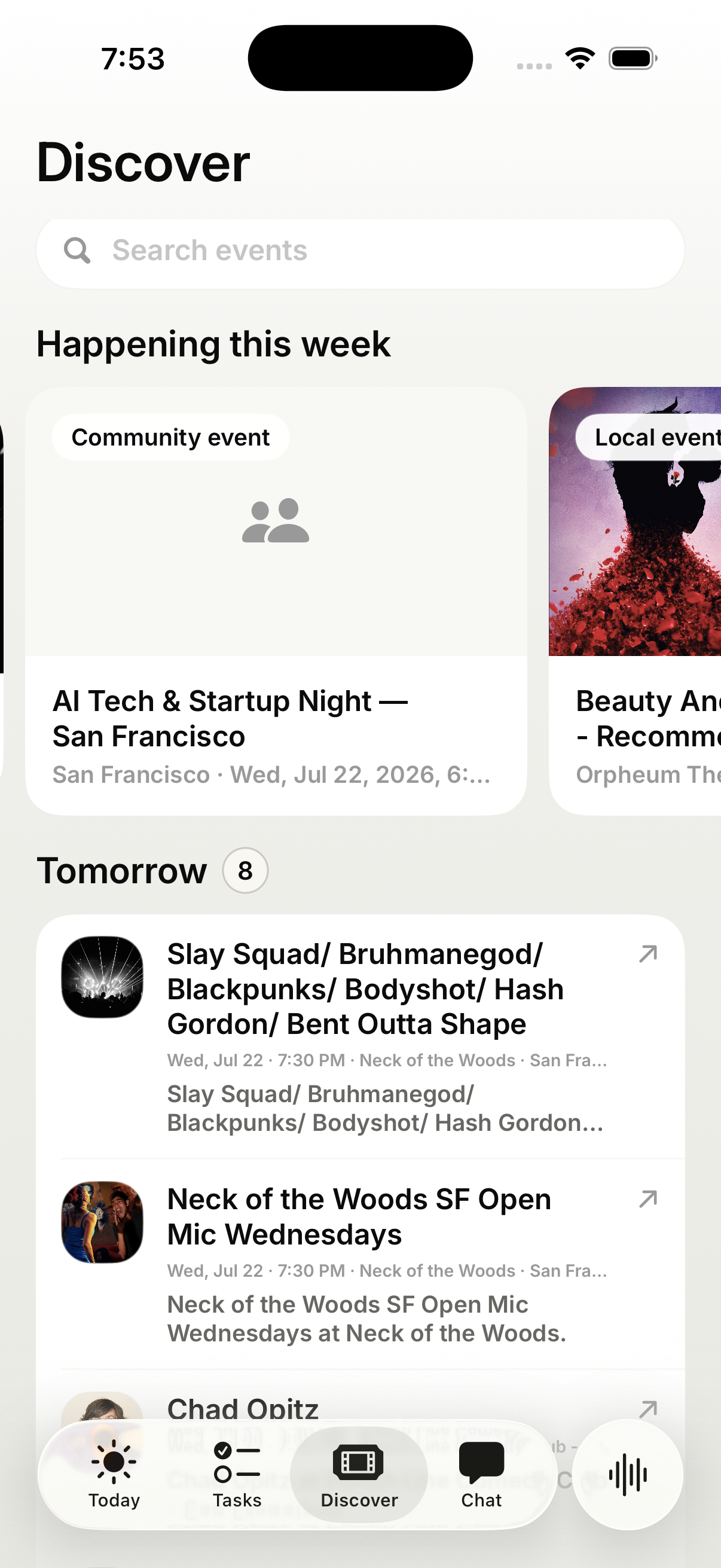
It uses that context to prepare a focused view of your day. This can include important messages, upcoming commitments, things worth preparing for, and events or opportunities nearby that match your interests.
Astra also builds a user-controlled memory profile. It can learn how you write and communicate from sent mail, who matters to you, what your current priorities are, and which preferences or routines should influence future recommendations.
Instead of waiting for another prompt, Astra can use those signals to suggest useful tasks. You can accept, edit, defer, or dismiss each suggestion before anything begins.
Examples include:
- Preparing an email reply for review
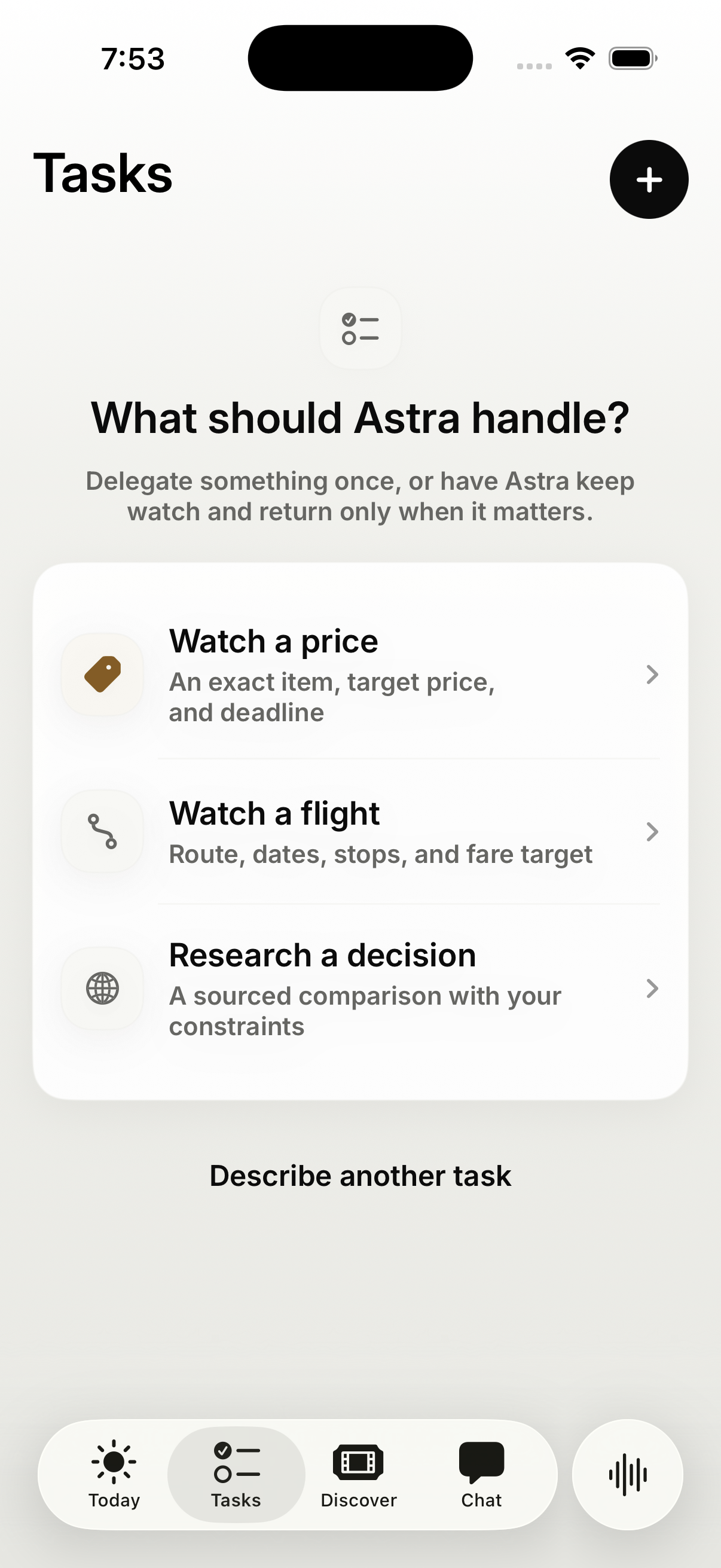
- Watching an exact product for a target price
- Monitoring a flight route
- Researching a decision and retaining the sources
- Recommending nearby events based on your interests and schedule
The goal is simple: Astra understands the context, proposes the next useful action, and, with your confirmation, follows through.
A contextual voice-first interface
Real-time voice is Astra’s primary interaction layer.
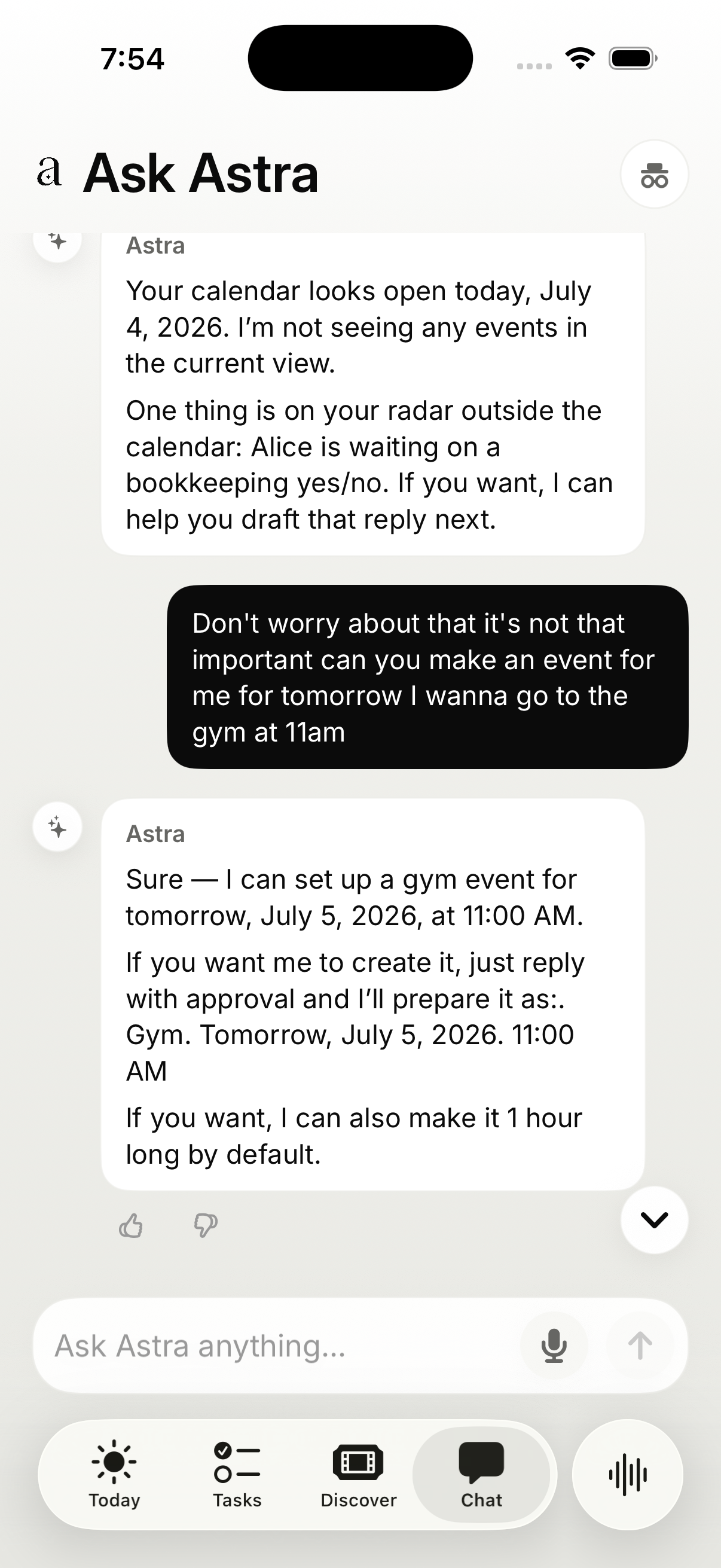
You can start a voice conversation from anywhere in the app and continue talking while navigating through Today, Tasks, Calendar, email, and individual detail screens. Astra receives the currently selected screen and open item as live context, so questions like “What should I do about this?” or “Can you take care of that?” can refer to what is actually in front of you.
Through voice, Astra can search email and calendar, use active memories, explain what needs attention, recommend plans, prepare approval-gated drafts, and create tasks or recurring routines.
When voice creates a task, the app can move directly into that task while the conversation remains active. Afterward, Astra saves a structured voice recap so the conversation becomes part of the product’s visible history rather than disappearing when the call ends.
What I built during OpenAI Build Week
Astra existed as an unfinished personal assistant before Build Week. The main Build Week project was rebuilding its Tasks experience into a durable delegation system, improving voice interaction, and personal memory creation & use!
Previously, Tasks behaved more like scheduled AI prompts. I redesigned them around a stronger promise:
Delegate an outcome once. Astra keeps working until it happens, interrupts only when useful, and shows the evidence behind every conclusion.
The rebuilt flow includes:
- One-sentence or voice-based task creation
- Server-side interpretation into validated price, availability, flight, research, or general task contracts
- Proactive task suggestions grounded in email, calendar, memory, and other user context
- Durable background work with checkpoints, retries, and continuation
- Clear Needs you, Watching, Working, and Done states
- Focused questions when an essential detail cannot be inferred safely
- Evidence-backed monitoring and research results
- Pause, resume, retry, stop, run-again, and deadline controls
- Exact-task notifications and deep links
- Voice-to-task continuity
- Outcome feedback and evidence-coverage measurement
Build Week also improved Today’s reliability and the voice experience. Important information is now backed by stable dashboard snapshots, more truthful source timestamps, direct email-detail access, accessible layouts, and structured voice recaps.
How I built it
Astra is a native SwiftUI application with a Bun and TypeScript backend.
It combines OpenAI Realtime for voice, structured model calls for task interpretation and proactive suggestions, OpenAI Responses and hosted web search for durable research, Gmail and Google Calendar connectors, user-controlled memory, Firestore-backed task state, and scheduled background execution.
Safety-critical behavior uses deterministic contracts. Email and calendar changes are prepared as proposals for approval. Monitoring thresholds, task state, evidence, retries, and notifications are handled explicitly rather than being left to free-form model output.
How I used Codex and GPT-5.6
I used Codex with GPT-5.6 as an engineering and product partner throughout Build Week.
Codex helped me audit the existing product, define the Tasks product promise, trace behavior across the SwiftUI client and backend, implement the new delegation lifecycle, synchronize API contracts, build monitoring and research workflows, find failure and privacy edge cases, and add focused tests.
GPT-5.6 was particularly valuable when reasoning across the entire lifecycle of a task: voice creation, intent interpretation, background execution, missing context, evidence retention, notifications, and the correct native UI state.
What I learned
Voice-first does not mean removing the interface. It means changing the interface’s role.
Conversation provides speed. The screen provides context, evidence, controls, and history. Together, they let Astra feel less like a chatbot and more like an assistant that understands the user and follows through!
Check out the testflight and let me know what you think so far (Casa Tier 2 security verification in progress): https://testflight.apple.com/join/n24N1aqG
Built With
- apple-push-notification-service
- bun
- cloud-build
- cloud-run
- cloud-scheduler
- cloud-tasks
- firebase-app-check
- firebase-authentication
- firestore
- gmail-api
- google-calendar-api
- google-cloud
- gpt-5.6
- ios
- openai-api
- openai-codex
- openai-realtime-api
- openai-responses-api
- openai-web-search
- swift
- swiftui
- typescript
- websockets
- xcodegen

Log in or sign up for Devpost to join the conversation.