Inspiration
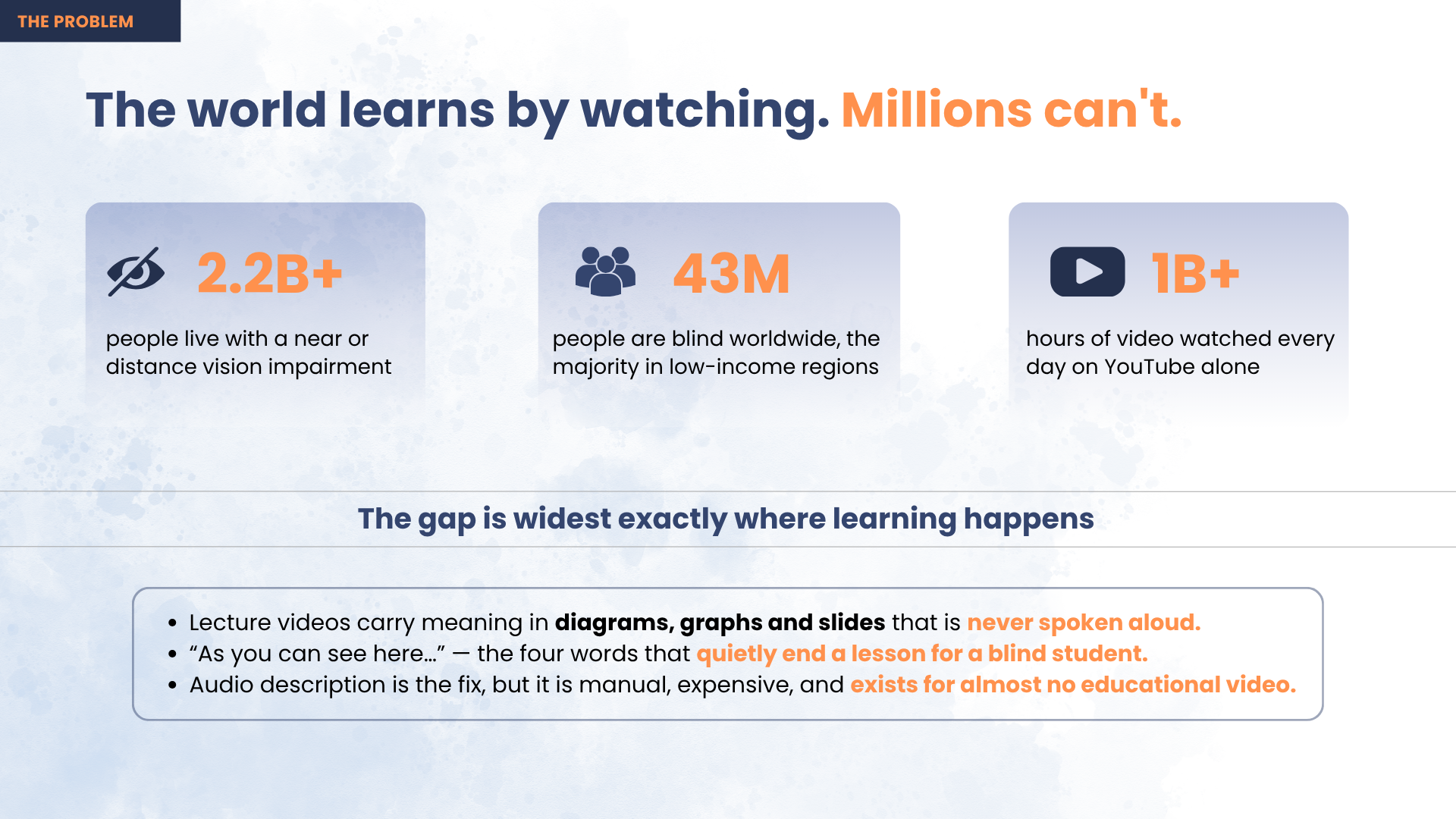
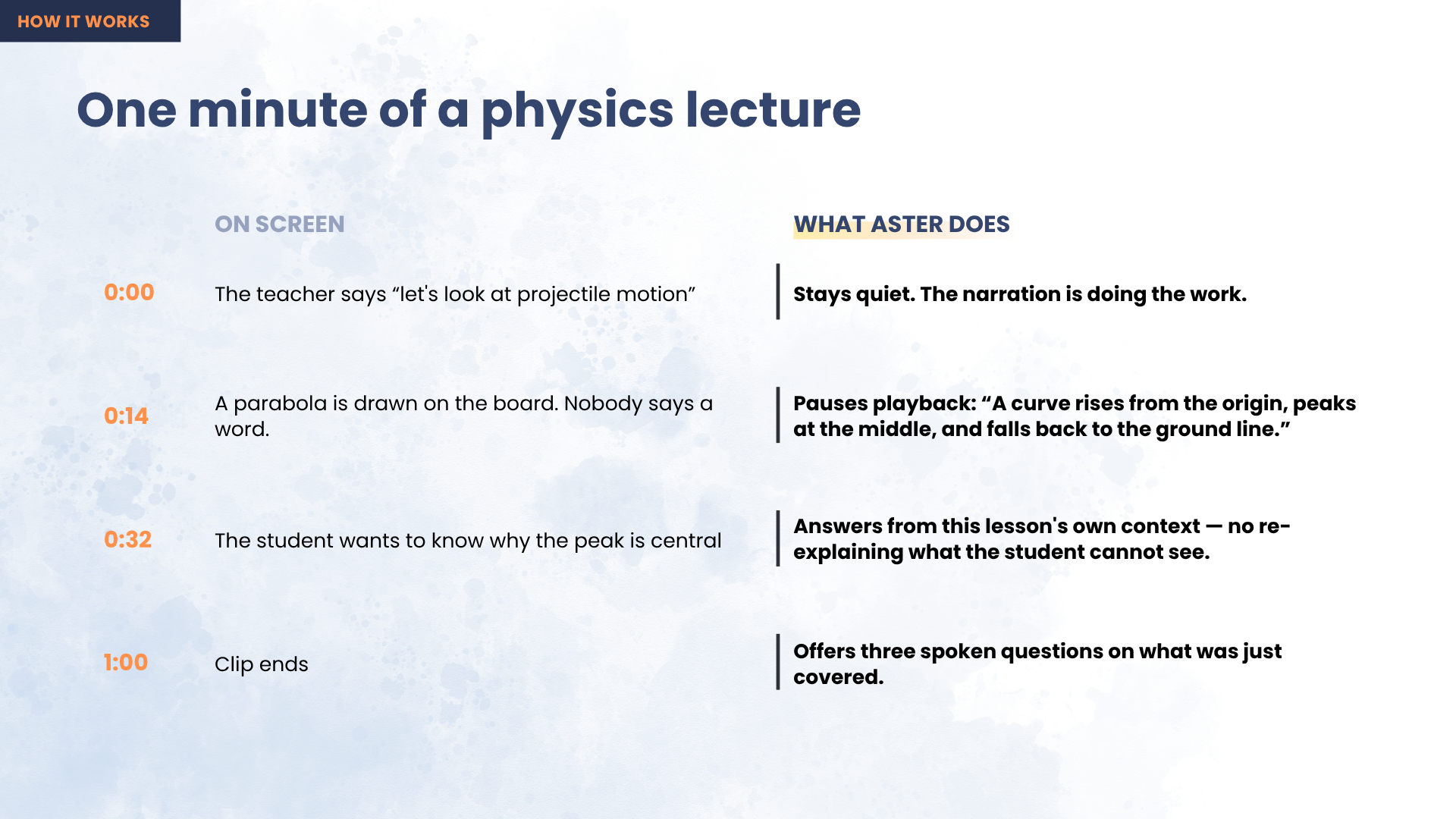
A student goes to YouTube because that's where the syllabus is taught for free — the great equaliser of this generation. Then, fourteen minutes in, the teacher draws a parabola and says "as you can see here…"
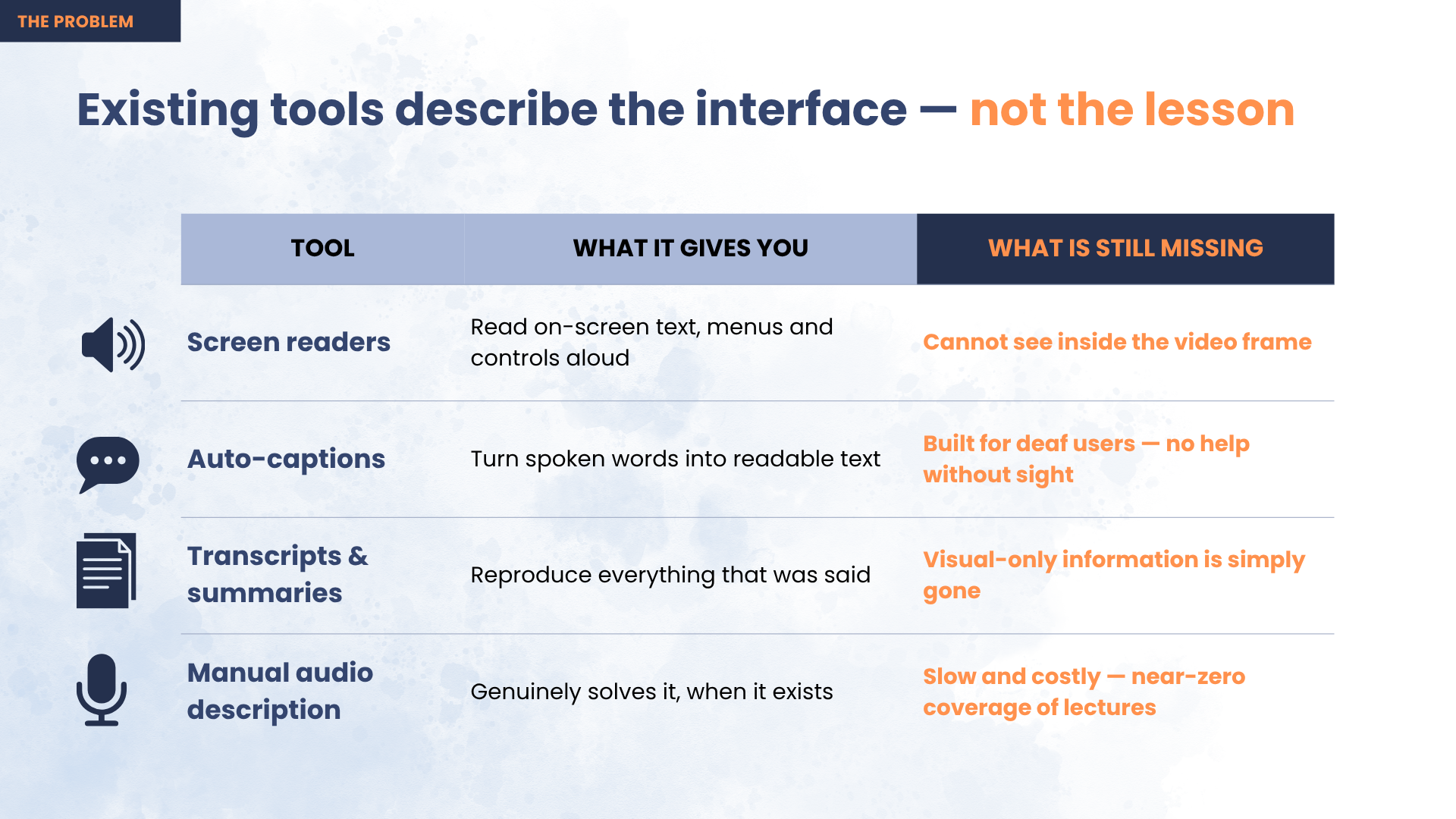
For a blind student the lesson ends right there. Not because the physics is beyond them, but because nobody said out loud what was on the screen. Captions carry the words the teacher said, and the entire problem is what the teacher didn't say.
90% of people with vision loss live in low- and middle-income countries — exactly where free video is the only affordable teacher, and where professionally described course material will never arrive.
What it does
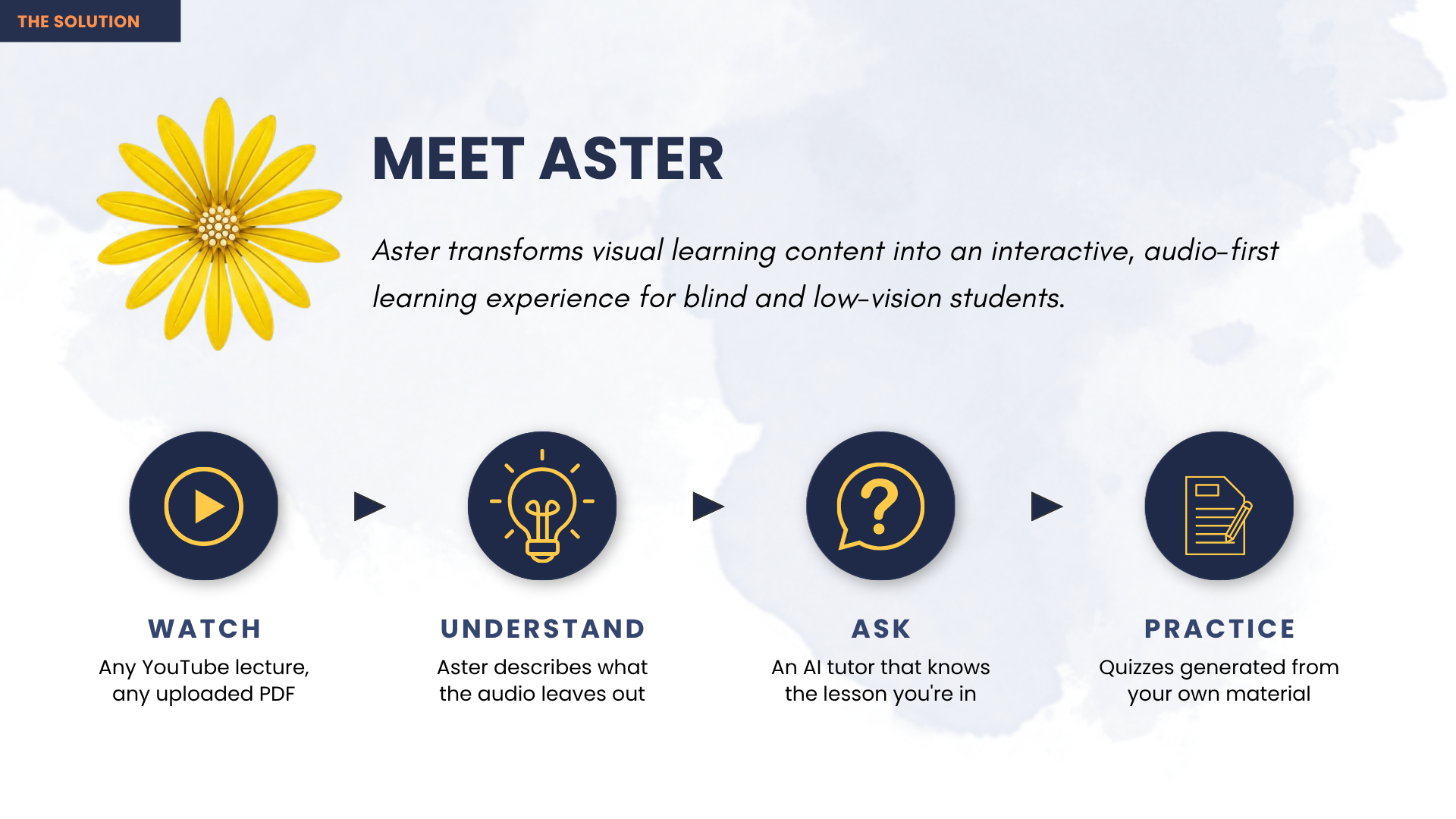
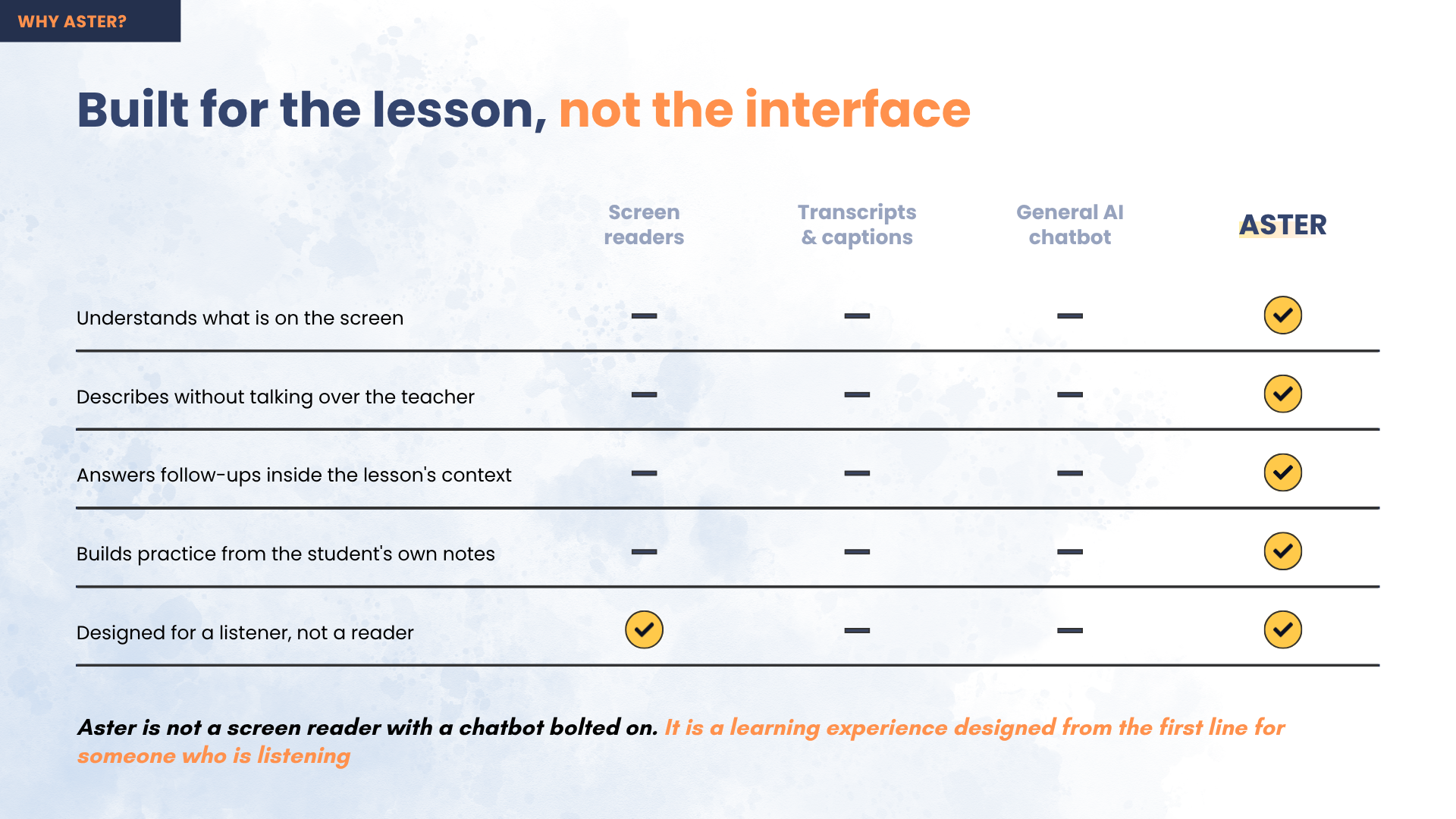
Aster asks a different question than every other description tool. Instead of "what is on screen?" it asks:
"Can the learner follow this without seeing it?"
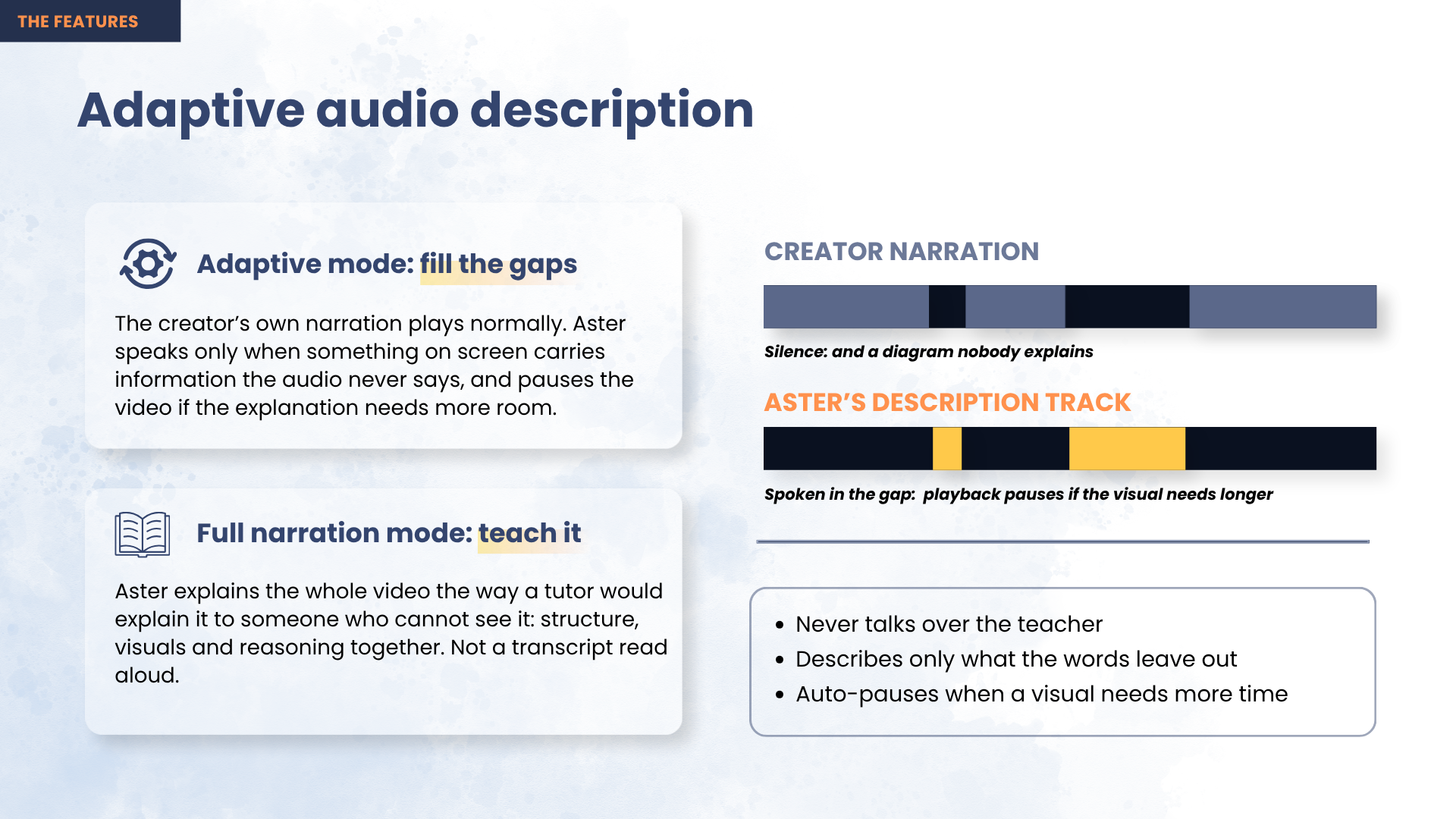
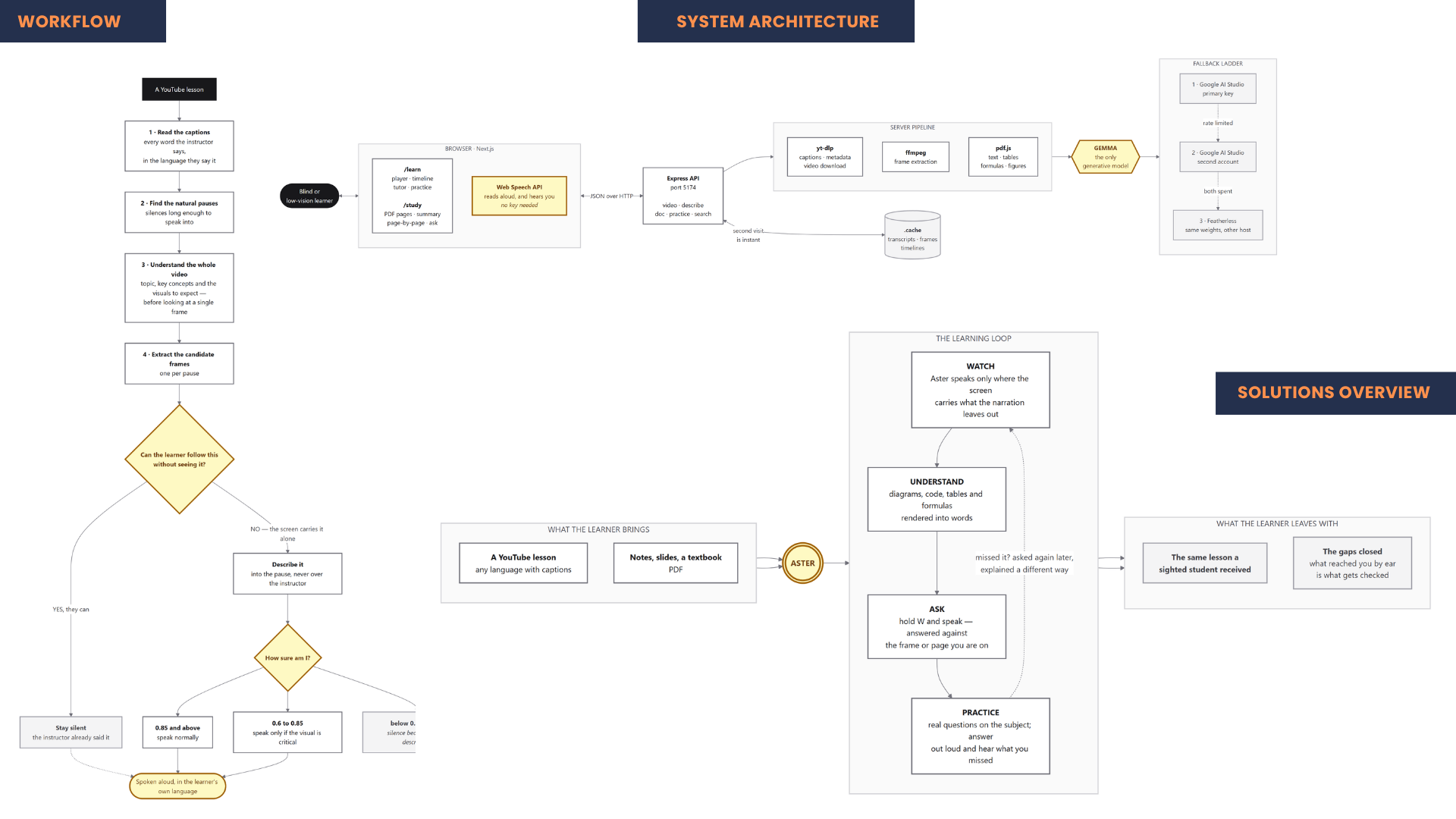
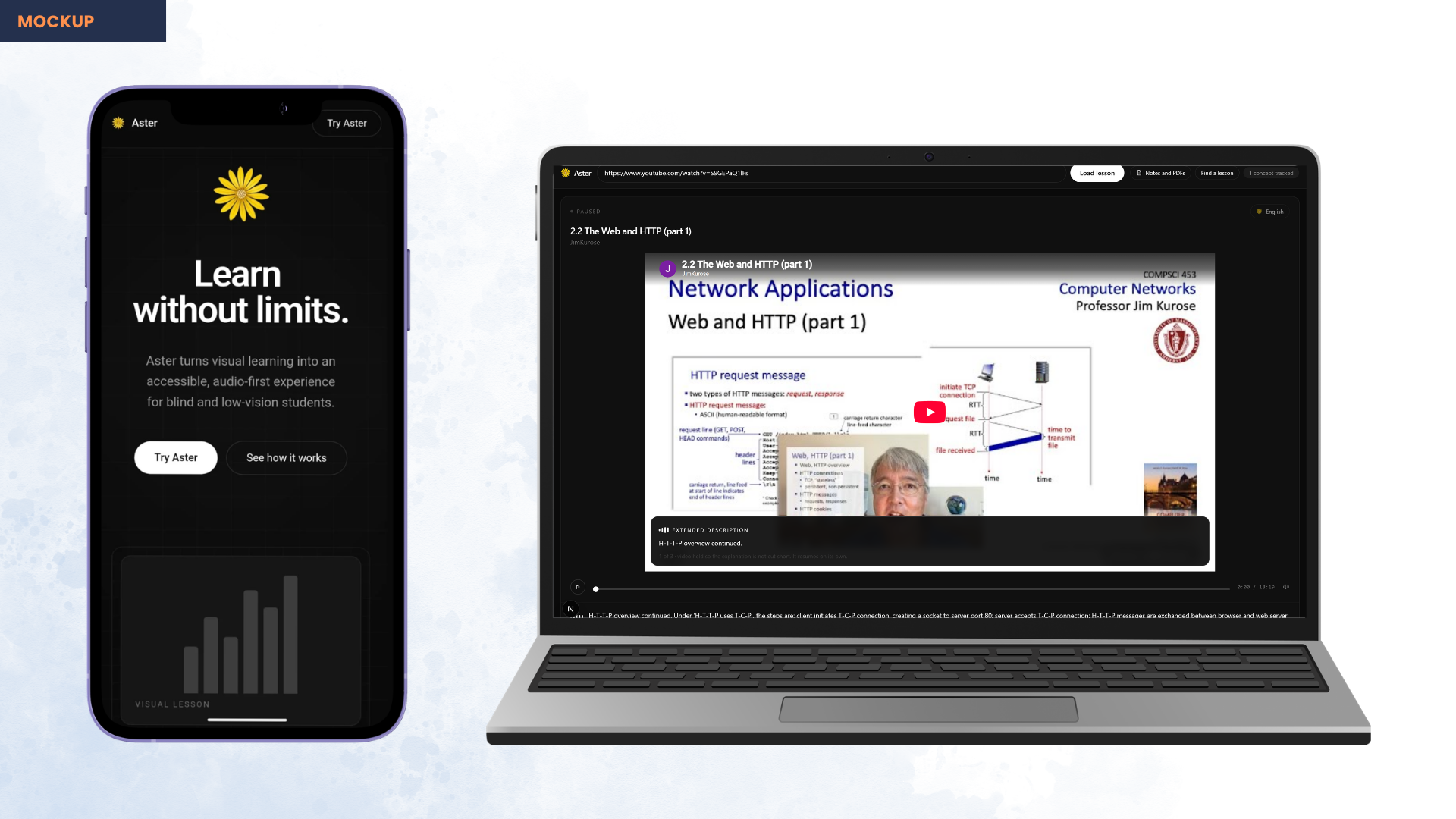
Only when the answer is no does it speak — and it speaks into a natural pause in the narration, so it never talks over the instructor. On a real lesson it examined 25 moments and described 12, staying silent at the other 13. The rule behind everything: silence is better than a wrong description.
Then the rest of the loop:
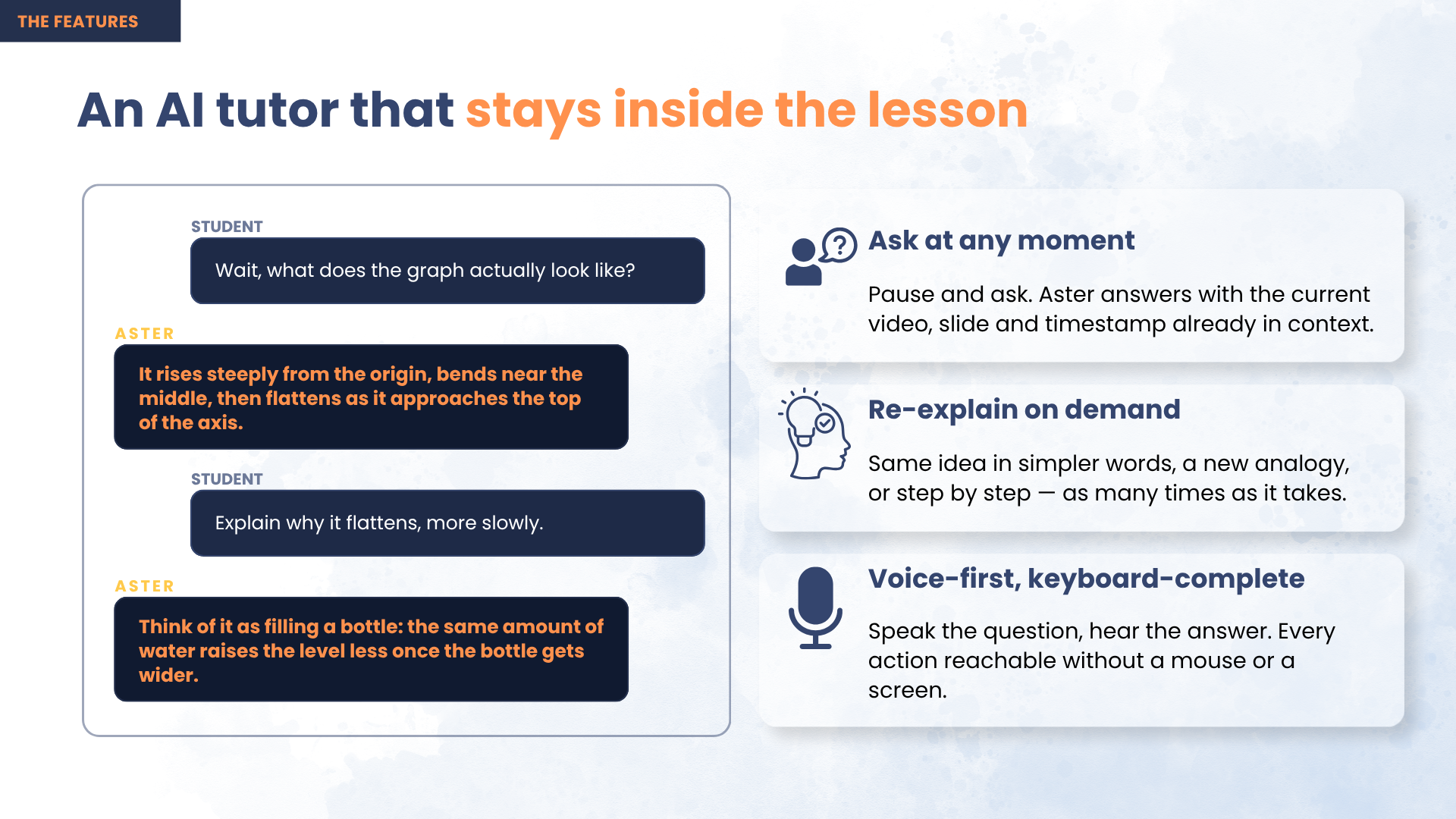
- Ask — pause anywhere and ask about the exact frame on screen, by keyboard, by one of eight preset keys, or out loud.
- Practice — quizzes are built from the gap, not the lesson. Two signals drive every question: a visual Aster had to describe (it reached them through the ear, second-hand, nothing to glance back at) and a question they asked (a timestamped admission of uncertainty). A concept the instructor narrated fully is never tested — they got it on equal terms with a sighted student.
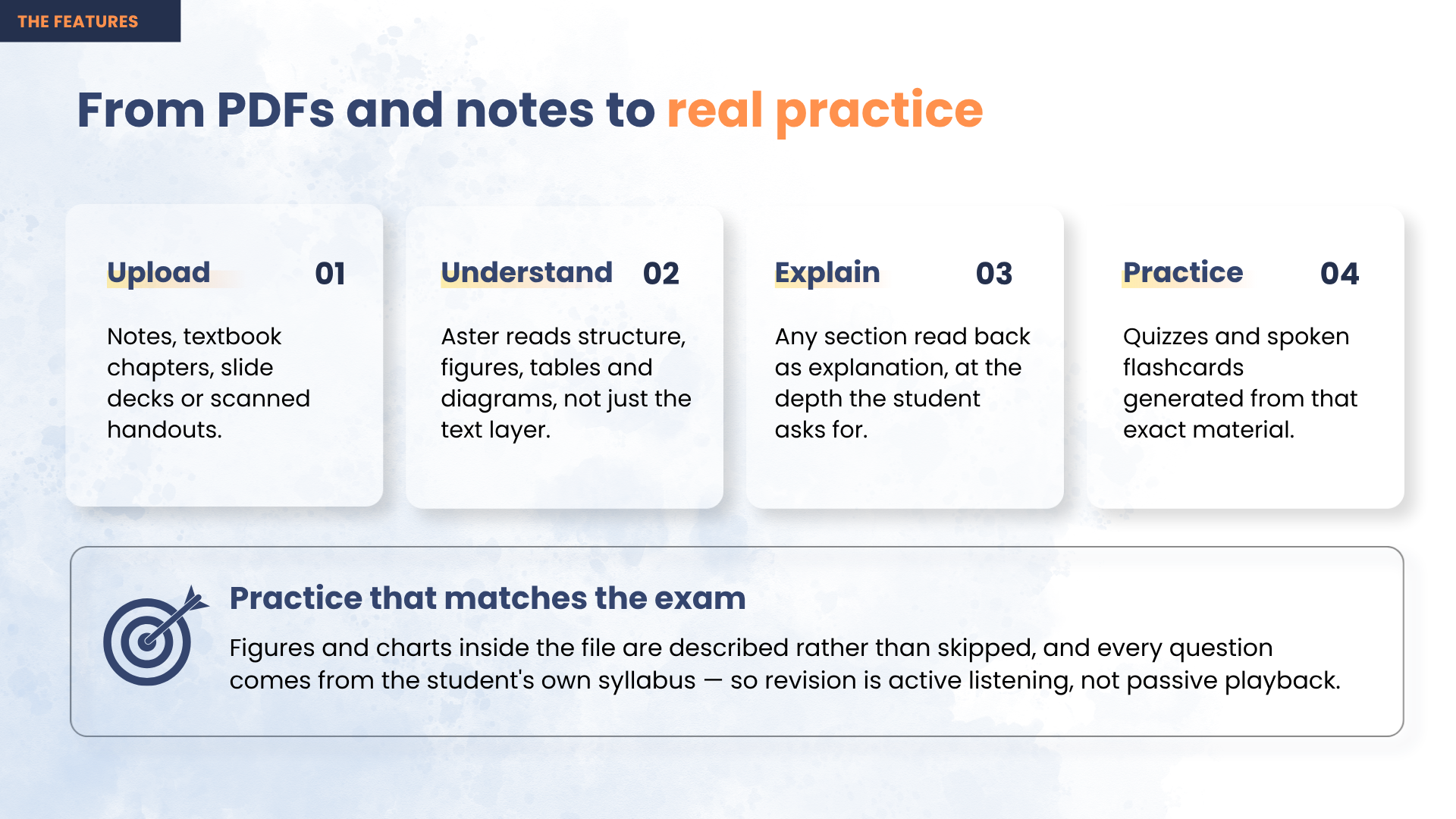
- Study — the same treatment for PDFs and textbook chapters, describing the figures and tables a plain text extraction throws away.
Everything is operable with a keyboard and a screen reader. The YouTube iframe is aria-hidden and cannot take focus, so a blind learner never lands inside a player they can't drive.
How we built it
Gemma 4 generates everything — every description, answer, and practice question. yt-dlp, ffmpeg and the browser's speech engines are supporting tools around it.
The pipeline: pull the video's own caption tracks, find the silences long enough to speak into, extract frames at those moments with ffmpeg, ask Gemma whether each one carries information the narration left out, and keep only what clears a confidence threshold. A description that outlasts its gap holds the video until speech genuinely ends — resolved by the speech promise, not a guessed duration.
Next.js 15 / React 19 / TypeScript / Tailwind v4 front end; Express on Node 22 behind it. Speech synthesis and recognition are the browser's Web Speech API — no key, no round trip, and it already ships Bengali voices, which is why the multilingual demo works. Deployed for real: web app on Vercel, containerised API on Azure App Service.
Challenges we ran into
YouTube blocks datacenter IPs. Deployed to a server, every download failed with "Sign in to confirm you're not a bot." Cookies fixed it for about three days, then died again. The diagnosis: the check keys on the IP, not the session — so authenticating harder was never going to converge. We routed yt-dlp through a residential proxy instead, after which no cookies are needed at all.
Never talking over the narrator. A description must land in a silence, and if the learner force-resumes mid-sentence the speech has to stop. Solved with gap detection plus a shared "holding" flag and speechSynthesis as ground truth.
Shipping the image over a home uplink. Azure for Students blocks cloud container builds, so the image had to be built locally and pushed. The first build was 2.42GB and the push kept dying. We cut it to 342MB compressed — installing only the server's dependencies (the root package.json was dragging Next and React into an API image that never runs them) and copying two static ffmpeg binaries instead of Debian's package.
Asking a question let the lesson run on underneath. Pressing a preset key opened the tutor but never paused the video — and a blind learner can't glance back at what played while they were typing. Fixed by pausing on every ask and search key.
Accomplishments that we're proud of
It is genuinely deployed and genuinely works — not a localhost demo. A full pipeline run on the live server takes about three minutes end to end, and lessons ship pre-described inside the container so the first visitor waits for nothing.
And it stays quiet. Most tools in this space prove they work by talking constantly; ours proves it by the 13 moments it decided to say nothing about.
What we learned
Accessibility isn't a pass you do at the end — it changes what the product is. Once you accept that the user cannot see the screen, "pause before answering" stops being a nicety and becomes correctness.
And the most useful debugging insight had nothing to do with code: when a system keeps rejecting you, check whether you're authenticating harder against a check that isn't about identity at all.
What's next for Aster
A browser extension so Aster works on YouTube itself, offline caching of descriptions, wider multilingual narration, and a pilot with a school for the blind. The goal: any lecture video on the internet becomes usable by a blind student, without asking the creator to do anything.
Built With
- azure
- express.js
- ffmpeg
- gemini-api
- gemma
- google-ai-studio
- multimodal-ai
- next.js
- node.js
- pdf.js
- react
- typescript
- vercel
- web-speech-api
- yt-dlp


Log in or sign up for Devpost to join the conversation.