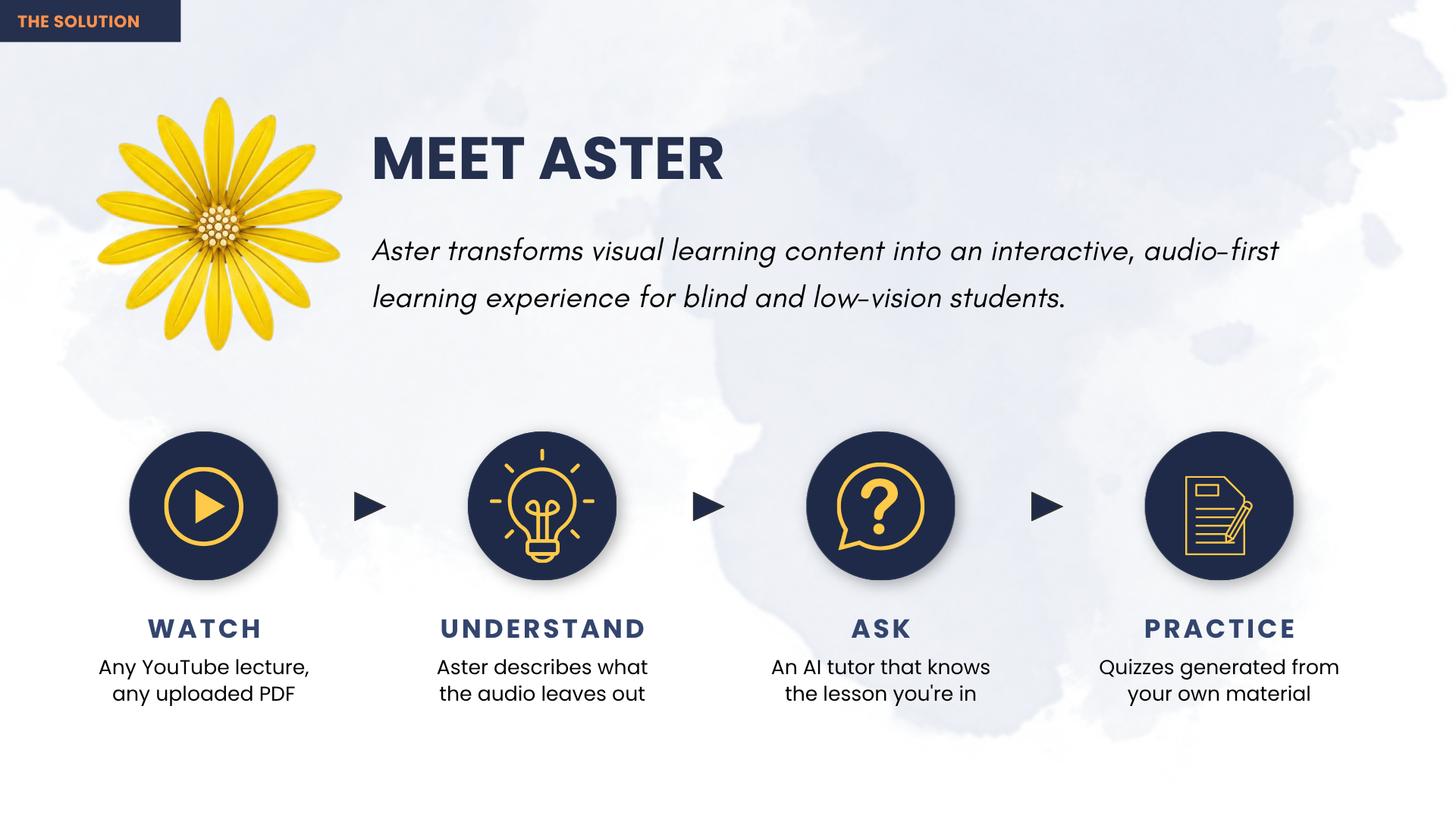
Aster — Learning You Can Hear
Live demo: https://aster-coral.vercel.app Source code: https://github.com/AuvroIslam/Aster Demo video: https://youtu.be/ANY_swvypIY
Demo Materials (required — at least one visual)
| File | What it shows |
|---|---|
docs/screenshots/04-description-timeline.png |
25 moments examined · 12 described — the judgement as a number |
docs/screenshots/05-speaking-caption.png |
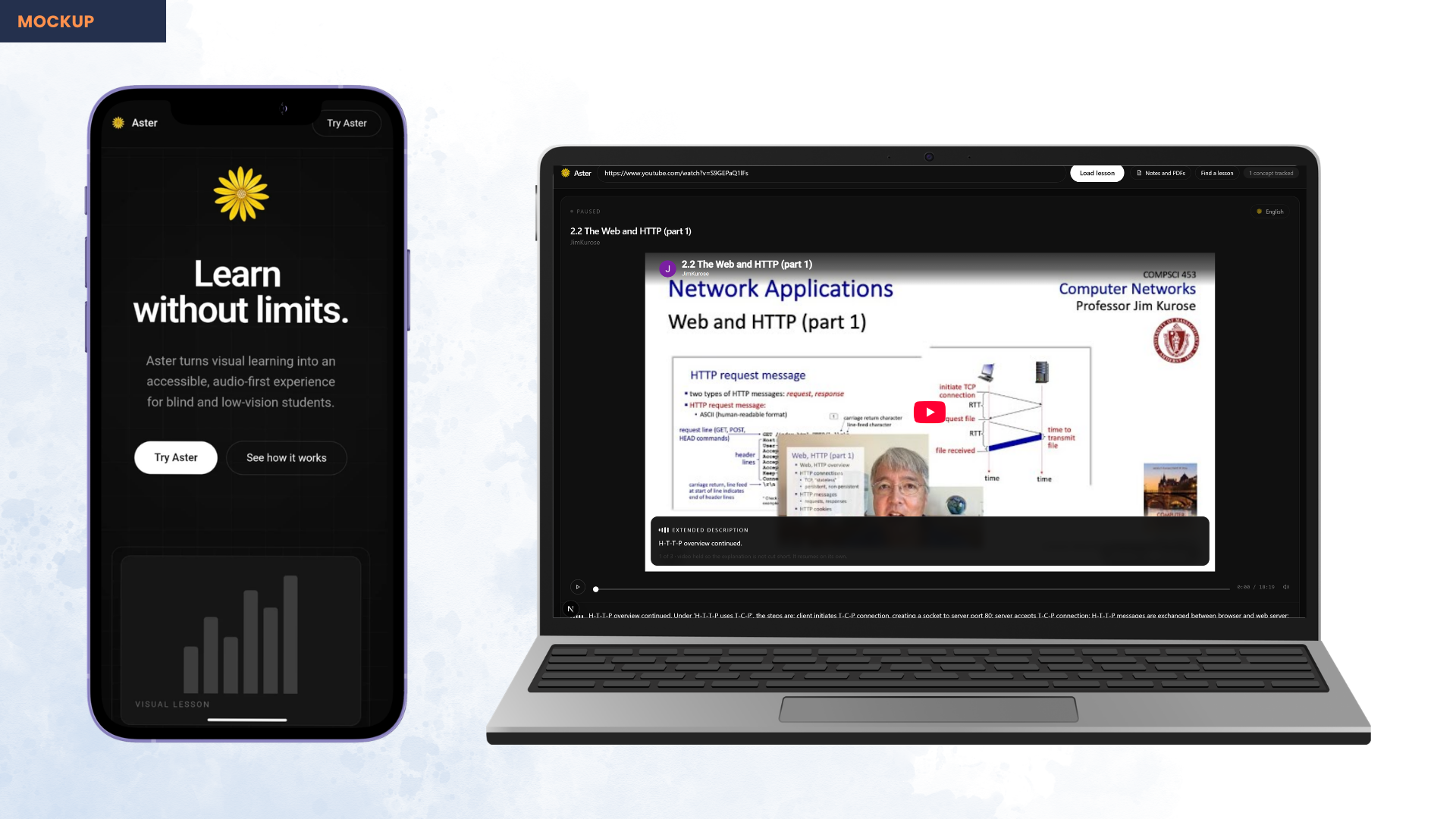
A description holding the video, revealed as spoken |
docs/screenshots/10-study-page-explained.png |
A real diagram-heavy page explained |
docs/screenshots/08-voice-search.png |
Spoken search — a lesson found with no sight |
docs/screenshots/00-demo-thumbnail.png |
Cover image |
Clarity of Submission is 10% of the score here, so upload several rather than the minimum one.
Team Information
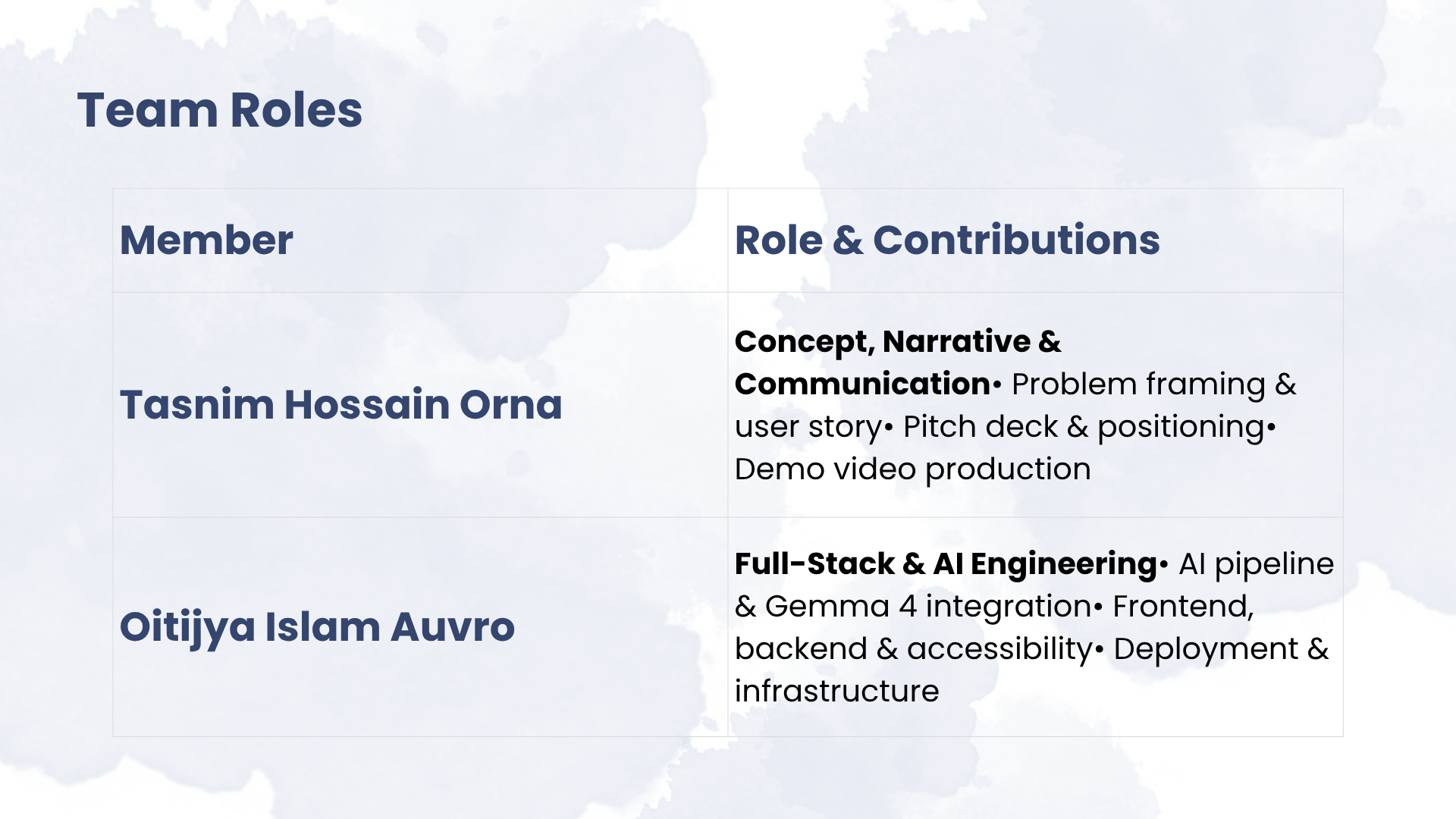
Tasnim Hossain Orna — Concept, narrative and communication. Idea generation and problem framing, user story and positioning, presentation design, demo video production.
Oitijya Islam Auvro — Full-stack and AI engineering. The complete technical build: the AI description pipeline and prompt design, Gemma integration, backend and API, frontend, accessibility implementation, and cloud deployment.
The Idea
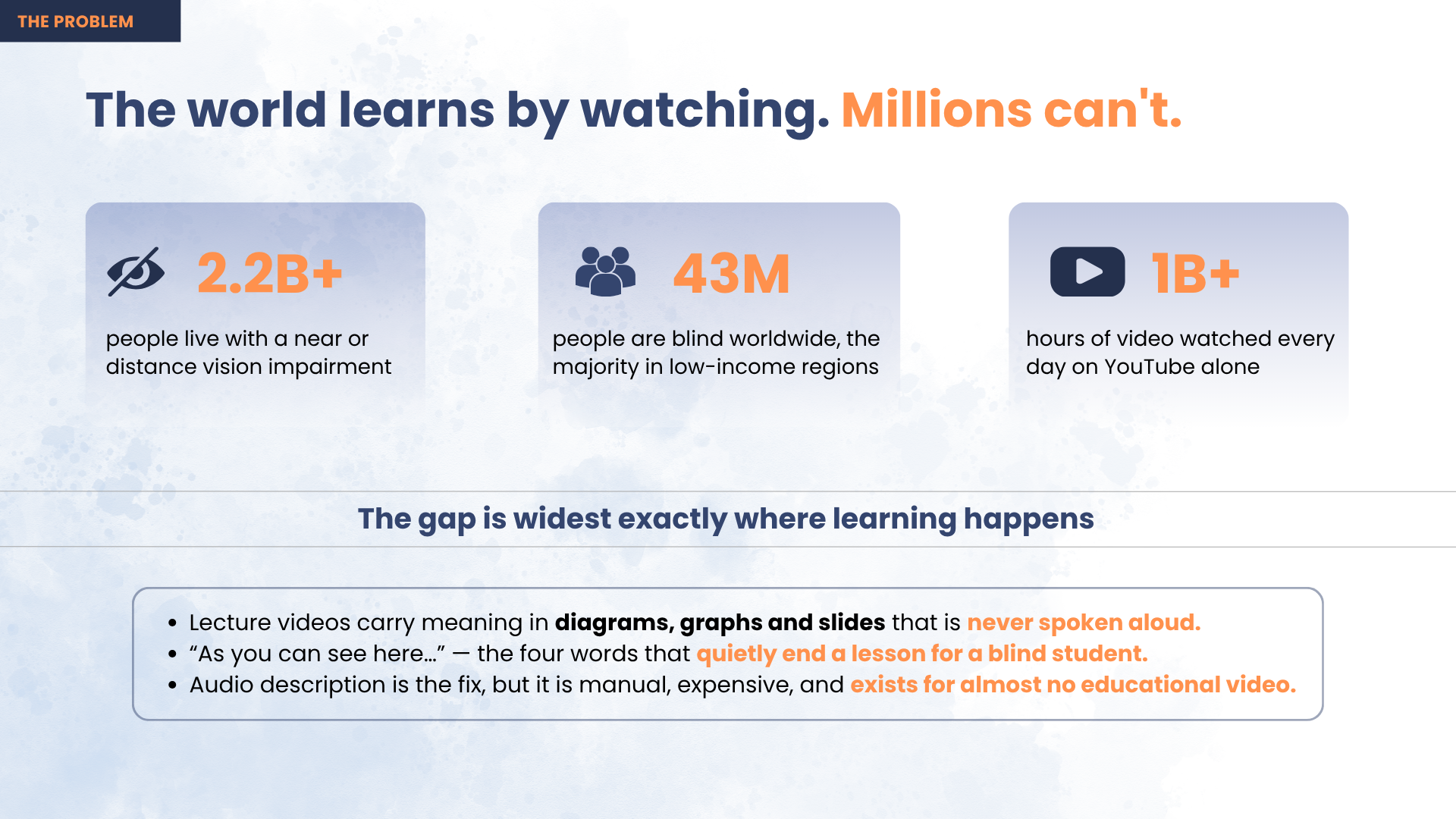
A student goes to YouTube because that is where the syllabus is taught for free. It is the great equaliser of this generation: a student in a village can watch the same lecture as a student in a capital city, and it costs neither of them anything.
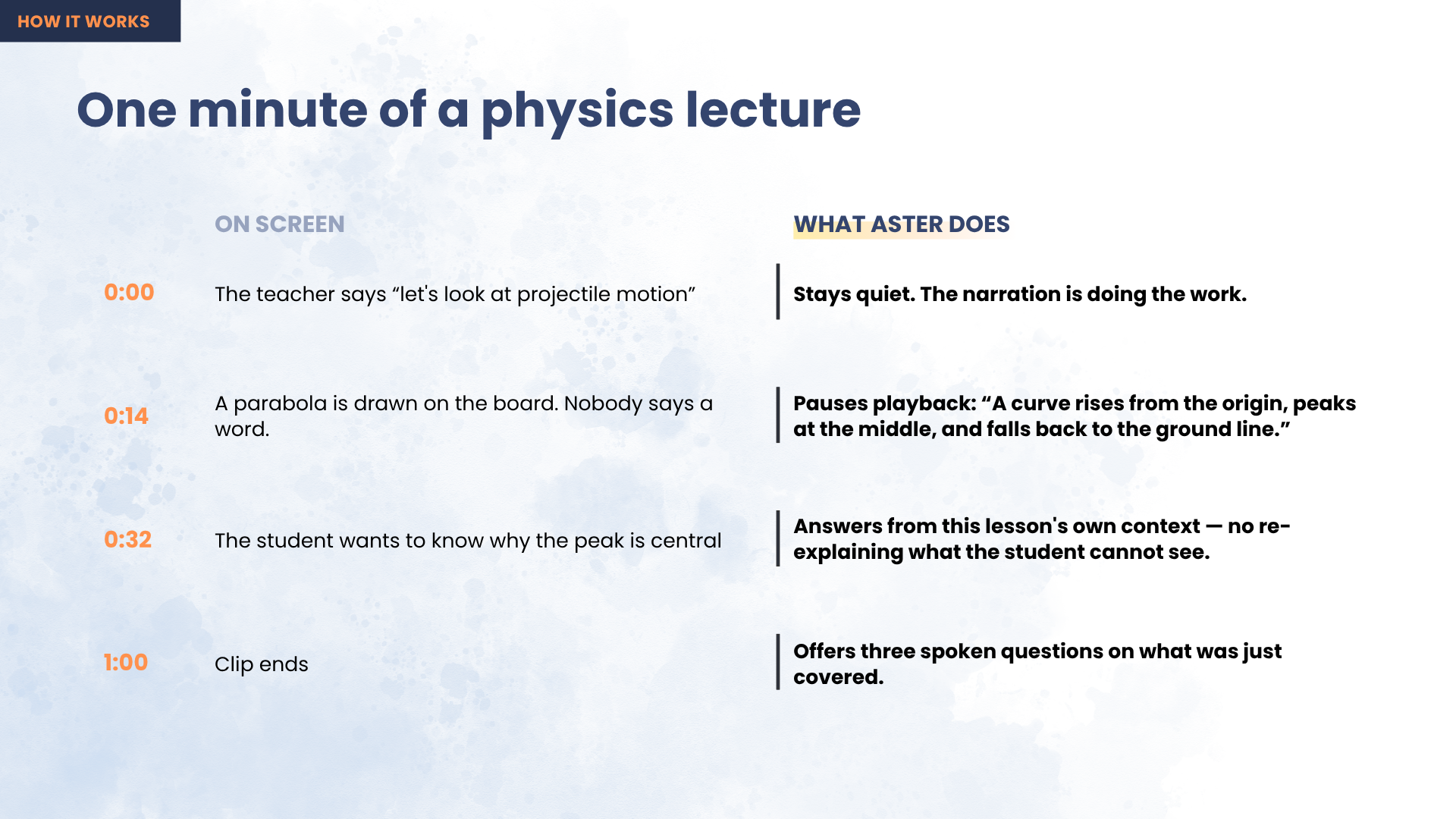
Then, fourteen minutes in, the teacher stops talking, draws a parabola on the board, and says four words:
"As you can see here…"
For a blind student the lesson ends right there. Not because the physics is beyond them, but because nobody said out loud what was on the screen. A sighted classmate takes in the curve in half a second and moves on; a blind learner hears silence, then a sentence that assumes they saw it. This repeats every few minutes, in every subject, for their entire education.
43 million people are blind and 2.2 billion live with vision impairment — 90% of them in low- and middle-income countries, exactly where free video is the only affordable teacher and where professionally described course material will never arrive.
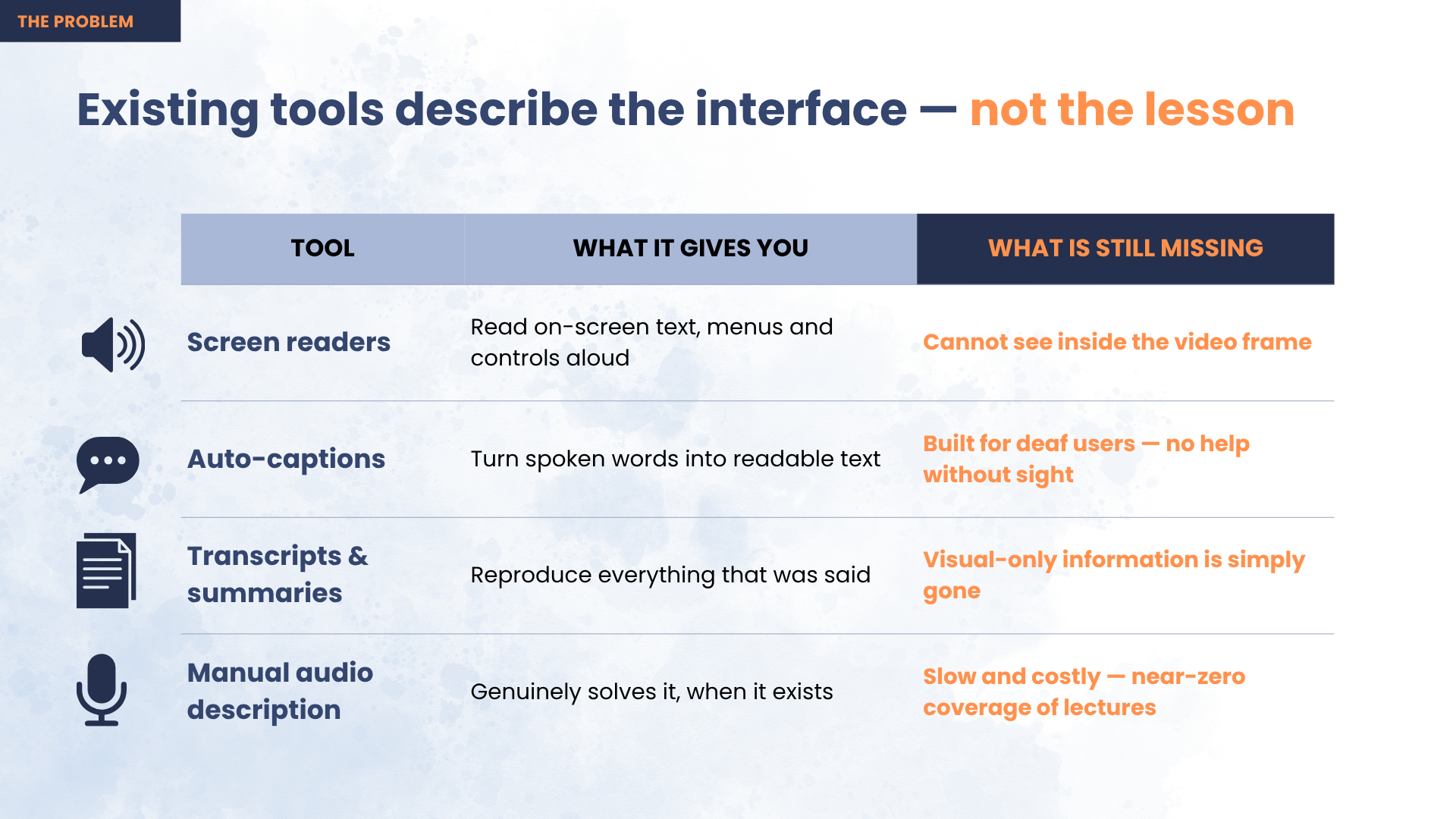
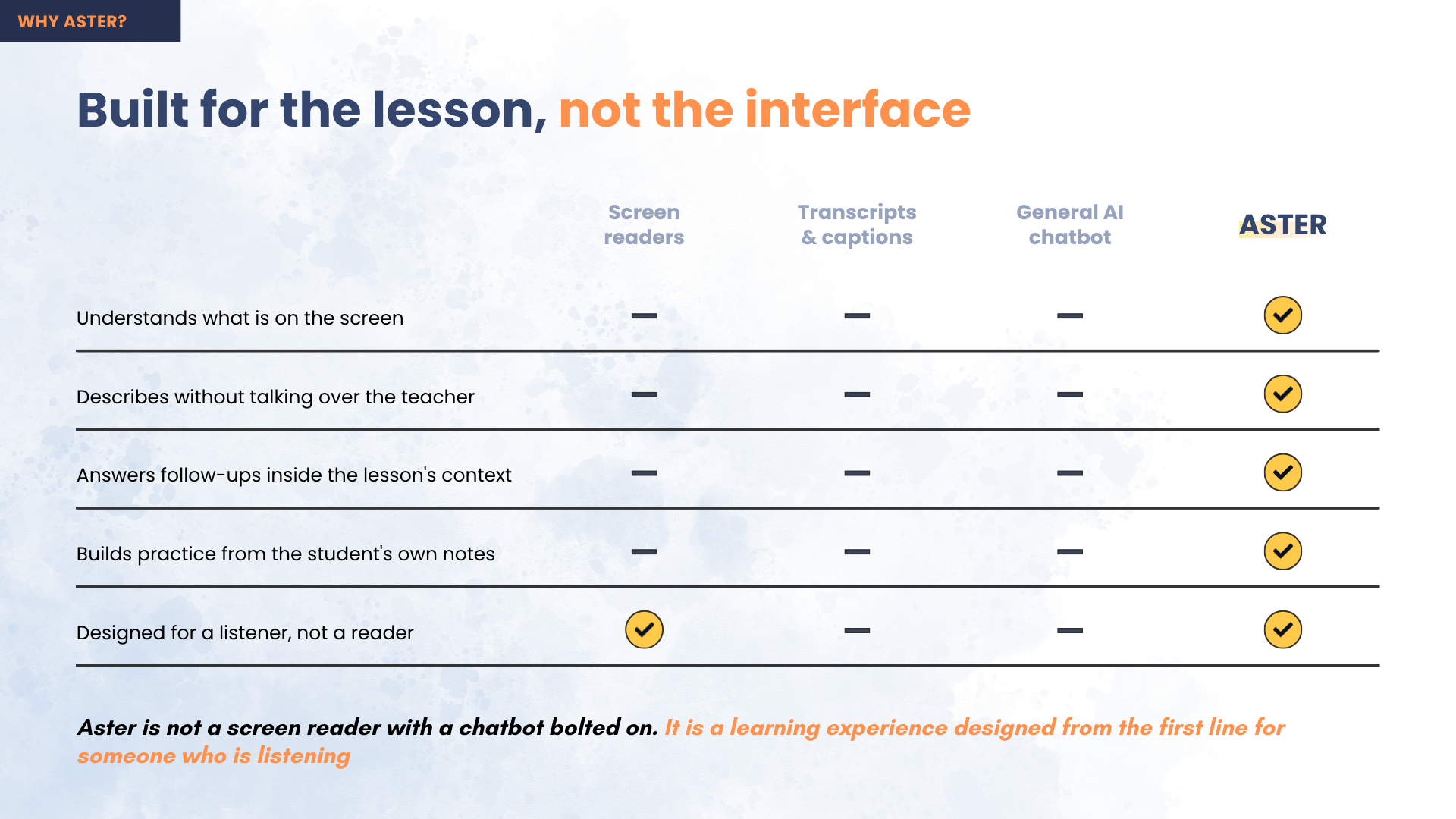
What made this worth building is that every existing option fails for a specific, diagnosable reason. Screen readers read the interface, not the lesson — the play button is announced, the diagram is not. Captions carry the words the teacher said, and the entire problem is what the teacher didn't say. Describe-everything AI narrates every frame and talks over the instructor, which is noise, not a lesson. Human audio description is the real fix, but it is manual and expensive, so it exists for almost no educational video.
How It Works
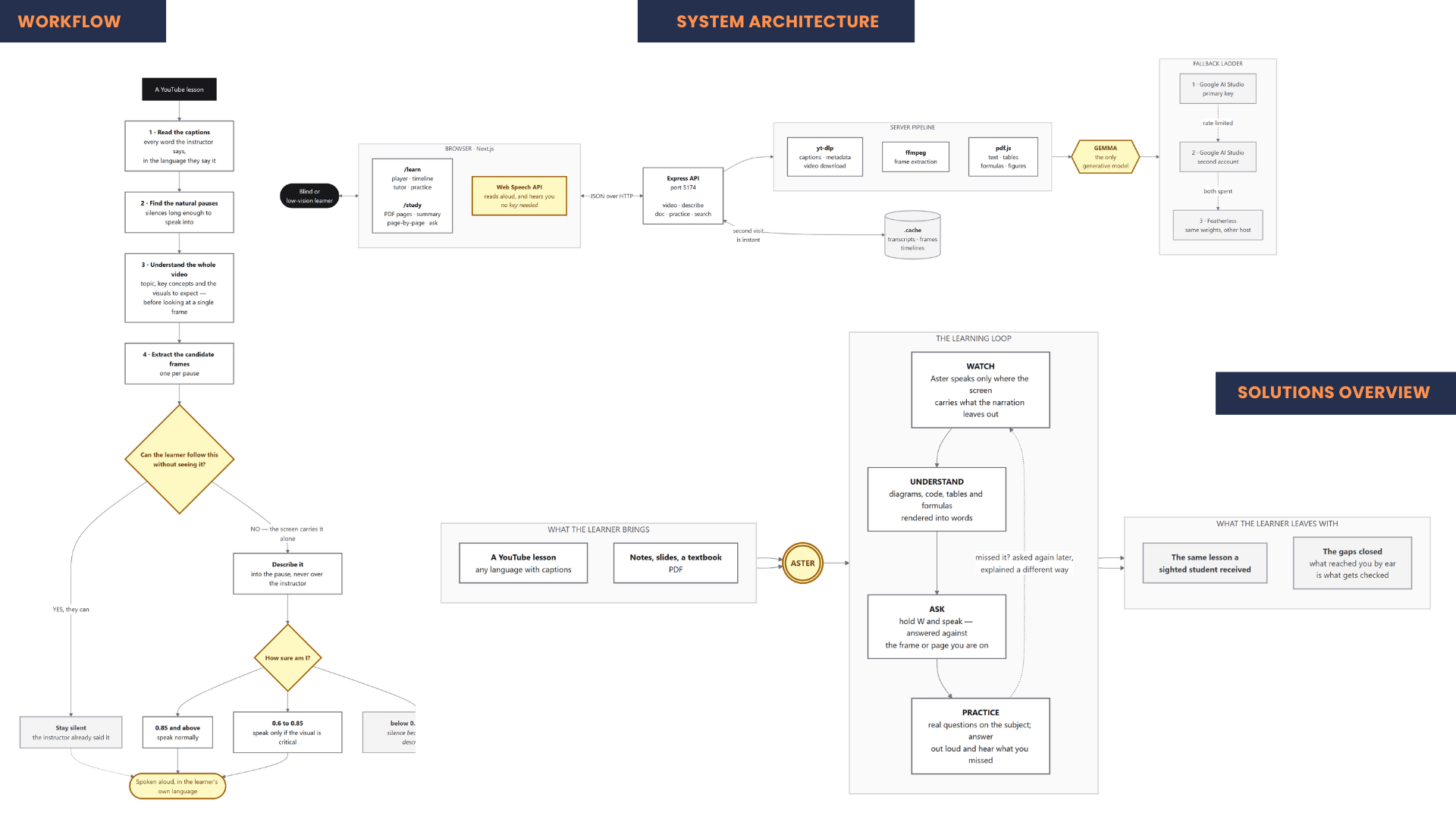
Aster asks a different question than every other tool in this space. For each candidate moment it does not ask "what is on screen?" — it asks:
"Can the learner follow this without seeing it?"
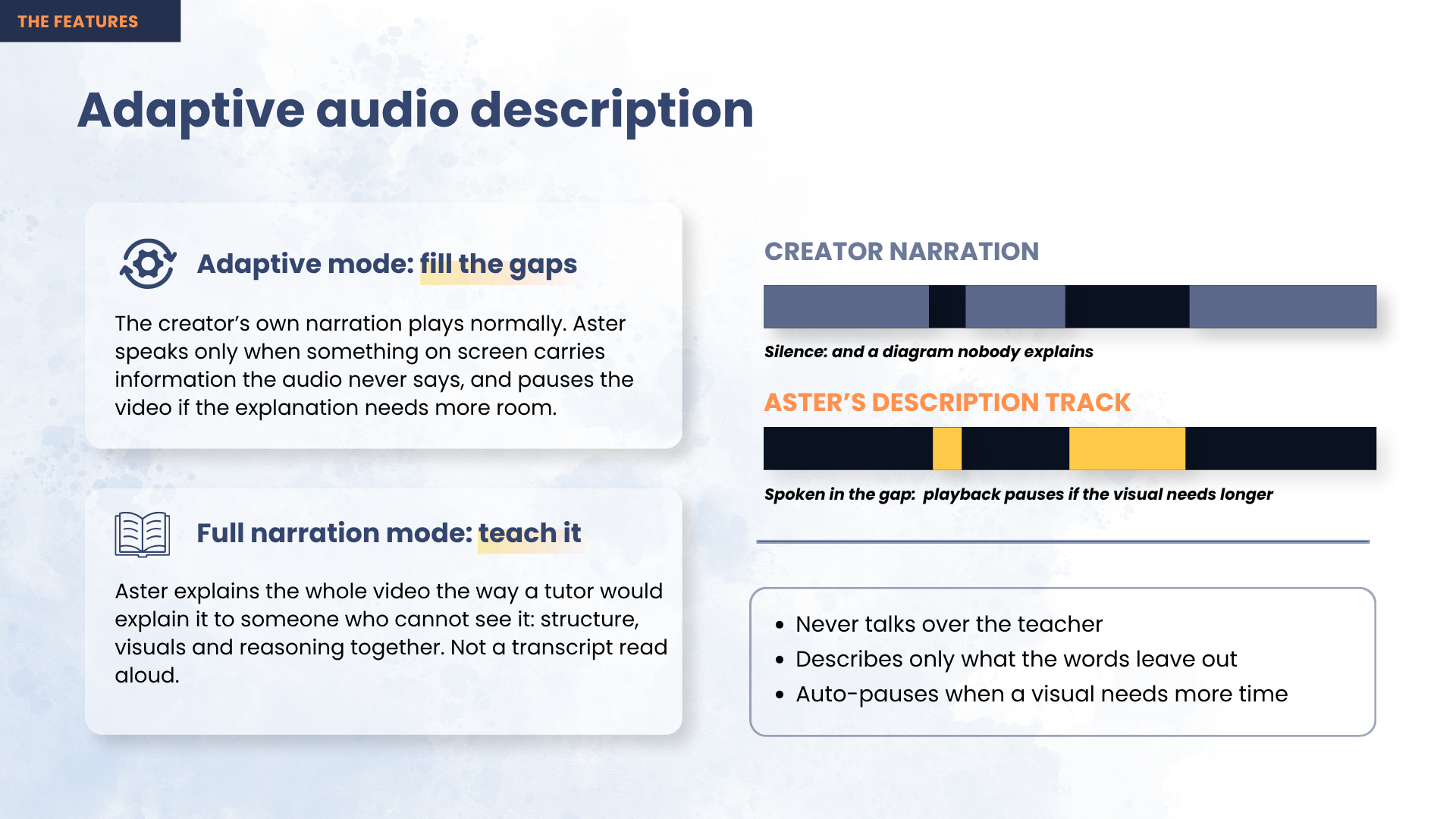
Only when the answer is no does it generate a description, and it places that description inside a natural pause in the narration, so it never overlaps the instructor.
The pipeline runs in five stages:
- Read the lesson. Pull the video's own caption tracks and build a timed transcript, then run a whole-video pass so the model knows what is being taught before it judges any single frame.
- Find the silences. Detect gaps in the narration long enough to speak into. A silence must be at least 1.2 seconds, and no two descriptions may fall within 8 seconds of each other.
- Look at the screen. Extract a frame at each candidate moment with ffmpeg and send it to a multimodal model along with the surrounding transcript.
- Decide, then describe. The model judges whether the frame carries information the narration left out, and returns a confidence score with its answer. Three thresholds govern the outcome: ≥ 0.85 speak normally · 0.60–0.85 speak only if the visual is genuinely critical · < 0.60 discard it and stay silent.
- Speak it into the gap. If a description is too long for the pause it lands in, Aster holds the video until the sentence genuinely ends, then resumes.
On a real 18-minute lecture, Aster examined 25 moments and described only 12 — staying silent at the other 13. That ratio is the system working, not failing. A tool that described all 25 would be far easier to build and useless to listen to.
The rule behind everything: silence is better than a wrong description.
Main Features
Decide-first audio descriptions. Every moment is a decision before it is a description, and most of the time the decision is silence. This is the core of the project and the reason it is usable at all.
Never talks over the teacher. Descriptions land in natural pauses. A long explanation pauses the video rather than being cut short — which implements WCAG 2.2 SC 1.2.7, Extended Audio Description — and if the learner resumes playback mid-sentence, speech stops immediately so two voices never collide.
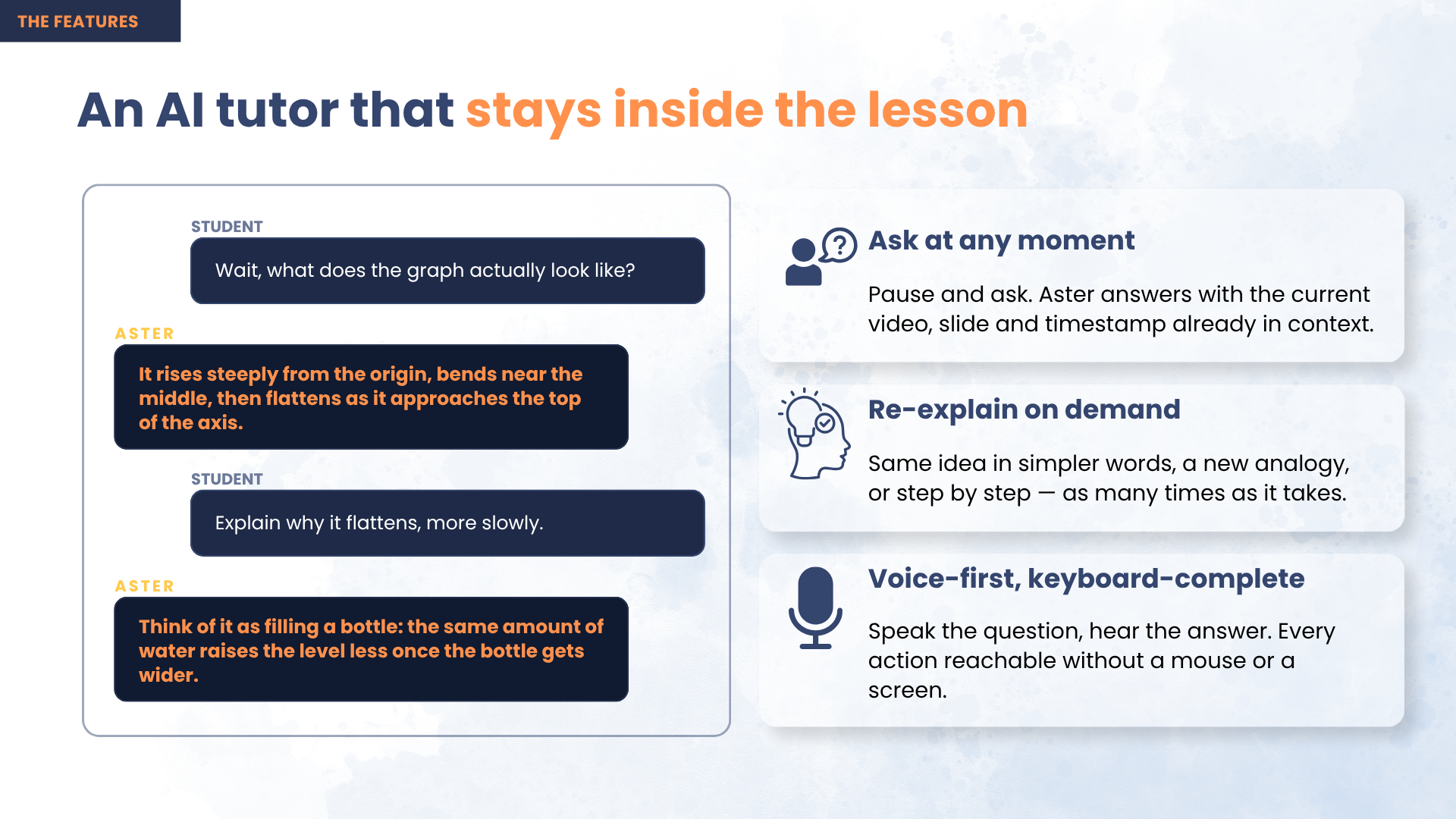
Ask about the exact frame on screen. Pause anywhere and ask by keyboard, by one of eight one-key presets, or out loud. Answers are grounded in that frame and that lesson, so "read the code" returns the code actually displayed rather than a plausible invention.
Practice built from the gap, not the lesson. Two signals drive every practice question: a visual Aster had to describe (the concept arrived through the ear — second-hand, single pass, nothing to glance back at) and a question the learner asked (a timestamped admission of uncertainty). A concept the instructor narrated fully is never tested — the learner received it on equal terms with a sighted student, so there is no gap to close. Miss a question and the concept is re-explained from a different angle, never in the same words, then asked again later.
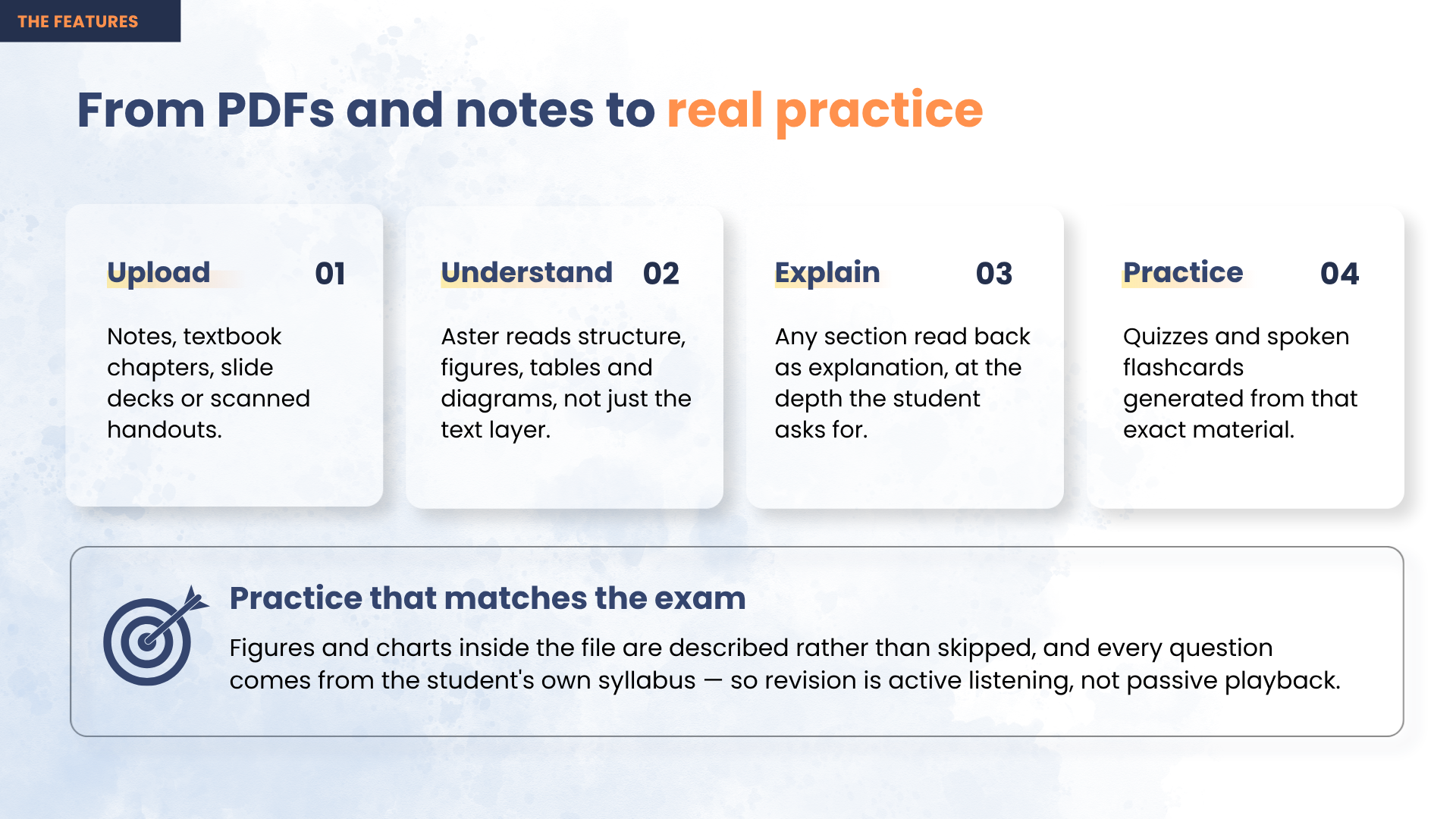
Documents too. PDFs and textbook chapters get the same treatment, describing the figures, tables and diagrams that a plain text extraction silently discards, then generating quizzes from the student's own syllabus.
Multilingual by default. Aster reads the video's own caption language and describes the lesson in that same language — a Bengali physics lecture is described in Bengali, spoken with a Bengali voice.
Operable with no sight at all. Full keyboard control, ARIA live regions for every state change, and spoken search: hold one key, say what you want to learn, and the results are read back aloud. The video player itself is hidden from assistive technology and cannot take focus, so a blind learner never lands inside a control surface they have no way to drive.
Works on the first click. Finished lessons ship inside the deployed container and seed the cache on first boot, so a new visitor gets a described lesson instantly instead of waiting three minutes for one to process — no account, no key, no upload.
What was hard
YouTube blocks datacenter IPs, and authenticating harder never converges. Deployed to a server, every video retrieval failed with "Sign in to confirm you're not a bot." Cookies fixed it for about three days, then died again. The diagnosis was the fix: the check keys on the IP, not the session. Rotating more accounts only spreads the decay across more accounts. We changed where the request originates instead — routing egress through a residential proxy — after which no cookies are needed at all. Measured live, roughly one exit IP in four still refuses a signed URL, so retrieval retries with a fresh IP each round, taking total failure from 1 in 4 to about 1 in 5,000.
Caching that makes it affordable to run. Results are keyed by video, model, prompt version, language and pipeline settings. A second viewing costs zero downloads and zero model calls, while changing any of those inputs correctly invalidates the result. Each video is processed exactly once, ever.
Shipping it for real. The API runs as a container on Azure App Service with a persistent cache; the web app is on Vercel. Getting there meant cutting the deployment image from 2.42 GB to 342 MB compressed after the student-tier account turned out to block cloud container builds entirely.
Model reliability. A three-rung fallback ladder — primary key, a second key on a separate account, then an alternate host — because a free-tier quota running out partway through a long video is the failure that actually happens in practice.
Technology Stack
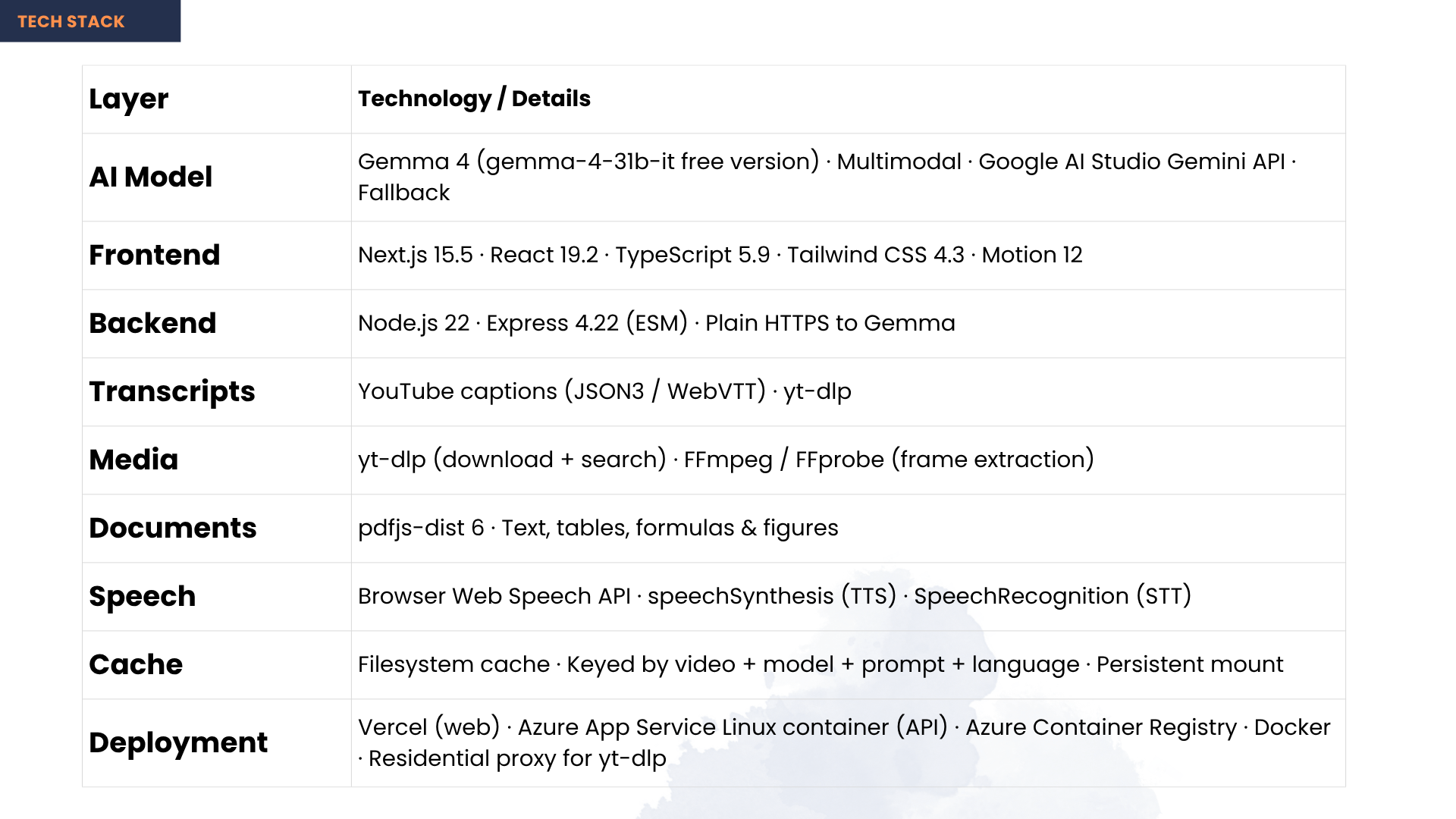
| Layer | Technology |
|---|---|
| AI model | Gemma 4 (multimodal) via Google AI Studio / Gemini API — generates every description, answer and practice question |
| Languages | TypeScript · JavaScript |
| Frontend | Next.js · React · Tailwind CSS · Motion |
| Backend | Node.js · Express |
| Transcripts | YouTube caption tracks (json3 / WebVTT) |
| Media | yt-dlp · ffmpeg · ffprobe |
| Documents | PDF.js |
| Speech | Web Speech API — synthesis and recognition run in-browser, so spoken search and spoken answers need no key and no server round trip |
| Deployment | Docker · Azure App Service · Azure Container Registry · Vercel |
Intended Audience
Primary — blind and low-vision students. Low vision is far more common than total blindness, and those learners are usually left out entirely: captions do not help them, and describe-everything tools are as unusable for them as for anyone else. Because Aster speaks only where the screen carries information the narration leaves out, it is equally useful to someone who can see some of the screen but not the small print in a terminal or the labels on a diagram.
Especially students in low- and middle-income countries, where 90% of vision loss is concentrated and where free online video is often the only accessible teacher available.
Also useful to:
- Teachers and institutions serving blind students, who currently have no affordable way to make existing video material accessible
- Auditory learners, and anyone studying without looking at a screen — commuting, or with tired eyes
- Content creators, who gain accessible versions of their lectures without doing any work themselves
The goal: any lecture video on the internet becomes usable by a blind student, without asking the creator to do anything.
Built With
- azure
- docker
- express.js
- ffmpeg
- gemma
- google-ai-studio
- next.js
- node.js
- pdf.js
- react
- tailwindcss
- typescript
- web-speech-api
- yt-dlp


Log in or sign up for Devpost to join the conversation.