Aster — Learning You Can Hear
Live demo: https://aster-coral.vercel.app Source code: https://github.com/AuvroIslam/Aster Demo video: https://youtu.be/ANY_swvypIY
Category: AI Application · Educational Platform · Social Impact Tool
Team Members
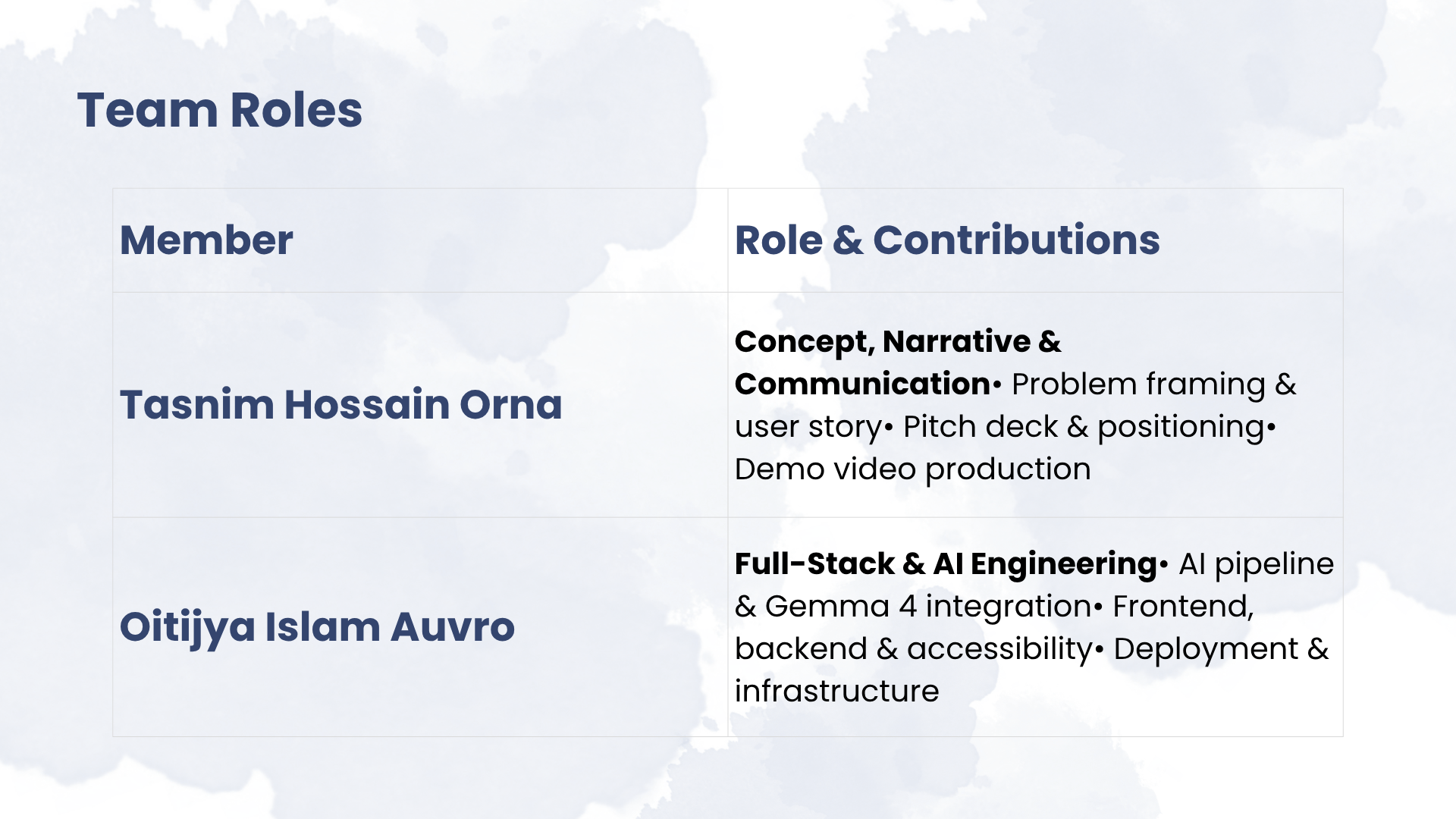
Tasnim Hossain Orna — Concept, narrative and communication: idea generation and problem framing, positioning, presentation design, demo video production.
Oitijya Islam Auvro — Full-stack and AI engineering: the complete technical build — AI description pipeline and prompt design, Gemma integration, backend and API, frontend, accessibility implementation, and cloud deployment.
The problem
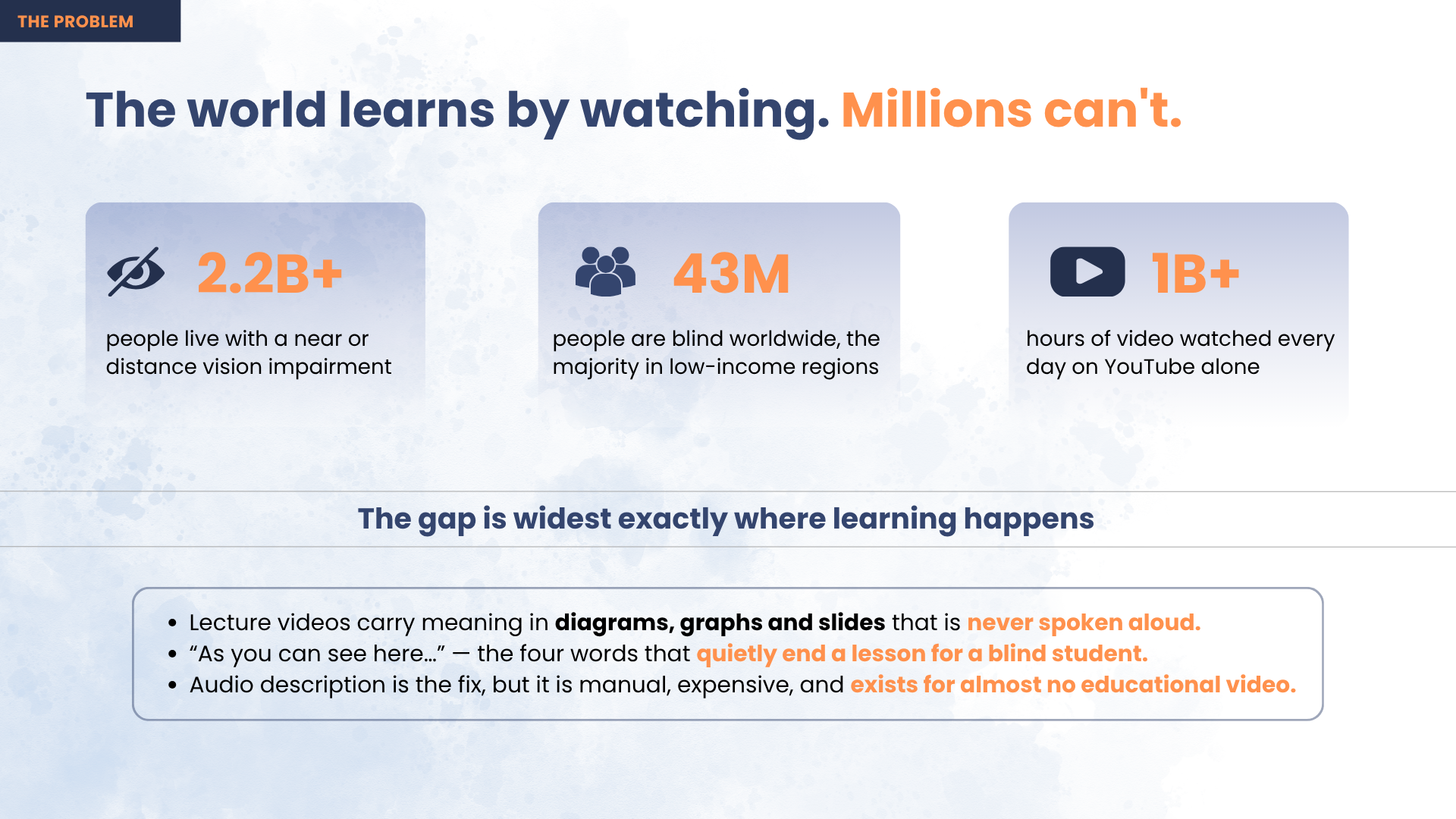
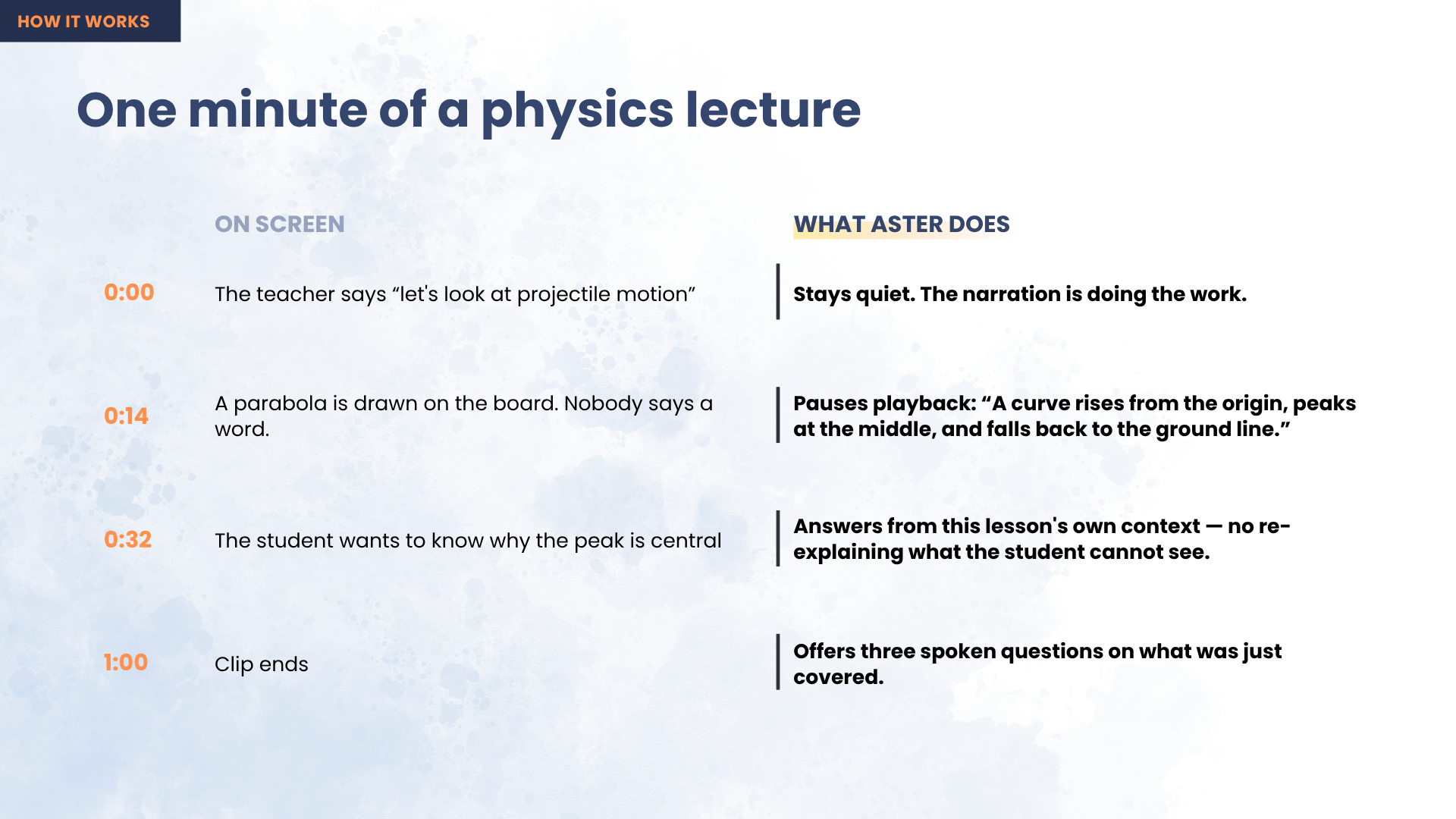
A student goes to YouTube because that is where the syllabus is taught for free. Then, fourteen minutes in, the teacher stops talking, draws a parabola on the board, and says four words:
"As you can see here…"
For a blind student the lesson ends right there. Not because the physics is beyond them, but because nobody said out loud what was on the screen. A sighted classmate takes in the curve in half a second and moves on; a blind learner hears silence, then a sentence that assumes they saw it. This repeats every few minutes, in every subject, for their entire education.
43 million people are blind and 2.2 billion live with vision impairment — 90% of them in low- and middle-income countries, exactly where free video is the only affordable teacher and where professionally described course material will never arrive.
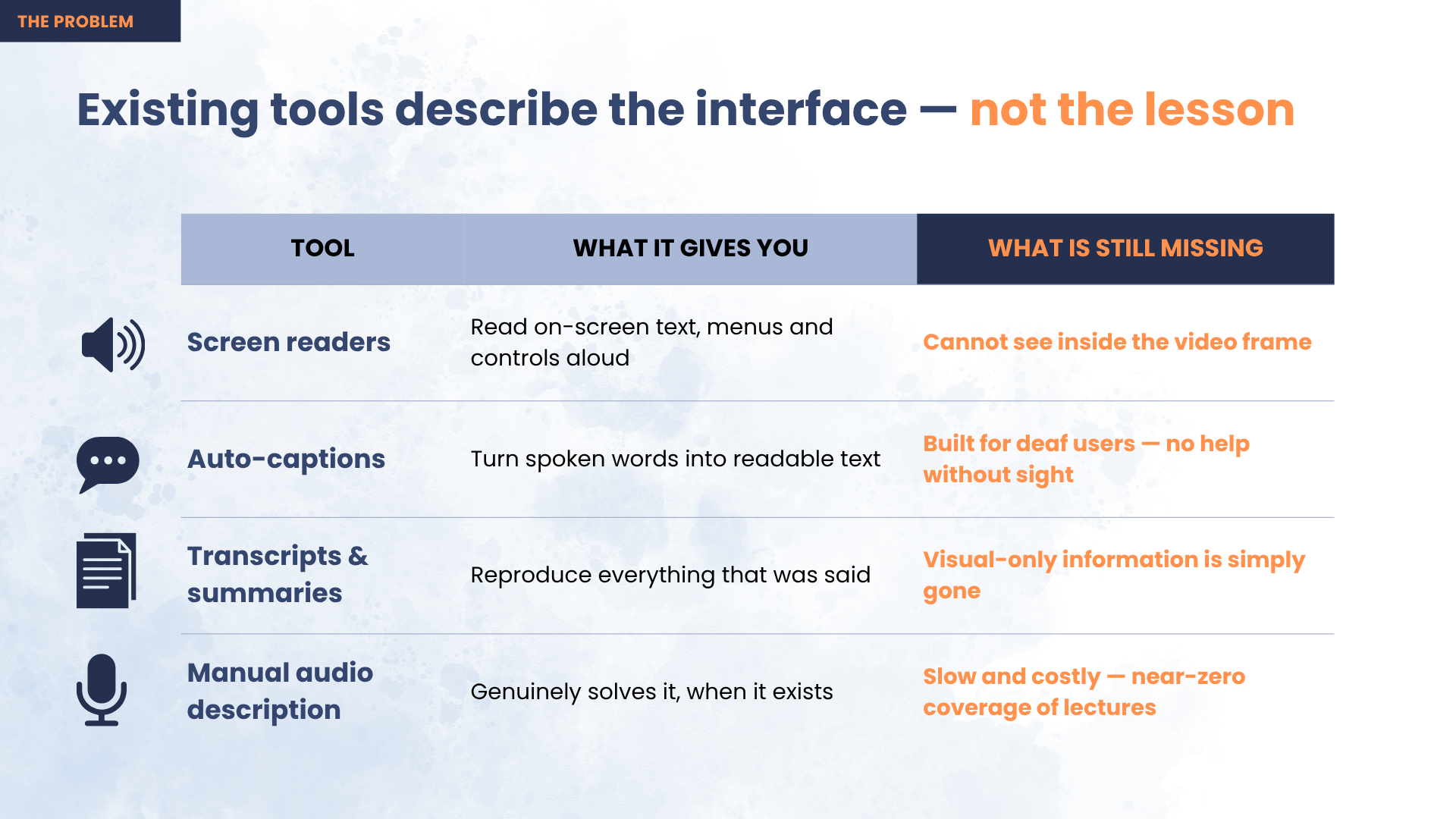
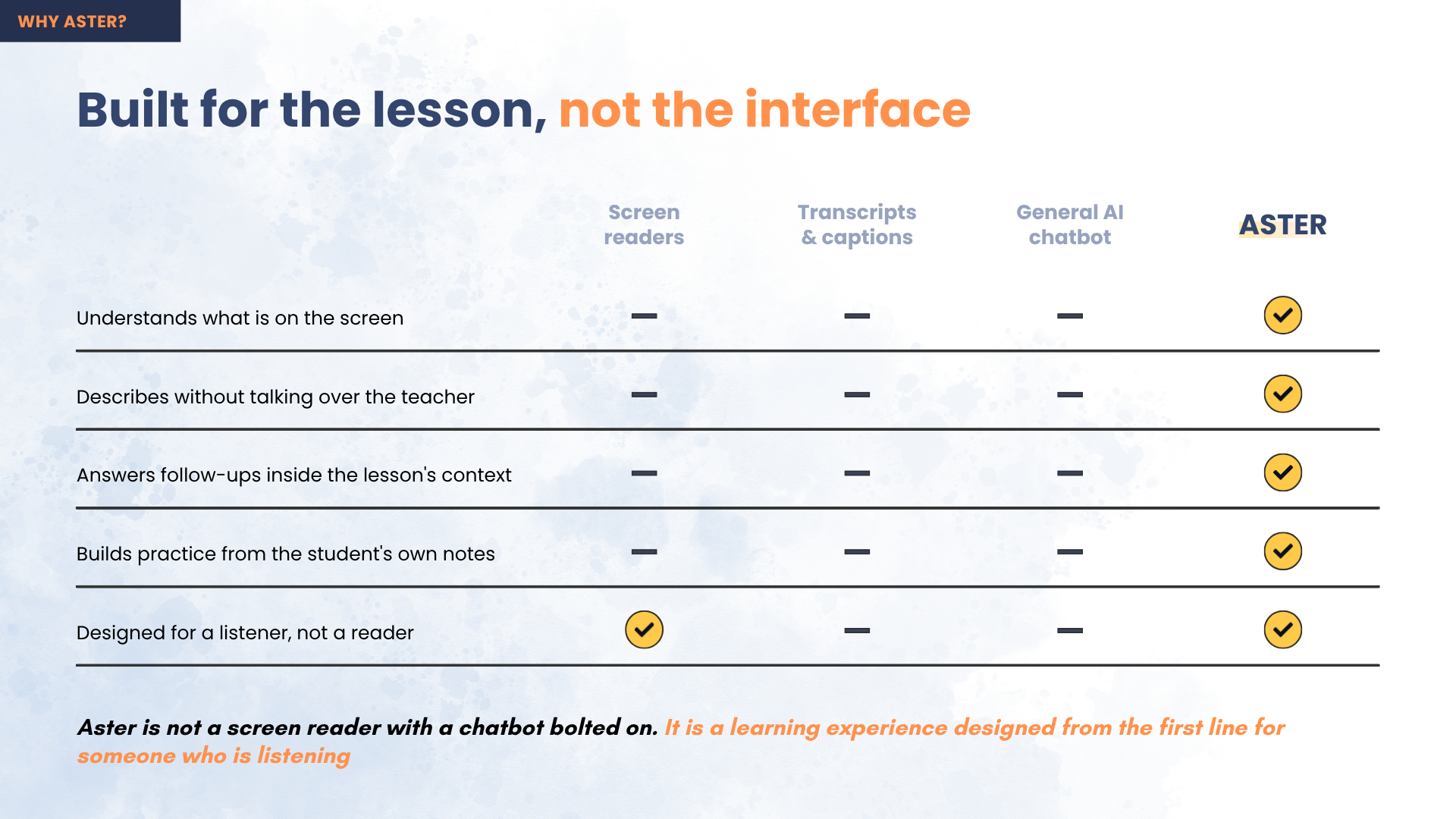
Existing options all fail for a specific reason. Screen readers read the interface, not the lesson — the play button is announced, the diagram is not. Captions carry the words the teacher said, and the entire problem is what the teacher didn't say. Describe-everything AI narrates every frame and talks over the instructor, which is noise, not a lesson. Human audio description is the real fix, but it is manual and expensive, so it exists for almost no educational video.
What Aster does
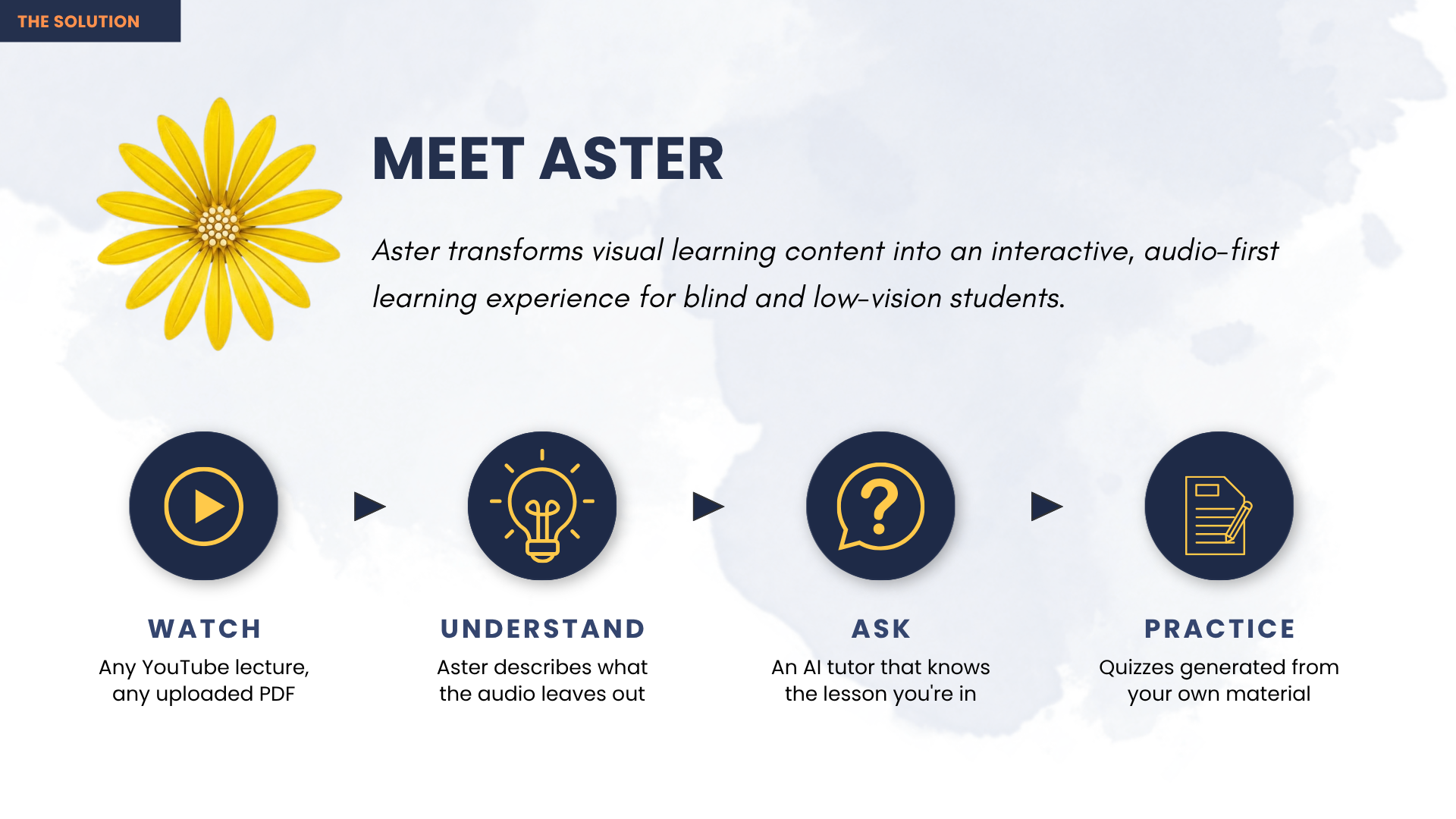
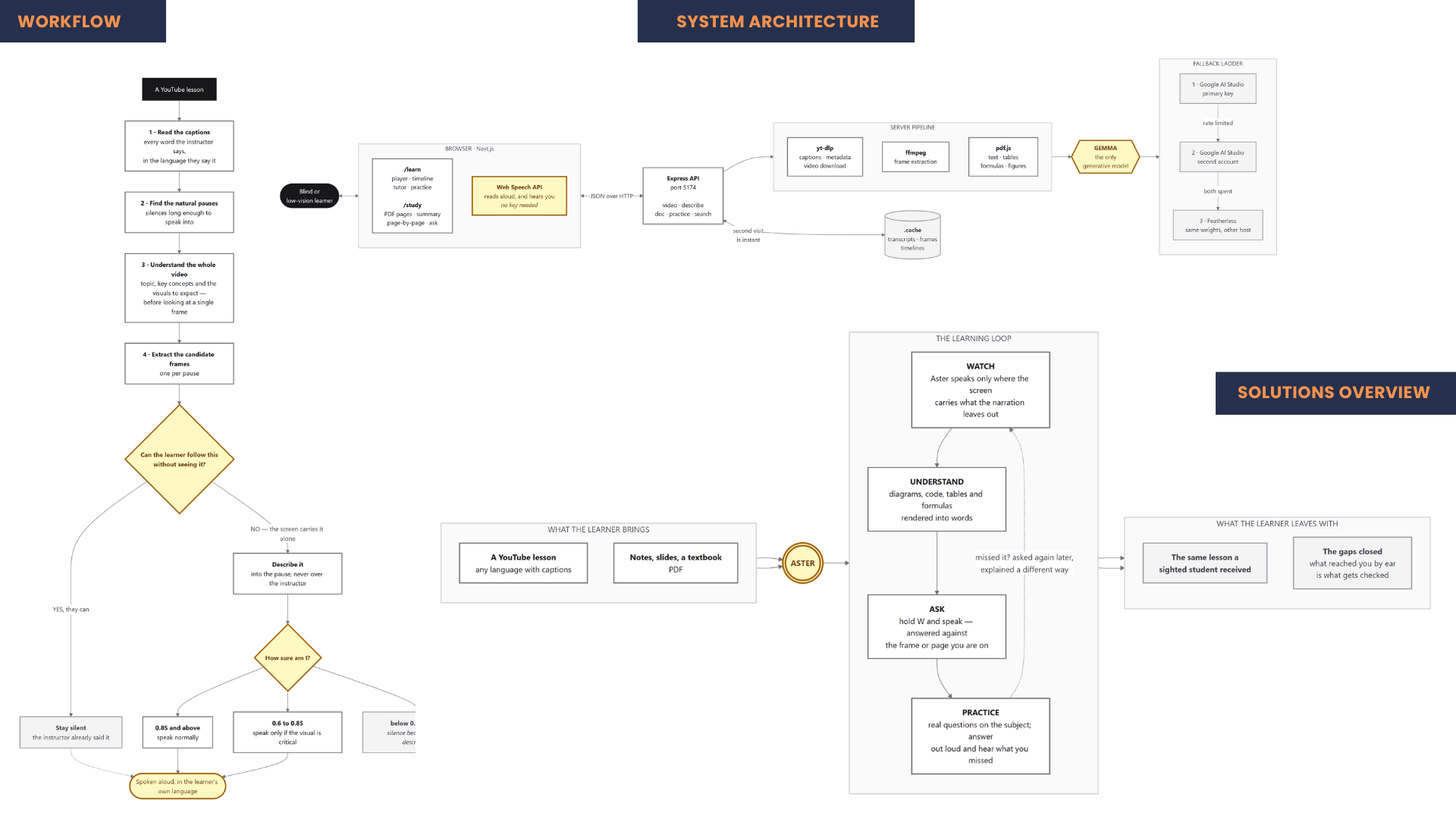
Aster asks a different question than every other tool. For each candidate moment it does not ask "what is on screen?" — it asks:
"Can the learner follow this without seeing it?"
Only when the answer is no does it speak, and it speaks into a natural pause so it never overlaps the instructor. On a real 18-minute lecture it examined 25 moments and described only 12, staying silent at the other 13.
The rule behind everything: silence is better than a wrong description.
Key features
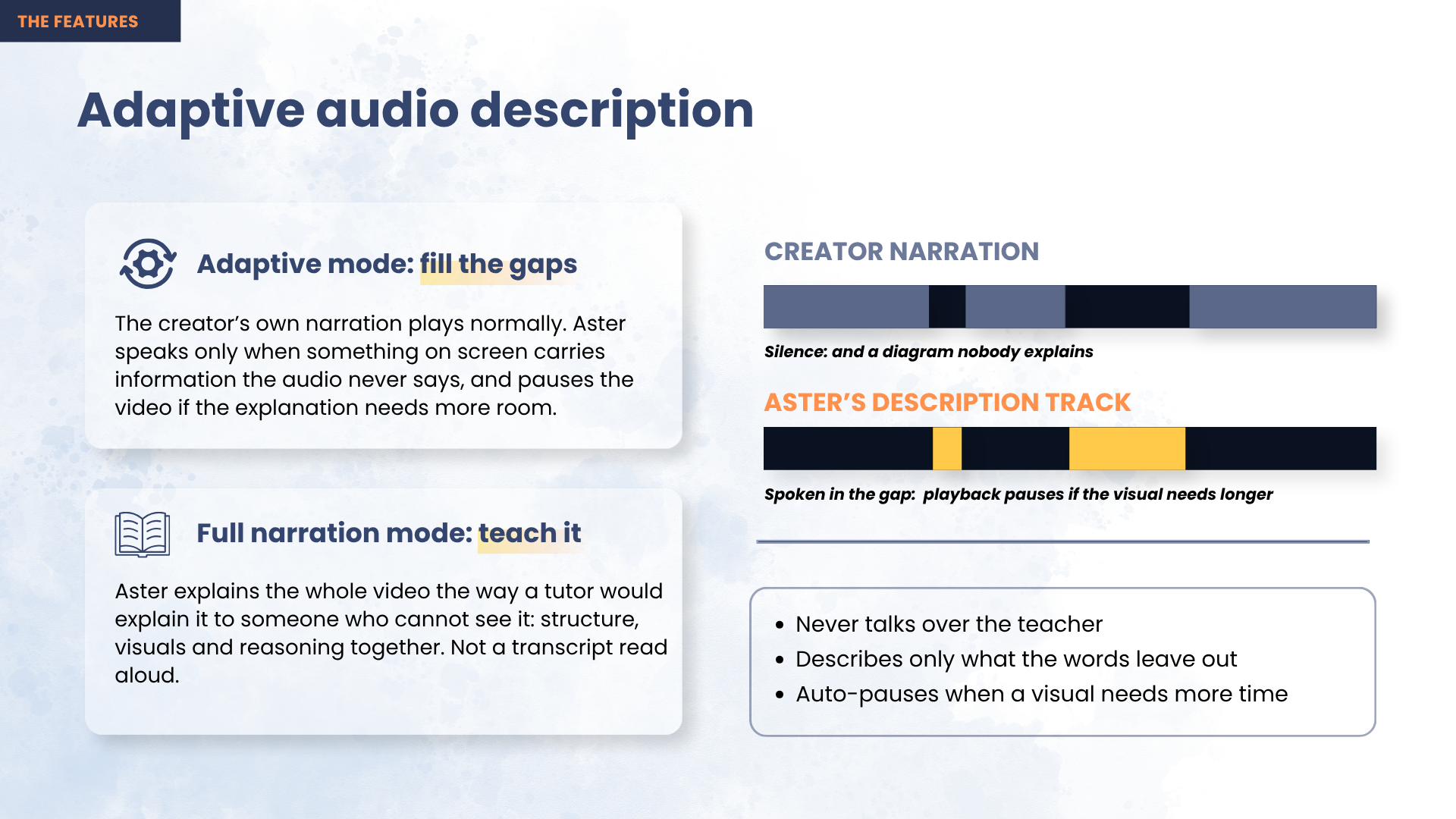
Decide-first descriptions. A multimodal model judges every candidate moment and returns a confidence score. Three thresholds govern the outcome: ≥ 0.85 speak normally; 0.60–0.85 speak only if the visual is genuinely critical; < 0.60 discard and stay silent. Two timing rules decide where a description may land — a silence must be at least 1.2 seconds, and no two descriptions may fall within 8 seconds of each other.
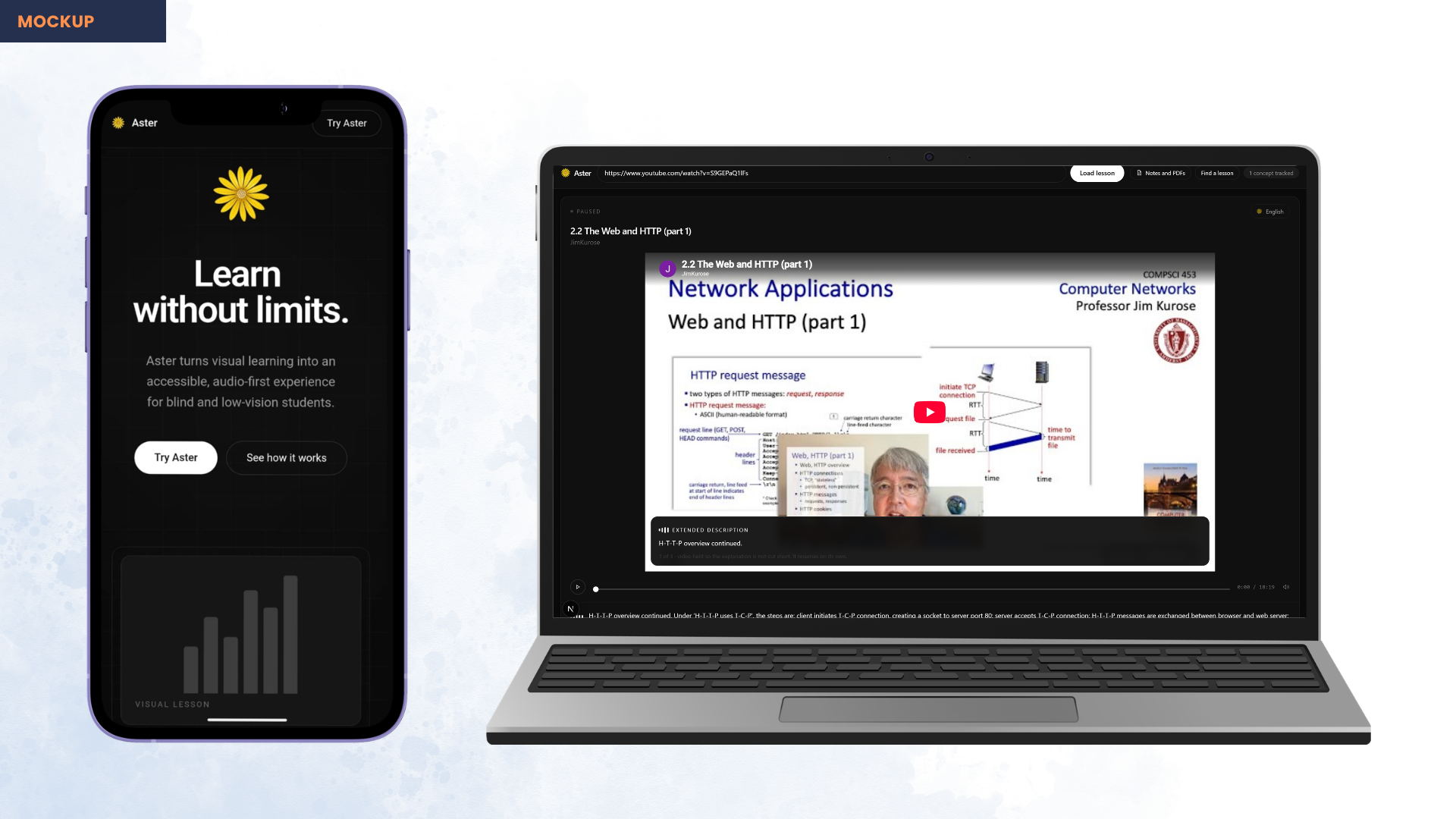
Never talks over the teacher. When a description is too long for its pause, Aster holds the video until the sentence genuinely ends, then resumes — implementing WCAG 2.2 SC 1.2.7, Extended Audio Description. If the learner resumes playback mid-sentence, speech stops so two voices never collide.
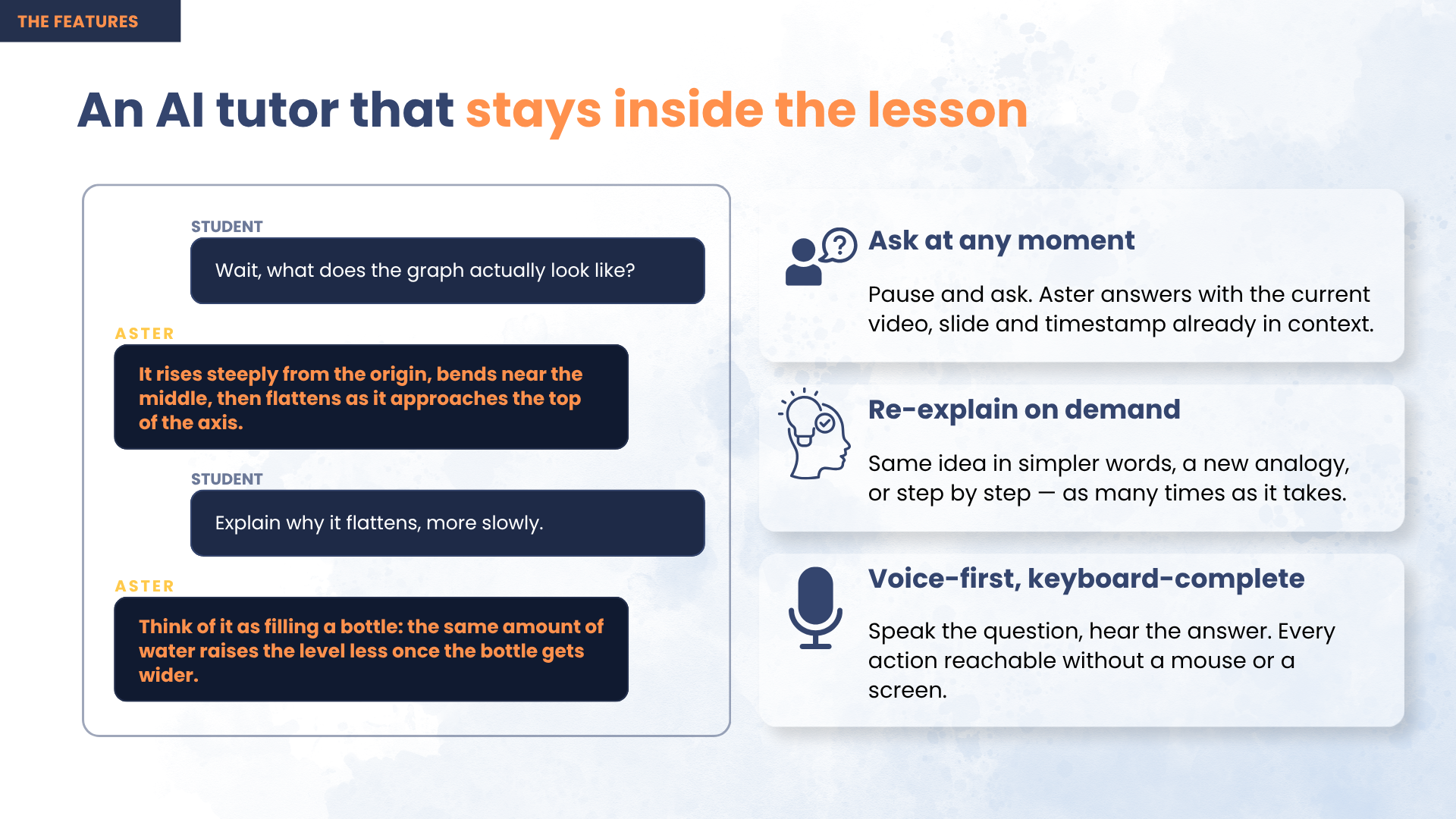
Ask about the exact frame on screen. Pause anywhere and ask by keyboard, by one of eight one-key presets, or out loud. Answers are grounded in that frame and that lesson, so "read the code" returns the code actually displayed rather than a plausible invention.
Practice built from the gap, not the lesson. Two signals drive every question: a visual Aster had to describe (it arrived through the ear — second-hand, single pass, nothing to glance back at) and a question the learner asked (a timestamped admission of uncertainty). A concept the instructor narrated fully is never tested — the learner got it on equal terms with a sighted student, so there is no gap to close. Miss a question and the concept is re-explained from a different angle, never in the same words, then asked again later.
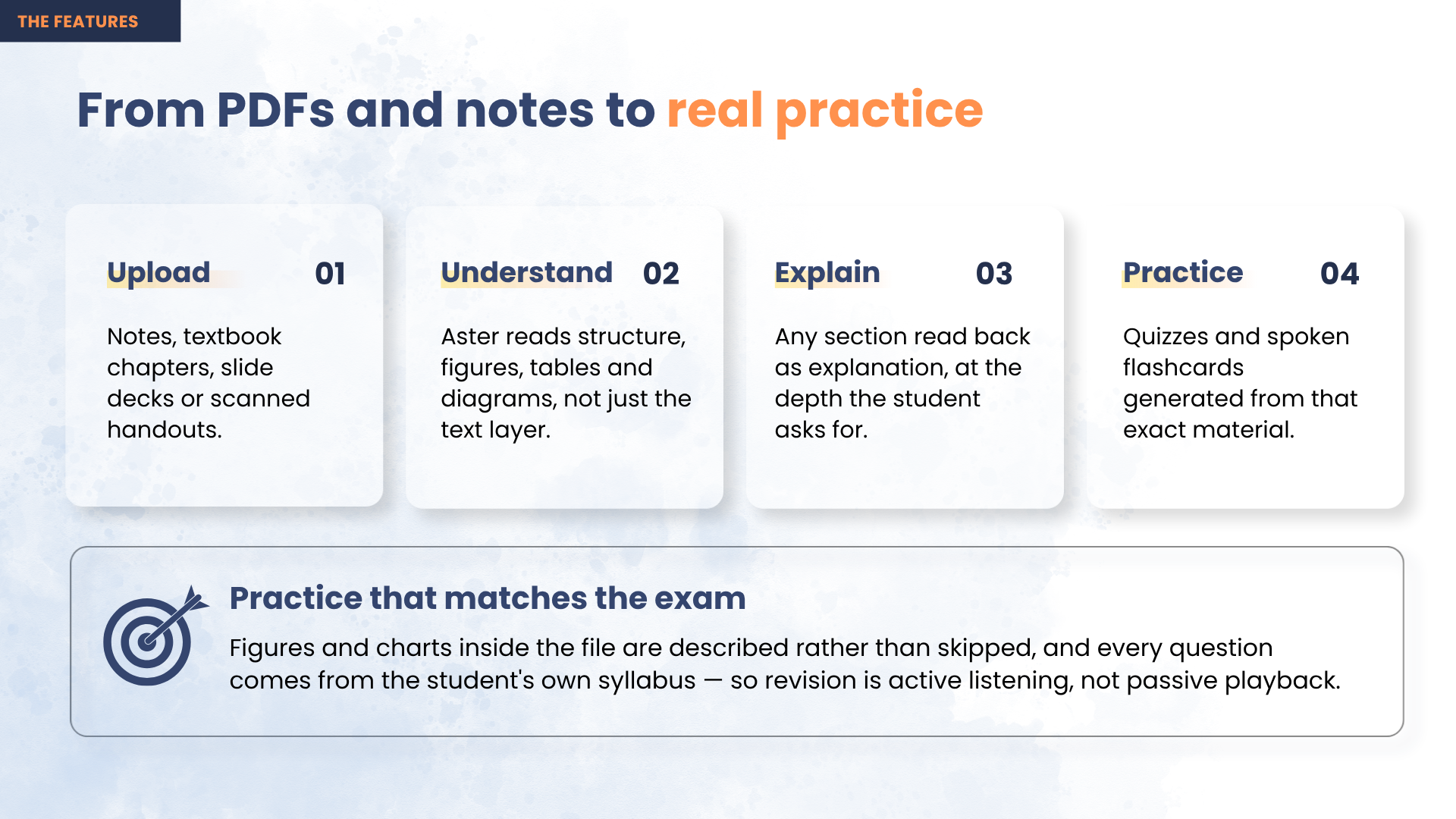
Documents too. PDFs and textbook chapters get the same treatment, describing the figures and tables a plain text extraction discards, then quizzing from the student's own syllabus.
Multilingual. Aster reads the video's own caption language and describes the lesson in that same language — a Bengali physics lecture is described in Bengali.
Operable with no sight at all. Full keyboard control, screen-reader announcements, and spoken search: hold one key, say what you want to learn, and results are read back.
Technical achievement
Solving YouTube's datacenter block. Deployed to a server, every video retrieval failed with "Sign in to confirm you're not a bot." Cookies fixed it for about three days, then died again. The diagnosis was the fix: the check keys on the IP, not the session, so authenticating harder was never going to converge. We changed where the request originates instead — routing egress through a residential proxy — after which no cookies are needed at all. Measured live, roughly one exit IP in four still refuses a signed URL, so retrieval retries with a fresh IP each round, taking total failure from 1 in 4 to about 1 in 5,000.
Caching that makes it affordable at scale. Results are keyed by video, model, prompt version, language and pipeline settings. A second viewing costs zero downloads and zero model calls, while changing any input correctly invalidates the result. Each video is processed exactly once, ever.
Deployed for real, not localhost. A containerised API on Azure App Service with a persistent cache, and the web app on Vercel. Finished lessons ship inside the container image and seed the cache on first boot, so the first visitor waits for nothing instead of three minutes. Getting there meant cutting the deployment image from 2.42 GB to 342 MB compressed after the student-tier account blocked cloud container builds.
Robustness. A three-rung model fallback ladder — primary key, a second key on a separate account, then an alternate host — because a free-tier quota exhausted partway through a long video is the failure that actually happens in practice.
Impact
This restores something a blind student already has a right to. The lecture is free and public; the only thing standing between them and it is that nobody described the picture. Aster closes that gap without asking the creator to do anything — which is the only approach that can reach the lecture backlog already online, where manual description will never arrive.
It costs a fraction of the alternative. Human audio description is manual and expensive, which is why almost no educational video has it. Aster produces it automatically, once per video, and every learner afterwards gets it for free.
And it does not stop at access. Describing the screen only returns a blind student to where their sighted classmate started; the tutor and gap-driven practice are what carry them to the exam. Aster is a learning product, not a captioning utility.
The goal: any lecture video on the internet becomes usable by a blind student, without asking the creator to do anything.
Technologies used
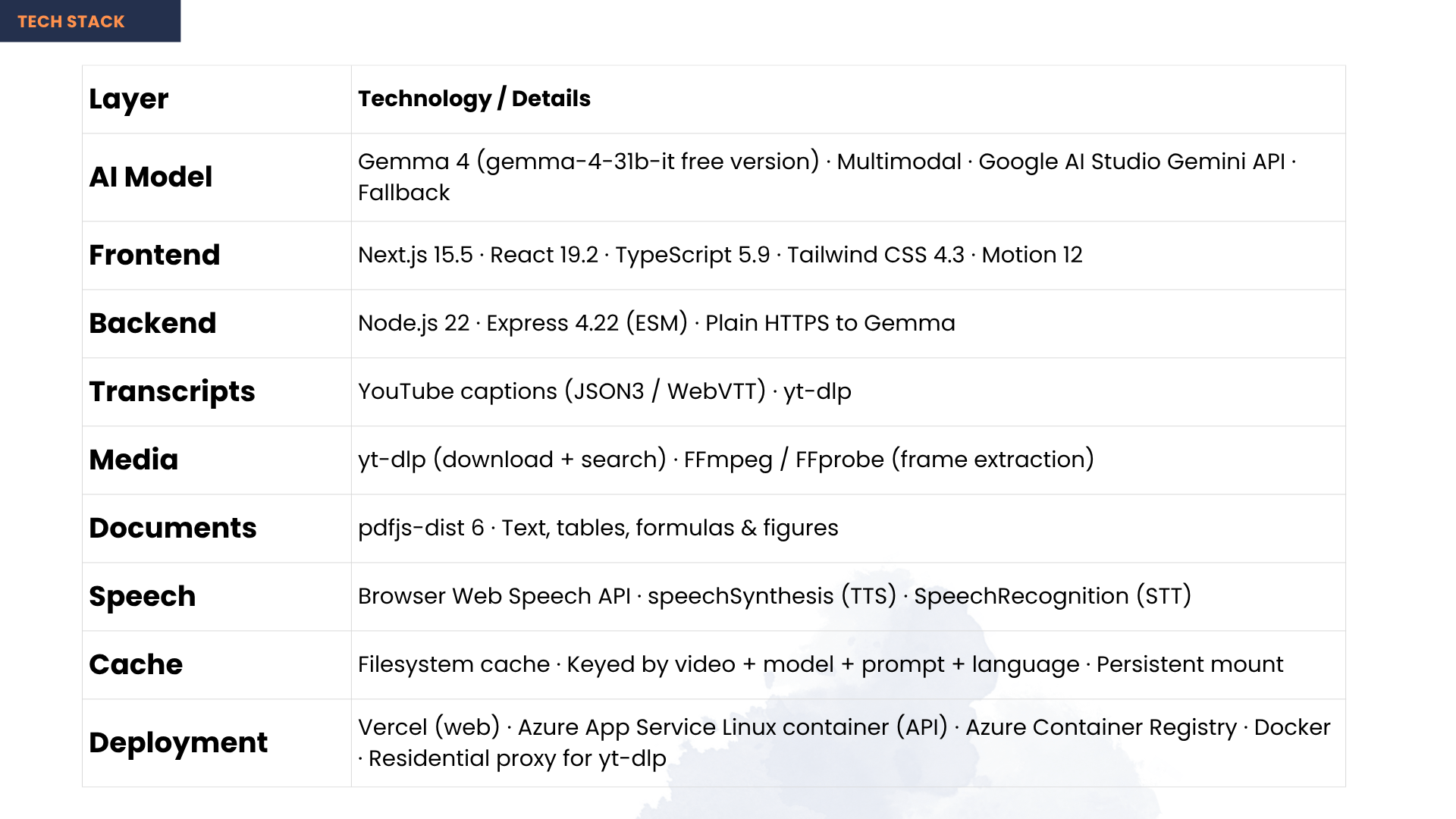
| Layer | Technology |
|---|---|
| AI model | Gemma 4 (multimodal) via Google AI Studio / Gemini API |
| Transcripts | YouTube caption tracks (json3 / WebVTT) |
| Media | yt-dlp · ffmpeg · ffprobe |
| Documents | PDF.js |
| Speech | Web Speech API — synthesis and recognition in-browser |
| Backend | Node.js · Express |
| Frontend | Next.js · React · TypeScript · Tailwind CSS |
| Deployment | Docker · Azure App Service · Azure Container Registry · Vercel |
Installation
Prerequisites
| Requirement | Check | Install |
|---|---|---|
| Node.js 20+ | node --version |
https://nodejs.org |
| yt-dlp | yt-dlp --version |
pip install yt-dlp |
| ffmpeg + ffprobe | ffmpeg -version |
winget install Gyan.FFmpeg · brew install ffmpeg |
| Gemma API key | — | https://aistudio.google.com/apikey (free) |
Setup
git clone https://github.com/AuvroIslam/Aster.git
cd Aster

cp .env.example .env                 # add your GEMMA_API_KEY
cp .env.local.example .env.local     # points the web app at the API

npm install
npm run doctor      # verifies binaries, key, a real model call, and video access
npm run dev         # API on :5174, web app on :3000
npm run doctor checks every assumption the pipeline rests on and reports exactly which
one is missing — run it before anything else.
No installation needed to try it: https://aster-coral.vercel.app — lessons are already described and cached, so it works on the first click with no key and no upload.
Built With
- azure
- docker
- express.js
- ffmpeg
- gemma
- google-ai-studio
- next.js
- node.js
- pdf.js
- react
- tailwindcss
- typescript
- web-speech-api
- yt-dlp

Log in or sign up for Devpost to join the conversation.