1. Project Name
Aster — Learning You Can Hear
2. Tell Us About It
What problem are we solving?
Almost everything worth learning is on YouTube now, and it is free. That is genuinely one of the best things about the internet — a student anywhere can watch the same lecture as a student at a top school, and neither pays a thing.
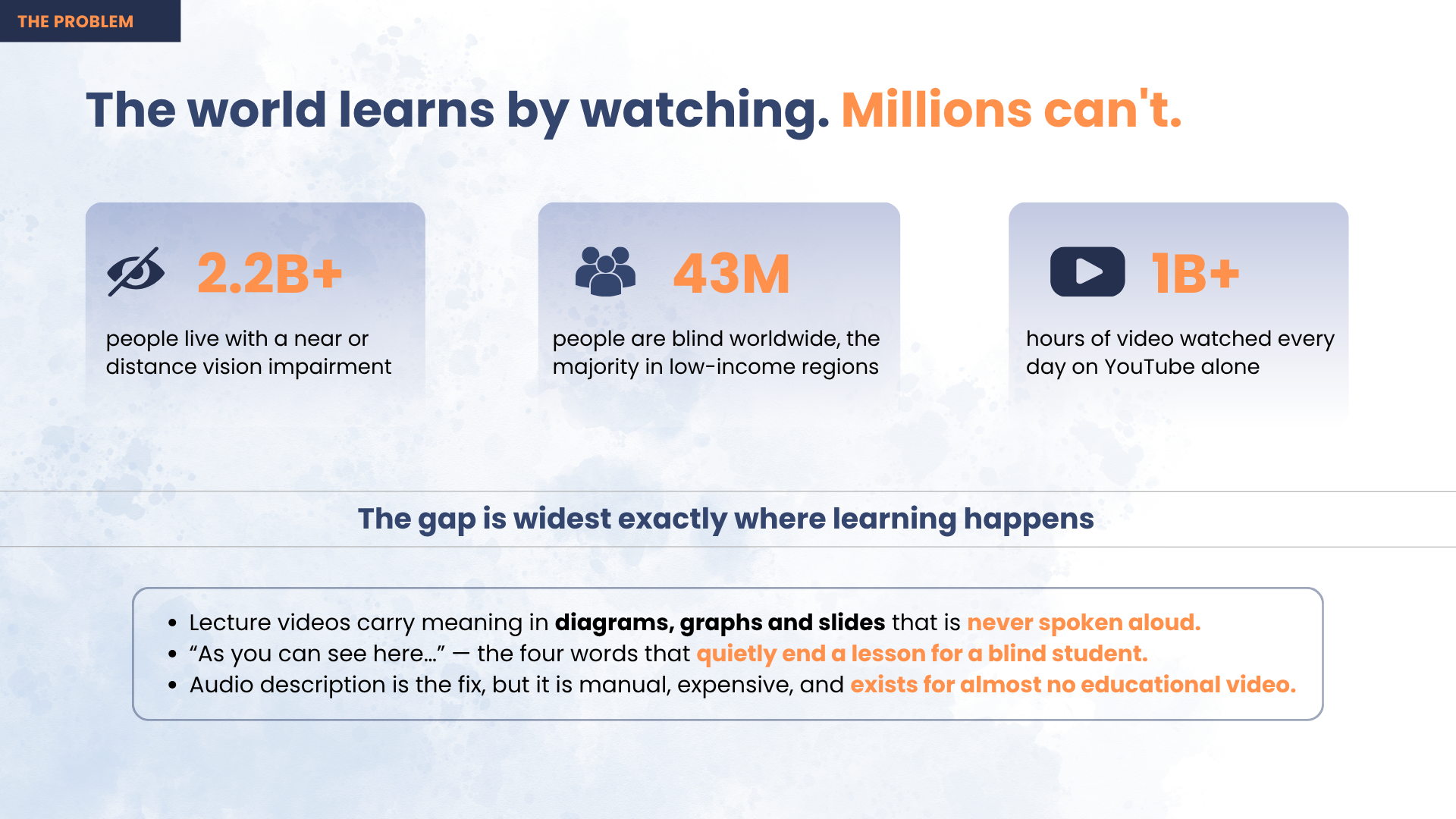
Except if you are blind, the lecture keeps breaking. The teacher talks for a while, then stops, draws a diagram, and says:
"As you can see here…"
And that is it. The lesson is over for you — not because the subject is too hard, but because nobody said out loud what was on the screen. A sighted classmate glances at the diagram and carries on. A blind student hears a gap, then a sentence that assumes they saw something they didn't.
That happens every few minutes, in every subject. 43 million people are blind and 2.2 billion have some vision impairment, and 90% of them live in low- and middle-income countries — the exact places where free video is the only affordable teacher, and where properly described course material is never going to show up.
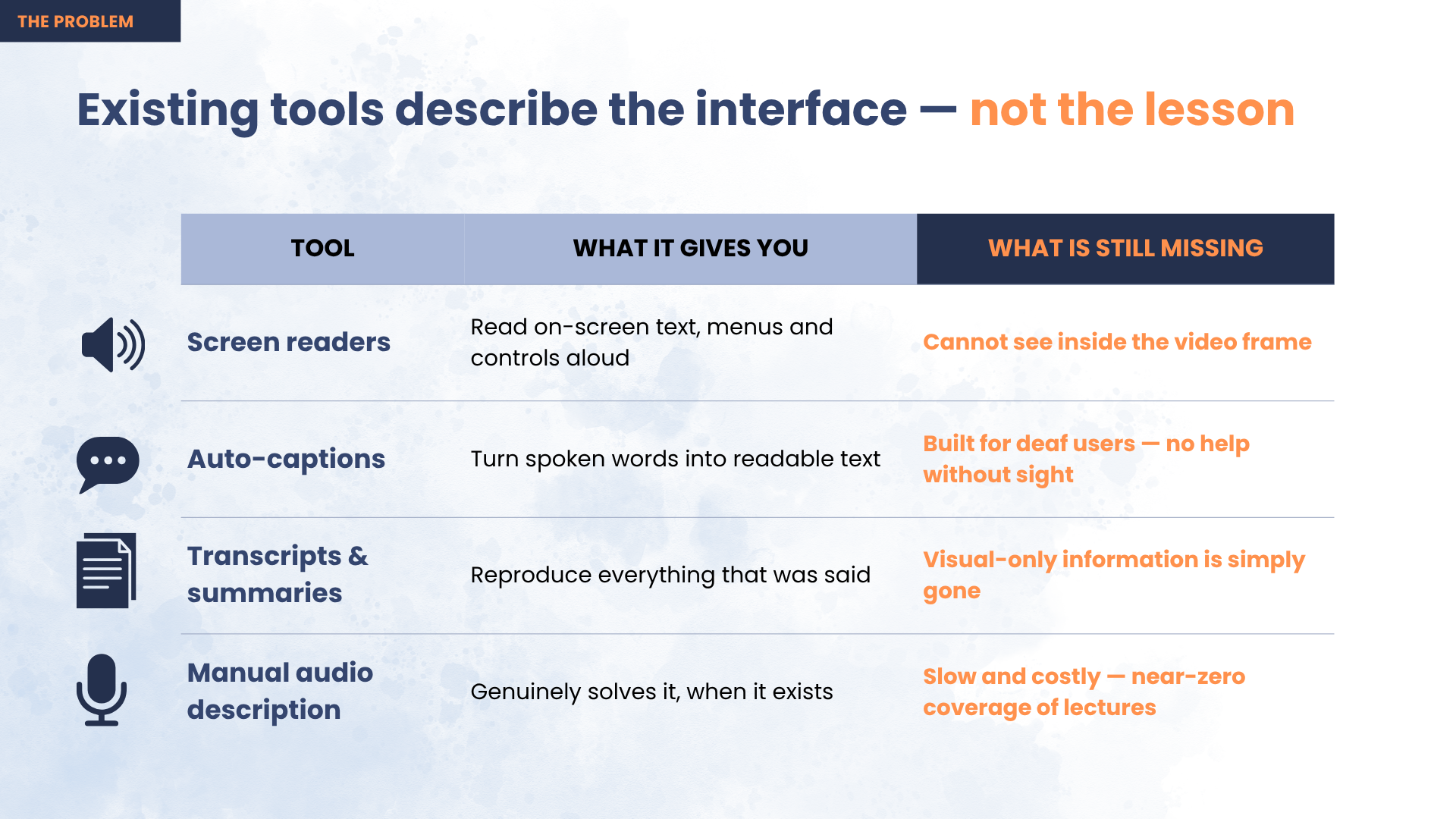
The frustrating part is that the fix already exists. It is called audio description, and it works. But it is made by hand, it is expensive, and so it exists for almost no educational video on the internet.
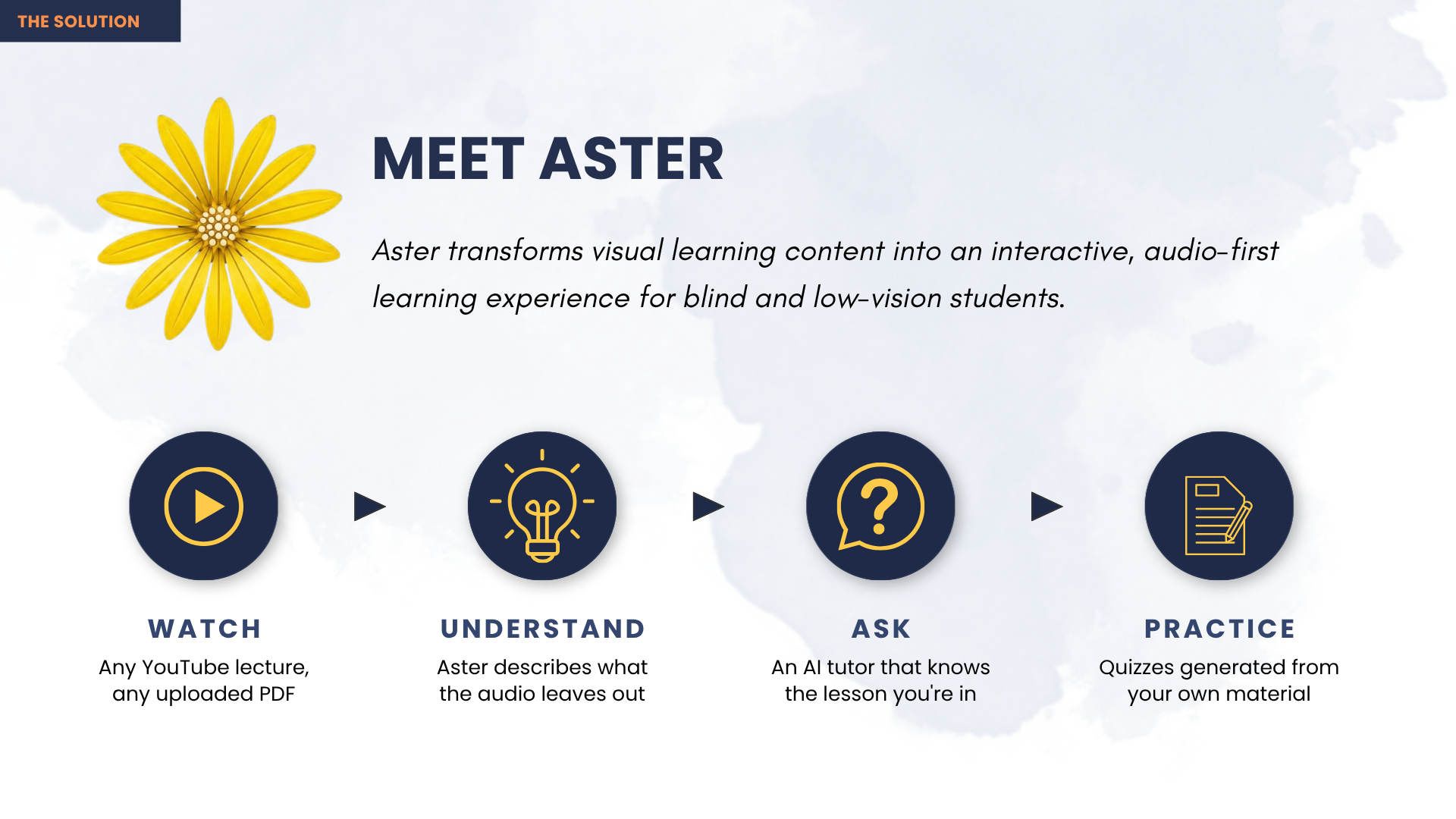
Aster does it automatically.
How does it work?
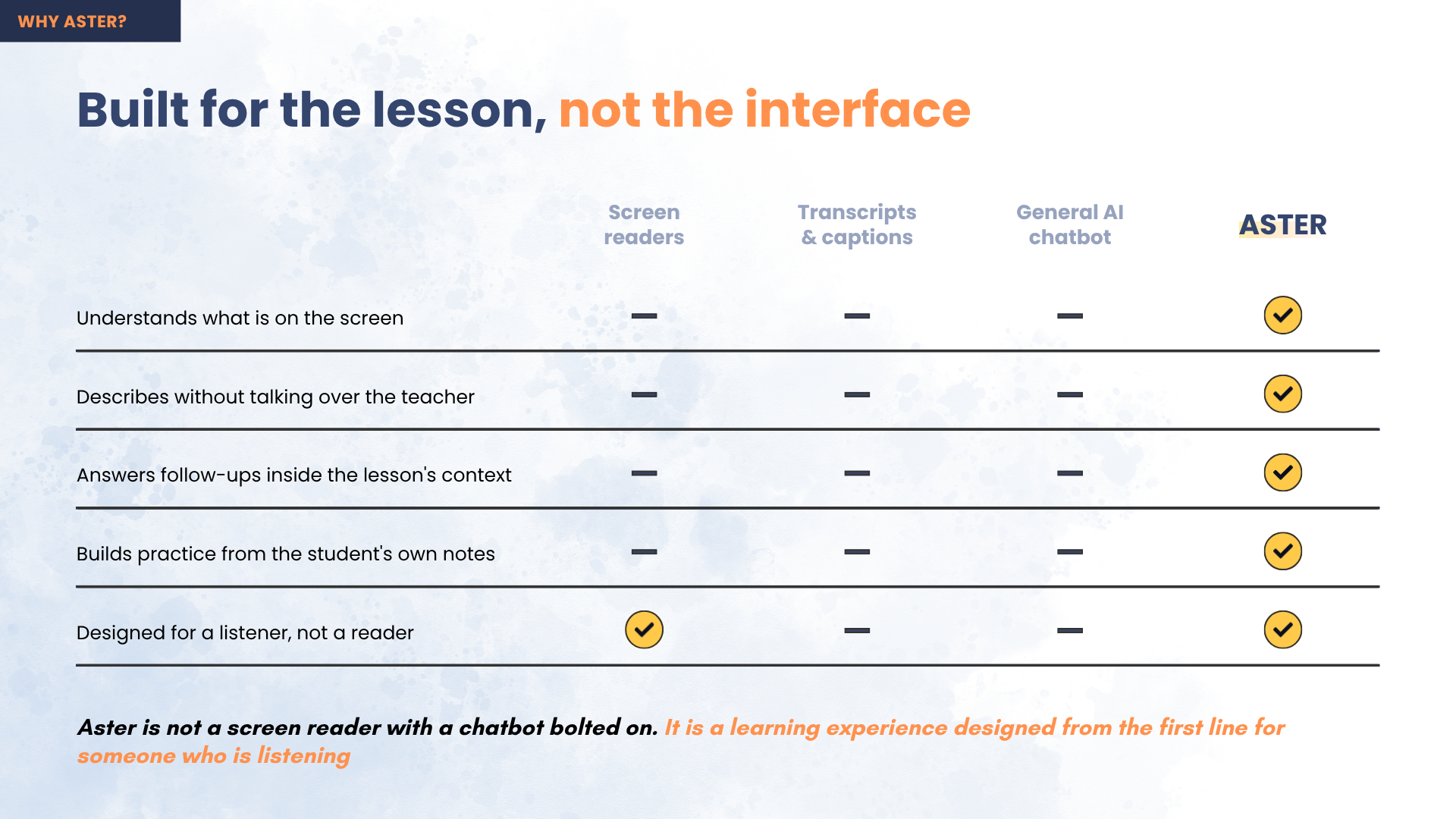
Most tools that describe video ask "what is on screen?" and then narrate everything. That sounds helpful and is actually unusable — it means a second voice talking over the teacher for the entire lesson.
Aster asks a different question about every moment:
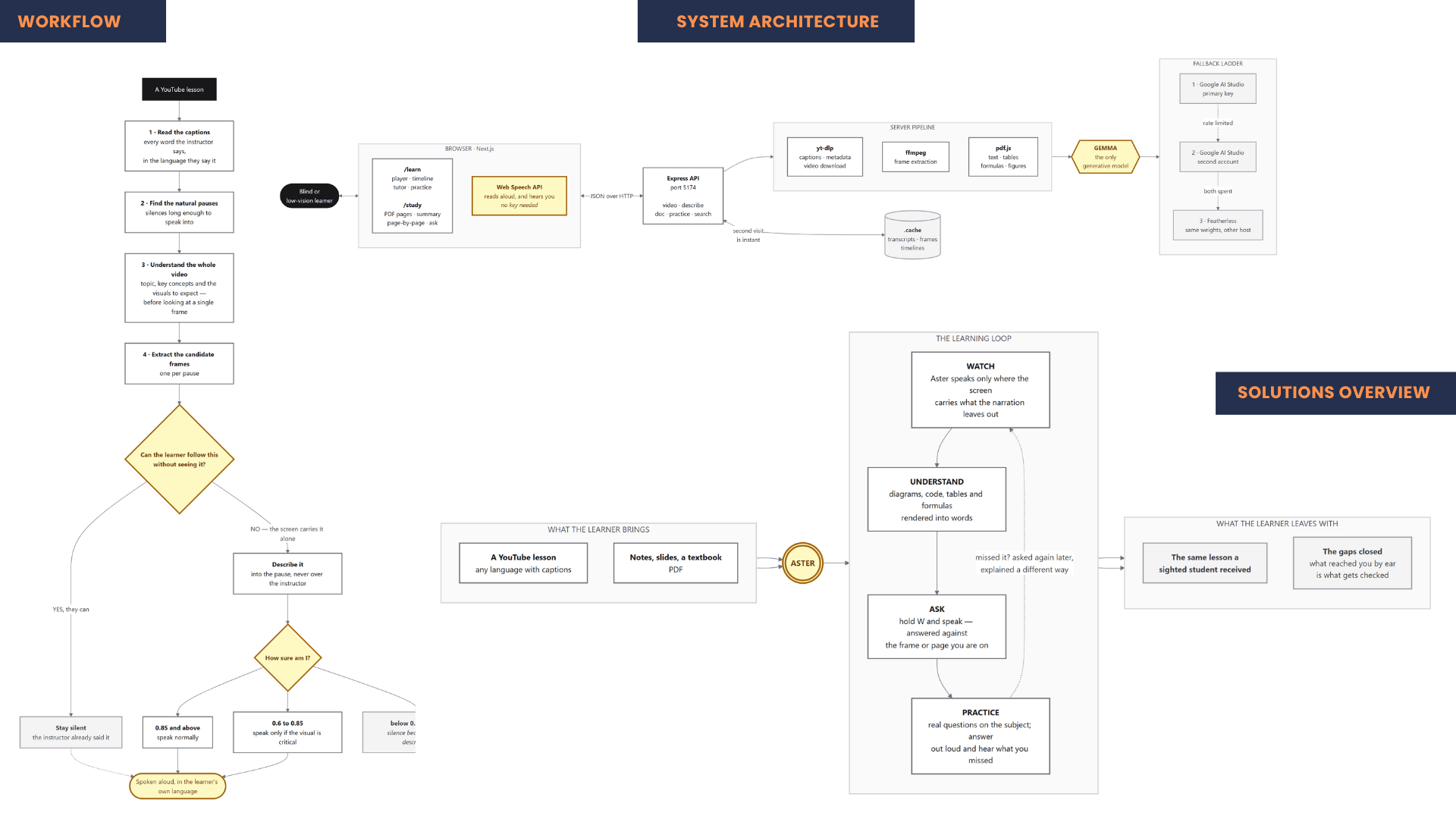
"Can the learner follow this without seeing it?"
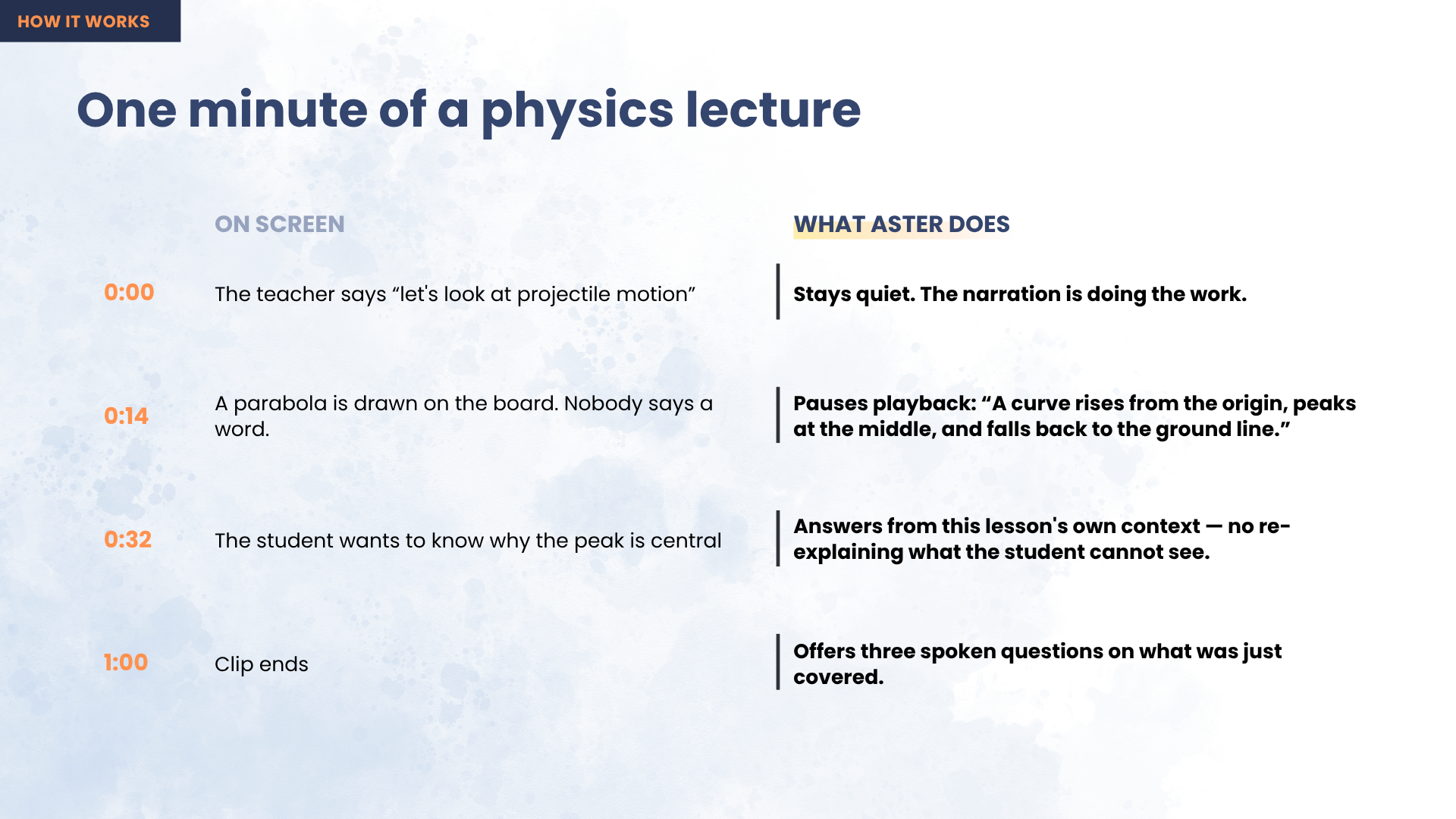
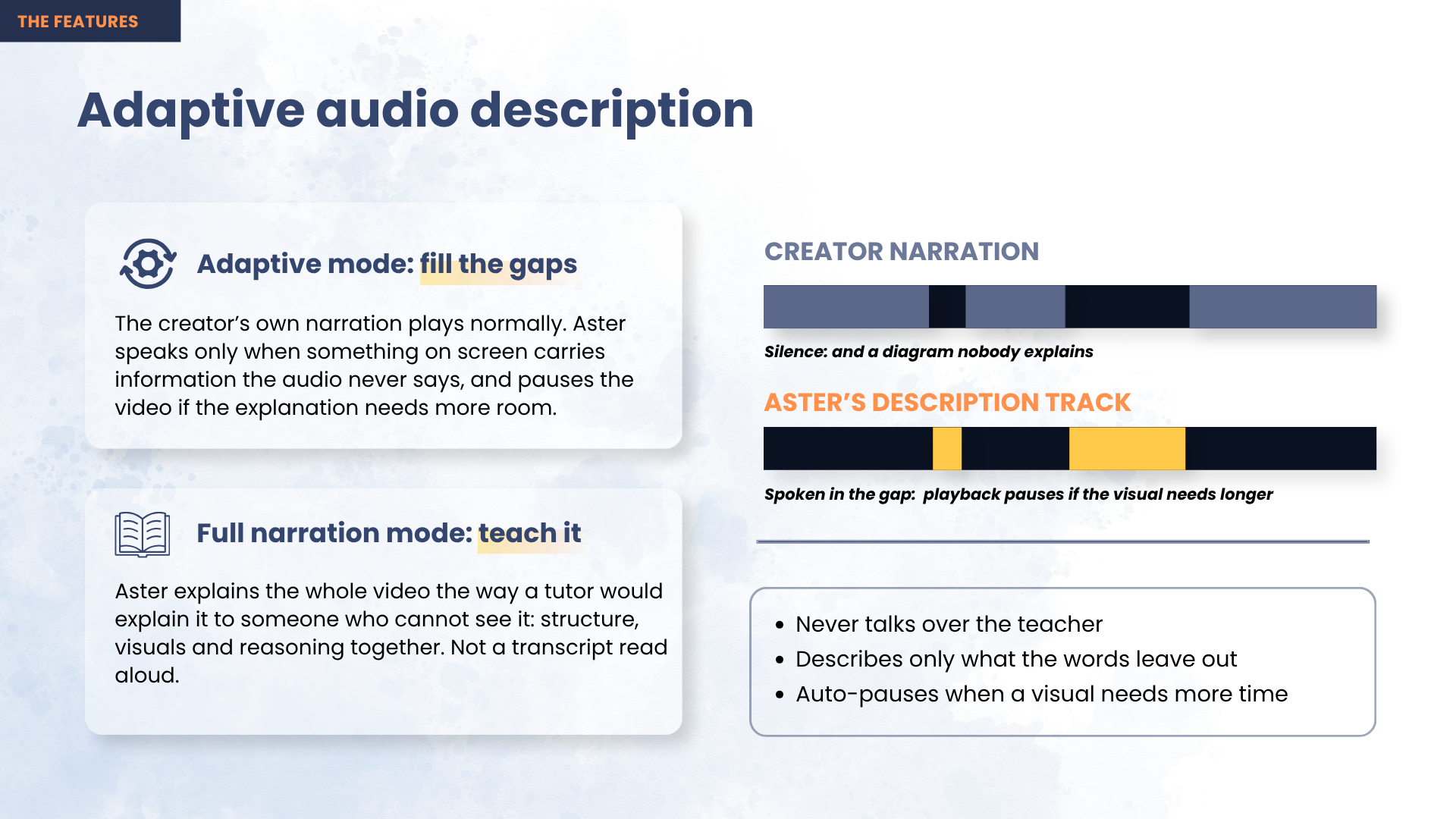
If the answer is yes, it says nothing. It only speaks when the screen is carrying information the teacher never said out loud — and it waits for a natural pause in the narration to say it, so it never talks over anyone.
Five steps:
- Read the lesson. Pull the video's captions into a timed transcript and take one pass over the whole thing, so the AI knows what is being taught before it judges any single moment.
- Find the quiet bits. Look for pauses long enough to speak into — at least 1.2 seconds, and never two descriptions within 8 seconds of each other.
- Look at the screen. Grab the video frame at that moment and send it to a multimodal AI model along with what is being said around it.
- Decide first, describe second. The model says whether that frame matters, and how sure it is. Over 0.85 it speaks; between 0.60 and 0.85 it speaks only if the visual is critical; under 0.60 it stays quiet. When in doubt, it says nothing.
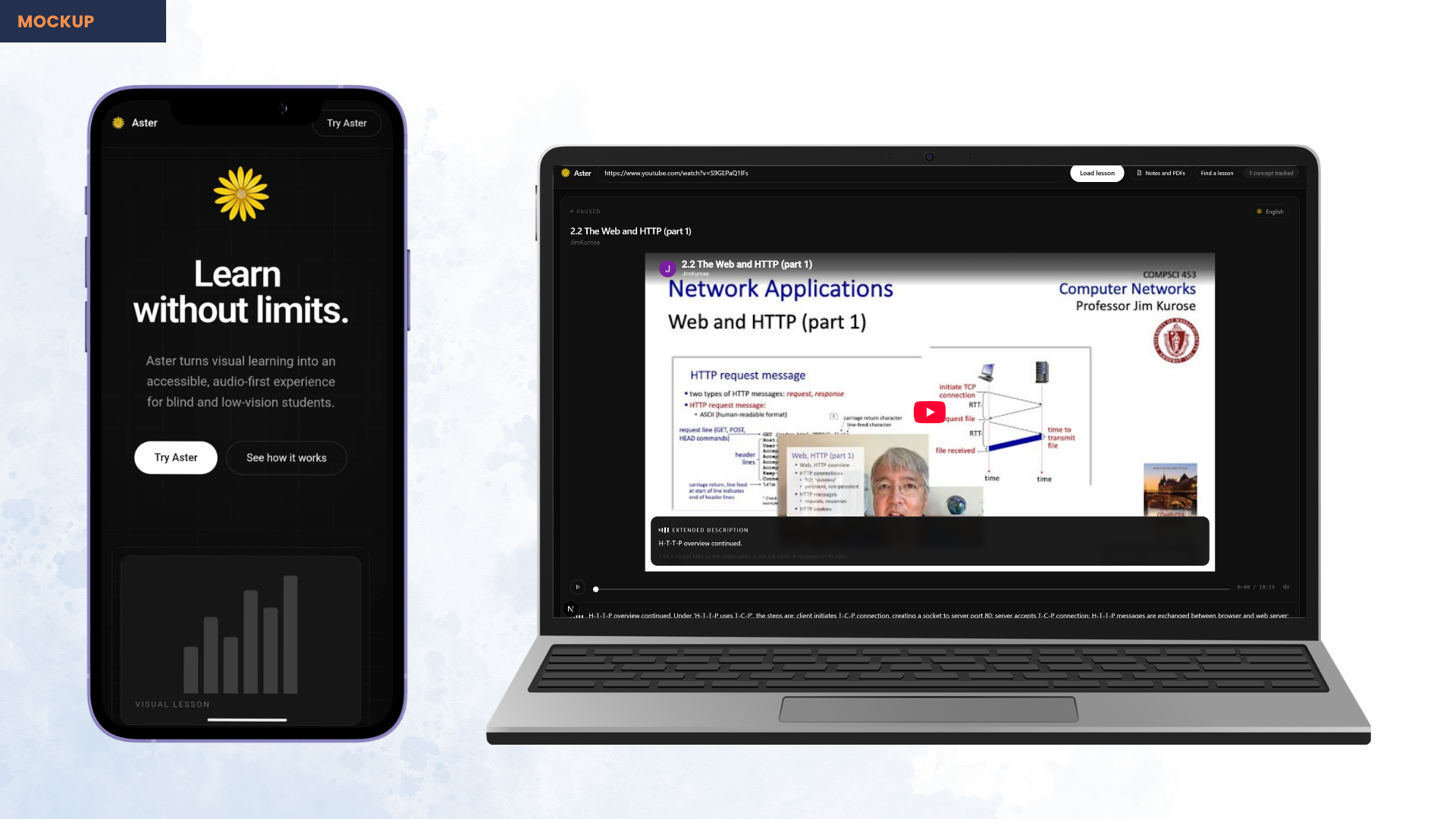
- Say it in the gap. Short descriptions play while the video runs. If a description is too long for the pause, Aster pauses the video, finishes the sentence, and resumes — so nothing gets cut off halfway.
Here is the number we are proudest of. On a real 18-minute lecture, Aster looked at 25 moments and described 12 of them. It stayed silent the other 13 times.
That is the whole idea. Describing all 25 would have been much easier to build and completely exhausting to listen to. Silence is better than a wrong description.
What are the main features?
- Descriptions only when they're needed — most of the time it says nothing at all
- Never talks over the teacher — it waits for a pause, and pauses the video if the explanation needs longer
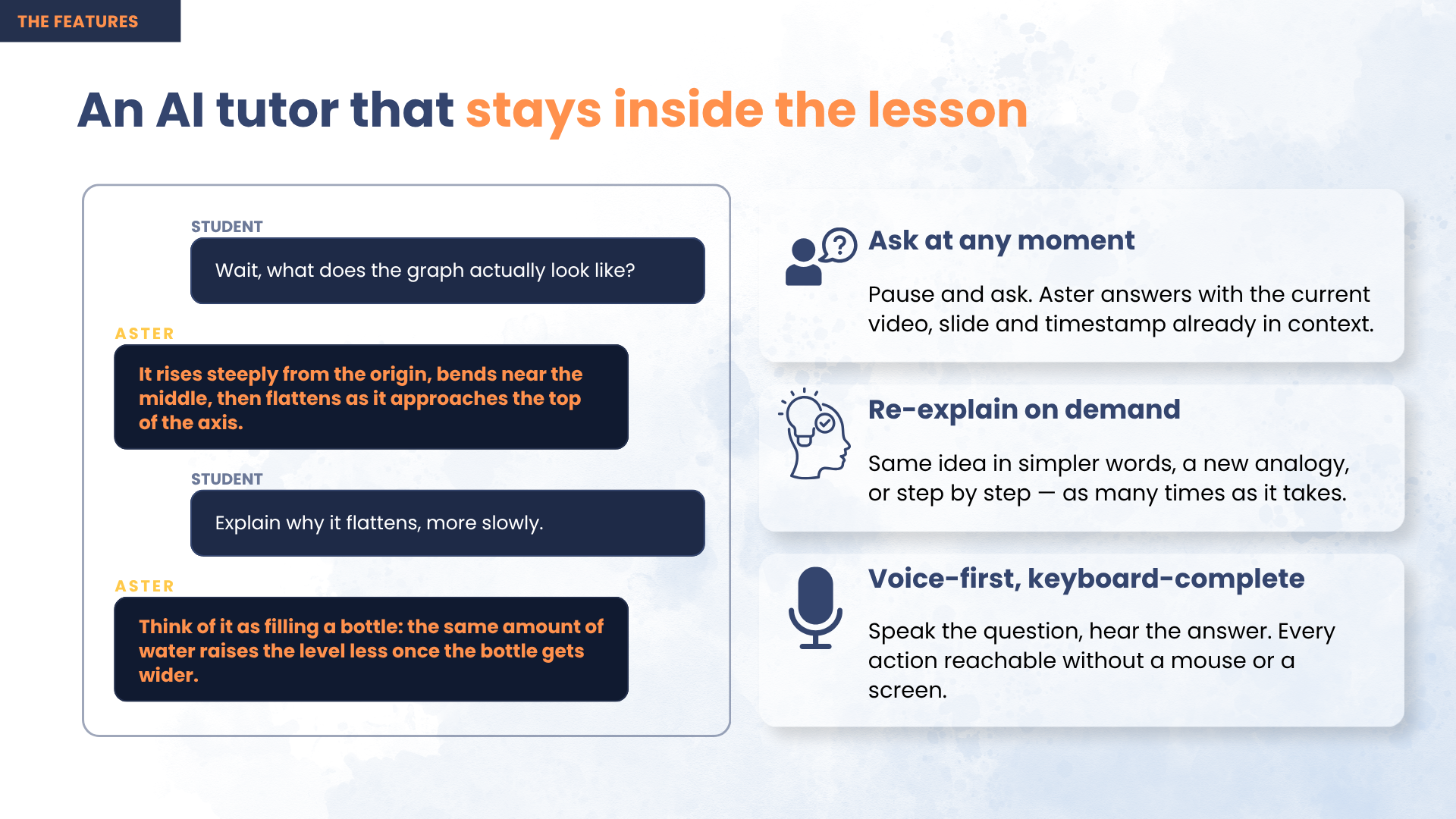
- Ask about what's on screen — pause and ask by keyboard, by one of eight one-key presets, or just say it out loud. Answers come from the actual frame, so "read the code" reads the code that's really there
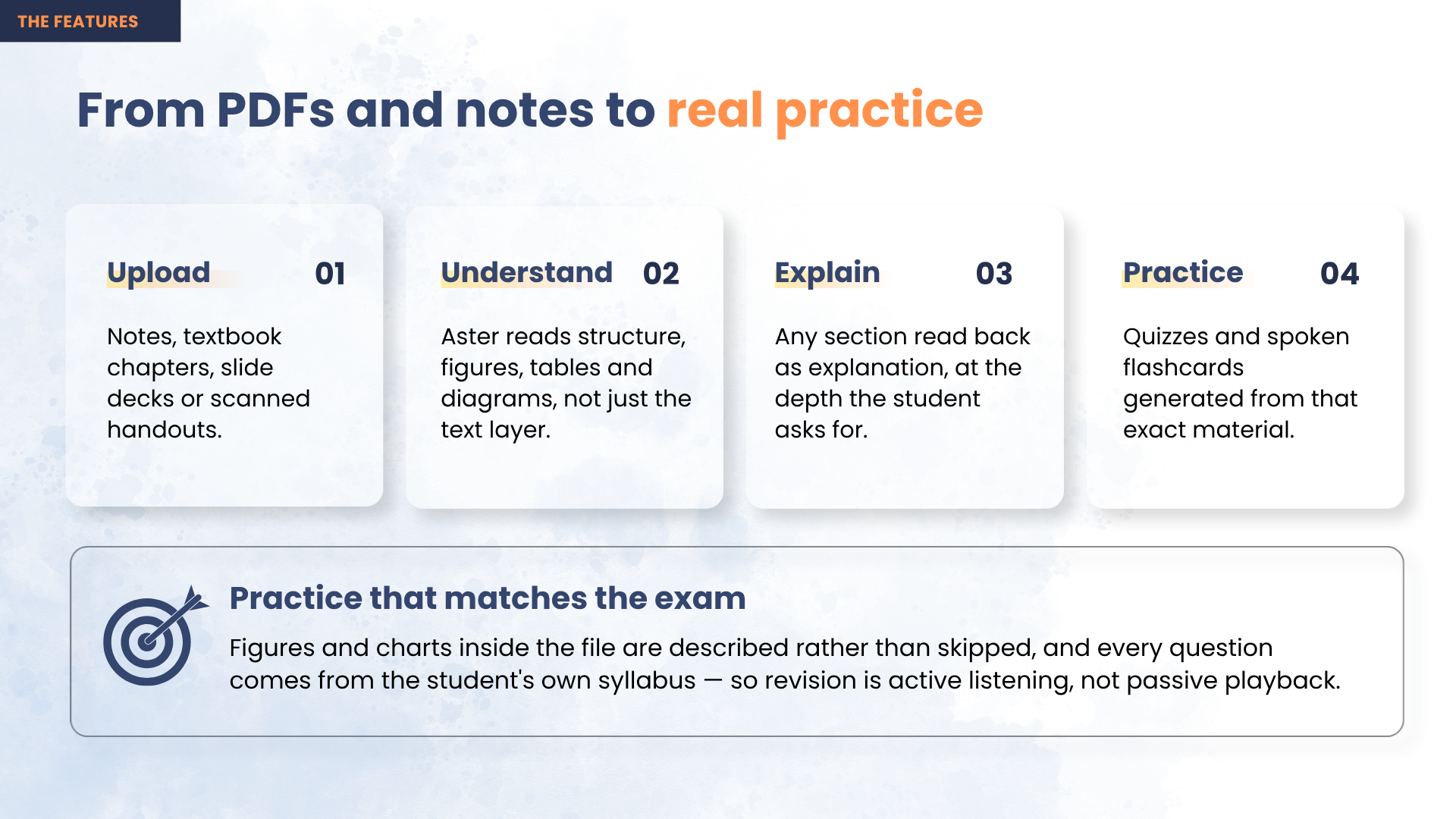
- Practice on what you missed — quizzes are built from the visuals Aster had to describe and the questions you asked. Anything the teacher explained properly is never tested, because you got that the same as everyone else
- PDFs too — upload a textbook chapter and it describes the figures and diagrams a normal text extractor throws away, then quizzes you on your own syllabus
- Speaks the lesson's language — a Bengali physics lecture gets described in Bengali
- Works with no sight at all — every action is one keypress, everything is announced to a screen reader, and you can find a lesson just by saying what you want to learn
- Ready instantly — described lessons ship with the app, so there's no key to enter, nothing to upload, and no waiting on your first visit
What tools, languages and APIs did we use?
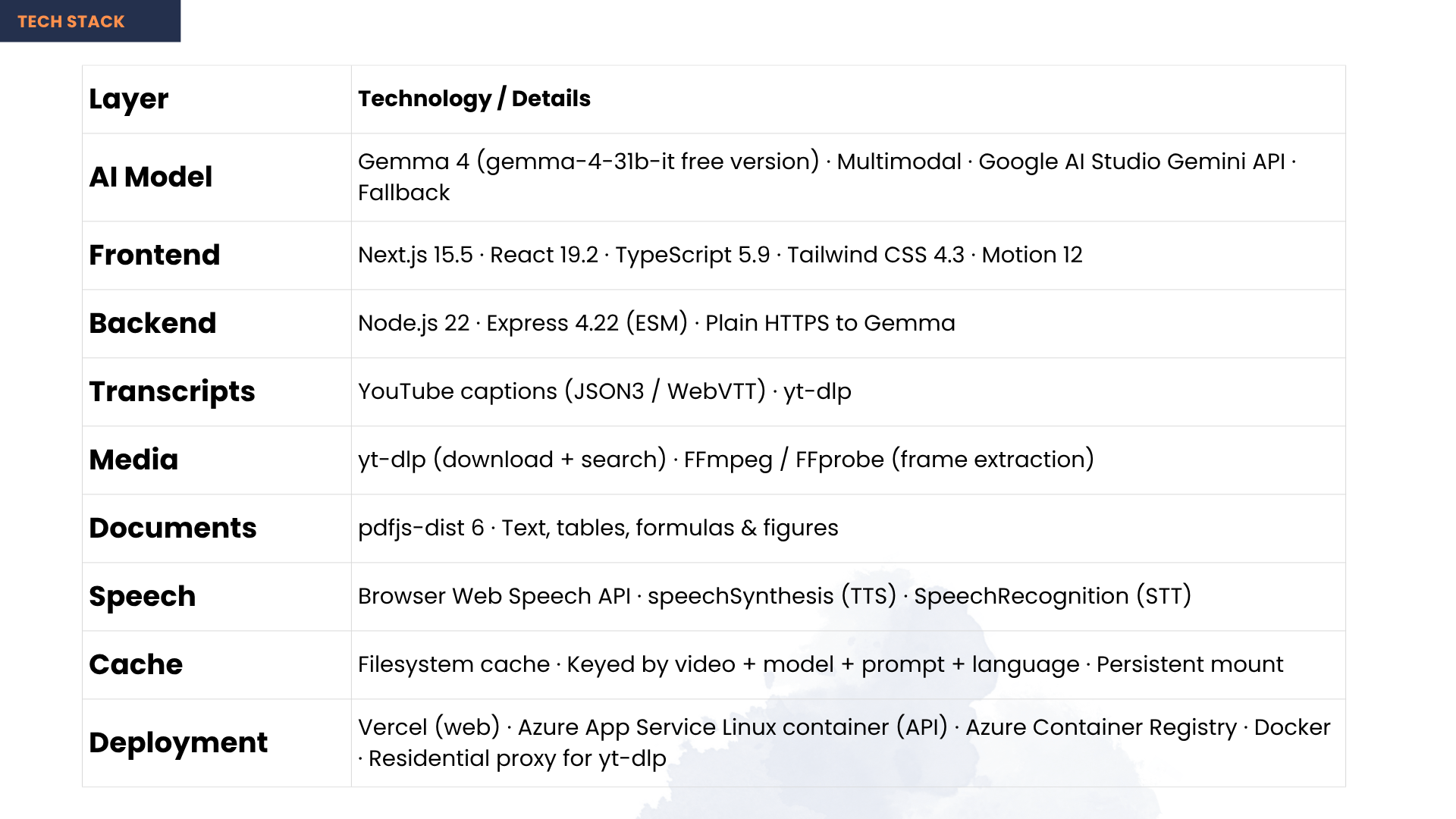
| AI model | Gemma 4 (multimodal) through the Google AI Studio / Gemini API — it writes every description, answer and quiz question |
| Languages | TypeScript, JavaScript |
| Web app | Next.js, React, Tailwind CSS |
| Server | Node.js, Express |
| Video | yt-dlp for fetching, ffmpeg for pulling out frames |
| Captions | YouTube's own caption tracks |
| PDFs | PDF.js |
| Speech | The browser's Web Speech API — both the voice that reads descriptions and the one that listens to you. No key, no server, and it already has voices in dozens of languages |
| Hosting | Docker, Azure App Service, Vercel |
It's actually deployed, not just running on a laptop. Two problems were worth the fight. YouTube blocks video downloads from server IPs, and adding login cookies only helped for about three days — because the block is about the IP address, not the account. Once we understood that, the fix was to send requests out through a residential connection instead, and it stopped failing entirely. And everything is cached, so any given video is processed exactly once ever — watching it again costs nothing at all.
Who is it built for?
Blind and low-vision students, first and foremost. Low vision is far more common than total blindness, and those students get left out twice: captions don't help them, and describe-everything tools are just as unusable for them as for anyone else. Because Aster only speaks when the screen actually matters, it works whether you can see nothing or can see most things but not the labels on a diagram.
Especially students in lower-income countries, where most vision loss is and where free video is often the only teacher available.
Also handy for teachers with blind students in class, anyone who learns better by listening, and people studying while commuting or with tired eyes. And for video creators, who get an accessible version of their lecture without lifting a finger.
3. Show Your Work
| File | What it shows |
|---|---|
docs/screenshots/04-description-timeline.png |
25 moments examined · 12 described — the AI deciding, shown as a number |
docs/screenshots/05-speaking-caption.png |
A description holding the video while it's spoken |
docs/screenshots/10-study-page-explained.png |
A real diagram-heavy page with the explanation under it |
docs/screenshots/08-voice-search.png |
Finding a lesson by voice, no sight needed |
docs/screenshots/00-demo-thumbnail.png |
Cover image |
Demo video: https://youtu.be/ANY_swvypIY
4. Project Link
Live demo   https://aster-coral.vercel.app
Source      https://github.com/AuvroIslam/Aster
No sign-up, no API key, nothing to install — described lessons play on the first click.
5. Your Team
| Member | What they did |
|---|---|
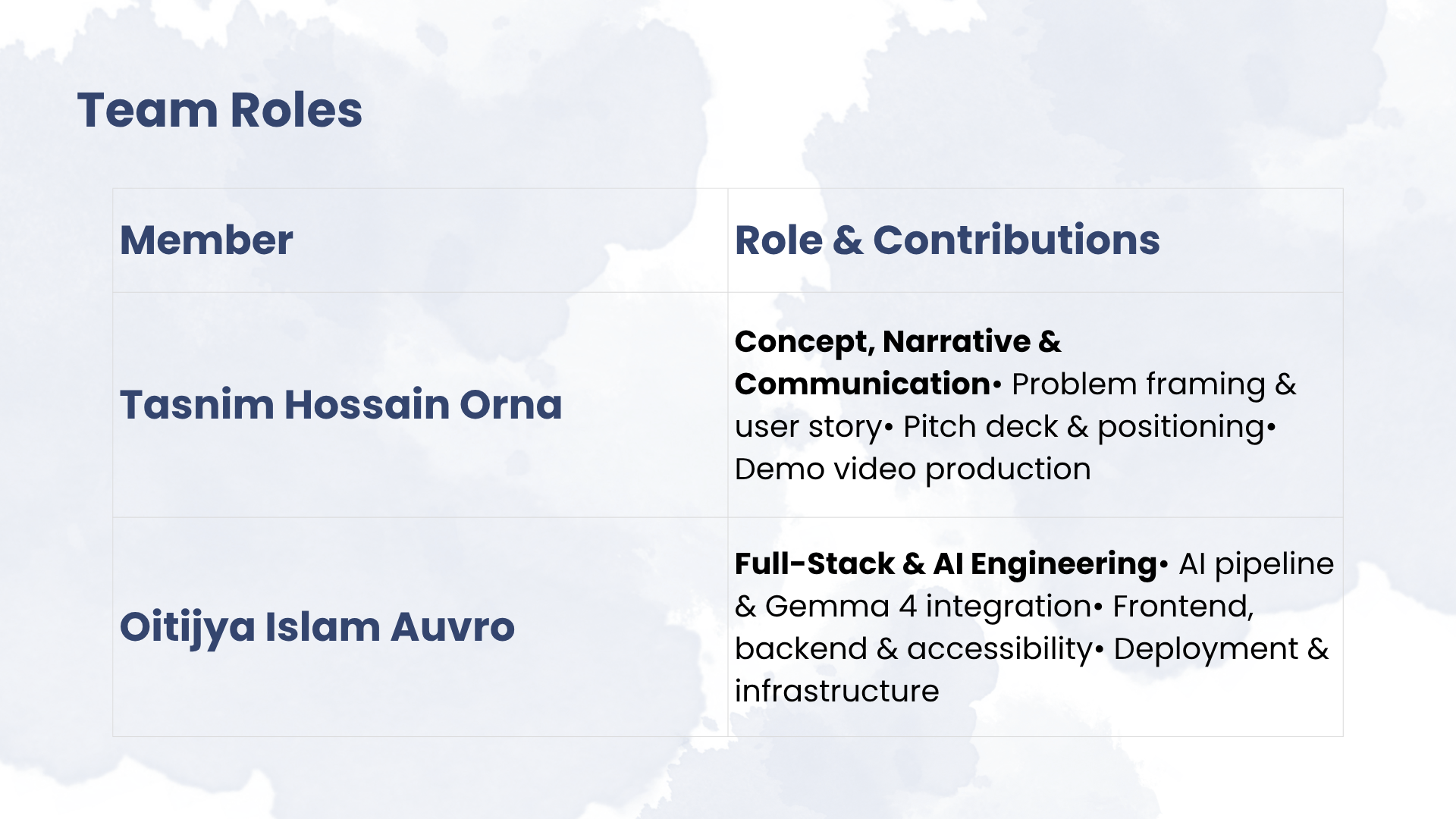
| Tasnim Hossain Orna | Found and framed the problem, shaped the story and positioning, designed the presentation, produced the demo video |
| Oitijya Islam Auvro | Built all of it — the AI description pipeline and prompts, Gemma integration, server and API, the web app, the accessibility work, and deployment |
Built With
- azure
- docker
- express.js
- ffmpeg
- gemma
- google-ai-studio
- next.js
- node.js
- pdf.js
- react
- tailwindcss
- typescript
- web-speech-api
- yt-dlp

Log in or sign up for Devpost to join the conversation.