-
-
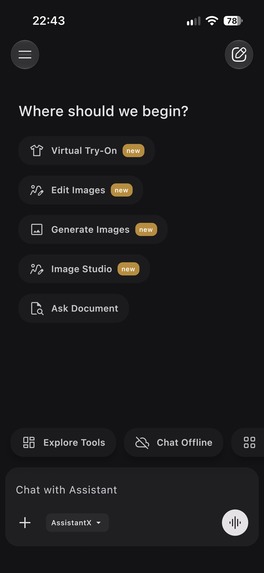
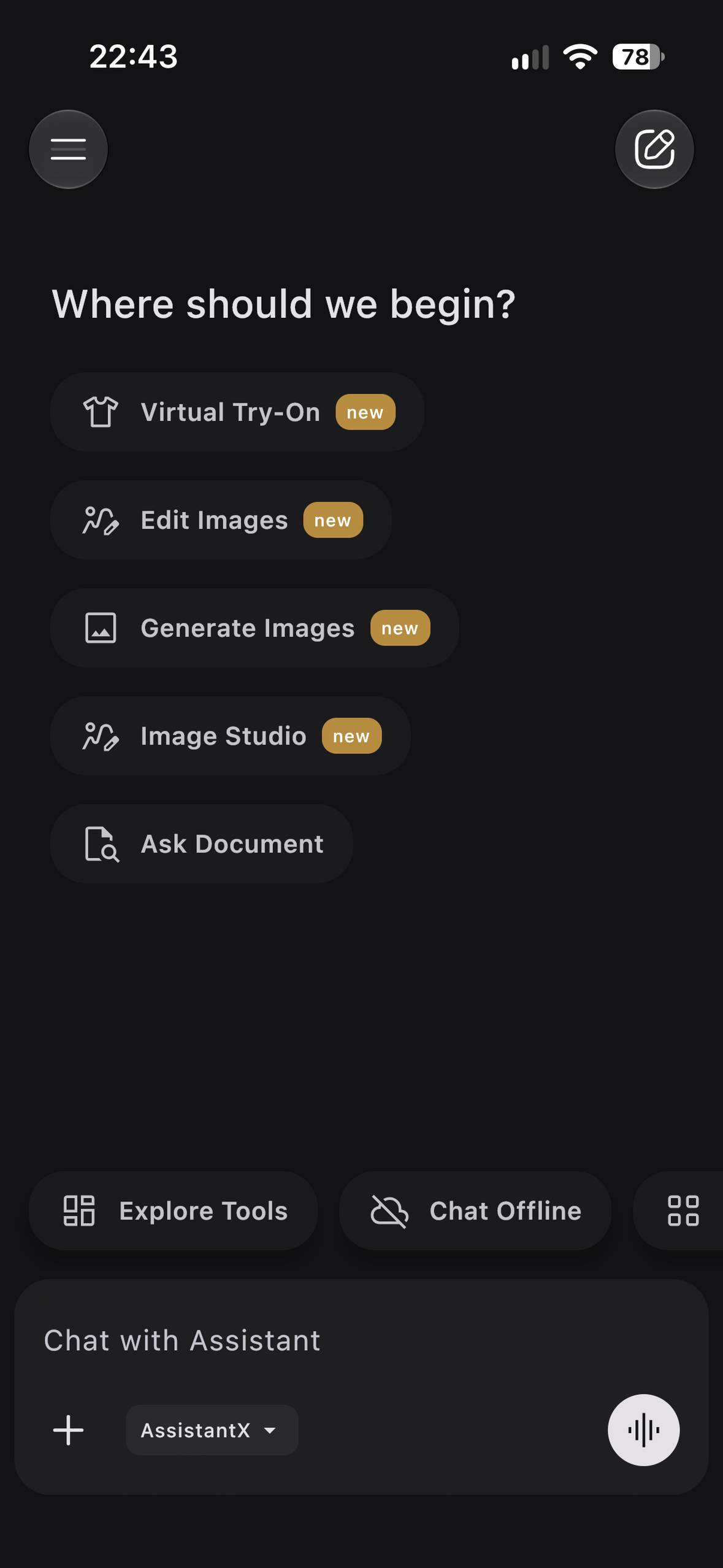
Landing page of the app showing different tools
-
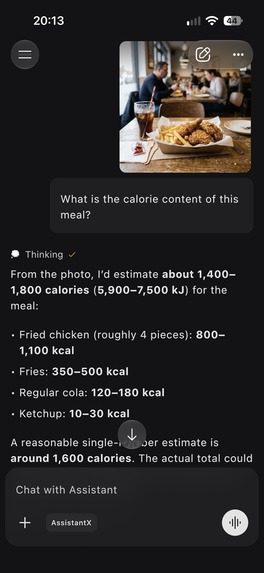
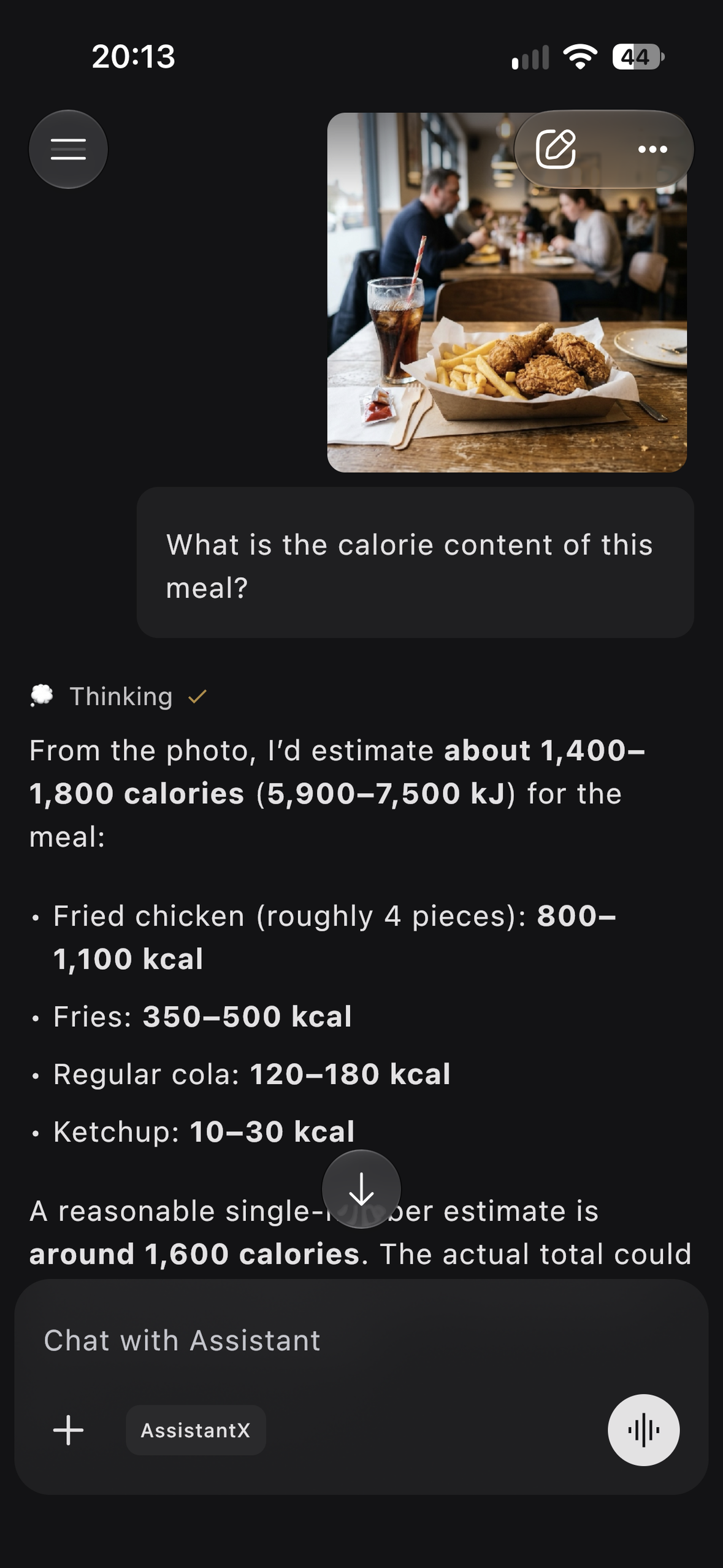
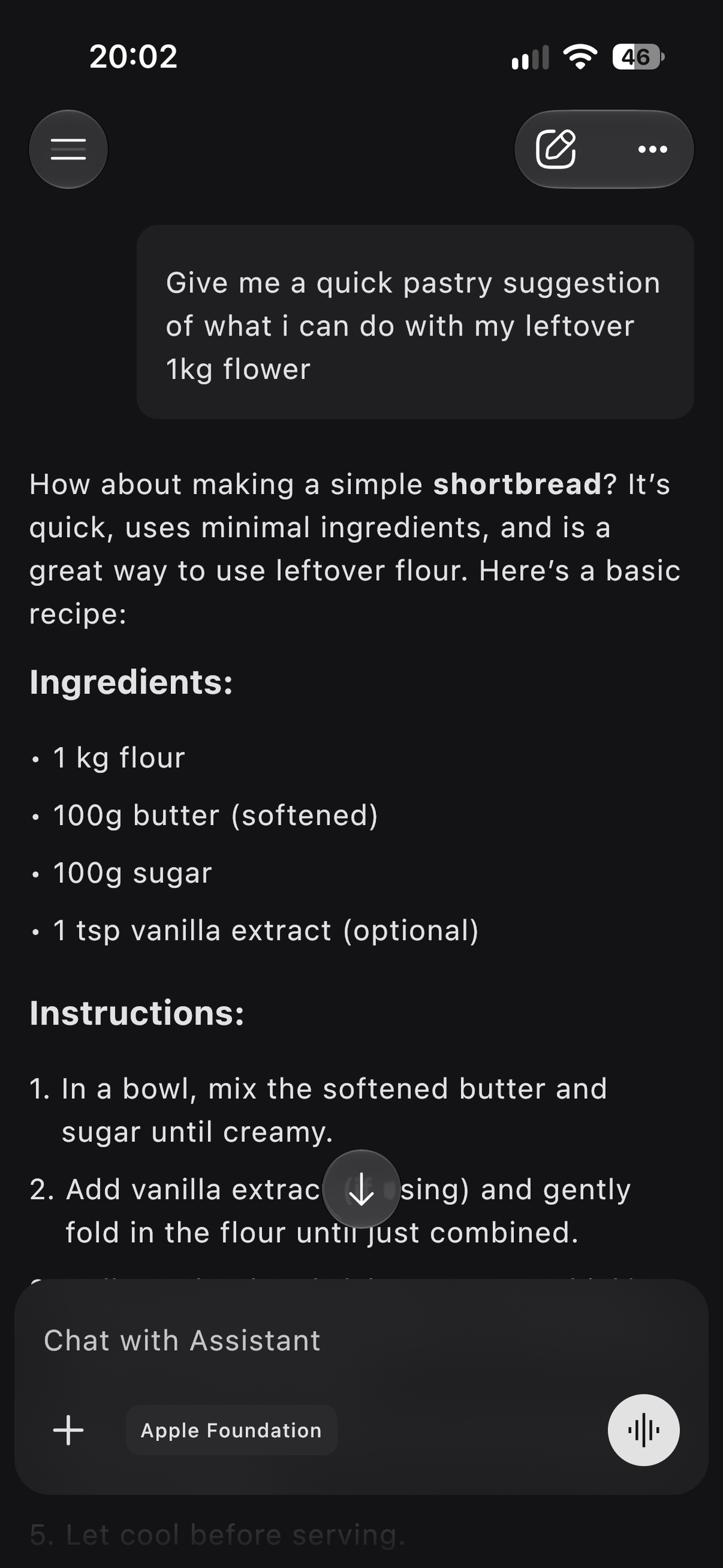
Smart Assistant: Analyze Images, Identify Objects, Learn about your environment
-
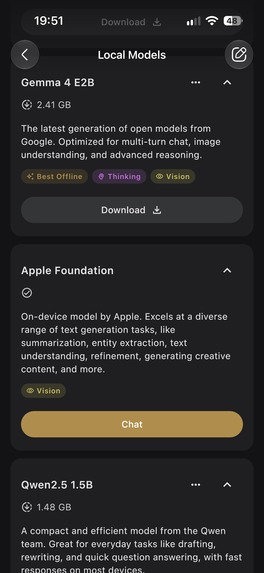
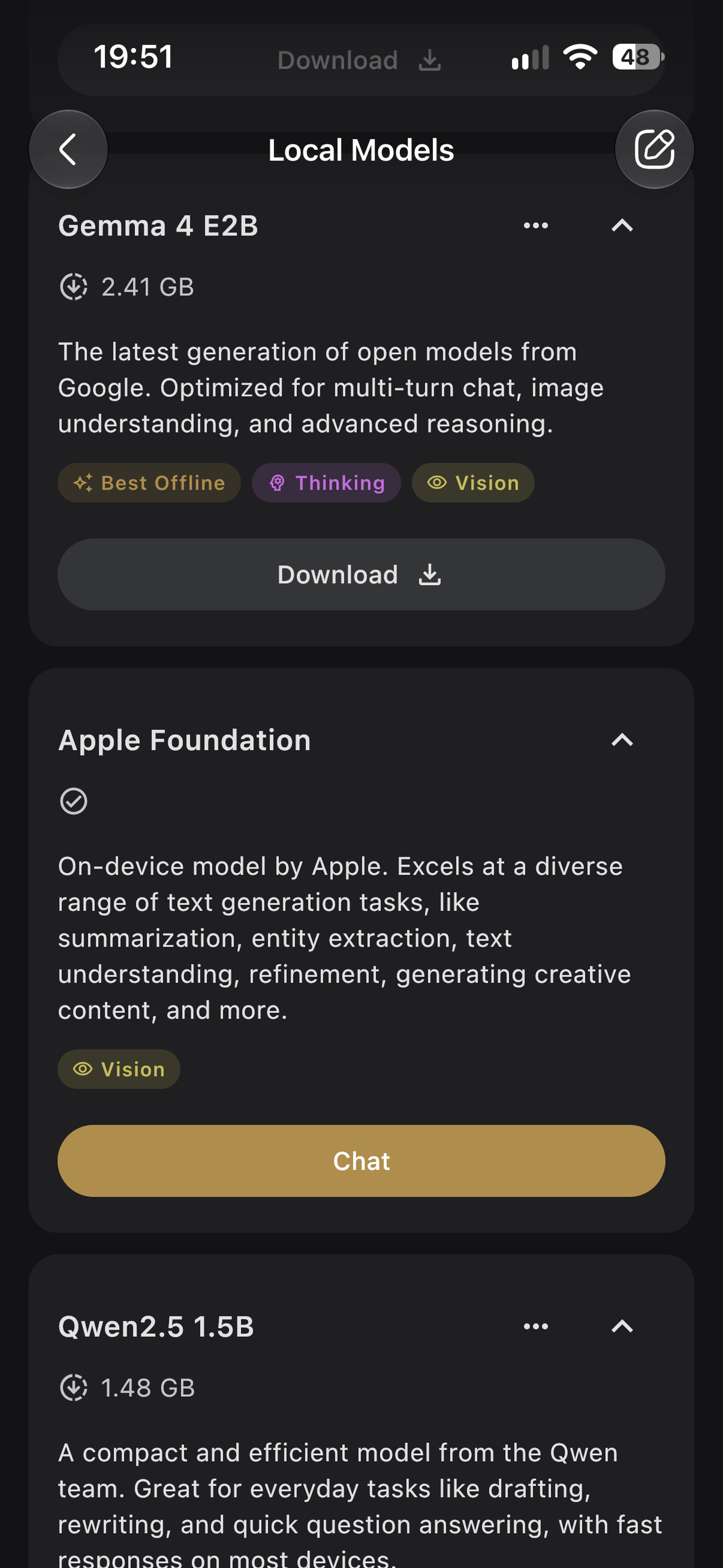
Use different AI models optimized for your device
-
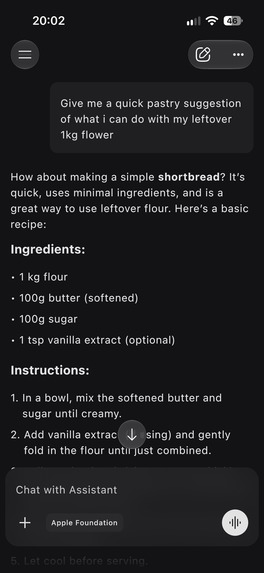
Use AI Offline: Privacy - your chats never leave your device. Convenience - continue using AI without internet
-
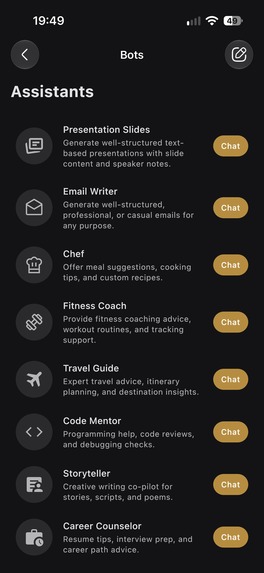
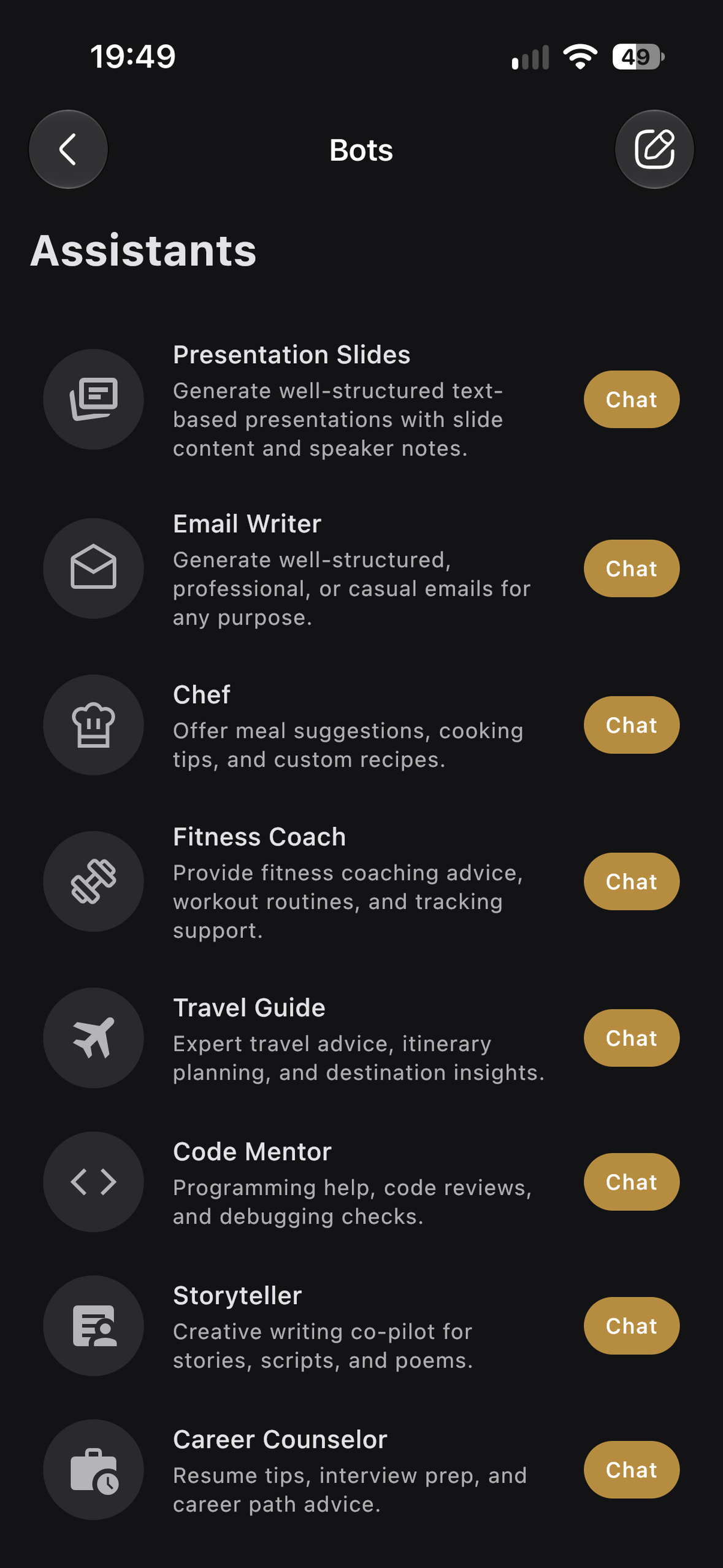
Specialized Assistants: Specialized Assistants for common tasks and workflow
-
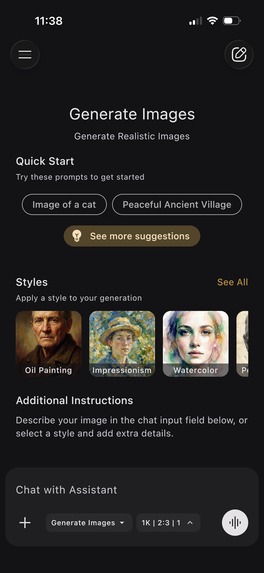
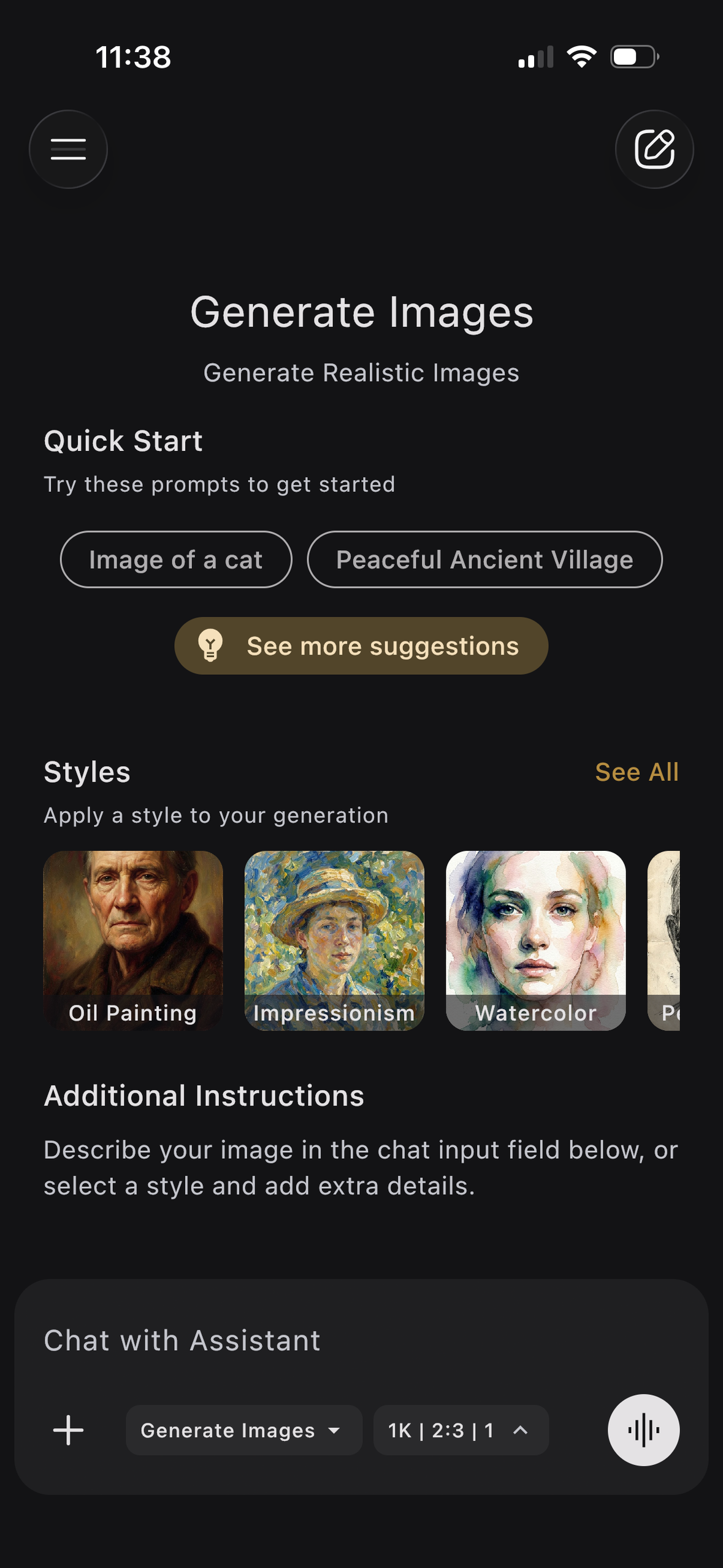
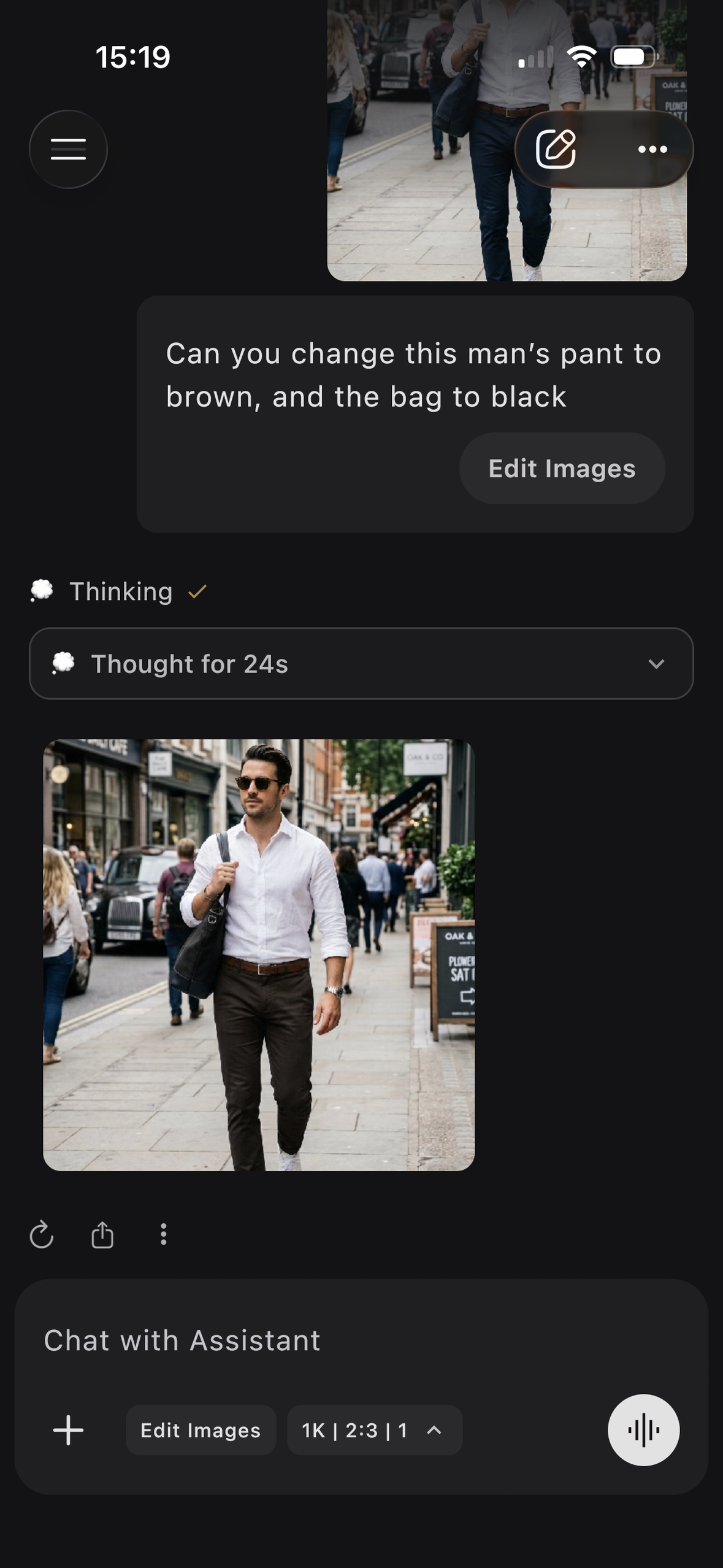
Create and Edit Images: Generate images from the scratch. Transform and edit images with unlimited styles.
-
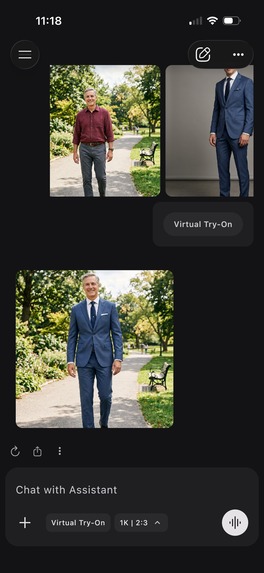
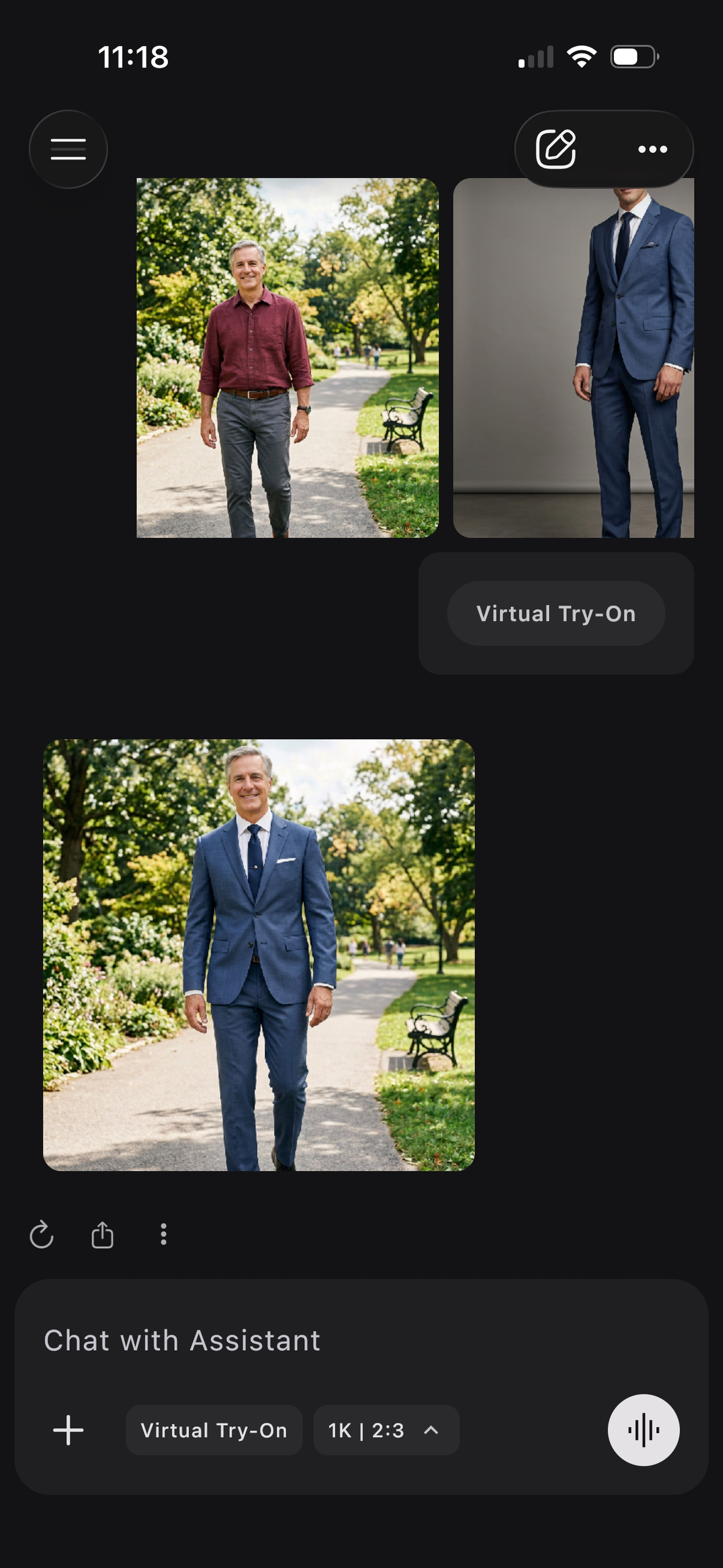
Virtual Try On: Try on any clothes, styles, or look. Shop fashion with confidence.
-
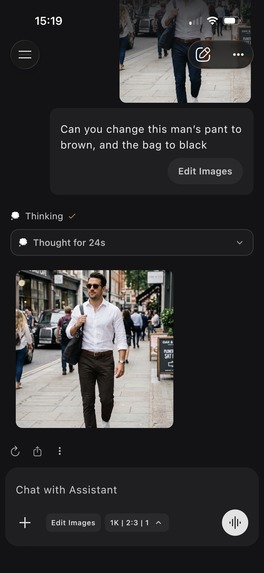
Create and Edit Images: Generate images from the scratch. Transform and edit images with unlimited styles.
-
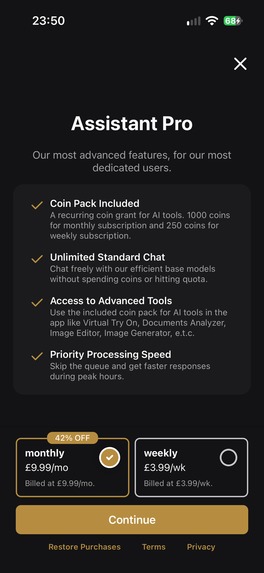
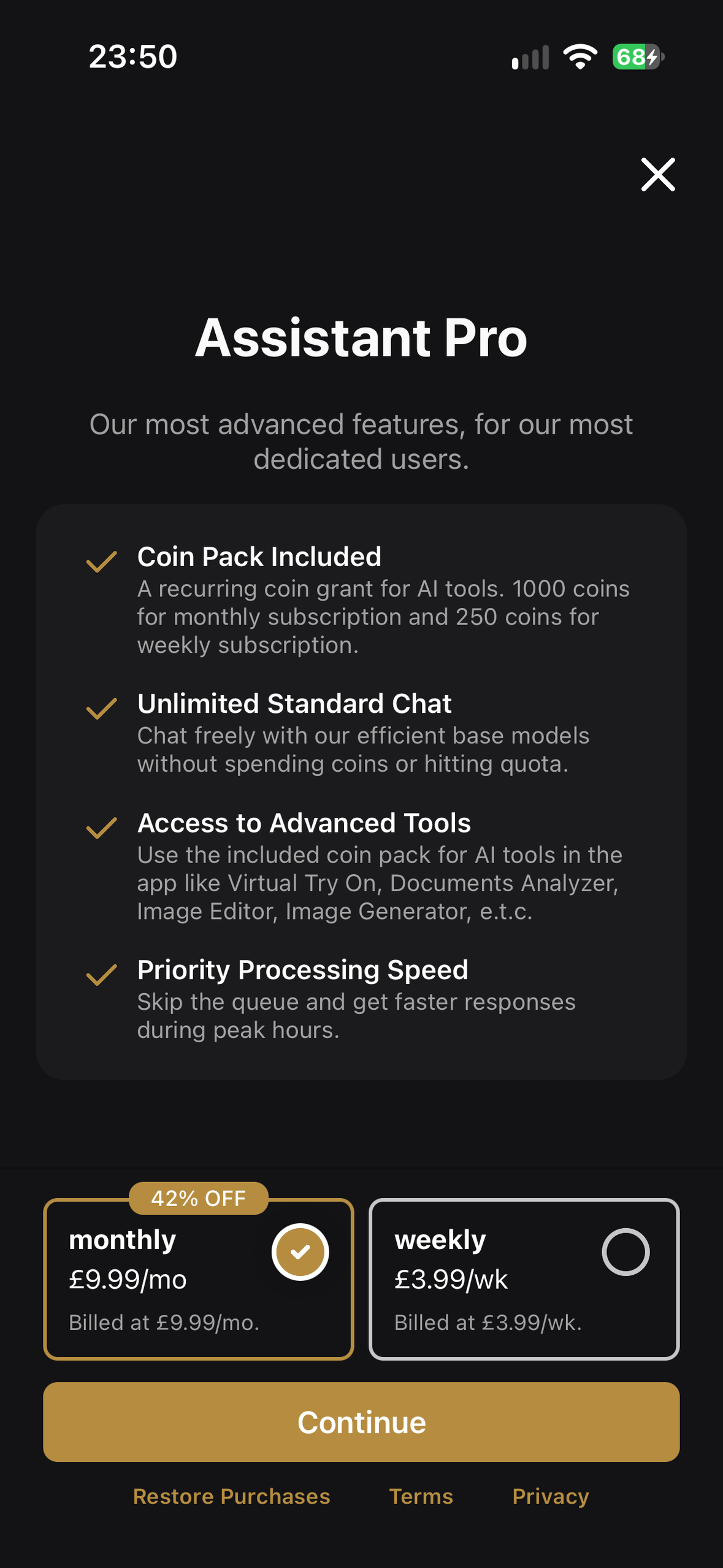
Monetisation with Revenue Cat - Users can subscribe or buy ad-hoc coins for continued access to the advanced features.
-

App Icon

Inspiration
1. Task-specific AI tools
General-purpose chatbots (ChatGPT, Gemini, Claude) are powerful, but getting good results takes prompt engineering, a skill most people haven't mastered. Dedicated AI tools let anyone get the most out of AI models without crafting prompts or hand-holding the model.
2. Offline AI on smartphones
On-device inference offers:
- Privacy: data never leaves the device.
- Cost: no cloud inference bills.
- Offline use: no network dependency or latency.
Top AI labs and the wider industry are investing heavily here, and small LLMs (Gemma, Phi, Qwen, Apple Foundation Models etc.) are now capable enough for many everyday tasks. We want to put offline AI on everyone's phone, in a polished app.
What it does
AssistantX is an AI chat app with:
- General AI chat: It has the industry-standard chat functionality with reasoning, web search, and multimodal input and output.
- On-device AI: chats run entirely on the phone's hardware, so nothing goes to the cloud and everything works offline. In addition to being a core feature of AsssitantX, We also ship this as a standalone app, Local AI, for people who only want private, offline AI experience.
- Tools: built-in tools for common tasks, such as Image Generation, Image Editing, Virtual Try-On, Presentation Slides, Fitness Coach, etc., that give great results without prompting skills.
- Multiple Models (Beta / Early Access): a general playground to test many AI models from different cloud providers in a single mobile chat interface. Lots of web apps let you do this, but most of the ones currently on mobile are not so great.
How we built it
AssistantX is built on a wide array of technologies and tools: Kotlin, Swift, JavaScript, C++, Ktor, Kotlin Multiplatform, Compose Multiplatform, UIKit, llama.cpp, LiteRT-LM, Apple Intelligence, AWS, RevenueCat etc.
Challenges we ran into
- App store reviews: our first submissions to Google Play and the App Store took a long time, and both stores initially rejected us over policy compliance. We resolved every issue and got published.
- Immature on-device AI: on-device inference is cutting edge, so we hit bugs that required platform-, device-, chipset-, and even OS-version-specific handling.
Accomplishments that we're proud of
- Launching both apps on Google Play and the App Store, despite the extra scrutiny AI-generated content receives from reviewers.
- Smooth on-device inference across the device, chipset, and OS fragmentation described above.
What we learned
- Define the P0 features, then ship. There is always another feature or design tweak. We escaped an endless build loop only after committing to a P0 list.
- Real users beat perfection. We polished UX before anyone had used it, yet what we thought was best often wasn't best for users. Our most useful feedback, bugs, and edge cases came from beta testers and production, not from elaborate end-to-end tests.
- The tech stack is a means to an end. We lost time chasing the "perfect" stack. Momentum came once we combined whatever delivered the feature: shared Kotlin by default, Swift and native SDKs where needed.
What's next for AssistantX
AssistantX and Local AI are live and gaining traction. Next, we plan to:
- Keep refining the UX based on user feedback.
- Integrate deeper with the OS, exposing features (especially on-device LLMs) through App Intents / Siri Shortcuts and Android AppFunctions.
- Keep up with state-of-the-art on-device LLMs as the field evolves.
- Give back to the open-source community we build on by open-sourcing our on-device inference and Kotlin Multiplatform solutions, and sharing what we learned.
How does it make money?
We sell subscriptions and coin packs that gives users continued access to advanced features: Virtual Try-On, image generation and editing, and AI chat with more powerful cloud models.
Which award categories are you targeting?
Ship Kotlin Everywhere (JetBrains) and the Grand Prize.

Log in or sign up for Devpost to join the conversation.