-
-
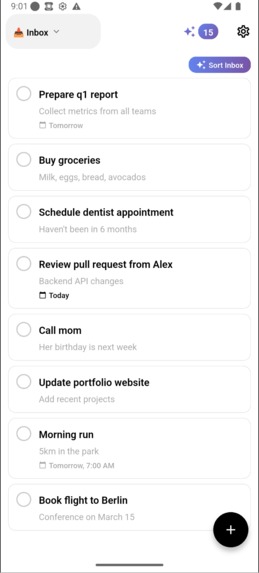
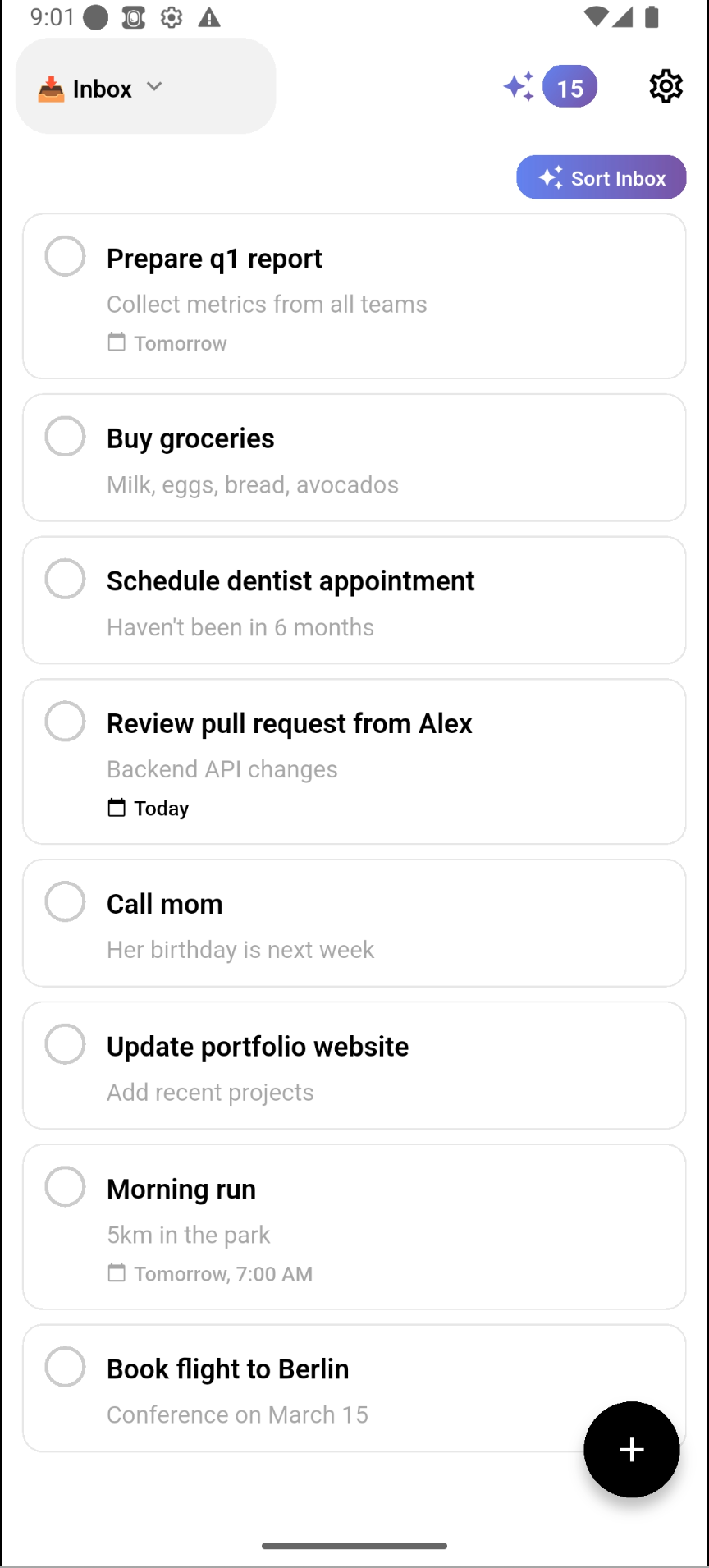
powerful to-do app
-
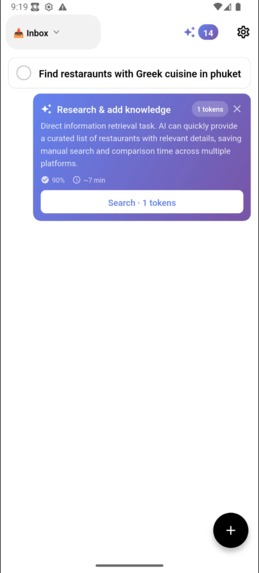
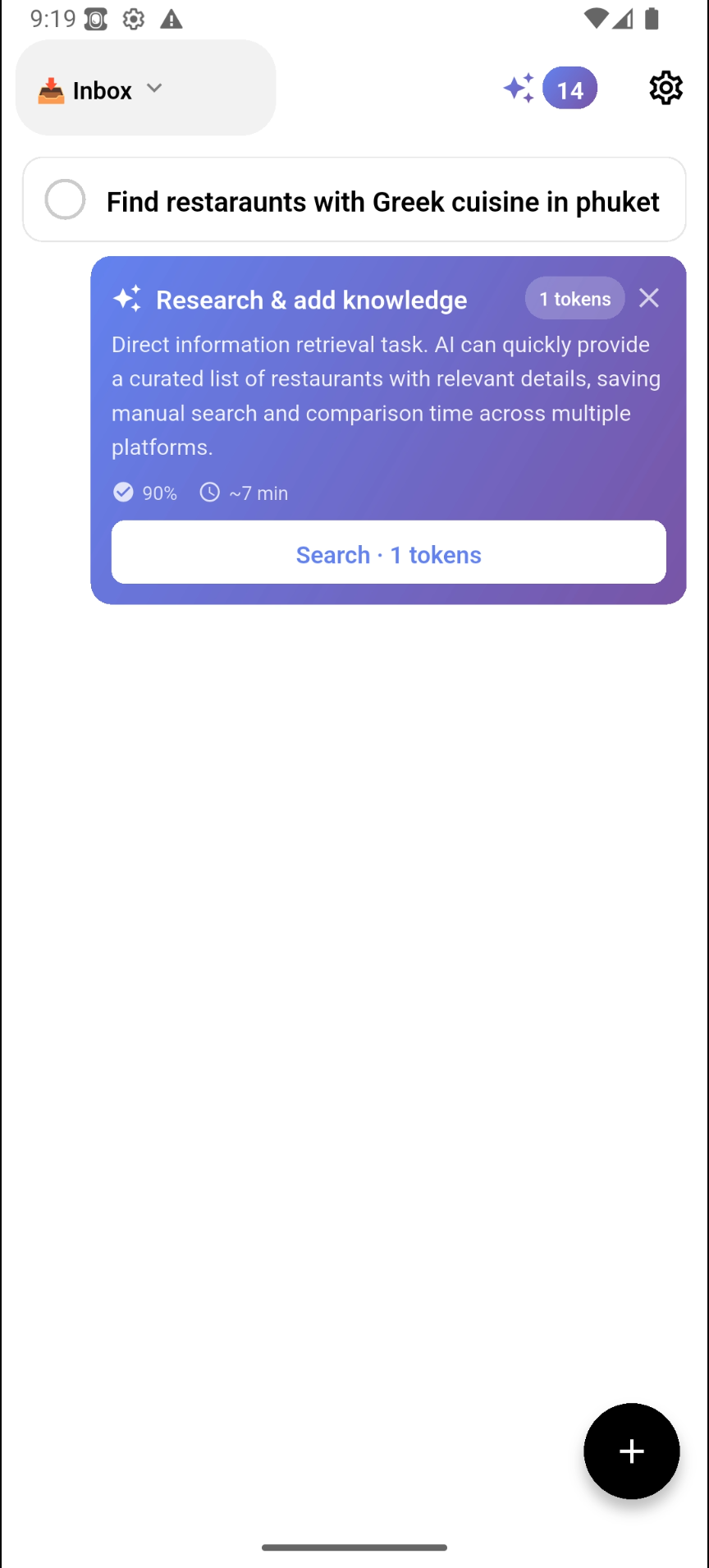
automatic ai suggestions
-
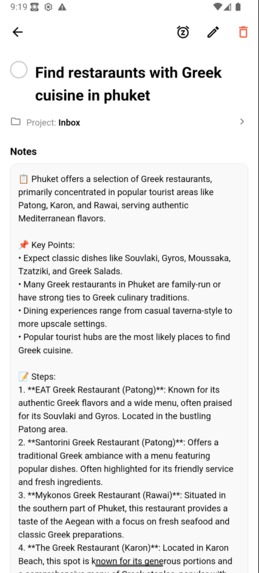
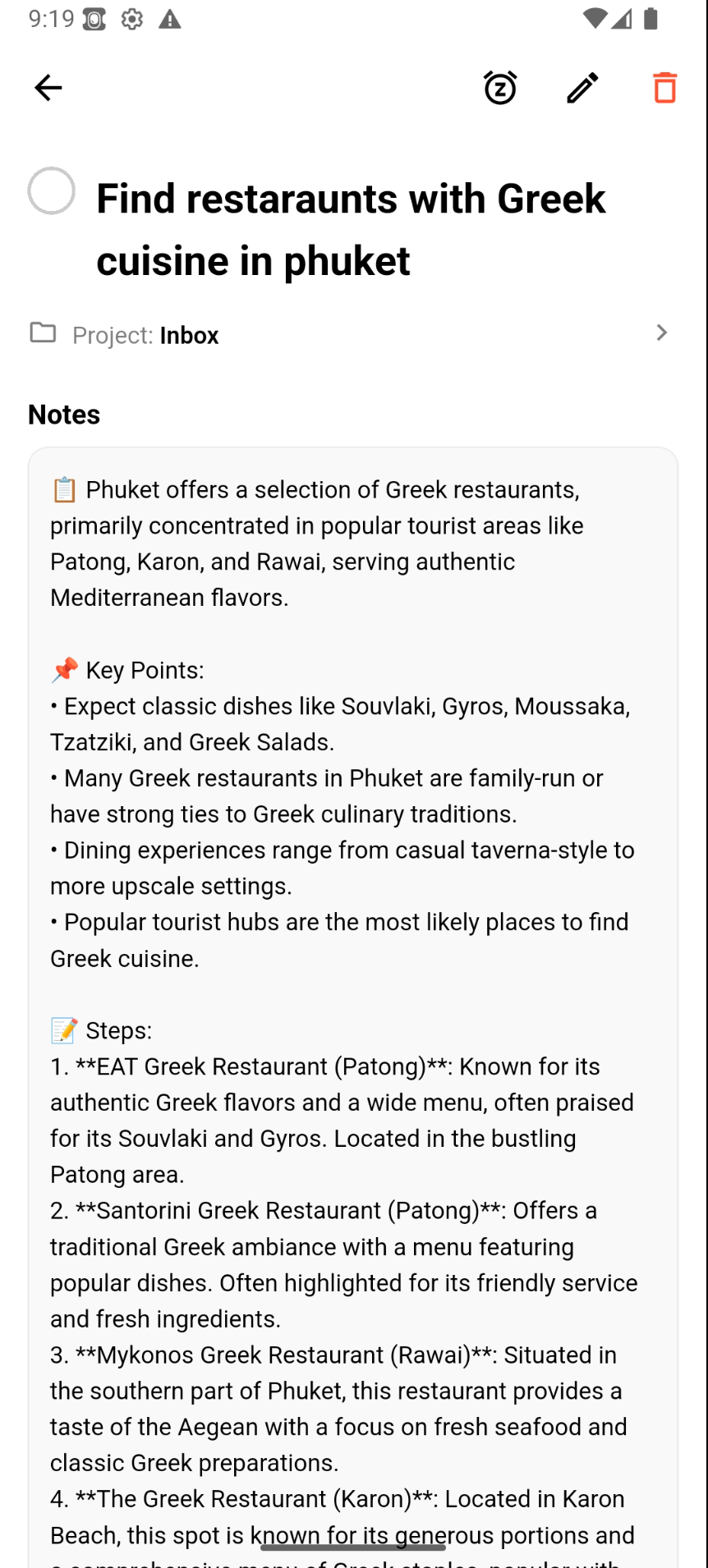
ai is your assistant
-
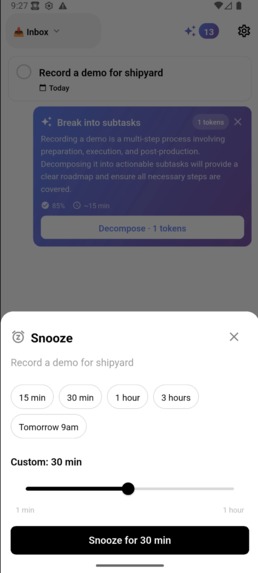
strong custom snoozing
-
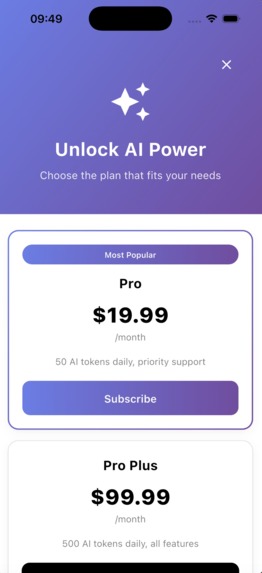
cool paywall and economics
Inspiration
Sam Beckman's brief hit close to home: a beautiful, cross-platform reminders app with custom snoozes, powerful recurrence, and true sync. Every existing solution either locks you into one platform or treats reminders as an afterthought inside a bloated productivity suite.
We wanted to build the todo app we'd actually use — minimal, fast, cross-platform — and then give it an AI brain that proactively helps you get things done.
What it does
Assistant is a cross-platform task manager with a built-in AI assistant, designed for Sam Beckman's productivity-focused audience.
As a todo app:
- True cross-platform sync — create on iOS, dismiss on Android, it clears everywhere
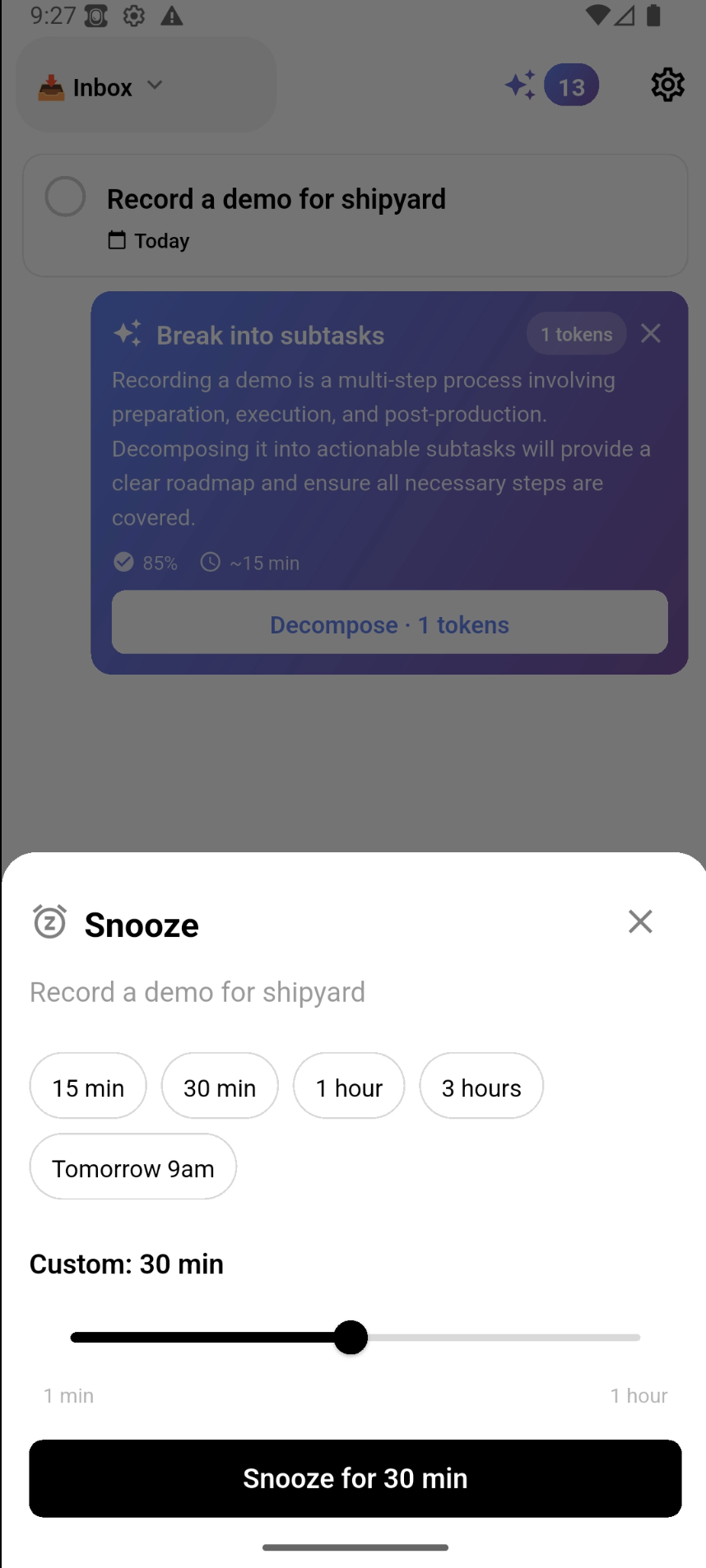
- Custom snoozes directly from notifications — no need to open the app
- Powerful recurrence rules — "every 3rd weekday," "last Friday of the month," natural language input
- Offline-first — the app works instantly, even without internet
- Projects and folders for organizing tasks
- Voice input for quick task capture
As an AI assistant:
- Analyzes your tasks and proactively suggests help — decomposing projects and tasks, searching info, scheduling, and more
- Shows cost per operation before you accept — you're always in control
- Only suggests when confidence is high, so every suggestion feels useful
Monetization (RevenueCat):
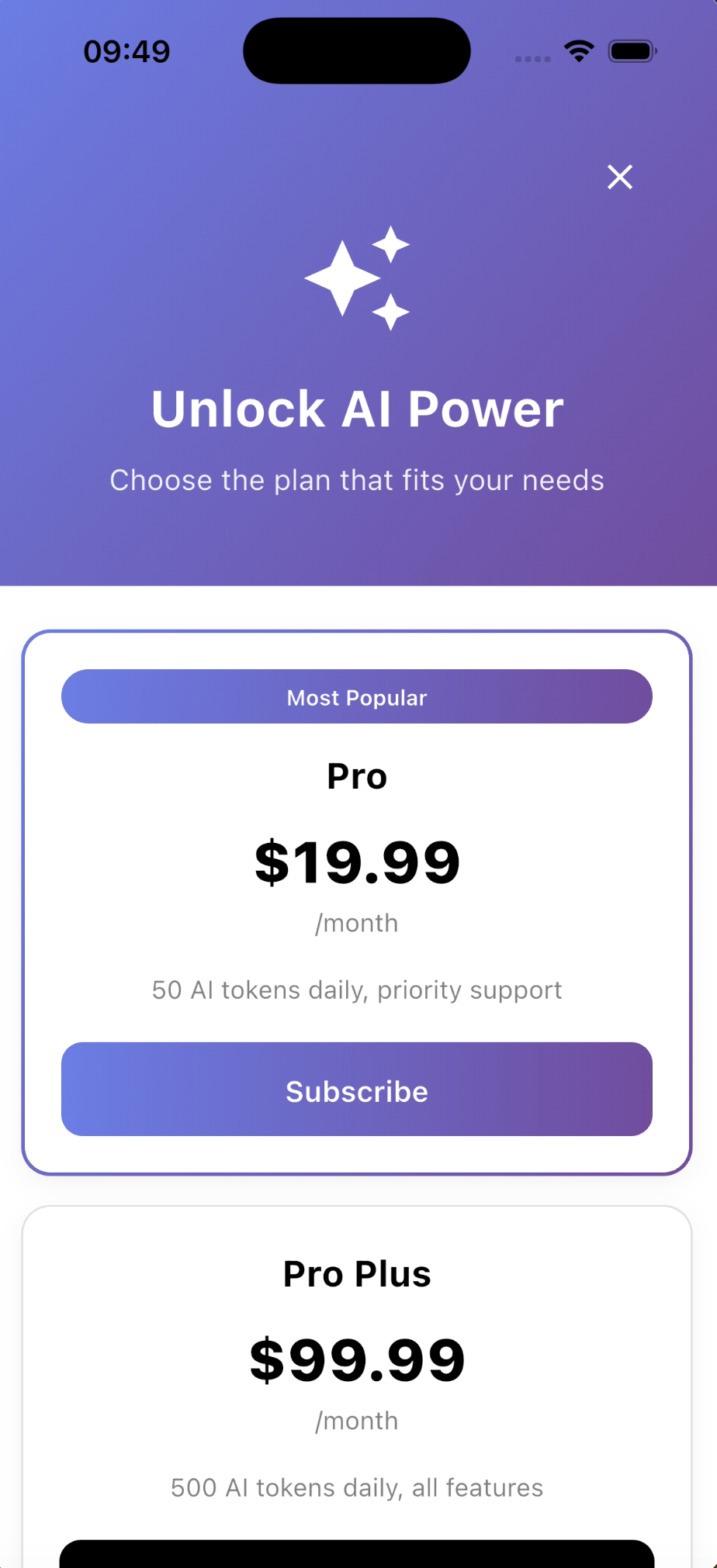
- Free: 15 AI tokens/day (roughly 5 operations)
- Pro ($19.99/mo): expanded token allowance + advanced features
- Pro Plus ($99.99/mo): generous token budget + everything
- High margins — sustainable from day one
How we built it
Flutter for a single codebase across iOS and Android — exactly what Sam's brief needs.
Clean Architecture with feature-oriented modules: tasks, projects, AI, monetization, notifications, sync, and voice input — each self-contained with domain, data, and presentation layers.
Offline-first with Drift (SQLite) as the local source of truth and Firebase (Auth + Firestore) for cloud sync. The app never waits for a network call.
AI powered by Google Gemini API. A lightweight analysis step identifies how the AI can help, then presents the suggestion to the user. Operations only run when the user accepts.
RevenueCat SDK handles all subscription logic, paywall, and entitlements. Cloud Functions process webhooks for server-side validation.
We built this in 14 days using Claude Code as an AI pair programmer while maintaining strict architectural discipline.
Challenges we ran into
- Notification actions across platforms — iOS and Android handle custom snooze buttons very differently. Getting reliable behavior on both required significant platform-specific work.
- NLP date parsing — handling natural language dates ("next Tuesday," "every other Friday") with edge cases like leap years, month boundaries, and multiple languages.
- RevenueCat + Firebase sync — ensuring a purchase on one device immediately unlocks features on another required careful orchestration between webhooks, Cloud Functions, and local caching.
- 14-day timeline — ruthless prioritization. We cut widgets and calendar integration to focus on making core features bulletproof.
Accomplishments that we're proud of
- A polished, fast todo app that works identically on iOS and Android from a single codebase
- Offline-first architecture — zero loading spinners, zero "connection lost" errors
- An AI assistant that feels helpful rather than noisy — suggestions appear inline and are easy to dismiss
- The monochrome + AI gradient design language — simple idea, powerful result
- Clean Architecture held up under sprint-speed development — no hacks, no shortcuts
What we learned
- Offline-first is worth the upfront complexity — the UX payoff is massive
- AI suggestions need a confidence threshold — without it, the assistant becomes noise
- Design constraints breed creativity — black, white, and one gradient forced us to build a cleaner UI than any template could
- RevenueCat makes monetization almost trivial — what would be weeks of StoreKit/BillingClient code became a single SDK integration
What's next for Assistant
- More platforms — Flutter makes it easy to expand to web, macOS, and desktop. Same codebase, same experience everywhere.
- Personal AI Memory — the AI learns your patterns, preferred times, and work style for increasingly personalized suggestions
- Integrations — Google Calendar, Apple Calendar, home screen widgets
- Advanced AI — Gemini Pro for complex multi-step planning (Pro Plus exclusive)
Built With
- cloud-firestore
- dart
- drift-(sqlite)
- firebase-auth
- firebase-cloud-functions
- flutter
- google-gemini-api
- revenuecat

Log in or sign up for Devpost to join the conversation.