Inspiration
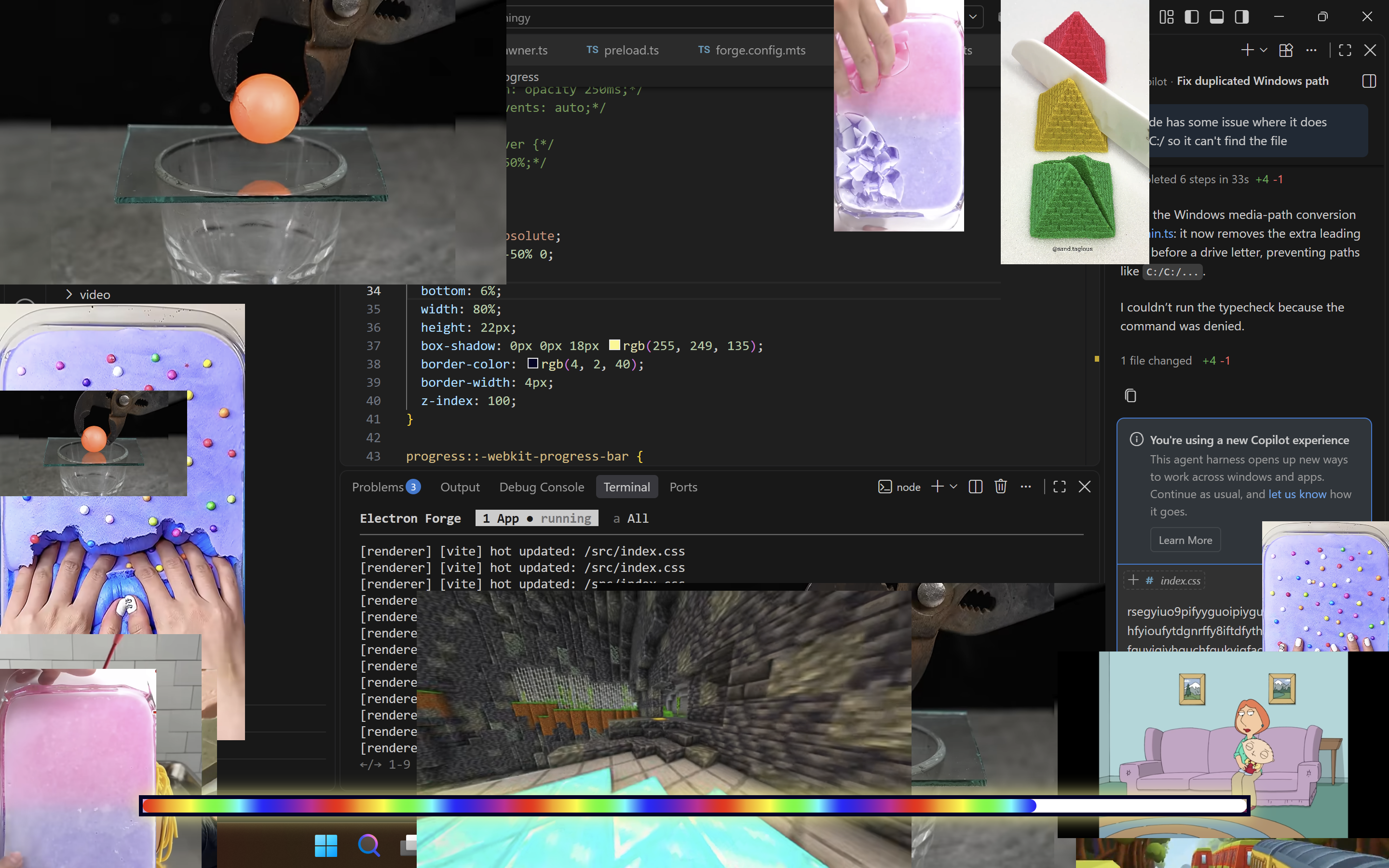
Every university student experienced this: an assignment due by midnight, but yet reels is the only thing running. It's tough to get off and do your assignments, but what if... What if you can work on your assignment AND watch brainrots??! Now brainrot videos will appear on screen as you work. Like brothers in arm, the more you work, the more appears. Stopped working? They all go away. No more compromises, no more "just 1 more reel", just do both, you'll totally turn out more productive!
What it does
A.D.H.D is an easy-to-use program which tracks your keyboard and mouse inputs, putting more brainrots on your screen as you work more. It also removes the brainrots when it detects that you've stopped working, creating the perfect environment which encourages spammi-- I mean productivity.
How we built it
- Frontend: built with electron and HTML to display videos and the status bar\
- Backend: built with electron and typescript to keep track of user inputs\
- Videos: a mix of all-originally filmed and downloaded off the internet
Challenges we ran into
- Video Duplication: while many measures were put in place to get rid of duplicates, somehow some duplicates still appeared
- Learning Electron: the whole team was new to Electron, so time was needed to quickly learn the new software to ensure smooth production
Accomplishments that we're proud of
- Reliable Video Showing: videos shows up consistently at in a smooth manner
- Electron: learning the new software within 7 hours to create this project
- Input Detector: a smooth input detector that is optimized for smooth detection
What we learned
- Fullstack Development with Electron, Typescript, HTML, CSS, Vite, Tailwind
What's next for Assignment Dopamine Hyper Dealer
- More Videos: more More MORE videos!
- Progress Bar: some effects like cam shake and perhaps something that happens when it's full!
Built With
- css
- electron
- html
- tailwind
- typescript
- vite

