-
-
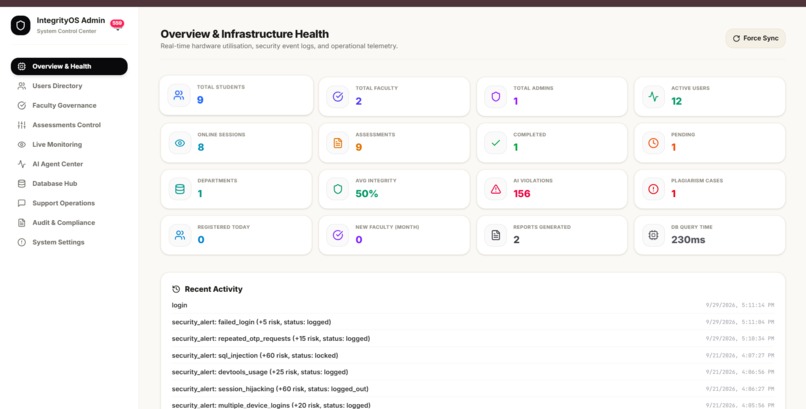
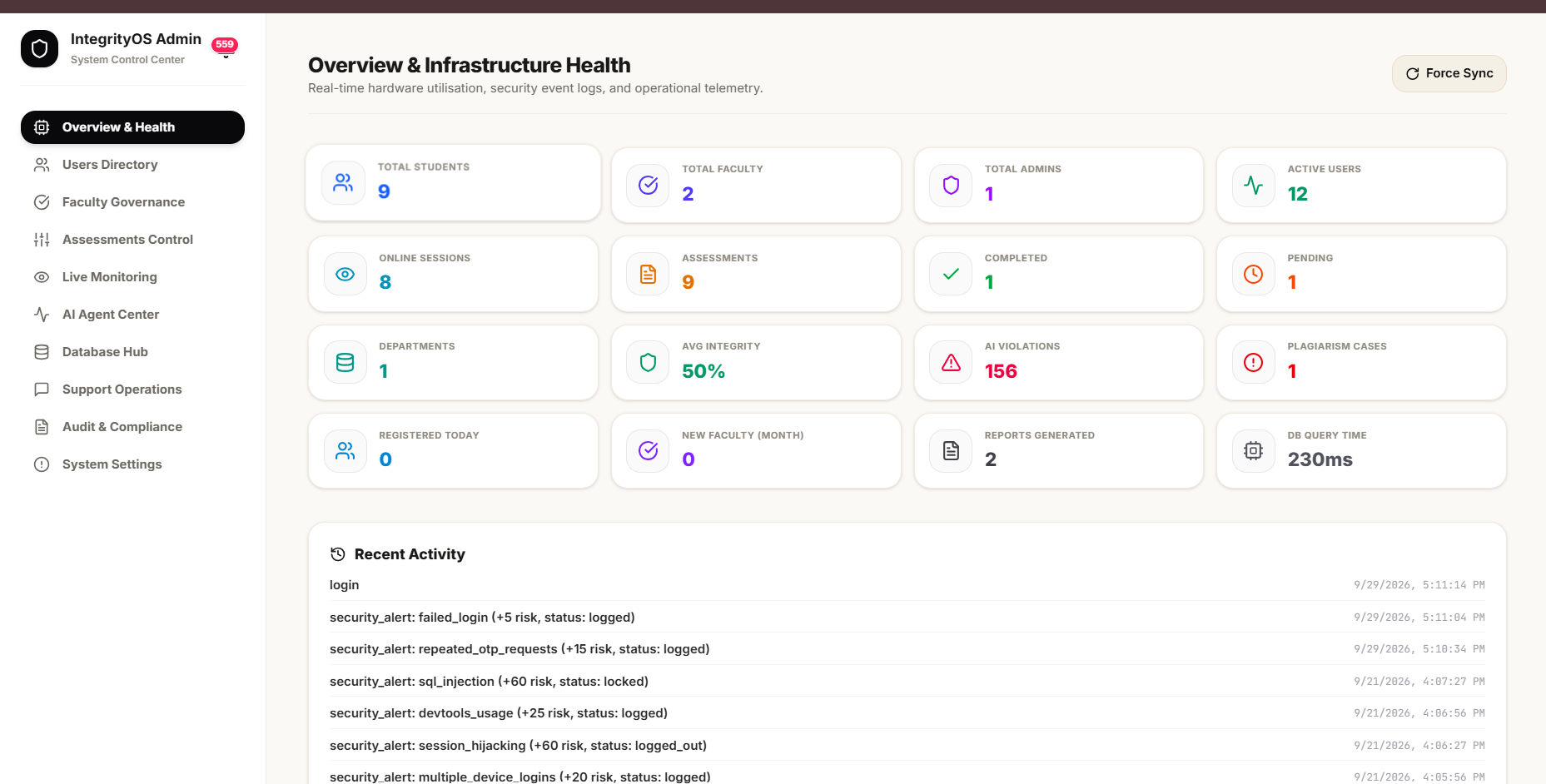
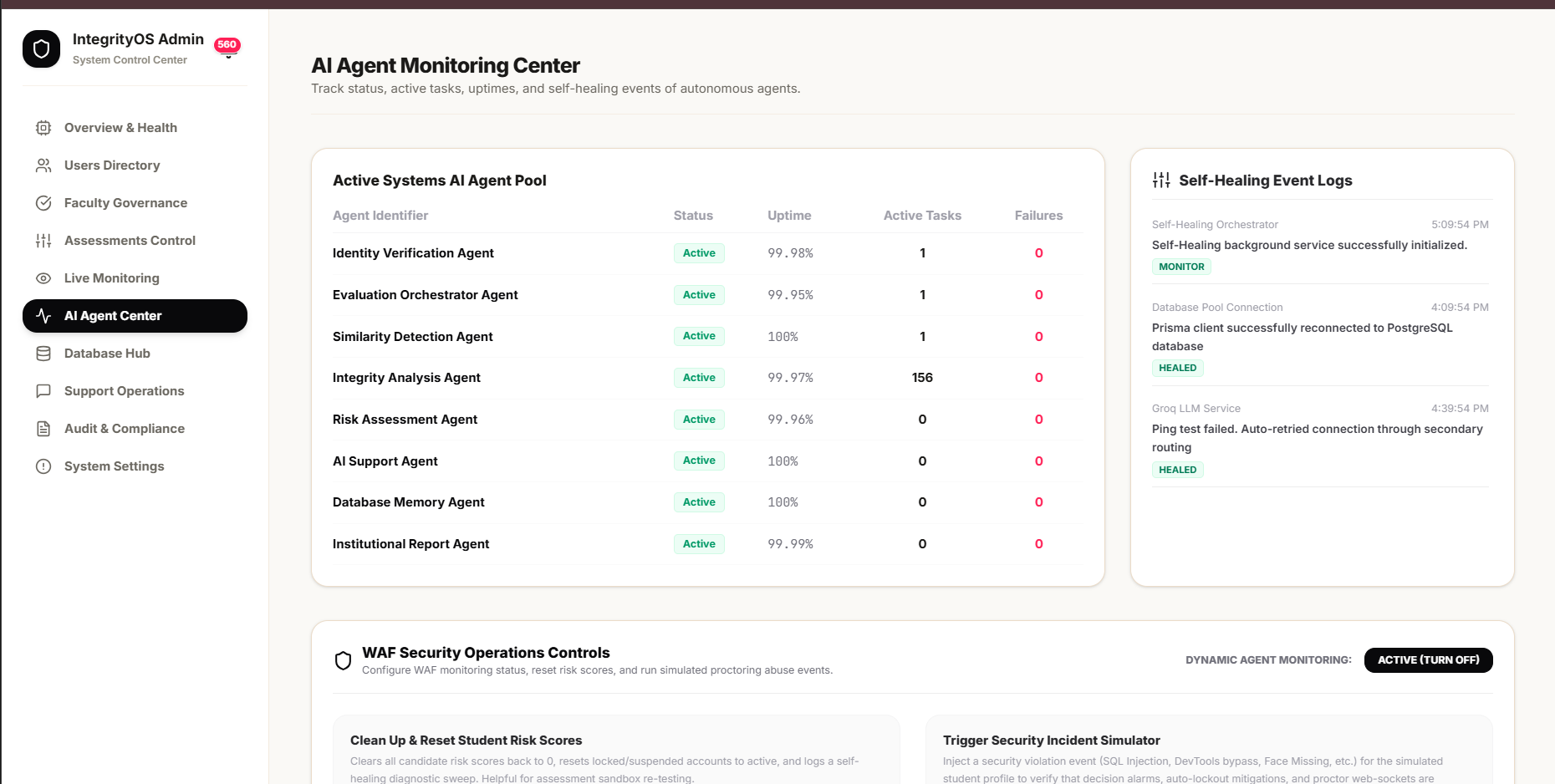
Admin portal Dashboard
-
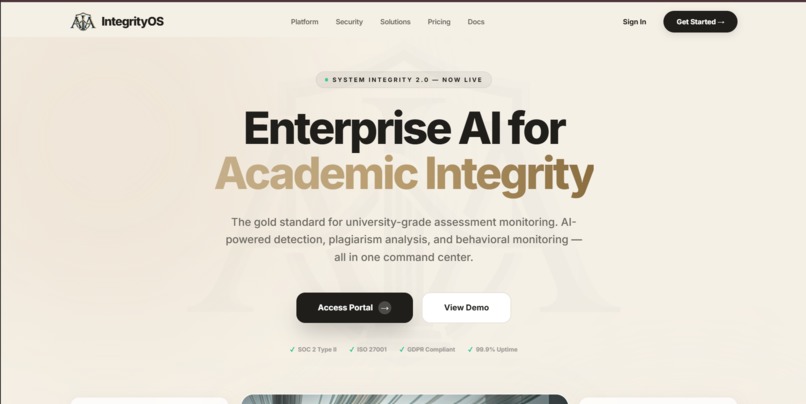
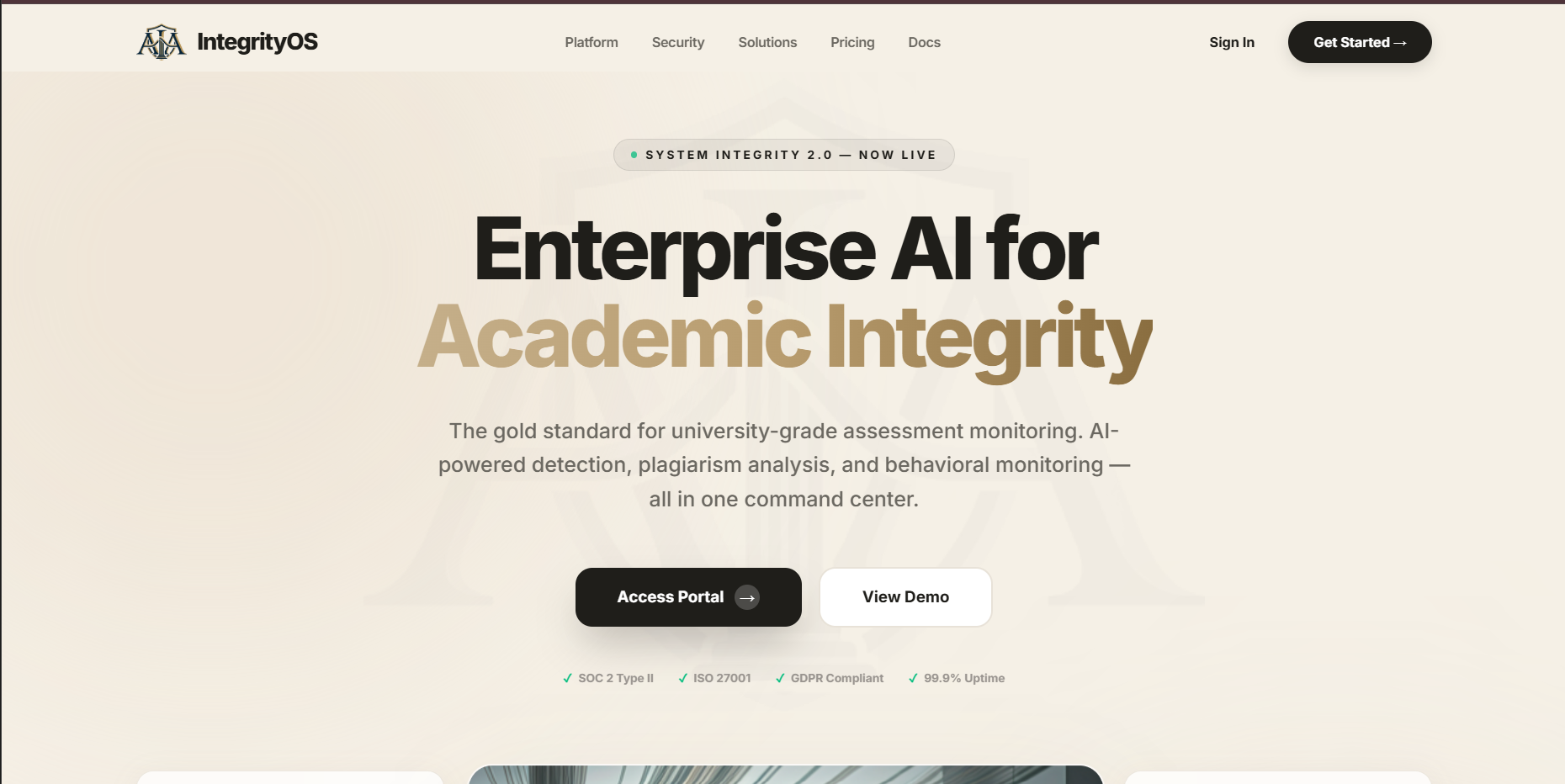
Landing Page of the website
-
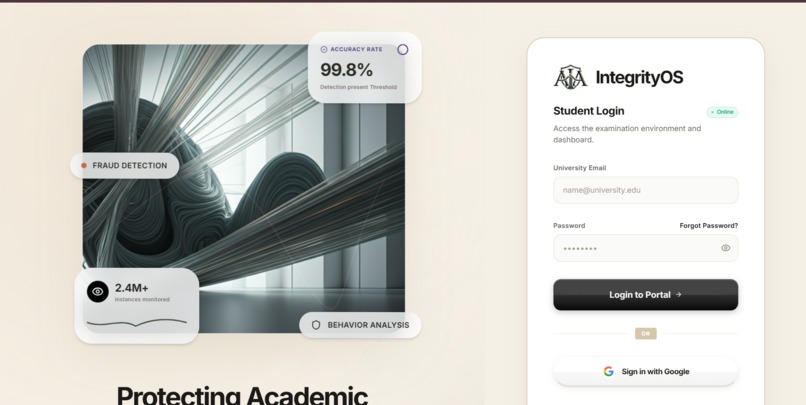
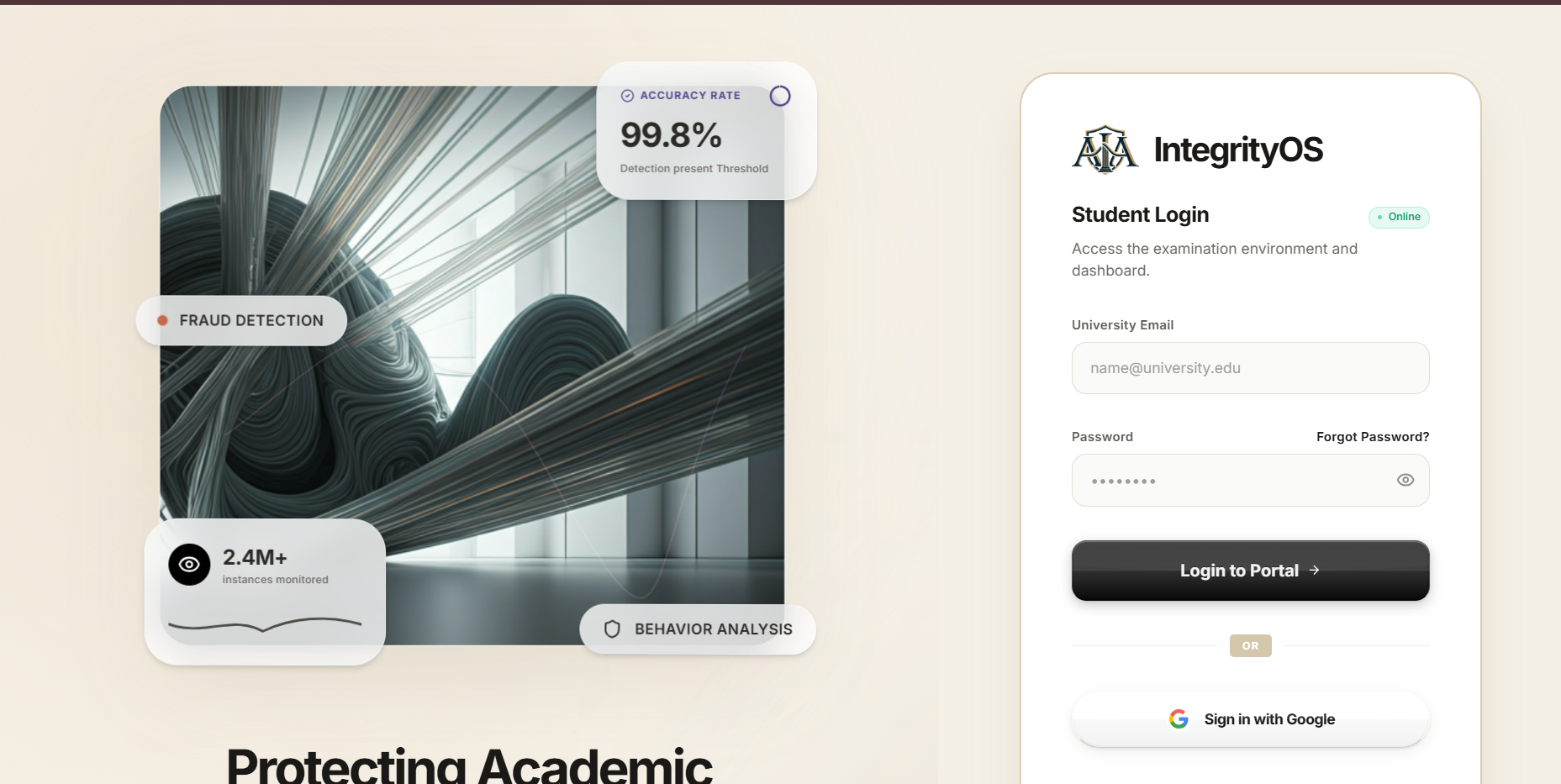
Login page for Student Portal. There are Four portals in Website
-
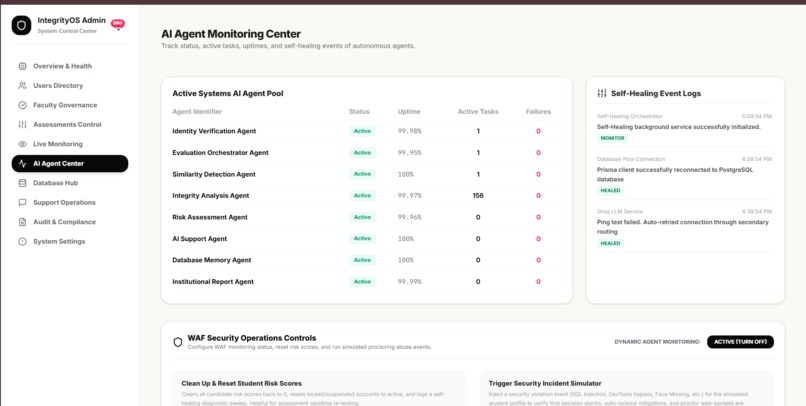
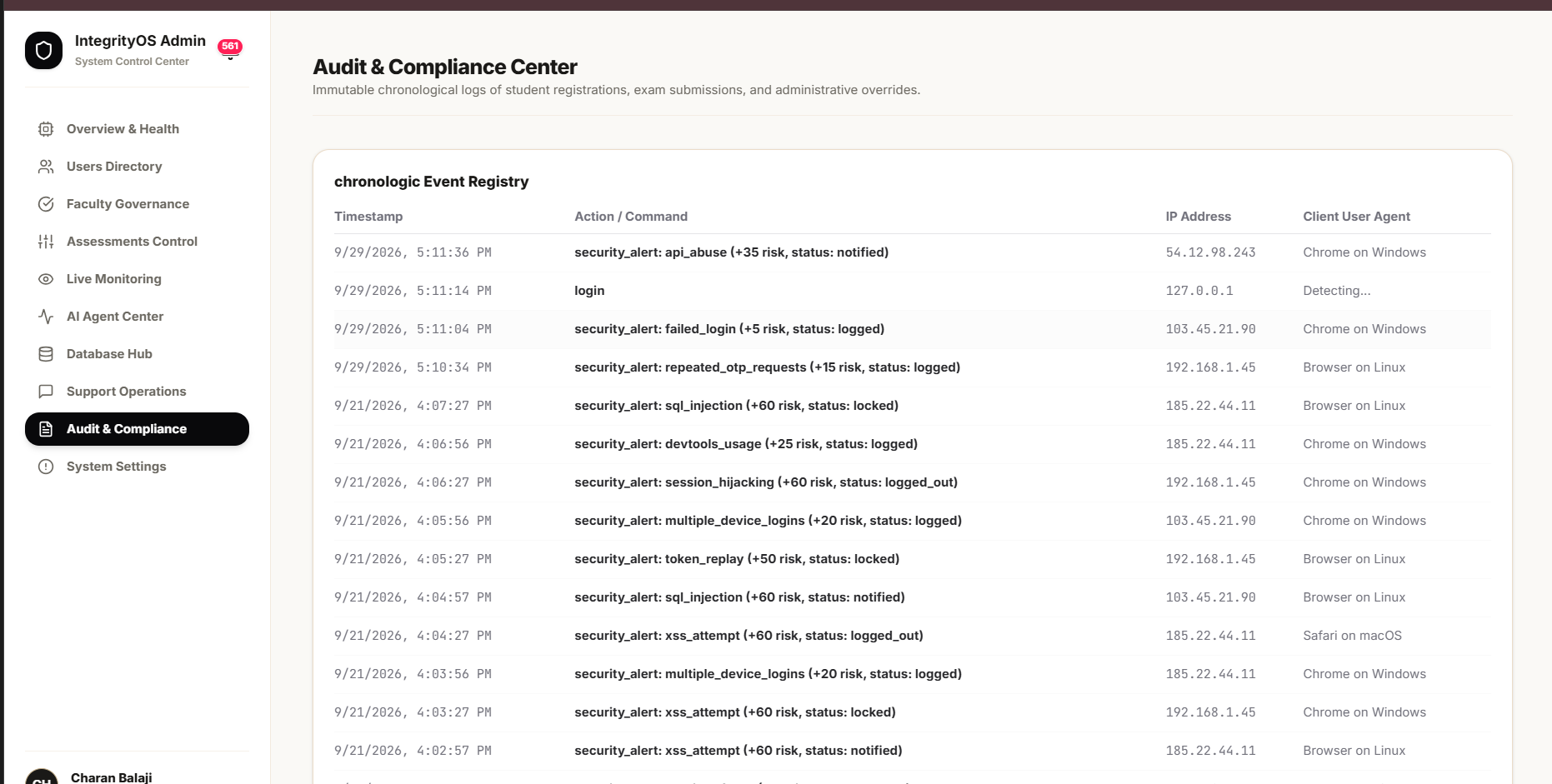
All Live Audits & Logs across all portals
-
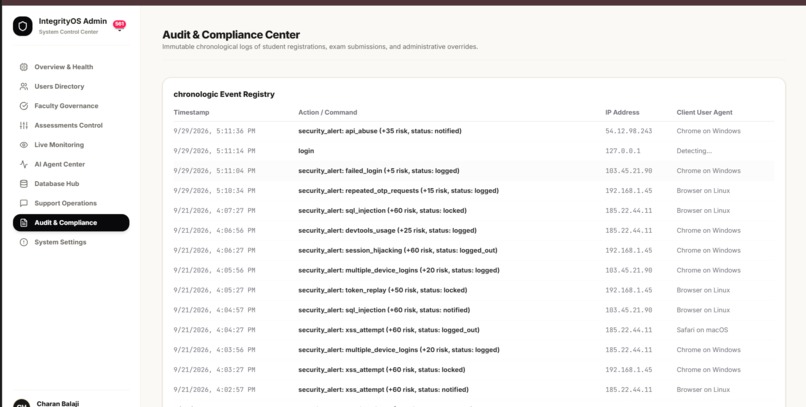
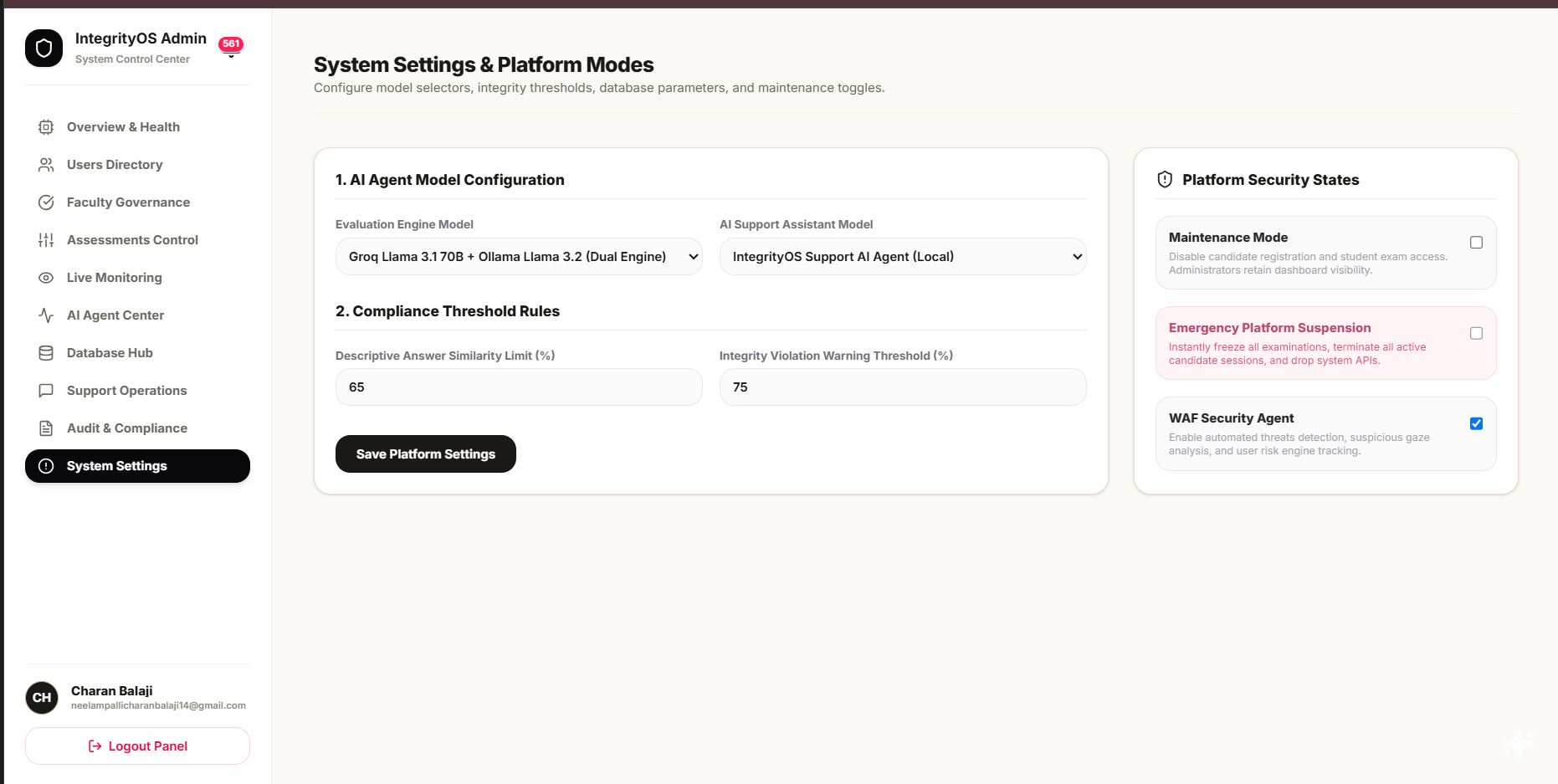
WAF Agents will Run in the Background Checking if there is an Abnormal Activities in the all Website
-
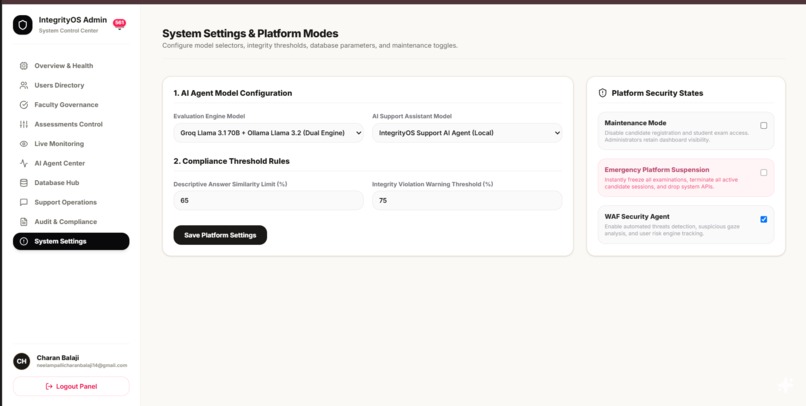
Admin Portal- Admin Settings, Maintaining website
-
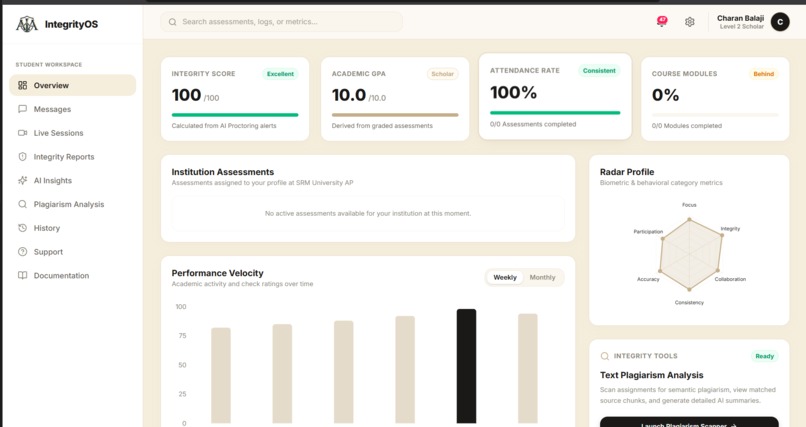
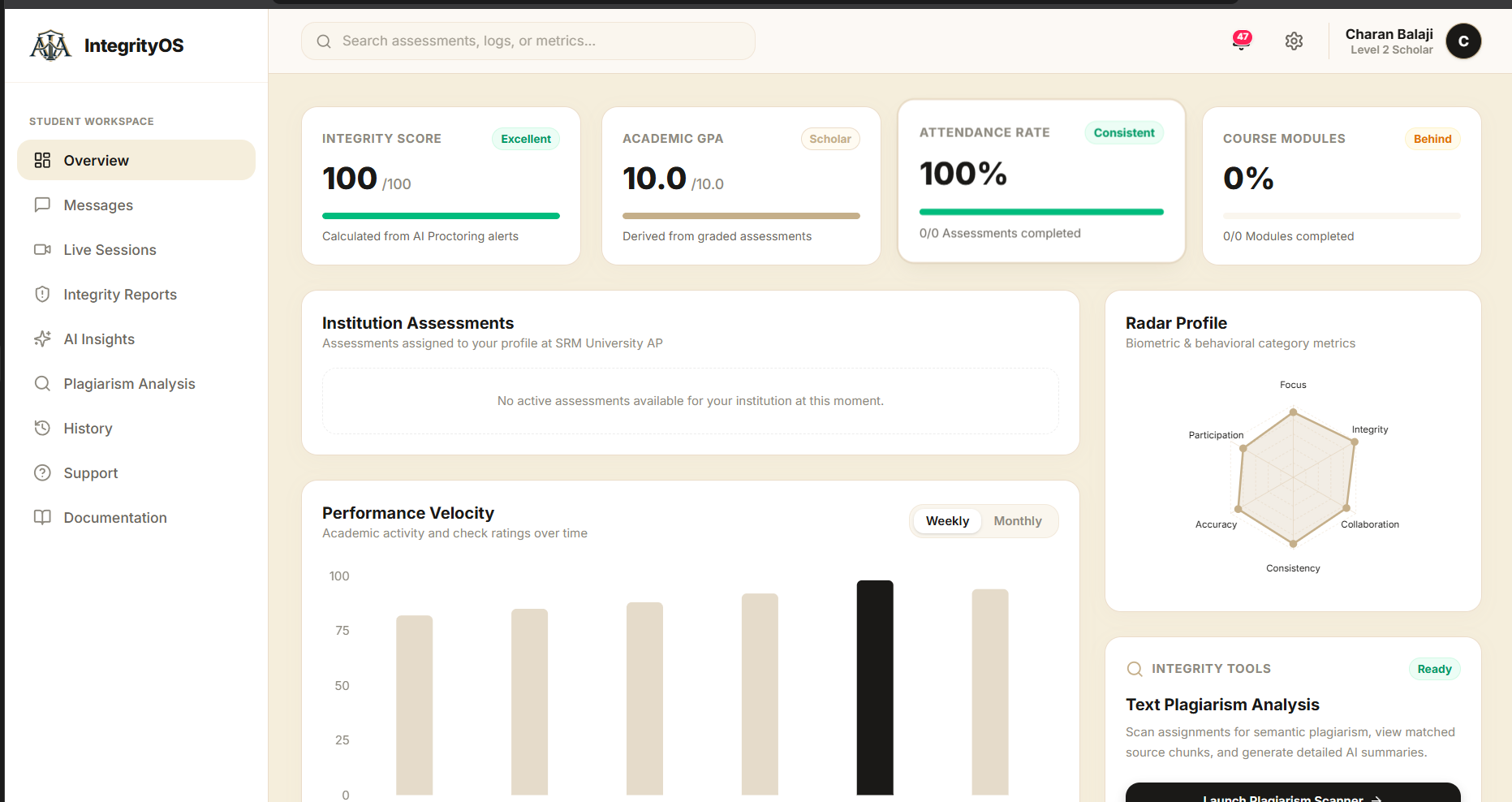
Student Dashboard
-
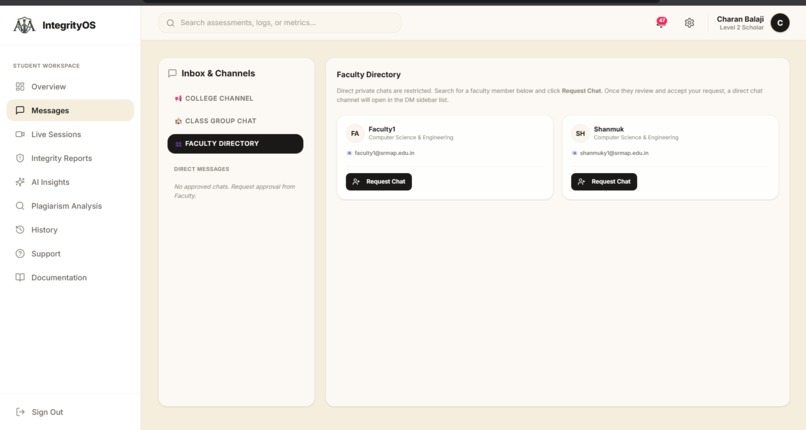
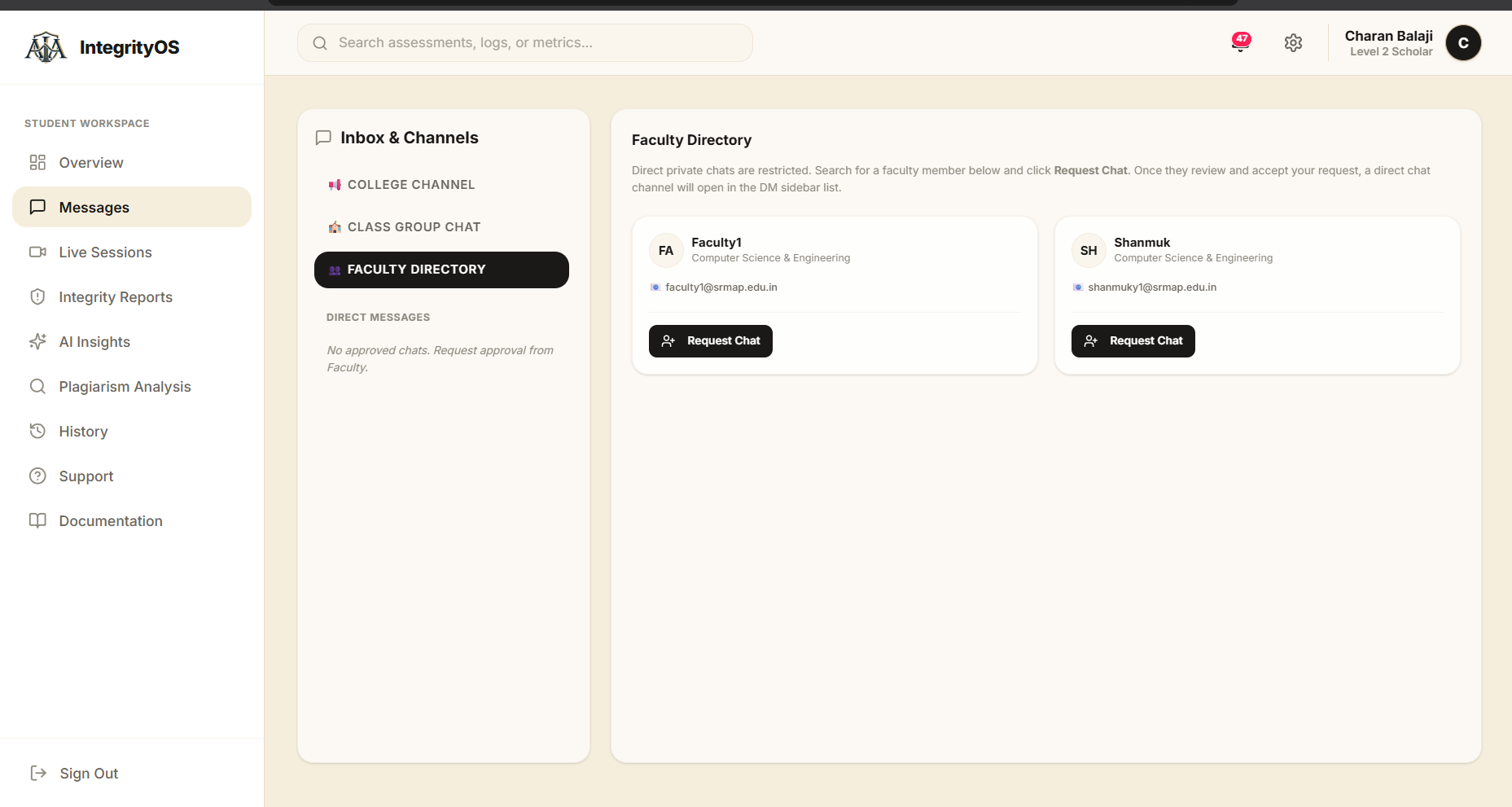
Announcement, Chat section For User to Faculty Interactions
-
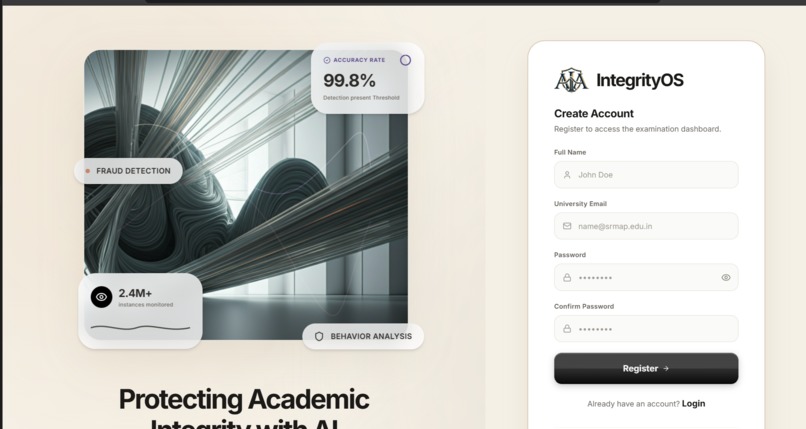
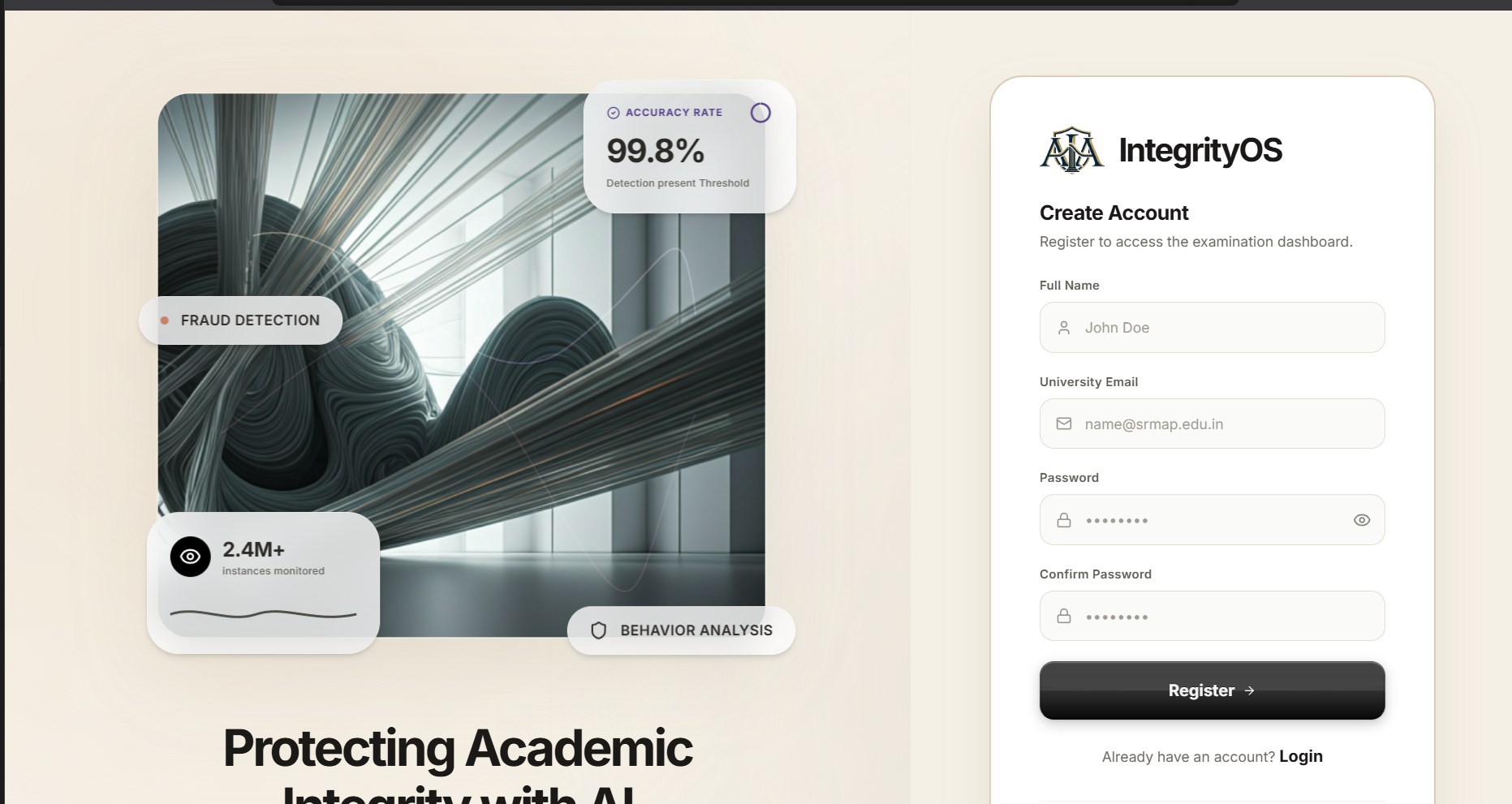
Register page for Students or users
-
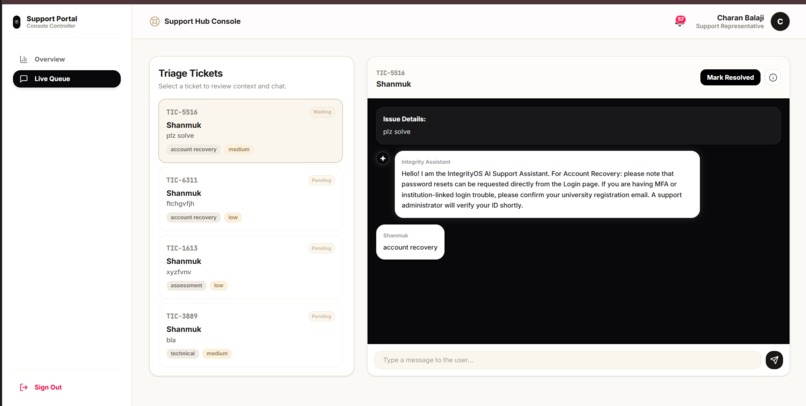
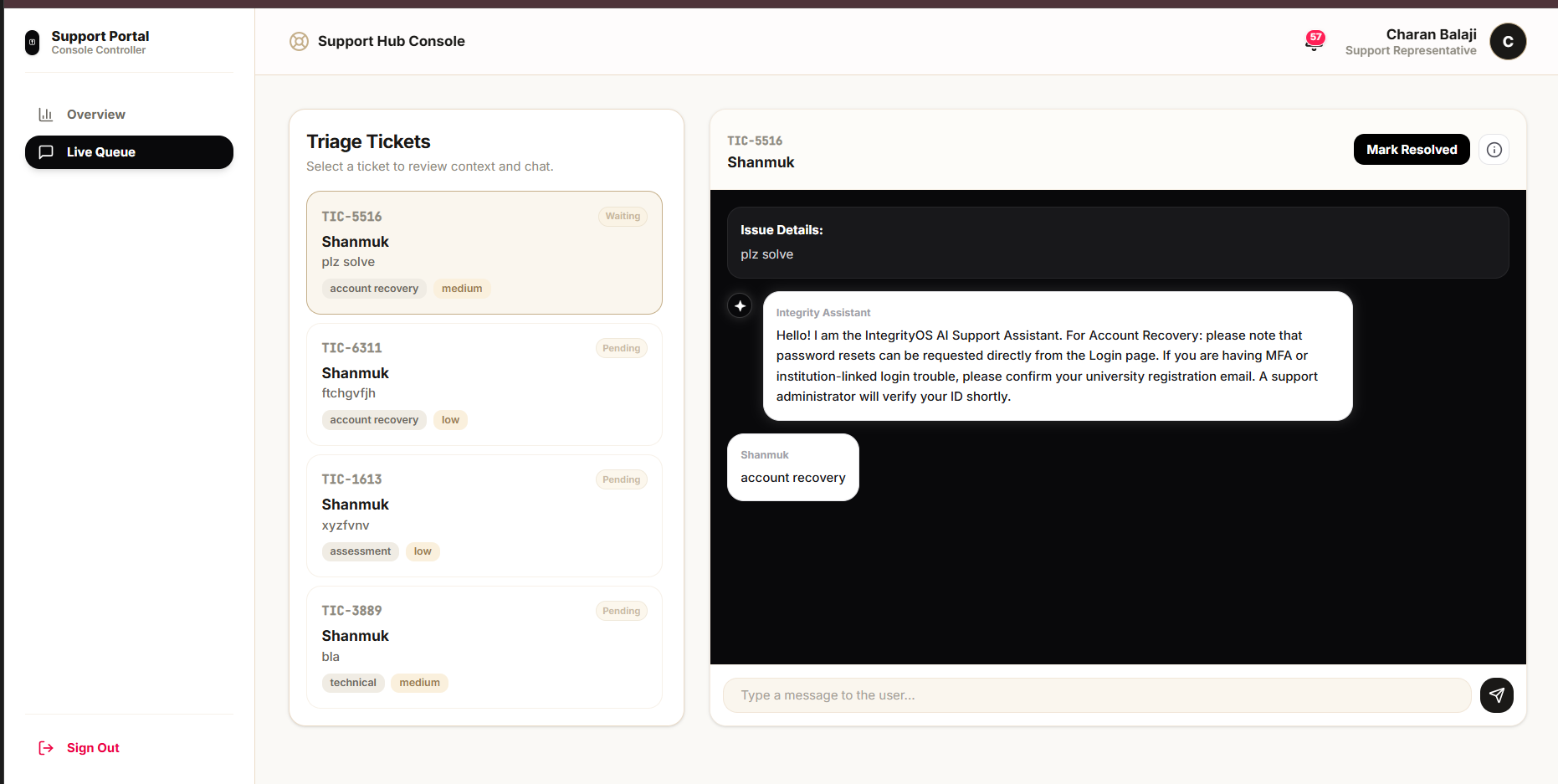
Live support for User in Support Page
-
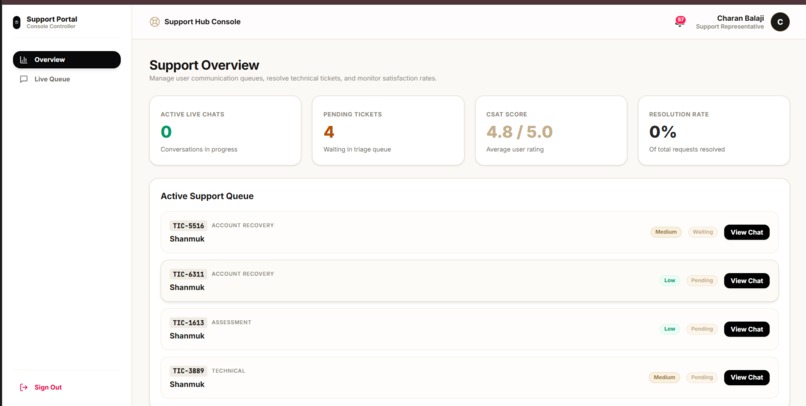
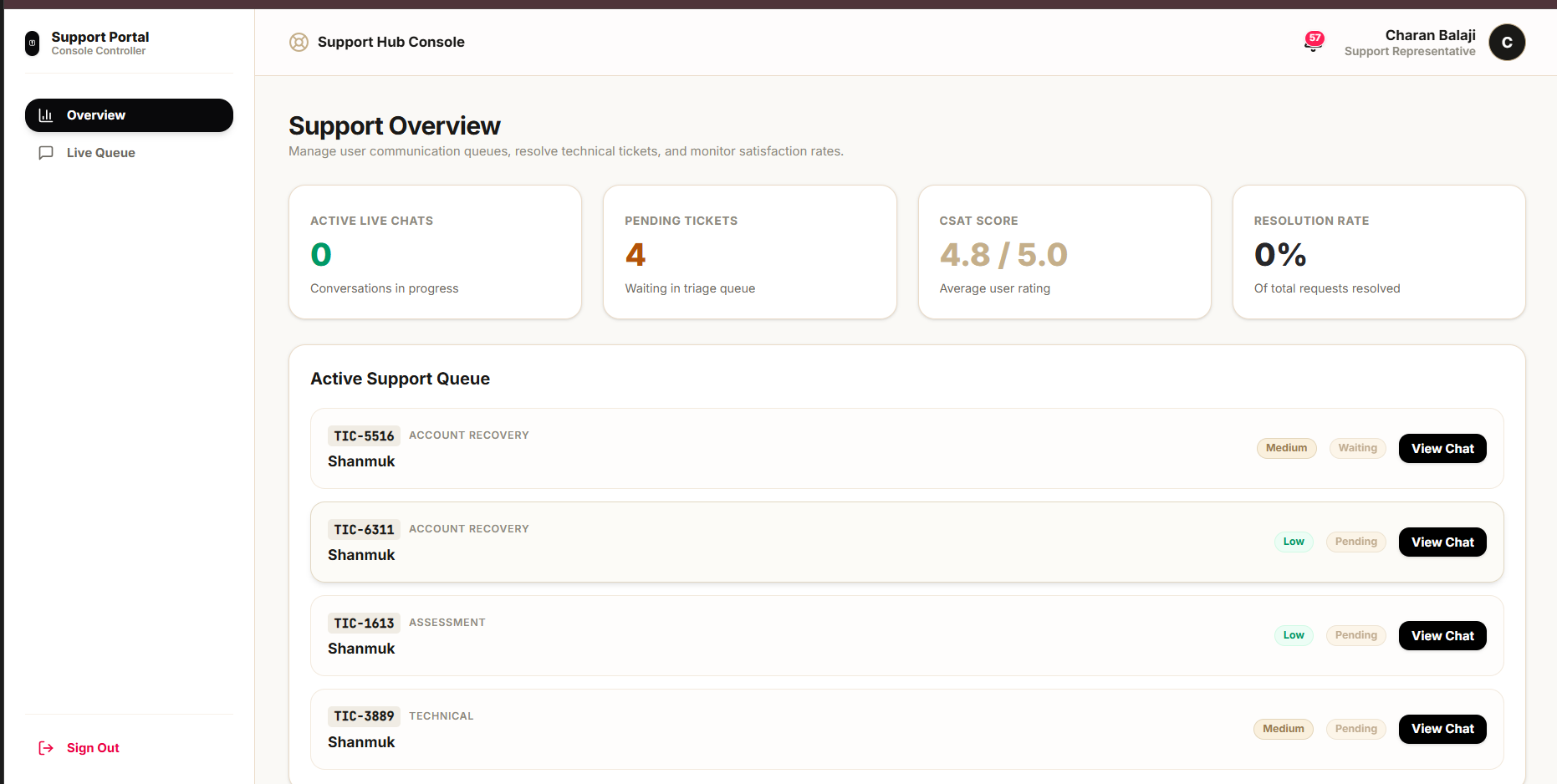
Support Portal Dashboard
-
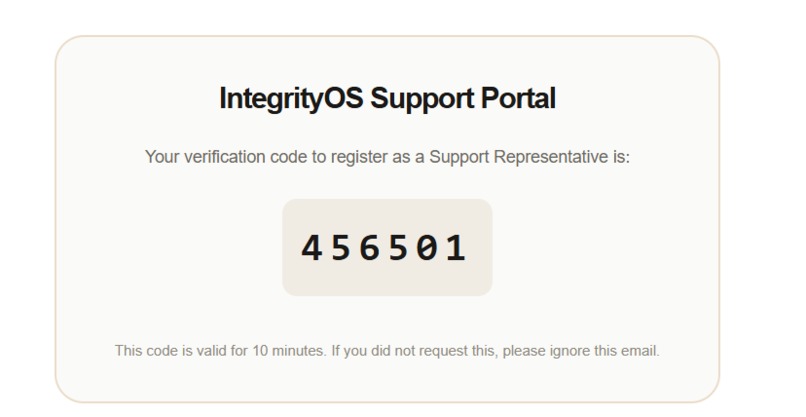
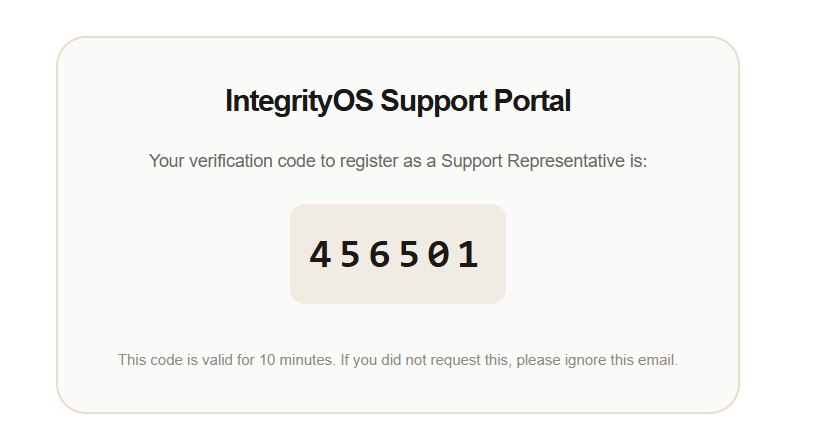
Otp looks like this in mail
-
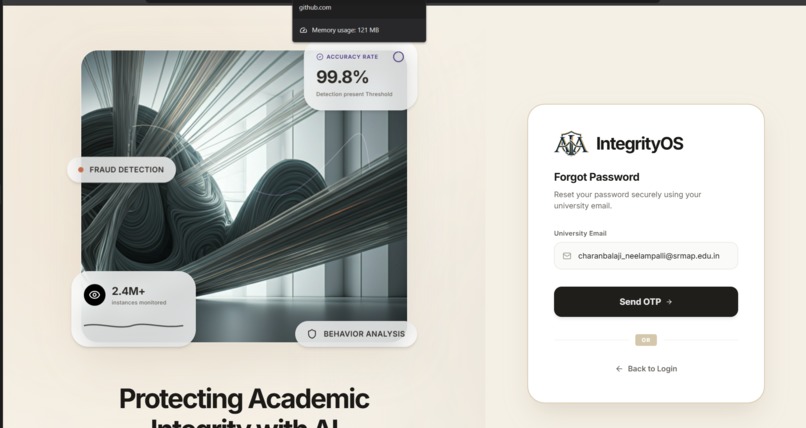
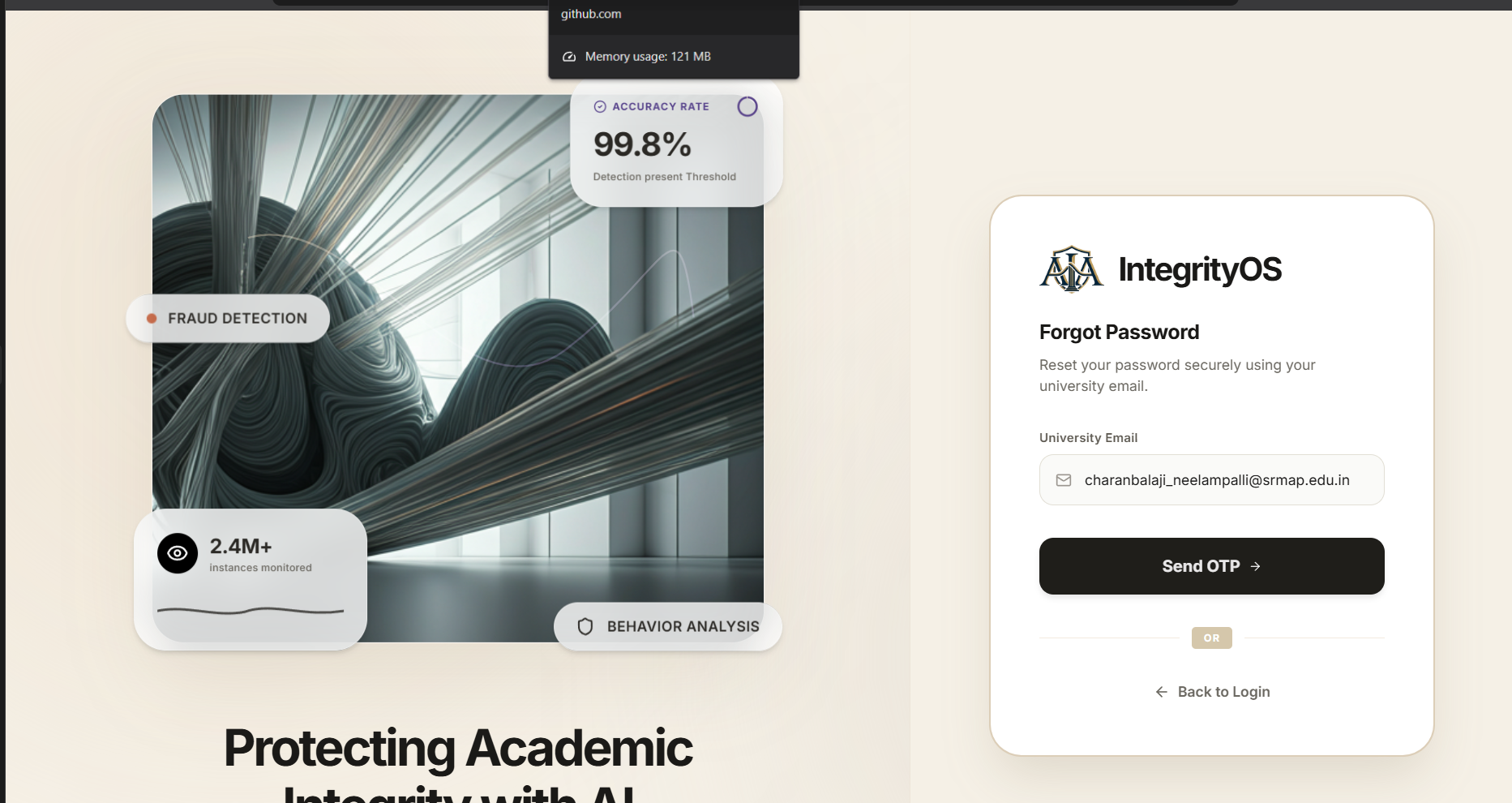
Forget Password Section
-
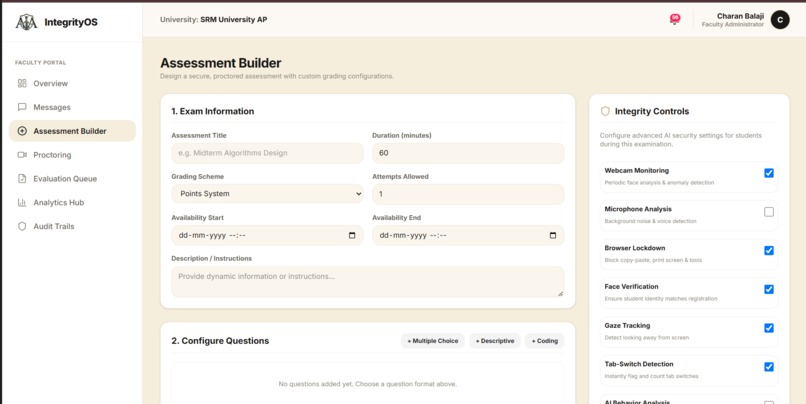
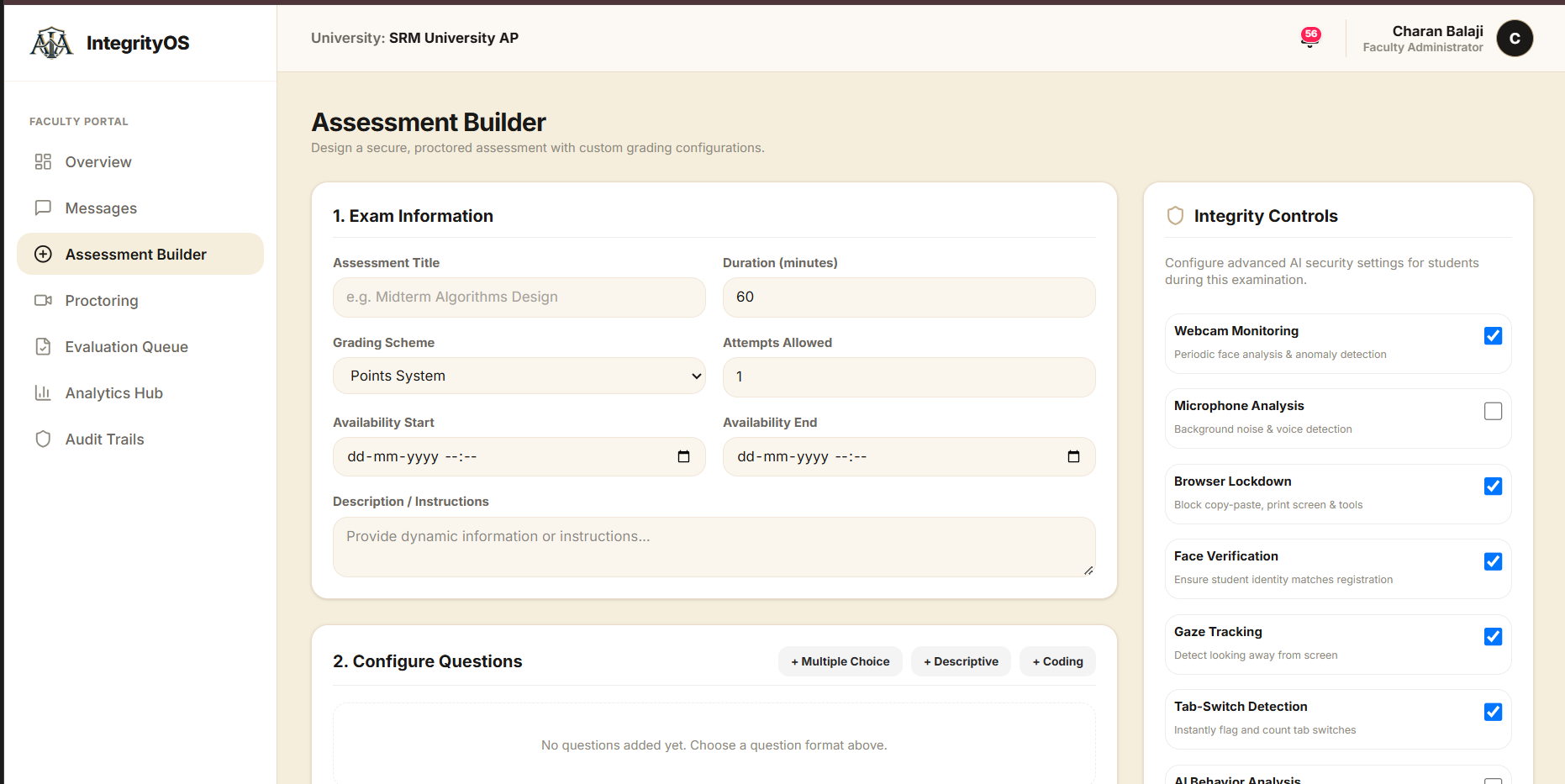
Faculty Portal with Assessment Assigning Page
-
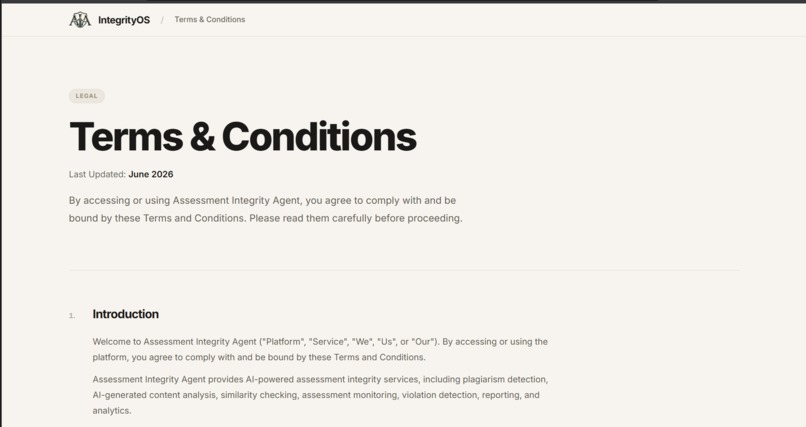
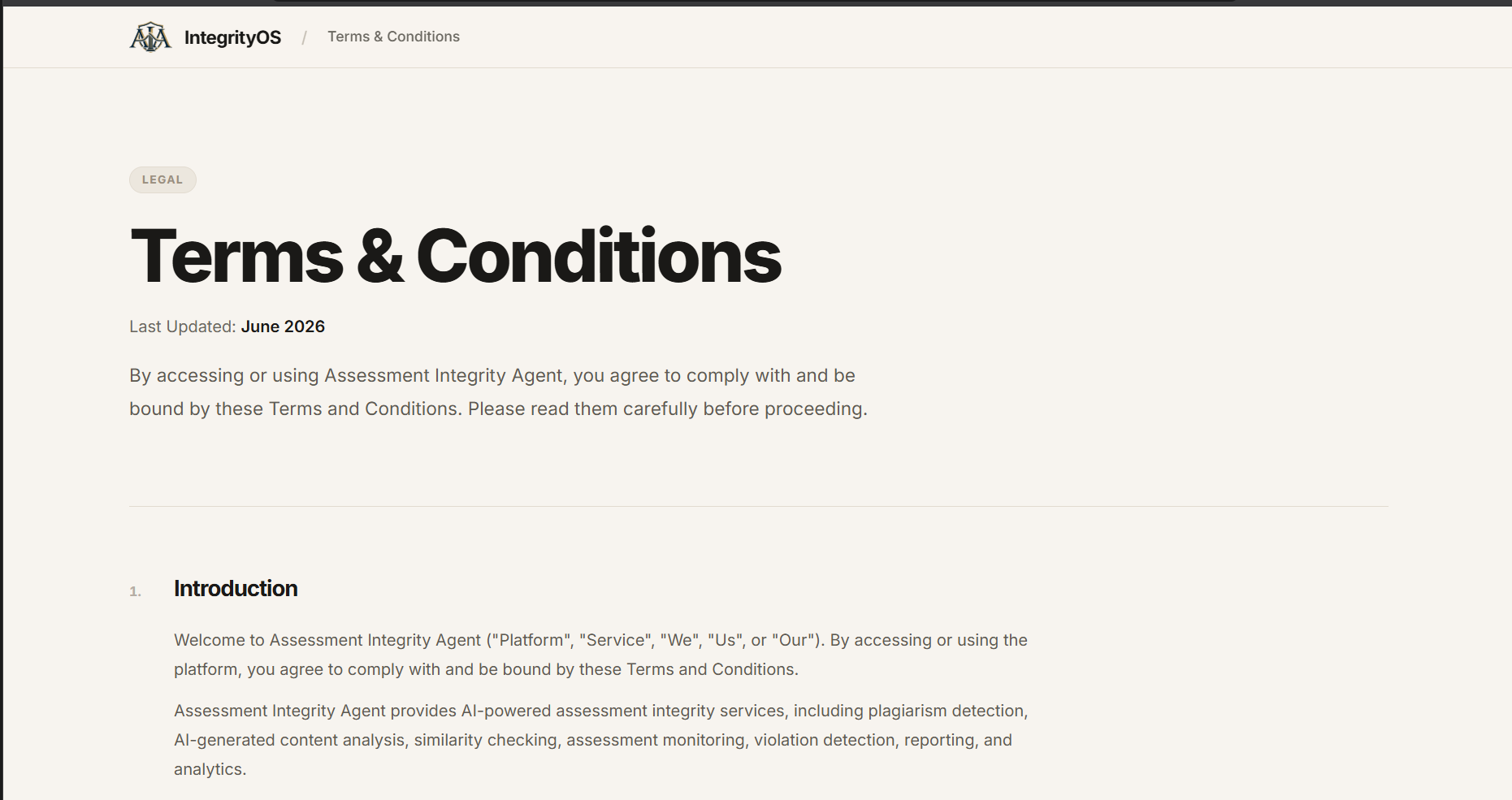
Terms and Conditions
Live Demo: link
(Note: AllFeature Will work but some like Many restricted )
IntegrityOS — AI-Powered Assessment Integrity Operating System
Problem & Inspiration
As online examinations, digital assignments, and AI-powered writing tools become increasingly common, maintaining academic integrity has become a growing challenge for educational institutions. Traditional assessment methods often struggle to identify plagiarism, AI-generated content, suspicious examination behavior, and identity-related issues efficiently. Manual review is time-consuming, and relying on a single detection signal can lead to false accusations or missed violations.
This inspired us to build IntegrityOS — an AI-powered Assessment Integrity Platform that brings plagiarism analysis, AI-assisted content detection, identity verification, and real-time proctoring into one unified system. Our goal is not simply to flag suspicious activity, but to provide contextual evidence, transparent reports, and actionable insights that help faculty make informed decisions.
We envisioned a platform where students can complete assessments in a secure environment, faculty can monitor examination integrity, and administrators can manage users, policies, analytics, and security operations. By combining AI workflows, semantic similarity analysis, real-time communication, and evidence-based review, IntegrityOS aims to make digital assessments more reliable, transparent, scalable, and fair for everyone.
1. Project Overview
IntegrityOS is an AI-powered assessment integrity platform designed to help educational institutions manage online examinations, analyze submissions, monitor assessment sessions, identify potential integrity violations, and investigate suspicious activity through a centralized system.
Traditional plagiarism detection systems primarily focus on matching text. However, modern digital assessments face a wider range of challenges, including semantically similar answers, AI-generated content, identity mismatches, unauthorized objects, multiple-person presence, suspicious browser activity, and unusual behavioral patterns.
IntegrityOS brings these capabilities together through a modular architecture combining AI-assisted analysis, semantic similarity, plagiarism detection, identity verification, behavioral analysis, real-time proctoring, security monitoring, and evidence-based review.
Our core philosophy is simple: AI should provide evidence and context, while humans make the final decisions.
2. The Problem We Solve
Online assessments introduce several challenges for educational institutions:
- Plagiarism and copied submissions.
- Semantically similar answers with different wording.
- Potential AI-generated content.
- Difficulties verifying student identity.
- Unauthorized objects or multiple-person presence.
- Suspicious browser activity during examinations.
- Limited visibility into real-time assessment events.
- False positives from automated detection systems.
- Fragmented tools for monitoring, reporting, and investigation.
- Difficulty maintaining an auditable record of integrity decisions.
IntegrityOS addresses these challenges by organizing assessment information, integrity signals, and supporting evidence into a unified platform.
3. System Architecture
IntegrityOS follows a modular, full-stack architecture designed to separate the user interface, application services, AI analysis, real-time communication, and persistent storage.
Frontend Layer
Technologies: React, TypeScript, Vite, Tailwind CSS, shadcn/ui, Radix UI, React Router, Recharts, Socket.IO Client.
The frontend provides separate interfaces for students, faculty, support staff, and administrators. Each portal presents functionality relevant to its users and permissions.
Backend Layer
Technologies: Node.js, Express.js, TypeScript, REST APIs, Socket.IO, Zod.
The backend manages authentication, authorization, assessments, submissions, plagiarism analysis, identity verification, proctoring, notifications, reports, and administrative operations.
Database Layer
Technologies: PostgreSQL, Prisma ORM.
The database provides persistent storage for application records, including users, assessments, attempts, submissions, integrity results, proctoring events, and other supported application data.
AI and Analysis Layer
Technologies: LangChain, LangGraph, LLM integrations, Groq, Ollama, Llama models, embeddings, TensorFlow.js, and computer-vision integrations.
This layer supports semantic similarity, AI-assisted explanations, multi-stage analysis workflows, face-related verification signals, object detection, and behavioral analysis.
Real-Time Communication Layer
Technology: Socket.IO.
Real-time communication supports assessment telemetry, monitoring events, notifications, warnings, and updates to connected dashboards where configured.
High-Level Architecture
User Portals ↓ React and TypeScript Frontend ↓ REST APIs and Socket.IO ↓ Authentication and Authorization ↓ Assessment and Integrity Services ↓ AI Analysis, Similarity Detection, and Proctoring ↓ Prisma ORM ↓ PostgreSQL Database ↓ Evidence, Reports, Analytics, and Human Review
4. End-to-End Workflow
Step 1: Authentication and Authorization
Users sign in and access the portal appropriate to their assigned role. Authorization determines which assessments, student records, reports, and administrative functions they can access.
Step 2: Assessment Creation
Faculty create assessments, configure examination information, manage questions, and define applicable availability and assessment settings.
Step 3: Assessment Publication
Assessments move through the appropriate preparation and publication workflow. Published assessments become accessible to eligible students according to their configured availability and access rules.
Step 4: Student Assessment Access
Students enter the student portal, review available assessments and instructions, and access their examination interface.
Step 5: Identity Verification
Where enabled, the identity-verification workflow uses submitted identity information and face-related verification signals to support identity checks.
Step 6: Assessment Session
Students answer questions and submit their work through the assessment interface. Assessment progress and relevant events are communicated to the backend.
Step 7: Proctoring and Monitoring
Available browser, camera, behavioral, and environmental signals can be processed to identify events that may require further examination.
Step 8: Content Analysis
Submitted answers can undergo text extraction, plagiarism analysis, semantic similarity calculations, statistical analysis, and AI-assisted explanation.
Step 9: Evidence and Integrity Analysis
Available signals are organized into analysis results, events, similarity information, and risk indicators. Evidence fusion can combine multiple signals when supported by the relevant workflow.
Step 10: Faculty Review
Authorized faculty members inspect the available evidence, investigate flagged events, document findings, and determine whether additional action is appropriate.
Step 11: Reporting and Administration
Faculty and administrators use reports, dashboards, and operational tools to review assessment activity, investigate incidents, and manage platform operations.
5. Portals and Their Purpose
A. Student Portal
Purpose: Give students a centralized interface for accessing assessments, completing examinations, managing verification workflows, viewing permitted results, and communicating with faculty.
1. Dashboard / Overview
- Provides a central entry point for student activities.
- Displays assessment-related information.
- Provides access to available workflows.
- Presents relevant notifications and activity information.
2. Assessments / Examination
- Access eligible assessments.
- Review examination instructions.
- Answer assessment questions.
- Navigate the examination interface.
- Support assessment progress and submission workflows.
3. Identity Verification
- Provides identity-document upload functionality where enabled.
- Supports face-verification workflows.
- Displays verification-related information and status.
- Guides students through the verification process.
4. Plagiarism Analysis
- Provides access to supported content-analysis workflows.
- Displays available similarity results.
- Presents matching-section information where available.
- Provides access to analysis explanations and reports.
5. Reports
- Provides access to permitted assessment reports.
- Displays available integrity-analysis results.
- Supports review of relevant assessment information.
6. Messages
- Enables student communication with faculty.
- Supports assessment-related questions.
- Provides access to messaging workflows and conversation history.
7. Notifications
- Displays relevant application notifications.
- Provides assessment-related updates.
- Helps students stay informed about their activities.
8. Profile and Security
- Provides access to profile information.
- Supports account-related settings.
- Displays relevant verification and security information.
B. Faculty Portal
Purpose: Help educators create assessments, manage student participation, monitor examination sessions, analyze submissions, and review potential integrity concerns.
1. Overview
- Provides a summary of faculty assessment activities.
- Offers access to major teaching and assessment workflows.
- Presents available assessment-related information.
2. Assessments
- Create and manage assessments.
- Configure assessment information.
- Manage examination questions and settings.
- Access assessment attempts and submissions.
- Review assessment-related records.
3. Live Monitoring
- Displays available active-session information.
- Supports inspection of recorded proctoring events.
- Provides access to available monitoring telemetry.
- Helps identify sessions that may require further review.
4. AI Violations / Integrity Review
- Displays potential integrity events and analysis results.
- Provides access to content-similarity information.
- Supports inspection of available supporting evidence.
- Helps educators investigate suspicious assessment activity.
- Keeps automated signals separate from final disciplinary decisions.
5. Students
- Provides access to student information relevant to authorized assessments.
- Supports examination participation review.
- Enables faculty to inspect relevant assessment records.
6. Reports
- Provides access to assessment reports.
- Displays available plagiarism and integrity-analysis results.
- Supports review of assessment events and findings.
7. Analytics
- Provides access to available assessment metrics.
- Supports analysis of integrity-related trends.
- Helps faculty understand assessment activity across supported records.
8. Messaging
- Enables communication with students.
- Supports responses to assessment-related questions.
- Facilitates relevant faculty-student communication.
9. Notifications
- Displays relevant assessment events.
- Provides monitoring-related notifications where configured.
- Helps faculty identify activities requiring attention.
C. Support Portal
Purpose: Provide operational assistance for account, verification, application, and assessment-related problems.
1. Support Dashboard
- Provides access to support-related information.
- Supports the relevant support workflows.
- Helps organize user assistance activities.
2. User Assistance
- Supports account-access troubleshooting.
- Helps investigate verification-related problems.
- Provides assistance with application usage.
3. Messaging and Communication
- Supports communication with users.
- Helps manage support-related conversations.
- Provides a channel for addressing application questions.
4. Account and Security Assistance
- Supports investigation of account-related problems.
- Helps troubleshoot operational issues.
- Provides access to relevant support information according to permissions.
D. Admin Portal
Purpose: Provide centralized administration, operational oversight, user management, assessment visibility, reporting, and security monitoring.
1. Overview
- Provides platform-level summaries.
- Displays available user and assessment information.
- Presents relevant operational and security indicators.
- Provides navigation to administrative modules.
2. Assessments
- Provides administrative visibility into assessment records.
- Supports assessment-related oversight.
- Helps administrators inspect relevant assessment activity.
3. Live Monitoring
- Displays available active-session information.
- Provides access to recorded monitoring events.
- Helps administrators investigate operational or integrity concerns.
4. AI Violations
- Provides access to available integrity-analysis results.
- Supports review of flagged events.
- Enables inspection of available evidence and reports.
- Helps coordinate integrity investigations.
5. Students
- Provides student account-management functionality where authorized.
- Supports administrative oversight of student records.
- Helps manage relevant account and participation information.
6. Reports
- Provides access to available assessment and integrity reports.
- Supports institutional reporting.
- Helps administrators review recorded activity.
7. Analytics
- Displays available platform and assessment metrics.
- Supports analysis of institutional activity.
- Helps administrators understand relevant operational trends.
8. Security Operations
- Provides visibility into recorded security events.
- Supports review of authentication-related alerts.
- Helps investigate suspicious application activity.
- Provides access to available security-agent and incident-analysis tools.
Security simulations should be restricted to development or explicitly enabled demonstration environments.
9. Settings
- Provides access to supported administrative configuration.
- Supports relevant platform settings.
- Helps administrators manage operational controls.
6. Main AI and Integrity Features
A. Plagiarism Detection
The plagiarism-analysis pipeline processes supported text and compares content against available reference material.
Key capabilities include:
- Text extraction.
- Content chunking.
- Similarity calculations.
- Matching-section analysis.
- Overall similarity indicators.
- Risk-oriented analysis.
- AI-assisted explanations where configured.
Similarity indicates overlap between content; it does not independently establish plagiarism or misconduct.
B. Semantic Similarity Detection
Embedding-based analysis compares the semantic representations of two pieces of content.
The cosine similarity between vectors A and B is:
$$ \operatorname{cosine}(A,B)=\frac{A\cdot B}{\|A\|\|B\|} $$
This approach can identify conceptually similar answers even when their wording differs.
Results depend on the embedding model, reference corpus, content type, and evaluation methodology.
C. AI-Assisted Content Analysis
The system supports analysis workflows that combine statistical indicators, rule-based analysis, and LLM-assisted explanations.
The purpose is to identify patterns that may deserve investigation and provide additional context to reviewers.
AI-generated-content analysis is probabilistic and should not be treated as definitive proof that a student used AI.
D. AI Proctoring
The backend includes a LangGraph-oriented proctoring workflow that organizes multiple stages of analysis.
The workflow includes:
- Camera quality analysis.
- Face perception.
- Spatial object detection.
- Temporal signal processing.
- Evidence event generation.
- Evidence fusion.
- Proctoring-agent orchestration.
- Persistence and notifications.
This architecture is intended to organize available signals into a structured workflow rather than relying on isolated camera frames.
E. Identity and Face Verification
The identity-verification components support:
- Face detection.
- Face descriptors and matching.
- Identity-related confidence signals.
- Multiple-face indicators.
- Verification status.
- Supporting identity information where available.
Results should account for camera quality, lighting, and uncertain matches.
F. Behavioral and Environmental Analysis
Depending on enabled detectors and available telemetry, the system can analyze:
- Face presence.
- Multiple-person indicators.
- Object-detection results.
- Attention-related signals.
- Camera quality.
- Browser focus and tab activity.
- Temporal patterns in recorded events.
Individual events should be interpreted in context. For example, looking away from the screen does not automatically establish misconduct.
G. Evidence Fusion
The integrity-analysis architecture can combine multiple available signals into an overall assessment.
Potential inputs include:
- Content similarity.
- AI-assisted content analysis.
- Identity verification.
- Browser activity.
- Camera and environmental signals.
- Behavioral events.
- Faculty review information.
Evidence fusion helps organize findings from different detection systems. Scores should account for missing inputs and should not be presented as calibrated probabilities without appropriate validation.
H. Real-Time Monitoring
Socket.IO provides the communication infrastructure for relevant telemetry, assessment events, notifications, warnings, and connected dashboard updates where configured.
I. AI-Assisted Explanations
LLM integrations can summarize structured analysis results and explain recorded evidence.
For example, an explanation could summarize several recorded events and recommend manual review. Such explanations must be grounded in actual system records rather than generated assumptions.
7. Integrity Scoring and Risk Classification
Integrity scoring is intended to summarize available signals and help prioritize review.
A conceptual weighted model is:
$$ R=\sum_{i=1}^{n}w_i s_i $$
Where:
- R represents an aggregate risk indicator.
- s_i represents an individual signal.
- w_i represents its configured weight.
This is a conceptual model, not a claim that every detector is statistically calibrated.
A review interface can distinguish between:
- No significant signal detected.
- Low-priority review.
- Review recommended.
- High-priority review.
- Insufficient evidence.
These classifications should guide investigation rather than automatically determine whether misconduct occurred.
8. Security and Privacy Architecture
IntegrityOS handles sensitive assessment submissions, identity information, and potentially camera-related data. Security and privacy are therefore essential.
Important safeguards include:
- Authentication and role-based authorization.
- Assessment and attempt ownership validation.
- Faculty access limited to authorized assessments.
- Server-side input and file validation.
- Secure password and session handling.
- Rate limiting and request-size restrictions.
- Controlled access to reports and uploaded documents.
- Appropriate retention policies for sensitive data.
- Auditable administrative actions.
- Clear consent and privacy notices.
These safeguards must be verified against the actual deployed configuration before production use.
9. Challenges We Faced
Integrating Multiple Signals
Text similarity, computer vision, identity verification, browser activity, and behavioral analysis produce different kinds of data. Designing a modular architecture helps organize these signals into coherent analysis workflows.
Real-Time Monitoring
Continuous monitoring requires efficient event processing and temporal analysis while keeping the assessment interface responsive.
Reducing False Positives
Unusual movement, camera problems, or browser focus changes can occur for legitimate reasons. Contextual analysis and human review are essential to avoid unjustified conclusions.
Explainability
A single score cannot fully explain why an assessment was flagged. Reviewers need access to relevant events, matching content, supporting evidence, and the reasoning behind recommendations.
Data Protection
Assessment submissions, identity information, and camera data require appropriate access controls, storage safeguards, and retention policies.
10. Accomplishments We Are Proud Of
Key architectural and implementation areas include:
- A multi-role assessment integrity application.
- Student, faculty, support, and administrator interfaces.
- Assessment management and submission workflows.
- A plagiarism-analysis pipeline.
- Embedding-based semantic similarity analysis.
- AI-assisted integrity analysis.
- A LangGraph-oriented multi-stage proctoring workflow.
- Identity-verification components.
- Real-time communication using Socket.IO.
- Behavioral and temporal signal processing.
- Evidence-fusion and integrity-scoring architecture.
- Security monitoring and incident-analysis functionality.
- A modular backend using REST APIs and Prisma.
- Centralized assessment and integrity-review workflows.
Our objective is to bring different assessment-integrity capabilities together rather than treat them as unrelated tools.
11. What We Learned
Building IntegrityOS taught us that assessment integrity is not a single-model classification problem.
It involves content, identity, environment, behavior, browser activity, and context. Every signal has limitations, and combining them requires careful validation.
We gained experience with:
- Full-stack application architecture.
- Role-based access and portal design.
- REST APIs and database modeling.
- Embeddings and semantic similarity.
- LangChain and LangGraph workflows.
- Computer-vision integration.
- Real-time communication.
- Security monitoring.
- AI-assisted analysis.
- Evidence-centered review workflows.
Our most important lesson is that responsible AI must make uncertainty visible. A detection result should help educators investigate an incident rather than automatically replace their judgment.
12. Future Scope
Planned improvements include:
- Stronger assessment and attempt authorization.
- More comprehensive end-to-end testing.
- Evidence timelines and event correlation.
- Dedicated integrity-case management.
- Reviewer notes and resolution tracking.
- Improved AI-detection benchmarking.
- Reduced false-positive rates.
- Configurable assessment-integrity policies.
- Privacy-preserving local AI processing.
- Improved data-retention controls.
- Learning Management System integrations.
- More comprehensive institutional analytics.
- Accessibility and multilingual improvements.
- Expanded reporting and audit capabilities.
13. Final Vision
IntegrityOS aims to become a centralized, explainable, and privacy-conscious integrity layer for digital assessments.
Instead of asking only whether a student cheated, the platform helps educators investigate what happened, understand the available evidence, and document an informed decision.
Detect → Analyze → Correlate → Explain → Review → Resolve
IntegrityOS is designed to make digital assessments more transparent and manageable while keeping the final decision in human hands.
Built With
- ai-proctoring
- computer-vision
- embeddings
- express.js
- face-recognition
- groq
- langchain
- langgraph
- large-language-models
- llama
- node.js
- ollama
- postgresql
- prisma
- radix-ui
- react
- rest-api
- semantic-similarity
- shadcn/ui
- socket.io
- tailwind-css
- tensorflow.js
- typescript
- vite


Log in or sign up for Devpost to join the conversation.