-
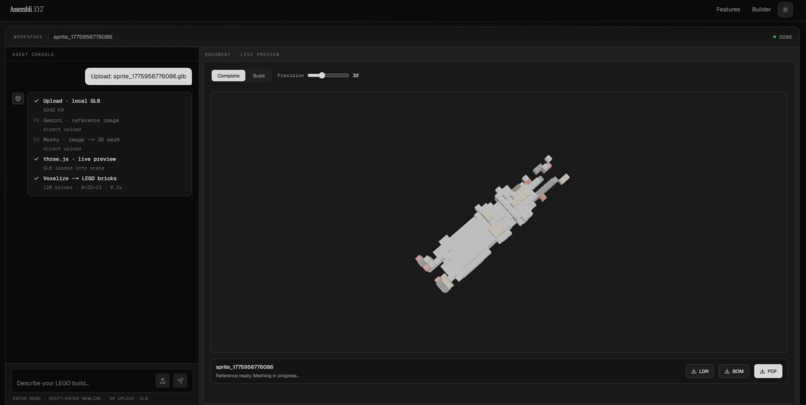
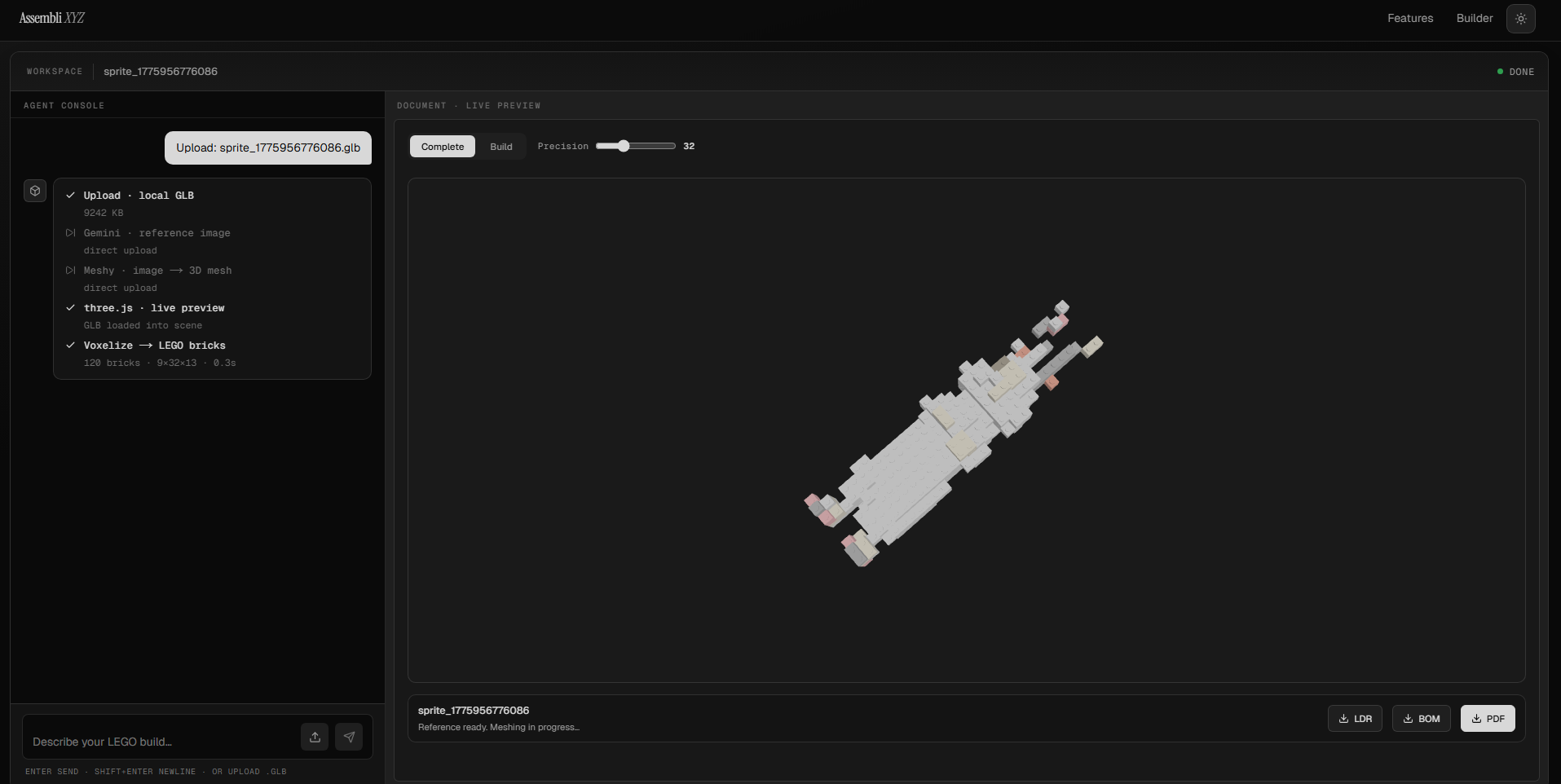
Raw render Tab.
-
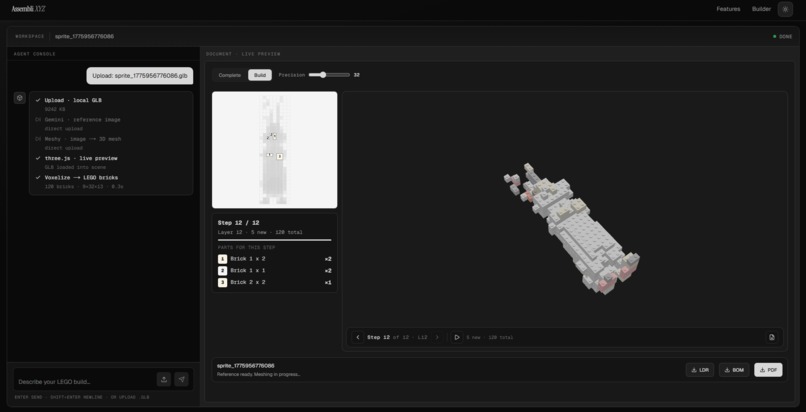
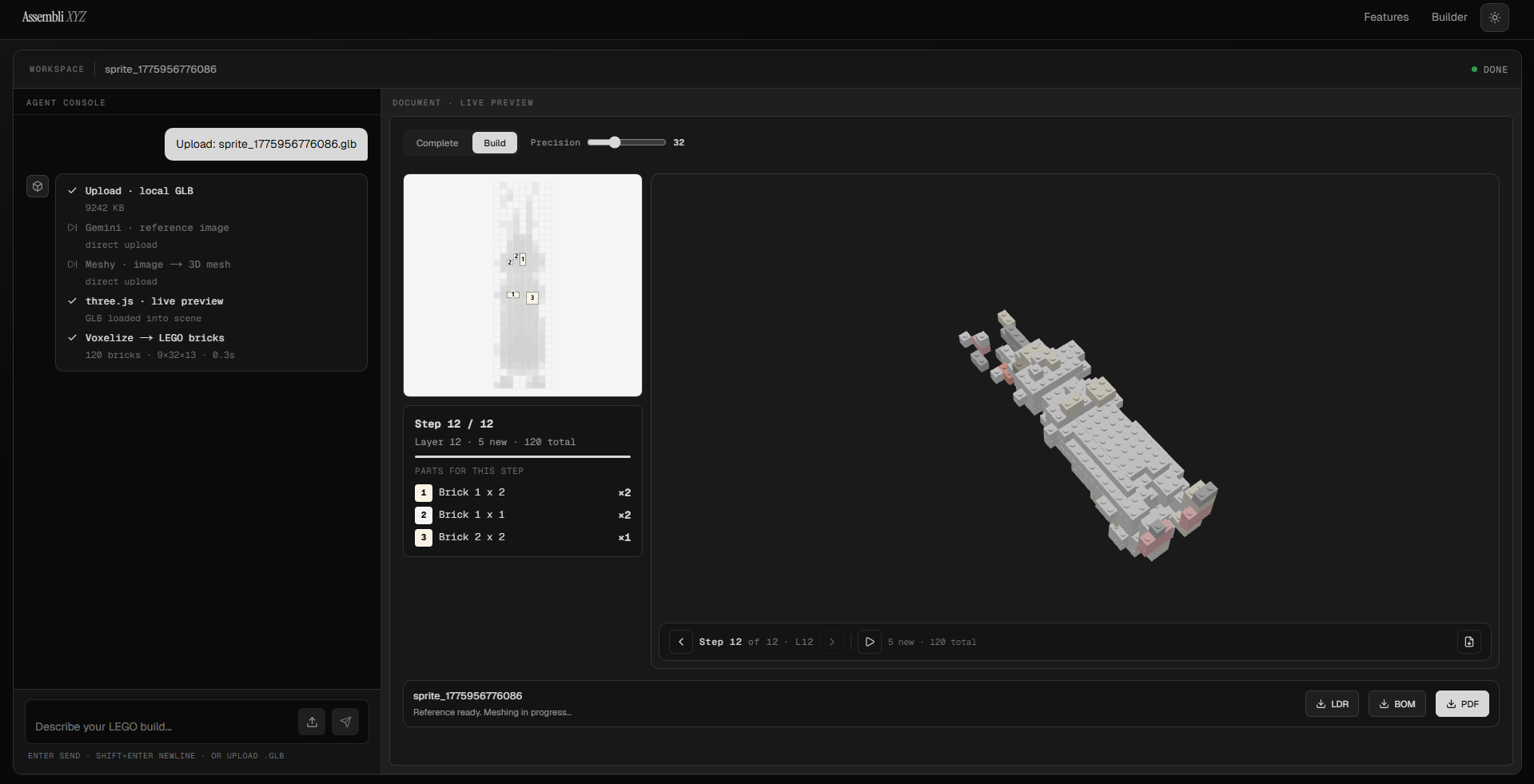
Building tab.
-
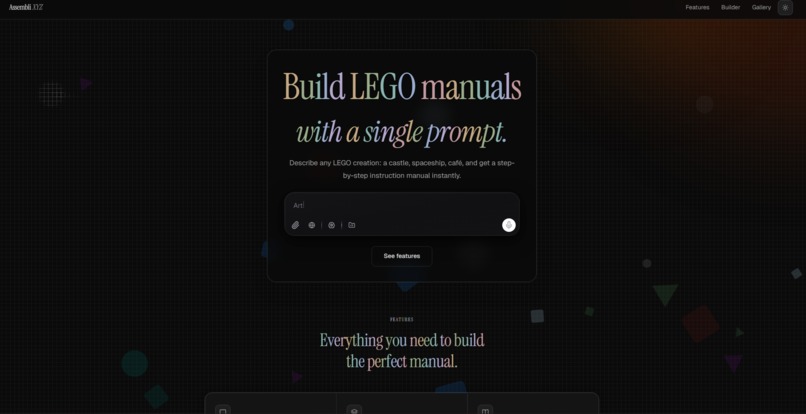
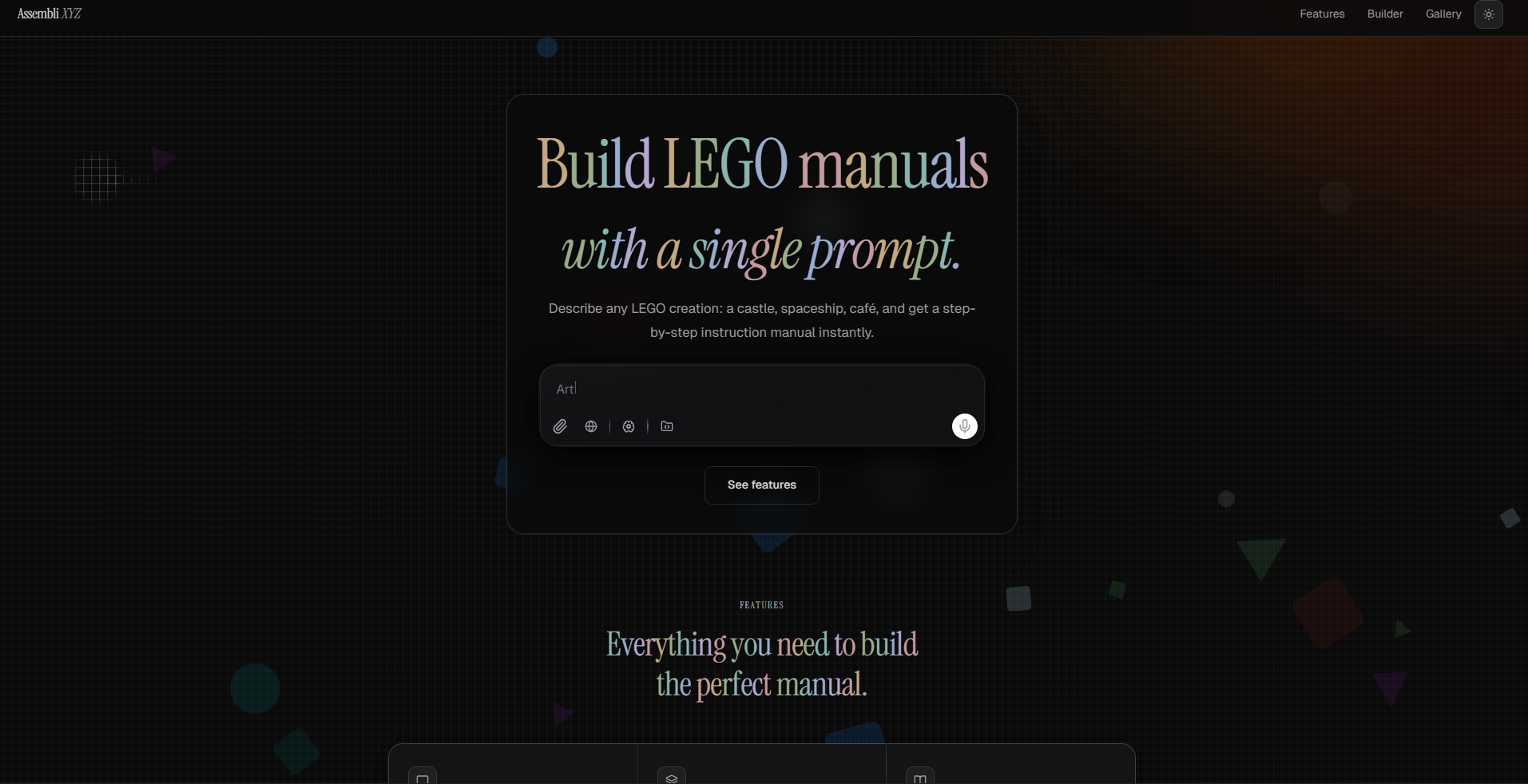
Landing page
-
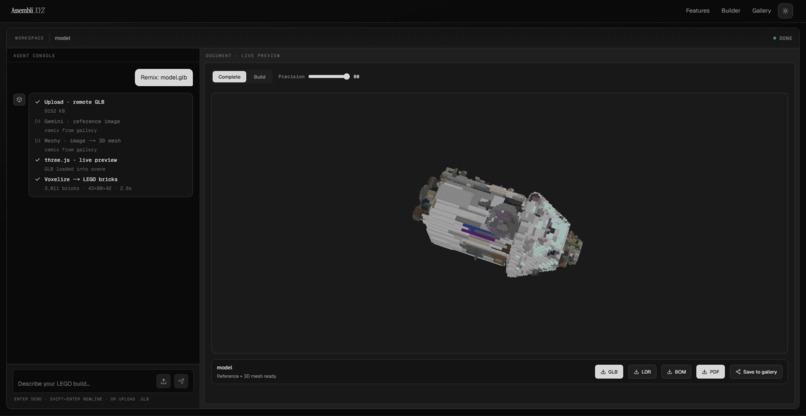
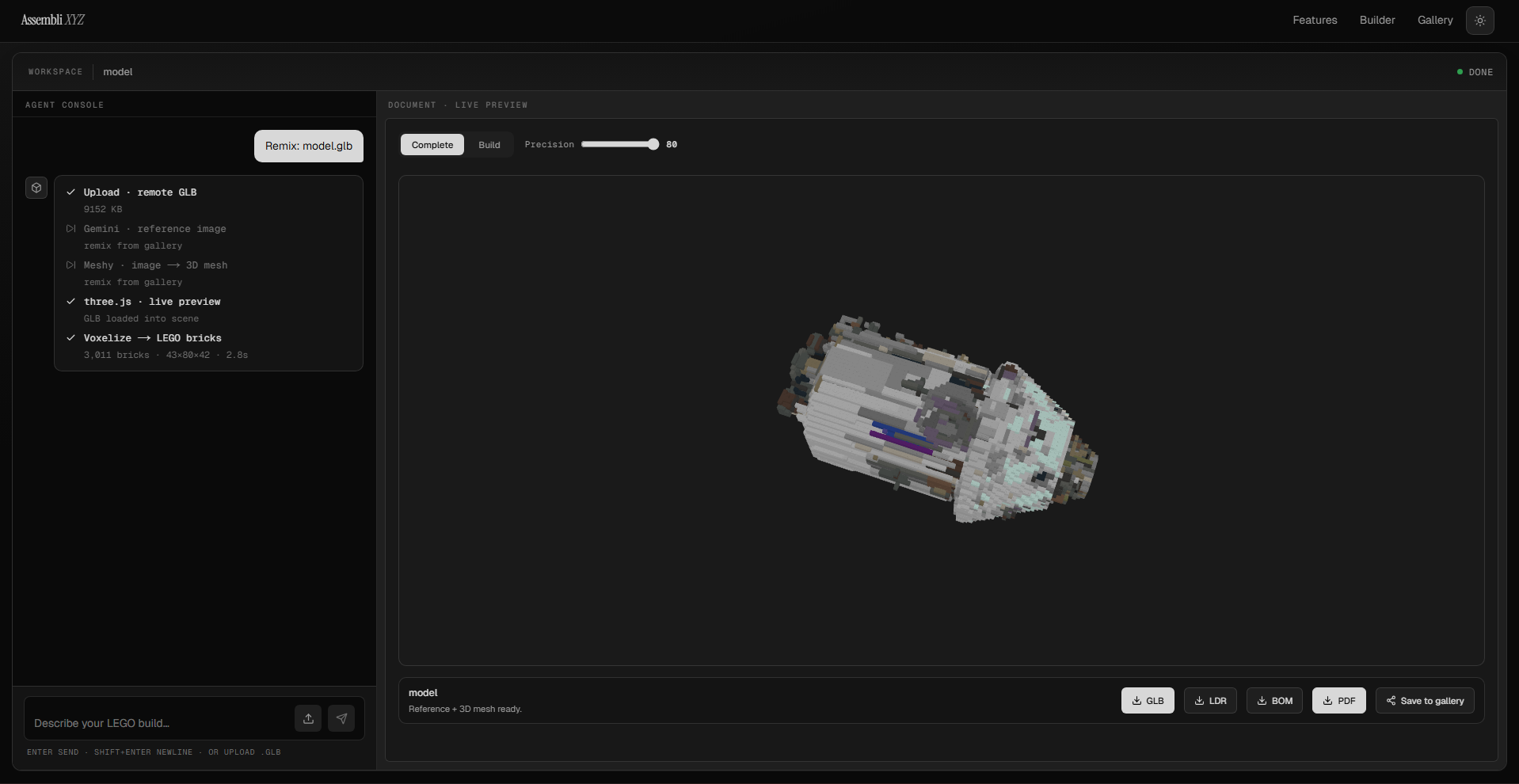
Apollo 13
Assembli.xyz
Inspiration
We have all been there. You want to build something with LEGO, but you have no instructions. You either hunt through outdated fan sites, try to reverse-engineer something from a photo, or just give up and stack bricks until it looks vaguely right. We thought there had to be a better way. LEGO instructions are a form of technical communication that is genuinely hard to produce: they require 3D modeling knowledge, familiarity with the actual parts catalog, and hours of careful layout work. We wanted to collapse all of that into a single sentence typed into a text box.
The idea was simple on the surface but technically demanding underneath: take a plain English description, generate a real buildable LEGO set, and produce a proper instruction manual, complete with a step-by-step build sequence, a full parts list, and a downloadable PDF. No prior design experience needed. Just describe what you want to build.
What it does
Assembli.xyz is an AI-powered LEGO instruction manual generator. A user types a description of anything they want to build, a fire station, a medieval castle, a Mars rover, and the system runs a four-stage pipeline that ends with a complete instruction manual in their browser.
In the first stage, we send the prompt to Google Gemini to generate a photorealistic reference image. In the second stage, that image goes to Meshy AI, which produces a full 3D mesh in GLB format. In the third stage, we voxelize the mesh in the browser using Three.js and our own raycasting pipeline, then run a greedy brick-packing algorithm that maps the voxel grid to real LEGO parts drawn from an official catalog. In the final stage, we render an interactive layer-by-layer instruction manual alongside a live 3D preview, where each layer fades and drops into place as the user pages through the build.
Users can tune the stud resolution of the model before committing to the full build, download an LDraw-compatible file for use in LEGO software, export a formatted PDF of the entire manual, and pull a complete bill of materials sorted by quantity.
How we built it
The frontend runs on Next.js with React, TypeScript, and Tailwind CSS. Three.js handles all 3D rendering, including the live mesh preview and the voxelized brick viewer, which uses InstancedMesh so we can render tens of thousands of bricks with a single draw call. We integrated three-mesh-bvh to accelerate the per-voxel raycasting step, which would otherwise be prohibitively slow on any reasonably complex mesh.
The two AI services are called from Next.js Route Handlers that keep API tokens off the client. The Gemini endpoint also handles prompt sanitization: we strip LEGO-specific keywords like "brick" and "model" from the user's description before sending it to the image generation model, because it turns out that asking Gemini for "a photorealistic LEGO fire station" produces a noticeably worse reference image than just asking for "a photorealistic fire station." That small preprocessing step made a big difference in downstream 3D quality.
The voxelization pipeline works by casting rays through the mesh on a configurable 3D grid. We determine which cells are inside the mesh using odd-hit counting on the ray intersections, then pass the resulting voxel occupancy grid to a greedy tiling algorithm that packs the largest available LEGO brick shapes first within each layer, minimizing the total brick count while staying within the real parts catalog. Color assignment uses six-direction raycasting from each outer brick's center to sample the nearest mesh surface, then maps the result to the closest match in the official LEGO color palette using Euclidean distance in RGB space.
The instruction manual itself is built from pure data structures that describe each layer as a set of new bricks, cumulative placement counts, and a per-layer bill of materials. The in-browser manual renders to a 2D canvas at A4 dimensions. PDF export runs entirely client-side using pdf-lib, converting each canvas page to a PNG and embedding it into a formatted document without ever hitting a server.
Challenges we ran into
The voxelization step was the first major wall we hit. Naive raycasting on a dense mesh was too slow to be interactive and produced incorrect results on models with non-manifold geometry. We solved the speed problem by introducing BVH acceleration, which brought typical voxelization times down to a range that felt acceptable in a browser context. We also had to cap the total grid size at 200,000 cells and apply a scaling dampener when models exceeded that limit to prevent out-of-memory crashes on the user's machine.
Color sampling was harder than expected. Simply reading the vertex color from the nearest triangle produced inconsistent results on models with baked texture maps, so we switched to a multi-directional sampling strategy that casts six rays from each brick's center and weights the color contributions by hit distance. This gave us much more stable and visually accurate results across different mesh types.
The Meshy polling loop introduced its own timing complexity. The API returns a task ID immediately and then processes asynchronously, which meant we needed reliable client-side polling with a timeout ceiling, graceful status transitions, and a proxy endpoint to stream the resulting GLB file without exposing our API credentials in the client bundle.
We also spent real time on prompt engineering for the Gemini image generation step. Getting images that translated well into 3D meshes required steering the model toward solid, clearly defined forms with consistent lighting. Descriptions that worked well in natural language, like "a cozy cottage," often produced atmospheric images with too much depth ambiguity for the Meshy model to reconstruct cleanly. We developed a set of prompt heuristics and a keyword stripping pass that improved the reliability of the full pipeline significantly.
Accomplishments that we're proud of
We are proud that the entire pipeline, from text prompt to downloadable PDF instruction manual, works end to end in the browser without requiring users to install anything or create an account. The client-side PDF export was a deliberate choice to avoid server costs and keep the experience fast, and it works well even for models with 30 or more layers.
The greedy brick-packing algorithm genuinely produces buildable LEGO models. It references a real parts catalog, respects brick dimensions, and produces a bill of materials you could theoretically order from LEGO's pick-a-brick service. That connection to physical buildability was important to us.
We are also proud of the 3D layer animation. Watching a model build itself layer by layer in the Three.js viewer, with each new layer fading and dropping in while previous layers ghost back, gives the whole experience a sense of craftsmanship that plain static instructions do not.
What we learned
We learned a lot about the gap between a good-looking 3D model and a 3D model that voxelizes well. Mesh quality matters enormously once you try to interpret geometry algorithmically. Thin surfaces, open edges, and interior geometry that looks fine when rendered produces unexpected results during raycasting, and handling those edge cases gracefully required building more defensive logic into the pipeline than we initially anticipated.
We also learned that prompt engineering for image generation models is its own discipline. The relationship between what a user wants to describe and what produces the best downstream mesh is not always obvious, and building preprocessing logic to bridge that gap is as important as the generation step itself.
On the rendering side, InstancedMesh in Three.js is genuinely powerful but comes with constraints around per-instance material state that required creative workarounds for the layer ghosting effect. Manipulating the instance matrix to achieve zero-scale hiding and then lerping opacity on the visible layer gave us the result we wanted without spawning separate mesh objects per brick.
What's next for Assembli.xyz
The most requested addition is finer control over the output. Right now, stud resolution is the only parameter users can tune, and while it covers most use cases, we want to expose palette size controls and brick variety limits so that builders can target sets appropriate for younger audiences or specific LEGO themes.
We are also working toward multi-sub-assembly support, which would let the pipeline decompose complex models into separately buildable modules the way official Technic sets do. That is a harder problem algorithmically, but it would make the instructions far more usable for large builds.
On the community side, we want to add a gallery where users can share and remix each other's builds. Part of what makes LEGO interesting is the collaborative culture around it, and we think there is a lot of value in a space where AI-generated starting points can be iterated on by human designers.
Finally, we want to explore direct integration with LEGO's pick-a-brick and Bricklink APIs so that the bill of materials in every instruction set becomes a shoppable list. The gap between "I have the instructions" and "I have the parts" is still something users have to solve on their own, and closing it would make Assembli.xyz genuinely useful as a creative tool, not just a demo.

Log in or sign up for Devpost to join the conversation.