-
-
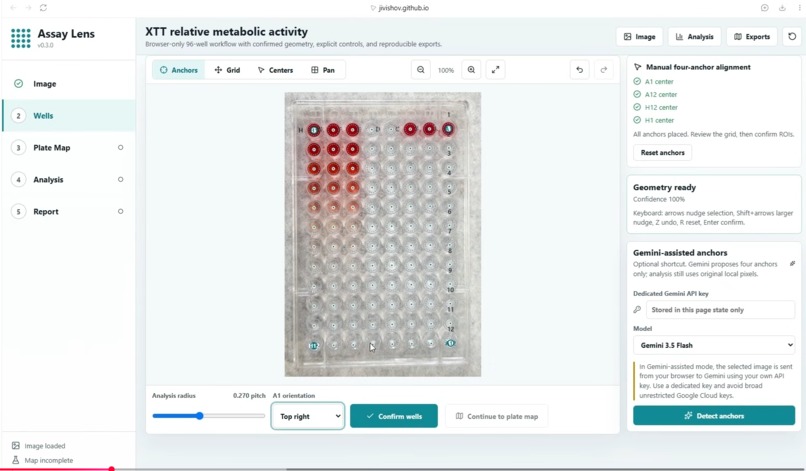
Well anchoring
-
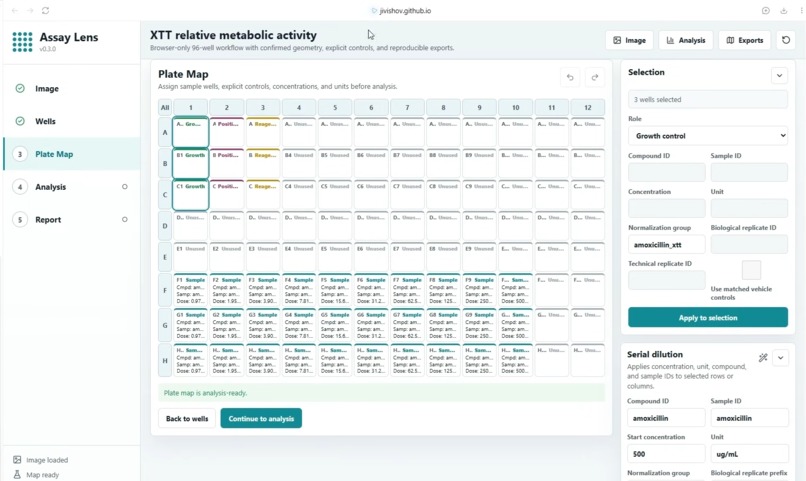
Plate mapping
-
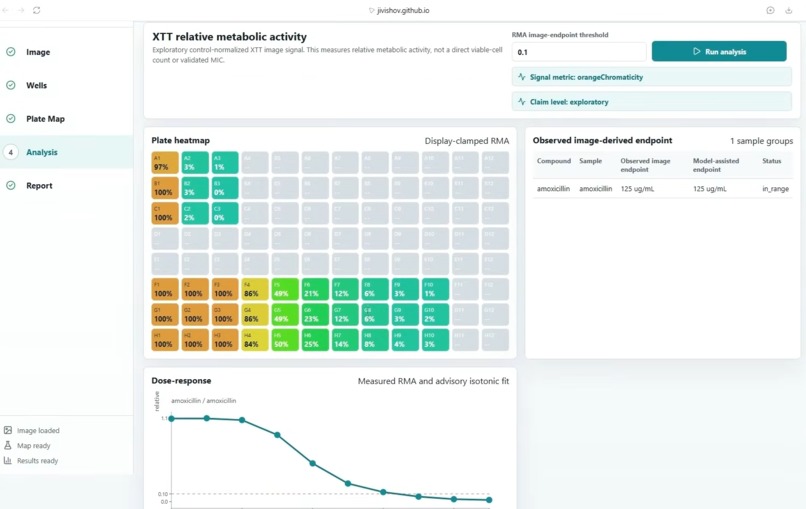
Results analysis
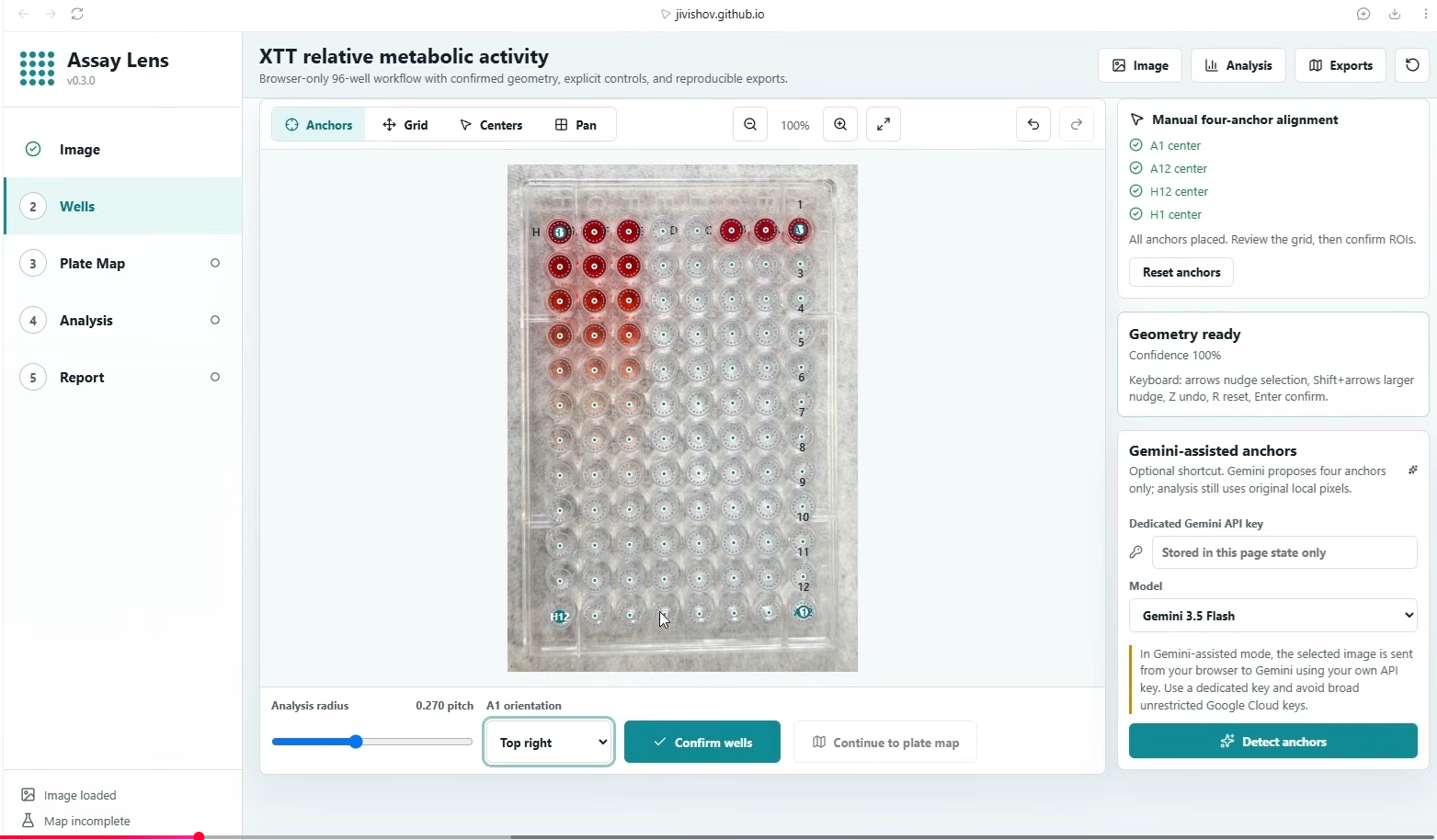
Inspiration
Reading a 96-well XTT plate from a photograph can be useful for exploratory drug discovery work, but it is easy to overinterpret color, overlook glare, lose track of controls, or confuse a plate map with a validated biological conclusion. We built AssayLens to make the workflow more transparent: keep the image, geometry, plate map, controls, quality-control signals, and interpretation limits visible together. To the best of our knowledge, AssayLens is a first of its kind app providing streamlined workflow of image analysis for XTT cell viability assay.
What it does
AssayLens is a browser-based application for exploratory image analysis of XTT 96-well plates and agar endpoint spot assays.
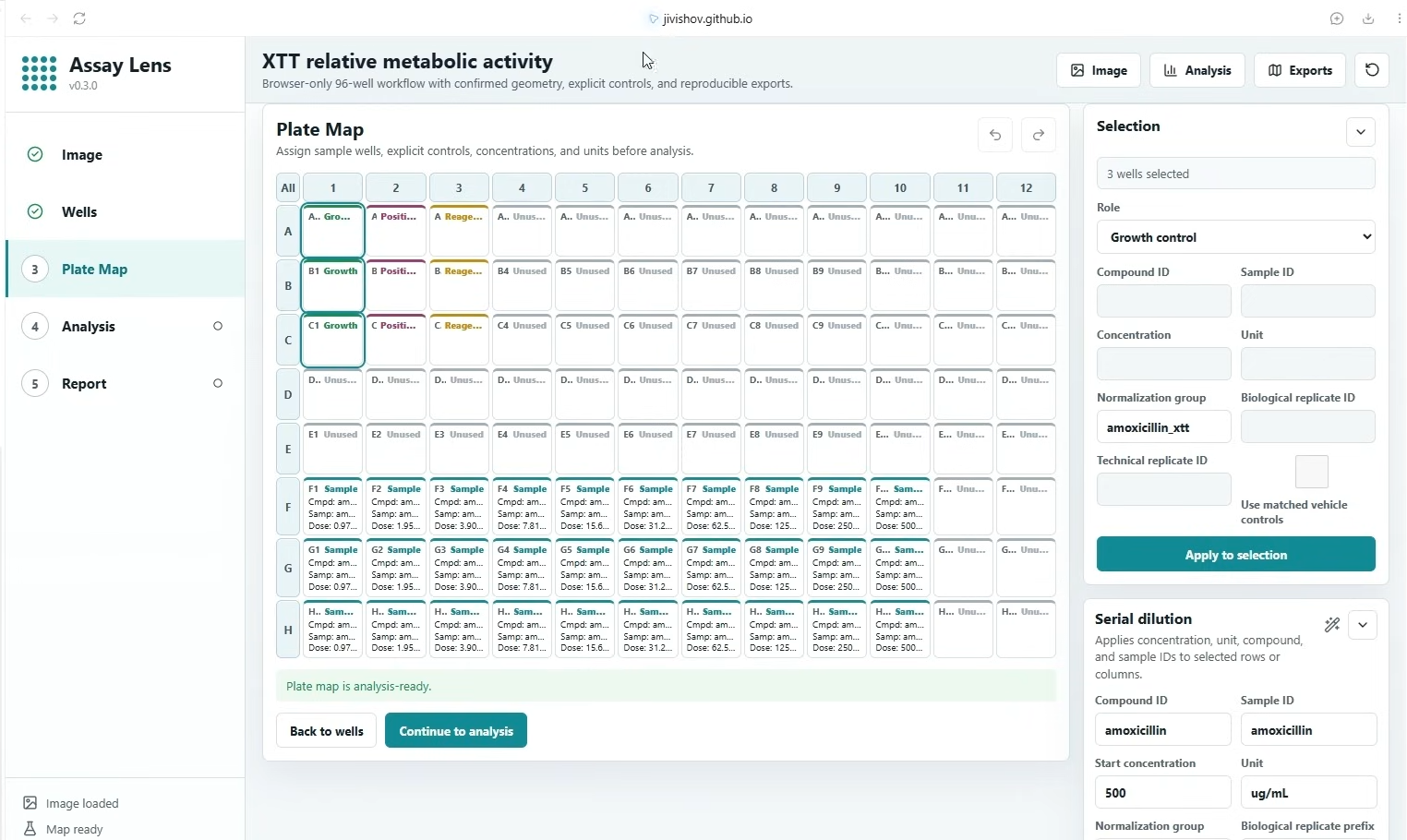
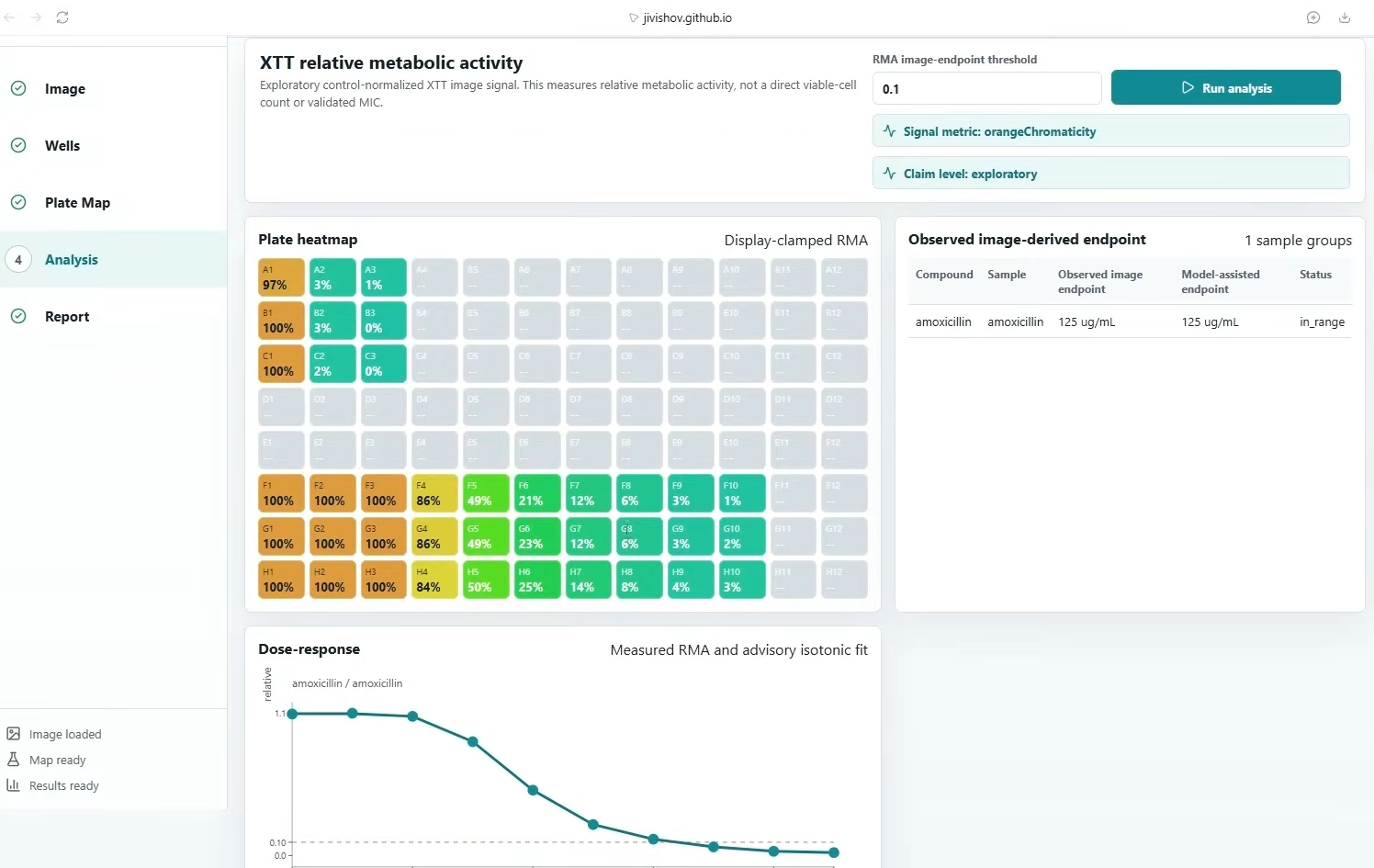
For XTT workflows, a user can load a plate image, confirm well geometry, map samples and serial dilutions, assign growth controls and reagent blanks, review well-level QC, and generate image-derived relative metabolic-activity results. The app also includes a narrow WebMCP integration that lets a browser agent inspect readiness, configure a dilution series, assign controls, run the existing analysis, and focus the highest-priority QC item.
AssayLens intentionally does not present its results as calibrated plate-reader absorbance, viable-cell counts, validated MIC values, efficacy evidence, or clinical conclusions. Human review remains essential.
How we built it
We built AssayLens as a browser-local React and TypeScript application powered by Vite, Vitest, and browser workers. The image-analysis workflow runs in the browser, helping keep plate images, raw pixels, local paths, and API keys out of WebMCP tool outputs.
The WebMCP layer exposes five bounded, page-owned tools:
- Inspect XTT workflow readiness and scientific limits
- Configure horizontal serial-dilution series
- Assign explicit XTT controls and normalization groups
- Run the existing exploratory image-analysis worker
- Focus the most important QC review item
Tool-driven plate-map changes use the same application state as the visible editor, so the map, Selection panel, and Serial dilution panel remain synchronized.
Challenges we ran into
The key challenge was balancing useful automation with scientific restraint. We wanted an agent to help configure and inspect an assay workflow without allowing it to invent results, silently change scientific assumptions, or bypass human image and QC review.
We also addressed an image-QC edge case involving deep-red XTT wells. A simplistic clipping rule could treat naturally low blue or green pixel values as invalid, even when the well image was usable. We refined the QC logic to preserve meaningful chromatic pixels while retaining diagnostics for genuine clipping, glare, transparent regions, and near-black pixels.
Another challenge was ensuring that WebMCP mutations were not merely hidden state changes. We connected them directly to the visible plate editor so users can immediately verify what changed.
Accomplishments that we're proud of
We are proud that AssayLens combines practical browser-based assay workflow support with explicit guardrails. The application makes controls, normalization groups, plate geometry, excluded wells, warnings, and review priorities visible instead of hiding them behind a single automated result.
What we learned
We learned that good scientific software should communicate uncertainty as clearly as it communicates results. A successful workflow is not just one that produces an output—it is one that makes the input quality, assumptions, controls, and limitations easy for a human reviewer to inspect.
We also learned that agent tooling is most useful when it works alongside an existing, visible user interface. Bounded tools, strict input validation, atomic map updates, and clear state synchronization make automation more trustworthy and easier to audit.
What's next for AssayLens-XTT Cell Viability Assay App
Next, we plan to continue improving the image-QC and review experience, expand reproducible reporting workflows, and refine assay-specific guidance while preserving the app’s exploratory scientific scope. We will keep focusing on transparent, human-reviewed workflows rather than overstating what image-derived assay analysis can prove.
More examples of WebMCP integration can be found in Lab Studio, RoboBuddy IDE, and RoboStudio Circuits. Even if I cannot submit them all, they show how human-visible, bounded agent capabilities can extend across robotics, science, and education.


Log in or sign up for Devpost to join the conversation.