-
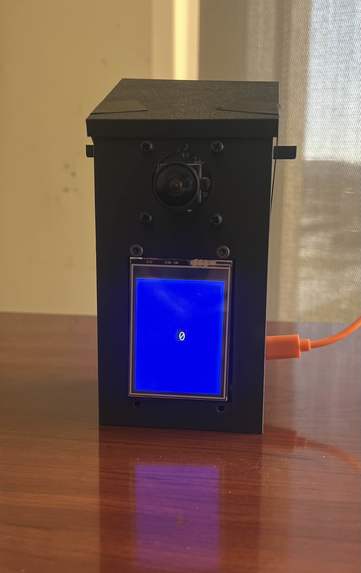
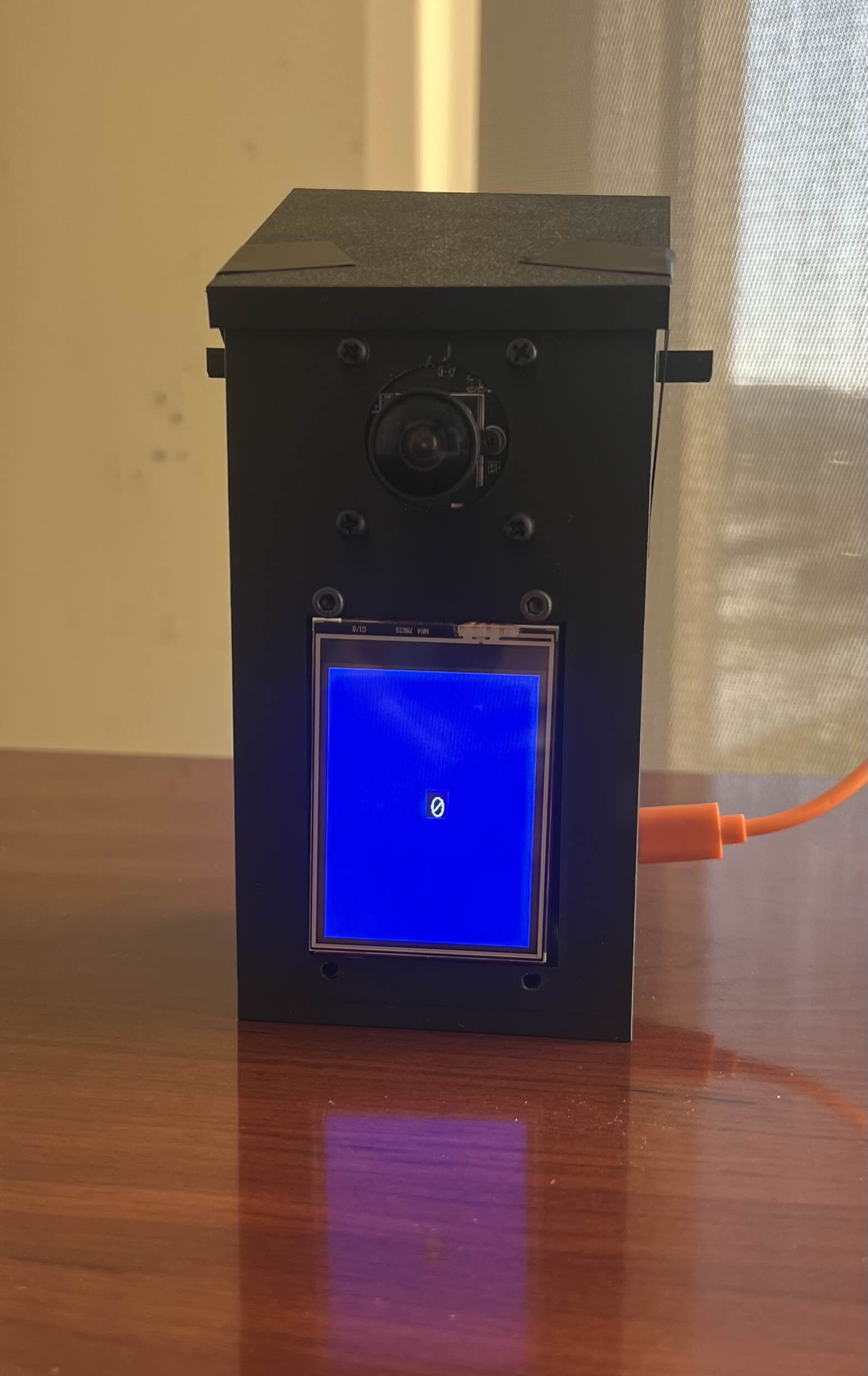
Lingo Link fully assembled for the first time.
-
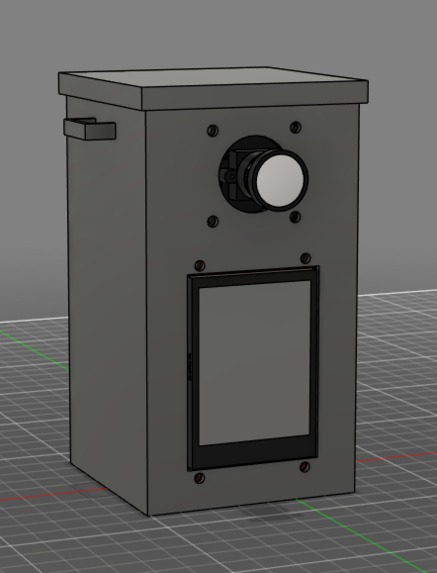
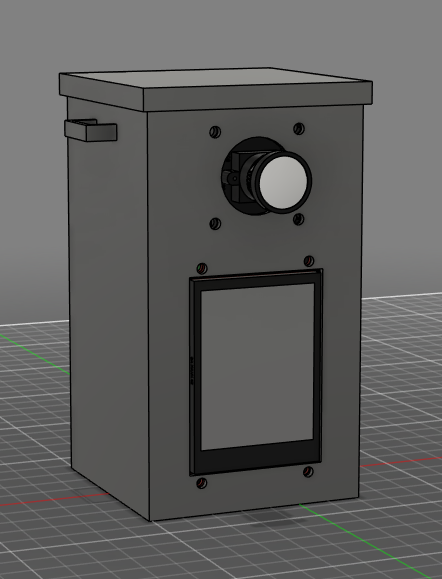
The CAD model of the Lingo Link.
-
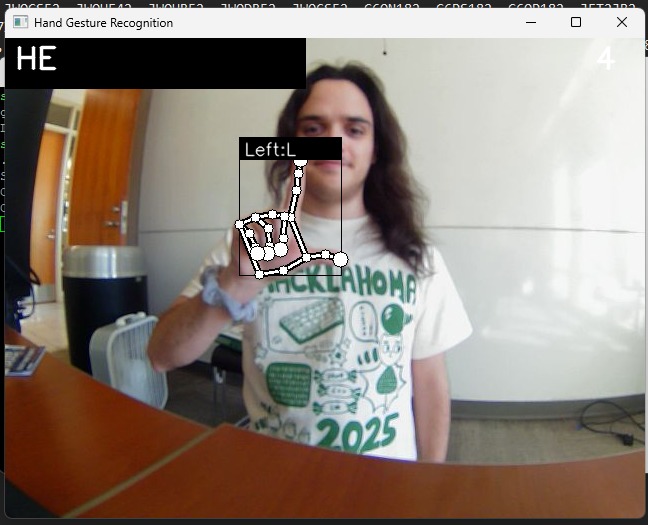
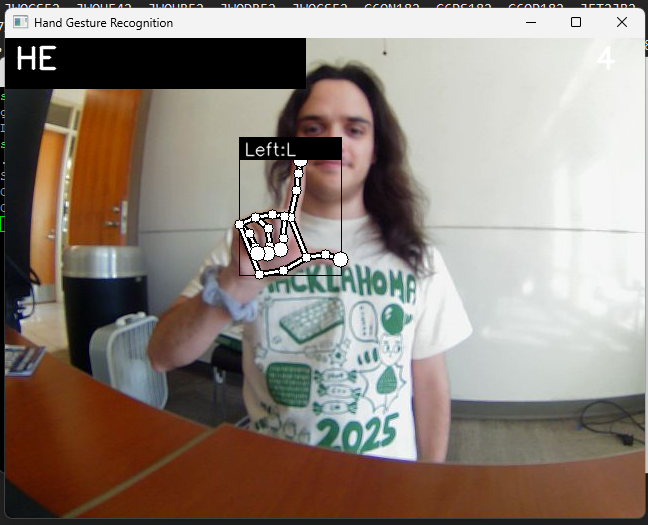
Testing the ASL recognition model.
Inspiration
This year's theme was all about making technology that works for you and fosters unique human connection. For us, this meant creating something that allowed users to interact with both the device and people without interfacing with it like a typical device. A wearable piece of tech became the obvious choice because it presents an interesting engineering design challenge in all aspects, in addition to it fitting the theme very well.
Create technology that helps us use technology less. Your project might help accelerate workflows/tasks, foster human connection, or develop alternative versions of apps that respect our attention.
What it does
Lingo Link allows for easier communication between those hard of hearing and their peers. It is a wearable device (could be a necklace, could be added to a hat, etc.) that translates American Sign Language (ASL) to text on a screen, and then from text to speech. This allows someone who has no knowledge of sign language to hold a conversation with someone who does.
How we built it
Using an open source ASL detection model, we were able to add additional training data to translate the English alphabet from ASL.
We used AkramOM606's American-Sign-Language-Detection repository to get a neural network, as well as a bunch of training data for the model. We modified this to add custom hand signs for signaling when you were done signing your words, to trigger the text-to-speech. Signs such as thumbs down, thumbs up, and thumbs sideways allow for things like this, as well as functionality such as spaces and backspaces.
The unit itself uses a 2.8 inch LCD display to show the signed letters and words, as well as provide a hands-free interface for interaction. It is also fitted with a ultrawide camera to ensure that interactions can be in a regular distance for tracking the signs. To control the LCD and to relay the camera feed to a remote computer, a Raspberry Pi was used to keep the footprint of the unit as small as possible for increased portability, as well as power efficiency.
The ASL model and most of the post-processing is done using a remote desktop communicating with the Lingo Link over the internet. To actually connect to the remote desktop that is processing all of the images and voice to text, we use Tailscale to treat both the remote desktop and the Raspberry PI as being on the same LAN. This both ensures security by not opening unnecessary ports but can also increase the throughput in some cases as it will not have to route through an external server.
Challenges we ran into
- Adding the custom thumbs-up/thumbs-down gestures to the model. There was actually an interesting problem we tracked down with original repository's code, which required us to downgrade TensorFlow because the model needed to be translated to TFLite, which was dropped in the latest version.
- Networking is always difficult, so a lot of time was spent on that.
- Originally, we wanted to see if we could use a microcontroller instead of a Raspberry Pi to send the camera frames, to make the device smaller and lighter, but we could not get it to deliver good video quality.
Accomplishments that we're proud of
- That the ASL model works surprisingly well, leading to a great user experience.
- The communication between the Raspberry Pi and the remote computer was as frictionless as possible, making it as if it was doing everything onboard.
- The overall product is housed in a very small, custom, 3D printed enclosure that gives it the feeling of a product you could find on the shelf.
What we learned
As a team, we learned many important problem-solving techniques and skills throughout the 24 hours that we worked on Lingo Link. In regard to the software side, we learned a lot about how to more efficiently send video data over the internet to be processed at some remote location. In contrast to previous years where we have tried similar ideas, this year we spent much longer researching industry standard solutions. Additionally, none of our team members have ever dabbled with performing ASL recognition using AI so that was a completely new experience.
The LCD that we used to display the text that is interpreted from ASL is a new kind of LCD that our group hasn't used before, and it allowed us to create a fun interface for the device.
System integration (i.e taking both the hardware and software and combining them together, is very difficult). Given the time constraints and the project as a whole containing critical components from both the hardware and software sides, we had to spent significant amounts of time working together to create a single cohesive product.
What's next for Lingo Link
Our original plan for this hack was going to include some more features, but we ran out of time to implement all of them. The big one we wanted to add was some speech-to-text, where the person who did not know sign language could simply speak, and their words would be picked up by a microphone and sent along with the camera frames to the server for AI-powered speech to text, which would then be displayed for the hearing impaired person to read off a second screen. In addition to this:
- Swap to an improved processor to do onboard ASL translation and voice to text.
- Redesign the enclosure to be a smaller form factor.
- Make the voice used for the text-to-speech customizable.
- Enhanced gesture controls.
- Add additional training data to support more than just the ASL alphabet.


Log in or sign up for Devpost to join the conversation.