Inspiration
More than 90% of deaf children are born to hearing parents (NIDCD). About 2 to 3 of every 1,000 US babies are born deaf or hard of hearing, which is 20 to 30 babies every day.
Most deaf children have hearing parents who don't sign. In a survey of deaf adults, 80.6% of those with hearing parents said they understood the conversation around them at home only "sometimes to never." Having hearing parents made that answer 17.6 times more likely (Hall et al., PLOS ONE 2018). Deaf people call this dinner table syndrome: everyone talks, and the deaf kid is left out.
Parents want to learn. A flashcard can show a parent a sign, but it can't watch a four-year-old sign it back, and it can't cheer when they get it right. Lenny can. He is a dragon plushie that a family learns with at home, together, a few minutes at a time.
What it does
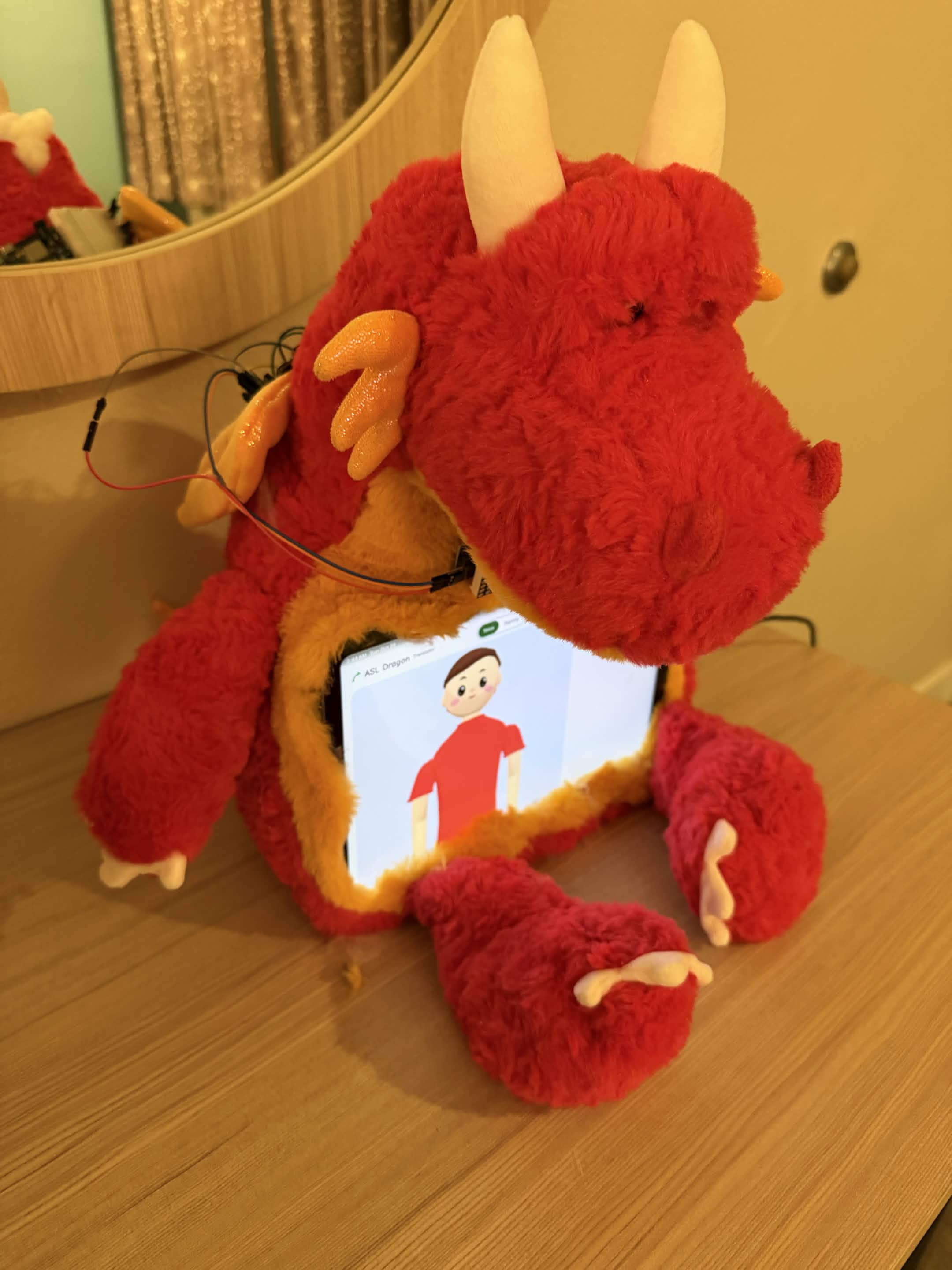
Lenny is a red dragon plushie with an iPad in his belly. He signs a word, the kid signs it back to his camera, and when the sign is right he flaps his arms. The same app is also a two-way translator, so a kid who signs and a parent who is still learning can talk to each other.
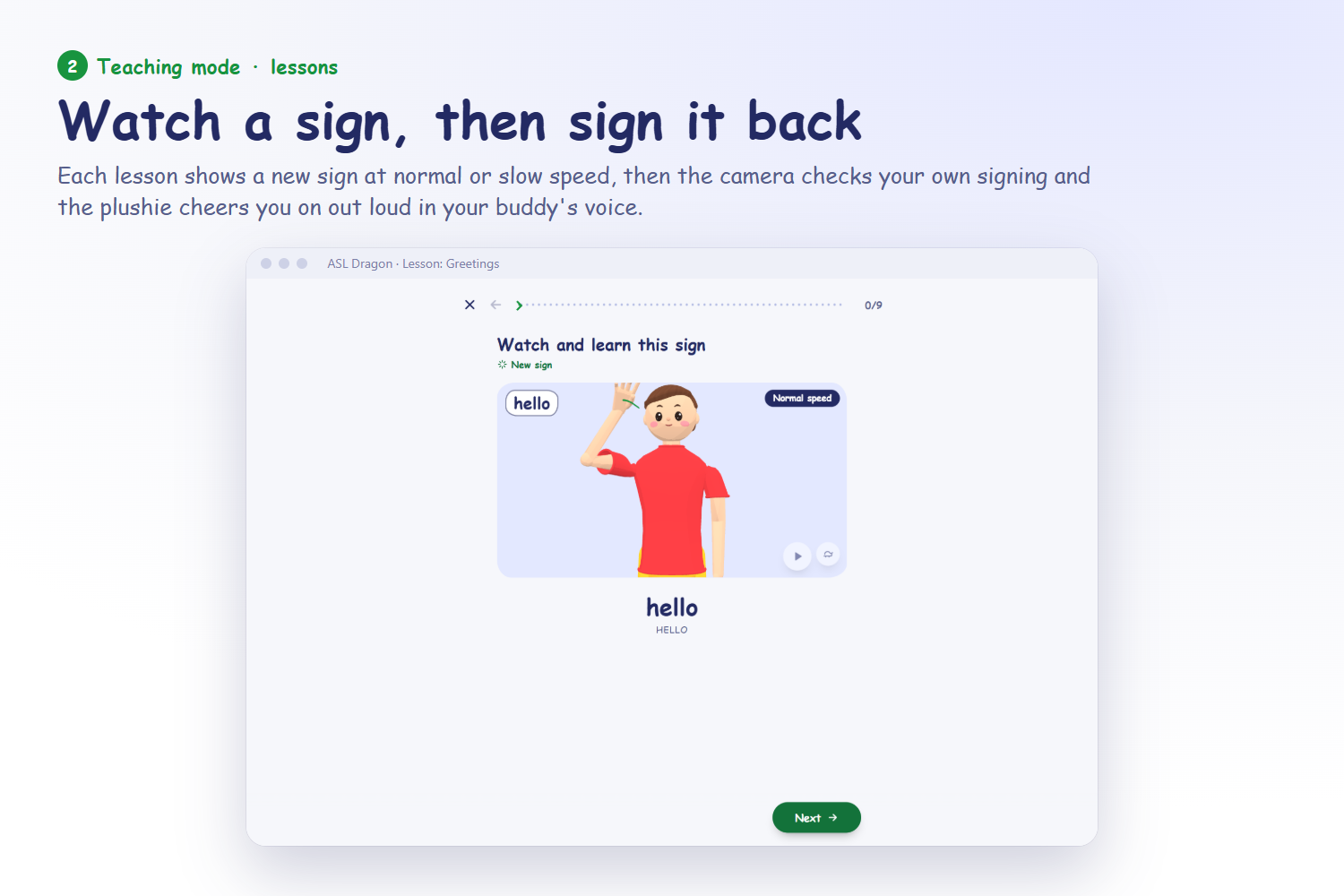
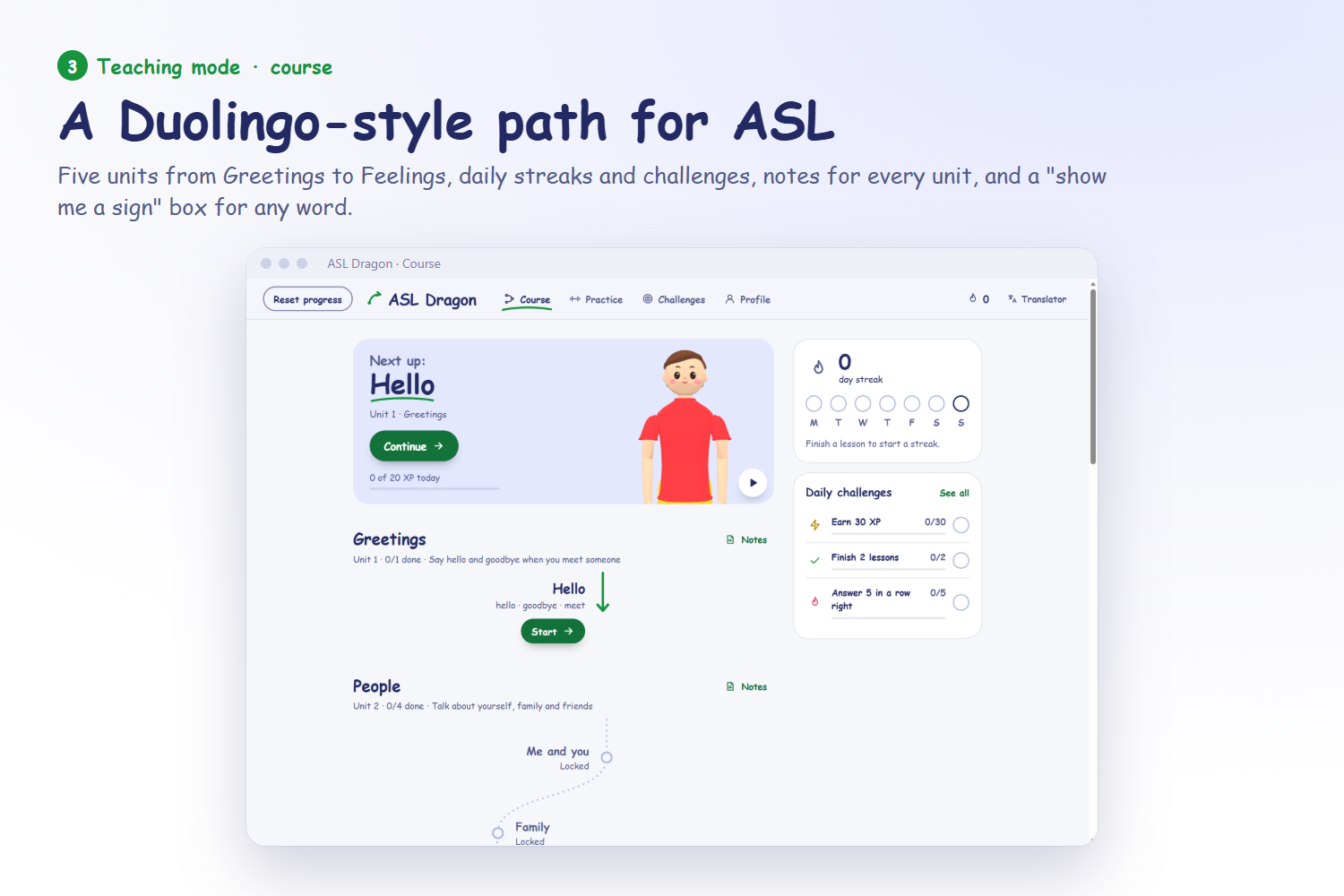
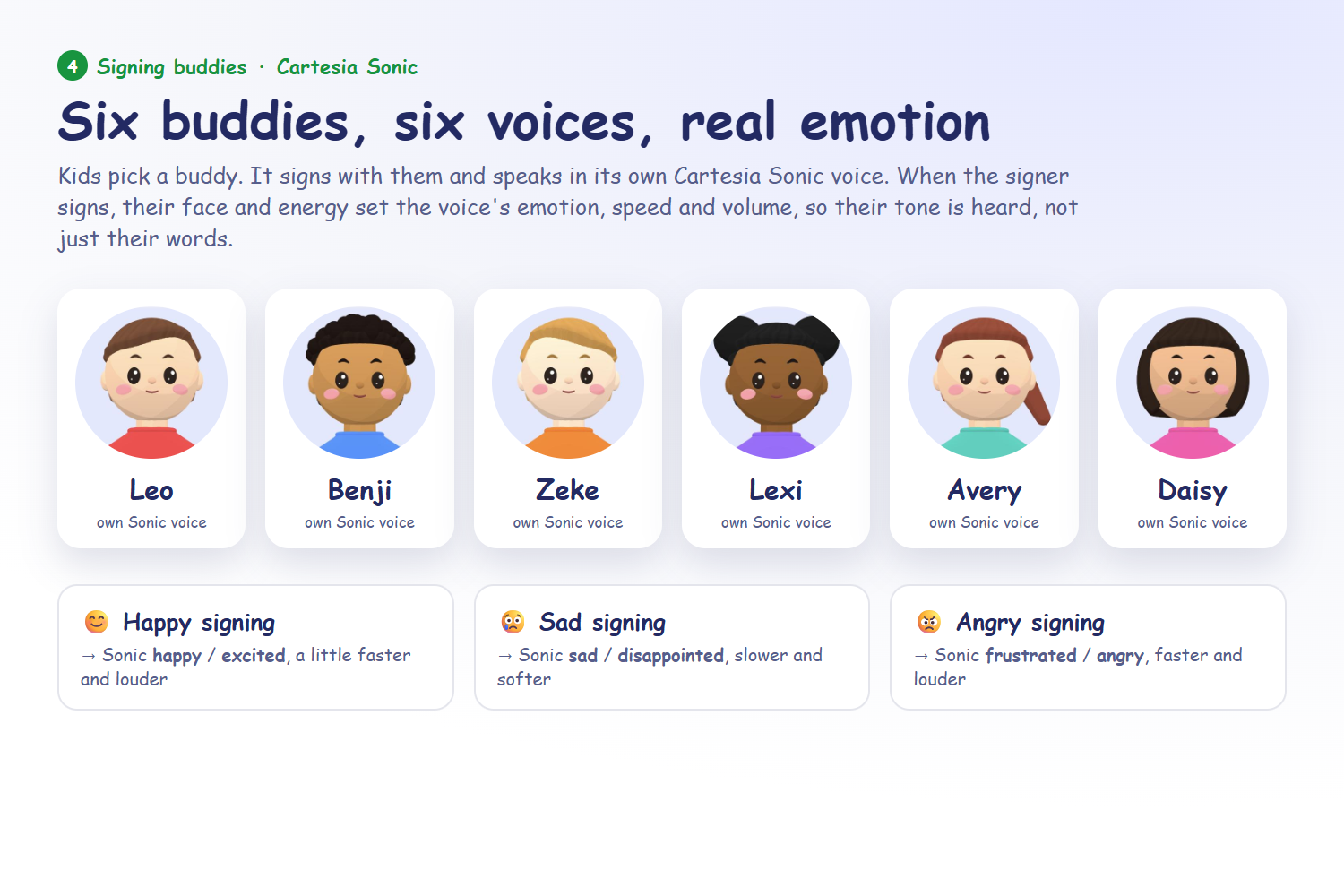
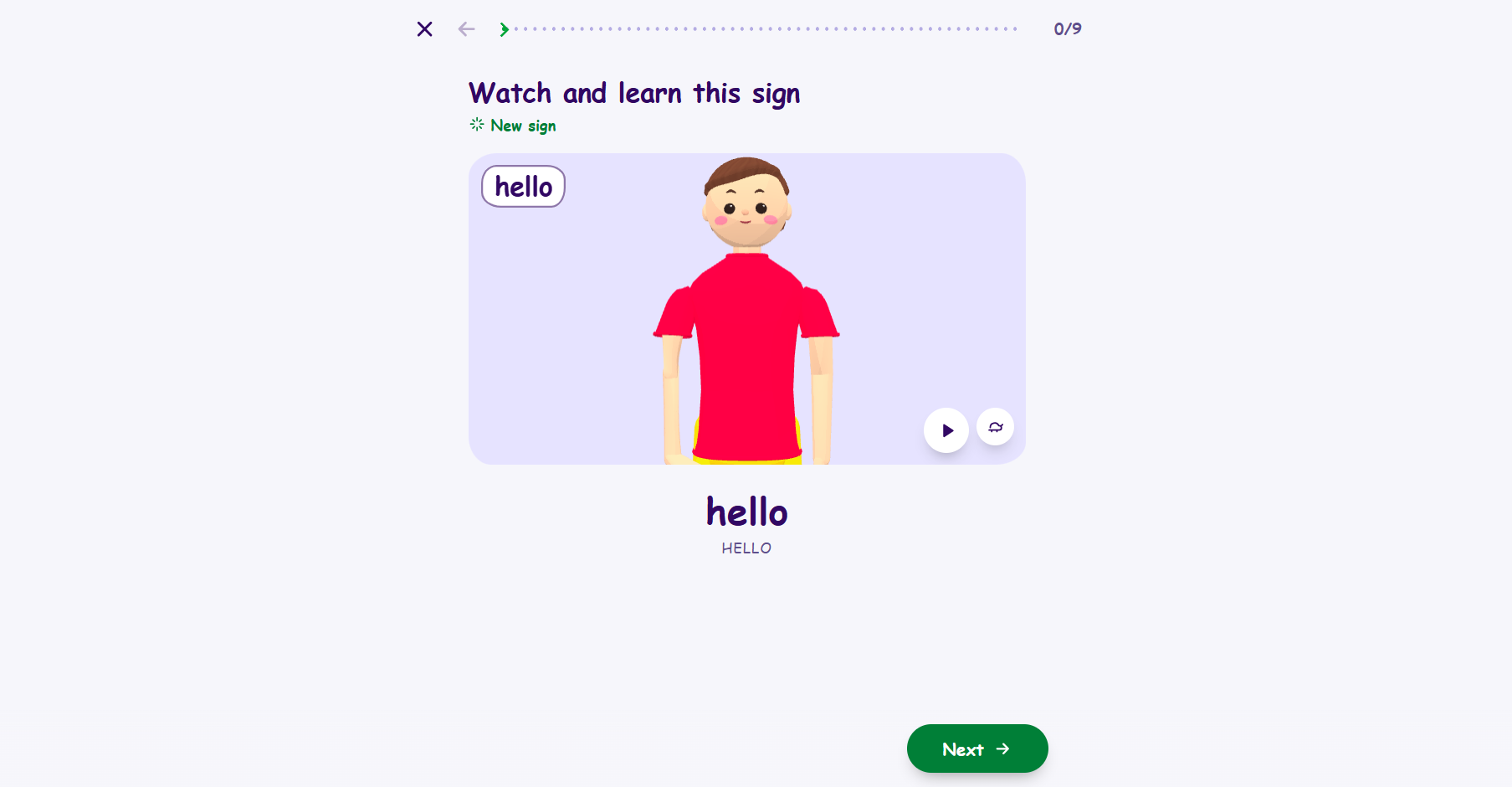
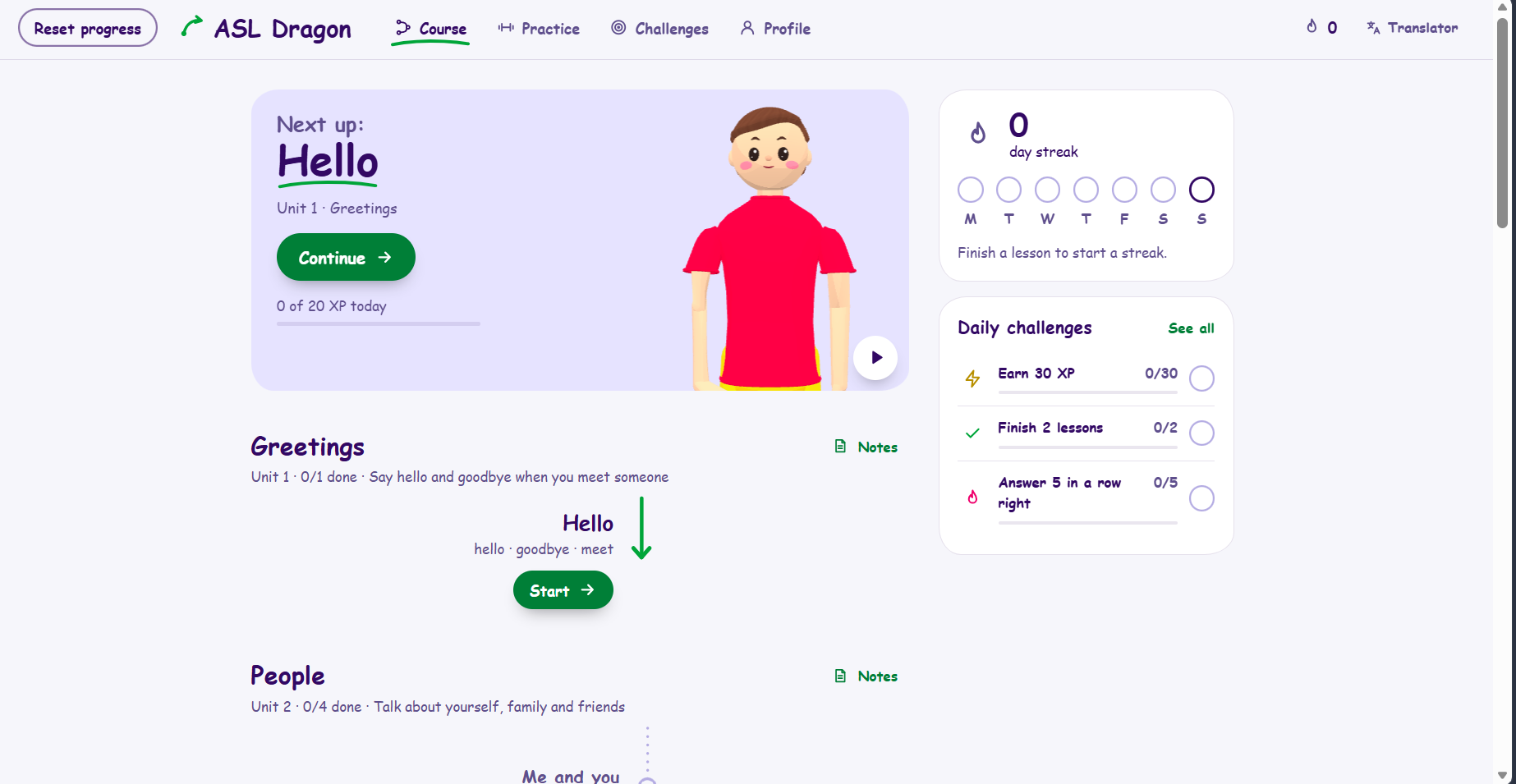
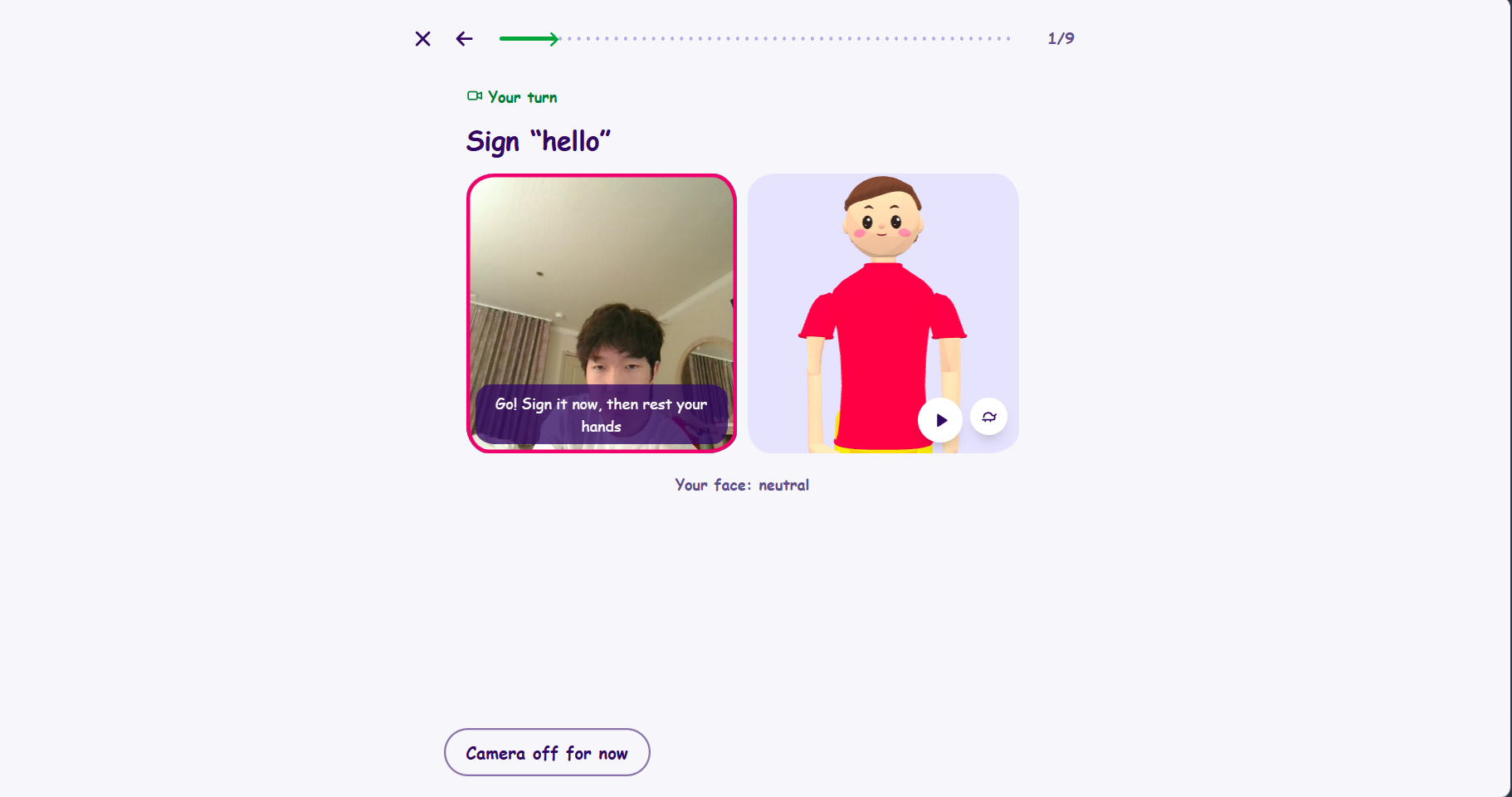
Learn. A short course in five units: Greetings, People, Questions, Food & drink, and Feelings. Unit 1 is HELLO, GOODBYE, and MEET. Each lesson shows every sign on a 3D avatar, says "Your turn! Sign hello.", watches the kid sign, and then asks what each sign means. The camera passes a sign when it is among the recognizer's top three guesses from the course's signs, so it is forgiving. It reads the whole attempt and also its last 1.5 seconds, so a kid who fixes a wrong sign without resting gets credit for the fix. A miss gets a second try with "That looked like THANK-YOU." Kids pick one of six signing buddies, each with its own look and voice. Show me a sign signs any word a parent types, or fingerspells it.
Cheer. Lenny talks in the buddy's voice, with a greeting, praise, and "Almost! Let's try again." A right answer turns the camera box green, plays a chime, flaps his arms three times, shows a check on the dot matrix on his neck, and lights the green LED. A wrong answer shows an X and lights the red LED. If the kid gets another try, the matrix shows "!".
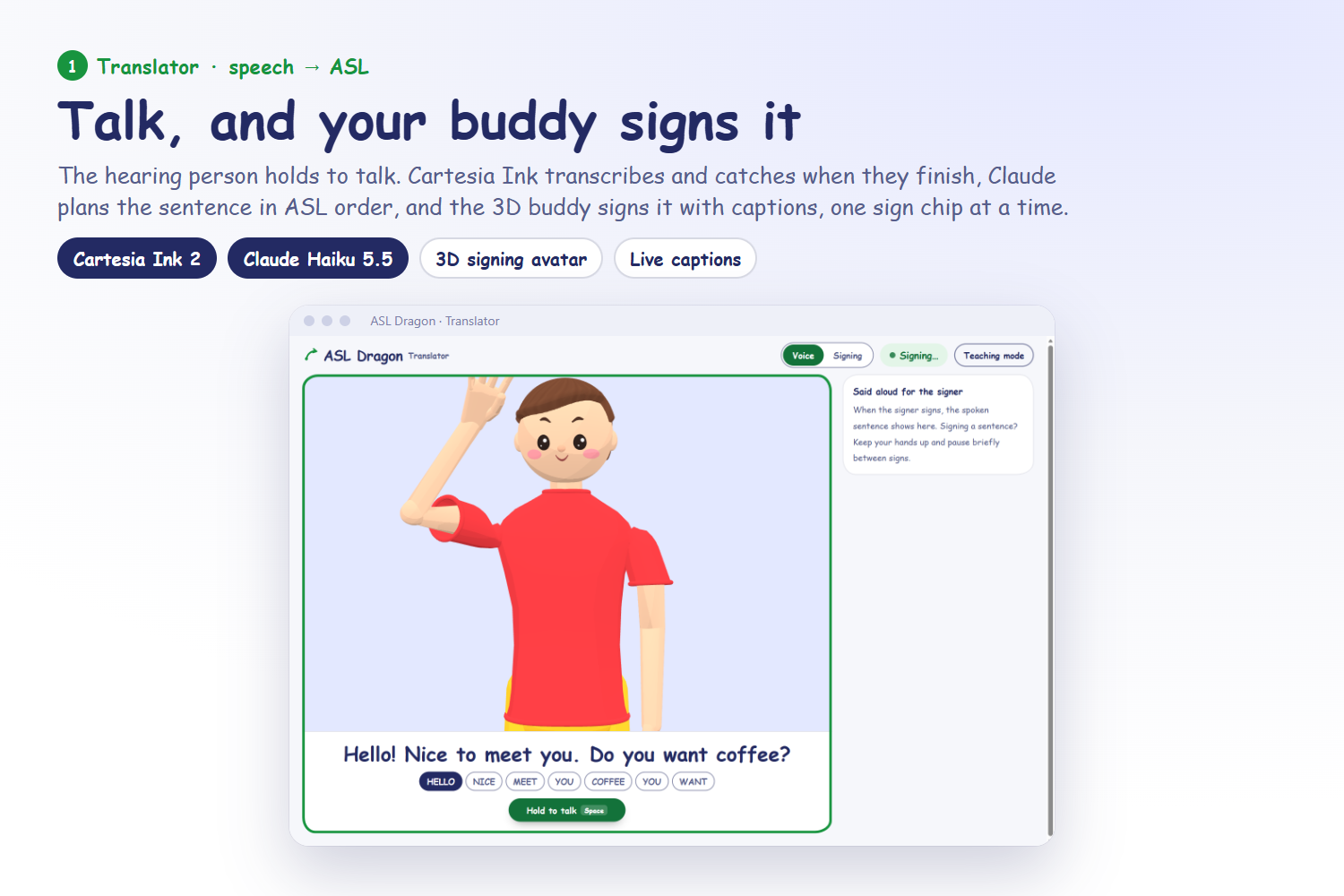
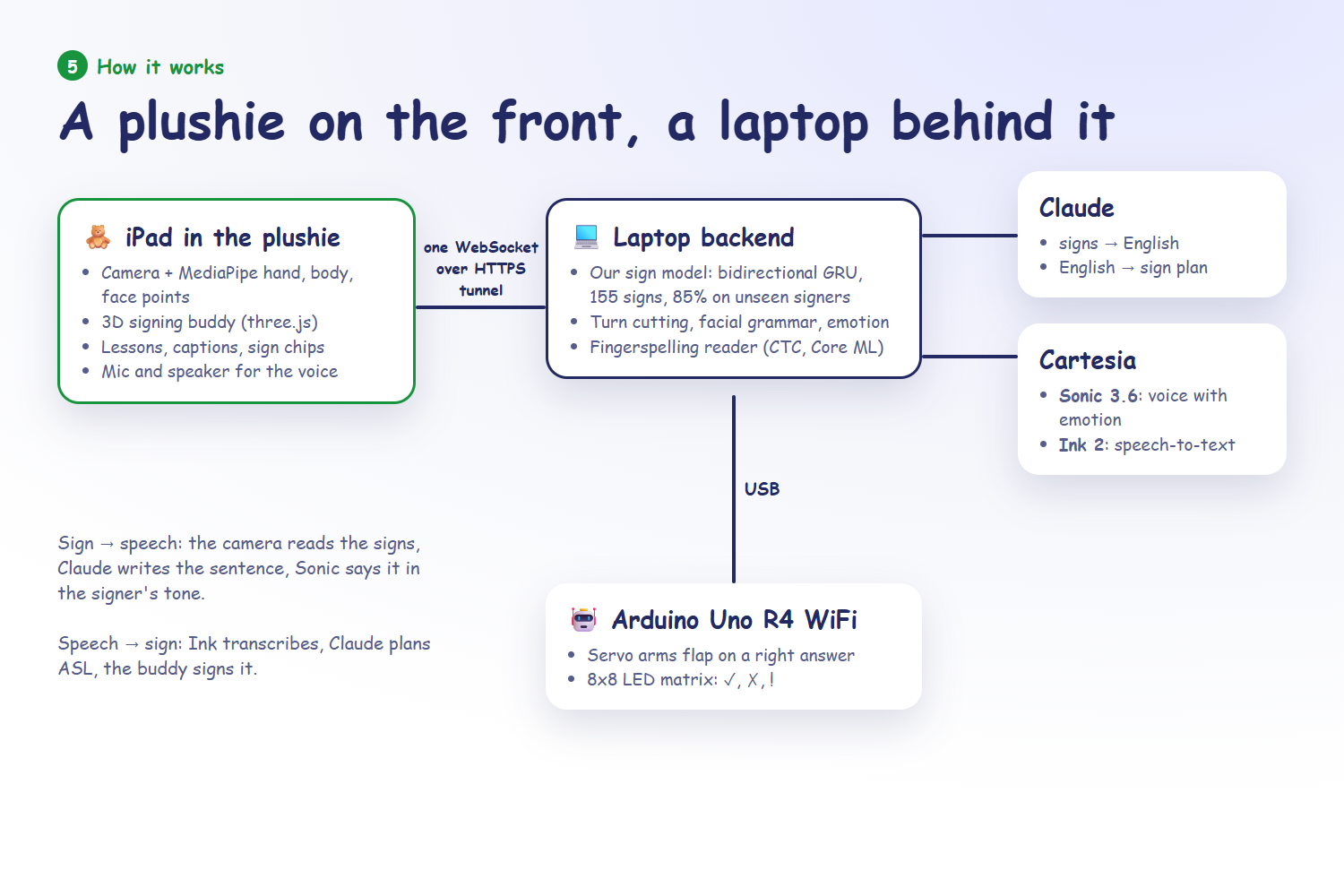
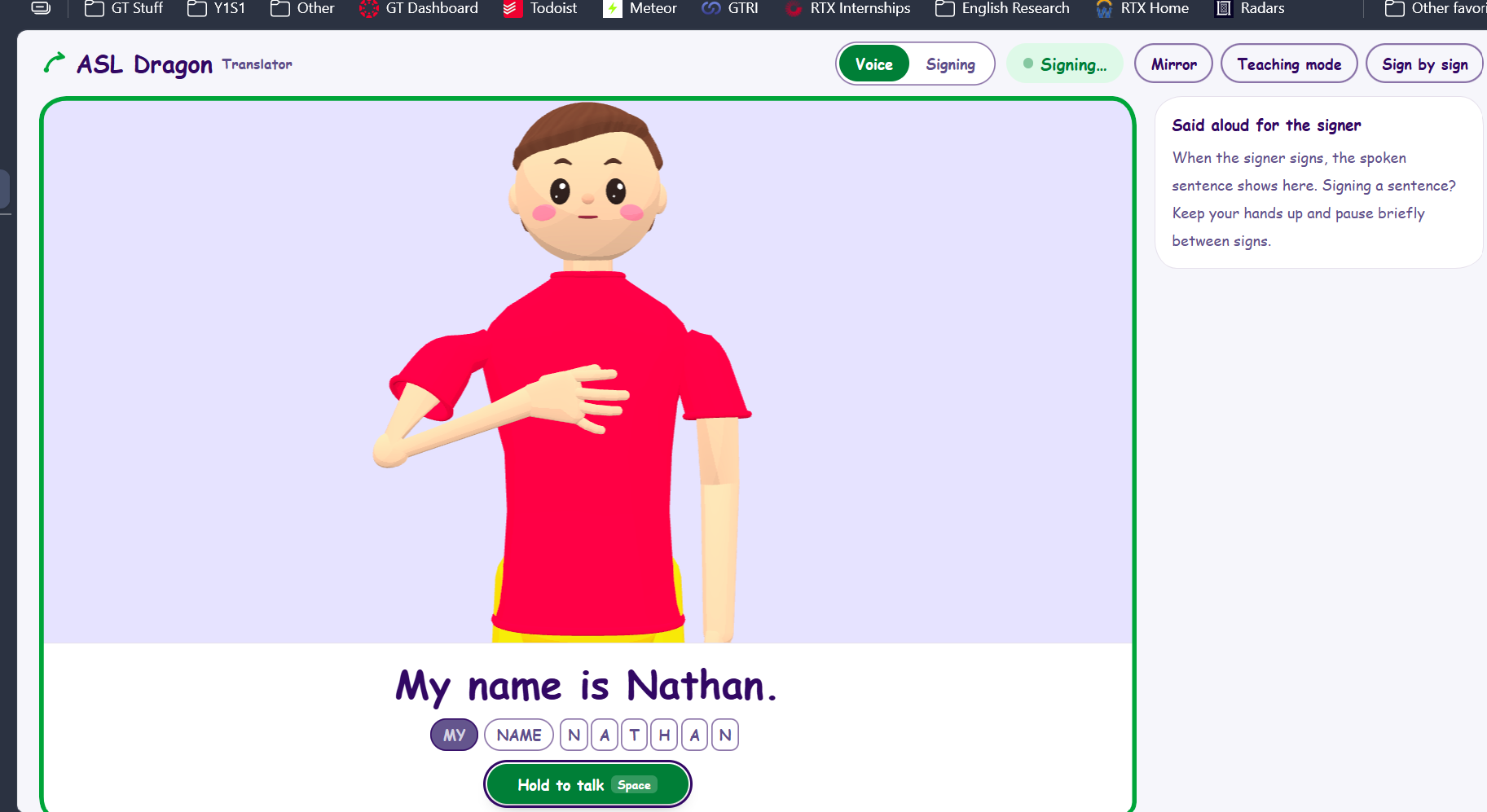
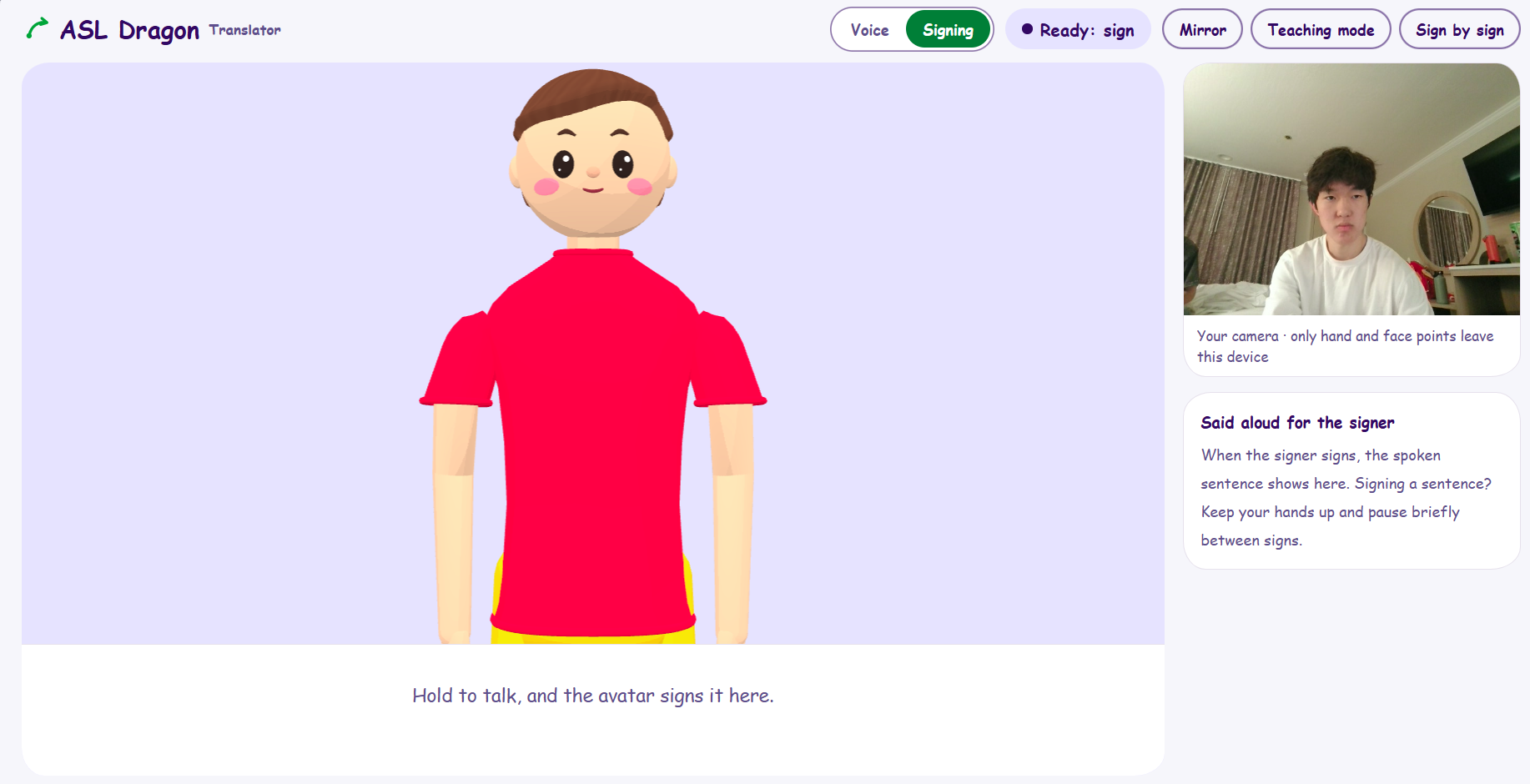
Talk. Sign to speech: the camera reads the signer's hands, body, and face. Lenny cuts the turn into signs, reads fingerspelling, and reads facial grammar (yes/no question, wh-question, negation) separately from emotion. Claude writes a natural English sentence, and Cartesia speaks it with the signer's emotion, speed, and volume. If the model is less than 50% sure of a sign, a picker asks which of three signs they meant. A mini buddy then signs back what the camera read. Speech to sign: the parent holds to talk, Claude turns the English into an ASL-order sign plan, and the avatar signs it with the matching brows and head movement, beside captions and a row of sign chips.
A fluent Deaf signer has not reviewed Lenny yet, and we need that review before anyone outside the team uses him. He reads single signs, short everyday sentences, and fingerspelling, not fluent ASL. He is meant to get a family started, not to replace Deaf teachers or interpreters. Video never leaves the iPad. Only landmark points do.
How we built it
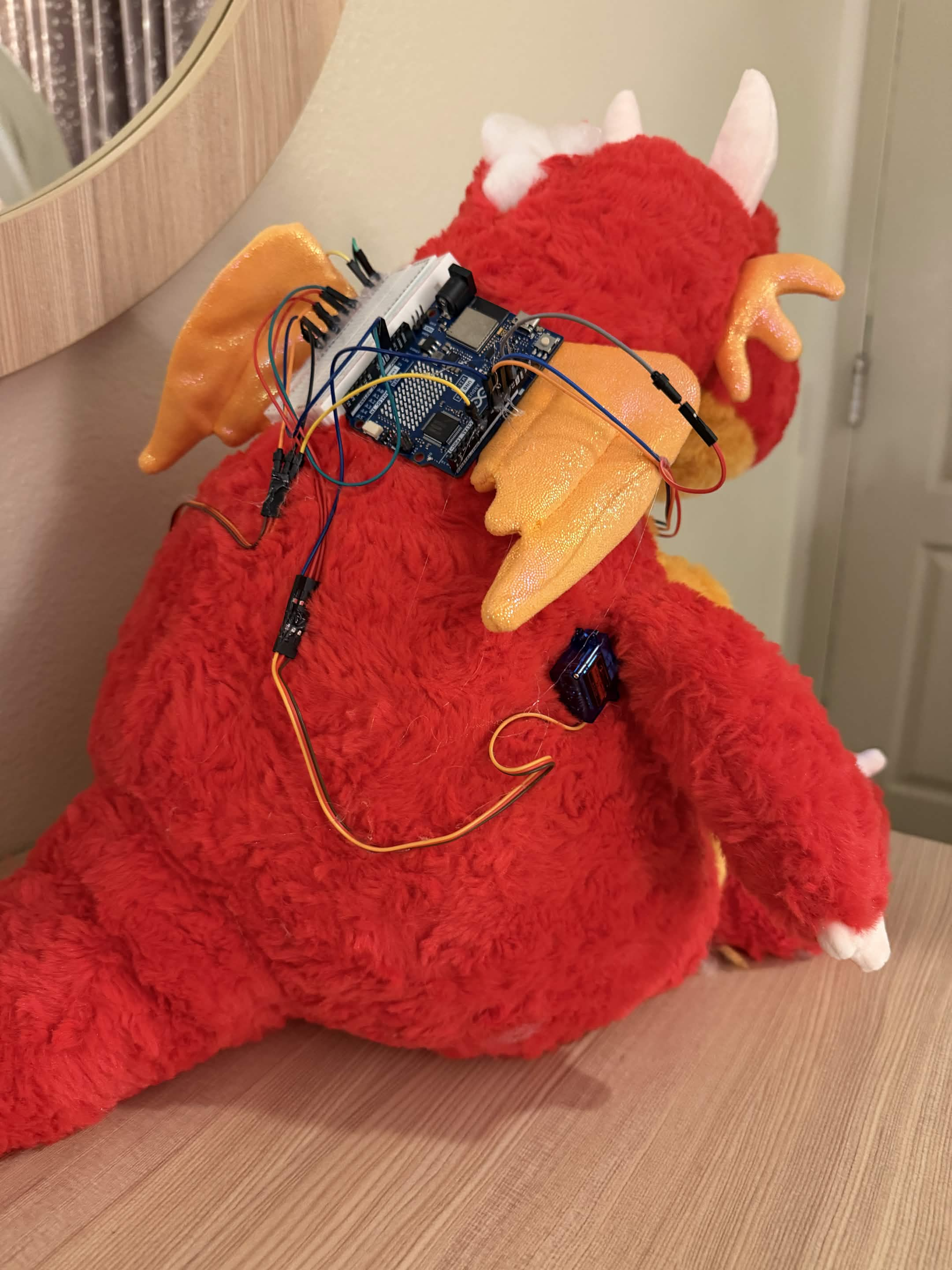
Hardware. An iPad sits inside the plushie. Its screen shows the avatar, its front camera watches the kid, and its speaker is Lenny's voice. An Arduino Uno R4 WiFi drives two 9 g servos in the arms, a MAX7219 8x8 dot matrix on the neck, and a right LED and a wrong LED. The board plugs into the laptop over USB. The server finds the board by itself and sends one character per answer: c for right, x for wrong, ! for try again. If no board is plugged in, nothing breaks.
The app. The iOS app is a thin Capacitor shell. It loads the real page from the laptop through a Cloudflare tunnel, because iOS only allows the camera and mic over HTTPS. This keeps nearly 2,000 sign clips on the laptop, and a web change reaches Lenny when the app is reopened. The iPad does the live work: the camera, MediaPipe tracking, the avatar, and the lessons. The laptop does the heavy or secret work: the PyTorch recognizer, Claude, Cartesia, and the API keys. One WebSocket carries landmark points and 16 kHz mic audio up, and 24 kHz voice back down. While Lenny speaks, the server feeds silence to speech-to-text, so he never hears himself.
Recognition. We trained our own sign model, a bidirectional GRU over shoulder-normalized hand and arm landmarks, on about 5,600 ASL Citizen videos of 155 signs. Each sign was also placed inside made-up sentences and cut the way the live translator cuts. On ASL Citizen signers it never saw, it gets 85% top-1 for signs alone and 84% for signs inside sentences. A segmenter finds each turn. A re-cut step then splits each run of signs where the model is most sure, at dips in wrist speed, which takes about 50 ms per sentence. Fingerspelling uses a pretrained CTC reader (Apache-2.0) run with Core ML. Facial grammar and emotion are rules over MediaPipe's face blendshapes and head angle. They are kept apart so a raised-brow question isn't read as "surprised."
The avatar. The six buddies are toon characters in three.js that share one rig with 20 face shapes, so every sign plays the same on each of them. Every sign's motion comes from a real signer. MediaPipe extracts it from WLASL dictionary videos, and ASL-LEX contact data pins the hands to the chin, the forehead, or the other hand. A two-bone arm solver keeps human joint limits and pushes the hands out of the body. Fingers are copied joint by joint and kept within anatomical ranges. Between signs, the blends follow minimum-jerk arcs. A motion bench scores spikes, backward elbows, and hands passing through the body before and after every change.
Claude and Cartesia in the product. Claude (Haiku 5.5) writes the English sentence from the signs, the grammar, and the emotion. It also turns English into a sign plan that is checked before the avatar plays it: ASL word order, only signs the avatar can show, and fingerspelling for the rest. 182 of 182 plan checks pass. Cartesia Sonic gives each buddy its own voice, with emotion, speed, and volume controls. Cartesia Ink transcribes the parent and detects when they finish talking. Without API keys the app still runs: the English is the plain sign words, and every plan is fingerspelled.
Claude Code. We built Lenny with Claude Code, one piece at a time: a design doc, then a plan, then the code, with an execution record of every decision and the evidence behind it. The rule was to measure first and fix second. Before we kept any recognition change, we replayed recorded signing through the live code to test it.
Testing. pytest covers the backend and Vitest covers the web app. Replay scripts play cached MediaPipe frames of WLASL videos through the live segmenter and recognizer at 15 fps. A round-trip script renders the avatar's signs and feeds them back to the recognizer. The review by a fluent Deaf signer is still to come.
Challenges we ran into
In front of a screen, a kid's lap is often below the picture. The pose model guessed where the off-screen wrists were, counted them as raised, and turns never ended. Now, if the hand tracker sees no hand, the hands are down. Kids also raise their hands and hold still before they sign. That spoiled the read, because the model learned from clips where the rise flows straight into the sign. We now trim each still stretch to 200 ms, and lessons pass 92% of replayed signs even with the holds. The published ASL Citizen model read 58% of single signs and 48% of signs inside sentences on other people's videos, so we trained our own on sentence-style samples. The fingerspelling reader's input format wasn't documented, so we worked it out by trial on one Kaggle file. iOS only plays sound from an audio context that a tap started, so the right-answer chime went silent after the first answer the camera graded. It now plays through the voice's output. And a plushie that both talks and listens has to make sure it never hears itself.
Accomplishments that we're proud of
- The full loop works on the plushie: Lenny signs, the kid signs back, the camera grades it, and Lenny cheers with his voice, arms, neck display, and lights.
- In lessons, replayed correct signing passes 94% of the time, and a wrong sign passes about 5% of the time.
- On other people's WLASL videos, through the live path, our sign model reads 69% of single signs. The published ASL Citizen model it replaced reads 58%. Inside sentences it reads 53%, against 48%.
- Both directions carry feeling. The signer's face and pace shape the voice, and the avatar uses its brows and a headshake for grammar.
- On a laptop, each direction takes about 1.4 seconds (median, simulated input): from hands at rest to the first audio, and from the speaker stopping to the avatar starting.
- Video never leaves the device. Only landmark points do.
What we learned
Offline accuracy fooled us. A model can score well on clean clips and still fail live, because the live code decides where each sign starts and ends. Replaying recorded signing through the exact live path became the only number we trusted. The model needs the whole motion, including the rise from rest, so something as small as a kid holding still changes the result. Emotion and grammar have to be read separately, because in ASL raised brows mark a question, not surprise. And for kids, a grade isn't enough. We put the feedback in the plushie, in his voice, arms, and lights, so getting a sign right feels like a win.
What's next
A fluent Deaf signer reviews every sign and lesson before anyone outside the team uses Lenny. After that, a pilot with families. We also need to fix the translator's misreads, since a sentence still often comes out with one sign wrong. Next, run recognition on the iPad so Lenny doesn't need a laptop. The datasets we trained on allow research use only, so a real release needs our own recordings or a license. Then more units, plus the five signs that have no ASL Citizen videos yet: HOW-MANY, FIVE, TEN, FOOD, and FORGET.
Built With
- anthropic
- arduino
- c++
- capacitor
- cartesia
- claude
- claude-code
- cloudflare
- core-ml
- fastapi
- ios
- max7219
- mediapipe
- numpy
- pyserial
- pytest
- python
- pytorch
- three.js
- typescript
- vite
- vitest
- websockets
- xcode

Log in or sign up for Devpost to join the conversation.