-
-
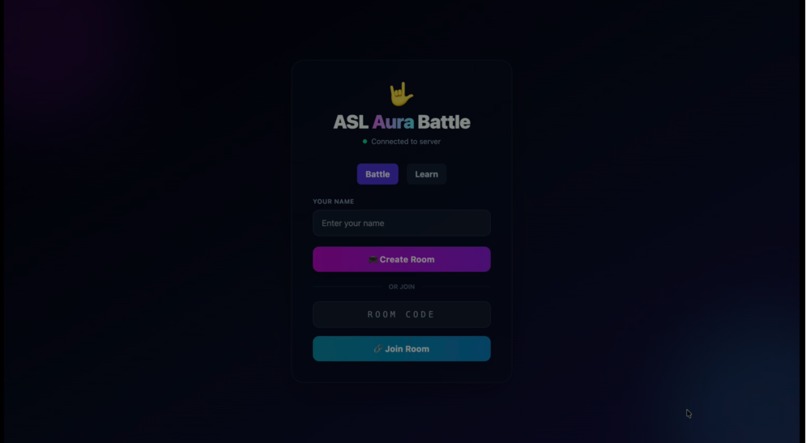
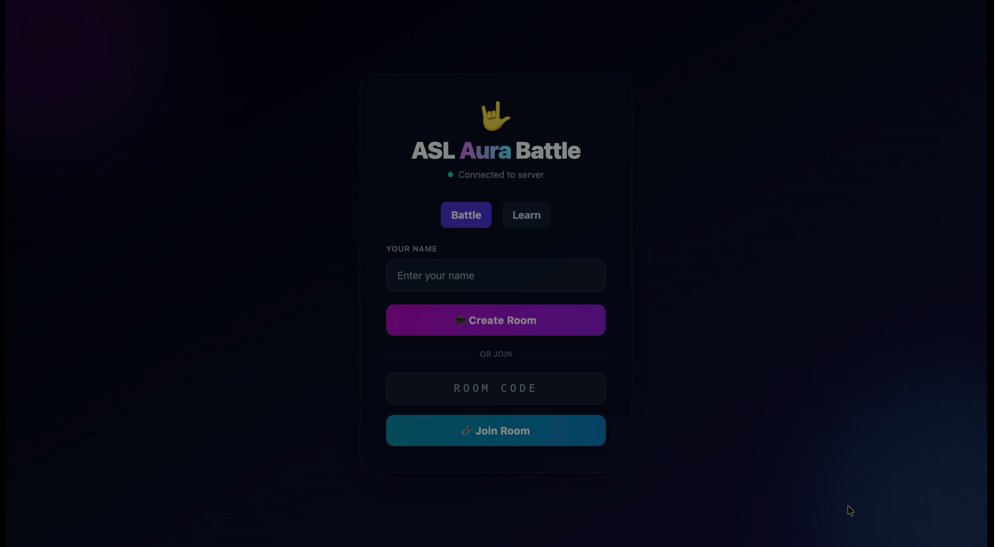
Main menu
-
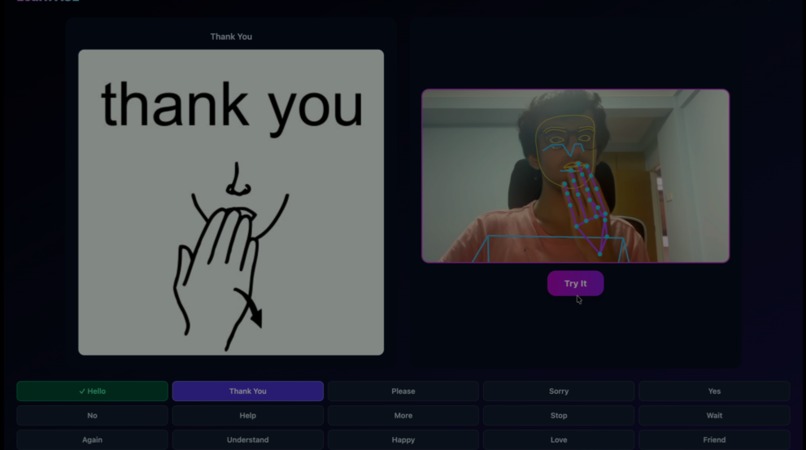
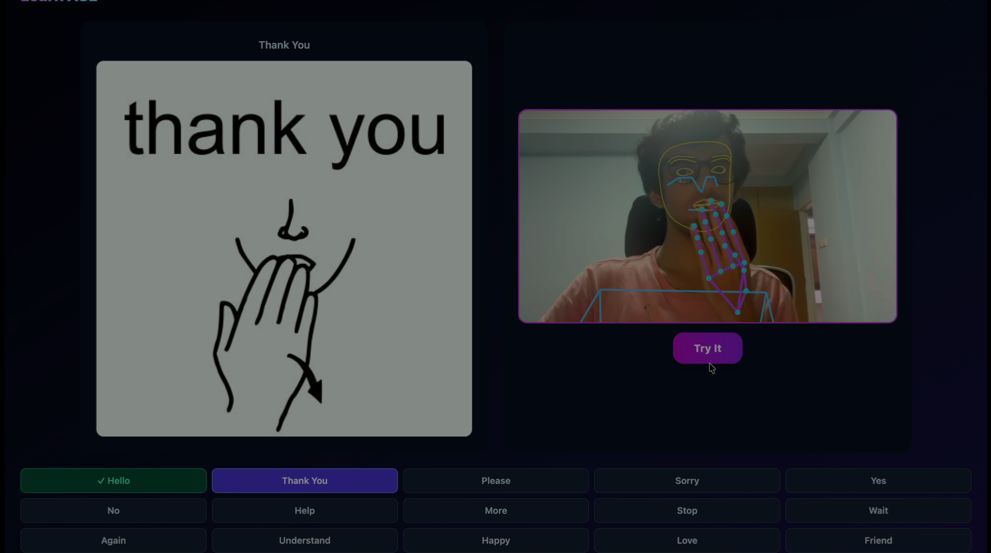
Doing a lesson
-
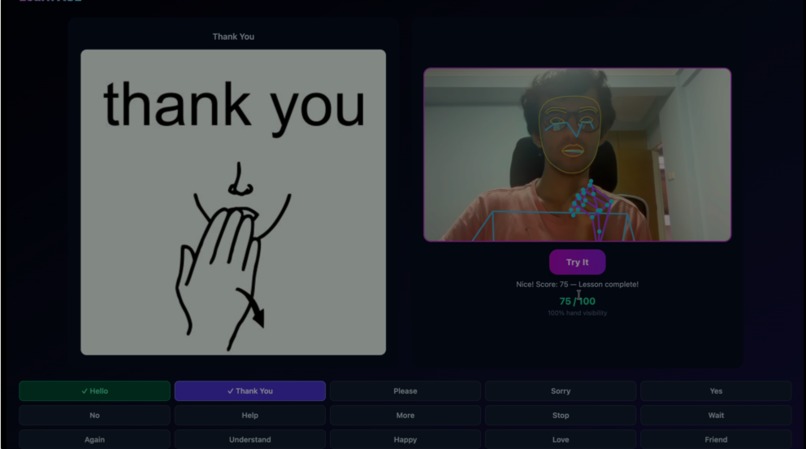
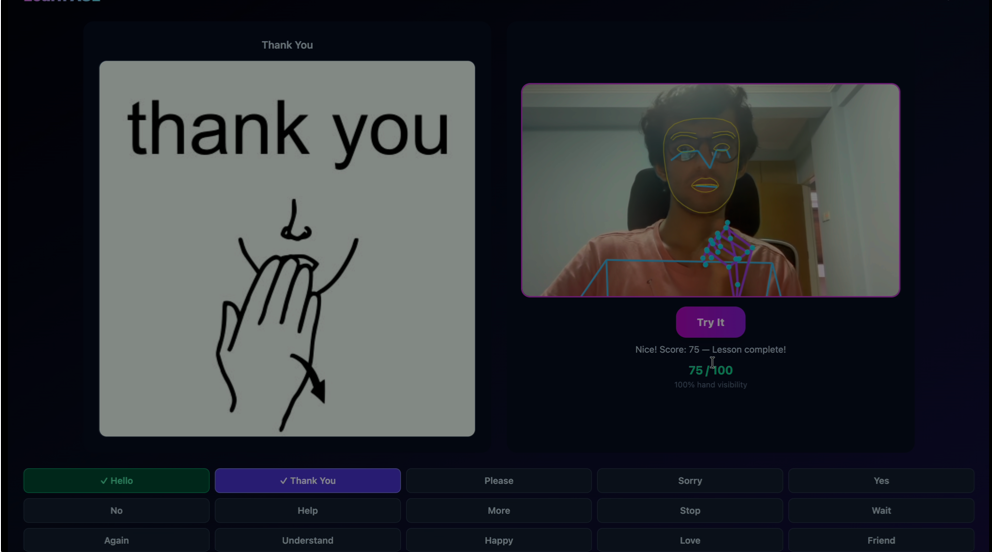
Passing a lesson
-
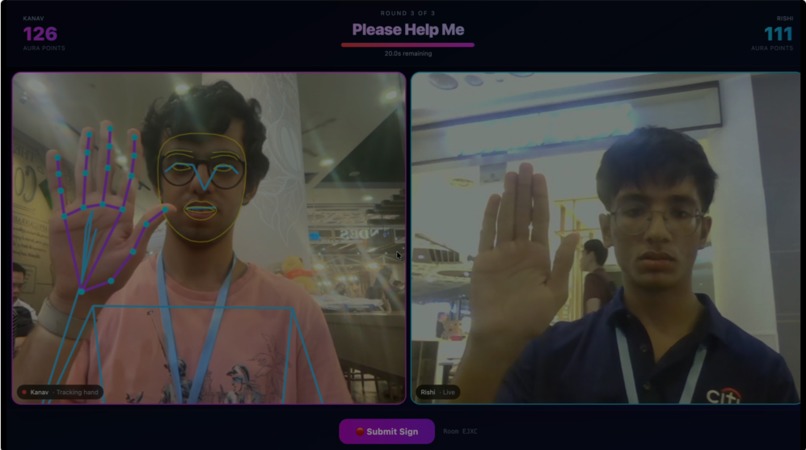
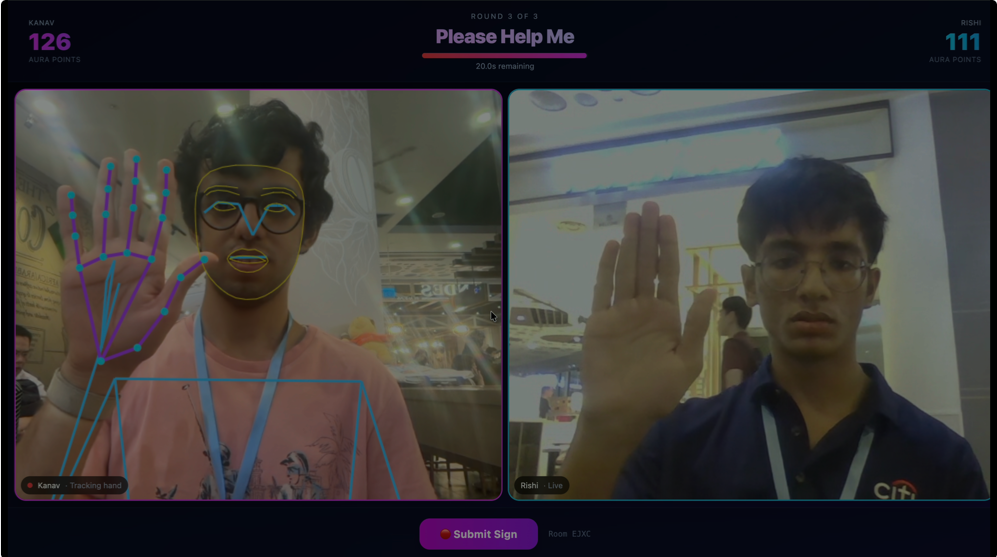
During a battle
Inspiration
We were inspired by the movie "A Silent Voice". In this movie, a guy who bullied a deaf girl when he was a kid seeks redemption by learning sign language himself so that he would be able to apologize to that girl in the future. From this, we were inspired to make a website to teach ASL. However, we were also inspired by apps like Duolingo that teach languages in a gamified way, and "meme" apps like Omoggle that use competition as an incentive to progress to create our website.
What it does
ASL Aura Battle has two modes. In Battle mode, two players create or join a room using a room code and play three rounds against each other over live webcam video. Each round, both players get a sign to perform. MediaPipe reads their hand, face, and upper body movements straight from the browser, and the app scores how close their sign is to the correct one. Points are based on both accuracy and speed. Whoever has more points after three rounds wins. In Learn mode, you practice signs on your own. You pick a sign from a list, hold the pose in front of your camera for three seconds, and the app checks it against a reference and gives you a score out of 100. If you score 70 or above, you pass and move to the next sign. Your progress is saved so you can come back later.
How we built it
The frontend is React with Vite and Tailwind for styling. The backend is Node with Express and Socket.io, which handles room creation, joining, and keeping track of scores and rounds. We didn't use a database everything is stored in memory on the server while the game is running. For hand and body tracking, we used Google's MediaPipe running directly in the browser. We wrote our own scoring function that compares the landmarks MediaPipe gives us against a stored reference pose for each sign, and turns that comparison into a score. Since this is meant to be played by two people on two separate laptops, we also had to get video working between them. We used WebRTC through a library called simple-peer, and used our existing Socket.io connection to pass the connection details needed to set up that video call.
Challenges we ran into
Getting two laptops to actually connect was the biggest hurdle. localhost only works on one machine, so we switched to the host's local network IP and made sure both frontend and backend listened on the network. That fixed connection, but cameras still failed, browsers block camera access on insecure connections. We fixed this with local HTTPS via mkcert. MediaPipe then crashed with WASM errors from a version mismatch between npm and CDN files. Pinning both versions fixed it on Chrome, but Safari kept crashing regardless, so we just moved players to Chrome. The grader also wasn't real yet — it lacked reference poses, so it gave random scores instead of actually checking signs. And opponent video was just a placeholder name, until we built real WebRTC video between players.
Accomplishments that we're proud of
We're proud that we got two separate laptops on the same network to actually play against each other in real time, with real camera tracking and real opponent video, not just a local demo running in one browser tab. Debugging the networking and camera permission issues took a lot of trial and error, and getting it working end to end felt like a real win. We're also proud of the Learn mode. It turns something that's usually a bit intimidating to start learning into something you can just sit down and practice at your own pace, with immediate feedback on whether you're getting it right.
What we learned
We learned to build a real-time multiplayer system with Socket.io — using server-side in-memory state and event-driven architecture (create_room, join_room, submit_sign, round finalization) to keep two clients synced without a database. We learned to work directly with MediaPipe's landmark output — extracting hand, face, and pose coordinates and writing our own scoring algorithm to compare live landmarks against reference poses, instead of relying on a black-box gesture recognizer. We learned how WebRTC peer connections actually get established — using STUN for NAT traversal and Socket.io as the signaling channel to exchange connection offers/answers, then sharing a single MediaStream across both the video element and the MediaPipe pipeline instead of requesting the camera twice.
What's next for ASL Aura Battle
We want to add real reference poses for more signs so the scoring is more accurate for everyone, not just the few signs we tested closely. We also want to make the video connection between players more reliable on different networks, since right now it can struggle on stricter networks. Beyond that, we'd like to add more lessons to Learn mode and let players track their stats across multiple games instead of just within one session.
Built With
- express.js
- javascript
- mkcert
- node.js
- react
- simple-peer
- socket.io
- tailwind-css
- vite
- webrtc


Log in or sign up for Devpost to join the conversation.