-
-
The main glove
Inspiration
From one of my Summer jobs, I have had a couple encounters with ASL. I was the only person who worked at Lowe's who knew any ASL, and I just happened to be around to help the customer. I came up with this idea a couple of months ago, but with the knowledge I had back then I had no feasible way to accomplish what the code needed to do. I decided that this hackathon would be the perfect opportunity to learn while having fun with it.
What it does
ASL Translator is a pair of gloves with a monitor screen. It takes information from the gloves, and translates the hand position into letters of the alphabet that get printed onto the monitor screen. The gloves also have the ability to type a space. This allows the user to use the ASL alphabet and have it written out for non-ASL speakers to understand.
How I built it
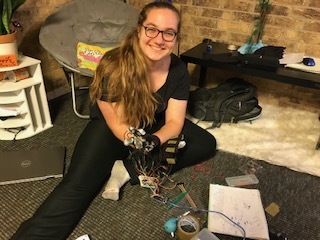
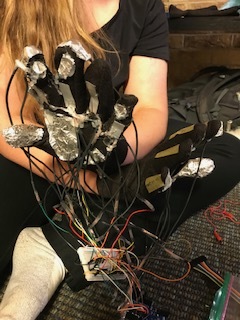
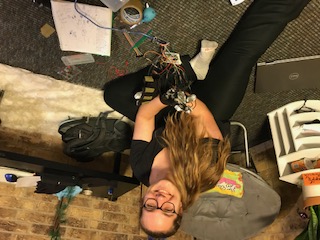
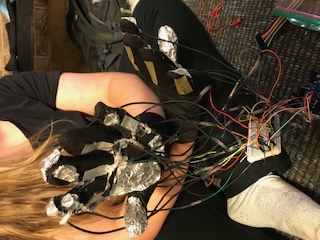
   Using Arduino I used 5 variable resistors and 11 different digitalPin inputs. I made the variable resistors by using metal from an energy drink can, tape and copper wire. I cut the metal into thin rectangles that were about half the length of each of my fingers. For each resistor I used two of the same sized sheets of metal. I taped copper wire to the outside of the sheets of metal, and then loosely taped the two sheets together in the middle. At the top I taped the two pieces together tightly to ensure a strong connection. These variable resistors were placed on the gloves where the fingers bend. This way we would read different values for when the finger was bent or straight. For the 11 different digitalPin inputs, I had various ground contact points placed on my gloves, and various Pin input contact points were also strategically placed on the glove. this way in certain hand positions certain pins would be connected to the grounds. I then hot glued everything to the glove and uploaded the code.
   On how I wrote the code, I mapped out every pin and variable resistor that I would need before I wrote the code. I then made a long tree-diagram-logic to reach each letter. I also took into account the inaccuracy of my homemade variable resistors so I used a range on output values to tell if it was bent or straight. This also caused me to have to repeat letters incase the variable resistor put out values in both the high (straight) or low(bent) phase.
Challenges I ran into
    Although my variable resistors did work they weren't 100% accurate. The metal I used to make them was thick and would sometimes get stuck bent, thus reading at a semi-bent range when I wanted it to be read straight. The thick wires I used and hot glue also caused a problem. Hot glue is not great for sticking fabric to tin foil and also weakens a lot once it is bent. The copious amount of hot glue also caused it to be difficult to bend the hand at all. The wires were bulky and also caused a problem with bending the hand.
    Code wise, I ran into complications that are not 100% worked out yet.
Accomplishments that I'm proud of
When I first came up with this Idea I thought that the idea was impossible for me to even come up with a way of accomplishing this. Now I have a strong logical path to how this would work.
What I learned
I learned: that the arduino leonardo has a library of Keyboard that allows you to type letters on the computer, how to make a diy variable resistor, ASL alphabet more in depth.
What's next for ASL (American Sign Language) Translator
The next step to improve ASL Translator would be to upgrade the technology. The DIY versions of the variable resistors are a cheap option, but also less reliable. An update from tin foil to flexible conductive materials for contact points would also be an upgrade. Using conductive thread to connect everything to the glove would solve all of the problems that hot glue caused, while also eliminating the problems that the attached wires cause. With tweaking to the code the code should run smoothly with the upgraded gloves.
Built With
- arduino
- leonardo


Log in or sign up for Devpost to join the conversation.