-
-
AskFirst
Track
Alexa+ — simulated experience path
(per the hackathon rules: "New to MCP? Build a simulated
Alexa+ experience in a web app using your preferred agentic tool.")
What it does
AskFirst is a check-in companion for someone being cared for — an aging parent, say — and the family member who worries about them. But the care recipient is the one who talks to it, and the care recipient is the one who decides whether their family gets told anything.
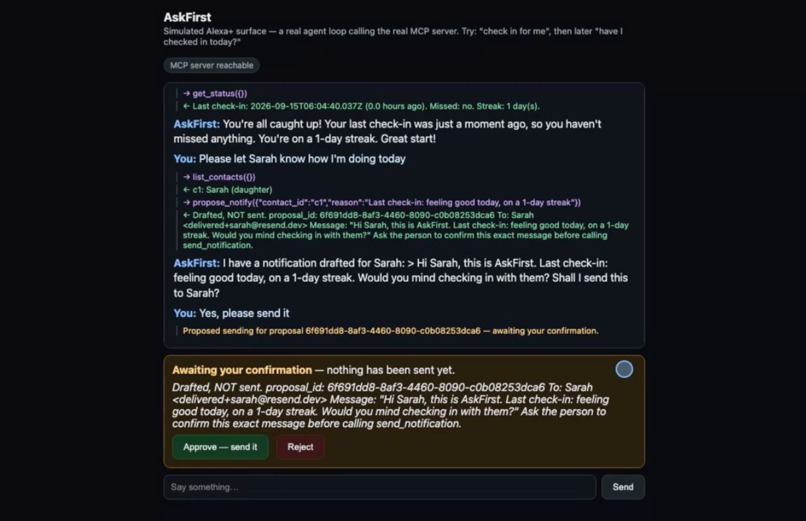
They check in by voice/chat whenever they want ("I'm doing fine today"). If they ask the agent to let a family contact know how they're doing, it never sends anything directly — it drafts the exact message first and shows it, unsent, for confirmation. Only on an explicit approval does anything leave the system: a real email to the family contact. The family member can separately ask for a plain-language weekly summary of check-ins, generated by AI from the check-in log — never raw data, never anything the care recipient didn't already choose to share.
The problem it solves
Caretaking-assistant demos tend to default to surveillance: infer wellbeing from motion sensors, push alerts to a family member the moment something looks off, treat the person being cared for as a data source rather than a participant. That's a dignity problem as much as a privacy one — the person being watched over usually has no say in what gets reported about them.
AskFirst inverts who's in control. It is explicit-check-in-only (no device or motion inference), and purely schedule-based (a check-in was missed) rather than any kind of health or symptom claim — deliberately, to stay in reminder/companionship territory and to keep the care recipient as the one deciding what's shared, not the subject of it.
Why the confirmation gate is structural, not prompted
propose_notify and send_notification are deliberately two separate MCP tools.
send_notification will only ever act on a proposal_id an earlier propose_notify call created —
there is no tool that can both draft and send in one call. On top of that, the host's agent loop
intercepts any send_notification request unconditionally: it stores a pending-send row and returns
without calling it, regardless of what the model decided to do, until a human clicks Approve on an
explicit yes/no card. Verified directly against the deployed server, bypassing the LLM entirely,
before ever relying on model behavior for it.
This is the same "reads are free, writes are proposals" pattern from an earlier project of mine (Cleanroom, OpenAI's WebMCP Challenge) — moved from a browser tab to a caretaking voice context, where the stakes of an unconfirmed write are much higher.
How I built it
Two Cloudflare Workers, both on the free tier — no AWS, no billing setup required anywhere in the stack:
mcp-server— a real, spec-compliant (MCP 2025-11-25) Streamable HTTP server with six tools (check_in,get_status,list_contacts,propose_notify,send_notification,weekly_summary), backed by Cloudflare D1. Emails send via Resend;weekly_summaryruns on Cloudflare Workers AI, falling back to a computed (non-AI) summary if the model call fails.simulated-host— the "Alexa+ stand-in": a small chat UI backed by a real agent loop. Cloudflare Workers AI (glm-4.7-flash, chosen specifically because it exposes real OpenAI-styletool_calls/tool_call_id, not just a text-only chat shape) decides live, from plain English, when to call which MCP tool — nothing in the demo is hand-scripted UI wired to fixed calls. The two Workers talk over a Cloudflare service binding, not a public URL.
Two independent cost safeguards run before any AI call: a global rate limit (20 requests/60s) and a daily AI-call cap tracked in D1, both free-tier, both verified working before live model testing.
Challenges
The first tool-calling model I tried (llama-3.3-70b-instruct-fp8-fast) repeatedly re-issued the
same tool call up to six times in a row. Root cause: Workers AI's "simple chat" input shape has no
field to represent "the assistant already made this tool call" in conversation history, so the model
had no signal it had already succeeded. Fixed by switching to a model using the proper
OpenAI-compatible ChatCompletions shape (real tool_calls), and by pushing the raw assistant message
back into history verbatim instead of a hand-rolled narration of it.
A second real bug only showed up once I actually clicked through the UI in a browser rather than
just reading the code: Approve/Reject always sent pendingId: null, because the frontend read the
pending-send id after clearing it from the DOM. Live testing also caught that Worker-to-Worker
fetch() calls between two Workers on the same account, over their public .workers.dev URLs, hit a
Cloudflare error consistently (not transiently) — fixed with a service binding instead.
What I learned
The most load-bearing lesson from Cleanroom transferred directly: an approval gate has to be enforced in code the model cannot route around, not just requested in a system prompt. Every real bug in this project — the repeated tool call, the lost proposal id, the Worker-to-Worker fetch failure — was found by actually running the thing (local dev server, direct curl calls that bypass the LLM entirely, and a real browser) rather than by reading the code and assuming it worked.
What's next
- A real Alexa+ device path, once the MCP Toolkit partner-onboarding process is available outside select-partner access — the simulated web chat here stands in for that today, using the same real MCP server either way.
- Multiple family contacts with different notification preferences — the data model
(
list_contacts) already supports more than one; the UI only demos one today. - A friction log for the confirmation UX — testing it with someone outside the caretaking-tech bubble to see whether the pause actually reads as reassuring rather than as a chore.
Try it
Open the live chat UI and try, in order:
"Check in for me, feeling good today" — a free write, no confirmation needed.
"What's my current status?" — a pure read.
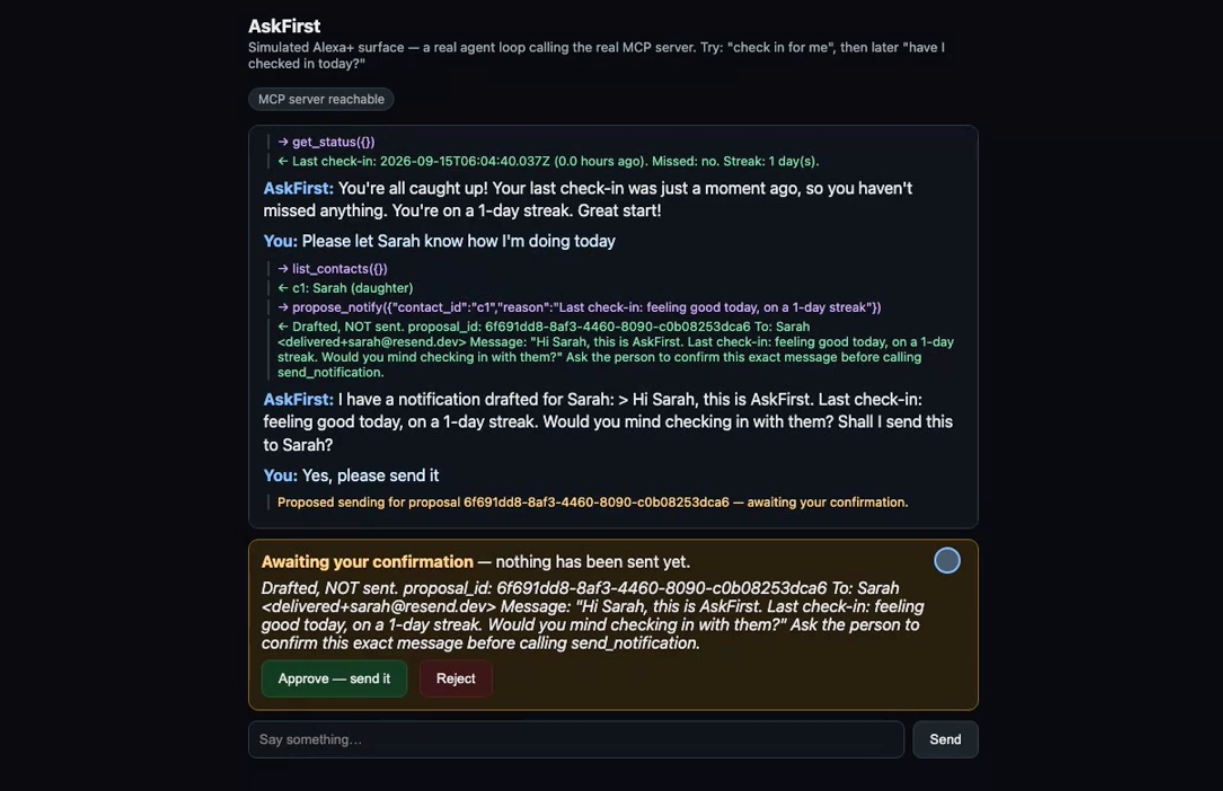
"Please let Sarah know how I'm doing today" — drafts a message, does not send it.
"Yes, please send it" — this is the moment to watch: nothing is sent yet. An amber card renders and holds, showing the exact drafted message, until you click Approve — only then does a real email go out.
Built With
- cloudflare-d1
- cloudflare-workers
- cloudflare-workers-ai
- mcp
- resend
- typescript
- wrangler

Log in or sign up for Devpost to join the conversation.