Ask — A Desktop Screen Assistant
Inspiration
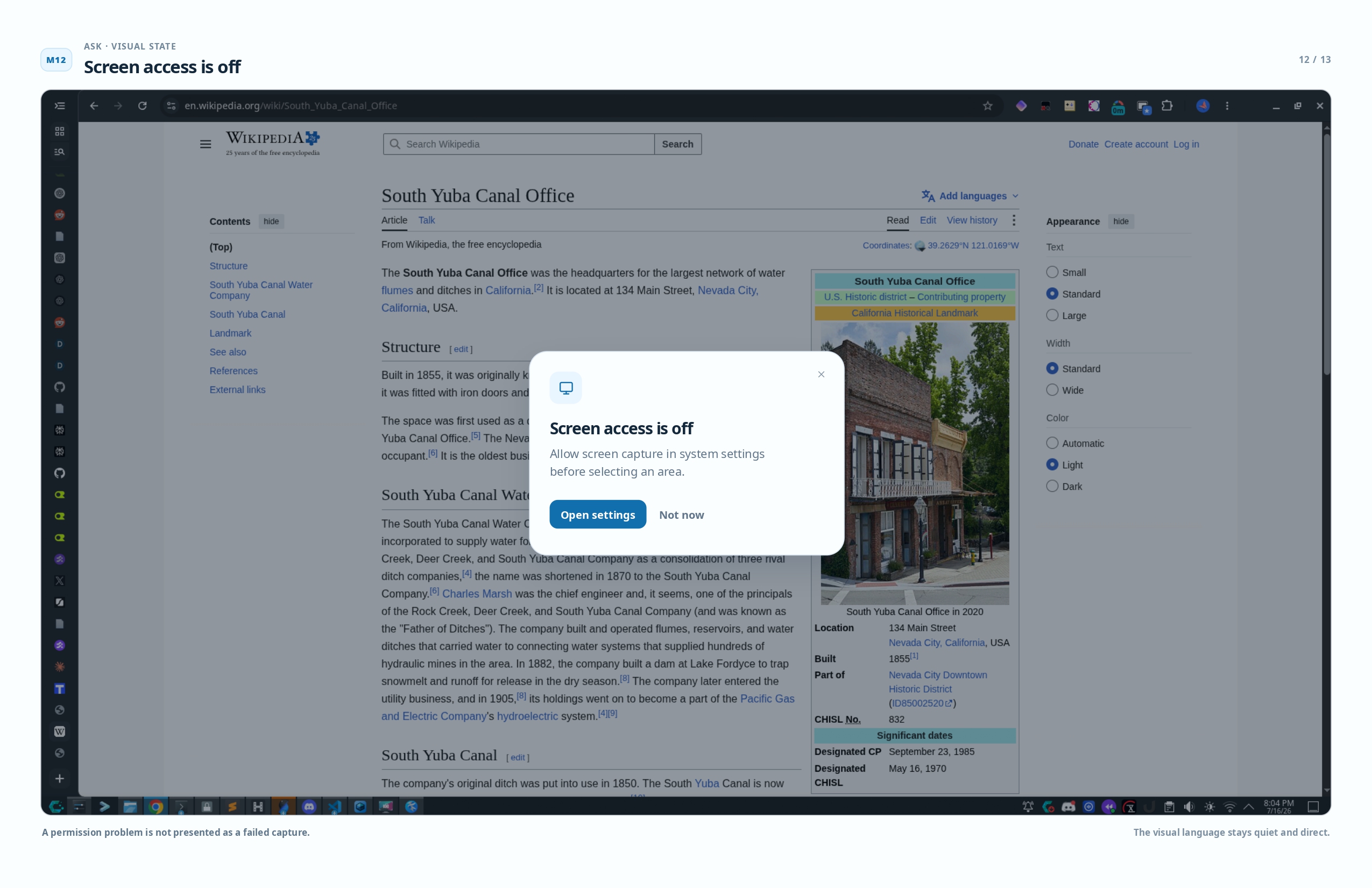
It started with a research paper. I was reading about neural scaling laws, hit a paragraph about optimal compute allocation, read it four times, and still had no idea what it was saying. I thought: I don't need a conversation. I don't need to sign up for anything. I just need someone to tell me what this one sentence means so I can get back to reading.
I went looking for something that already did this. Chrome extensions, Google Lens — everything either required screenshots and a chat interface, had a really sloppy and weak interface or only worked inside one browser. Nothing did this one thing and then got out of your way. So I built it.
What it does
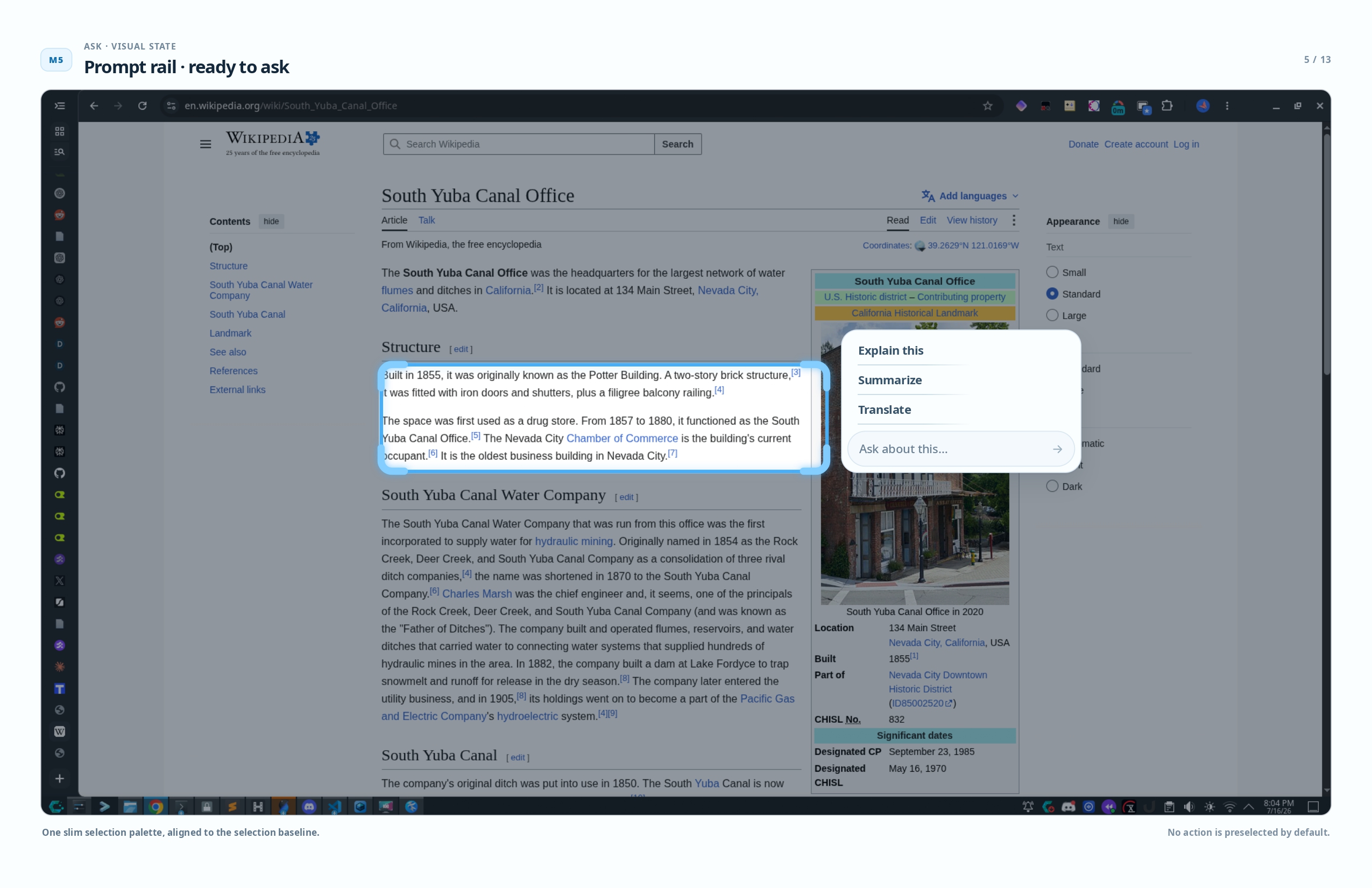
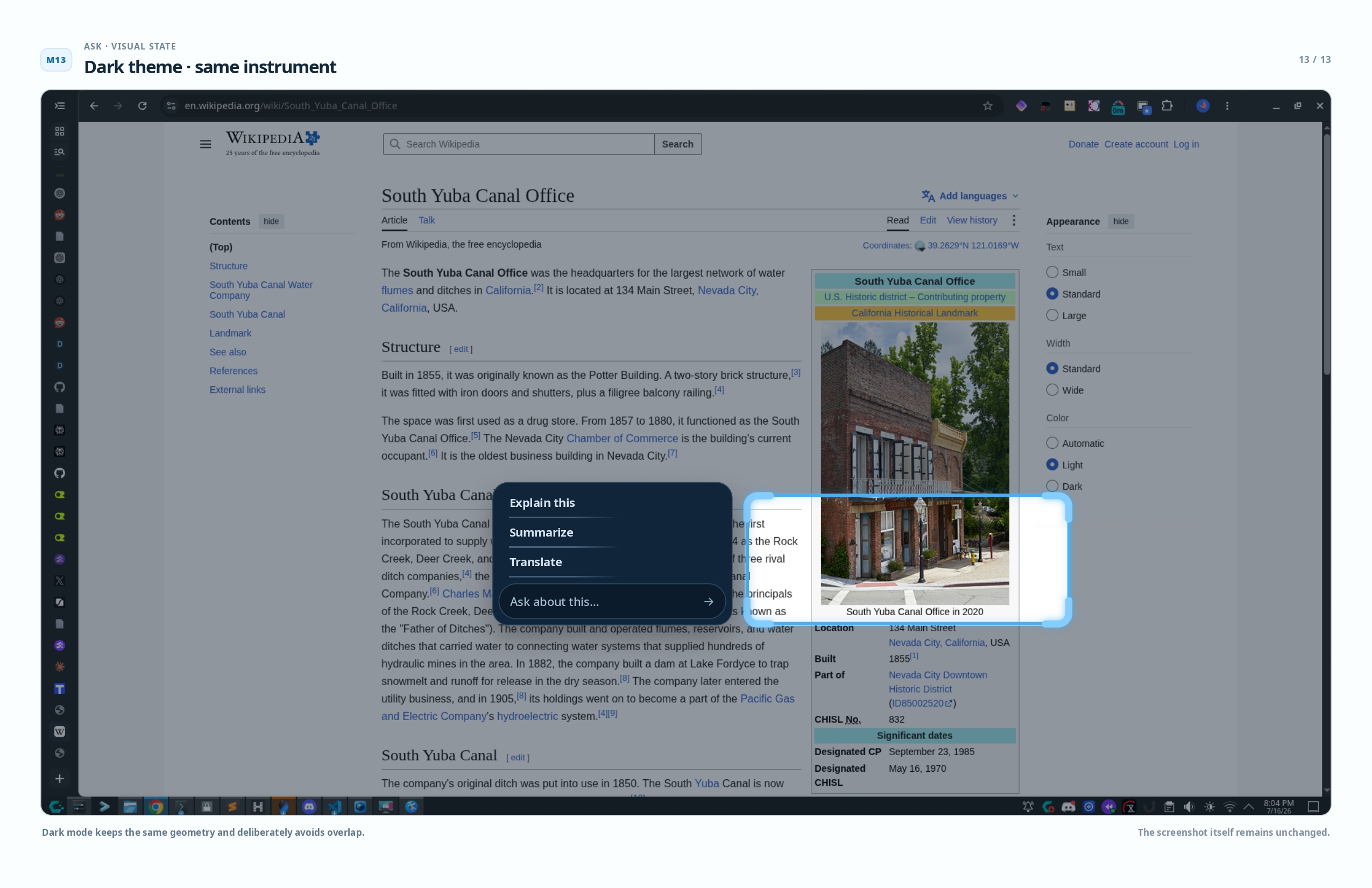
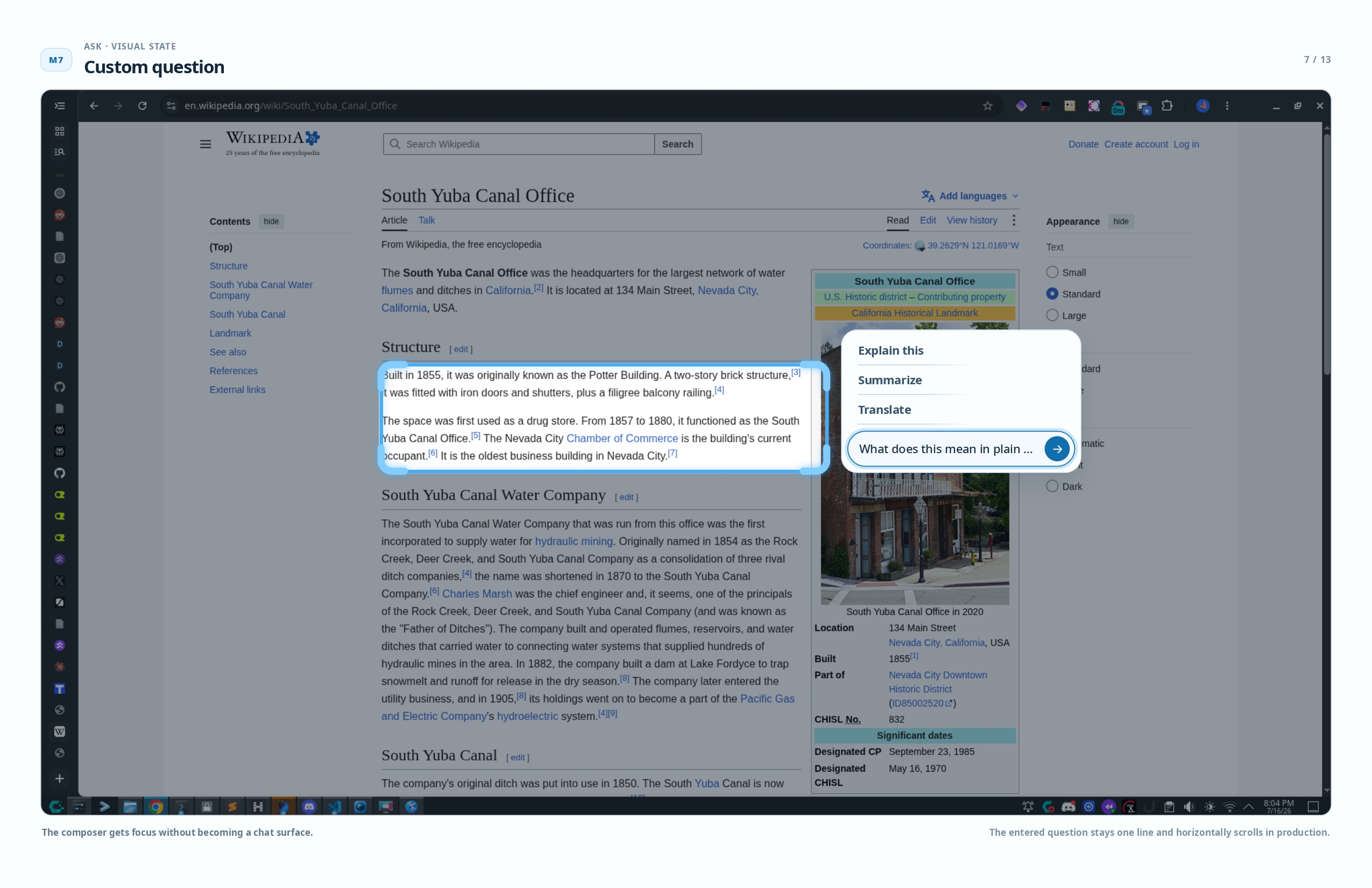
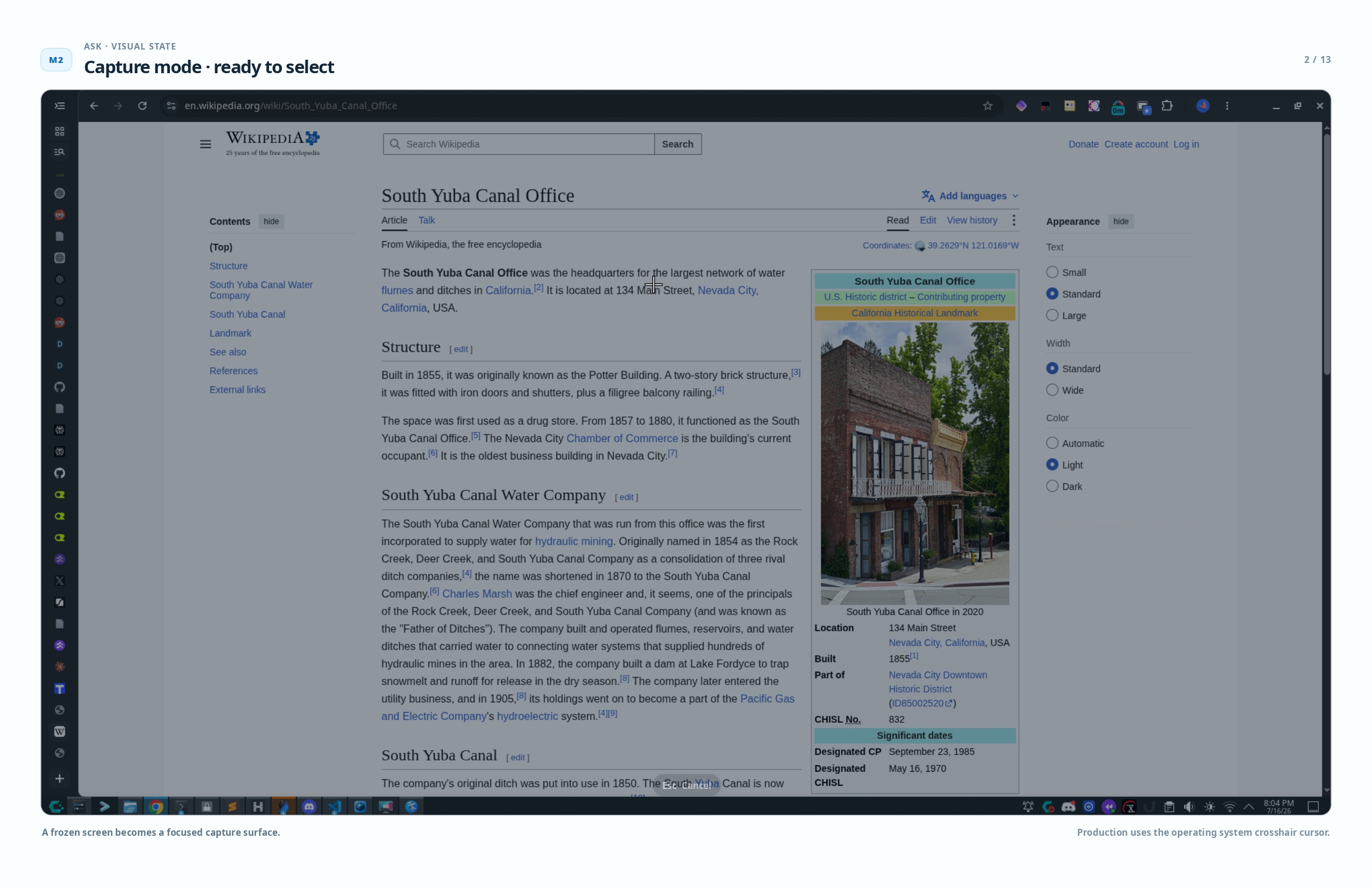
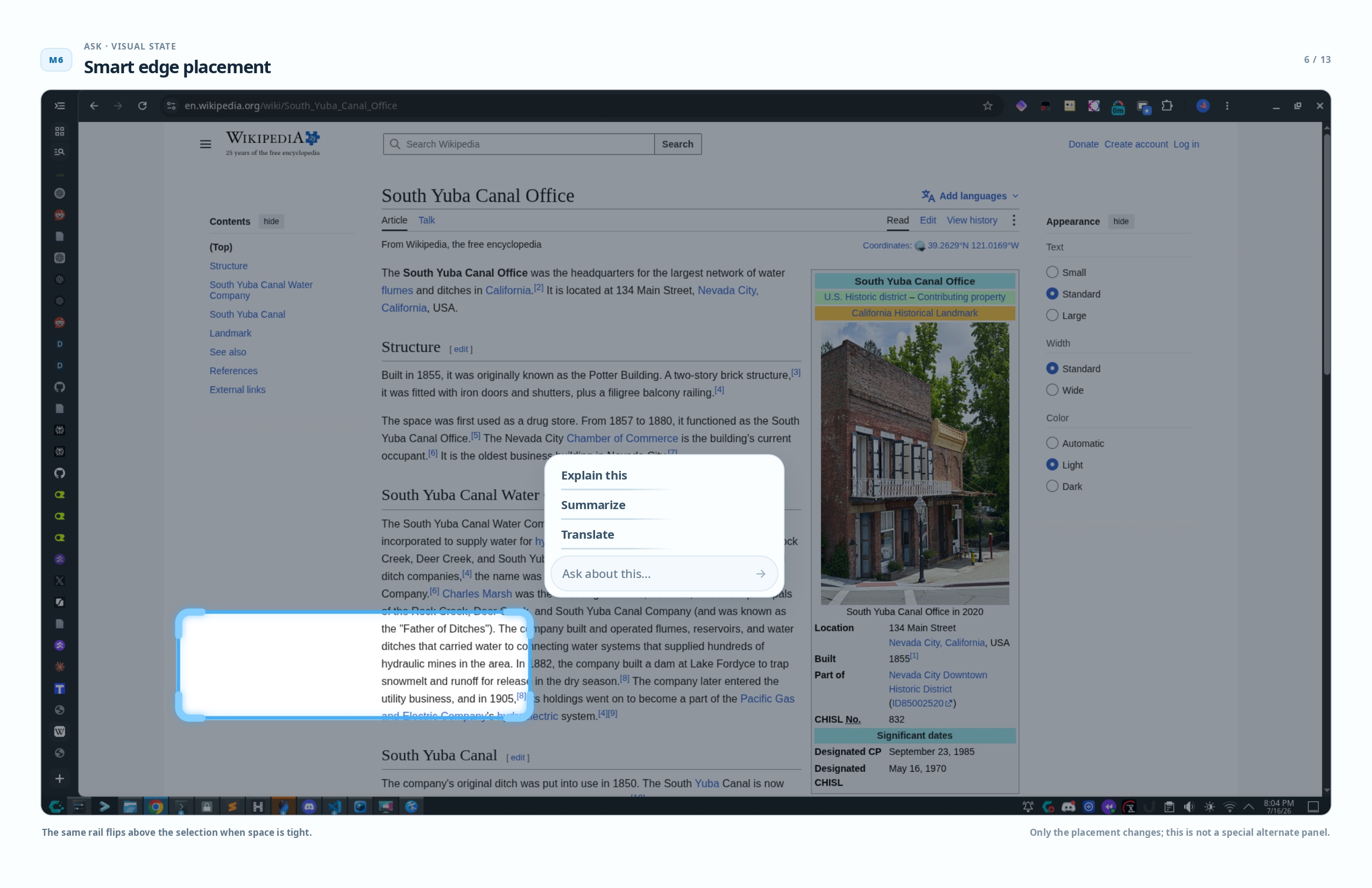
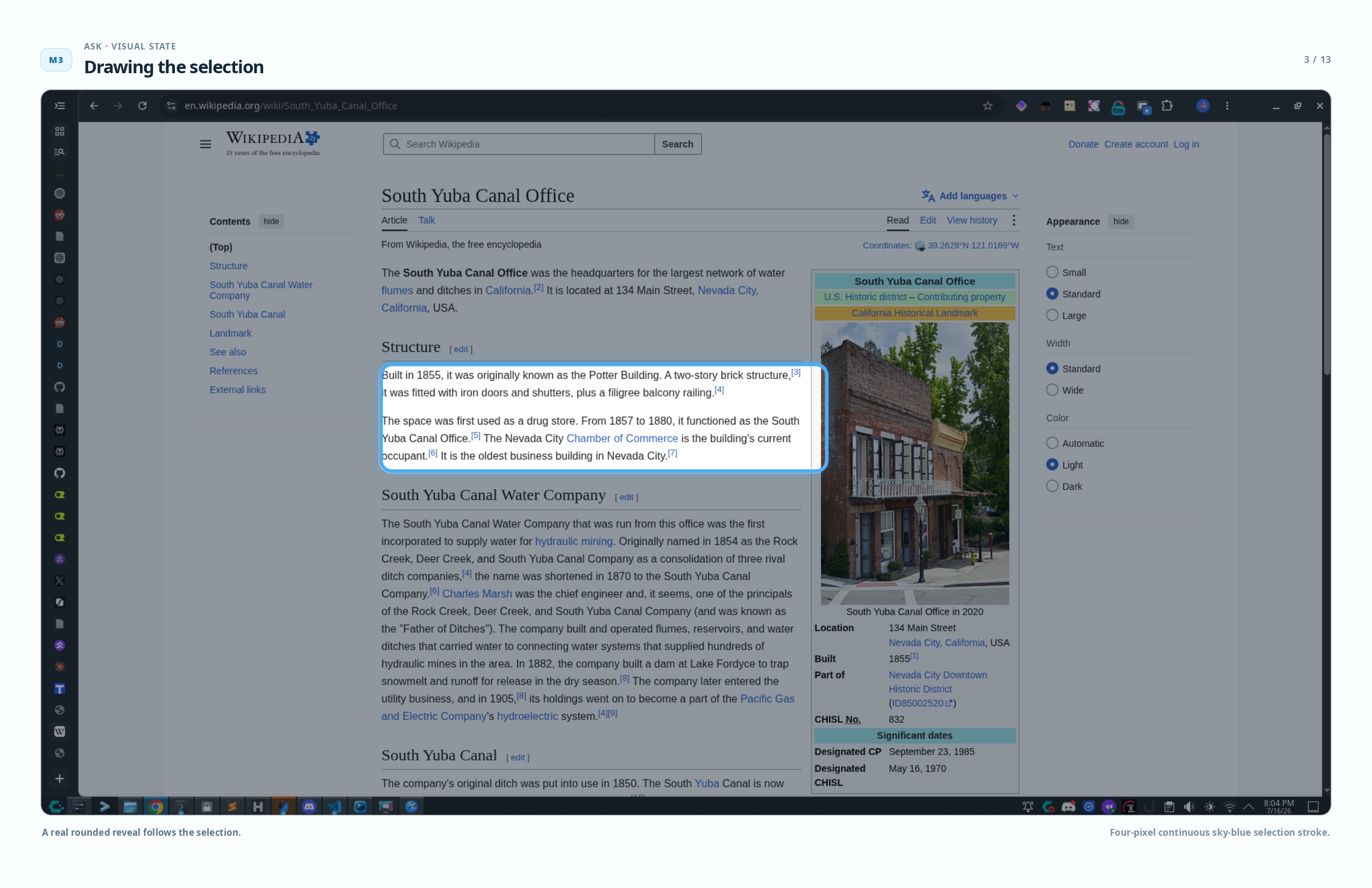
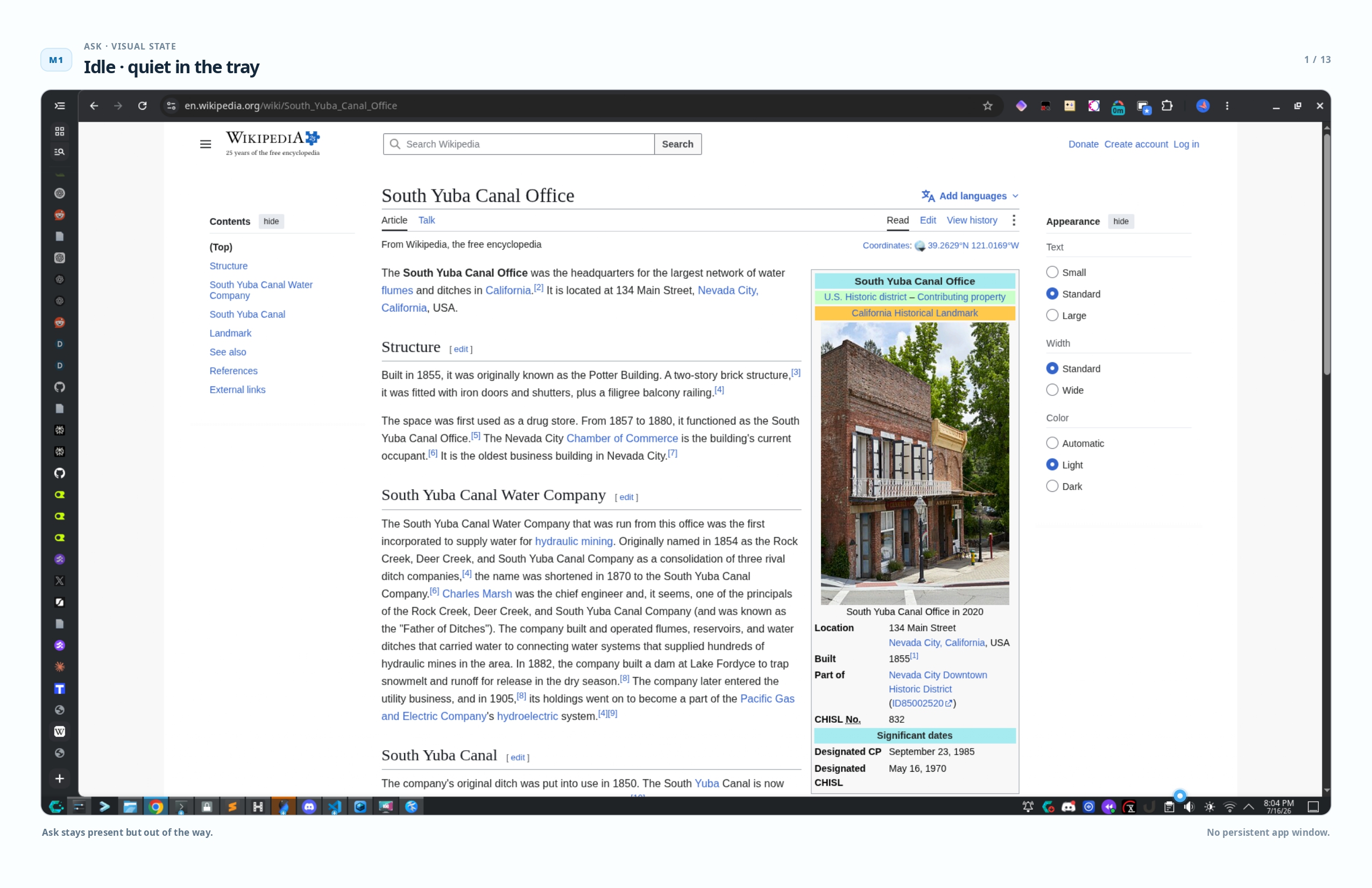
Ask lives in your system tray until you need it. One global shortcut (Alt+?) freezes your screen, dims the image, and lets you draw a rounded selection around whatever you want explained. A slim annotation rail appears beside it with three quick actions — Explain this, Summarize, Translate — or you can type your own question.
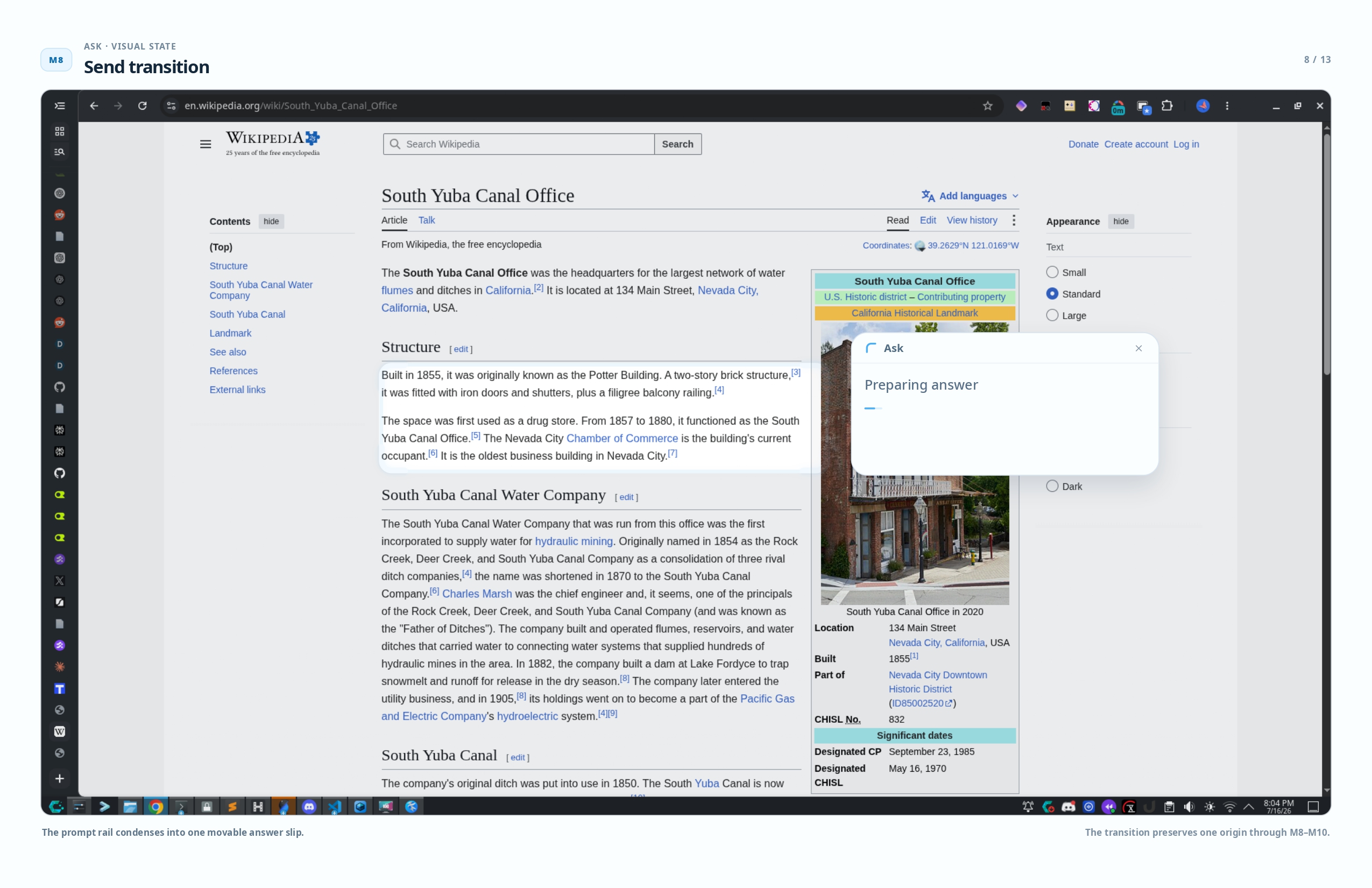
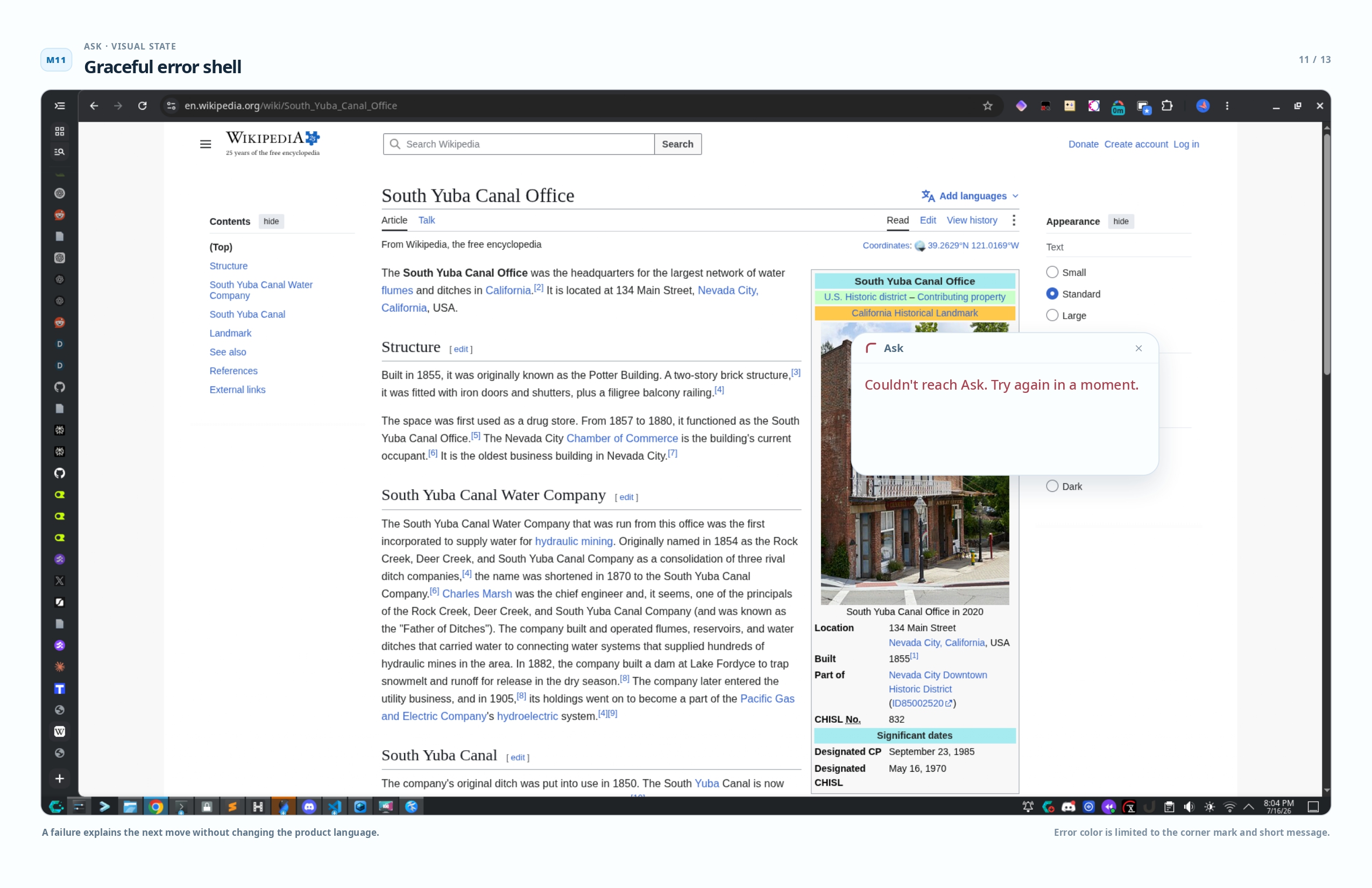
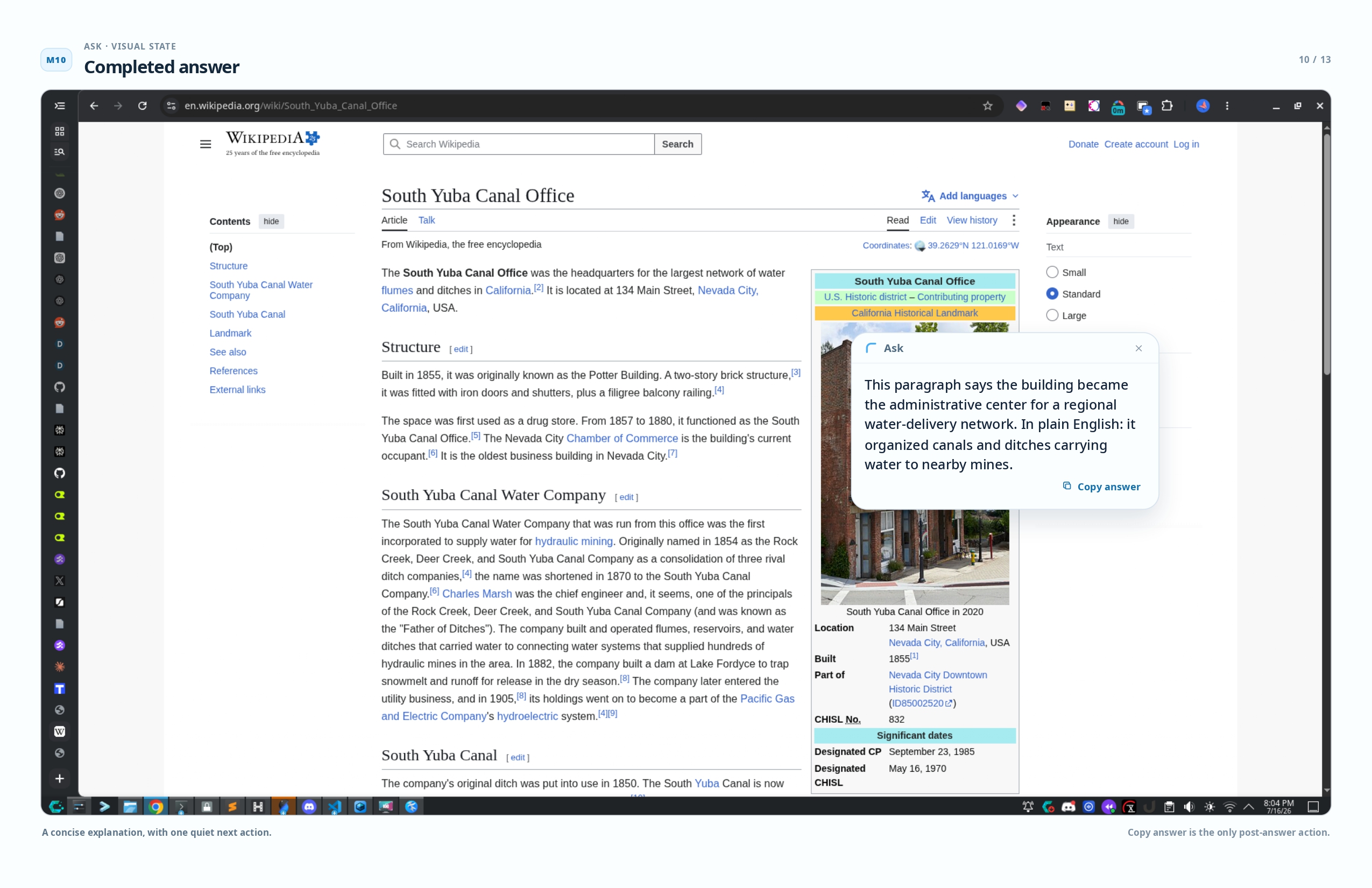
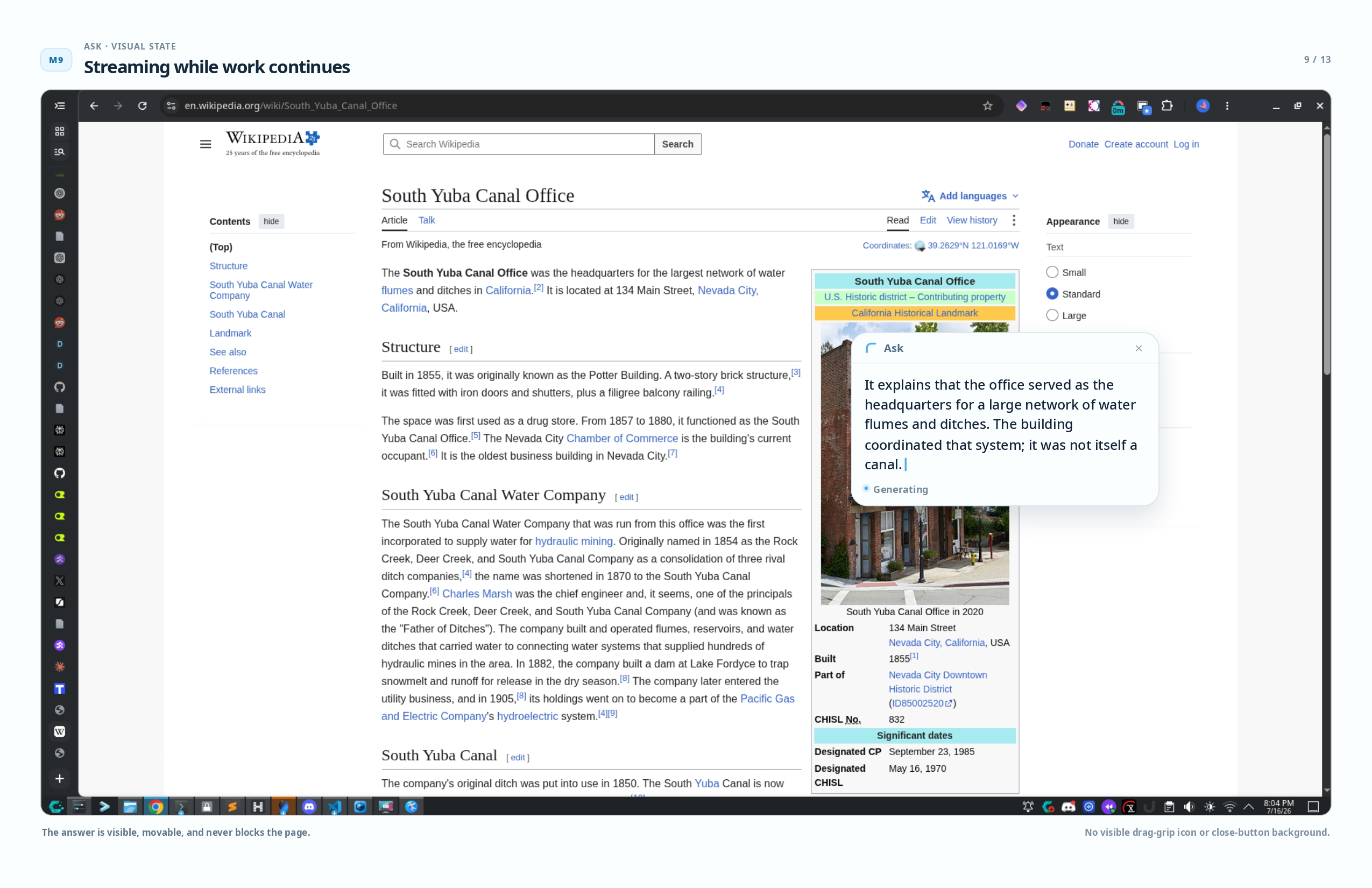
Hit submit, the overlay fades, and a compact always-on-top window streams the answer while you go back to work. Movable, resizable, and it stays visible until you copy the answer and close it. No chat history. No accounts. No permanent feed of answers. One question, one answer, back to what you were doing.
It works with anything on screen — research papers, code editors, terminals, UI, video subtitles. I was sure it would break on half of those. It just didn't.
How we built it
Electron, React, TypeScript. Four layers. The main process handles screen capture via desktopCapturer, global shortcuts, system tray, and a hidden annotation renderer that draws a red border on the selection for the vision model. The renderer builds the capture overlay and the response window. Shared utilities handle geometry, coordinate normalization, and DPI-aware rect mapping. An optional proxy backend enforces daily quotas so nobody burns through an API key in one afternoon.
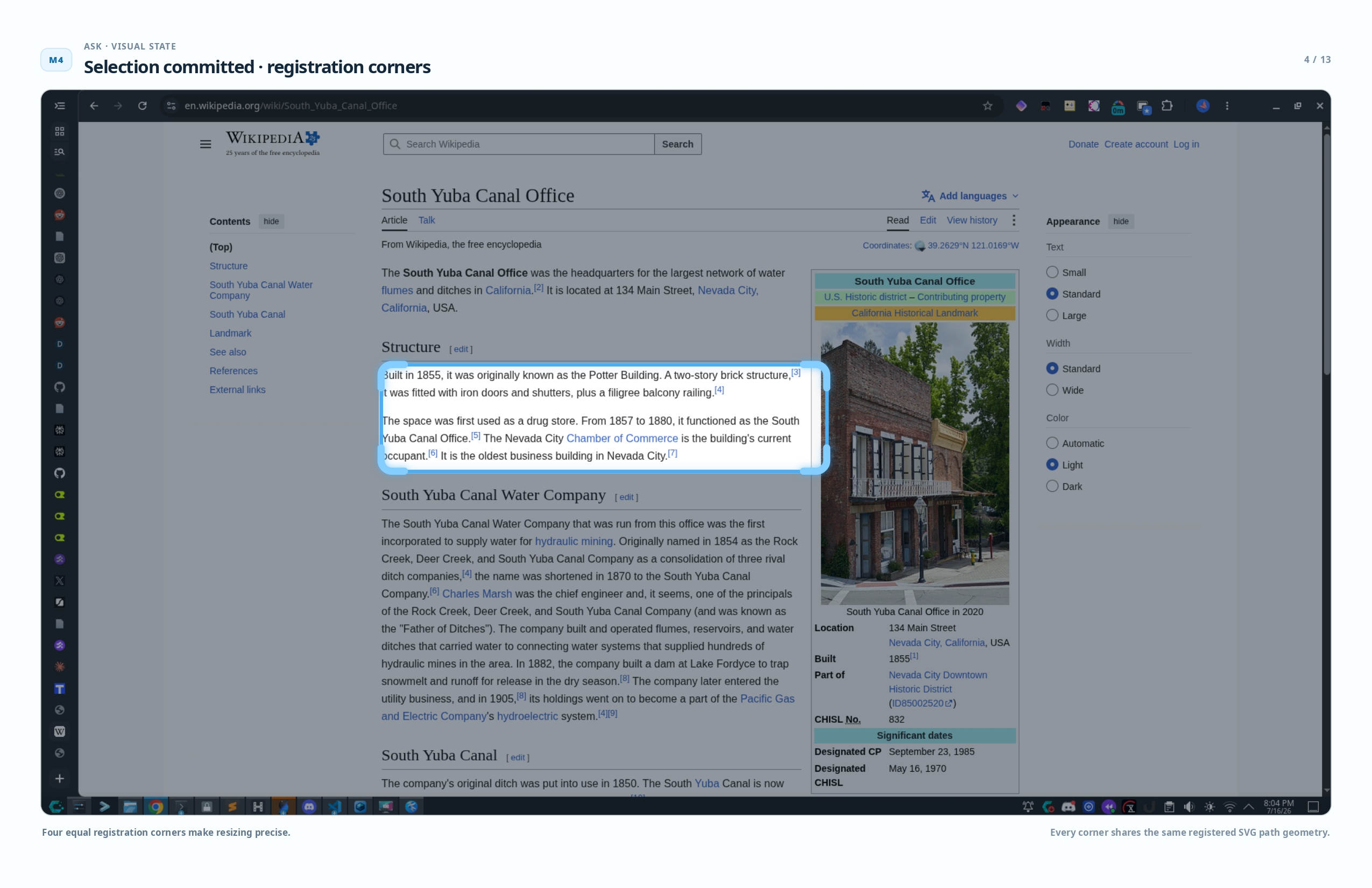
The capture flow: invoke with the shortcut, capture the display under your pointer, show a frozen overlay. You draw a selection using an SVG luminance mask — a bright reveal hole in a dark dimmer — with a 4px blue border and SVG L-shaped corner grips. The prompt rail auto-aligns to the selection's baseline. On submit, the annotation renderer draws a red border on the full screenshot, POSTs to an OpenAI-compatible vision endpoint, and streams the response via SSE into a frameless always-on-top window.
The prompting and iteration engine
The unusual part is how it was built. The entire thing was coded through AI agents — OpenAI Codex, Claude Code — with a meta-layer of prompt engineering I iterated for a week straight.
Phase one was structured agent handoffs. I built the ask-mvp-agent-kit directory: the product plan, approved mockups covering thirteen UI states, redesign decisions, self-review docs, and a skill that codifies the visual review protocol. The implementation prompt reads like a legal spec — non-negotiable outcomes, ordered reading list, precise geometry requirements. Any agent can pick it up and produce something coherent. I tested it with three different models. It worked with all three.
Phase two was multi-agent evolution for the ad film script. Six generations. Each round: four parallel planners, four parallel critics, one synthesis agent, then two survivors plus one combined plus one fresh wildcard. The orchestrator never generated anything — it just routed prompts and collected results. Watching it run felt like watching a factory.
Phase three was critic loops with self-review after every build. Establish the contract against references, build a test matrix, batch screenshots, compare systematically. Evidence-backed issues only. Close the loop. The first pass caught over forty issues.
Phase four was meta-tools for the AI itself. I wrote a product reference doc — compiled ground truth — so the film script planner, the Devpost writer, and the landing page agent all work from the same source without me telling them differently every time.
Challenges we ran into
Screen capture on Wayland was the first big unknown. I had no idea if desktopCapturer would work on my KDE Wayland setup. I was fully prepared to switch to X11. The MVP compiled, I hit the shortcut, and the first capture came back as real pixels. I yelled at my terminal at 1am.
DPI math was the most annoying thing by far. The selection overlay has to match the captured screenshot at every display scale — 100%, 125%, 150%, 2x HiDPI. I kept finding edge cases at fractional scales where coordinates were off by two pixels and it looked visibly broken. I wrote dedicated geometry types with scale-aware rounding and tested at five scaling modes on a 4K monitor. I'm still not sure I got them all.
Teaching an AI to see like a designer was a whole thing. The early mockups looked like a generic web prototype from 2015. I had to explicitly prompt for zoomed-in pixel inspection, write a full design philosophy document, and build a skill that codifies what I consider good. I still don't know if the AI actually sees what I see. Sometimes it produces something genuinely nice and I have no idea which part of the prompt did it.
The landing page was rewritten at least five times. The first version was so bad I literally wrote horribly terrible and ugly in my notes. I studied reference sites — Steep, Hugo, Granola — and rebuilt it as a scroll-driven product story. Then my mom tested it and couldn't figure out what it did, so I added a plain-language explainer stage. Then I spent hours tuning animation timing factors. The changelog has entries like make it 2x slower, 10x faster to test, 10x slower lol, you realize you just reverted it you idiot. I finally created a single external config file for all the timing knobs because I couldn't trust myself.
Designing by voice transcription is insane but it works. Early brainstorming was pure speech-to-text chaos on my phone. One note literally says: i wnat you to perform an intreal self critiquiing loop once all html files have been prepared, w hcih is till wnat you to do. The AI agents somehow parsed it every single time.
Accomplishments that we're proud of
First capture on Wayland worked first try. Cross-platform desktop capture on Linux is notoriously fragile. On Wayland it is a minefield. It should not have worked that cleanly. I fully expected to spend three days on it.
The SVG luminance mask. Instead of a CSS overlay with a transparent hole which leaks click events, the selection uses a real SVG black-hole mask with a crisp rounded bright reveal. No square-corner bleeding. An 11pm decision that I'm still happy about six weeks later.
Eleven source files. 1829 lines of TypeScript for the entire MVP. That is the whole application — main process, renderer, shared types, proxy. Tight architecture, narrow scope, clean IPC boundaries.
The annotation rail concept. Rejecting the obvious chat popover in favor of a vertical margin rail linked to the selection's visual baseline. Short centered dividers. A single pill-shaped composer. It reads like an actual act of reading. The mockups went from generic to having a recognizable interaction silhouette.
The landing page. A zero-dependency, pure-CSS and JS scroll-driven product walkthrough with a custom keyboard animation for the shortcut sequence. It actually came out clean. One of the only things I didn't rewrite.
The meta-tools. The agent kit, the prompts, the review skill, the reference doc. It's infrastructure for future me. I could drop into this project six months from now and a new agent session would know everything it needs to pick up where I left off.
What we learned
Prompt engineering is product design. The quality of the outputs directly reflected the quality of the inputs. When I wrote sloppy voice-transcribed prompts, I got sloppy code. When I structured a handoff kit with precise references and non-negotiable outcomes, the agent delivered production-quality work. The PROMPTS.md pattern — context, references, hard constraints, optional open parameters — is now my universal template.
AI agents need a visual critic. Without an explicit review loop that captures screenshots and inspects at pixel level, they produce visually acceptable but geometrically wrong output. Borders misaligned by a pixel. Inconsistent margins. The meticulous-reviewing skill enforces evidence-backed verification and a closed loop: find the issue, fix it, recheck. It sounds obvious. Most people don't do it.
Meta-tools compound more than I expected. Every hour I spent on a reusable handoff kit or review protocol saved multiple hours later. The agent kit meant I could drop the entire product context into a fresh agent session and get meaningful work immediately instead of re-explaining everything from scratch.
Narrow scope was the best decision I made. The product deliberately has no chat history, no accounts, no regenerate, no stop, no multiple selections, no OCR, no model picker. Every omitted feature keeps the experience fast and focused. One question, one answer, get out. That philosophy forced cleaner architecture than any general-purpose AI tool ever could.
AI coding agents work best with a clear boundary between human and machine roles. I handled vision, design philosophy, qualitative judgment, naming, and prompt structure. The agent handled code, tests, documentation, screenshots, and pixel measurement. The boundary was explicit. The few times I crossed it went badly.
What's next for Ask
Packaging and distribution. The MVP builds for Linux. I want macOS and Windows builds with proper code signing and auto-update. Better Wayland integration with native PipeWire capture. A lightweight hosted proxy so other people can use it without configuring their own API key. The proxy code is half-written somewhere in my working tree. Model selection — a picker in the tray menu to switch between speed and capability.
The naming problem. Ask is awful for SEO. You can't find it. I think ill call it JASK for Just Ask, or smth else a real name will come once I know if anyone actually uses this. Or it won't. And that's fine too.
The agent kit is frozen and ready. Someone could pick it up for any of this. Maybe future me. Maybe someone else. I keep looking at the directory. Just sitting there. Just need to start.
Built With
- chatgpt
- codex

Log in or sign up for Devpost to join the conversation.