-
-
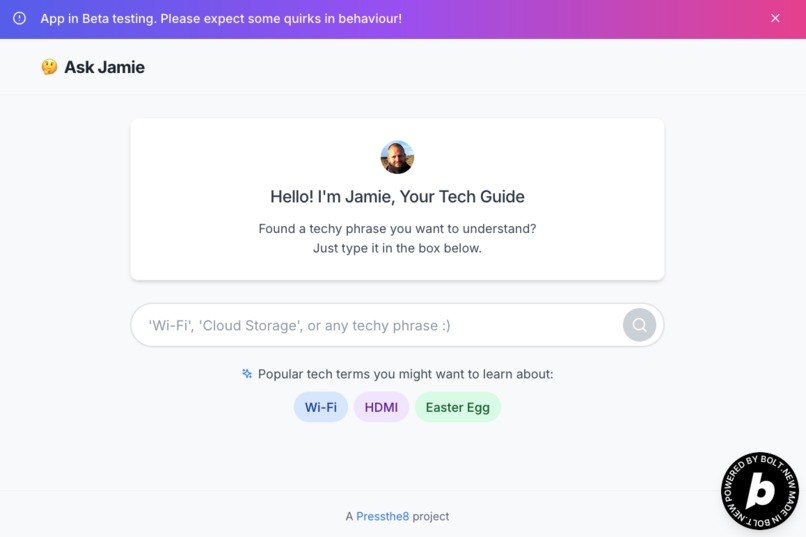
AskJamie Homepage
-
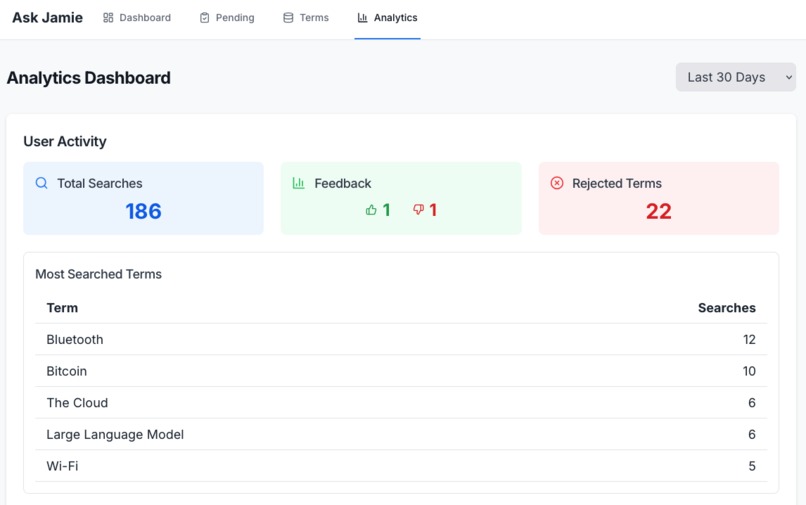
AskJamie Admin Panel
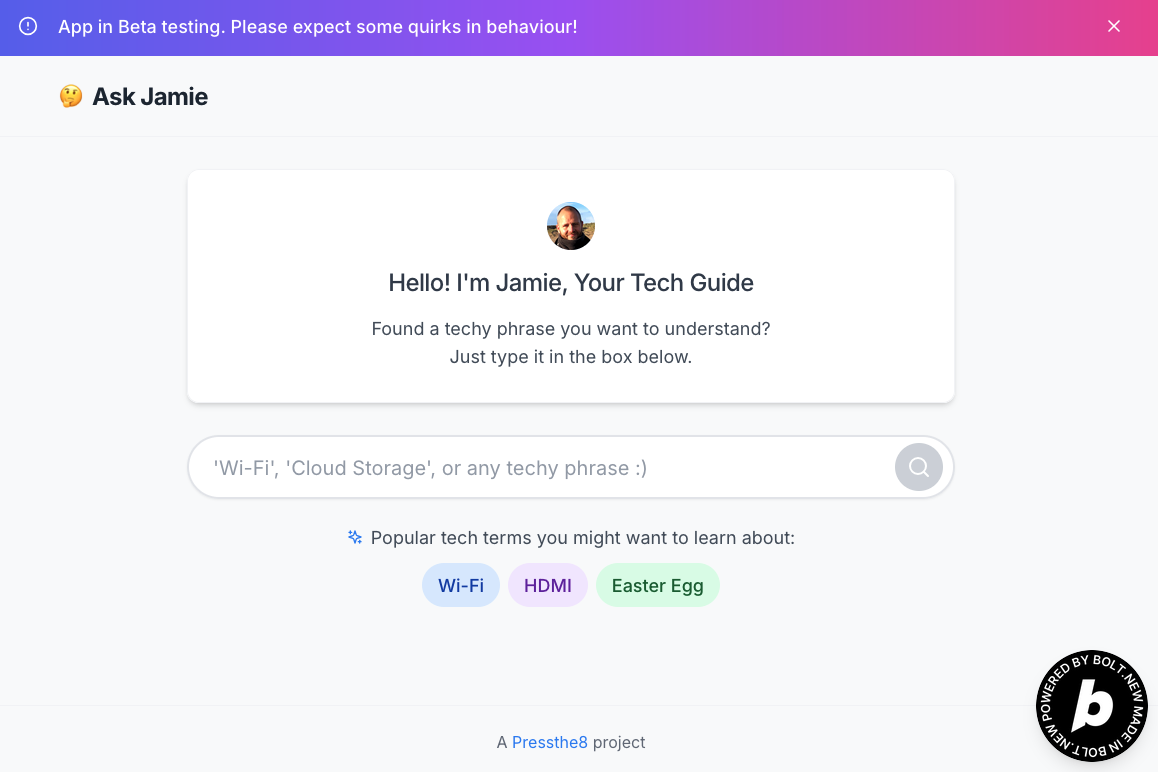
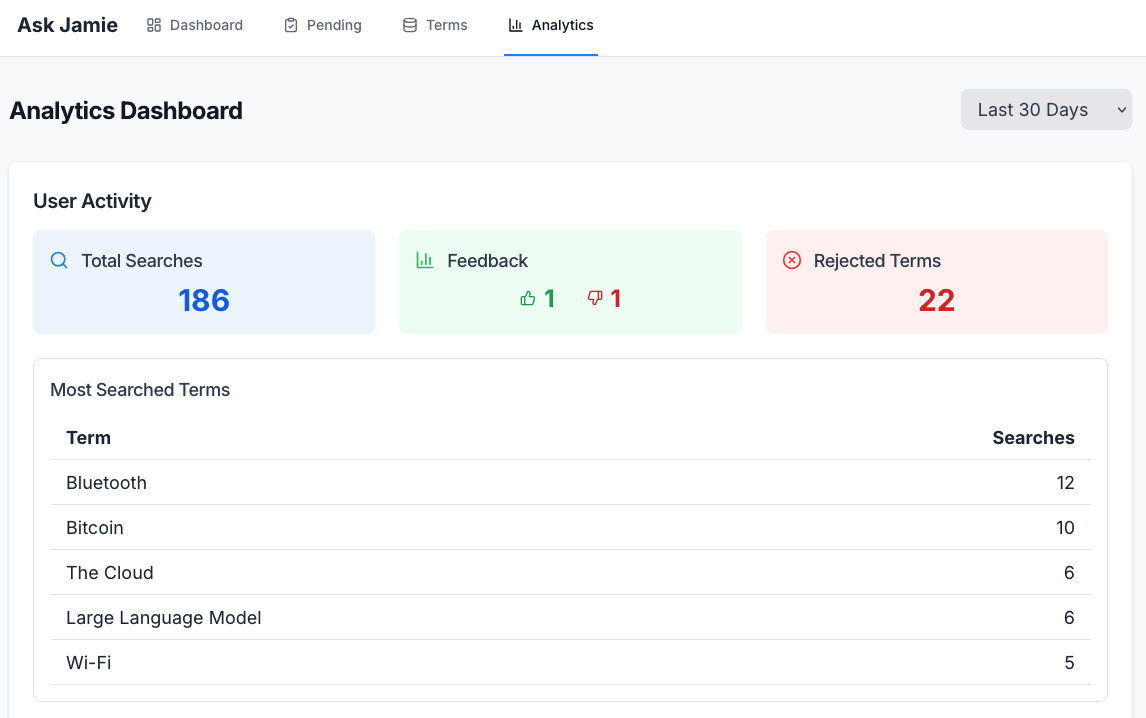
Ask Jamie: Your Friendly Guide to Technology
Inspiration
The inspiration for Ask Jamie comes directly from the front lines of digital literacy. As a volunteer at my local library in Amersham, I regularly help senior community members navigate the often-confusing world of technology. Simple terms can be baffling, leading to frustration and a sense of being left behind.
I saw a clear need for a tool that offers simple, trustworthy explanations without resorting to more jargon. The idea crystallized: what if there was an instant, friendly resource that demystifies tech, just like a patient friend or family member would? This vision was perfectly encapsulated by a classic clip from The Office, where a seemingly simple request for "something for the old people" highlights the true challenge: providing meaningful and accessible solutions, not just generic ones.
What it does
Ask Jamie is a web-based lookup service designed to bridge the digital literacy gap. Users simply type a tech term they don't understand into a central search bar. The system then provides a concise, jargon-free explanation.
Here's how it works:
- Intelligent Lookup: When a term is submitted, Ask Jamie first checks a curated internal database of human-validated, simple explanations.
- AI-Powered Explanations: If the term isn't found in our validated database, it's sent to a Large Language Model (LLM) via an API. The LLM generates a clear, simple explanation guided by a specific prompt designed for clarity and brevity.
- Transparency: Explanations from the human-validated database are clearly marked with an "Approved by Jamie" label and a green checkmark, signifying trust. LLM-generated explanations are marked with an "Automatically Generated" label and a robot icon, managing user expectations.
- Data Flywheel: All new terms and their LLM-generated explanations are logged in a pending review system, forming a "data flywheel." This continuous feedback loop allows for human review and validation, continuously improving the quality and accuracy of Jamie's explanations over time.
How I built it
Ask Jamie uses a composable, API-first architecture to ensure scalability, maintainability, and clear separation of concerns, all within the constraints of a hackathon timeline.
- Frontend: The user-facing application is a single-page interface built with React. It's designed with a clean, minimalist aesthetic, large typography, and generous spacing, optimizing for clarity and ease of use, especially for older adults. Netlify serves as our hosting platform, providing continuous deployment directly from our GitHub repository.
- Backend & Database: Leveraged Supabase for the backend infrastructure.
- Supabase PostgreSQL powers the database, storing both human-validated explanations (
termstable) and AI-generated explanations awaiting review (pending_reviewtable). - Supabase Functions act as the serverless API layer. These functions handle the core logic: receiving user queries, checking the database, calling the LLM API, and logging new explanations. This ensures the API keys are secure and backend logic is isolated.
- Supabase PostgreSQL powers the database, storing both human-validated explanations (
- AI Integration: Integrated with the Google Gemini API to provide the powerful LLM capabilities. Prompt engineering was critical, guiding Gemini to generate concise, jargon-free explanations and, importantly, to politely refuse out-of-scope requests or attempts at prompt injection.
Challenges I ran into
Like any hackathon, I faced a few interesting challenges:
- Prompt Engineering for Simplicity & Safety: Crafting the perfect prompt for the LLM was an iterative process. I needed to ensure it consistently generated 2-3 sentence, jargon-free explanations, while also rigorously guarding against prompt injection and out-of-scope requests. Balancing simplicity with robustness was key.
- Managing LLM Output Consistency: While
temperatureandmaxOutputTokenshelped, getting the LLM to always produce exactly 2-3 sentences required careful fine-tuning of the prompt and some light post-processing. - UI/UX for the Target Audience: While I had a clear vision, translating "simple and friendly for seniors" into a tangible UI required careful thought about font sizes, button placement, and clear visual cues without being condescending or overly simplistic.
- Integrating Supabase Functions with LLM APIs: Setting up secure environment variables and handling API calls within the Supabase Functions environment was straightforward but required precise configuration.
Accomplishments that I'm proud of
- Functional MVP: Delivered a fully working prototype that demonstrates the core intelligent lookup and explanation features.
- Robust LLM Integration: Successfully implementing a prompt that keeps the LLM focused on its task and resilient against malicious input is a significant win for trustworthiness.
- Clear UX for Seniors: The clean, intuitive interface is a strong foundation for user adoption by the target demographic.
- "Data Flywheel" Foundation: The logging of AI-generated content for human review establishes a powerful mechanism for continuous improvement and building a high-quality, validated knowledge base.
- Composable Architecture: Built the app with a clear separation of frontend and backend, making it highly scalable and easy to expand upon.
What I learned
This project offered valuable learning experiences:
- The Power of Prompt Engineering: Gained a deeper appreciation for how critical prompt design is for controlling LLM behavior and ensuring safety and relevance. It's truly a new form of "coding."
- Supabase as a Full-Stack Solution: Supabase proved to be an incredibly efficient tool for rapid full-stack development, handling both database and serverless functions seamlessly.
- User-Centric Design for Niche Audiences: It reinforced the importance of thoroughly understanding your specific users (older adults) and tailoring every aspect of the design to their needs, rather than just building a generic app.
- Iterative Development for AI Applications: Getting the AI "just right" required continuous testing, tweaking prompts, and observing output, highlighting the iterative nature of AI development.
What's next for Ask Jamie
Ask Jamie has immense potential beyond this hackathon MVP:
- Dedicated Reviewer Dashboard: Building a simple internal interface for volunteers or administrators to easily review, edit, and approve pending explanations.
- User Accounts & Personalization: Allowing users to save favorite terms or track their learning progress.
- Voice Input: Given the target audience, adding voice recognition could significantly enhance accessibility and ease of use.
- Multilingual Support: Expanding explanations to other languages.
- Broader Content: Potentially expanding beyond just tech terms to explain other complex concepts in simple terms (e.g., finance, health).
- Community Contributions: Exploring a model where trusted community members could contribute and propose explanations, subject to review.

Log in or sign up for Devpost to join the conversation.