-
-
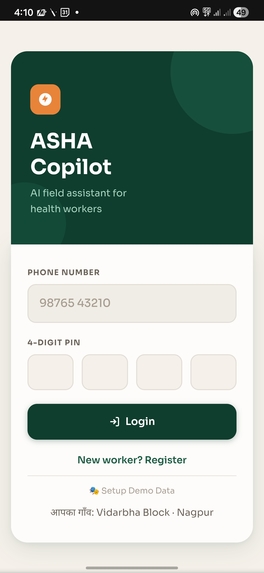
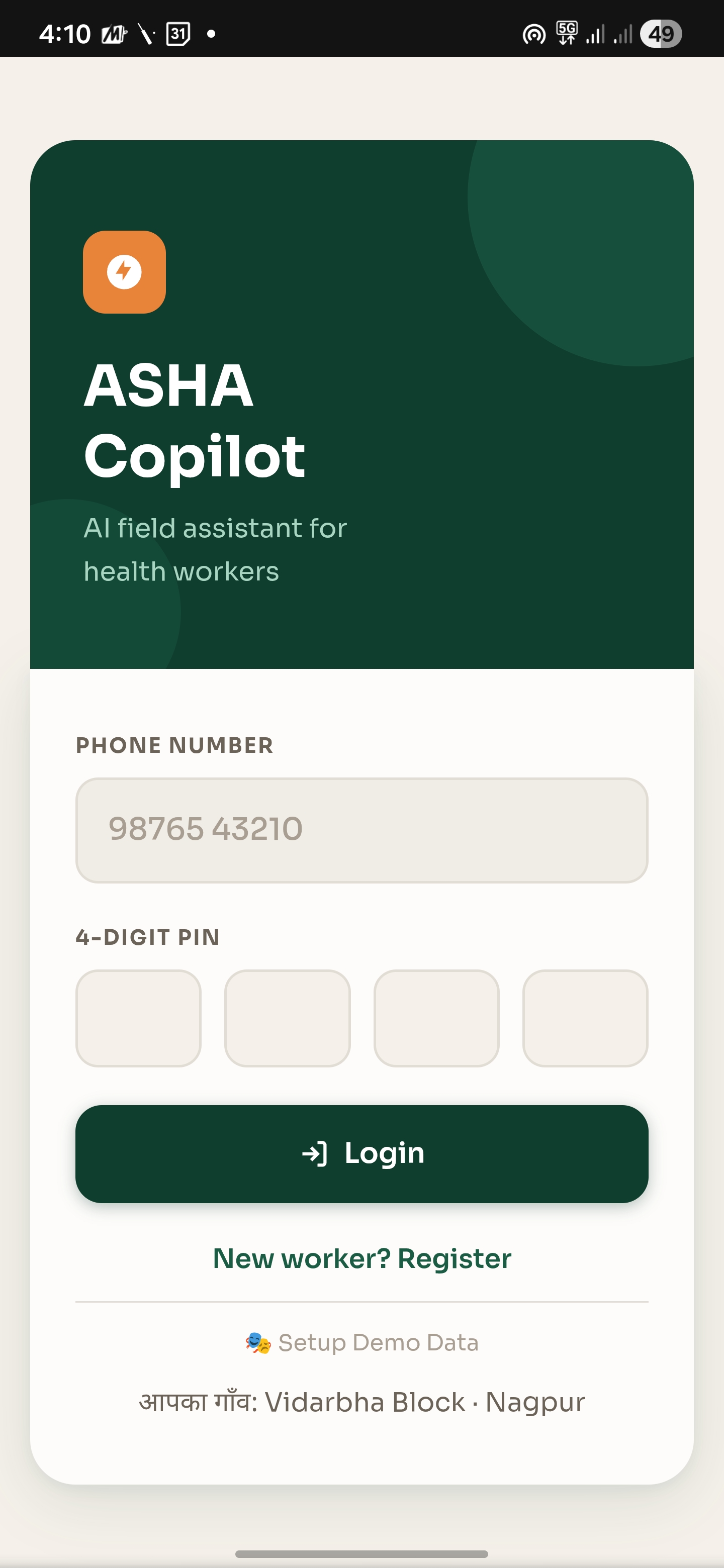
Login Page
-
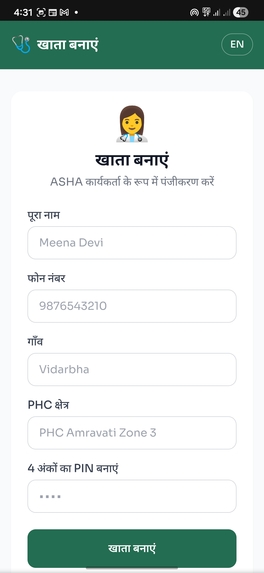
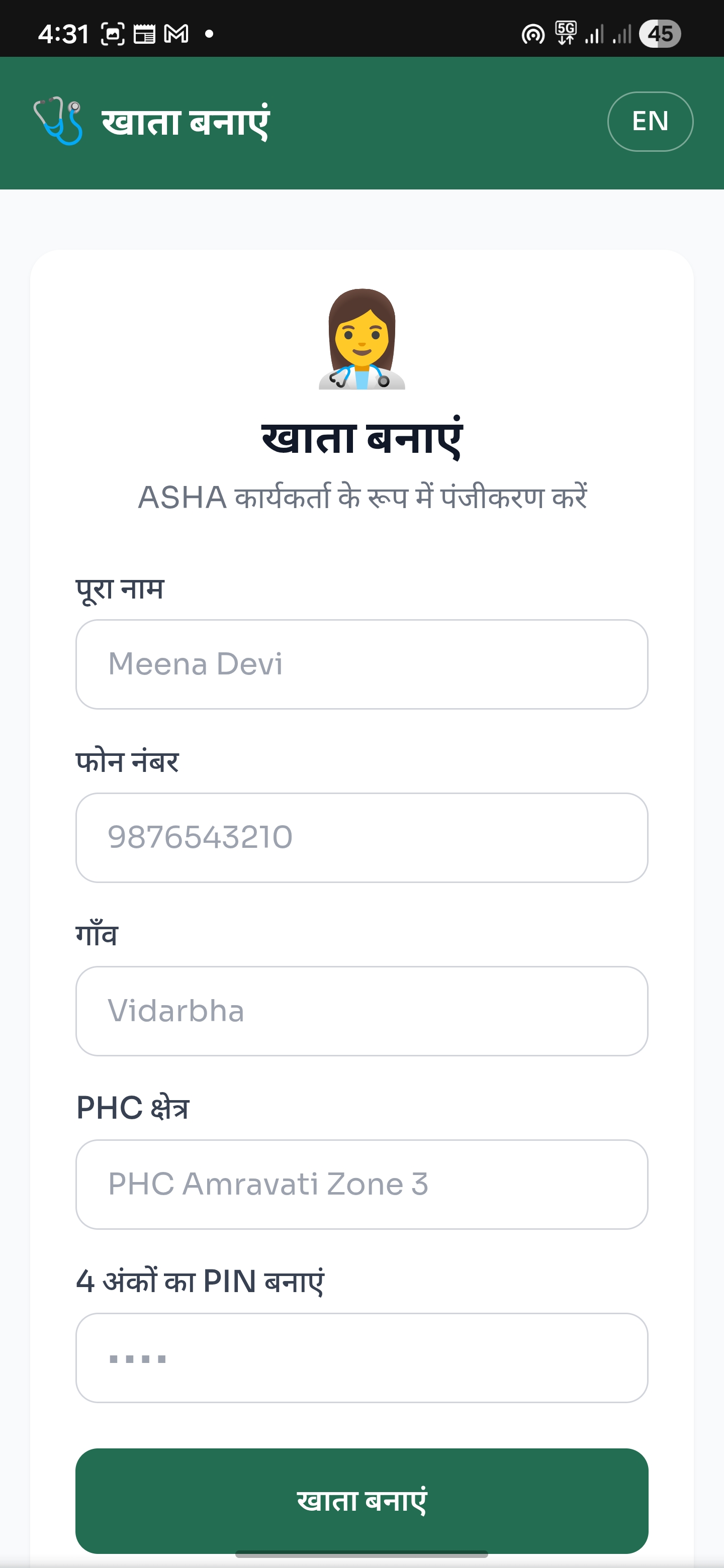
New User Register Page
-
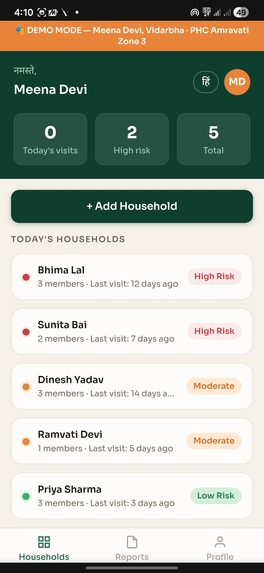
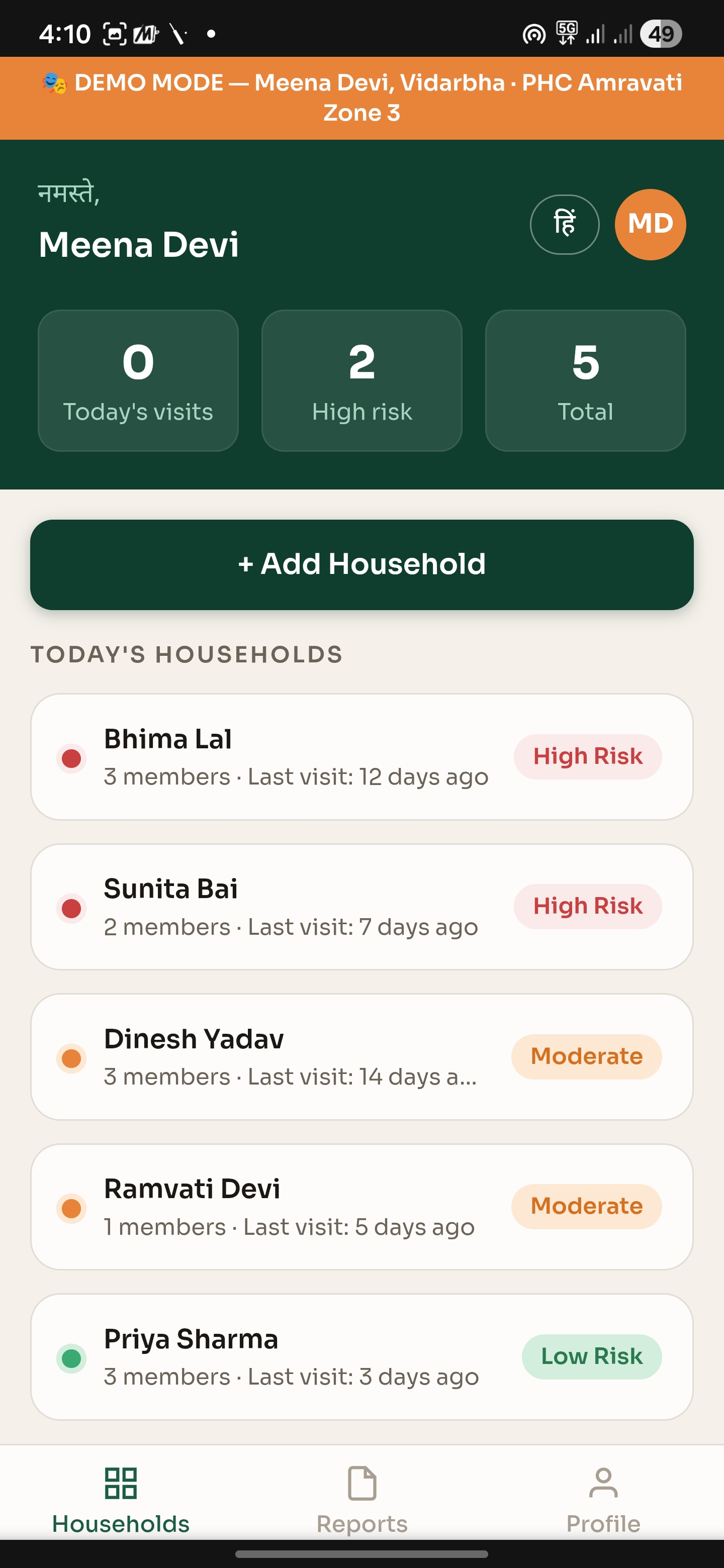
User Dashboard
-
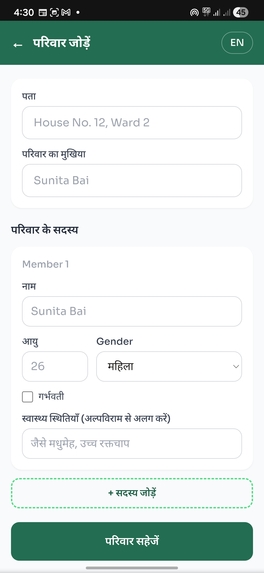
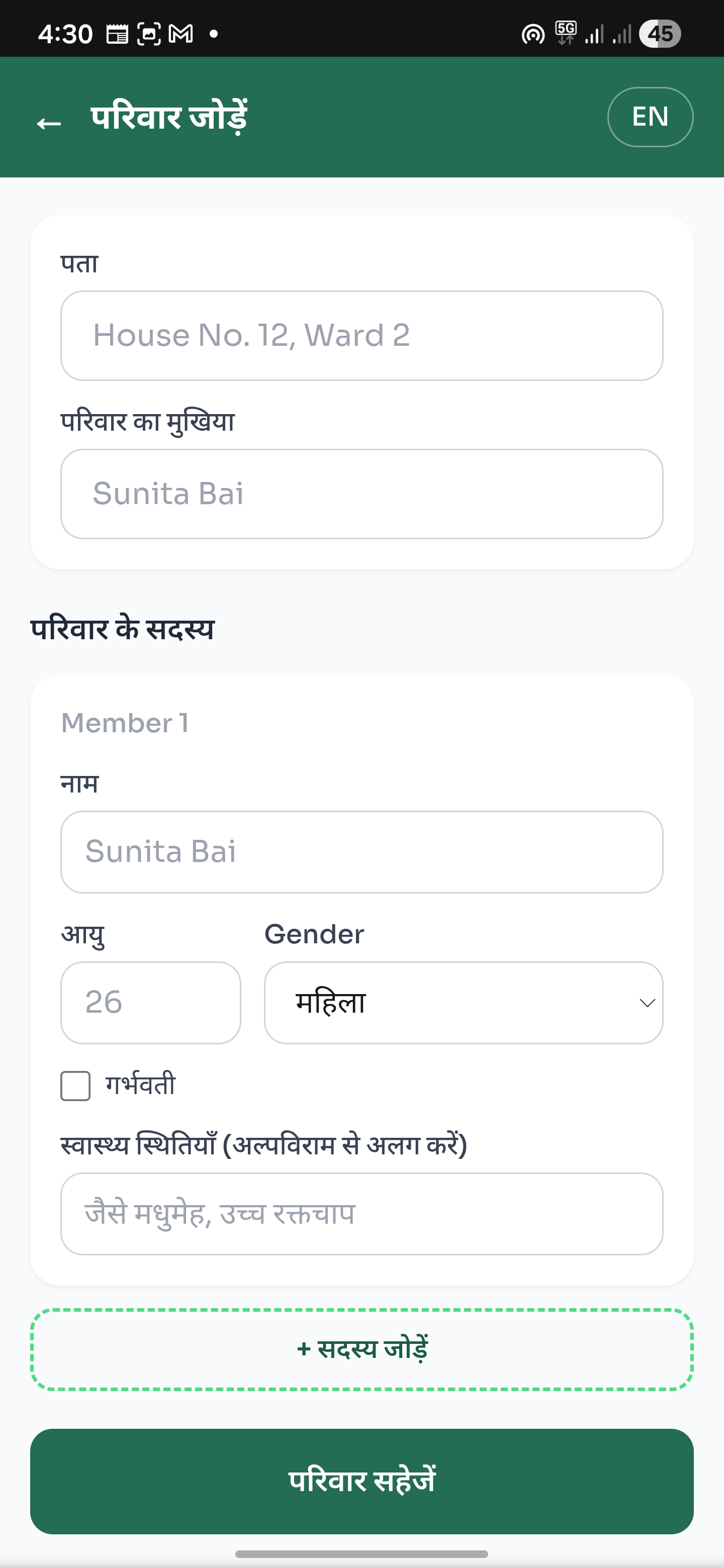
Adding New Family Page
-
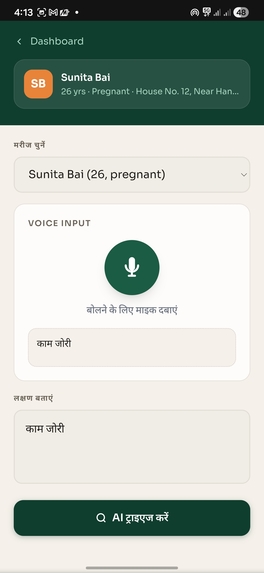
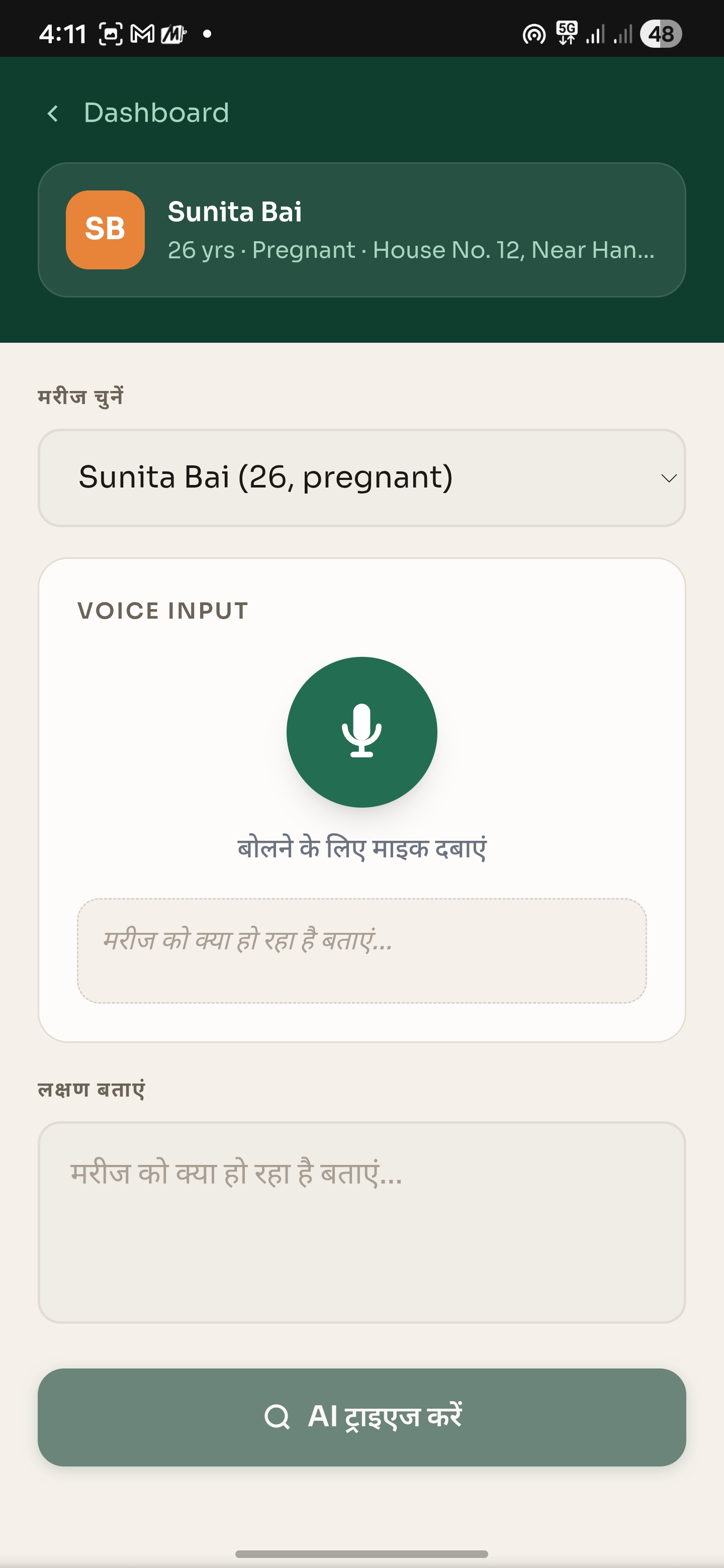
Patient Page
-
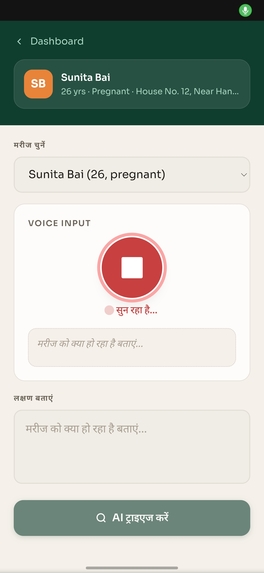
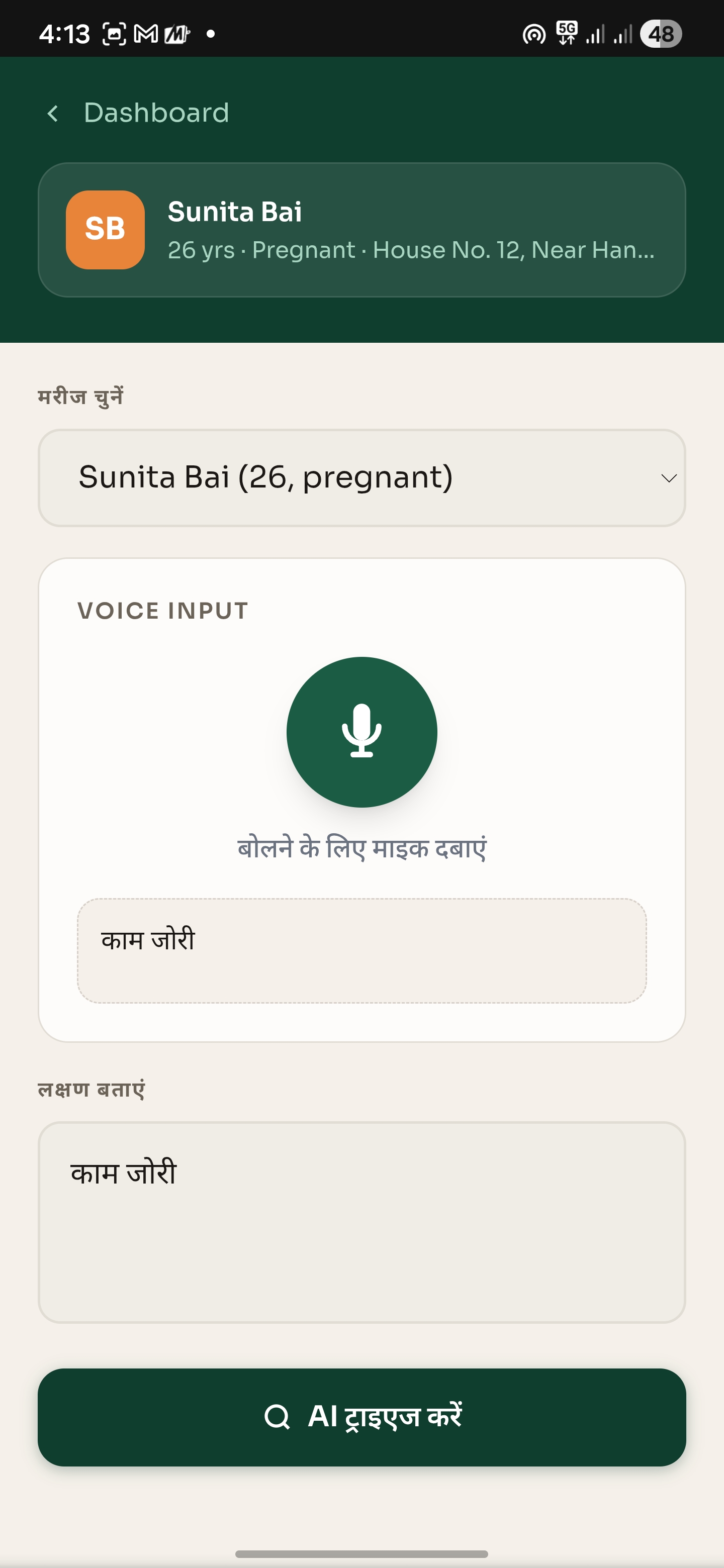
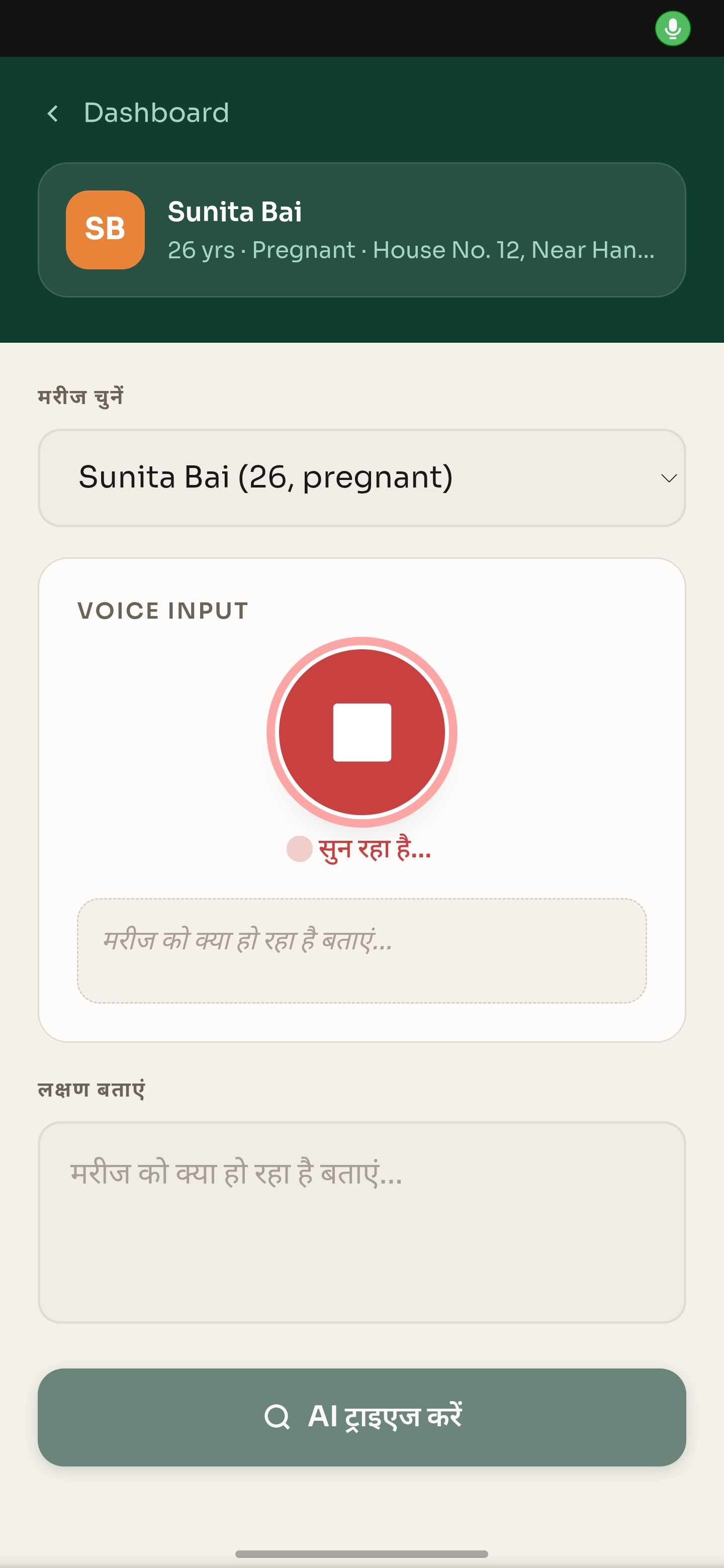
Taking mic Input of patient symptoms
-
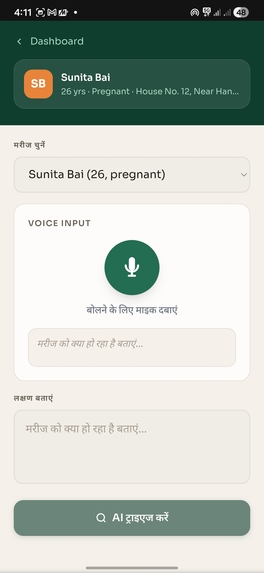
Patients Illness/symptoms
-
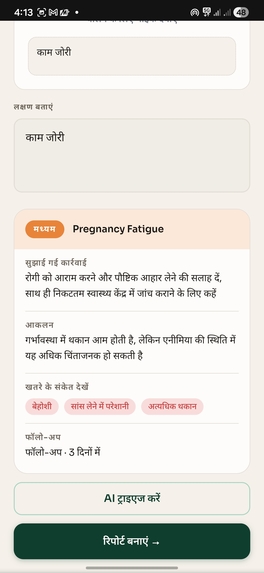
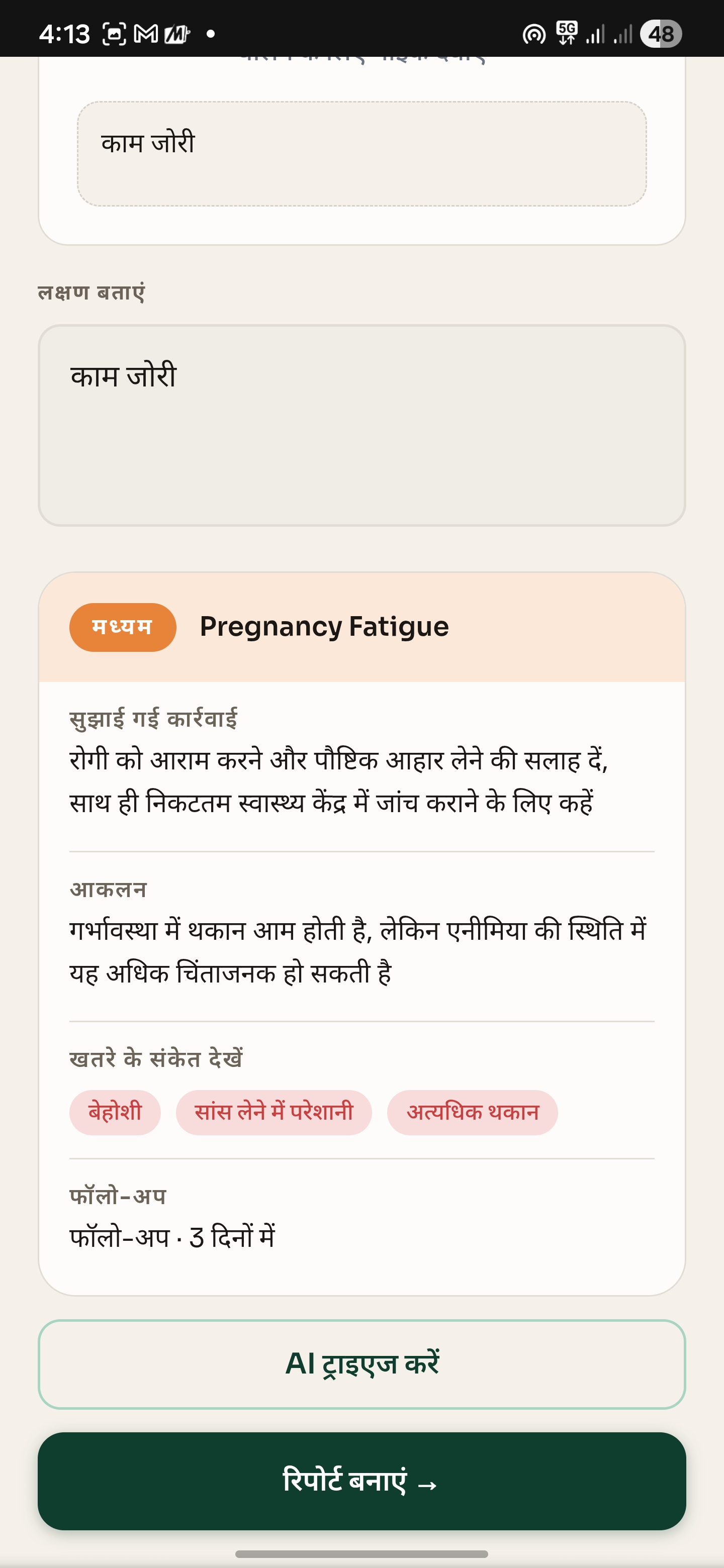
AI Triage Results
-
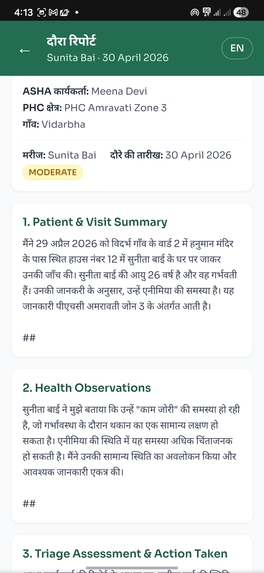
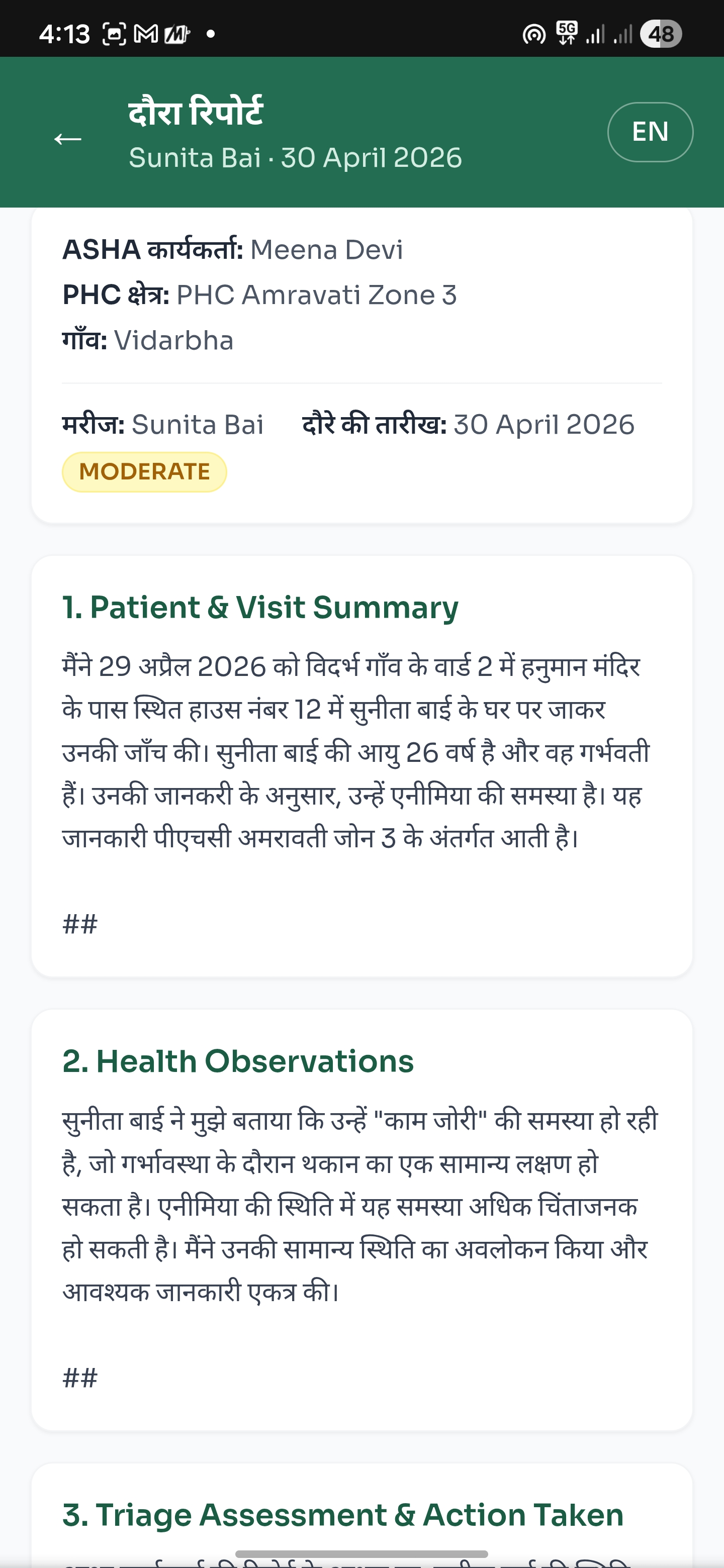
Ai Triage Generated Report
-
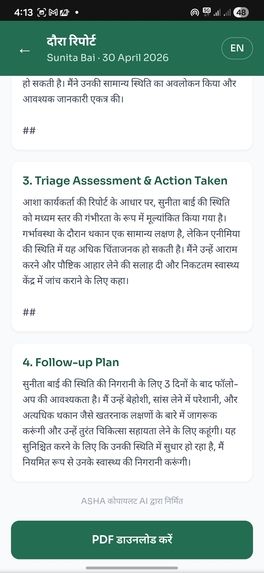
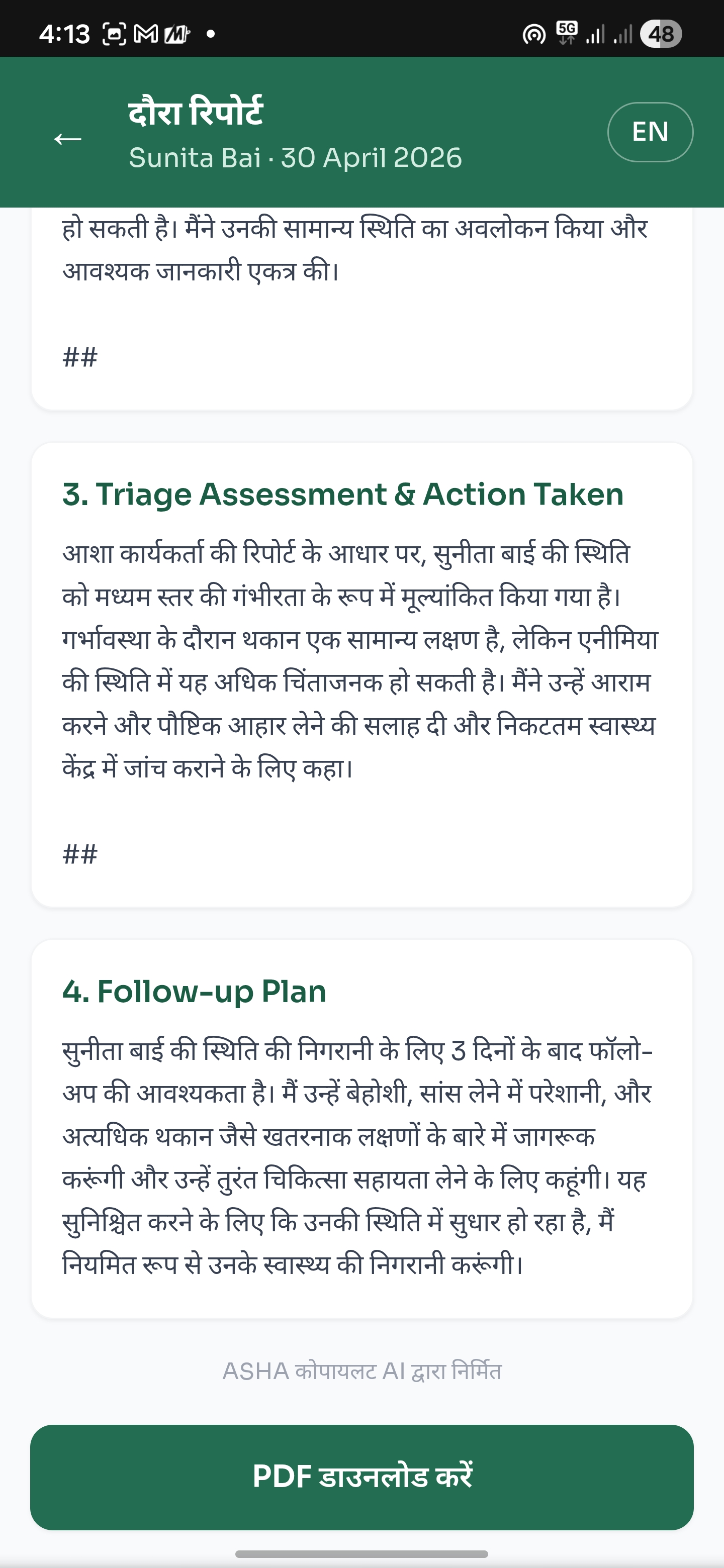
Ai Triage Generated Report
-
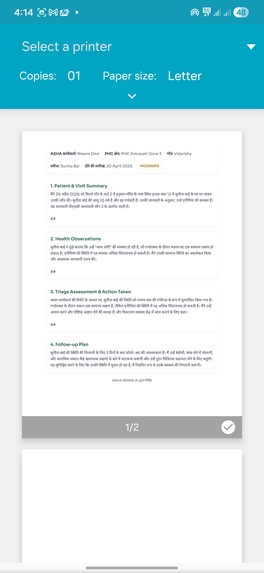
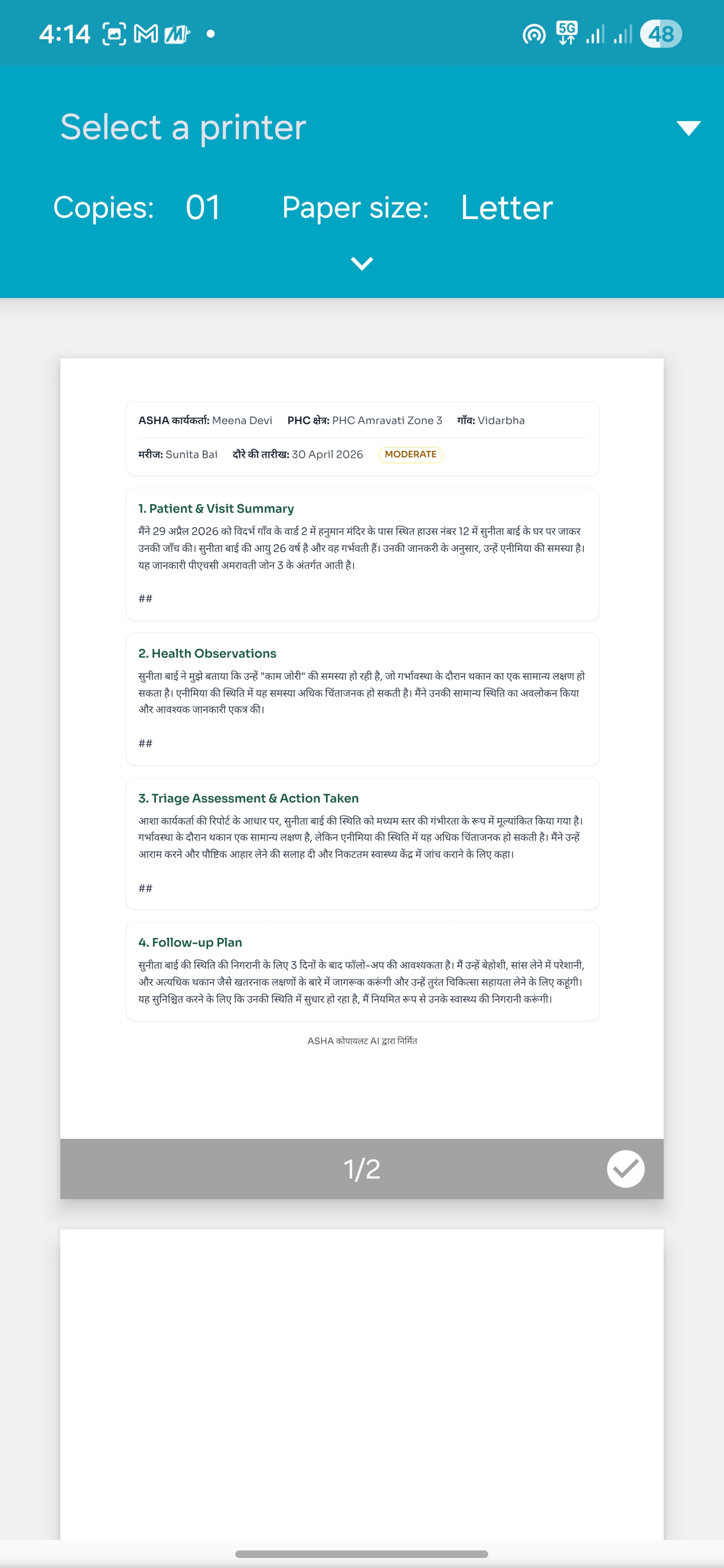
Exportable Report
-
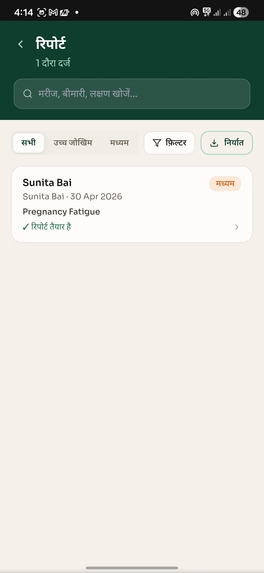
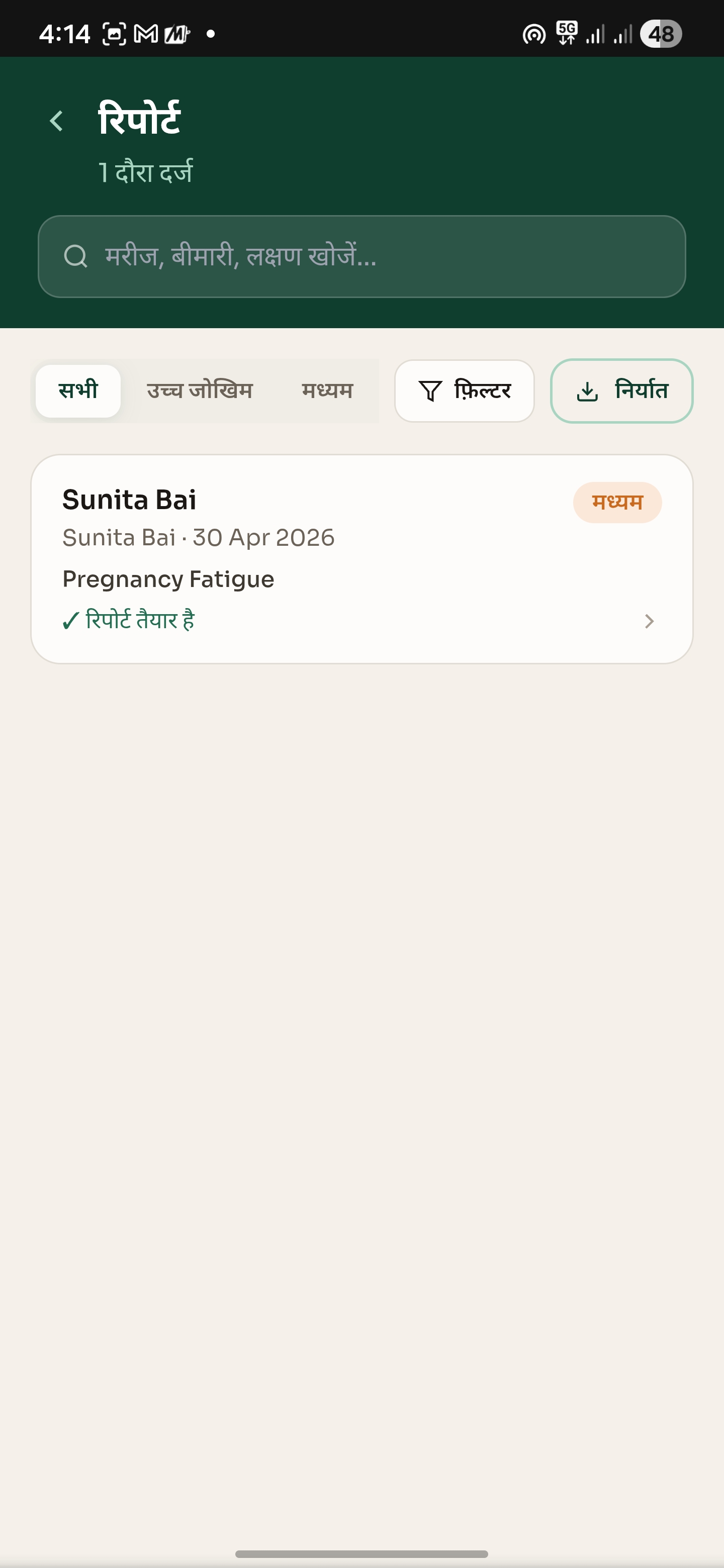
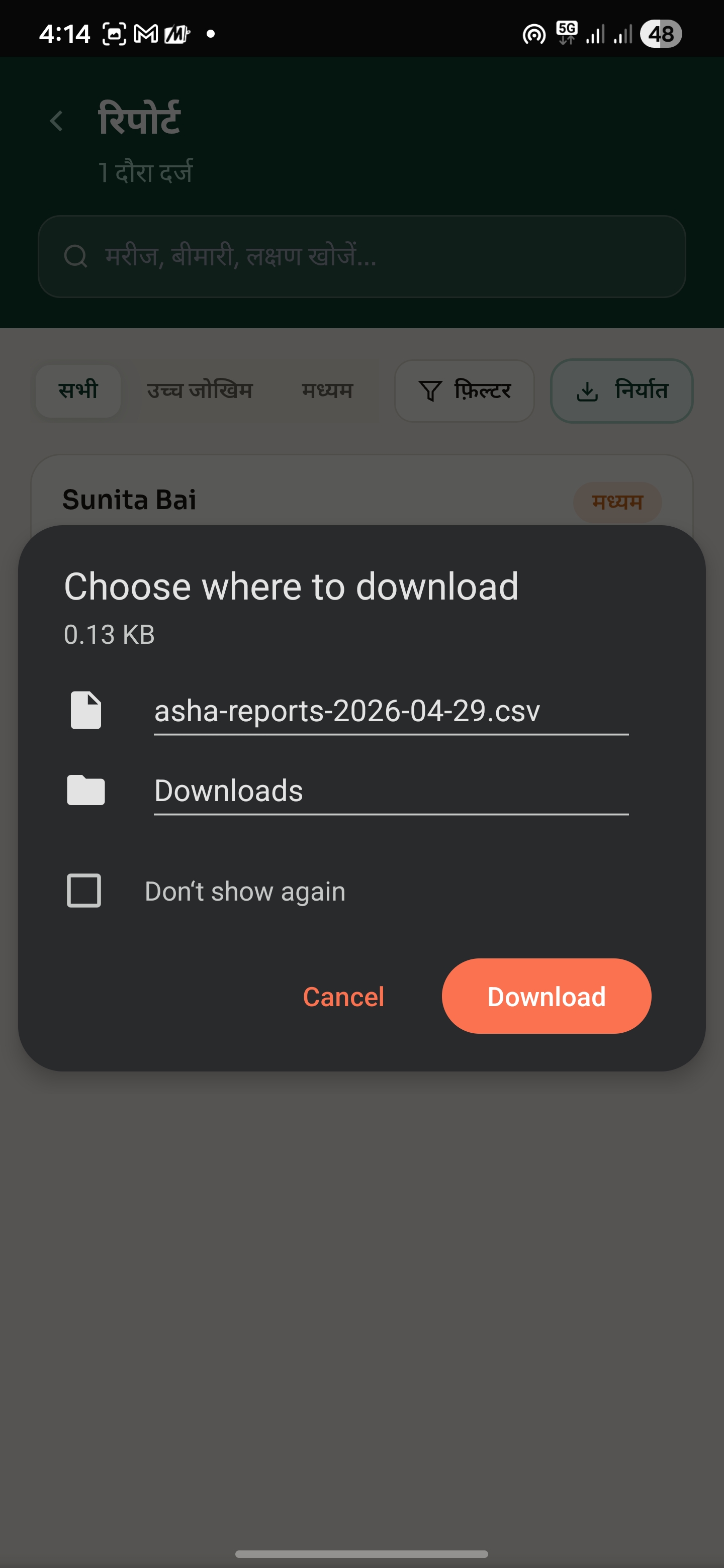
Report Tab
-
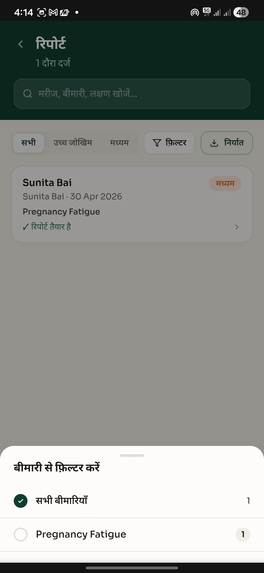
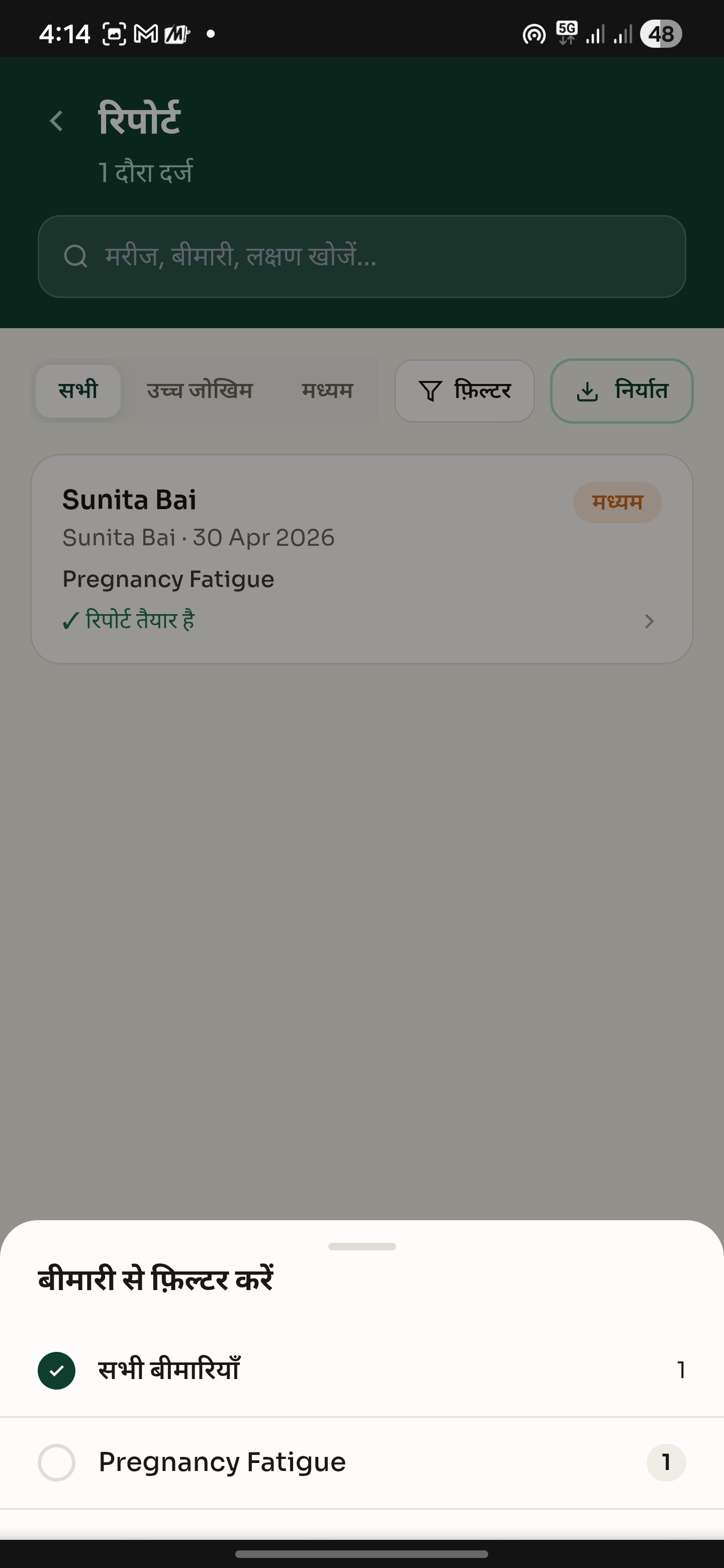
Report Filtering
-
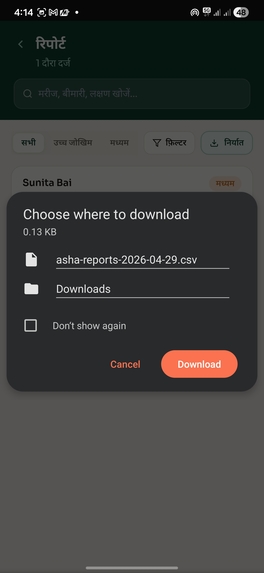
Report Download Page
-
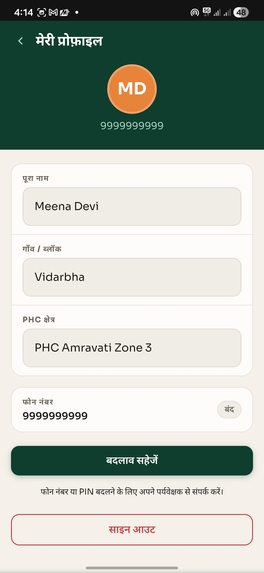
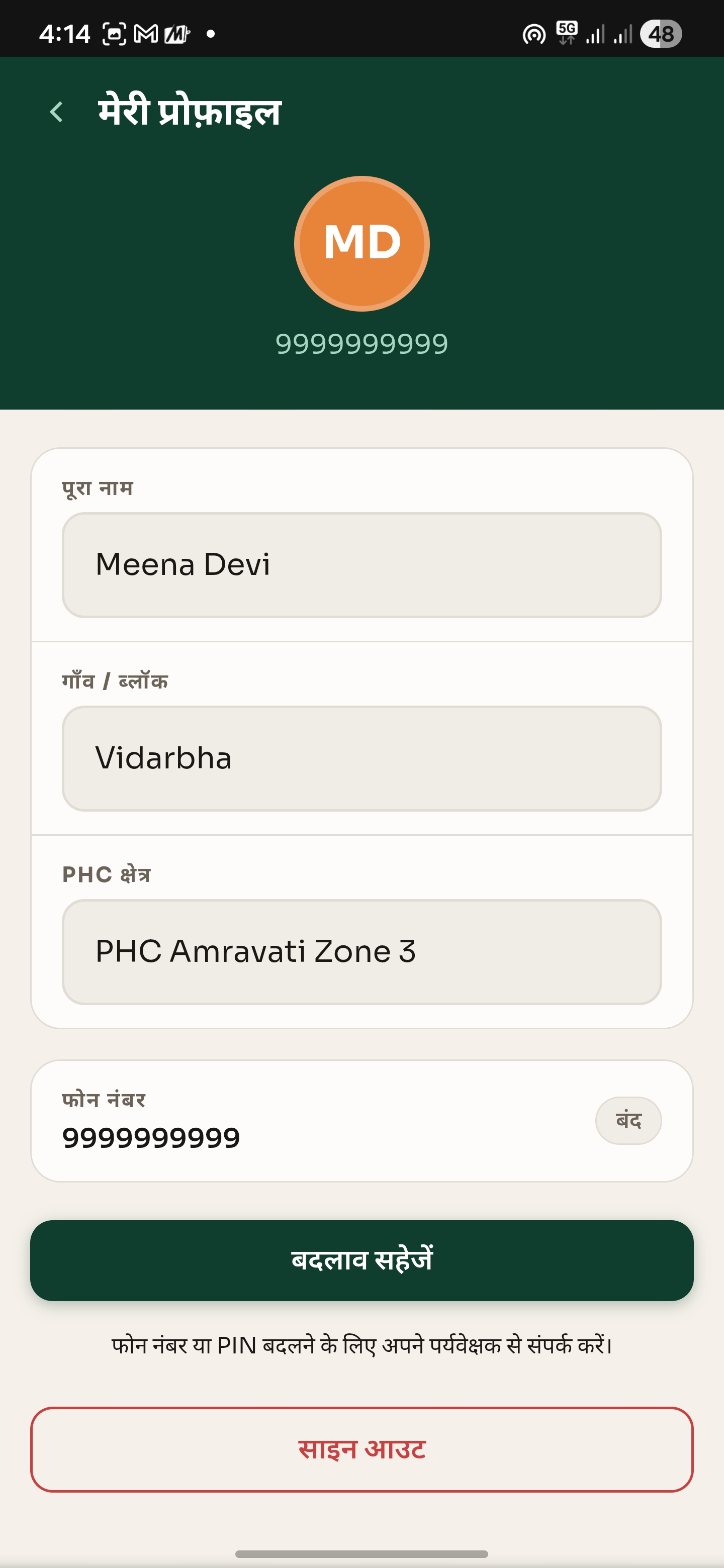
User Profile Page
The Problem Nobody Was Building For
India has over 1 million ASHA workers — Accredited Social Health Activists — who visit 8 to 10 households every single day across rural villages. They track pregnancies, child nutrition, TB, hypertension, and dozens of other health programmes simultaneously. They are the backbone of India's public health system.
Yet when I looked at every healthtech product in India, the picture was the same: tools built for doctors, tools built for urban patients, tools built for hospitals. Not one AI product built for the person actually walking into the village home.
ASHA workers make life-or-death triage decisions entirely by instinct. They fill out paper forms for 30+ minutes after every visit. And every single one of those tools, if they exist at all, is in English — a language most ASHA workers can't read fluently.
That gap is what ASHA Copilot is built to close.
What It Does
ASHA Copilot is a voice-first, Hindi-supported Progressive Web App for ASHA workers. The entire flow takes under 60 seconds:
- Worker logs in with phone number + 4-digit PIN (no email, no OTP)
- Dashboard shows households sorted by AI-assessed risk — highest urgency first
- Worker taps a household, presses the mic, and speaks symptoms in Hindi
- Gemini 2.5 Flash classifies severity as High / Moderate / Low using NHM ASHA protocols
- Worker sees a plain Hindi action: "Aaj hi PHC refer karein" + up to 3 specific danger signs
- One tap auto-generates a professional 4-section visit report for the PHC supervisor
No typing. No English. No guessing.
How I Built It
The build was structured into 8 strict phases, each gated by a passing end-to-end test before moving forward.
| Phase | What Was Built |
|---|---|
| P0 | Next.js 14 + TypeScript + Tailwind, Vercel config |
| P1 | MongoDB Atlas schemas — Worker, Household, Visit |
| P2 | Gemini 2.5 Flash triage engine + NHM prompt + Groq fallback |
| P3 | Phone + 4-digit PIN auth, JWT tokens, protected routes |
| P4 | Dashboard, Visit, Triage result, Report screens |
| P5 | Auto visit report generation via Gemini |
| P6 | next-intl i18n, Hindi/English toggle, Web Speech API hi-IN |
| P7 | 5 demo households seeded, 60-second flow verified |
P2 was the architectural core. The NHM-aligned triage prompt, the structured JSON response schema (severity, action_hindi, danger_signs[], reasoning), and the Groq Llama 3.3 70B automatic fallback — everything else in the app scaffolds around this one piece.
Stack: Next.js 14 · TypeScript · MongoDB Atlas · Gemini 2.5 Flash · Groq Llama 3.3 70B · Web Speech API (hi-IN) · Groq Whisper · next-intl · Noto Sans Devanagari · PWA · Vercel
The Hardest Part: Making AI Speak Hindi Correctly
The biggest technical challenge wasn't the voice input or the triage logic in isolation — it was making them work together reliably in Hindi.
Web Speech API with hi-IN locale works well on modern Android devices. But in noisy field conditions or on older phones, it degrades fast. So every voice session has a Groq Whisper audio fallback that kicks in silently. The worker never sees an error — the system just switches.
On the AI side, getting Gemini to produce clinically appropriate Hindi output required careful prompt engineering. Generic medical prompts produce generic output. The NHM ASHA protocol framing — specific to the exact conditions ASHA workers encounter — was what made the triage actually useful rather than just technically functional.
The other challenge was font rendering. Devanagari on low-DPI Android screens with a standard system font looks broken. Noto Sans Devanagari, loaded via Google Fonts with explicit subsetting, was the fix that made Hindi text feel native rather than an afterthought.
What I Learned
Building ASHA Copilot taught me that the hardest design constraint is designing for someone whose context you've never lived in. Every default assumption I had — that users are comfortable with OTP flows, that English labels are acceptable, that typing is fast — was wrong for this user.
The right question wasn't "how do I add Hindi support?" It was "what if Hindi was the only language this product ever knew?"
I also learned that AI reliability in a demo is a product problem, not just an infrastructure problem. Having Gemini as primary and Groq as automatic fallback meant I stopped worrying about API downtime during the demo and started focusing on what the product actually does for the worker.
What's Next
- Integration with ASHA-Soft, the NHM's official government platform, which already exposes an API for third-party tools
- Offline-first triage using a smaller on-device model for areas with no connectivity
- Supervisor dashboard showing village-level health trends across all workers in a block
Try it now: **asha-copilot.vercel.app* · Demo login: 9999999999 / PIN 1234*
Built With
- api
- app
- css-frameworks-&-libraries-next.js-14
- edge
- google-fonts
- google-gemini-2.5-flash
- groq
- groq-llama-3.3-70b
- groq-whisper-browser-apis-web-speech-api-(hi-in-locale)-authentication-json-web-tokens-(jwt)-other-tools-google-fonts
- html
- javascript
- json
- mongodb
- mongodb-atlas
- mongoose
- next-intl
- next.js-14
- noto
- noto-sans-devanagari-platforms-&-deployment-vercel
- progressive
- progressive-web-app-(pwa)-cloud-services-mongodb-atlas
- react
- sans
- speech
- tailwind
- tailwind-css
- tokens
- typescript
- vercel
- vercel-edge-network-databases-mongodb-ai-&-ml-apis-google-gemini-2.5-flash
- web

Log in or sign up for Devpost to join the conversation.