-
-
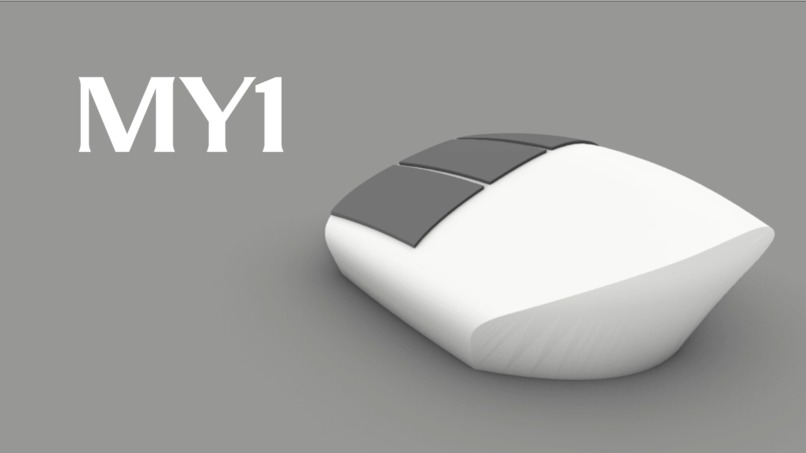
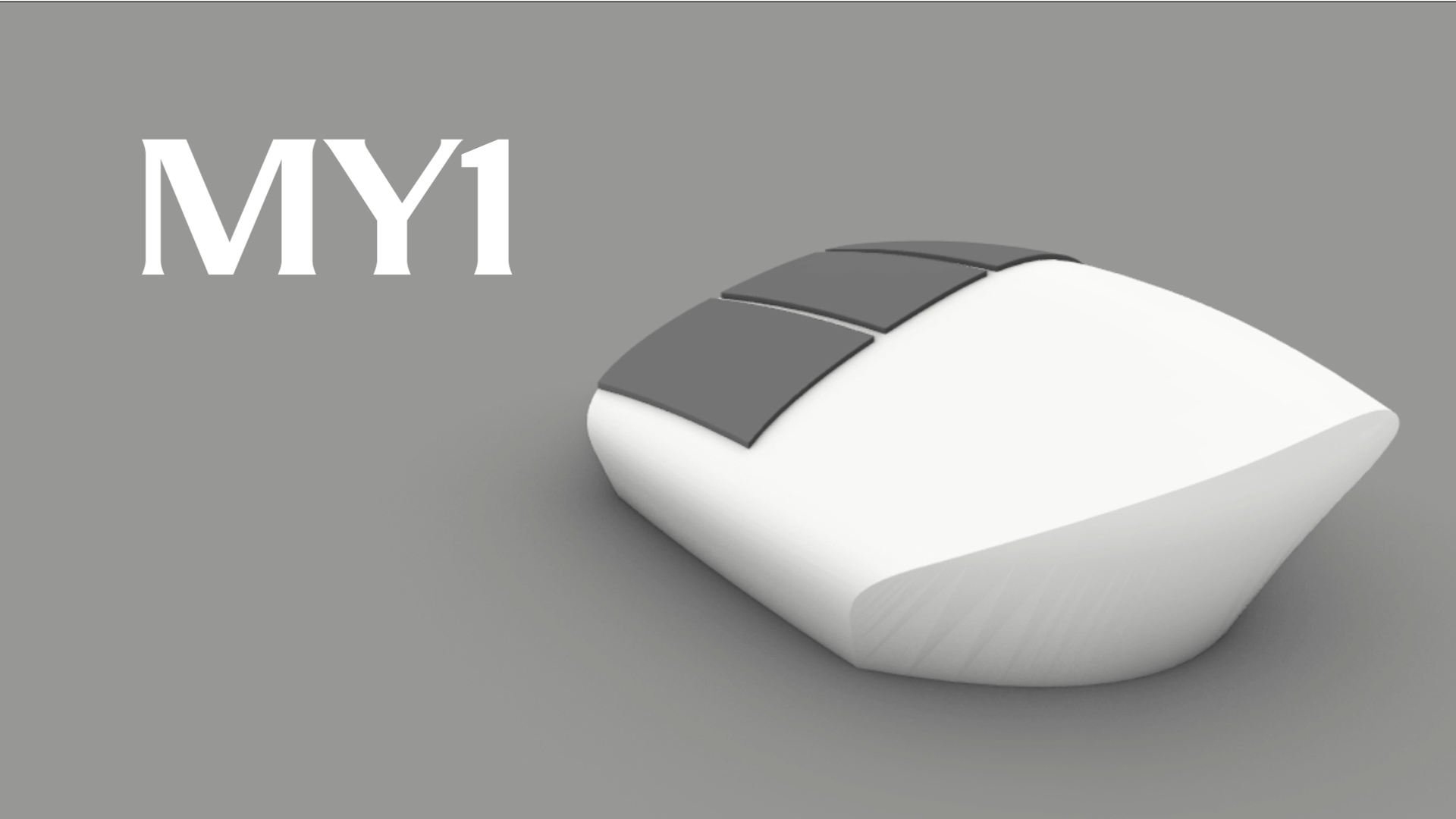
Product Rendering
-
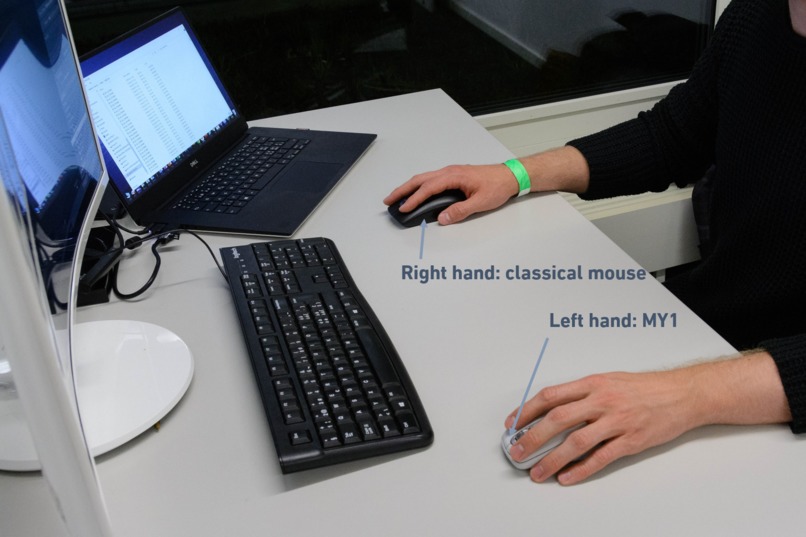
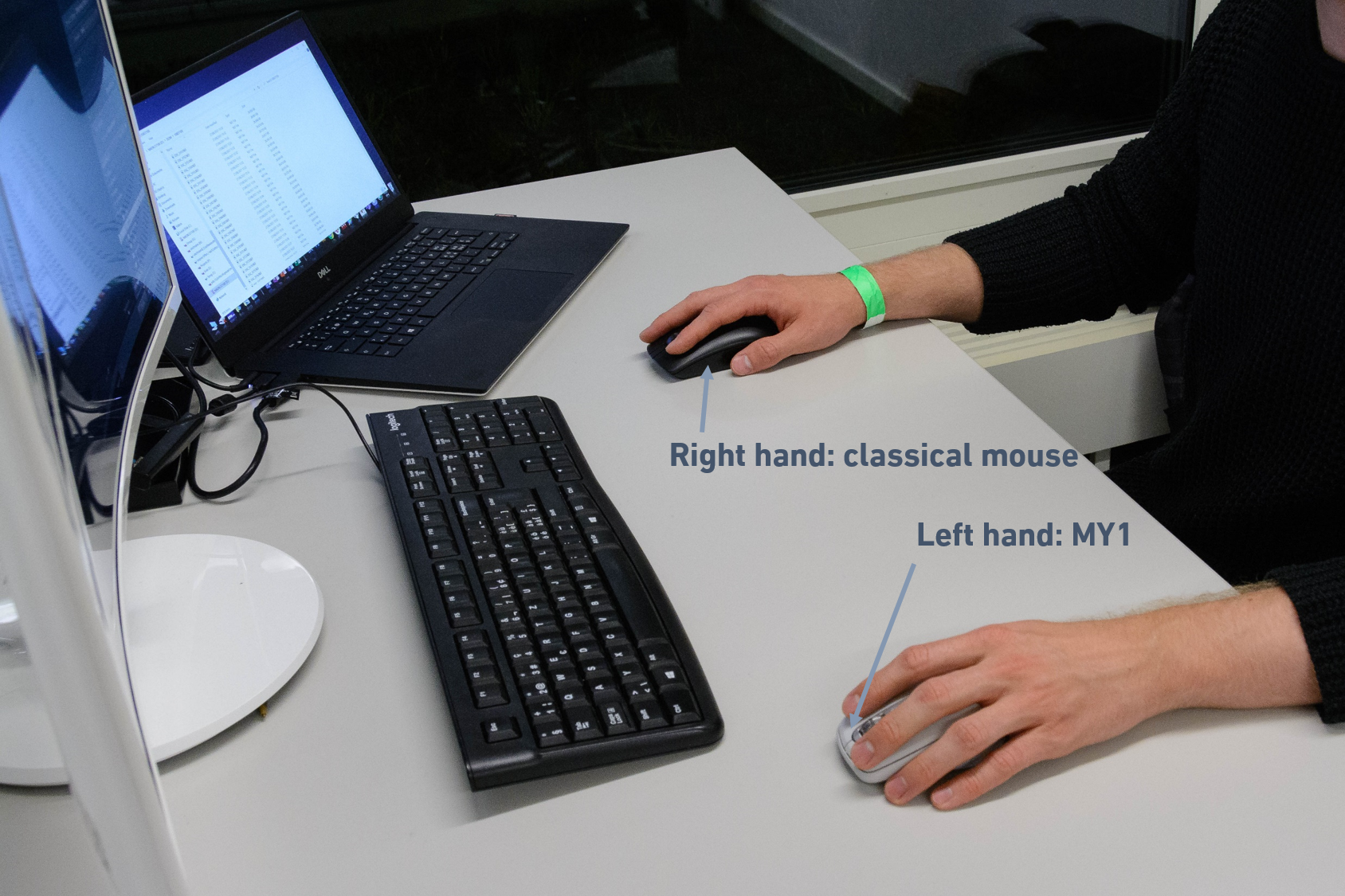
Classical Mouse and MY1
-
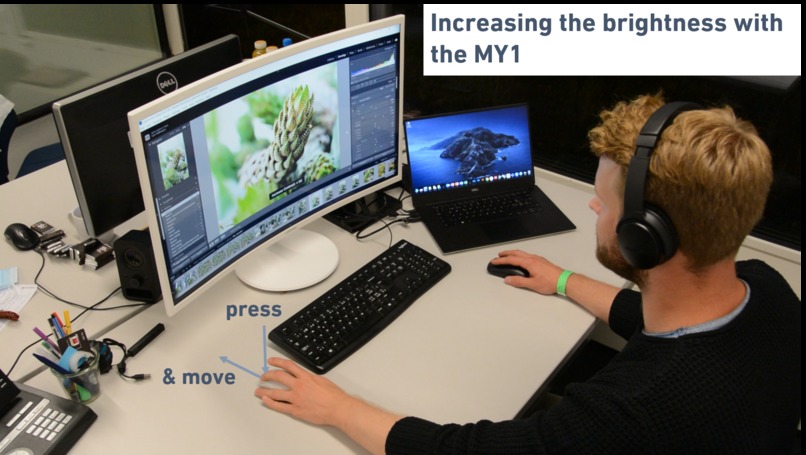
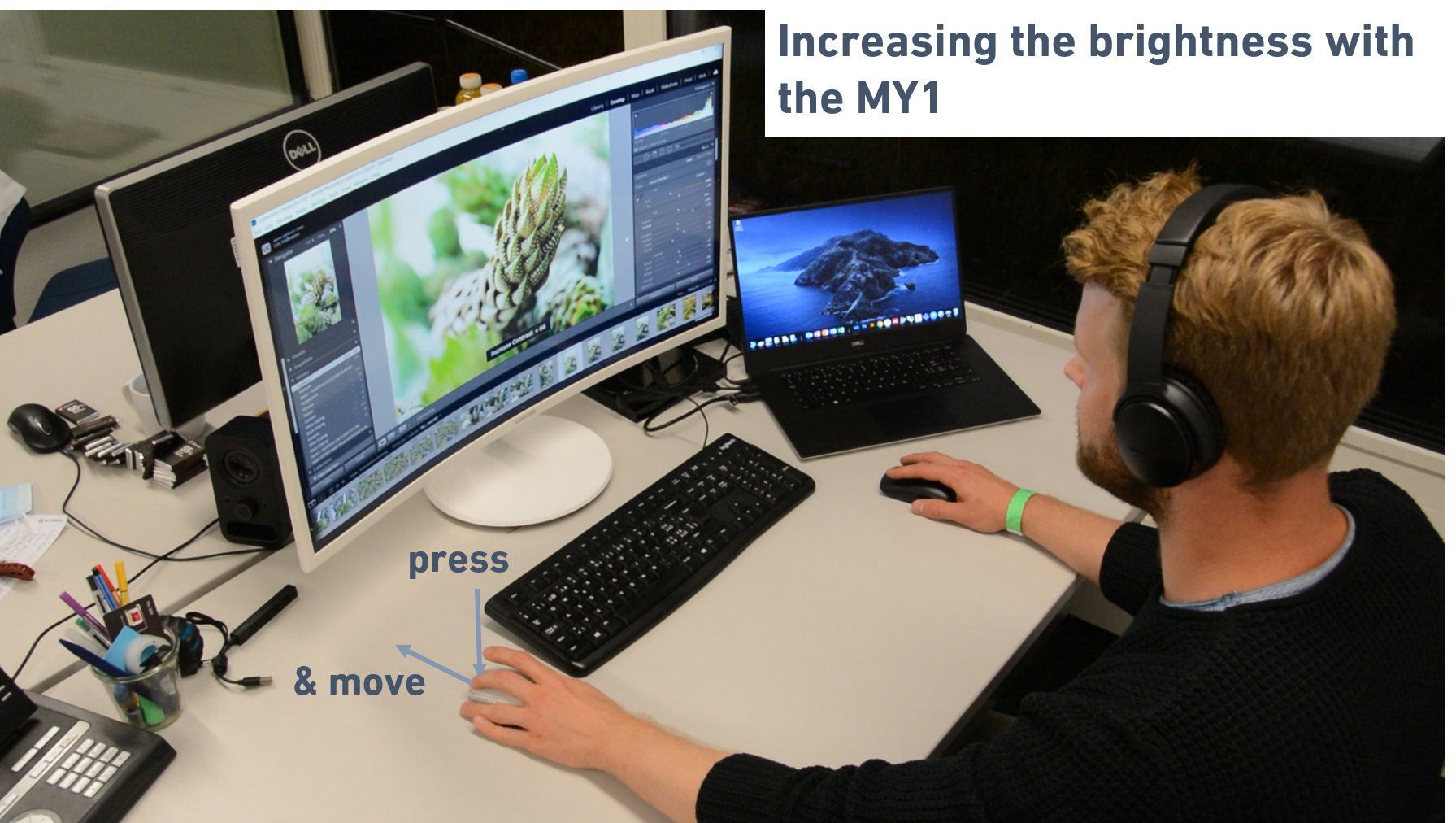
Editing the Brightness in Adobe Lightroom
-
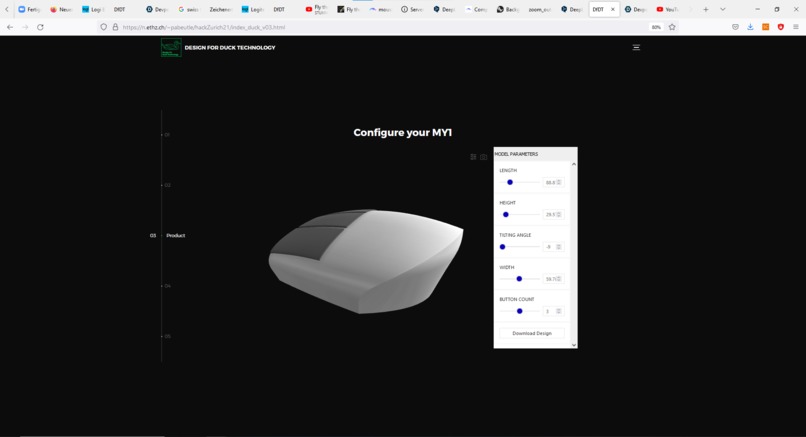
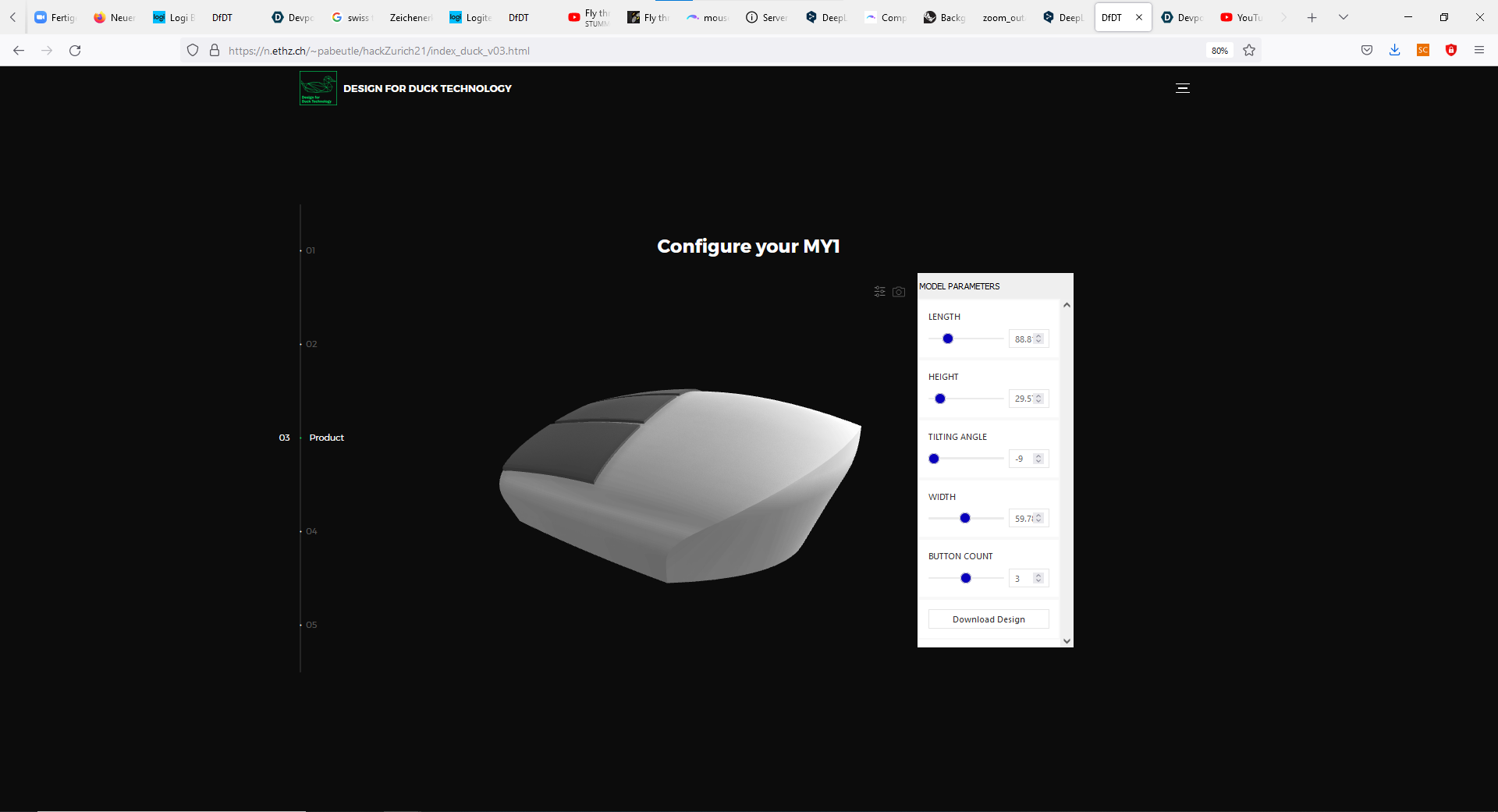
Online Product Configurator
Inspiration
Facing the challenge to improve the productivity of content creators, our approach is highly inspired by the work of artists in other fields. DJs, musicians and painters often use both their hands to work on their projects. Our product makes this interactive working style possible in digital editing software such as Adobe Lightroom, Photoshop, Premier or After Effects.
What it does
The MY1 is a device similar to the classical mouse. The classical mouse is controlled by the right hand and is used for all the tasks we are familiar with. The MY1 is controlled by the left hand and is intended for specific editing tasks. The buttons on the MY1 can be assigned to video or image properties that must be controlled during the editing process. The user is then able to modify those values by pressing the assigned button and simultaneously executing a specific movement. For example, the user presses the button, which is programmed for the image brightness and moves the MY1 back and forth to lower or increase the brightness respectively. To tailor the MY1 to the needs of the user, the design of the device is customizable through our online configurator. This allows the user to modify the dimensions and the shape of the device to his/her physiological appearance. Further, the number of buttons on the MY1 can be varied between 2 and 4. In future versions, these modification options can be expanded. In the commercial application, the customized parts of the MY1 could be additively manufactured and mounted on an injection-molded, modular base frame. Therefore, the MY1 is not only a device but a whole family of unique devices fitting its owner. Please try out our online configurator available on our website and customize your MY1. link
How we built it
The backend is based on a Rhino/Grasshopper script that defines the geometry of the model. This model is then uploaded to the cloud-based service Shapediver which provides possibilities to implement such design configurators online. Finally, the configurator is embedded in a website.
Challenges we ran into
We did not have enough sleep but too many soft drinks. Originally we wanted to bring more options (like side buttons for the thumb, texture, and color options) into the online configurator which was simply not possible due to the time restrictions we have. Another challenge was the modeling process in Grasshopper. This was a quite demanding task, even though we modeled a device we are used to interacting with in our daily life.
Accomplishments that we're proud of
We think that we developed an innovative new product concept that considers the whole process from the user needs to the production. We have developed the concept for a new device that uses known operation patterns from the conventional mouse. We think that this product has a large potential for the target user group.
What we learned
We learned a lot about the implementation of online configurators in websites. Especially running a Grasshopper script on a webserver leads to a different interpretation of the script and may destroy your model. The definitions in the script must be very clear and should not allow any wrong interpretation.
What's next for MY1
The design can be further improved, also including the entire customer journey. A process can be developed that automatically determines the right parameters for the model fitting the customer's hand. We would like to talk to experts to get feedback on our product and find out whether there is potential for a continuation of the project.
Built With
- css
- grasshopper
- html5
- javascript
- shapediver


Log in or sign up for Devpost to join the conversation.