Inspiration
JustAMeeting was inspired by the challenges faced during frequent meetings—keeping track of important points, action items, and upcoming schedules can be overwhelming. We wanted to create a tool that simplifies this process, making it easier to capture key information, stay organized, and ensure that follow-ups are never missed.
What it does
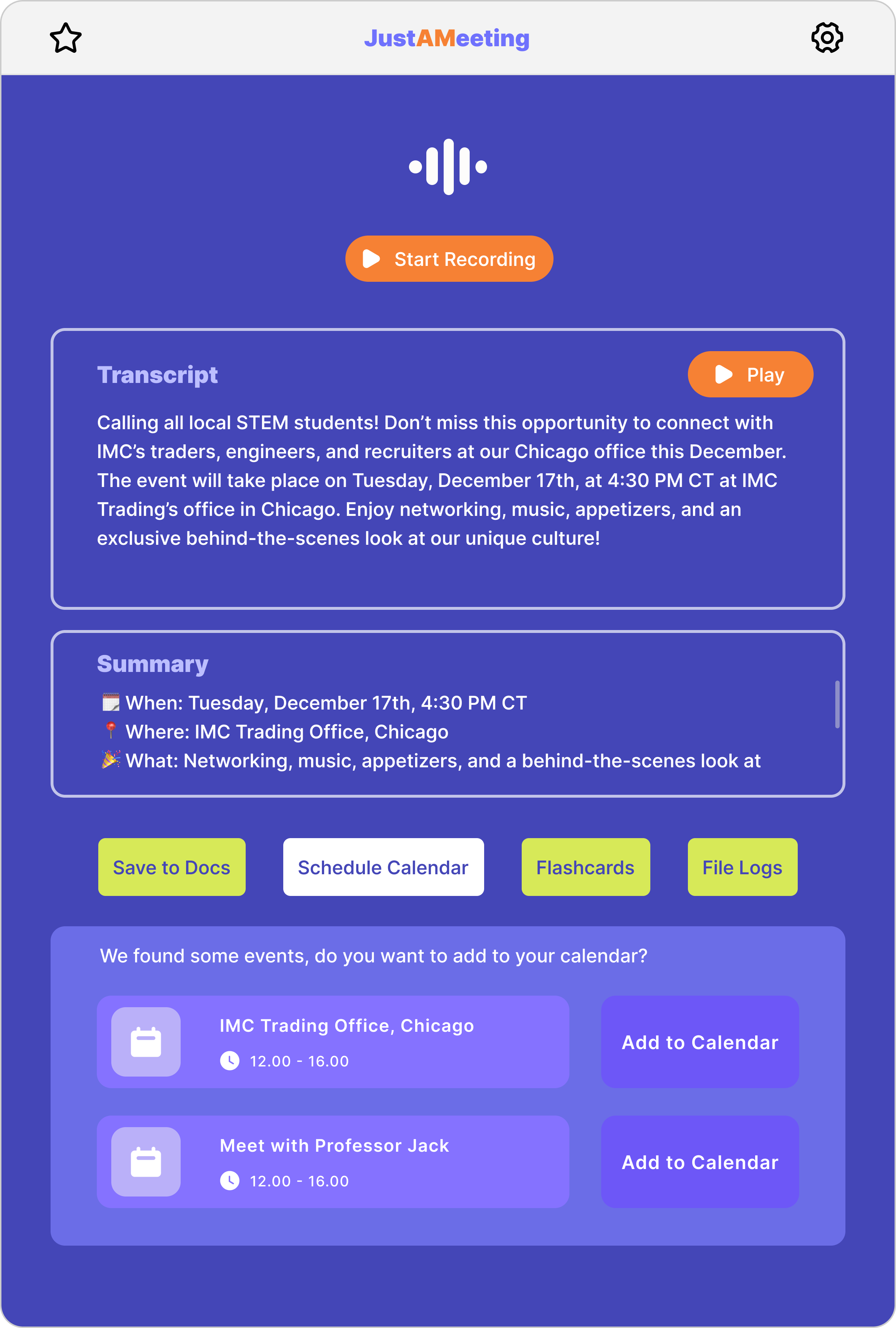
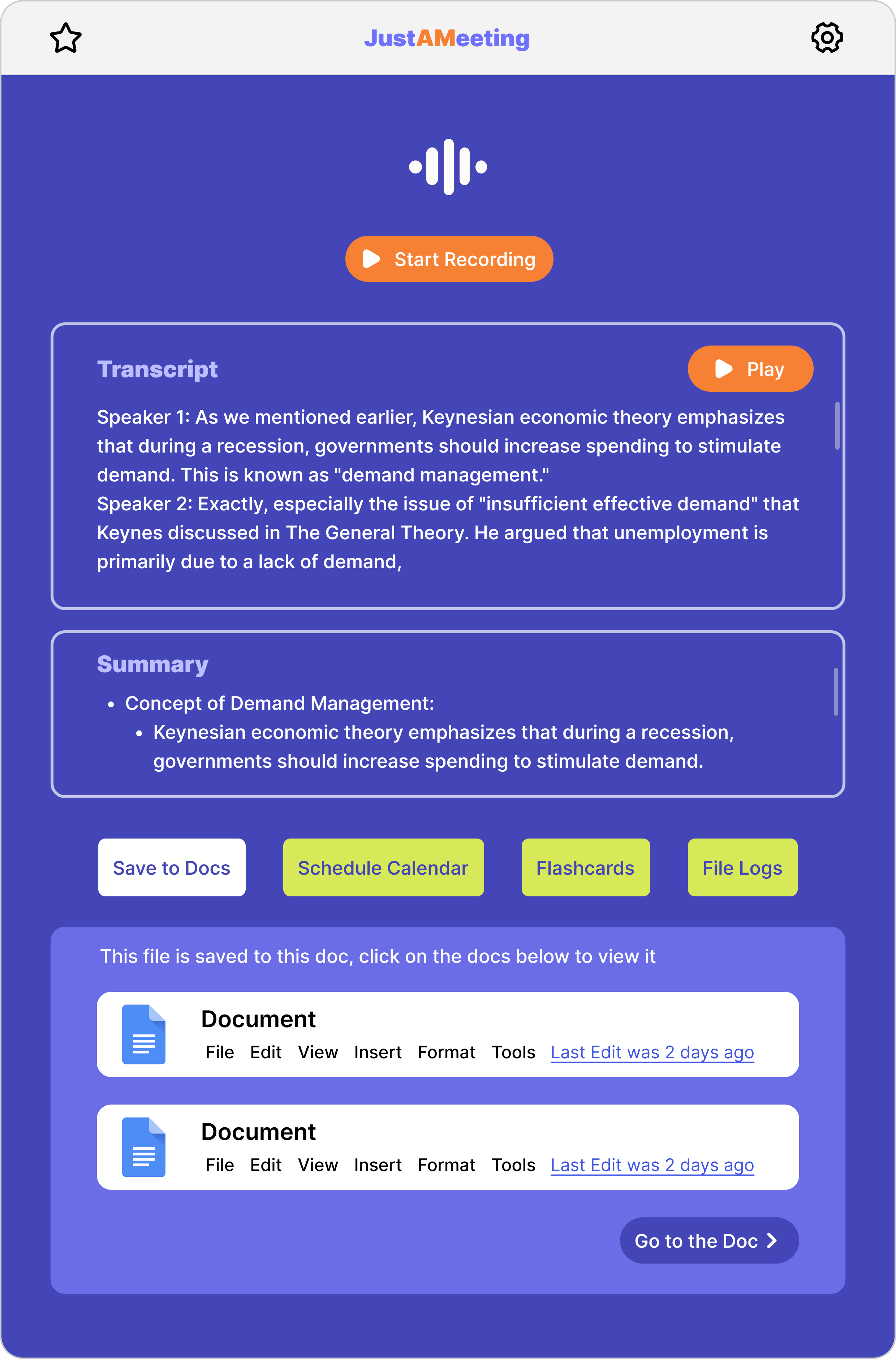
JustAMeeting is a meeting assistant that helps with both live and recorded meetings. It:
- Provides real-time transcription and note-taking during meetings.
- Automatically generates summaries of meetings for quick reference.
- Schedules follow-up meetings or upcoming discussions directly to Google Calendar.
- Integrates with Google Docs to store notes and summaries.
- Analyzes the tone of the conversation to provide sentiment insights.
- Includes a flashcard feature to highlight key points for easy review.
How we built it
- Backend: Developed using Python, with simple transcription and note-taking tools for capturing meeting details.
- Frontend: Built with React for a smooth and easy-to-use interface, linking with Google Calendar and Docs for seamless scheduling and note storage.
- Real-time features: Enabled with WebSocket technology to keep everything updated in real time.
- Integrations: Used basic APIs from Google for calendar and document management.
- Speech-to-text: Applied straightforward speech-to-text libraries for accurate transcription.
Challenges we ran into
- Ensuring accurate transcription in environments with background noise or multiple speakers.
- Generating concise and useful summaries that capture the most important information without oversimplifying.
- Navigating API limitations, especially with Google services and managing rate limits.
- Ensuring smooth real-time processing without causing delays or lag.
Accomplishments that we're proud of
- Achieving reliable real-time transcription and note-taking across different types of meetings.
- Integrating Google Calendar and Docs to make scheduling and documentation effortless.
- Successfully adding sentiment analysis to provide insights into the mood of a meeting.
- Designing a user-friendly flashcard feature for easy review of key points.
What we learned
- The importance of simplicity in design—users prefer tools that are easy to navigate and integrate into their daily routine.
- Real-time updates need to be optimized for performance, especially for larger meetings with more participants.
- How to effectively integrate external services, like Google Calendar and Docs, without overcomplicating the workflow.
- The value of clear and concise summaries, and how to balance detail with brevity.
What's next for JustAMeeting
- Expanding support for multiple languages to serve global teams.
- Adding integrations with other collaboration tools like Microsoft Teams or Zoom.
- Improving the flashcard feature to make it more customizable for different types of meetings.
- Creating mobile app support for on-the-go access to meeting summaries and schedules.
- Introducing tools for tracking long-term meeting outcomes and improving productivity.
Built With
- googlechromeextension
- javascript
- python
- vite




Log in or sign up for Devpost to join the conversation.