Inspiration
I've appreciated the simplicity of ascii art for a while, and I also enjoy interacting with a terminal. This idea came to me when I was considering creating a tool for educating children in mathematics or increasing overall enthusiasm in mathematics.
What it does
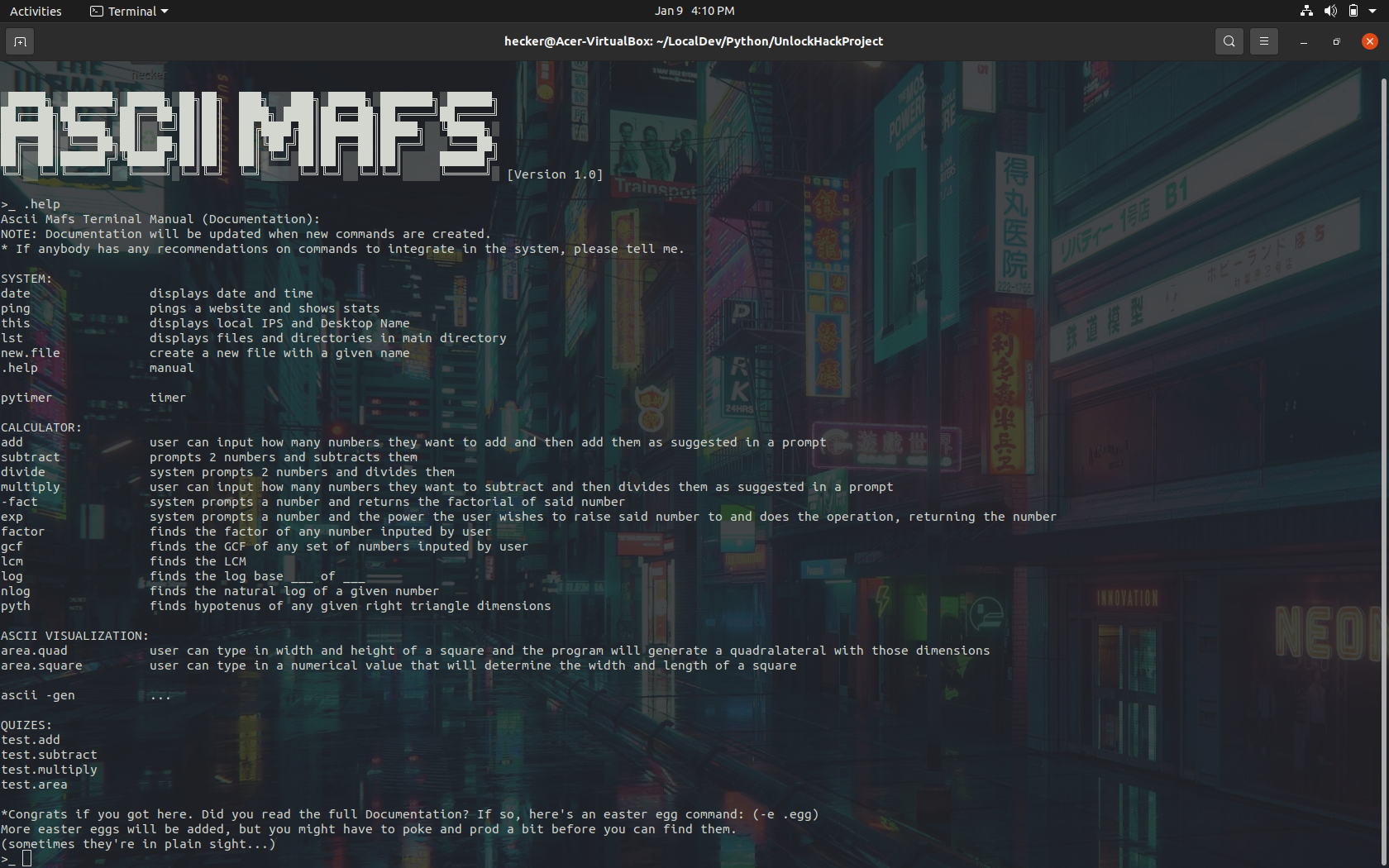
Ascii Mafs is a terminal based tool that utilizes commands to allow the user to access different, predominantly math based, operations. The user can type in certain commands, according to the manual, that trigger operations ranging from small mathematics tests and quizzes to timers and system functions (including listing files under the home directory and even pinging websites).
How I built it
The project was quite a task to tackle independently, but I was able to pull through with less than 500 lines of code. Unfortunately, the overall efficiency of the program needs quite a bit of work, but to escape this temporarily, I might build it in a different language in the future. However, the process through which I built it was long and arduous, and involved me taking time to list all the commands I wanted to include in the system, and implementing them using python 3.8.8 for each one. I used stack overflow for one or two (the timer and the GCF calculator) of the commands, but I was able to program the rest by myself. There were some functions that I pulled from past projects, including one of the easter eggs and the LCM calculator.
Challenges we ran into
Personally, the idea was originally daunting, and I didn't really know where to start. So I started out with mapping about 15 or so commands that I could implement in a day or so and went on from there. The project was pretty fun, and I was able to implement a few little easter eggs here or there. Some of which are still functional, and others which are just straight up broken.
Accomplishments that we're proud of
I'm very proud of my being able to put together so many commands. The program was quite messy and I didn't have any time at all to clean it up, but it's functional, and does its job.
What we learned
I learned about a lot of new python modules such as platform, socket, subprocess, fractions, and functools. This hackathon inspired me to create something new and refreshing, and it was a really fun experiment.
What's next for Ascii Mafs
I plan on integrating a 3D interactive space where the user can learn about different prisms and understand how to calculate things like volume. I also plan on updating the tests so that they're more sophisticated. I didn't have time to implement a division test, so I definitely plan on doing that in the near future. I also might reprogram it in a different language. Possibly C for speed or maybe C# for it's OOP capabilities (though, I'm not entirely sure what I'd do with OOP in this project). Unfortunately, all commands only had one thing in common, and I didn't have enough time to implement a class for the tests. I probably would optimize this tool for OOP so that it's more organized and maintainable. Eventually, I would probably upgrade from a terminal interface to a, most likely preferable, GUI interphase, but for now, this is what I had time to implement.


Log in or sign up for Devpost to join the conversation.