-
-
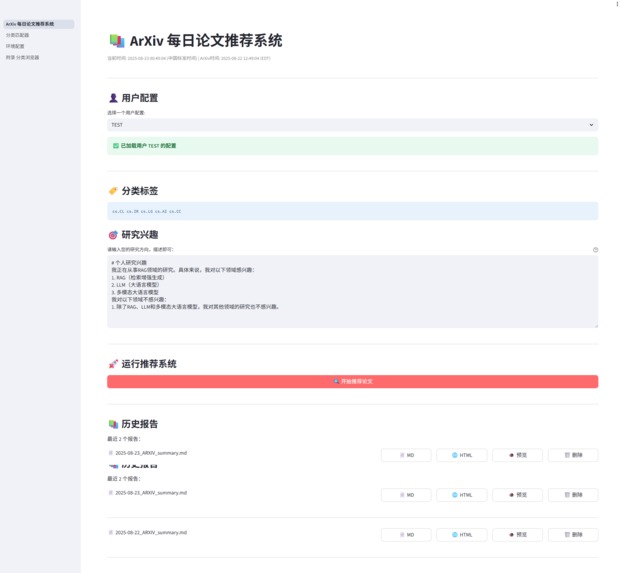
mian page
-
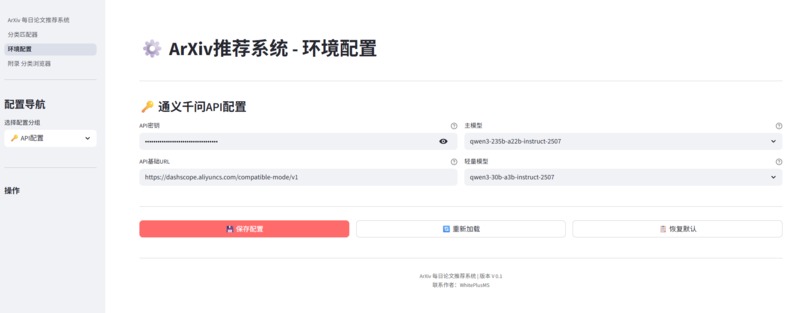
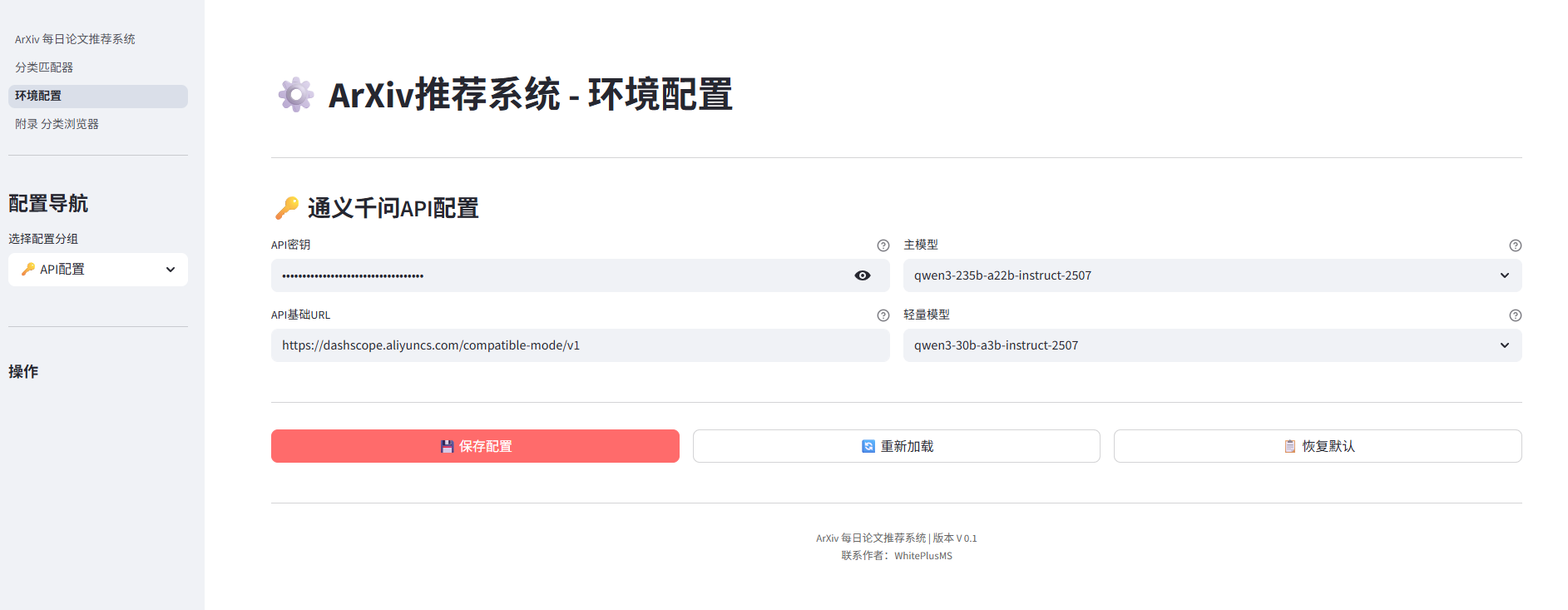
User Configuration Interface
-
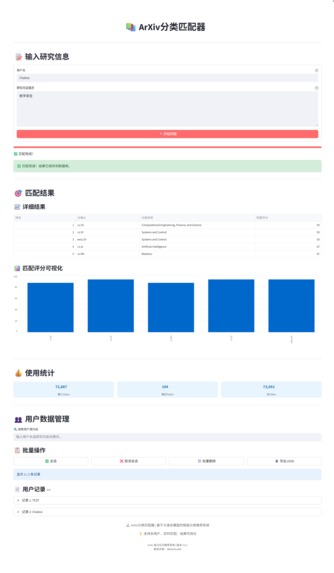
User Research Direction Matching Interface
-

Appendix Interface


arXiv Daily Article Summary
An intelligent arXiv paper summary tool that automatically filters, summarizes, and recommends the latest papers matching your research interests every day.
✨ Core Features
Intelligent Recommendation Engine
- Personalized Matching: Precise paper filtering based on your research interests and keywords
- AI Deep Analysis: Paper abstracts and key insights extracted by the Tongyi Qianwen model
- Multi-dimensional evaluation: Comprehensive scoring from perspectives such as relevance, innovation, and practicality
Automated workflow
- One-click start:
python start.pycan complete all configurations and startup - Smart environment management: Automatically detects and configures Python environments, dependency packages
- Web Interface: An intuitive operational interface driven by Streamlit
Diverse Outputs
- Real-time Recommendations: View recommendation results in real-time on the Web Interface
- Historical Archive: Automatically save daily recommendation records to the
arxiv_historydirectory - Rich Format: Supports multiple output formats such as Markdown, HTML, etc.
⚡ Quick Start
# 1. Clone the project to local
git clone https://github.com/WhitePlusMS/arXiv-Daily-Summary.git

# 2. Enter the project directory
cd arXiv-Daily-Summary

# 3. Recommended to use uv to install dependencies (if not already installed)
pip install uv

# 4. Use uv to create a virtual environment
uv venv

# 5. Activate virtual environment (Windows)
.venv\Scripts\activate

# 6. Use uv to install project dependencies (with uv environment activated)
pip install -r requirements.txt

# 7. Copy the environment variable configuration file
copy .env.example .env

# 8. Edit the .env file, enter your API key (important!)
#    Please manually open the .env file and enter DASHSCOPE_API_KEY
# You can get an API key from Tongyi Qianwen: https://console.aliyun.com/dashscope

# 9. Start the application!
python start.py

# 10. Access the web interface
#    Open your browser and visit http://localhost:8501
#    You can configure your research interests, adjust parameters, and view real-time recommendation results on the interface

# enjoy it!
The system will automatically handle environment configuration, dependency installation, and service startup.
Workflow
- Paper Acquisition: Fetch the latest papers from the arXiv API for the specified category
- Smart Filtering: Relevance matching based on user interests
- AI Analysis: Using the Tongyi Qianwen model to generate paper summaries and scores
- Result Display: Showing recommended results on the web interface
- History Archive: Automatically saving recommendation records to a local file
⚙️ How to Use
1. User Creation
"User Creation" focuses on establishing a precise ArXiv category profile for each user, completed through the Category Matcher interface. It allows users to describe their research interests in natural language, and the system automatically matches them with official ArXiv categories, saving the most relevant ones to the user's configuration.
Operation Process:
- Access the Category Matcher: Click "Category Matcher" in the left navigation bar.
Enter Information:
- Username: Enter your username, which is used to uniquely identify and save your matching results.
- Research Content Description: Describe your research direction, areas of interest, keywords, etc., in the text box. For example: I am primarily focused on the technology of using large language models (LLM) for retrieval-augmented generation (RAG), particularly how to optimize its performance on multimodal data.
Start Matching: Click the "Start Matching" button.
Auto Matching and Saving:
- The system backend will call a large language model to calculate semantic similarity between the natural language description you input and the official ArXiv categories defined in
data/users/arxiv_categories.json. - The system will return a list of categories sorted by matching score from highest to lowest.
- The top-scoring category results will be automatically saved to the
data/users/user_categories.jsonfile, associated with your username, completing the creation of your user profile.
- The system backend will call a large language model to calculate semantic similarity between the natural language description you input and the official ArXiv categories defined in
Data Management:
Comprehensive management functions for created user data are provided at the bottom of the page:
- View and Search: You can browse all matching records for users and search by username or research content.
- Edit: You can modify the description of the user's research content and re-match.
- Delete: You can delete individual or bulk user records.
- Export: Supports exporting user data as JSON files.
2. Daily Paper Recommendations
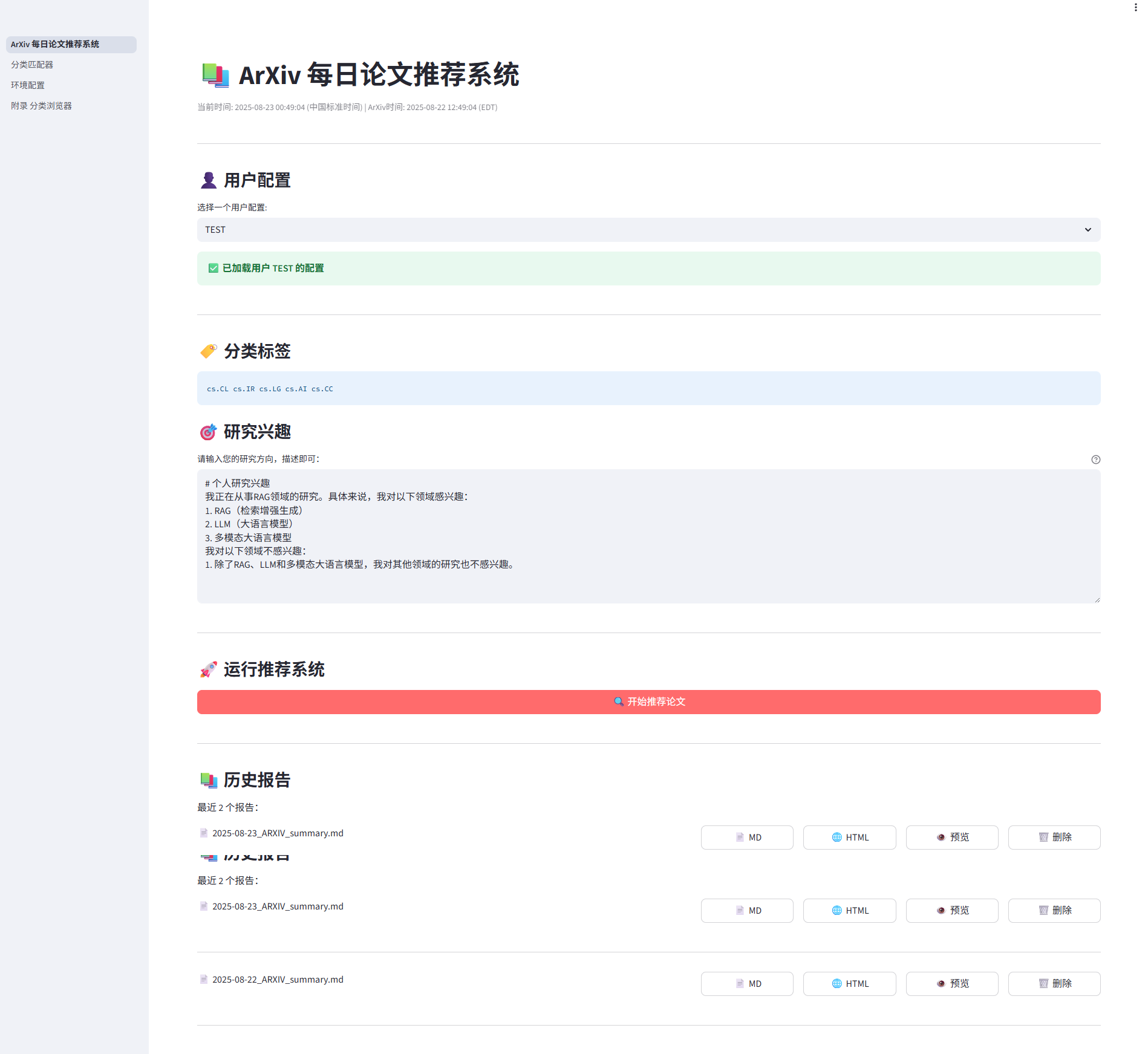
After creating the user profile, the main interface ArXiv Daily Paper Recommendation System provides the core paper recommendation functionality. It automatically pulls, filters, and analyzes the latest relevant papers from ArXiv based on the selected user's profile.
Operating Procedure:
- Select User Configuration: In the dropdown menu at the top, select a user you created in the "Classifier Matcher".
- The system will automatically load the configuration of that user, including its matched category tags and research interests.
- Start Recommendation: Click the "Start Recommending Papers" button.
- Monitoring and Viewing Results:
- After the system starts, the real-time running log will be displayed below, allowing you to clearly see the execution status of each step, such as "Fetching paper," "Analyzing paper," "Generating report," etc.
- Upon successful execution, recommended results will be displayed in tabs, including Abstract content, Detailed analysis, and Brief analysis.
- At the same time, the system will generate a complete report in HTML and Markdown formats, which you can preview directly on the web or download locally.
Built With
- python
- qwen3api
- streamlit


Log in or sign up for Devpost to join the conversation.