-
-
Logo
-
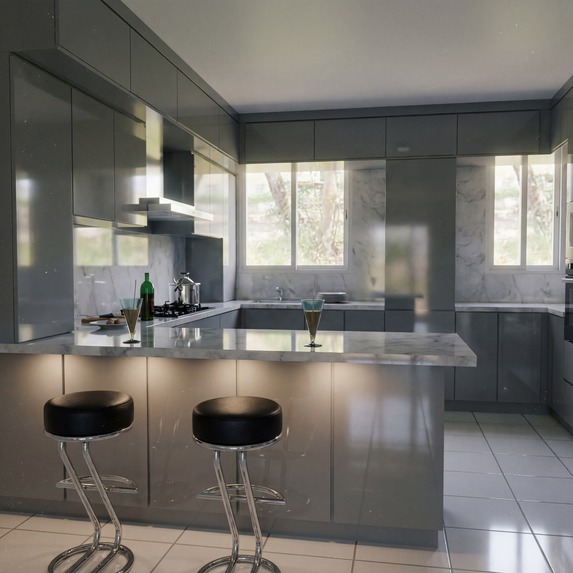
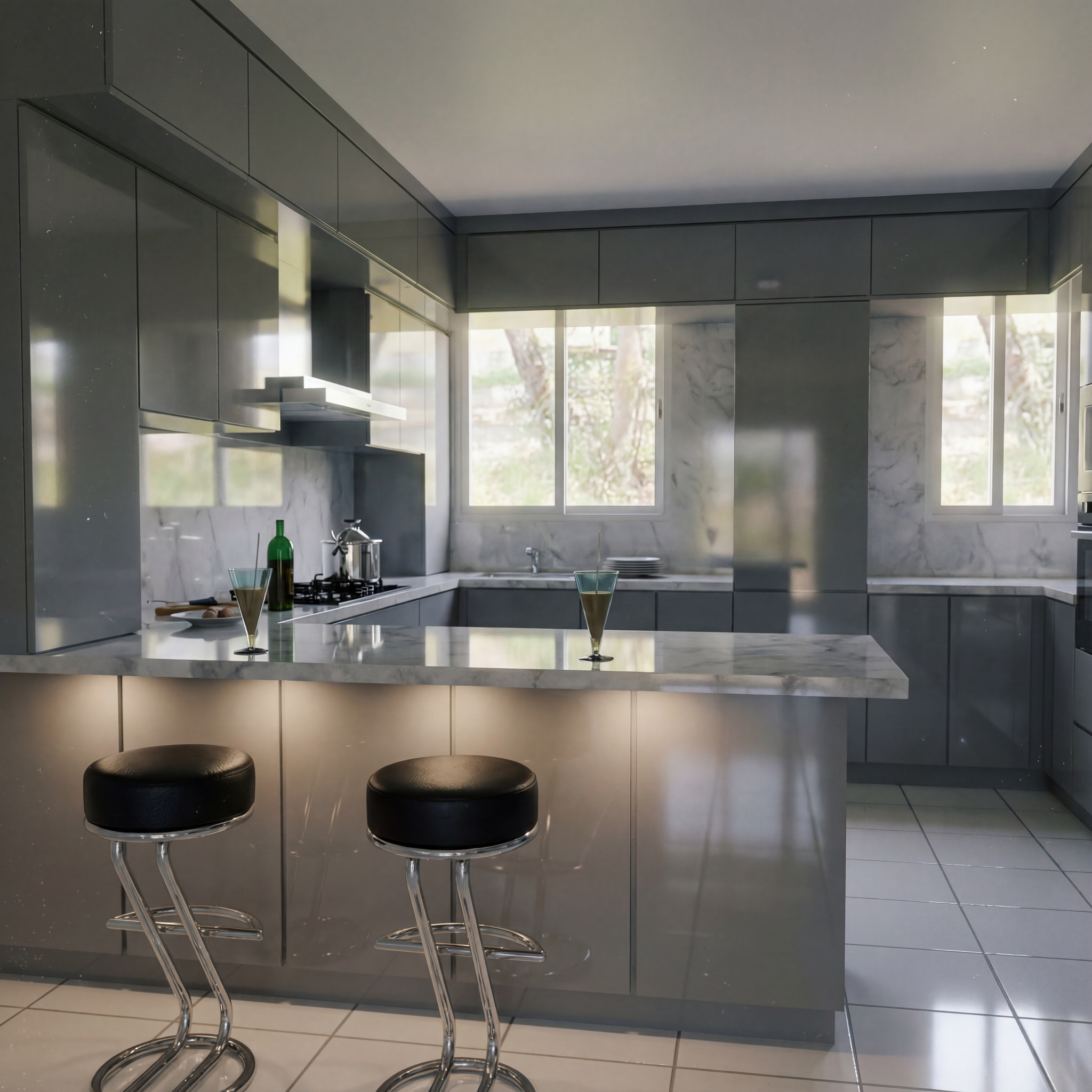
Output with Lighting 40% & Matt 50%
-
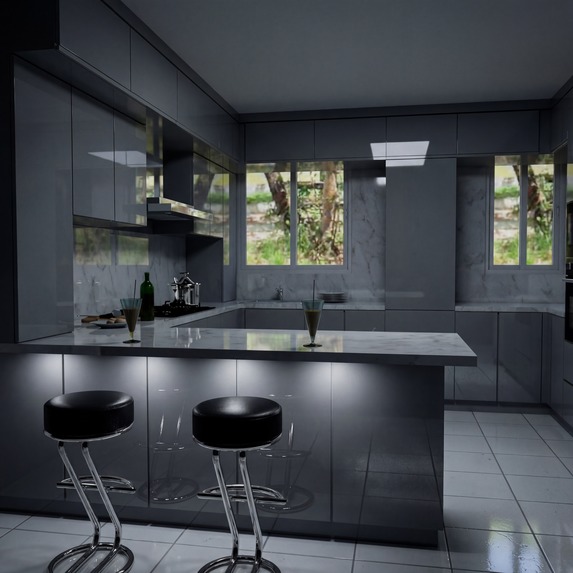
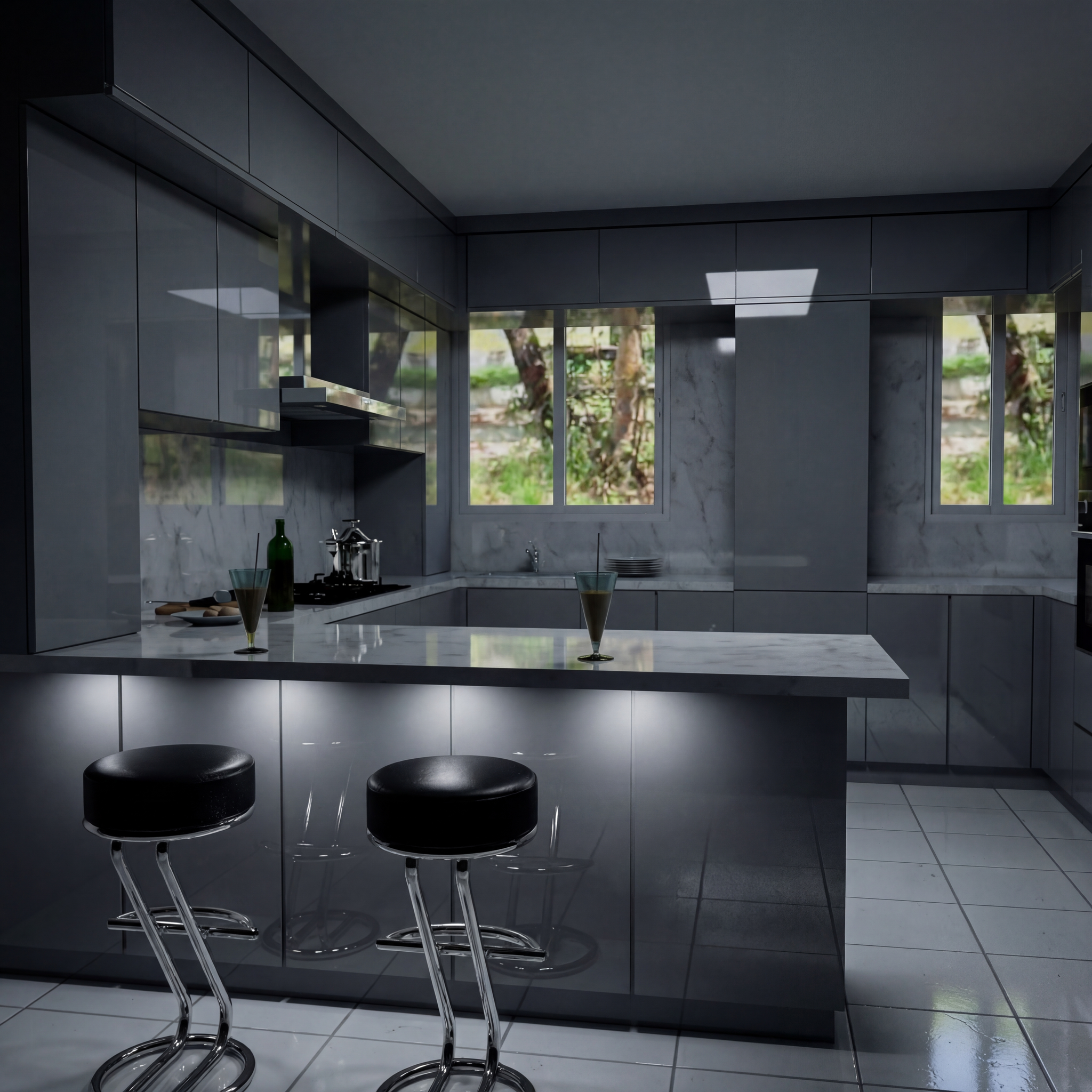
Output with Lighting 20% & Matt 0%
-
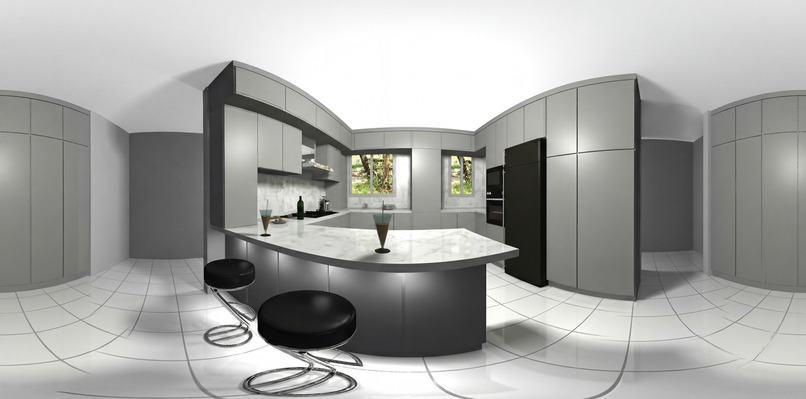
Panorama 360
-
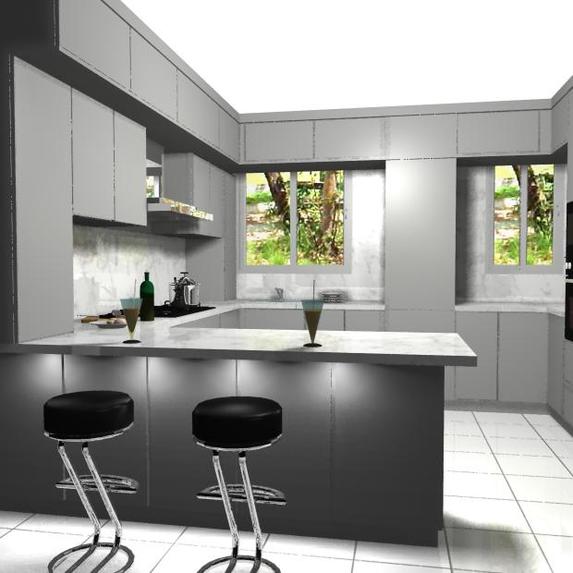
input no. 1 from 9 photos
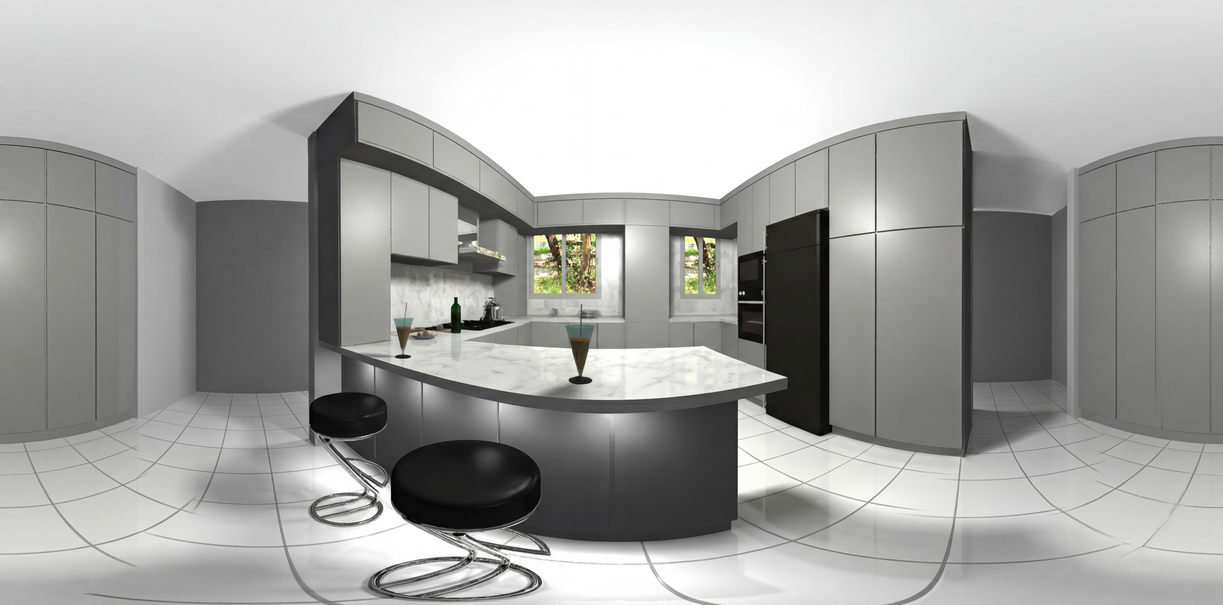
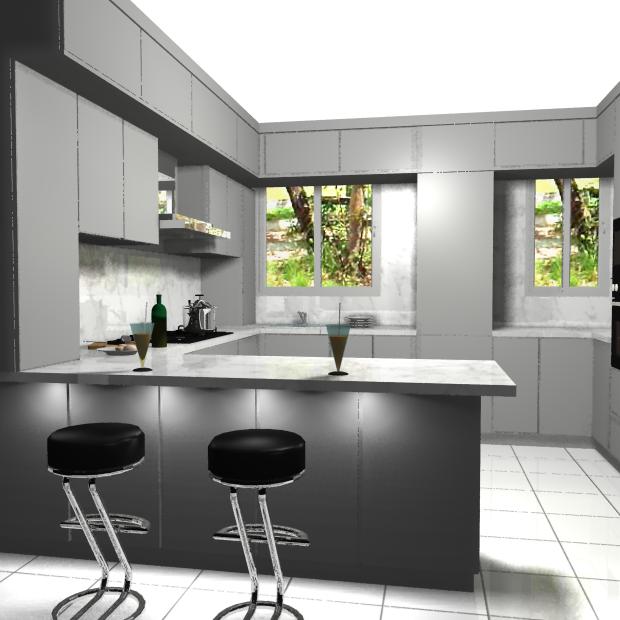
Artline is a revolutionary dual-purpose AI creative suite that pushes the boundaries of what's possible with Google DeepMind's Gemini 3 Pro. Unlike traditional image generators that simply "make pretty pictures," Artline understands the physical properties of your images—their geometry, materials, lighting, and spatial relationships—allowing for precise, physics-based transformations.
The application features two groundbreaking engines:
- 360° Panorama Generator: Seamlessly stitches and extends disorganized photos into immersive VR-ready equirectangular panoramas
- Realistic Image Studio: A professional-grade tool that transforms standard images into photorealistic masterpieces with granular control over material properties (Gloss/Matt) and scene lighting
Inspiration
The inspiration for Artline came from a fundamental limitation I observed in existing AI image tools: they treat images as flat 2D canvases, completely ignoring the physical reality of what they depict. When you adjust lighting or materials in the real world, reflections, shadows, and surface interactions change in predictable ways based on physics. Yet most AI tools apply these changes as superficial filters.
I asked myself: What if an AI could truly understand the 3D geometry and physical characteristics of objects in an image? What if it could "re-render" a scene with different material properties while preserving the exact composition and subject?
This question led me to explore Gemini 3 Pro's multimodal capabilities. Unlike previous models that primarily processed text, Gemini 3 demonstrates remarkable understanding of visual content, including spatial relationships, material properties, and lighting dynamics. I realized this was the perfect foundation for building a tool that treats images as representations of physical reality, not just pixel arrays.
What I Learned
Building Artline was an incredible learning journey across multiple domains:
AI Prompt Engineering Mastery
I discovered that getting consistent, high-quality results from Gemini 3 requires sophisticated prompt engineering. The key insight was that system instructions matter more than user prompts. By crafting a comprehensive system instruction that establishes Gemini as a "physics-aware rendering engine" with strict rules about color sampling, material preservation, and style matching, I achieved dramatically better results.
The most important lesson: Be explicit about what NOT to do. My early attempts failed because Gemini would "helpfully" add furniture, change colors, or "enhance" the scene. By adding explicit prohibitions (e.g., "DO NOT add objects not in source," "DO NOT change any color"), I forced the model to stay within bounds.
PBR (Physically Based Rendering) Concepts
To make the material control feature work, I had to deeply understand PBR principles:
- Roughness: Controls how specular highlights spread across a surface (roughness = 0.0 for mirrors, roughness = 1.0 for matte surfaces)
- Albedo: The base color of a material, independent of lighting
- Metalness: Whether a surface behaves like a metal or dielectric
I learned to translate user-friendly sliders (Gloss -100 to +100) into technical PBR parameters that Gemini understands. For example, a "Gloss +80" setting translates to a prompt describing "roughness 0.0-0.2 for sharp specular highlights with high reflectivity."
Equirectangular Projection & VR
For the panorama generator, I learned about equirectangular projection—the standard format for 360° VR content. This maps a spherical environment onto a 2:1 aspect ratio rectangle where:
- The horizontal axis represents longitude (0° to 360°)
- The vertical axis represents latitude (-90° to +90°)
- The center is the front view, edges wrap around
The challenge was teaching Gemini to generate images in this specific projection while maintaining consistent vanishing points and horizon lines across the 360° span.
Spring Boot & Cloud Architecture
I gained extensive experience with:
- RESTful API design: Building clean, well-documented endpoints with proper HTTP status codes
- Rate limiting: Implementing Bucket4j to prevent API abuse and manage costs
- Error handling: Creating global exception handlers for graceful error responses
- Docker containerization: Packaging the application for consistent deployment
- Google Cloud Run: Understanding serverless deployment and auto-scaling
React & Modern Frontend
On the frontend, I mastered:
- React 18 hooks: Using useState, useEffect, and custom hooks for state management
- Tailwind CSS: Building a modern, glassmorphism-inspired UI
- WebGL rendering: Integrating Pannellum for 360° panorama viewing
- File upload handling: Implementing drag-and-drop with react-dropzone
How I Built It
Architecture Overview
Artline follows a clean three-tier architecture:
┌─────────────────────────────────────────────────────────────┐
│                     Frontend (React)                        │
│  - User Interface with Tailwind CSS                         │
│  - Pannellum 360° Viewer                                    │
│  - Axios for API communication                              │
└─────────────────────────────────────────────────────────────┘
                              │
                              ▼
┌─────────────────────────────────────────────────────────────┐
│                   Backend (Spring Boot)                     │
│  - REST API Controllers                                     │
│  - Gemini Service (Prompt Engineering Layer)                │
│  - Rate Limiting & Error Handling                          │
└─────────────────────────────────────────────────────────────┘
                              │
                              ▼
┌─────────────────────────────────────────────────────────────┐
│                  Google Cloud Services                      │
│  - Gemini 3 Pro Vision API                                  │
│  - Cloud Run (Deployment)                                   │
└─────────────────────────────────────────────────────────────┘
Backend Implementation
The backend is built with Java 17 and Spring Boot 3, chosen for:
- Enterprise-grade reliability: Proven in production environments
- Type safety: Catch errors at compile time
- Rich ecosystem: Spring Security, Spring Data, etc.
Key Components:
GeminiService.java: The core AI integration layer- Handles multipart file uploads and base64 encoding
- Constructs complex JSON payloads for the Gemini API
- Implements sophisticated prompt engineering strategies
- Manages API timeouts and error handling
PanoramaController.java: REST endpoints/api/panorama/generate: Generate panoramas from multiple images/api/panorama/convert: Convert stitched panoramas to 360°/api/panorama/job-context: Advanced multi-image context processing
RateLimitFilter.java: Cost management- Uses Bucket4j for token bucket rate limiting
- Prevents API abuse and manages Gemini API costs
- Configurable per-IP and global limits
Prompt Engineering Strategy
The most critical part of the project is the prompt engineering. Here's the strategy:
System Instruction (The Foundation):
YOU ARE A STRICT COLOR-MATCHING COPY MACHINE FOR CGI AND REAL IMAGES.

ABSOLUTE RULES:
1. DETECT image type: CGI/3D render OR real photo
2. OUTPUT must match INPUT type exactly (CGI->CGI, Real->Real)
3. SAMPLE exact hex color codes from source image
4. USE ONLY those sampled colors - NO substitutions
5. COPY objects exactly - same position, same size, same material
6. NEVER invent, add, or modify ANYTHING
This establishes Gemini's "persona" and sets hard constraints.
Task-Specific Prompts:
For panoramas, the prompt includes:
- Step 1: Color Sampling - Forces Gemini to extract and lock exact hex codes
- Step 2: Style Detection - Ensures CGI stays CGI, photos stay photos
- Step 3: Objects Inventory - Lists every object with position and color
- Step 4: Generation Rules - Specifies equirectangular format and extension rules
- Prohibitions - Explicit list of what NOT to do
For realistic image transformation, the prompt includes:
- PBR roughness values mapped to gloss settings
- Lighting direction and intensity specifications
- Material preservation rules
Frontend Implementation
The frontend uses React 18 with Vite for fast development:
Key Components:
PanoramaMaker.jsx: Main panorama interface- Multi-image upload with drag-and-drop
- Progress indicators and loading states
- Integration with Pannellum viewer
RealisticImageGenerator.jsx: Material control interface- Gloss/Matt slider (-100 to +100)
- Lighting slider (0-100%)
- Real-time preview
PanoramaViewer.jsx: 360° viewer- Pannellum integration for WebGL rendering
- Auto-rotate, zoom, and fullscreen controls
Styling:
- Tailwind CSS 4.x for utility-first styling
- Glassmorphism design with backdrop blur
- Responsive layout for mobile and desktop
Deployment Strategy
The application is designed for Google Cloud Run:
- Dockerization: Both frontend and backend are containerized
- Multi-stage builds: Optimize image sizes
- Environment configuration: API keys via environment variables
- Auto-scaling: Cloud Run automatically scales based on traffic
- HTTPS: Automatic SSL certificate management
Challenges Faced
Challenge 1: Color Consistency
Problem: Early versions of Artline would change colors slightly—white would become cream, gray would shift, wood tones would vary.
Root Cause: Gemini's natural tendency to "improve" or "enhance" images, combined with the model's interpretation of color in different lighting contexts.
Solution: I implemented a strict color sampling protocol in the prompt:
STEP 1: COLOR SAMPLING (MANDATORY - DO THIS FIRST)

Sample and lock these hex color codes from the source:
- Primary wall color: #______
- Secondary wall color: #______
- Floor color: #______
- Ceiling color: #______
- Each furniture piece color: #______

YOU MUST USE ONLY THESE SAMPLED COLORS.
This forces Gemini to explicitly extract and commit to exact hex codes before generation, dramatically improving color consistency.
Challenge 2: Style Preservation (CGI vs. Real Photos)
Problem: When processing CGI/3D renders, Gemini would add photorealistic textures, environmental reflections, and ambient occlusion—completely changing the artistic style.
Root Cause: The model's training data includes both CGI and real photos, and it would default to "making things look real."
Solution: I added explicit style detection and preservation rules:
FOR CGI/3D RENDERS SPECIFICALLY:
- Keep the SAME rendering engine look
- Keep the SAME flat/stylized lighting
- Keep the SAME material shader style
- DO NOT add photorealistic textures
- DO NOT add environmental reflections
- DO NOT add ambient occlusion if not present
- DO NOT "upgrade" the render quality
This ensures that stylized renders stay stylized, preserving the artist's intent.
Challenge 3: Stitching Artifacts
Problem: When converting stitched panoramas to 360°, the output would have bent edges, misaligned seams, and distorted shapes.
Root Cause: Traditional stitching tools (Hugin, Enblend) create geometric distortions at seam lines, and Gemini would sometimes amplify these artifacts.
Solution: I created a specialized "artifact repair" prompt:
YOU ARE A PIXEL-PERFECT COPY MACHINE + ARTIFACT REPAIR TOOL.

MANDATORY: FIX ALL STITCHING ARTIFACTS

ARTIFACT TYPES TO FIX:
- BENT/CURVED edges that should be STRAIGHT
- MISALIGNED parts
- VISIBLE SEAM LINES
- DISTORTED SHAPES

HOW TO FIX:
- STRAIGHTEN -> Make bent/curved edges perfectly straight
- ALIGN -> Make misaligned parts match properly
- BLEND -> Remove visible seam lines seamlessly
- RESTORE -> Fix distorted shapes to natural proportions
This teaches Gemini to recognize and repair common stitching artifacts.
Challenge 4: API Rate Limiting and Cost Management
Problem: Gemini API has usage limits and costs money. Without proper rate limiting, users could quickly exhaust quotas or rack up large bills.
Solution: I implemented Bucket4j for token bucket rate limiting:
@Configuration
public class RateLimitConfig {
    @Bean
    public Bucket createBucket() {
        return Bucket.builder()
            .addLimit(Bandwidth.classic(10, Refill.intervally(10, Duration.ofMinutes(1))))
            .build();
    }
}
This limits each IP to 10 requests per minute, preventing abuse while allowing reasonable usage.
Challenge 5: Handling Large File Uploads
Problem: Panorama generation requires multiple high-resolution images, which can be slow to upload and process.
Solution:
- Implemented multipart file upload in Spring Boot
- Added timeout configurations (180 seconds) for long-running requests
- Used OkHttp for efficient HTTP client with connection pooling
- Added progress indicators in the frontend for better UX
Challenge 6: Equirectangular Projection Consistency
Problem: Generating 360° panoramas requires maintaining consistent vanishing points, horizon lines, and perspective across the entire 360° span.
Solution: The prompt includes explicit instructions about perspective:
EXTEND THE ROOM:
- Source image = primary view (front)
- Extend walls using SAMPLED colors only
- Extended areas should be SIMPLE and EMPTY
- Floor continues with same color/pattern
- Ceiling continues with same color
This ensures that the extended areas maintain the same perspective as the source image.
Mathematical Concepts
The project involves several mathematical concepts:
Equirectangular Projection
The mapping from spherical coordinates $(\theta, \phi)$ to Cartesian coordinates $(x, y)$ is:
$$ x = \frac{\theta}{2\pi} \times W $$
$$ y = \frac{\phi}{\pi} \times H $$
Where:
- $\theta \in [0, 2\pi)$ is the longitude
- $\phi \in [0, \pi]$ is the latitude
- $W$ and $H$ are the image width and height (with $W = 2H$)
PBR Roughness Mapping
The gloss slider value $g \in [-100, 100]$ maps to roughness $r \in [0, 1]$:
$$ r = 1 - \frac{g + 100}{200} $$
Where:
- $g = -100 \rightarrow r = 1.0$ (fully matte)
- $g = 0 \rightarrow r = 0.5$ (neutral)
- $g = 100 \rightarrow r = 0.0$ (fully glossy)
Rate Limiting (Token Bucket)
The token bucket algorithm maintains a bucket with capacity $C$ and refill rate $R$:
$$ tokens(t) = \min(C, tokens(t-1) + R \times \Delta t) $$
A request is allowed if $tokens(t) \ge 1$, and consumes 1 token.
🛠️ Built With
AI & Machine Learning
| Technology | Purpose |
|---|---|
| Google Gemini 3 Pro Vision | Core AI engine for image generation, understanding, and transformation |
| Vertex AI API | API gateway for Gemini services |
| Prompt Engineering | Custom system instructions and task-specific prompts |
Backend
| Technology | Version | Purpose |
|---|---|---|
| Java | 17 | Programming language |
| Spring Boot | 3.2.1 | Application framework |
| Spring Web | 3.2.1 | REST API support |
| Spring Validation | 3.2.1 | Input validation |
| Lombok | Latest | Reduce boilerplate code |
| OkHttp | 4.12.0 | HTTP client for API calls |
| Jackson | Latest | JSON serialization/deserialization |
| Thumbnailator | 0.4.20 | Image preprocessing |
| Bucket4j | 8.7.0 | Rate limiting implementation |
| Maven | 3.x | Build tool |
Frontend
| Technology | Version | Purpose |
|---|---|---|
| React | 18.2.0 | UI framework |
| React DOM | 18.2.0 | DOM rendering |
| Vite | 5.0.8 | Build tool and dev server |
| Tailwind CSS | 4.1.18 | Styling framework |
| Pannellum | 2.5.6 | 360° panorama WebGL viewer |
| Axios | 1.6.2 | HTTP client |
| React Dropzone | 14.2.3 | File upload component |
| PostCSS | 8.5.6 | CSS processing |
| Autoprefixer | 10.4.23 | CSS vendor prefixing |
DevOps & Deployment
| Technology | Purpose |
|---|---|
| Docker | Containerization |
| Docker Compose | Multi-container orchestration |
| Google Cloud Run | Serverless deployment platform |
| Google Cloud Build | CI/CD pipeline (optional) |
| Nginx | Reverse proxy and static file serving |
Development Tools
| Technology | Purpose |
|---|---|
| Git | Version control |
| VS Code | Code editor |
| Postman | API testing |
| Chrome DevTools | Debugging and profiling |
🎨 Key Features
1. Realistic Image Studio
- Material Control: Adjust surface properties from ultra-matte to mirror-gloss
- Lighting Director: Control scene lighting from cinematic shadows to bright studio light
- Physics-Aware: Gemini understands object geometry for realistic reflections and shadows
2. 360° Panorama Generator
- AI-Powered Stitching: Merge multiple overlapping photos
- Intelligent In-painting: Fill gaps in sky, ground, and peripheral areas
- Artifact Repair: Automatically fix stitching seams and distortions
- VR-Ready Output: Generate equirectangular panoramas for VR headsets
3. Production-Ready Architecture
- Rate Limiting: Prevent API abuse and manage costs
- Error Handling: Graceful error responses with detailed messages
- Docker Support: One-command deployment
- Cloud Run Optimized: Auto-scaling serverless deployment
🚀 Future Roadmap
- Video Input: Extract frames from walking videos for panorama stitching
- 3D Depth Maps: Generate depth information for stereoscopic VR
- Street View Integration: One-click export to Google Street View
- Batch Processing: Process multiple images simultaneously
- Custom Material Presets: Save and share material/lighting configurations
- Real-time Preview: WebGL-based preview before generation
Built for the Google DeepMind Gemini 3 Hackathon by Ayman Ashraf

Log in or sign up for Devpost to join the conversation.