-
-
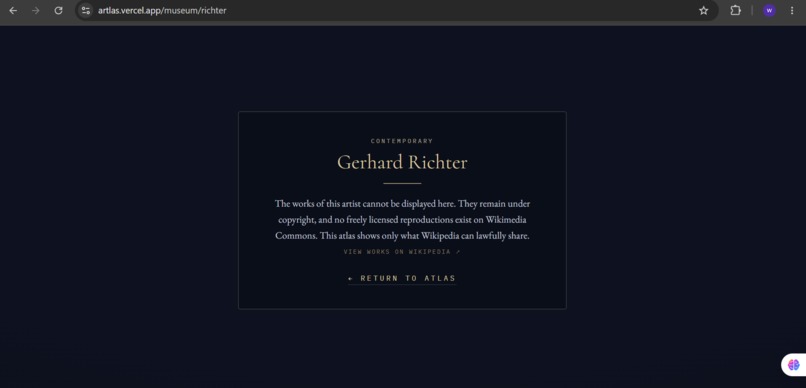
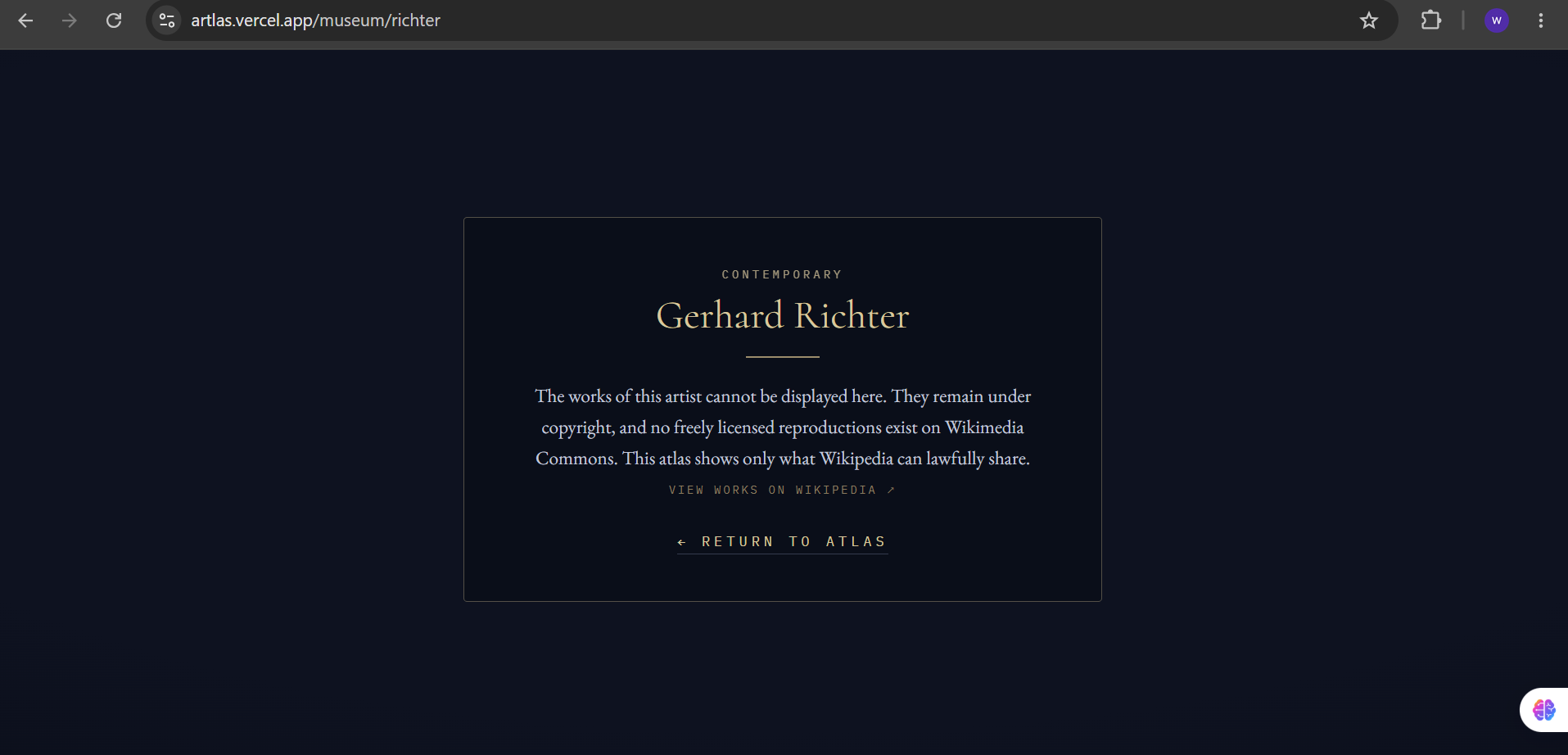
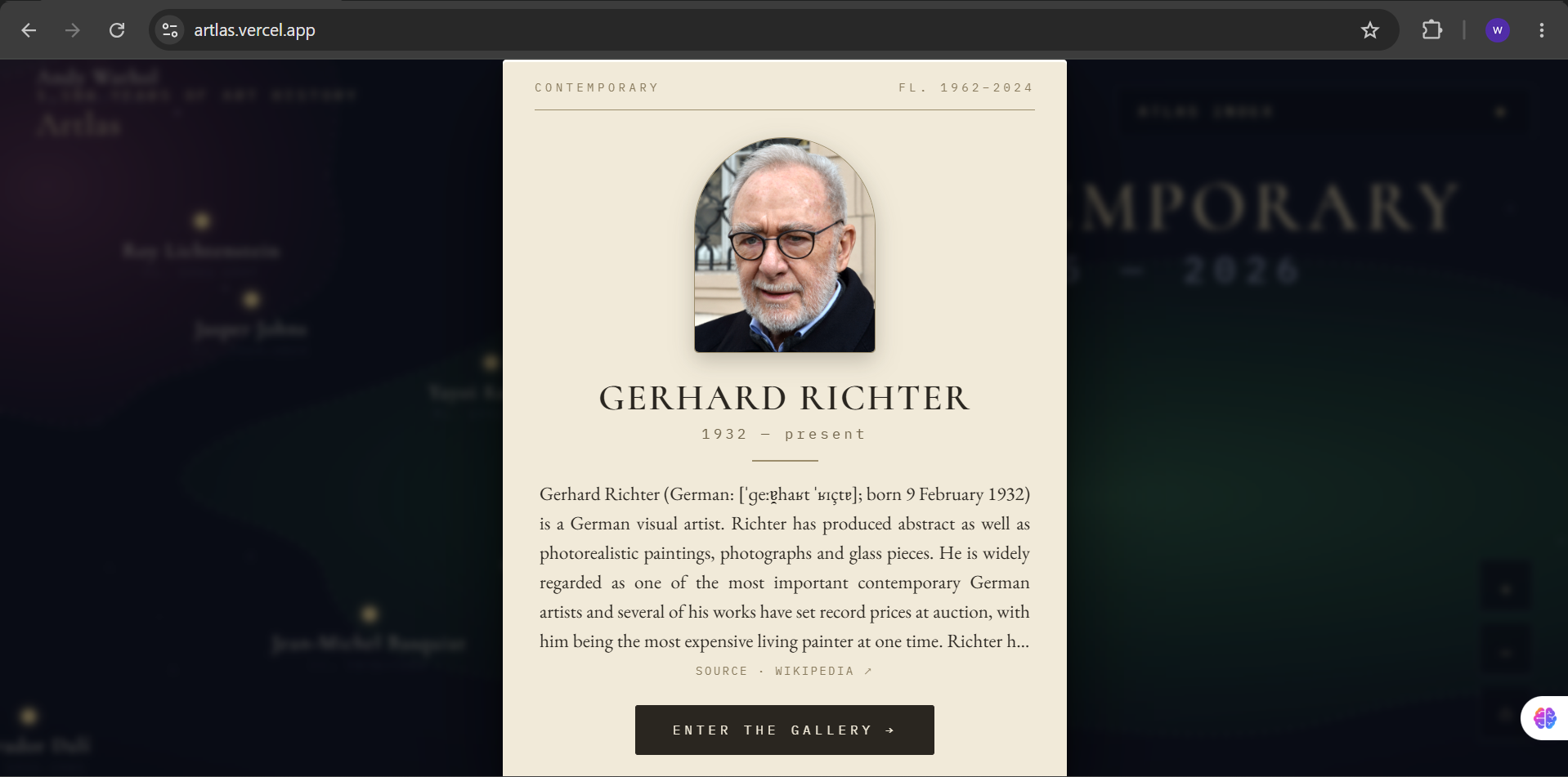
Copyright-aware by design, post-1926 artists get an elegant notice screen instead of an empty or broken gallery.
-
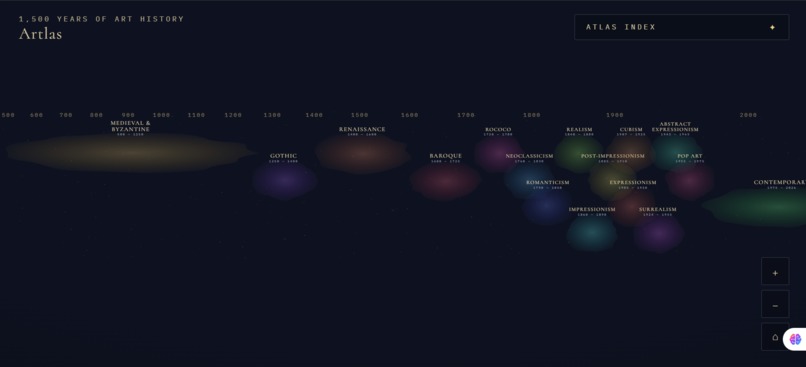
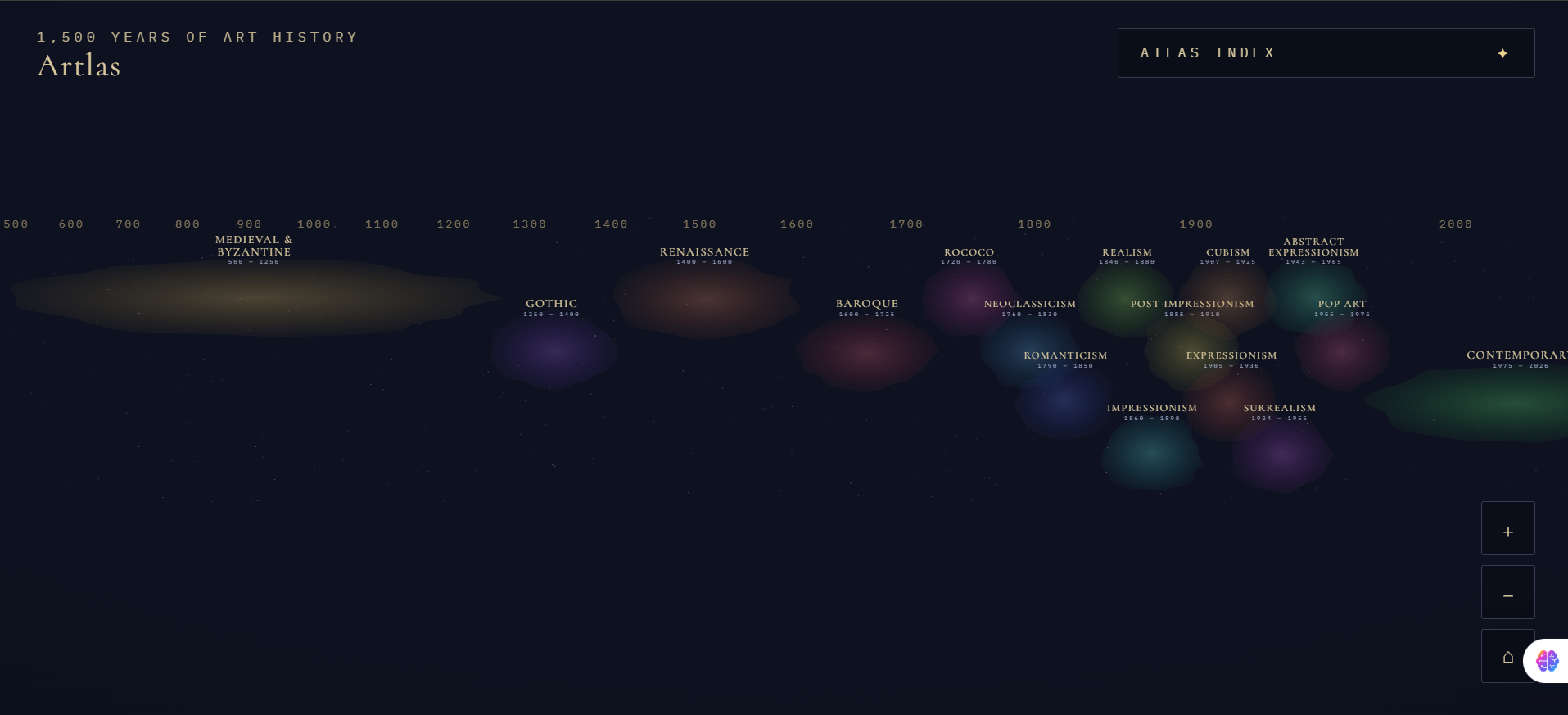
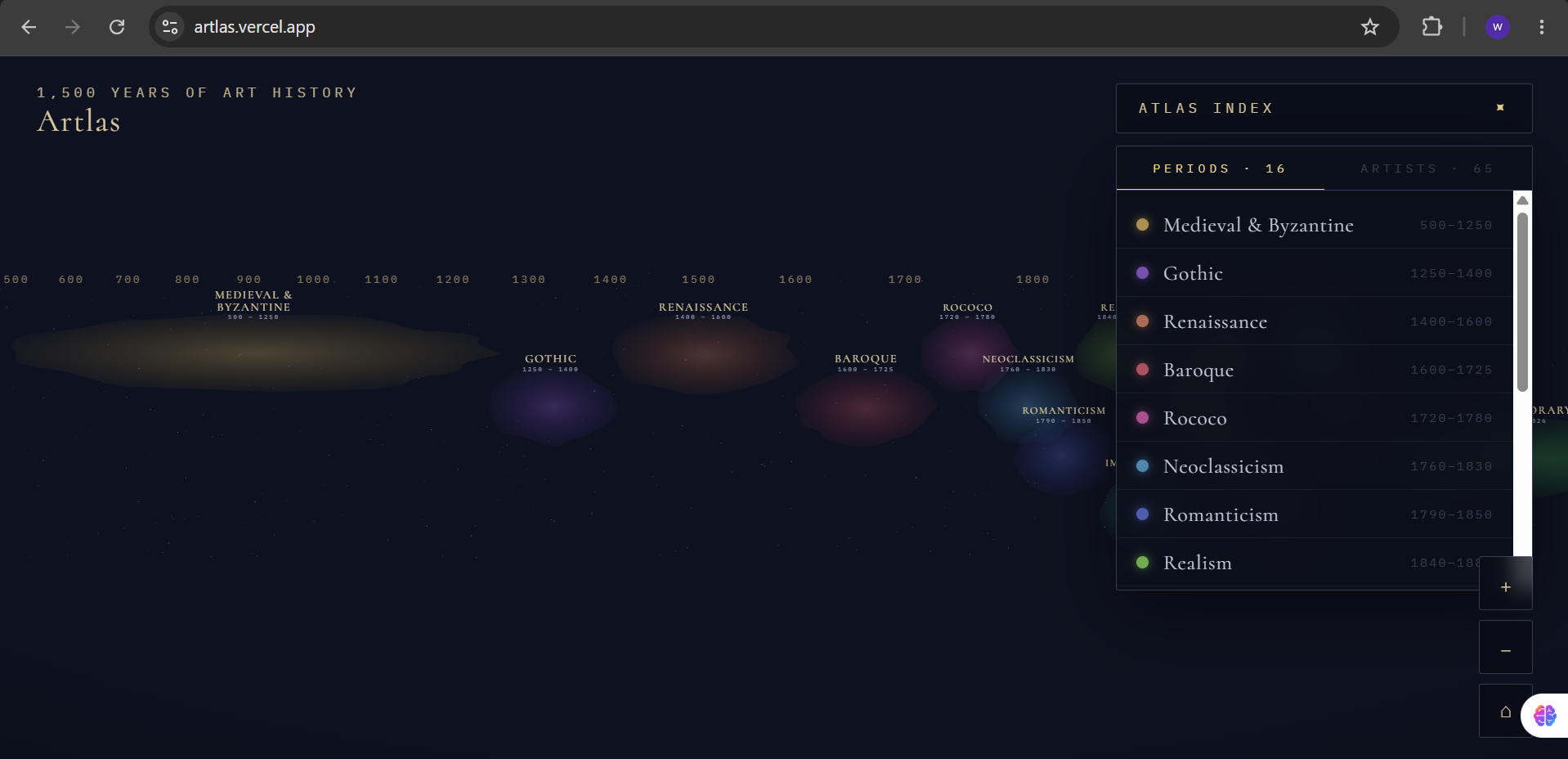
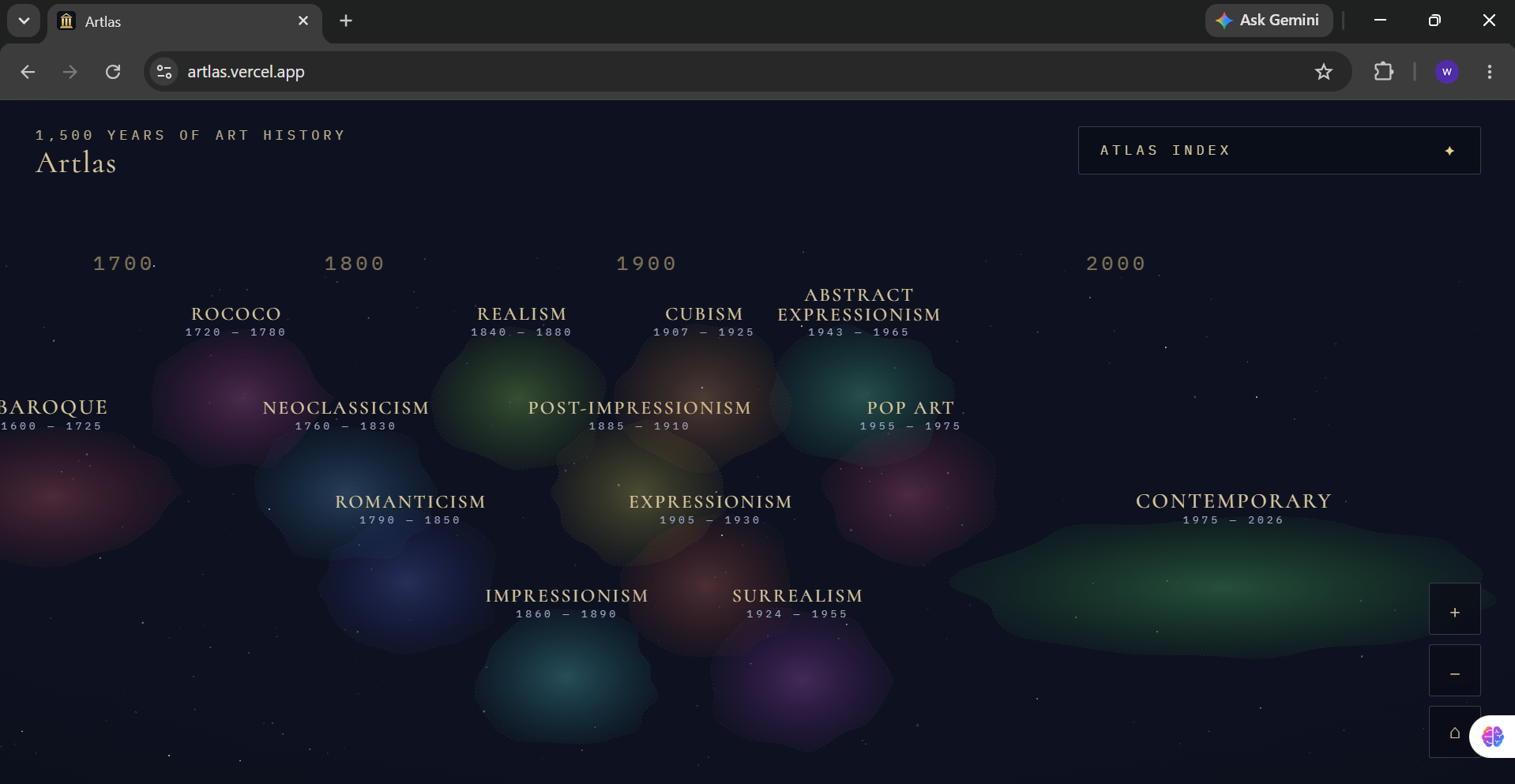
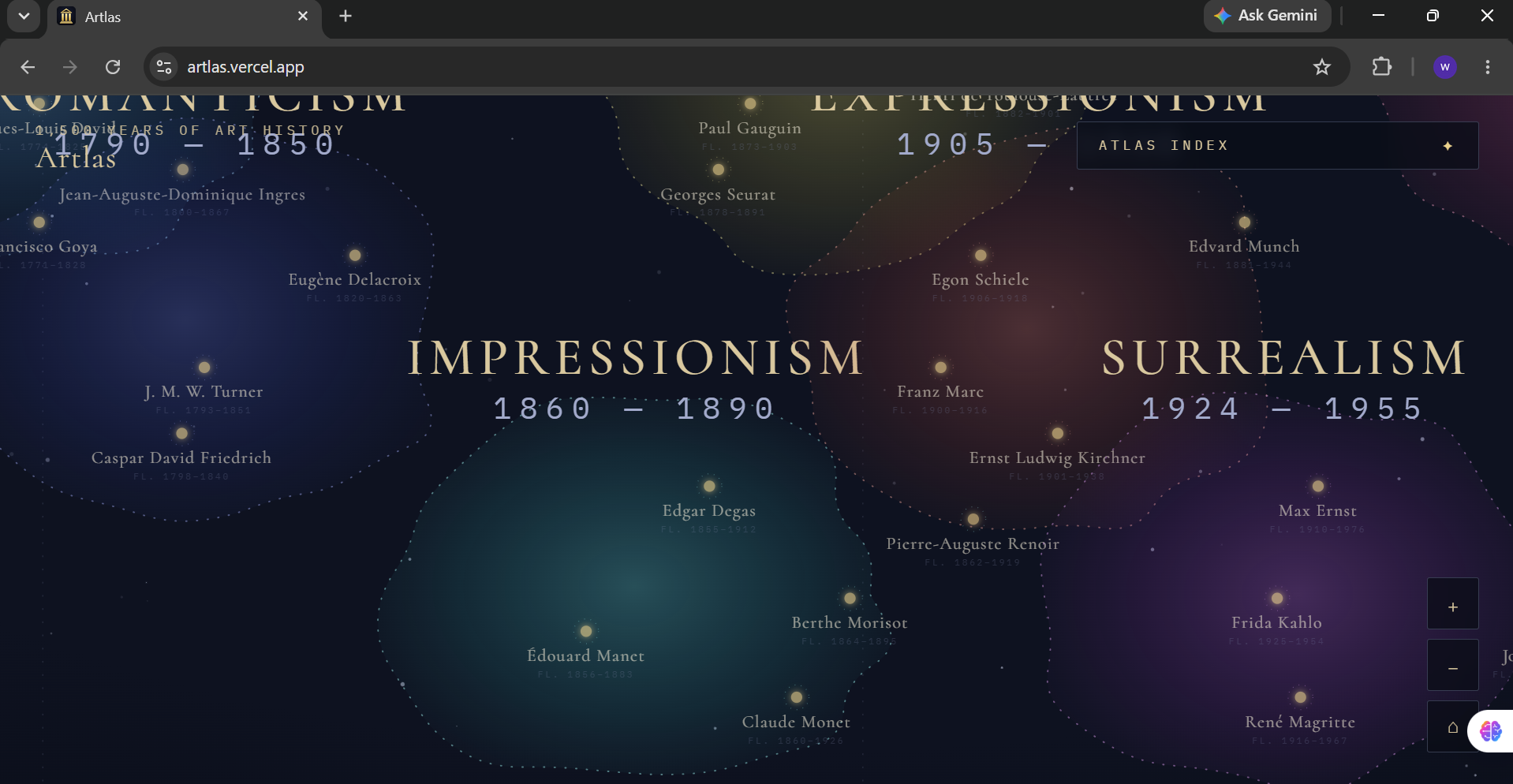
The celestial canvas, every glowing nebula is an art movement, every star an artist, positioned by their real working years.
-
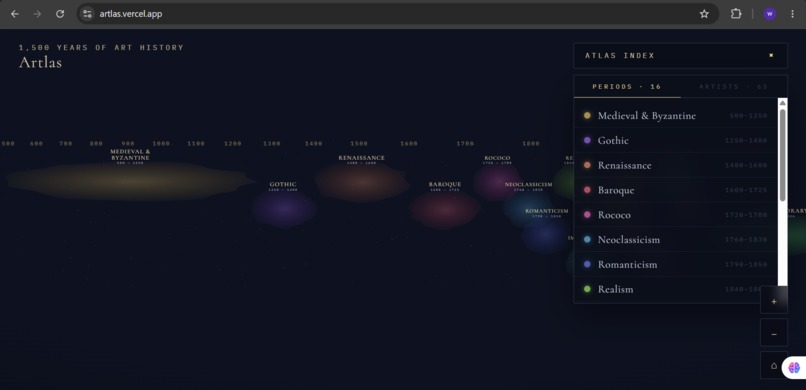
Navigate centuries of art history on an infinite zoomable timeline, with movements from Medieval to Modernism.
-
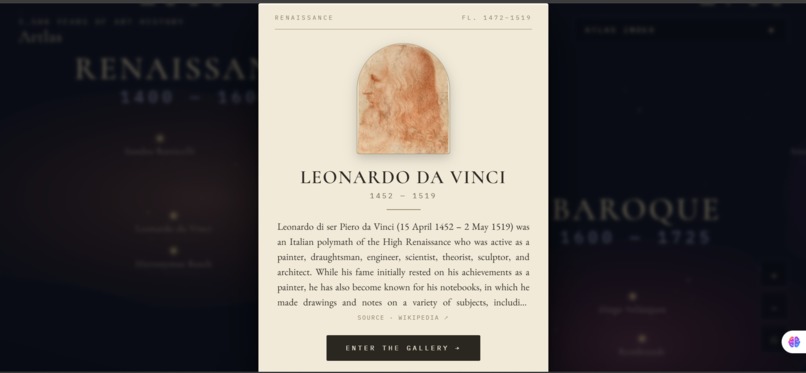
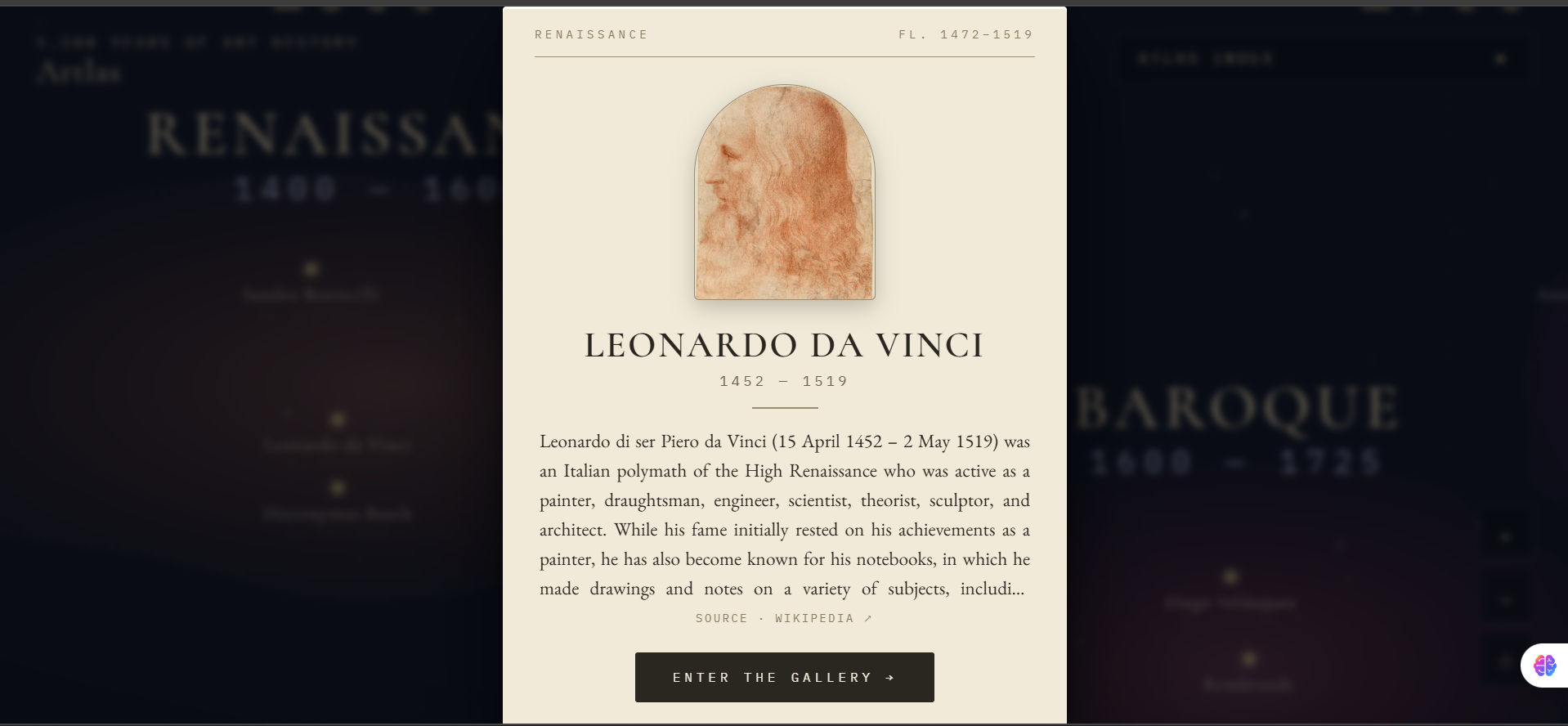
Click any artist-star to reveal their story, Leonardo da Vinci's profile, sourced entirely from Wikipedia.
-
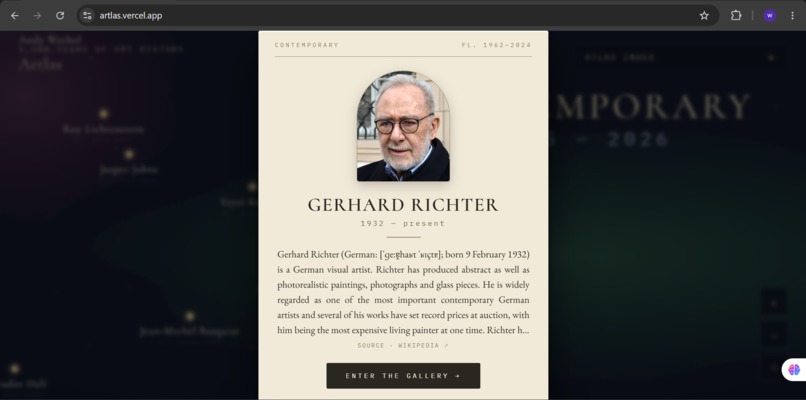
Contemporary artists included, Gerhard Richter's card, with data pulled live from Wikidata.
-
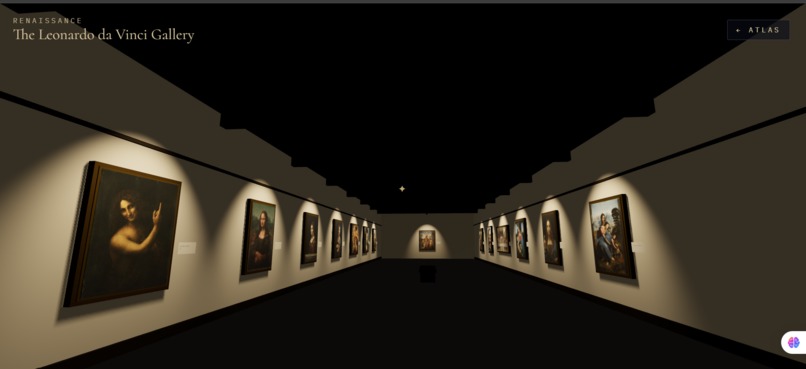
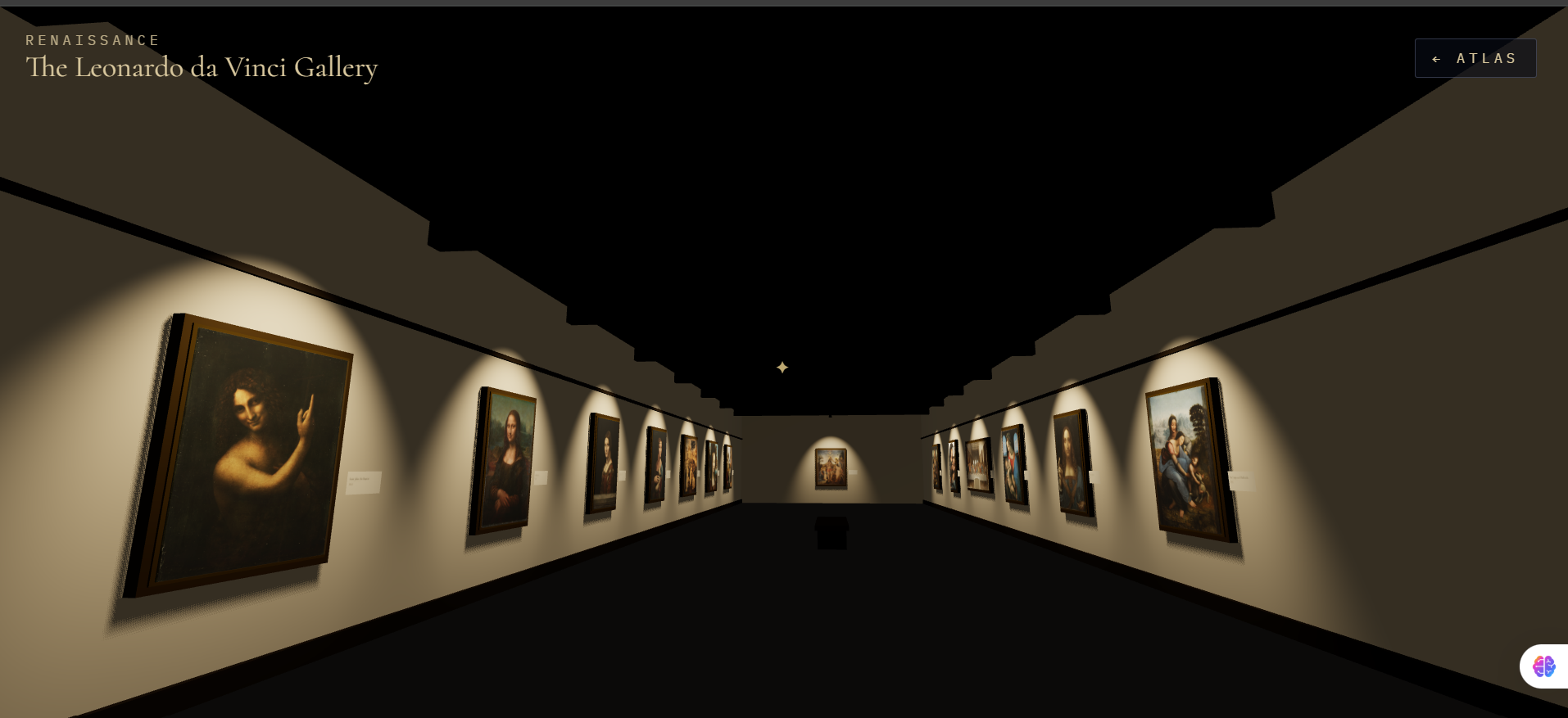
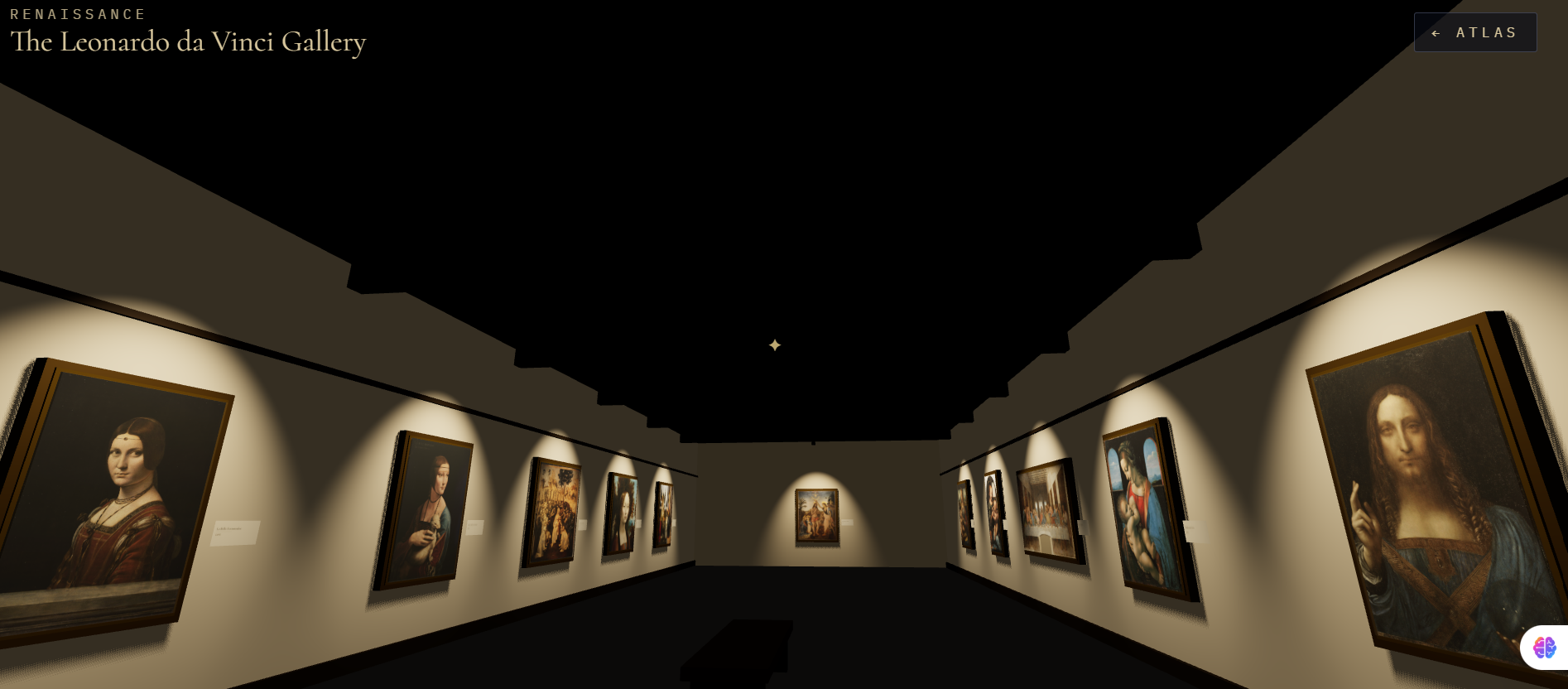
Step inside: a first-person walkable 3D museum gallery, hung with the artist's real paintings.
-
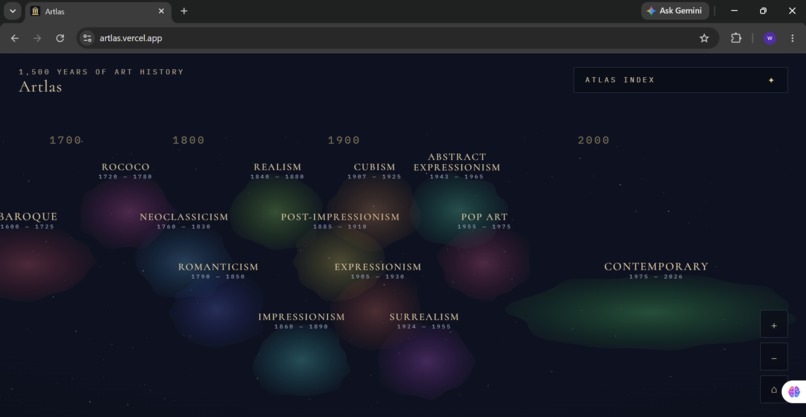
Art history as a universe, Impressionism, Surrealism, Pop Art and more, each glowing as its own territory.
-
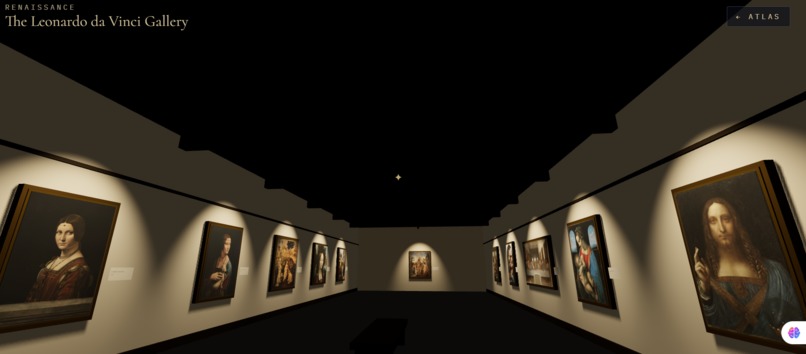
Walk through the gallery in first person, every painting sourced from Wikimedia Commons, zero AI-generated art.
-
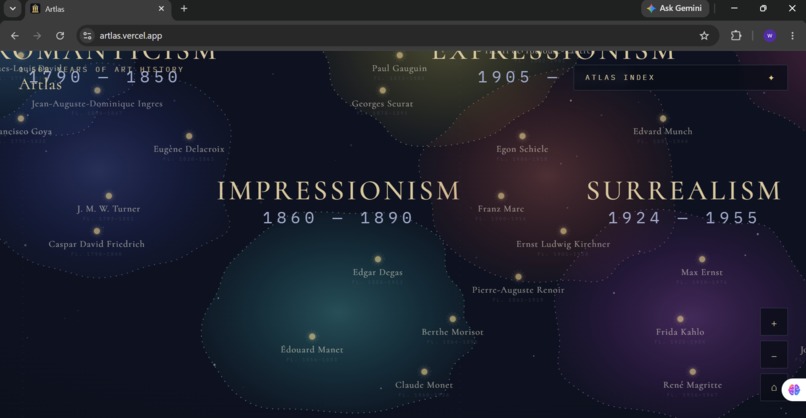
Zoom deeper and constellations of artists emerge within each movement's nebula.
-
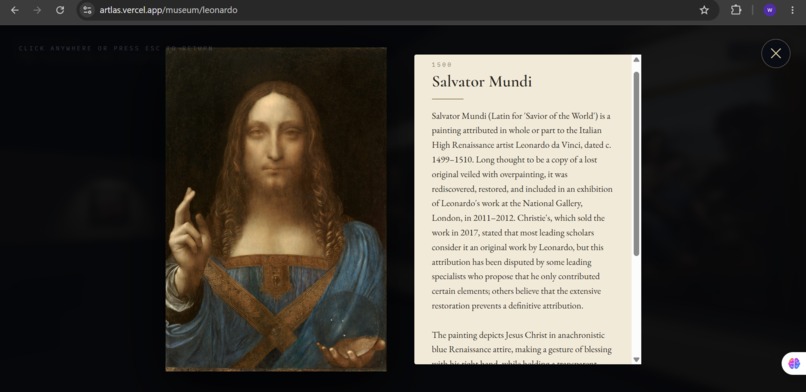
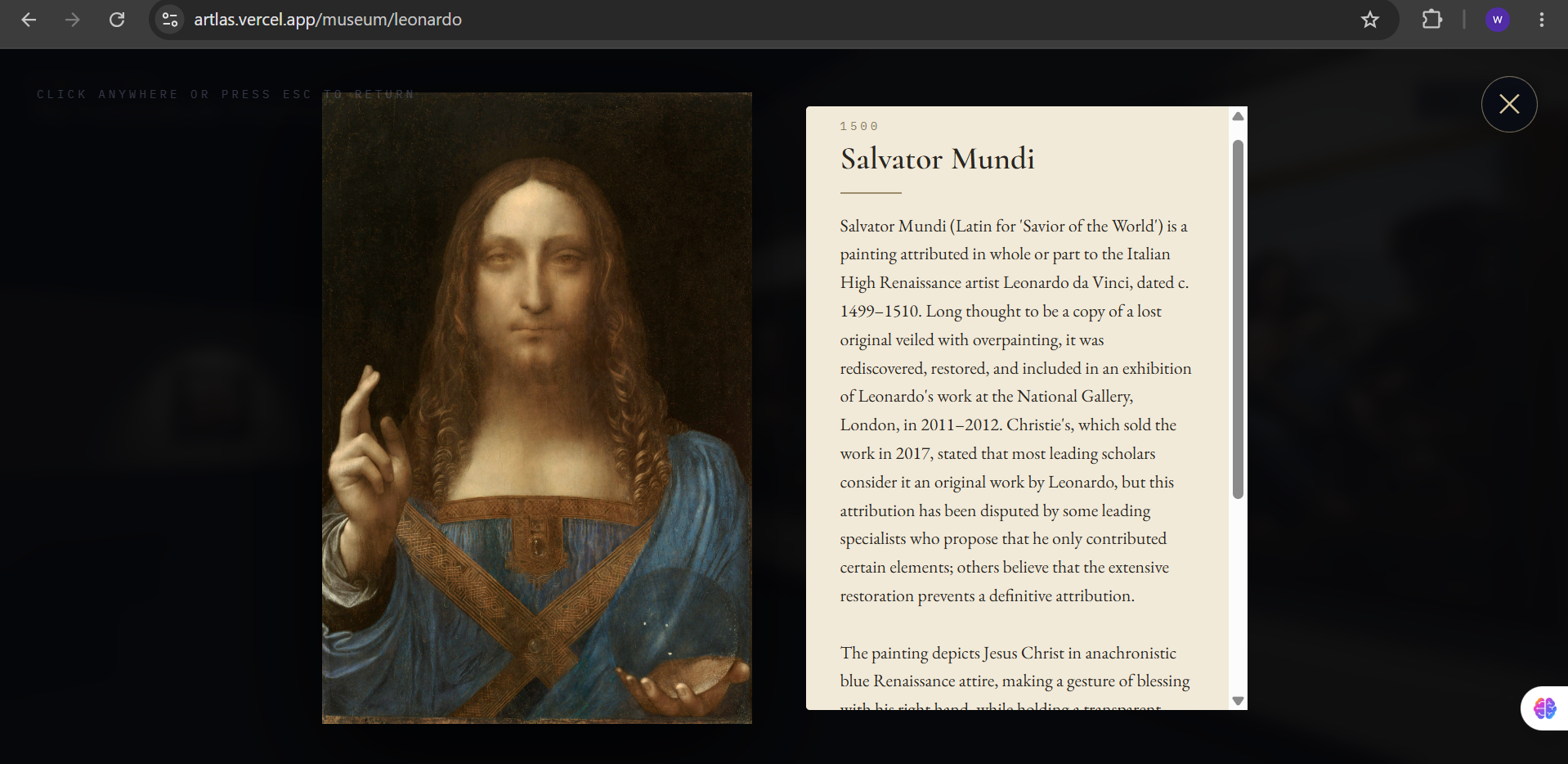
Inspect any painting up close with its full story here, Leonardo's Salvator Mundi with context from Wikipedia.
Inspiration
Art history is usually taught as a flat timeline, a list of names, dates, and movements you memorize but never really feel. We wanted to build something that treats art history the way it actually is: a living, interconnected universe of ideas, people, and works influencing each other across centuries.
The idea crystallized around a simple question: what if you could explore art history the way you explore the night sky, zooming through constellations of movements, discovering artists as stars, and then stepping inside their world?
What it does
Artlas is an interactive art history experience with two core modes:
- Celestial Timeline (2D): An infinite, zoomable canvas where art movements (Neoclassicism, Romanticism, Post-Impressionism, Expressionism, and more) appear as glowing nebula territories. Every artist is positioned as a star based on the actual years they were active, so proximity on the map reflects real historical overlap.
- 3D Museum Galleries: Click any artist-star and you're transported into a first-person, walkable 3D gallery built specifically for that artist, hung with their real paintings. You can walk around, inspect individual works up close, and get a genuine sense of "visiting" their body of work.
Every single artwork is sourced exclusively from Wikipedia, Wikidata, and Wikimedia Commons there is zero AI-generated art in Artlas. For modern and contemporary artists (Rothko, Warhol, Basquiat, Kusama, etc.) whose works are still under copyright and not freely licensed, Artlas shows a clean copyright notice screen instead of an empty or broken gallery an intentional design choice to respect artists' intellectual property rather than fake it.
How we built it
- Frontend: Next.js 14 (App Router, TypeScript) for the app shell and routing
- 2D Timeline: D3-Zoom for the infinite pan/zoom canvas, GSAP for smooth transitions between the celestial view and gallery entry
- 3D Galleries: React Three Fiber (Three.js) with
@react-three/drei's PointerLockControls for first-person walkable navigation - Backend/Data: Neon Postgres (serverless) storing artist metadata, painting records, and movement/period data
- Data pipeline: A custom seed script pulling from the Wikipedia API and Wikidata's SPARQL endpoint to source artist bios, working years, and painting records, cross-referenced with Wikimedia Commons for image assets
- Image handling: A same-origin image proxy (
/api/img) that resolves Wikimedia CommonsSpecial:FilePathURLs server-side to avoid CORS issues in the browser - Deployment: Vercel, live at artlas.vercel.app
Challenges we ran into
- CORS on Wikimedia images: Direct
Special:FilePathredirect URLs from Commons fail due to CORS restrictions in-browser. We solved this with a same-origin proxy route that resolves images through the Commons API server-side. - Wikipedia API rate limiting: Seeding hundreds of artists and paintings hit rate limits quickly. We built parallel pooling with exponential backoff and a resume system so the seed script could pick up where it left off without re-fetching already-seeded artists.
- Three.js shader instability: Adding hover effects to paintings in the 3D gallery caused an unexpected bug, paintings would disappear on hover because toggling
emissiveMaptriggered shader recompilation. The fix was removing hover state from the painting mesh entirely and making the glass glare overlay non-raycastable. - Pointer lock UX: Getting the cursor to behave correctly when entering/exiting the "inspect painting" view required carefully managing
exitPointerLock()alongside forced cursor visibility on overlay elements. - Copyright realism: Early versions either left modern artists' galleries embarrassingly empty or tried to force in whatever images were available. We settled on an explicit, elegant copyright notice screen as the honest solution, treating copyright as a feature to respect, not a bug to hide.
What we learned
Building a data pipeline entirely on open cultural data (Wikipedia/Wikidata/Commons) taught us a lot about the real-world messiness of "open" data inconsistent licensing, missing fields, and rate limits that require real engineering to work around respectfully. We also learned a lot about Three.js's rendering internals the hard way, especially around material/shader recompilation costs.
What's next for Artlas
- Expanding artist and movement coverage further
- Continued UI/UX polish based on user feedback
- Exploring richer interactions inside the 3D galleries (guided tours, audio context, comparison views between artists)
Try it out
- Live app: artlas.vercel.app
Built With
- d3.js
- gsap
- neon
- nextjs
- postgresql
- react-three-fiber
- three.js
- typescript
- vercel
- wikidata
- wikimedia-commons
- wikipedia-api


Log in or sign up for Devpost to join the conversation.