-
-
Frontend
-
Future development
-
Sentry ex: 1
-
Sentry ex: 2
-
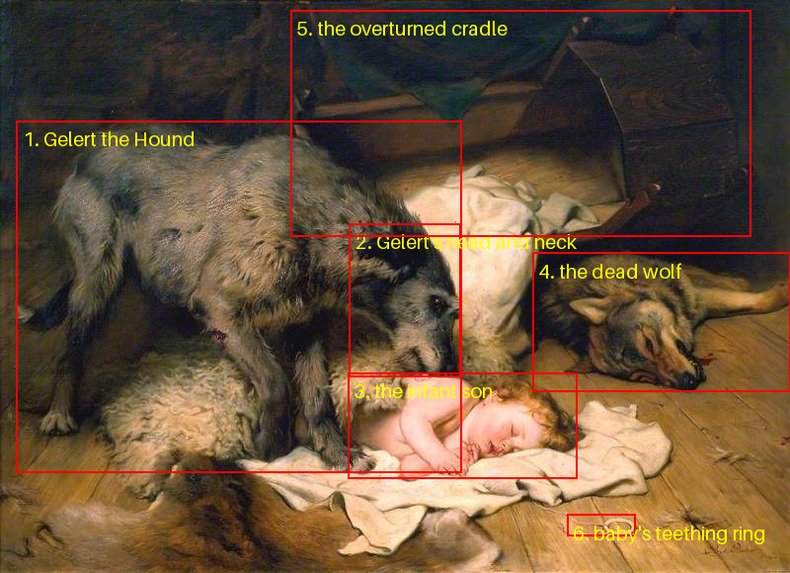
Gemini classification
-
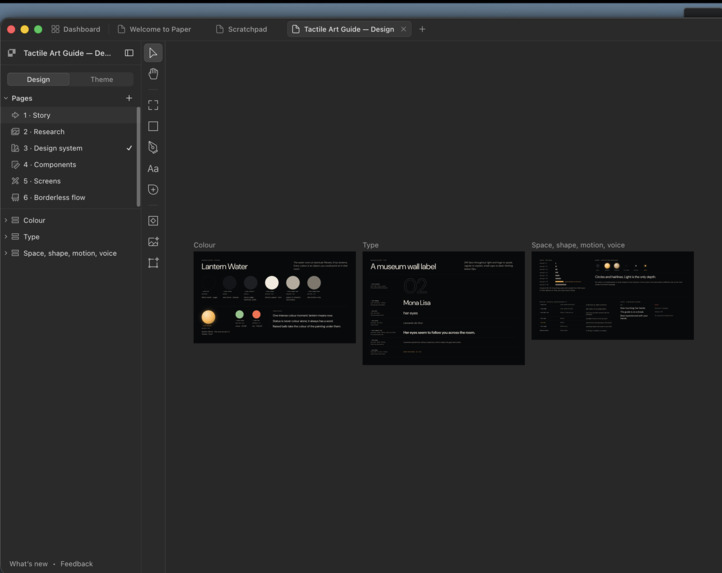
Paper ex 1
-
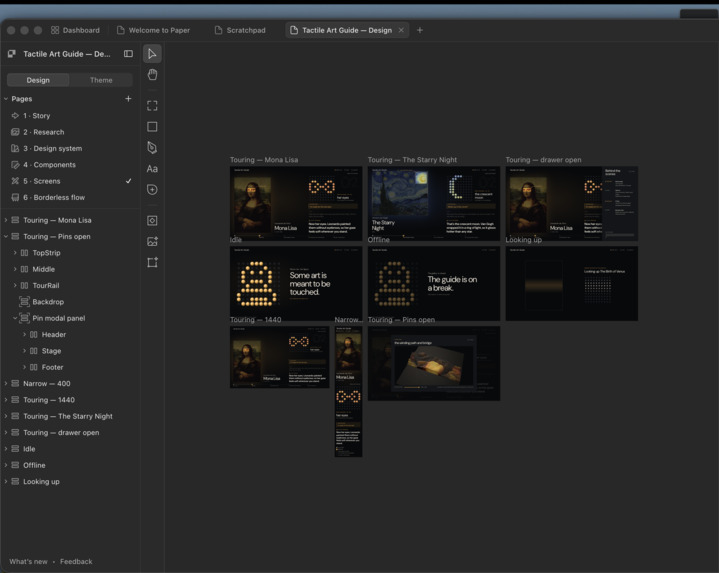
Paper ex 2
Inspiration
At teamLab in Tokyo, we walked knee-deep through lit water while the art reacted to us and drifted from room to room. We felt that art as much as we saw it: the water around our legs, the sound, the way it answered us. Then we thought about the most famous paintings in the world, and how a blind visitor experiences them.
Museums are built around looking. At the Louvre, a blind visitor gets an audio description of a painting they cannot see, at best. The museum's website is built for a sighted visitor with a mouse. Tactile reproductions exist, but each one is made by hand for a single painting, so almost no art is available this way.
We wanted a blind visitor to be able to ask for any painting and feel it under their hands within seconds.
What it does
Art for All is a voice-guided museum tour you can feel. The visitor talks and listens. A 10×10 board of raised balls forms the shape of each part of the painting under their fingers.
- They say "Show me Girl with a Pearl Earring." The guide finds the painting and splits it into its key parts in tour order: her face, her eyes, the pearl earring, the turban. It raises the first part on the board.
- The guide tells them where to put their fingers and what each raised shape is ("Start at the top middle. That curve is her hairline."). It explains the part, then waits quietly while they explore.
- At any time they can say "next", "go back", "the top right" or "show me the earring", ask any question, or name another painting.
- It works for any painting with a credible articles/sources, not just a fixed list.
- While the tour runs, two agents work in the background. BrowserUse reads the painting's official museum website. Creao writes a guide's narration for each part. Their results join the tour as soon as they arrive, so the visitor never waits for them.
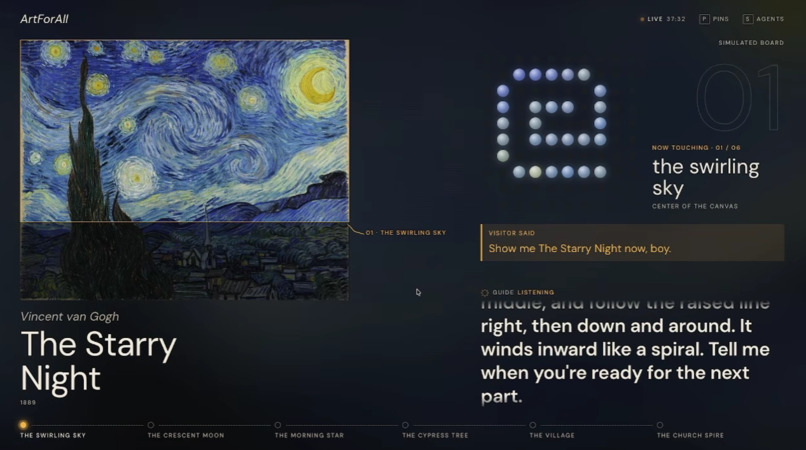
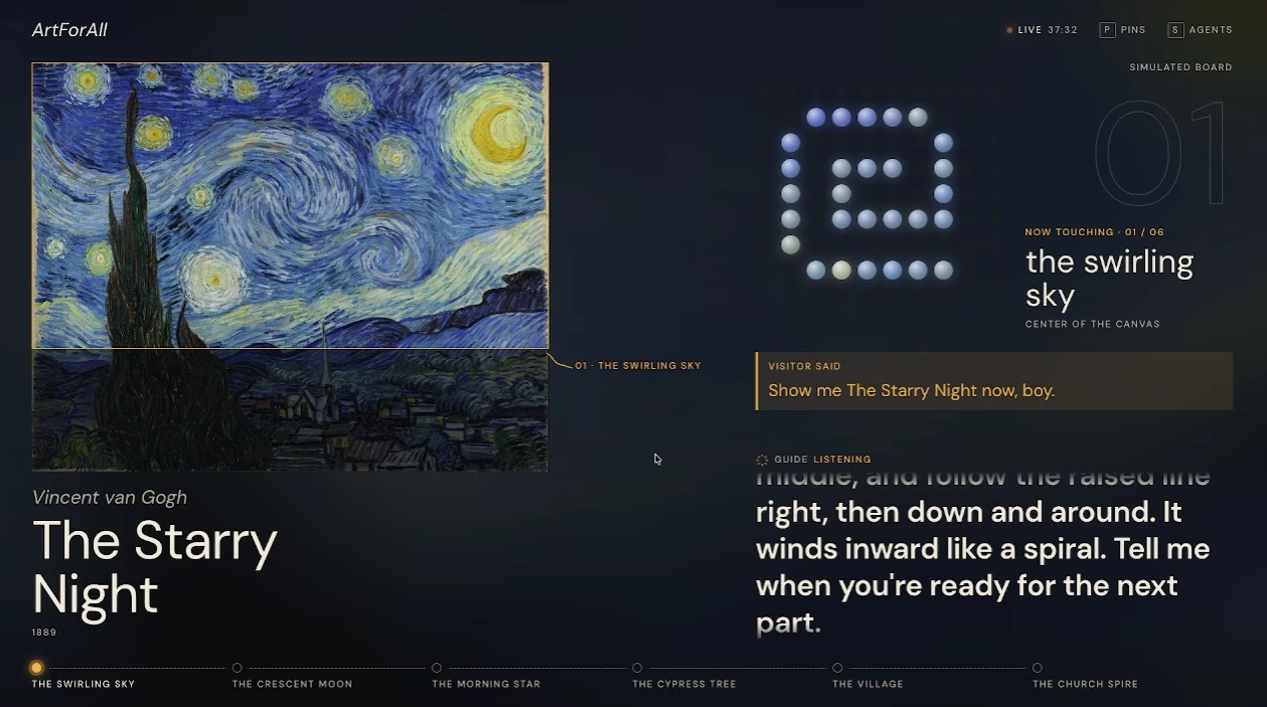
A screen beside the board shows sighted companions what the visitor is hearing and feeling, live. Nothing on it needs to be clicked.
Track: Beyond the Digital. Software decides what to show, and a board of moving balls puts it under the visitor's hands.
How we built it
Everything runs as one Python program on a laptop, with a microphone, a speaker and the board on a serial cable.
The conversation (ElevenLabs)
For a blind visitor, voice is the interface. An ElevenLabs Conversational AI agent does all of the interaction: listening, speaking, handling interruptions and deciding when to call our tools. It controls the tour through two client tools that run on our laptop:
open_painting(name)show_section("next" | "previous" | number)
Both tools wait for a response. Each response gives the agent the part's name, location, description and shape as text (# is a raised ball, . is flat). That is how the agent knows where to tell the visitor to start and what to trace. The system prompt makes it lead the tour while the visitor sets the pace.
Finding the painting
paintings.py searches Wikipedia, downloads the image and summary, and caches each painting as one JSON file. The four demo paintings load instantly from the cache.
Seeing the painting (Gemini)
Gemini does the work a sighted guide does by eye, in two steps:
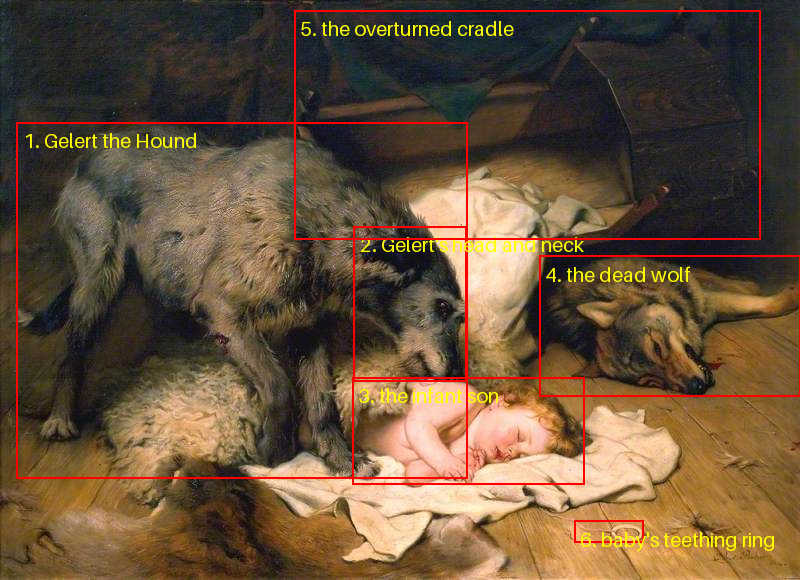
- One call looks at the whole painting and returns 5 to 10 parts in tour order, whole subject first and then its features. Each part comes with a bounding box and a description.
- Pillow cuts a padded, square close-up of each part. Gemini then designs that part's 10×10 tactile pattern from the close-up alone.
All parts are drawn in parallel, so load time is set by the slowest single drawing. We set Gemini's thinking level to low, which cut load time without hurting the shapes. If one part's drawing fails, it is dropped and the rest of the painting still loads.
Location
Each part's box center becomes a position on a 3×3 grid, like "top right". The guide uses it to orient the visitor, and to jump when they say "the top right".
The board
main.py sends each pattern as one serial line: F followed by 100 digits. The board answers OK only once the balls have settled, and the tool call waits for that reply. So the guide never describes a shape that is still moving.
Museum websites, read aloud (Browser Use)
A painting's best information is on its museum's own website. When a painting opens, our Browser Use agent visits that website for the visitor, finds the painting's page, and turns it into three to five facts written to be spoken. It runs in a background thread, so the tour starts immediately and the facts join when they arrive (about 40 seconds for the Mona Lisa from the Louvre). The demo paintings carry facts gathered from the Louvre, MoMA, The Met and the Mauritshuis.
The Tactile Tour Writer (Creao)
We built an agent on Creao that writes what a museum guide would say to a visitor whose fingers are on one part of a painting: the shapes and textures to feel there, plus one fact about that part. Gemini decides what the parts are; Creao researches the painting and writes the narration for each one. Whenever a painting without notes opens, main.py starts the agent through Creao's API in the background. A run takes about 70 seconds, and its notes are used for the parts that follow.
- Agent ID:
1b936489-00cb-4cc0-9524-914f81ec30d7 - Example run (The Starry Night): https://agent.creao.ai/share/37a2d8ee78366196f03e63bf0a6c35d9
- Sample note (The Birth of Venus, the scallop shell): "Drop your hands to where the figure's bare feet rest: a wide fan-shaped scallop shell, its ribs running in raised flutes that radiate outward from a narrow hinge near the bottom, like the open fingers of a hand."
No silent failures (Sentry)
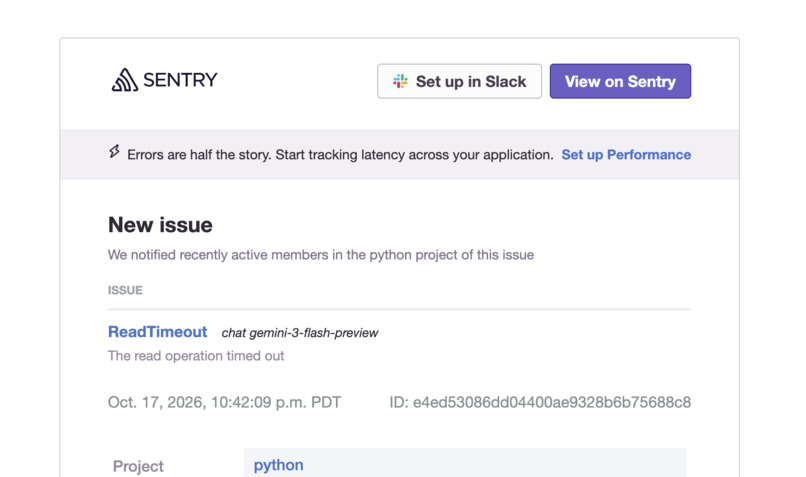
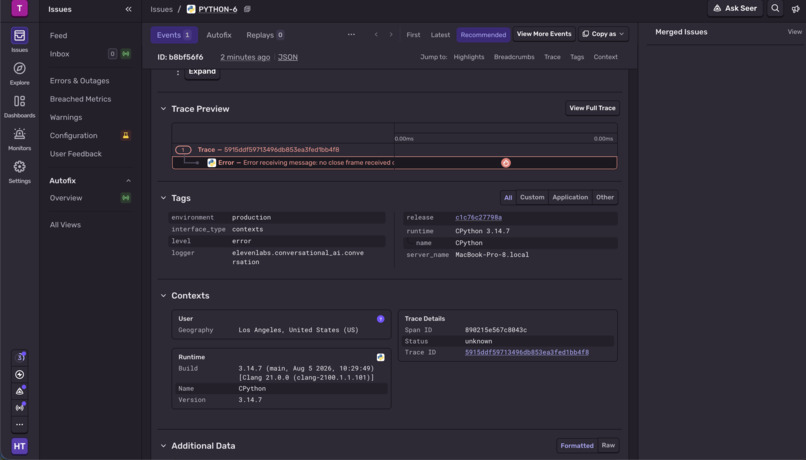
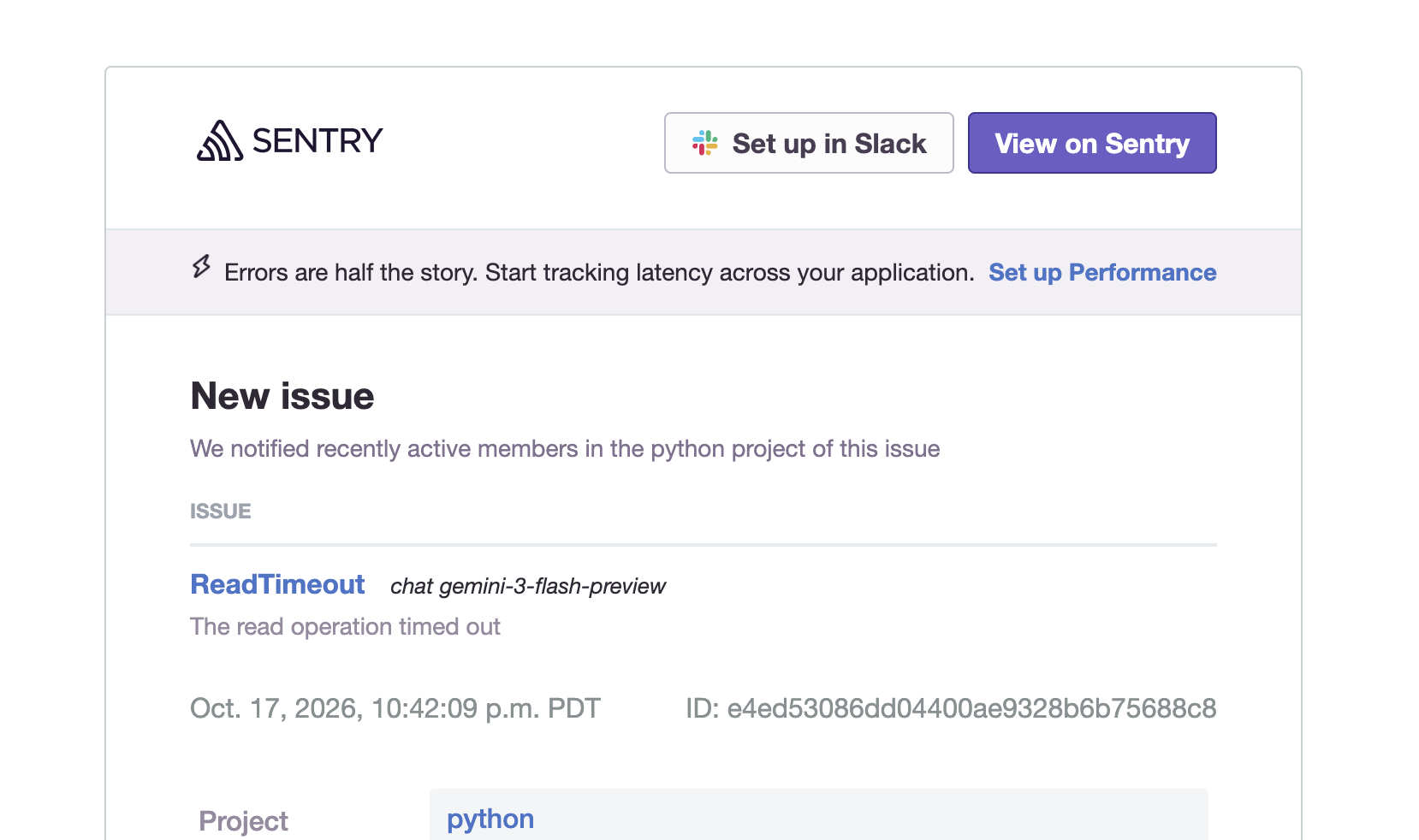
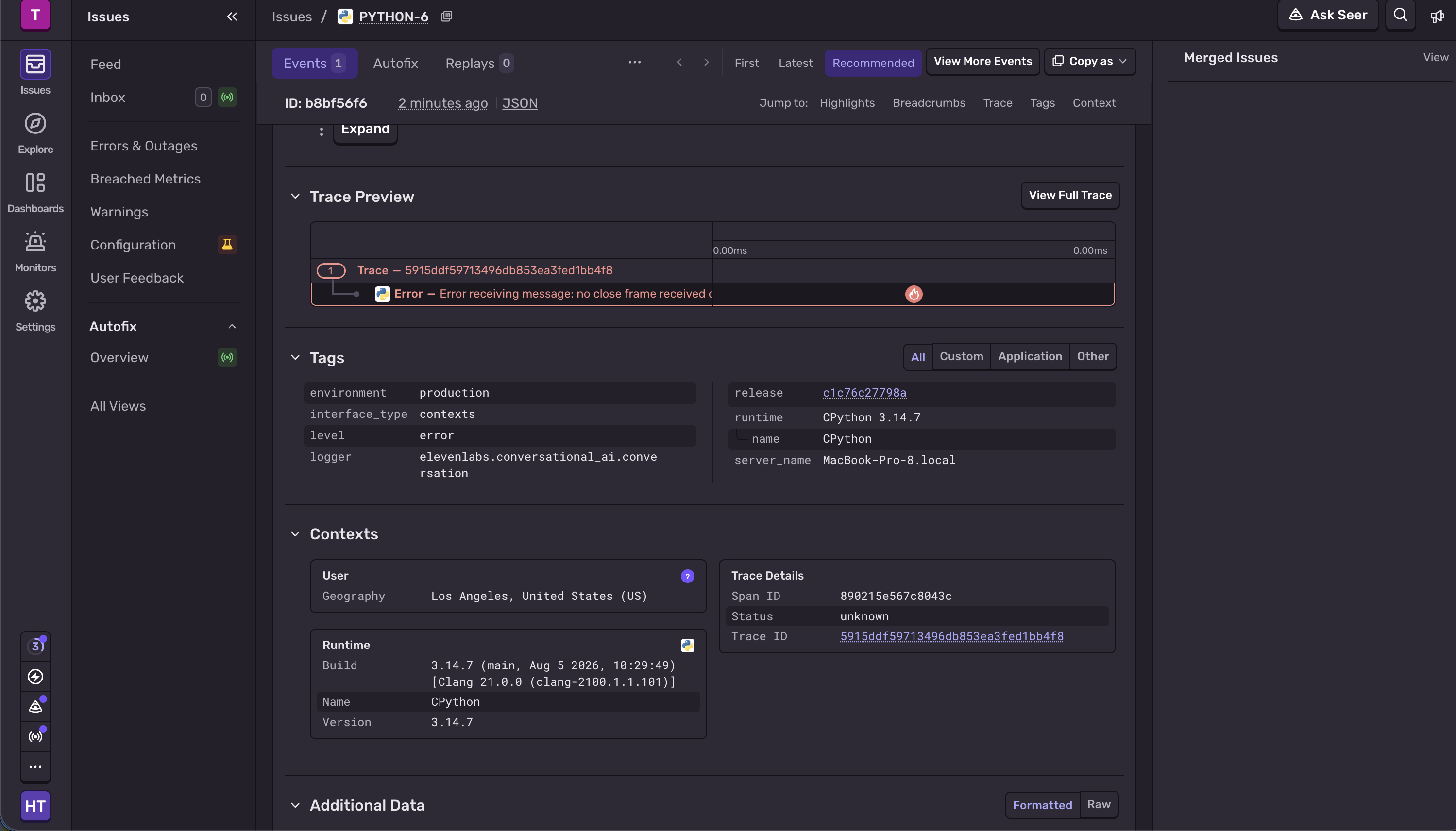
We found that the ElevenLabs SDK swallows exceptions raised inside client tools without logging them. A failed painting lookup would have left the guide silent, with no trace of why. main.py now wraps both tools so that any exception goes to Sentry with its full stack trace before the agent hears about the error. A test confirms that an error reaches both Sentry and the agent.
The screen (Paper)
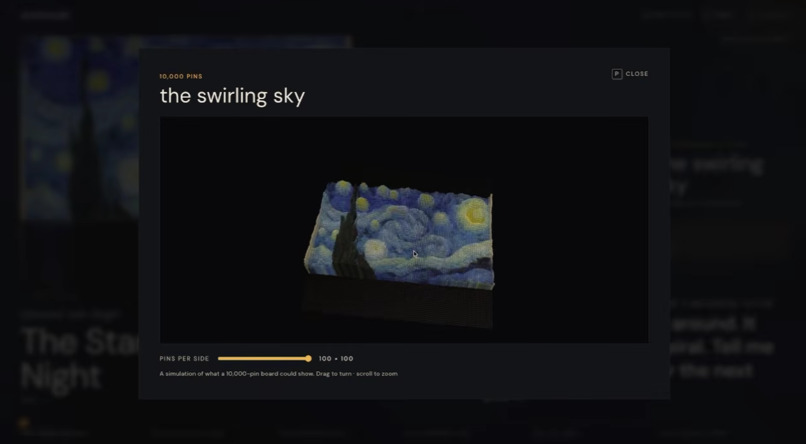
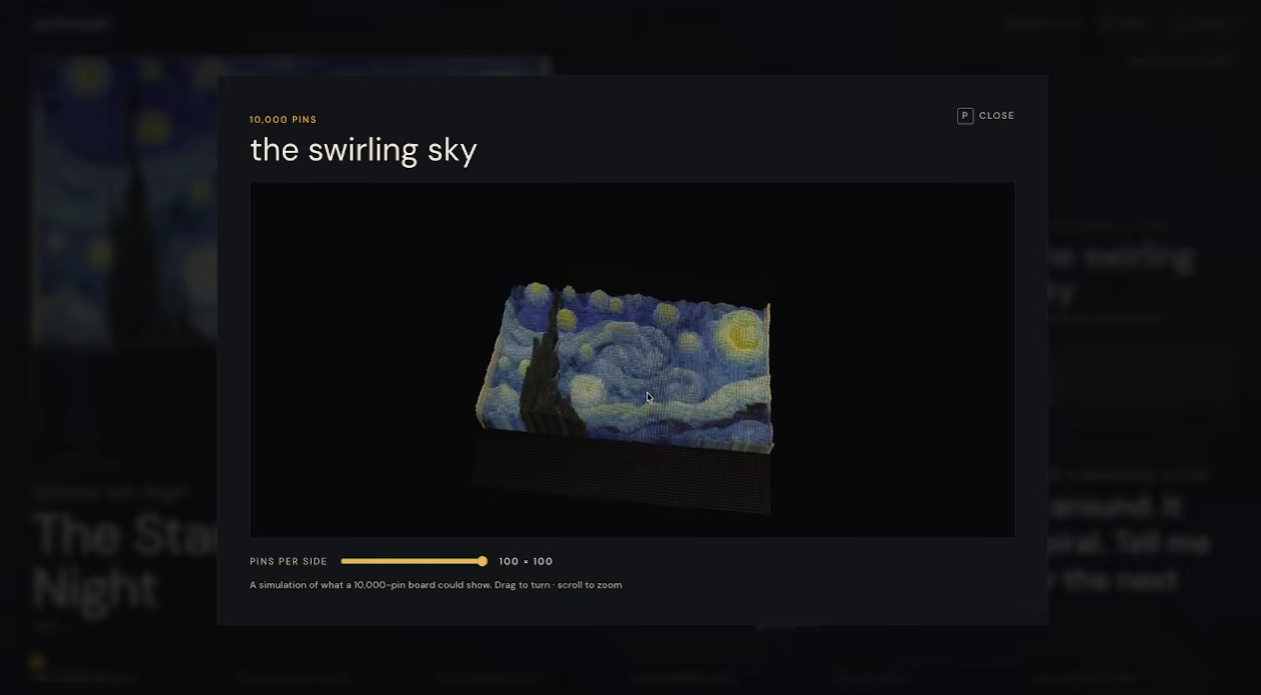
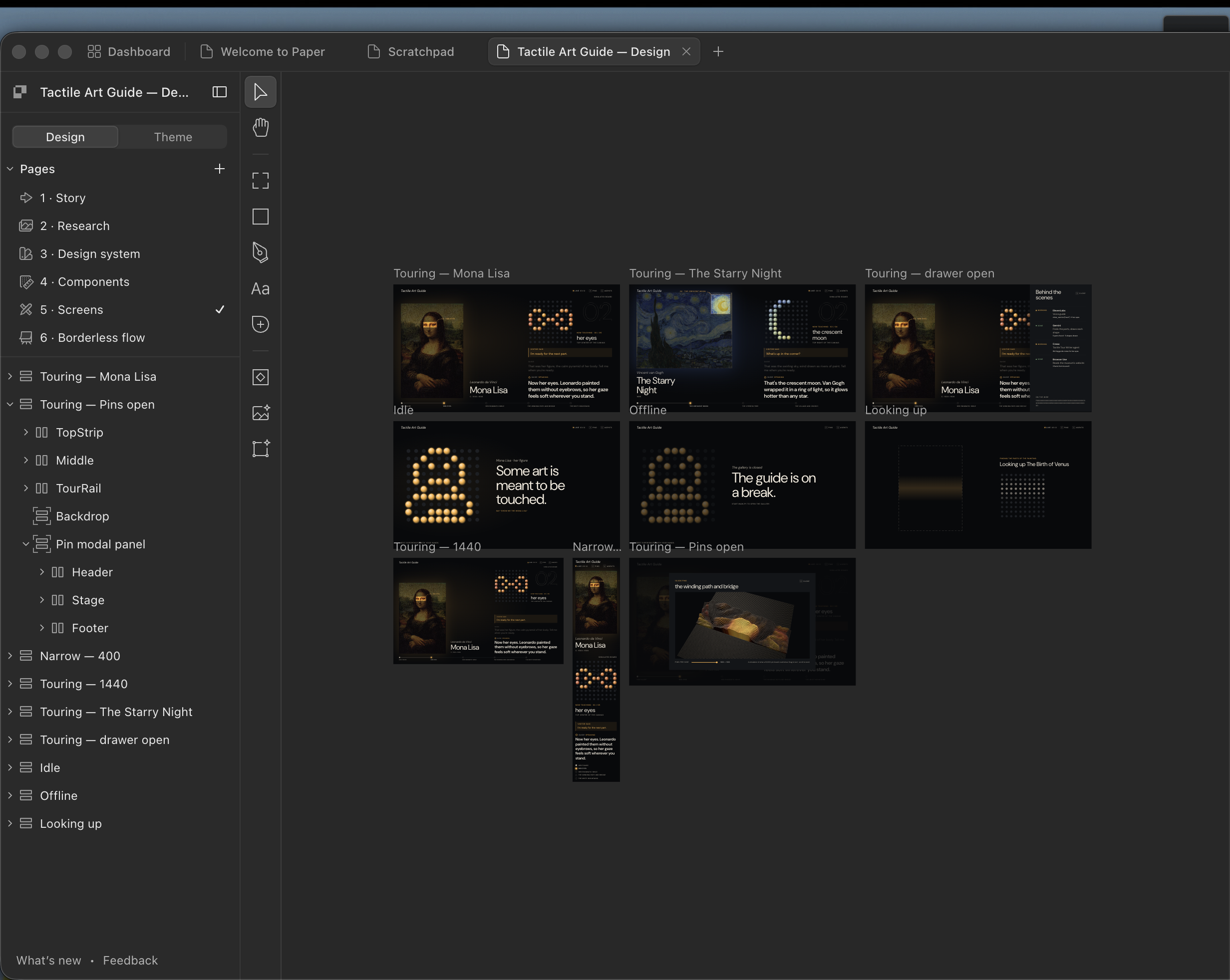
The board has 100 balls today. The vision is 10,000 pins, enough to feel the curve of a smile or a brushstroke. We designed the screen as a preview of that future, and as a room in a gallery rather than a dashboard.
- We worked with our coding agent connected to Paper over MCP, starting from 147 annotated reference screens.
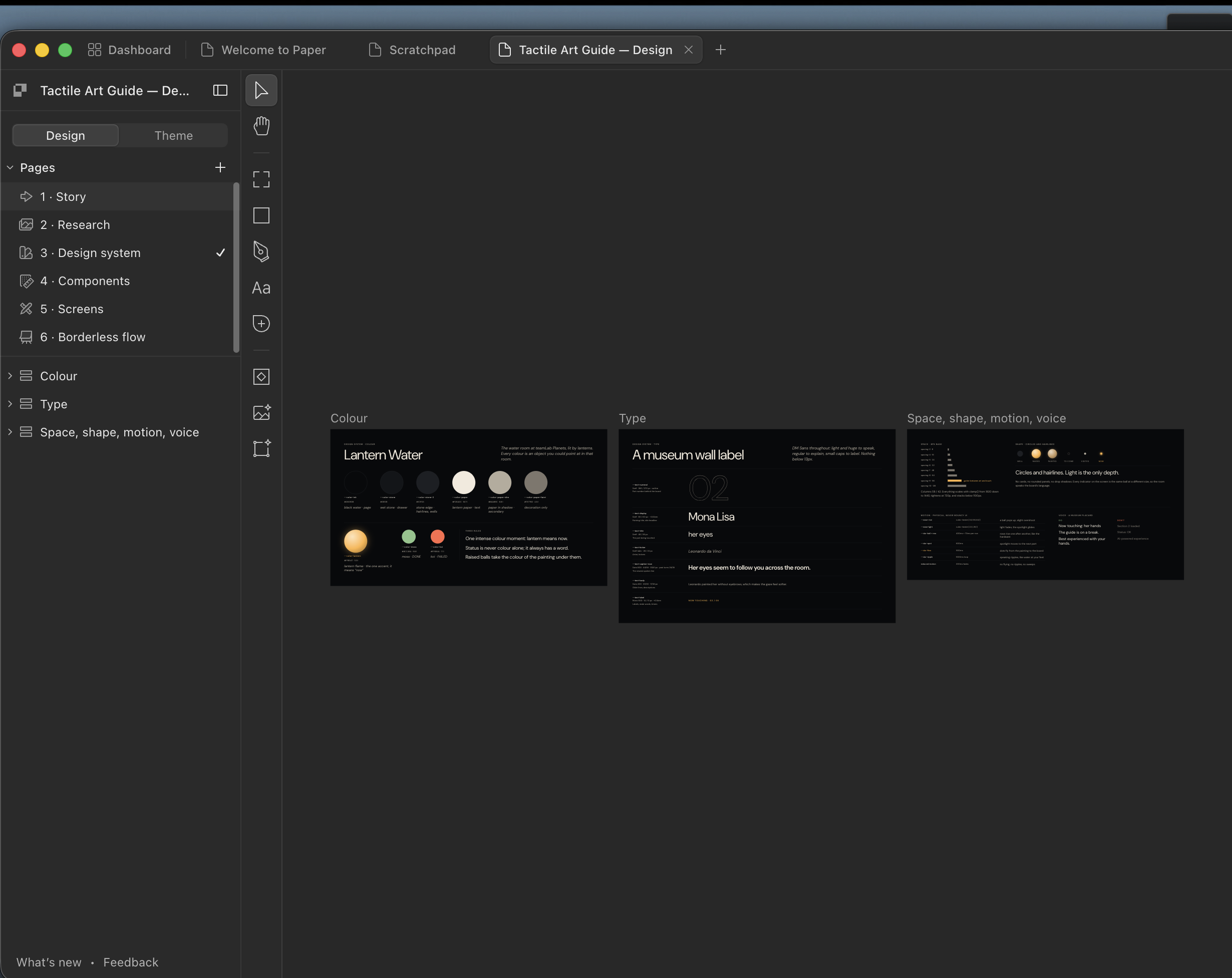
- We built a design system called Lantern Water. Every colour is something from that teamLab room: black water, wet stone, lantern paper and one orange flame (
#FFB547), which only ever means "now". - The agent laid out every screen and state in Paper, then pulled exact values back out, so our CSS token names match the Paper file.
- Every shape on screen is a circle, because the visitor's hands are on a board made of balls.
- The signature motion: when the tour moves on, the spotlight glides to the new part, and its cells fly across the room and land on the board as pins.
- Pressing
Popens a simulated 10,000-pin view of the current part.
Hardware
We used a matrix of pins that are friction-fitted into a plate in the pattern of a 10x10 grid. Based on the ai's sectioning of the painting, a machine under uses a solanoid to push the pins upwards. The pins extrude out of the plate and displays the generated pattern. The actual mechanism for moving the solanoid is based off of the movement of a 3D printer, that only works in 2 dimensions, utilizing a system of pulleys, a belt loop, and stepper motors.
Reliability and tests
Hackathon Wi-Fi stalled several times during testing. Every web request now has a connect timeout and retries. A failed lookup tells the visitor the painting wasn't found instead of crashing. Offline tests cover the conversation tools and the Gemini pipeline, with Gemini and the network faked, and run without any API keys.
Challenges we ran into
- Shapes people could recognize. 100 balls is very little. Our first version used one Gemini call that returned parts and patterns together, and testers could not recognize the results. In The Last Supper, Jesus came out as a solid triangle, and every face was a filled circle with no eyes. We iterated on the pipeline several times:
- We split it into two steps, choosing parts first and then drawing each one from its own close-up.
- We asked Gemini to decide how fingers would recognize a part before drawing it.
- We added outline-first rules and example patterns for a face, an eye, a hand and a person.
Each round produced shapes that were more recognizable under the hand.
- Never making the visitor wait. Creao and Browser Use runs each take about a minute. We moved both into background threads that update the painting the tour is already using. We also made saving the painting safe when both agents finish at the same moment, even though they write to the cache at the same time.
- Agent output in unexpected places. Creao's agent saved its notes as a JSON file attached to the run, not in the reply text, so our first live run collected nothing. We now download the run's JSON file and fall back to the reply text.
- Errors that disappeared. The ElevenLabs SDK hid exceptions from our tools, so failures looked like the guide simply going quiet. Routing every tool error to Sentry turned those into stack traces we could fix.
- Everything is spoken. Whatever the tools return is read aloud. Early Browser Use runs included URLs that the guide would have recited. Every response is now short and plain, with no links or symbols.
Accomplishments that we're proud of
- It works for any painting on Wikipedia, not a hand-built set.
- Facts come from the museums themselves, gathered by an agent that browses their websites for the visitor.
- The tour never waits for the slower agents, and their results still reach it.
- The software does not depend on the board's resolution. A denser board would show more detail with no code changes.
- A screen that respects the experience: light as the only hierarchy, AAA contrast throughout, and nothing to click.
What we learned
Designing for touch is different from designing for sight. A faithful copy of the picture is often unrecognizable under the fingers, so the useful question for the model was "how would a hand recognize this?" rather than "what does this look like?".
We also learned to treat slow agents as background work that improves the experience over time, not as steps the user waits for. And some design decisions only came from watching people use it. In one live test, the visitor's question scrolled off the screen during a long answer, so we pinned their last words above the guide's reply.
What's next for Art for All
- A higher-resolution board, moving toward thousands of pins.
- Testing with blind and low-vision visitors, and with museums.
- A guide voice that changes to suit each painting.


Log in or sign up for Devpost to join the conversation.