-
-
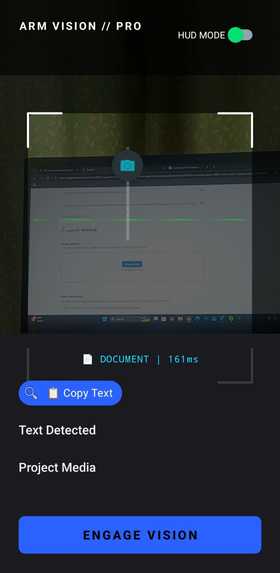
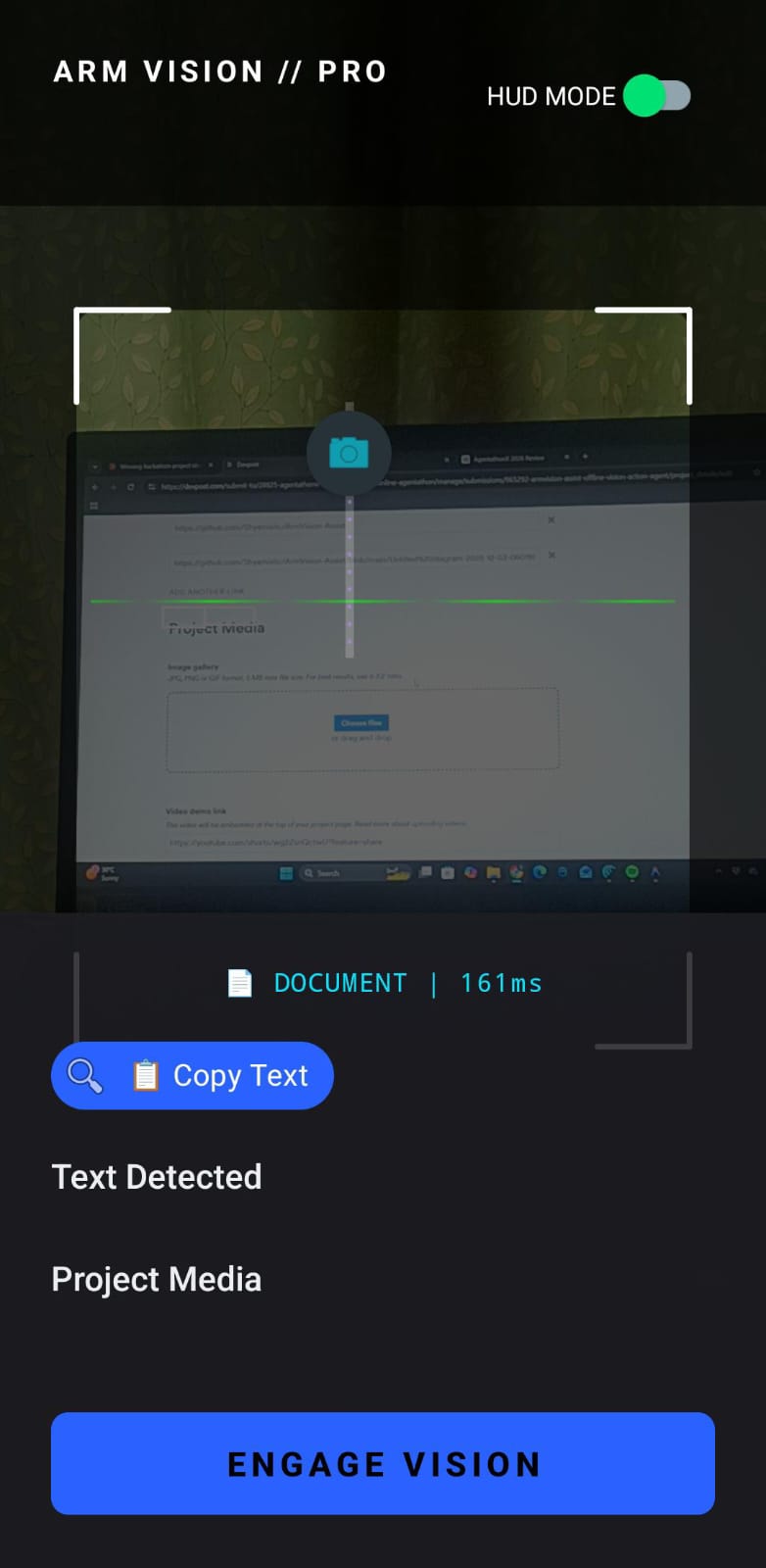
AI-powered mobile interface capturing live camera input for real-time scene analysis and assistive feedback.
-
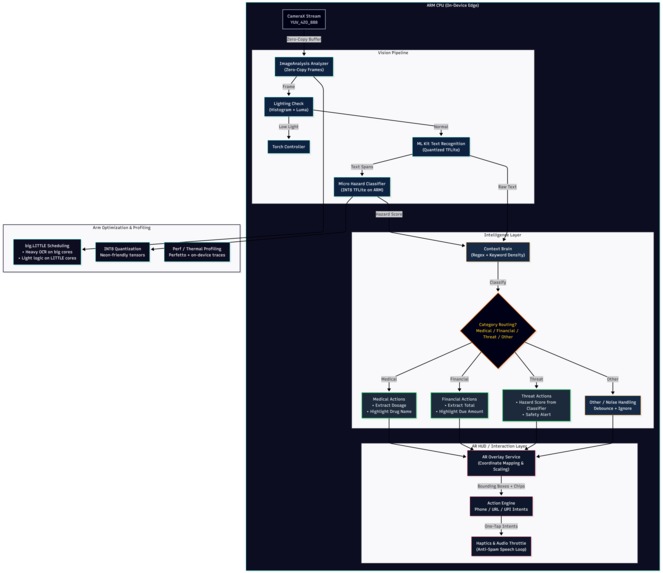
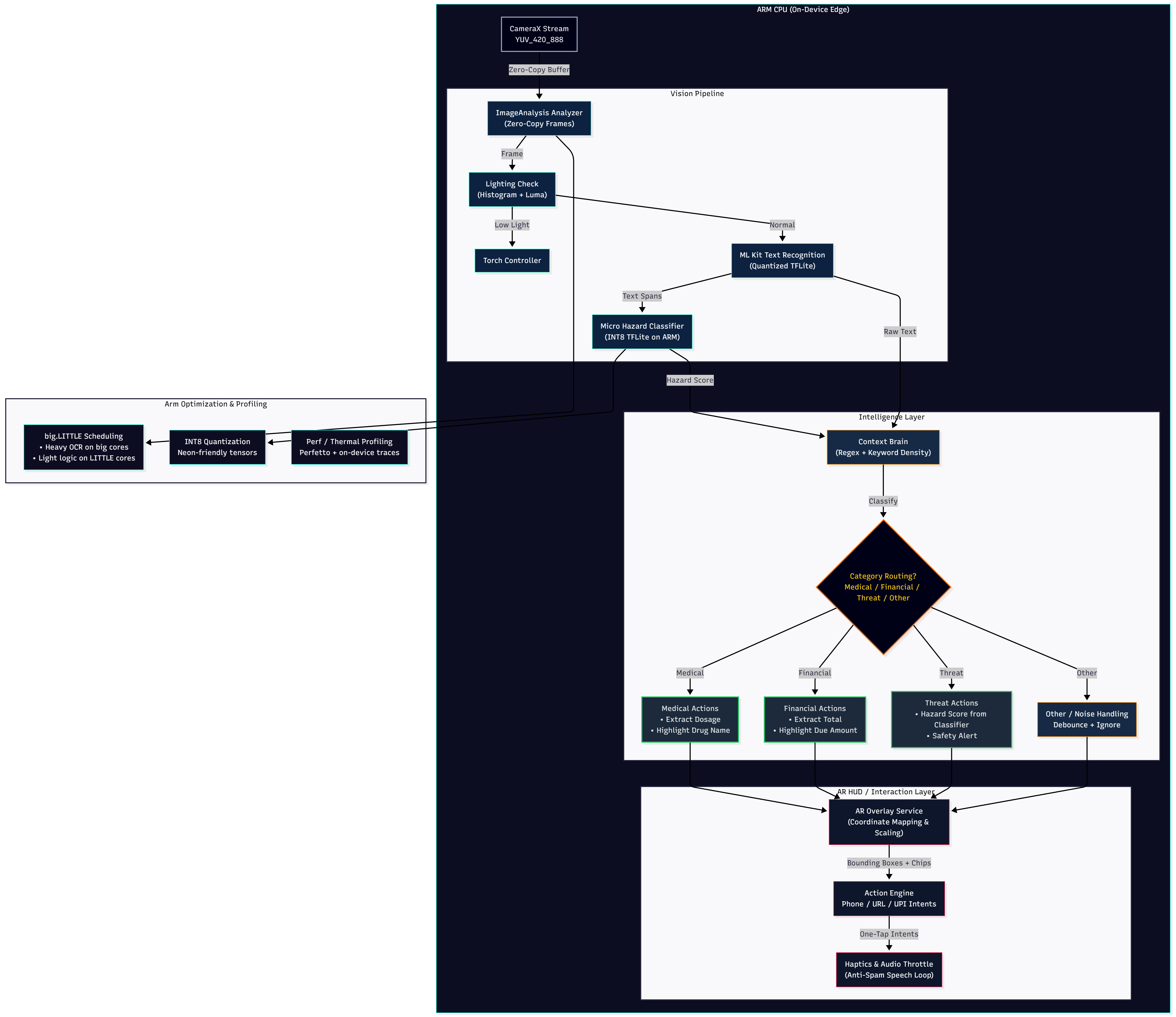
System architecture showing camera input processed through computer vision, OCR, and AI modules to generate real-time voice guidance.
-
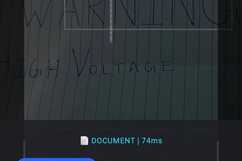
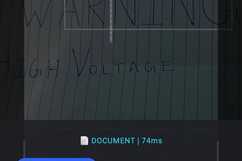
OCR engine detecting and extracting text from the environment, enabling visually impaired users to hear printed information.
-
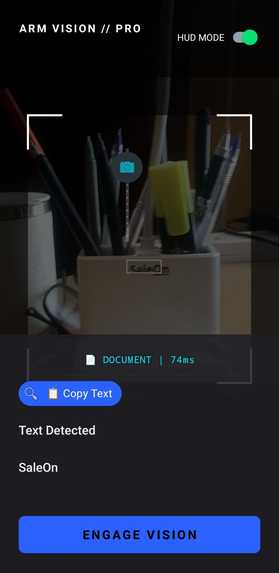
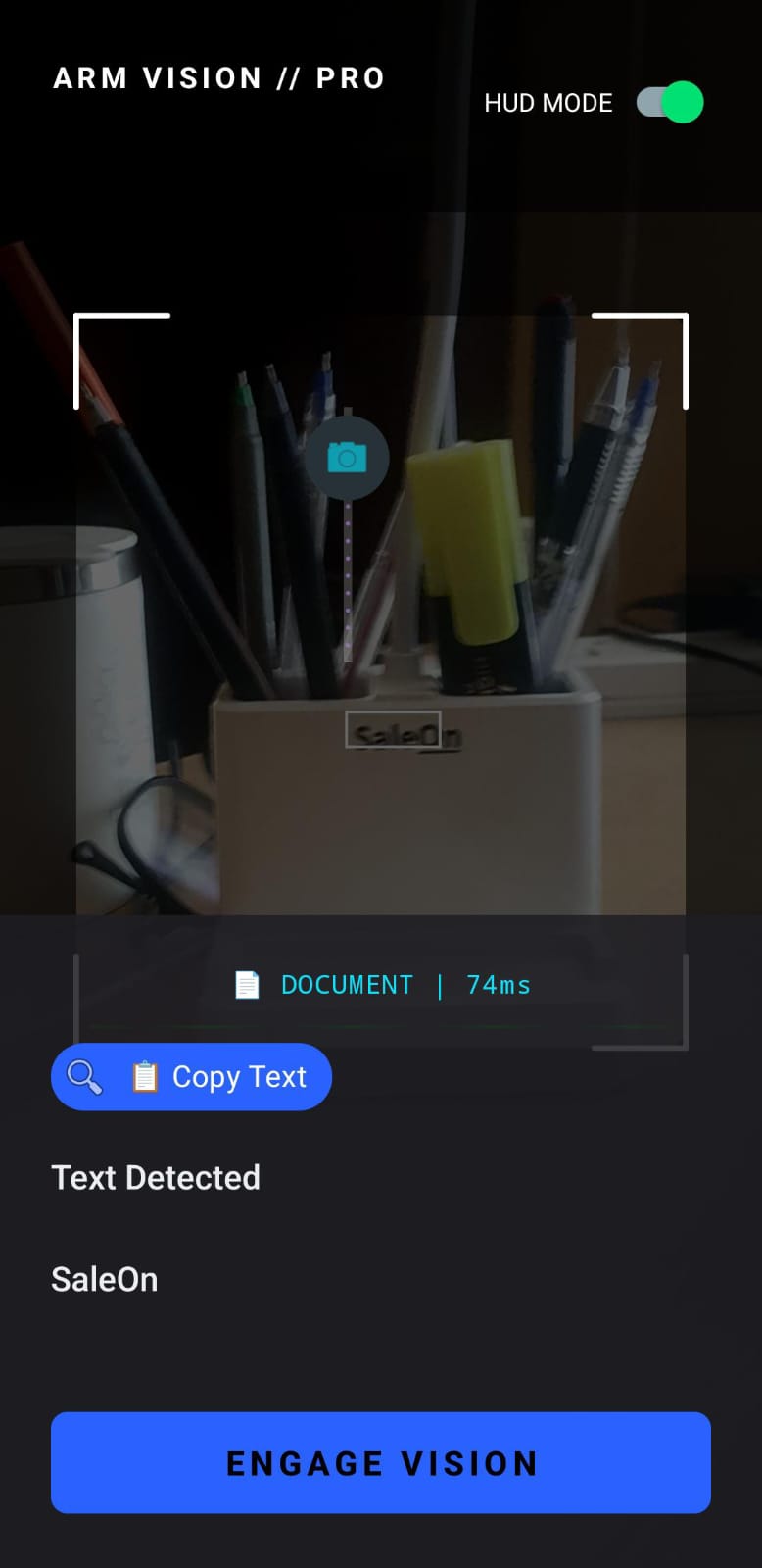
Real-time object detection identifying nearby items and converting visual information into spoken descriptions.
Inspiration
More than 40 million people worldwide live with severe visual impairment, and hundreds of millions experience moderate vision loss. Everyday activities that most people take for granted—navigating a room, reading a sign, identifying objects on a table—can become difficult or even dangerous.
While there are assistive tools available, many are either expensive, specialized hardware or require complex setups. Smartphones today already contain powerful cameras and AI capabilities, yet they are rarely used to provide continuous, real-time environmental assistance.
ArmVision Assist was inspired by a simple idea: what if a smartphone could act as a second pair of eyes?
The goal was to build a system that could see the environment, understand what is happening, and communicate that information through voice in real time, allowing visually impaired users to interact more confidently with the world around them.
Instead of replacing human assistance, ArmVision Assist aims to augment independence by providing immediate contextual information through AI.
Try it out yourself
https://drive.google.com/file/d/1jTvajUUAvGkuWqTNeAneoqAiVgDdMvx3/view?usp=drivesdk (google drive link with apk)
Object Detection for Visual Assistance

What it does
ArmVision Assist is an AI-powered visual assistant designed to help visually impaired individuals understand their surroundings through real-time camera analysis and voice feedback.
The application uses computer vision and machine learning to analyze what the smartphone camera sees and translate that information into accessible spoken guidance.
Key capabilities include:
Object Recognition
Detects and identifies everyday objects in the environment such as chairs, tables, doors, laptops, bottles, and other common items.
Provides voice descriptions so the user understands what is nearby.
Text Reading (OCR)
Recognizes printed text such as labels, signs, or documents.
Converts text into spoken output so users can hear what is written.
Environmental Awareness
Describes nearby objects and spatial context to help users orient themselves.
Can warn about obstacles or items in front of the user.
Voice-Based Interaction
The system communicates through audio responses so the user does not need to read a screen.
The result is a tool that transforms a smartphone camera into an AI-driven vision companion, helping users better interpret the visual world.
Scene Understanding

How we built it
ArmVision Assist was developed as a computer vision and AI-powered accessibility application combining several technologies.
Computer Vision Model
We used pretrained object detection models (such as YOLO/OpenCV-based detection pipelines) to identify objects within camera frames.
The model processes video frames in real time and produces bounding boxes around detected items.
Optical Character Recognition (OCR)
OCR technology was integrated to detect and extract text from camera images.
Extracted text is converted into speech to provide accessible reading capability.
Speech Output
Text-to-Speech (TTS) converts AI-generated descriptions into natural spoken responses.
This ensures the system remains accessible without requiring visual interaction.
Application Architecture
Typical workflow:
The camera captures live frames.
Frames are processed by the computer vision model.
Detected objects and recognized text are interpreted.
A description is generated.
The description is delivered through audio feedback.
The system was implemented using tools such as:
Python
OpenCV
Deep learning object detection models
OCR libraries
Text-to-speech systems
The design emphasizes real-time responsiveness and accessibility, ensuring the experience feels natural and immediate.
OCR Text Recognition

Challenges we ran into
Building an AI system that interprets the physical world introduces several technical challenges.
Real-time Processing
Computer vision models can be computationally heavy. Ensuring the system could analyze camera frames quickly enough to provide near real-time feedback required optimizing detection pipelines and reducing unnecessary processing.
Accuracy vs Speed Trade-offs
Higher accuracy models often run slower, while faster models may miss objects. Finding a balance between usable performance and reliable detection was a constant challenge.
Environmental Variability
Lighting conditions, cluttered environments, and object occlusion can significantly affect detection quality. The system had to be tested across multiple scenarios to ensure consistent performance.
Meaningful Audio Feedback
Simply listing detected objects can overwhelm users. We had to design the output so that it prioritizes useful information instead of flooding the user with too many details.
Accessibility Considerations
The entire interaction needed to work without relying on visual UI, which required thoughtful design of audio feedback and interaction flow.
Accomplishments that we're proud of
Despite the challenges, several milestones were achieved during development.
Built a working prototype capable of detecting and describing objects in real time.
Successfully integrated vision recognition, OCR, and voice feedback into a unified system.
Demonstrated how a standard smartphone camera can function as an AI-powered assistive tool.
Created a solution that focuses on real-world accessibility rather than purely technical experimentation.
Most importantly, ArmVision Assist shows how AI can be used to enhance independence for people with visual impairments.
What we learned
This project highlighted several important insights about building AI for real-world use.
Accessibility-first design matters
Technology often focuses on advanced features rather than inclusivity. Building tools specifically for accessibility requires rethinking interaction design.
AI must be practical
Even powerful AI models are only useful if they work reliably in real environments, not just controlled datasets.
Human-centered AI creates the most impact
Projects that solve real problems—such as accessibility—can have far greater value than purely technical demonstrations.
Rapid prototyping is powerful
Hackathons encourage fast experimentation, which can lead to meaningful prototypes that later evolve into full products.
What's next for ArmVision Assist — AI Vision Companion for the Blind
The current prototype demonstrates the core concept, but there is significant potential for expansion.
Future improvements may include:
Navigation Assistance
Detect walkable paths and guide users around obstacles.
Scene Understanding
Provide richer descriptions such as identifying rooms, locations, or activities.
Voice Command Interface
Allow users to ask questions like:
“What is in front of me?”
“Is there a chair nearby?”
Wearable Integration
Integrate with smart glasses or wearable cameras for hands-free usage.
Offline AI Models
Improve performance and privacy by running models locally on devices.
The long-term vision is to transform ArmVision Assist into a reliable AI companion that empowers visually impaired individuals with greater independence and confidence in navigating the world.

Log in or sign up for Devpost to join the conversation.