-
-
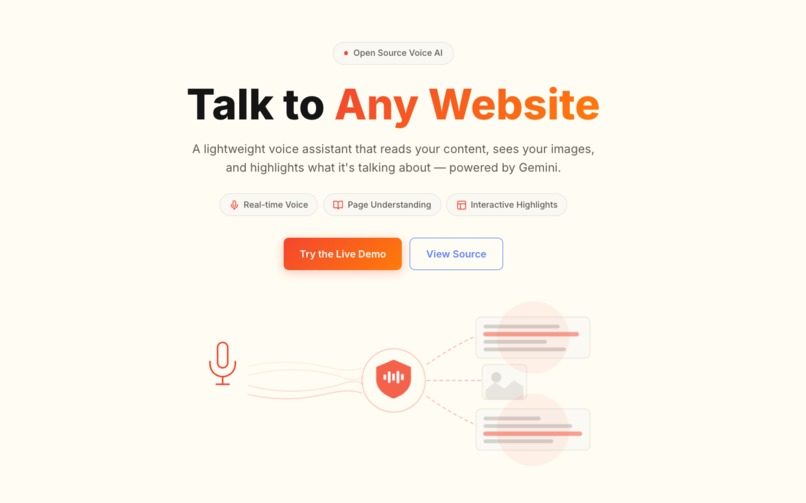
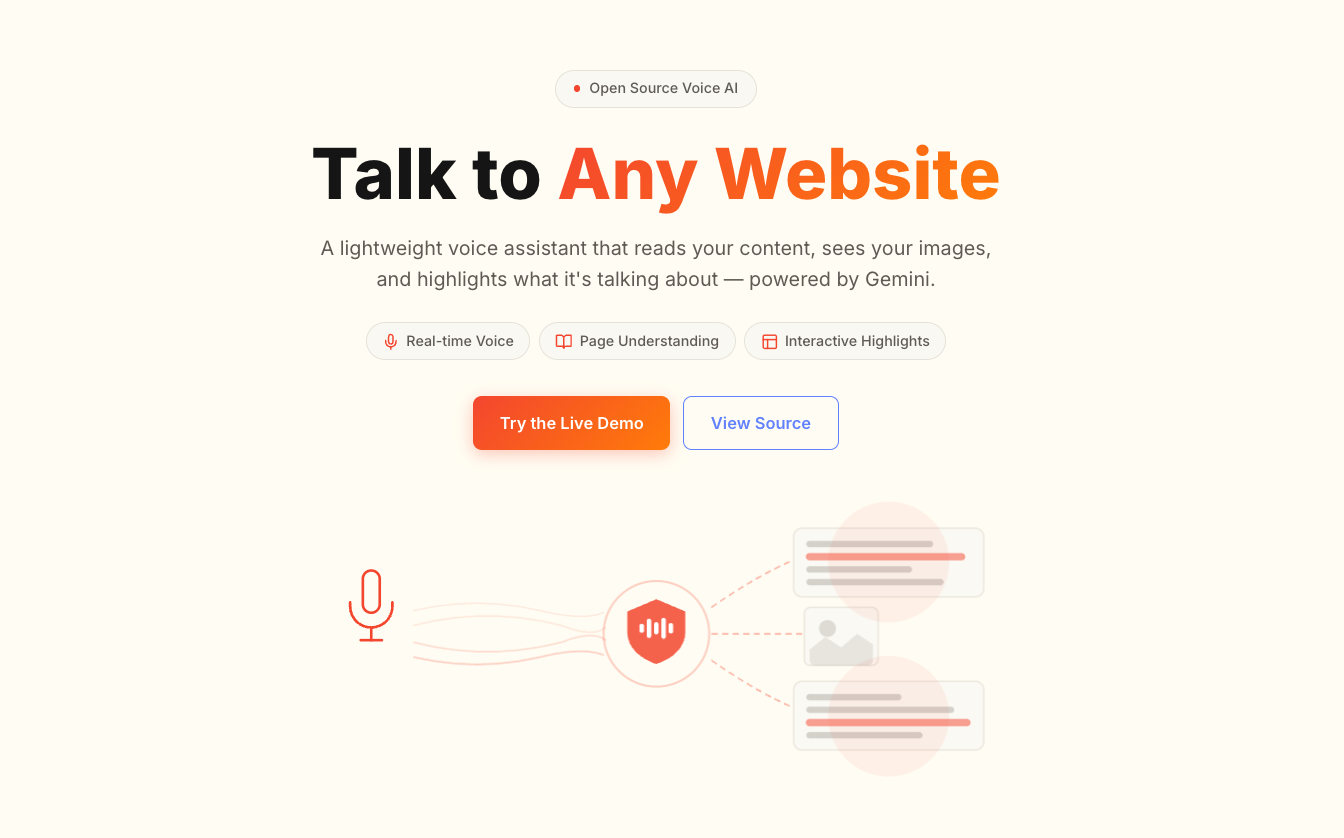
Landing Page
-
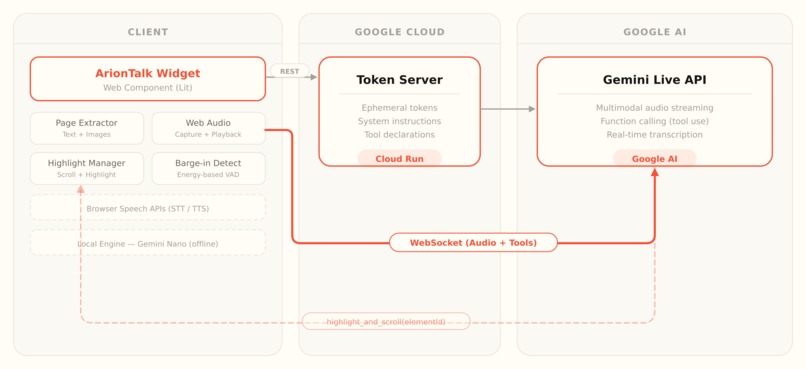
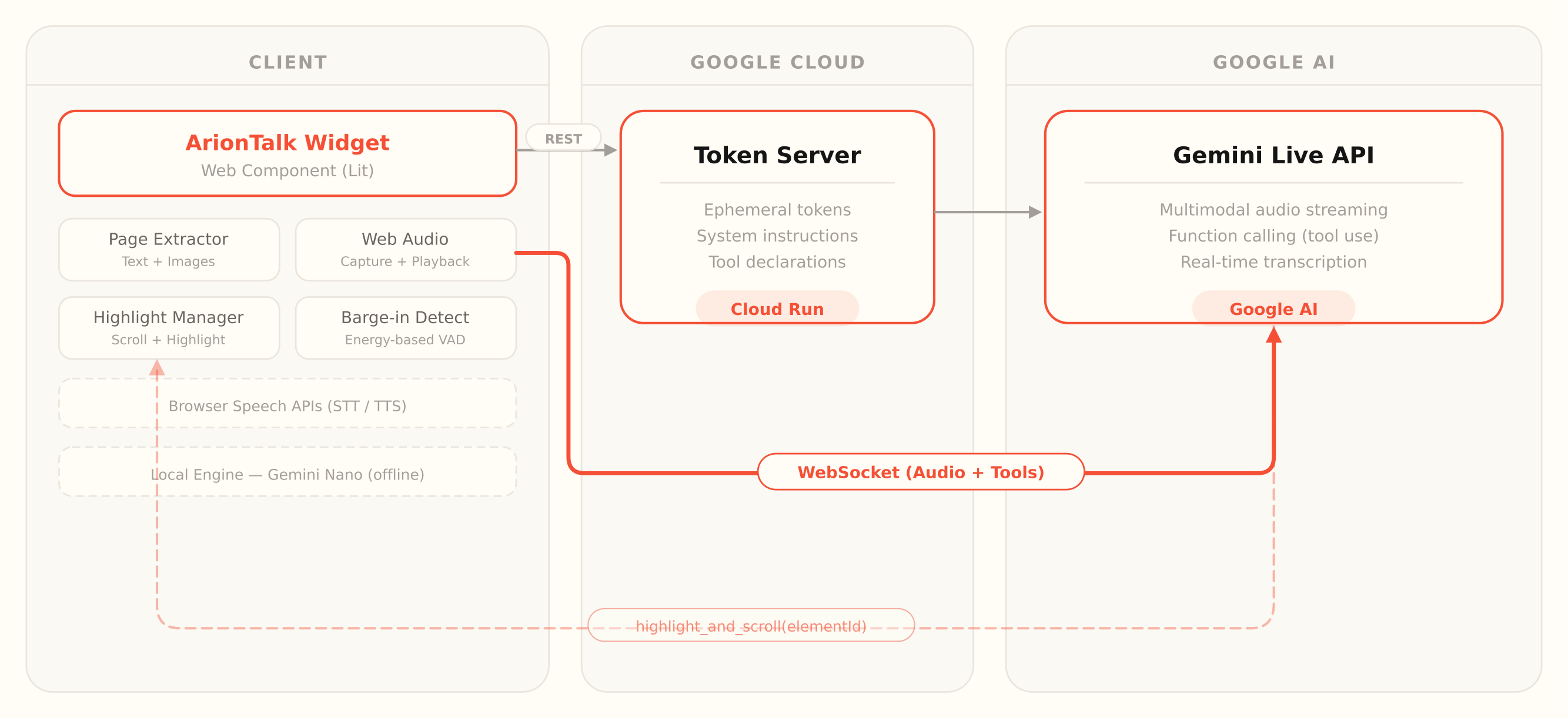
Architecture diagram
-
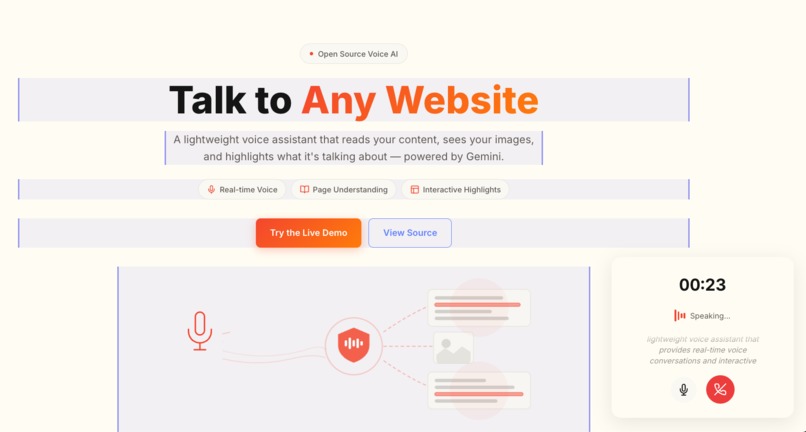
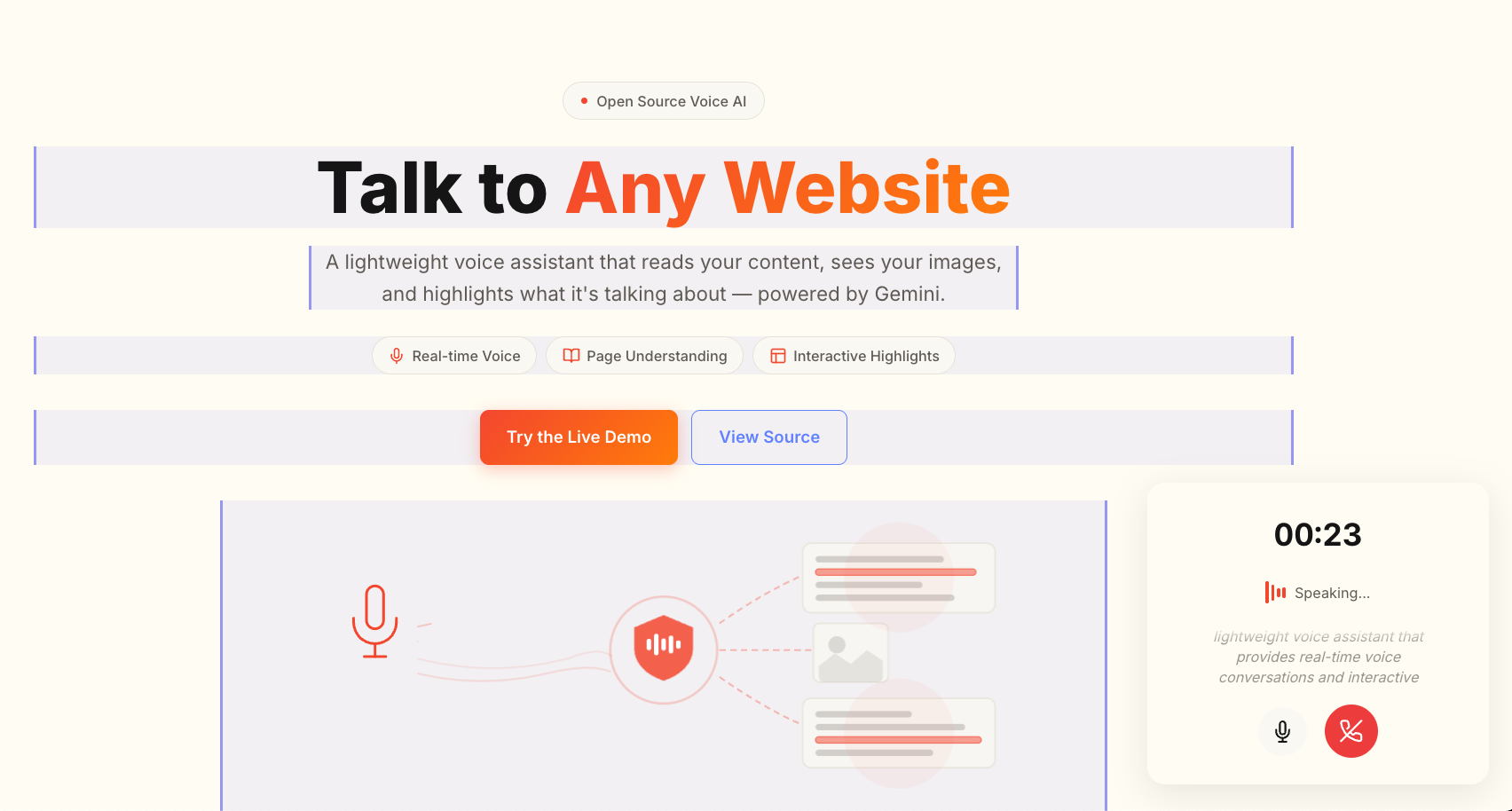
Highlight feature
-
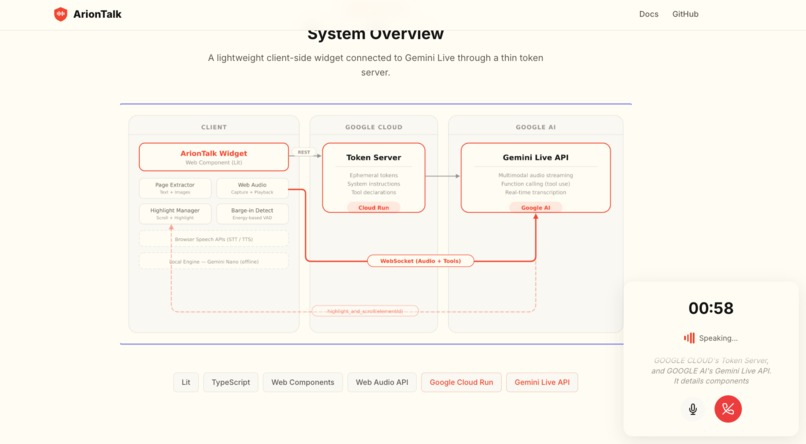
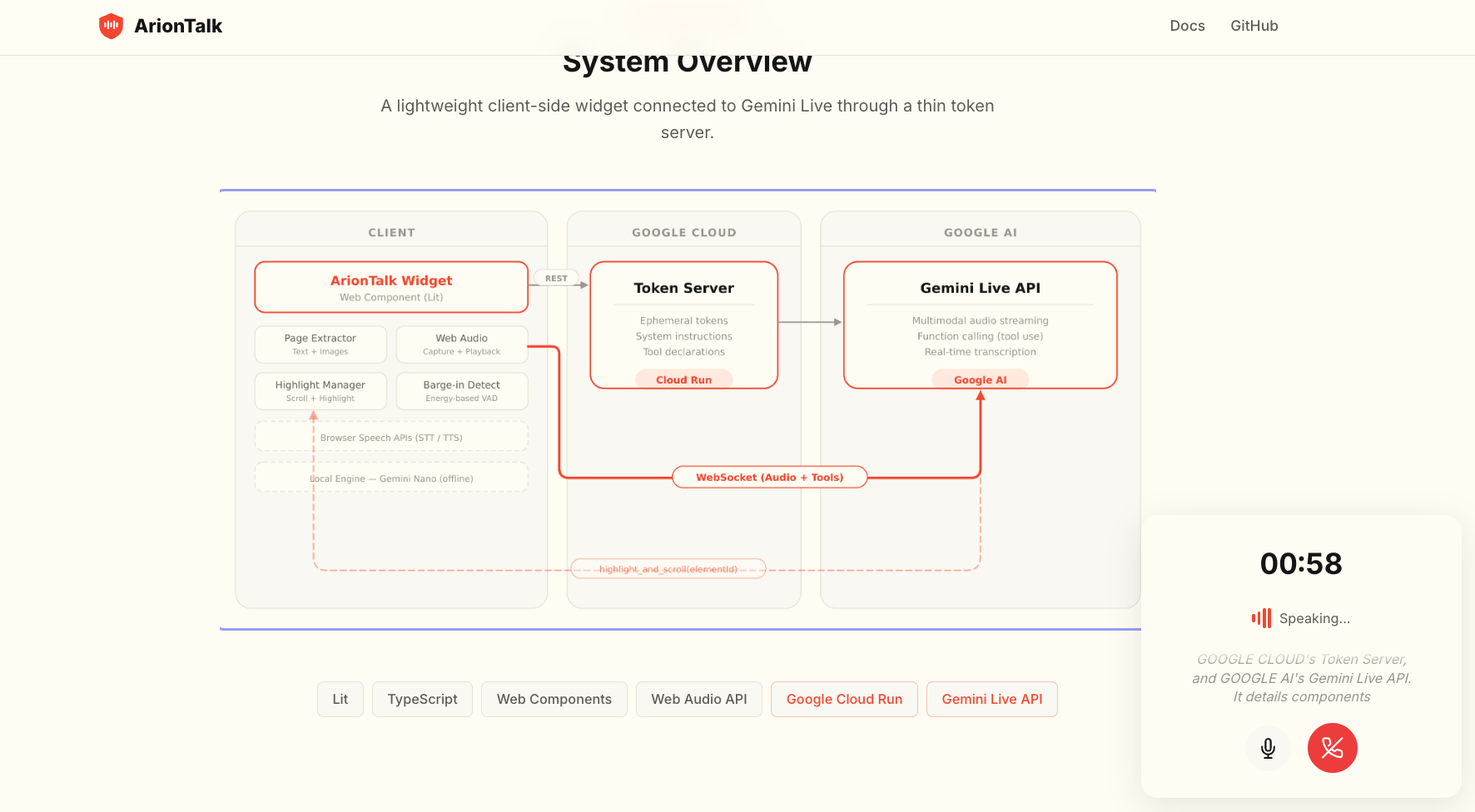
Multimodal understanding
Inspiration
I use chatbots often, but the experience always feels incomplete. You're on a page full of content, you type a question, and you get text back. Then you still have to figure out where on the page that answer applies. It works, but it could be better.
I kept thinking: what if you could just talk to the page? Not to a chatbot sitting on top of it, but to an agent that knows what's on the page and can walk you through it.
The idea took on a new dimension a few weeks ago. I attended a tech conference and met attendees with visual impairments who were navigating the web during the event. That experience made me think about how a voice agent that understands page content could complement existing tools like screen readers by offering something additional: a conversation with the page itself, where the agent guides you through it and points at what it's explaining. That's what I set out to build.
What it does
ArionTalk adds a voice agent to any website with a single <ariontalk-widget> HTML tag. It's not a chatbot. Here's the difference:
Page Understanding. When a session starts, ArionTalk extracts the page's text, structure, images, and metadata from the DOM. All of that context goes to Gemini, including up to 6 images, so the agent can answer questions about anything visible on the page.
Interactive Highlights. While the agent talks about a specific section or image, it calls the highlight_and_scroll function through Gemini's function calling. The browser scrolls to that element and highlights it visually. It works like a guided tour of the page, narrated by voice.
Barge-in. Users can interrupt the agent mid-sentence. It stops, listens, and picks up from the new context. This is handled through energy-based voice activity detection combined with Silero VAD. There are eight voice options across 12 languages.
Two Engines. The primary engine is Gemini Live (cloud, multimodal, 12 languages). There's also a local engine that runs on-device through Gemini Nano with no server and no internet needed.
One Tag Integration. One script tag, one HTML element. No build step, no framework dependency, no browser extension. It works on any website.
How I built it
The project is a TypeScript monorepo with five packages:
- @ariontalk/core handles page extraction, page indexing, speech services, and session logic. It has no UI and no framework dependency.
- @ariontalk/engine-gemini connects to the Gemini Live API over WebSocket for bidirectional audio streaming. It captures mic input at 16kHz PCM, plays audio back through a Web Audio worklet, and manages interactive highlights through function calling.
- @ariontalk/widget is a Lit Web Component that provides the floating button, session panel, and settings UI. About 12-16 KB gzipped.
- @ariontalk/token-server is a Hono server deployed on Google Cloud Run. It issues ephemeral Gemini API tokens so the key never reaches the browser. It also builds dynamic system prompts that include the page content, image metadata, and tool declarations for highlights.
- @ariontalk/plugin-silero-vad provides AI-powered voice activity detection for barge-in.
For the cloud side, I used four Google Cloud services. Cloud Run hosts the token server as a serverless container. Secret Manager stores the Gemini API key. Artifact Registry holds Docker images tagged by git commit. Firebase Hosting serves the docs and landing page at ariontalk.com.
Deployment is automated through three shell scripts in the repo: setup-gcp.sh provisions the GCP project (enables APIs, creates the Artifact Registry repo, stores the secret), deploy-token-server.sh builds and pushes the Docker image then deploys to Cloud Run, and deploy-website.sh builds and deploys to Firebase.
I used the Google GenAI SDK (@google/genai) to interact with the Gemini Live API. The token server calls client.models.createEphemeralToken() to create short-lived tokens with the session config (system prompt, tools, voice), and the widget connects to Gemini's WebSocket endpoint directly from the browser.
Challenges I ran into
Audio latency. Getting voice interaction to feel natural in the browser was the hardest part. Raw PCM audio at 16kHz needs careful handling through Web Audio API and AudioWorklet to avoid clicks, gaps, and buffering issues. I went through a lot of iteration before the playback pipeline felt conversational instead of turn-based.
Function calling timing. Interactive highlights need to fire while the agent is still speaking. Gemini sends tool calls asynchronously alongside audio chunks, so I had to figure out how to trigger the scroll and highlight without interrupting the audio stream. The solution was declaring the tool as non-blocking so the model keeps talking while the highlight renders.
Page extraction from arbitrary sites. I wanted all page understanding to happen in the browser, with no headless browsers or server-side rendering. That meant the page extractor had to deal with every kind of DOM structure, skip nav bars, footers, scripts, and forms, and stay within a token budget of about 6000 characters. For images, I added minimum size thresholds to filter out tracking pixels and favicons.
No browser extension. From the start, I wanted this to work as a plain Web Component. Audio capture, page extraction, DOM highlighting, speech detection: all of it had to run inside the browser sandbox using standard web APIs. That constraint shaped every design decision.
Accomplishments I'm proud of
The moment that sold me on the project was the first time the agent started talking about a section and the page scrolled to it with a highlight. Using function calling not for data retrieval but for real-time UI control turned out to be a really satisfying interaction. It feels completely different from a chat window.
The integration story came together well too. <ariontalk-widget engine="gemini" interactive-highlights> is the entire setup on the HTML side. No build tools, no framework lock-in, no extension install. Just a Web Component.
I'm also happy with how multimodal understanding works in practice. The agent doesn't just read text. It receives images from the page and can talk about visual content while pointing at the relevant image. That was a big goal and it works.
On the infrastructure side, the whole deployment is scripted and reproducible. Three commands take you from a fresh GCP project to a running Cloud Run service and a live website.
The local engine through Gemini Nano means the core voice experience still works offline. It's a good fallback for privacy-sensitive use cases.
What I learned
Gemini Live API needs less setup than I expected. Real-time bidirectional audio streaming, function calling, and session resumption all work through the WebSocket connection without much scaffolding. I spent most of my time on the product experience rather than fighting the API.
Function calling is useful beyond data fetching. I used Gemini's tool-use capability to control the UI (scrolling, highlighting) instead of calling external APIs. The model decides on its own when to highlight content based on what it's saying. That pattern feels underexplored.
The web platform can do more than people think. Web Audio API, AudioWorklet, Web Components, and standard DOM APIs were enough to build a real-time voice agent with visual interaction. No native app, no browser extension, no special permissions beyond the microphone.
Ephemeral tokens are the right pattern for browser-to-API connections. Sending API keys to the client is not an option. Short-lived, scoped tokens issued by a backend server solve this cleanly, and the Gemini API supports this out of the box.
What's next for ArionTalk
Multi-page memory. Right now each page starts a fresh conversation. I want the agent to carry context as users navigate across a site.
Analytics for site owners. Showing what users ask about, which sections get the most voice interaction, and where content is missing or confusing.
Deeper accessibility support. Better screen reader integration, keyboard controls for voice sessions, and ARIA-live announcements to make ArionTalk useful as a real accessibility tool.
Framework wrappers. Publishing React, Angular, and Vue wrappers alongside the core Web Component for teams that want typed component APIs.


Log in or sign up for Devpost to join the conversation.