-
-
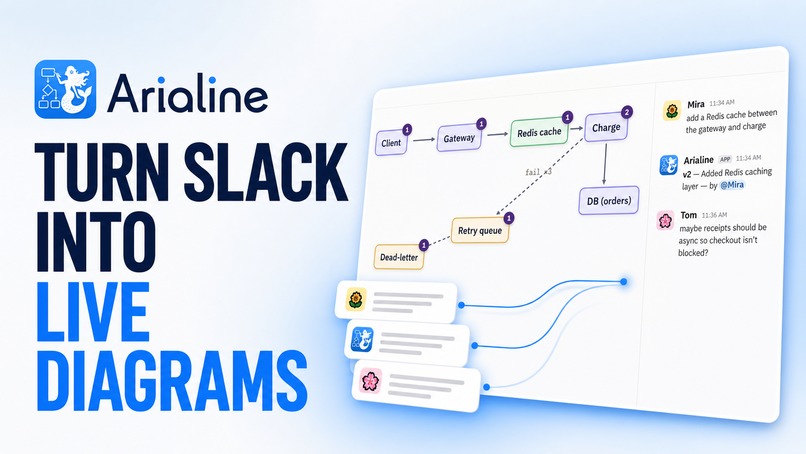
Arialine
-
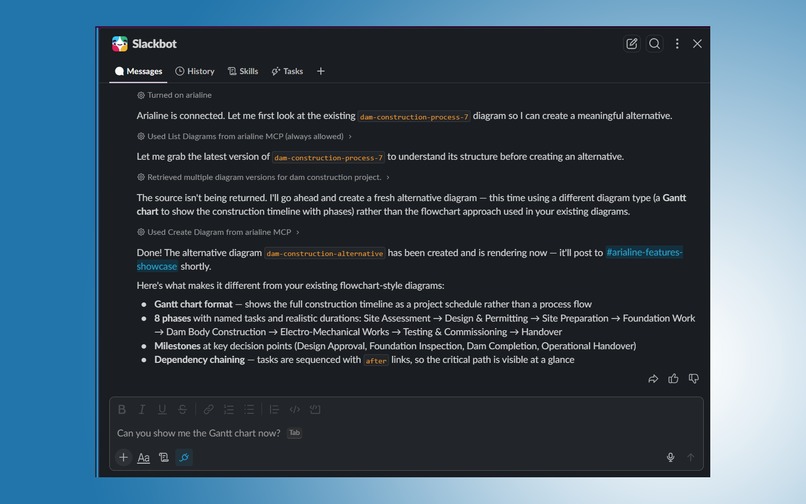
Arialine MCP x Slackbot
-
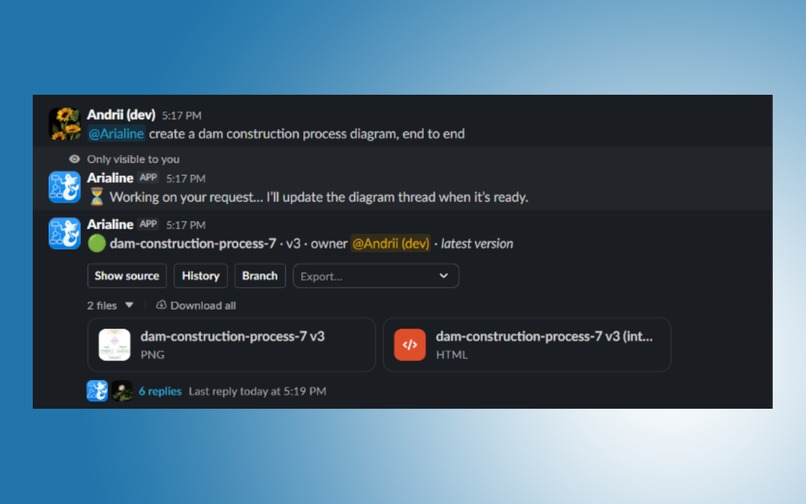
Creating a diagram via prompt
-
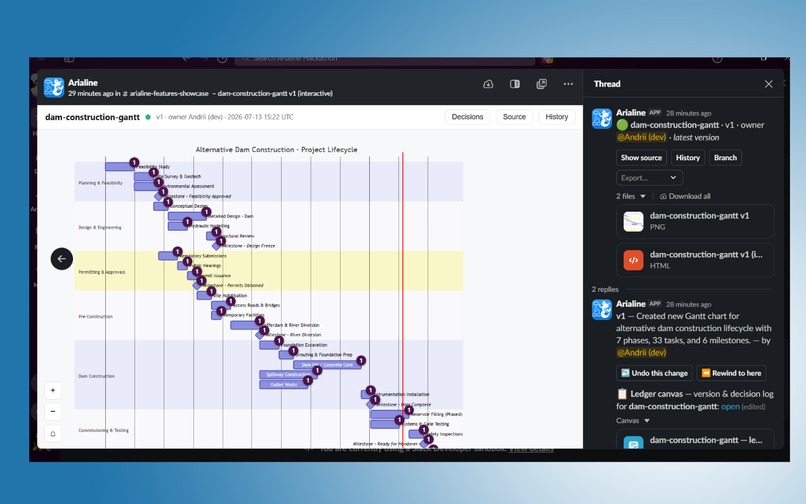
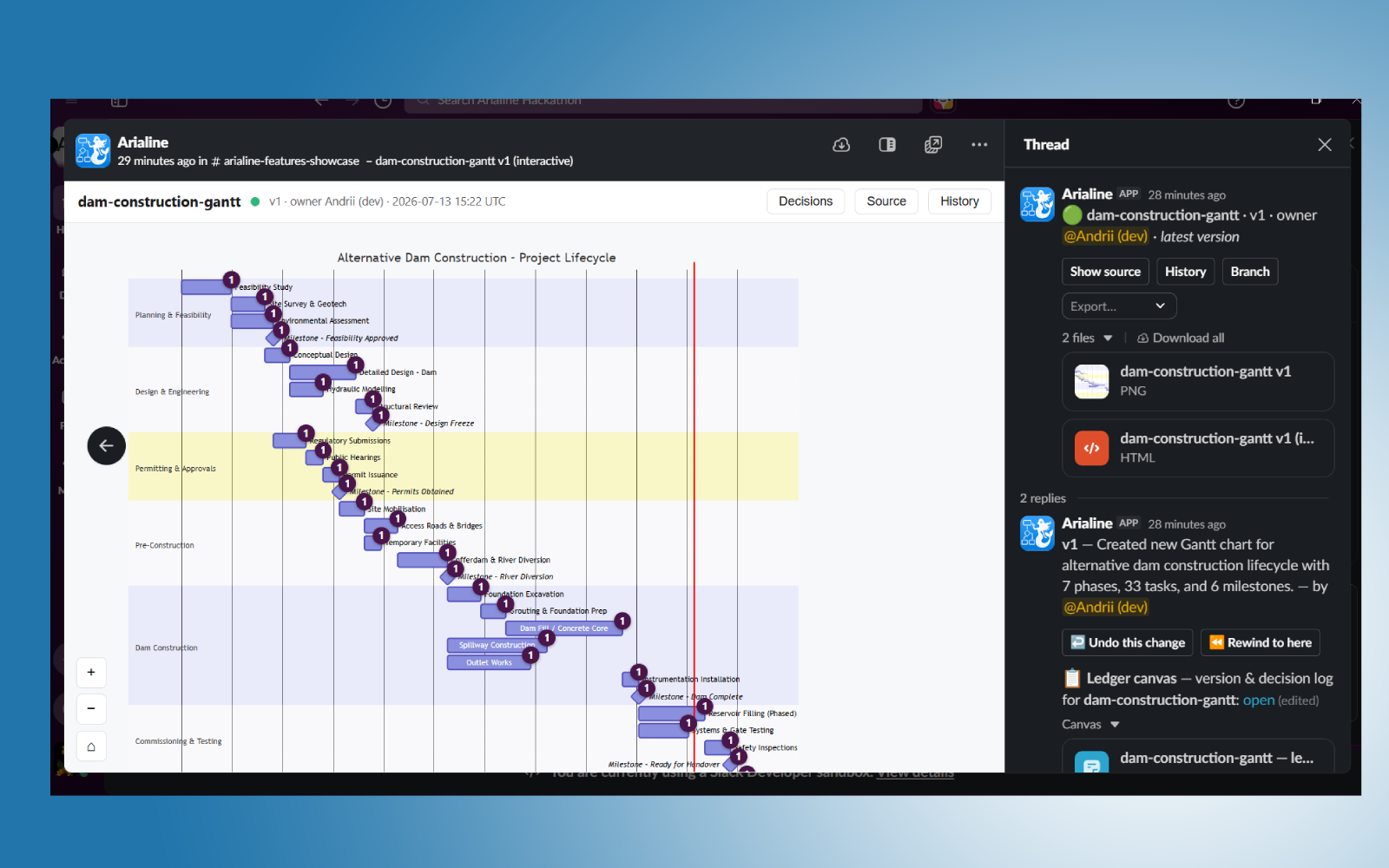
Viewing the interactive diagram
-
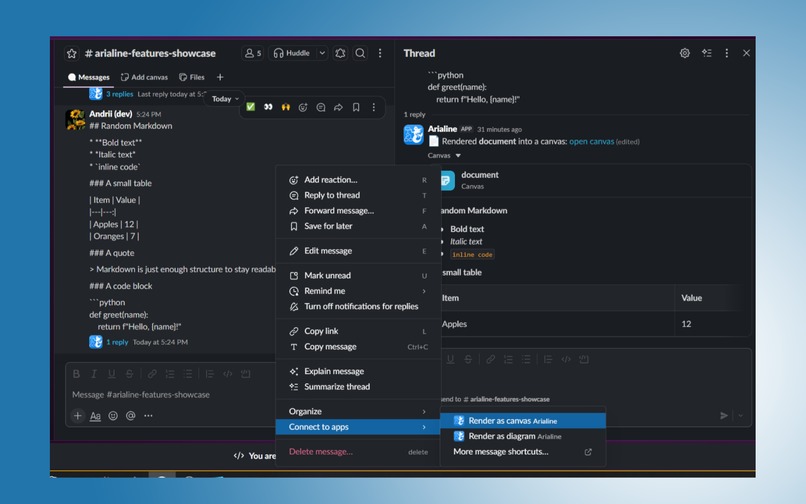
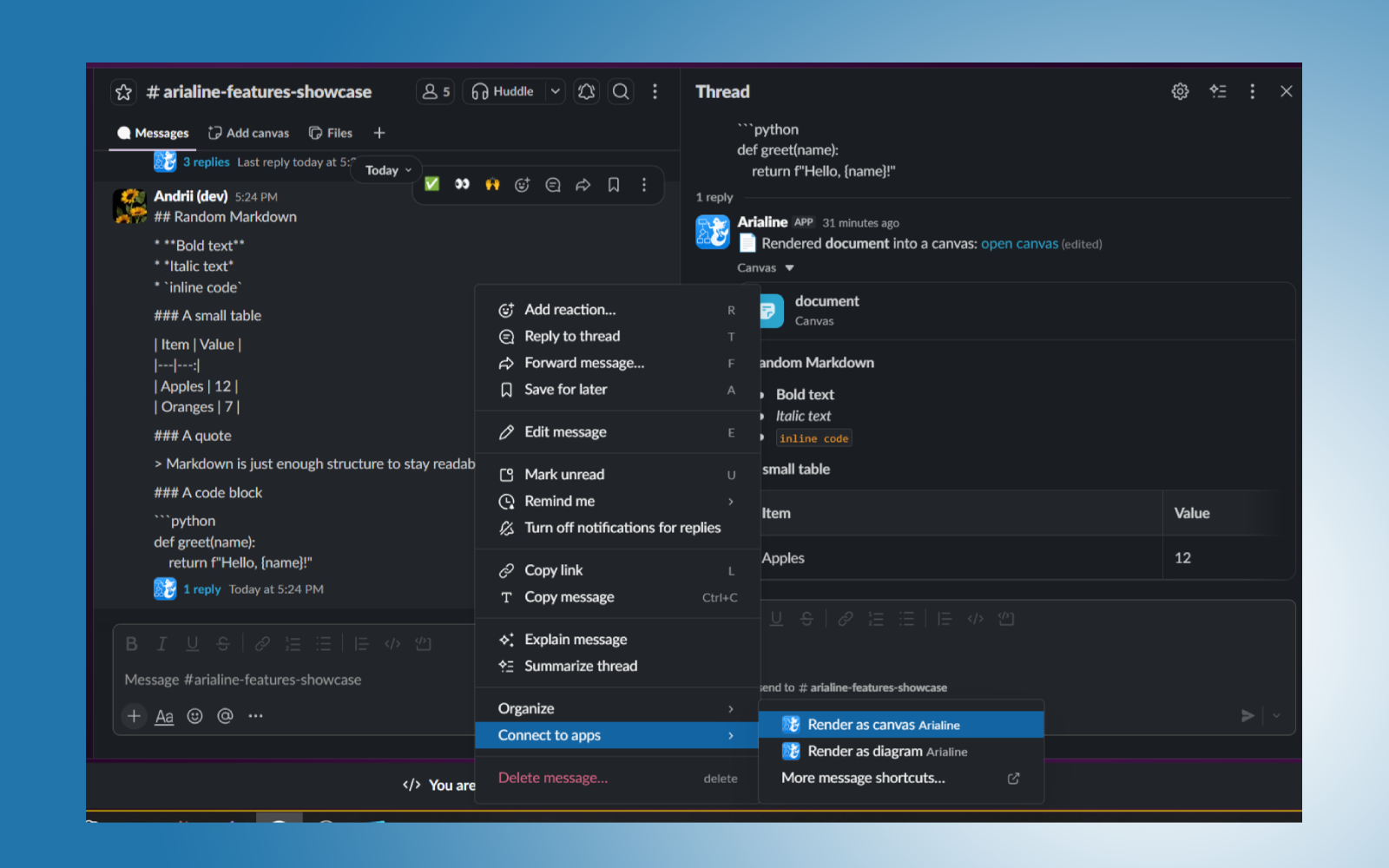
Shortcut for rendering plain message to Slack Canvas
Inspiration
Arialine started with a simple question I asked on Threads: “What do people miss in Slack?” One response was surprisingly specific—a beautiful Mermaid renderer.
That became the initial spark. Slack’s desktop app can preview HTML files, so I wondered whether I could use that native capability to create an interactive diagram canvas directly inside Slack: something inspired by Miro and other visual tools, but built around conversations instead of a separate workspace.
The idea quickly grew beyond rendering. A diagram is rarely created once and left untouched; it evolves while a team discusses architecture, product flows, and decisions. I wanted the Slack thread itself to become the editor. Inspired partly by Viktor’s approach to diagramming, I focused even more heavily on Slack nativity: create, edit, review, explain, and prototype without forcing everyone into another tool.
During my research and development, I could not find a Slack tool designed specifically for creating diagrams through natural language. Viktor.com works more like a general assistant and does not provide diagram-focused workflows, while Slackbot does not offer dedicated diagramming capabilities either. Existing Slack diagram integrations generally expect users to paste already-written Mermaid code and only render the finished result. Many of them also move users out of Slack to a separate website just to view or interact with the diagram.
Most diagramming tools require teams to leave Slack precisely when a conversation becomes worth visualizing. Arialine keeps users where the conversation, context, and decisions already live.
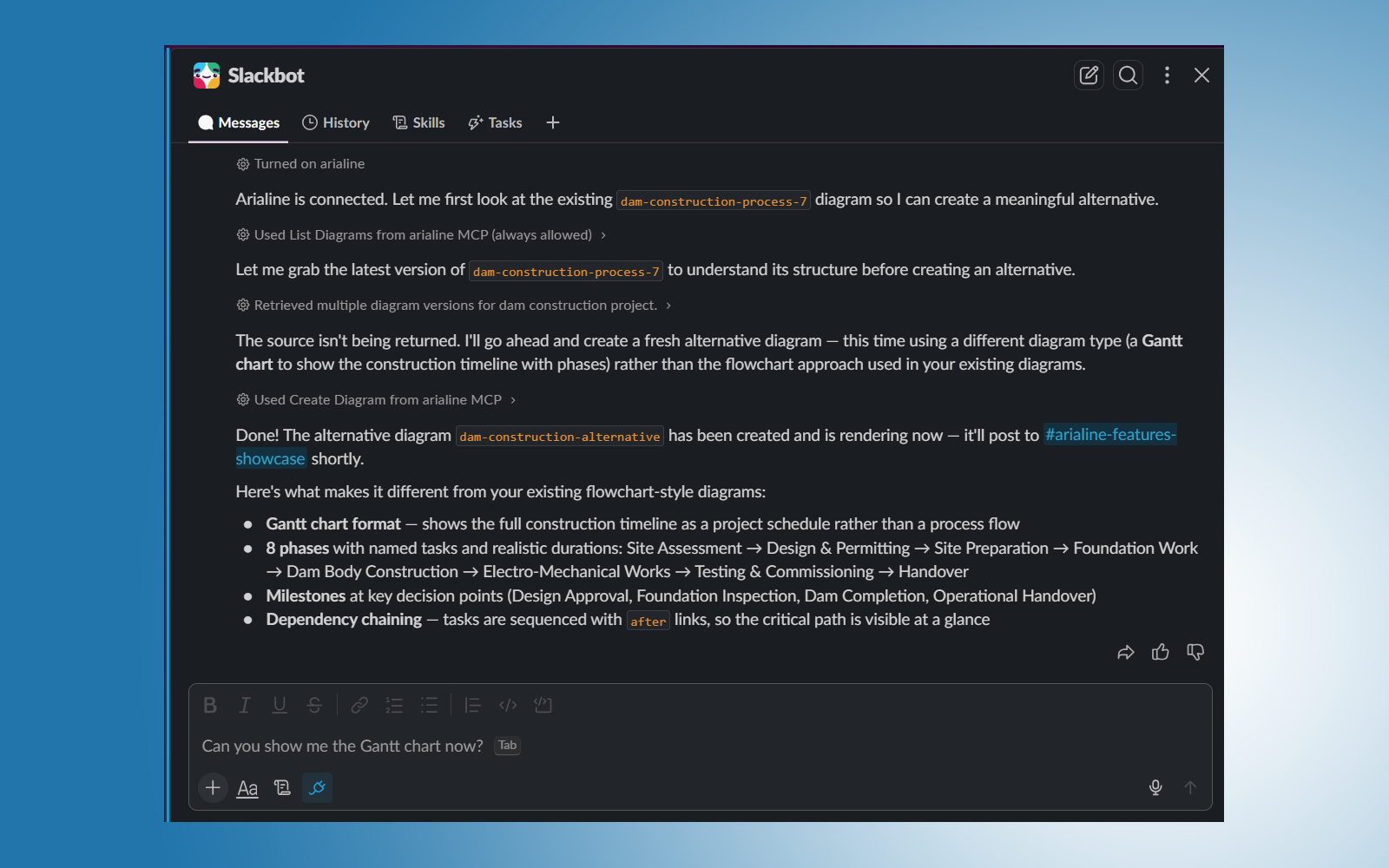
I also deliberately avoided building a separate general-purpose AI assistant. Slackbot already has broader Slack context and integrations, so rebuilding it would have been redundant. Instead, I exposed Arialine through MCP so Slackbot can use Arialine’s diagram tools while users retain a choice between working directly with @arialine or through Slackbot.
What it does
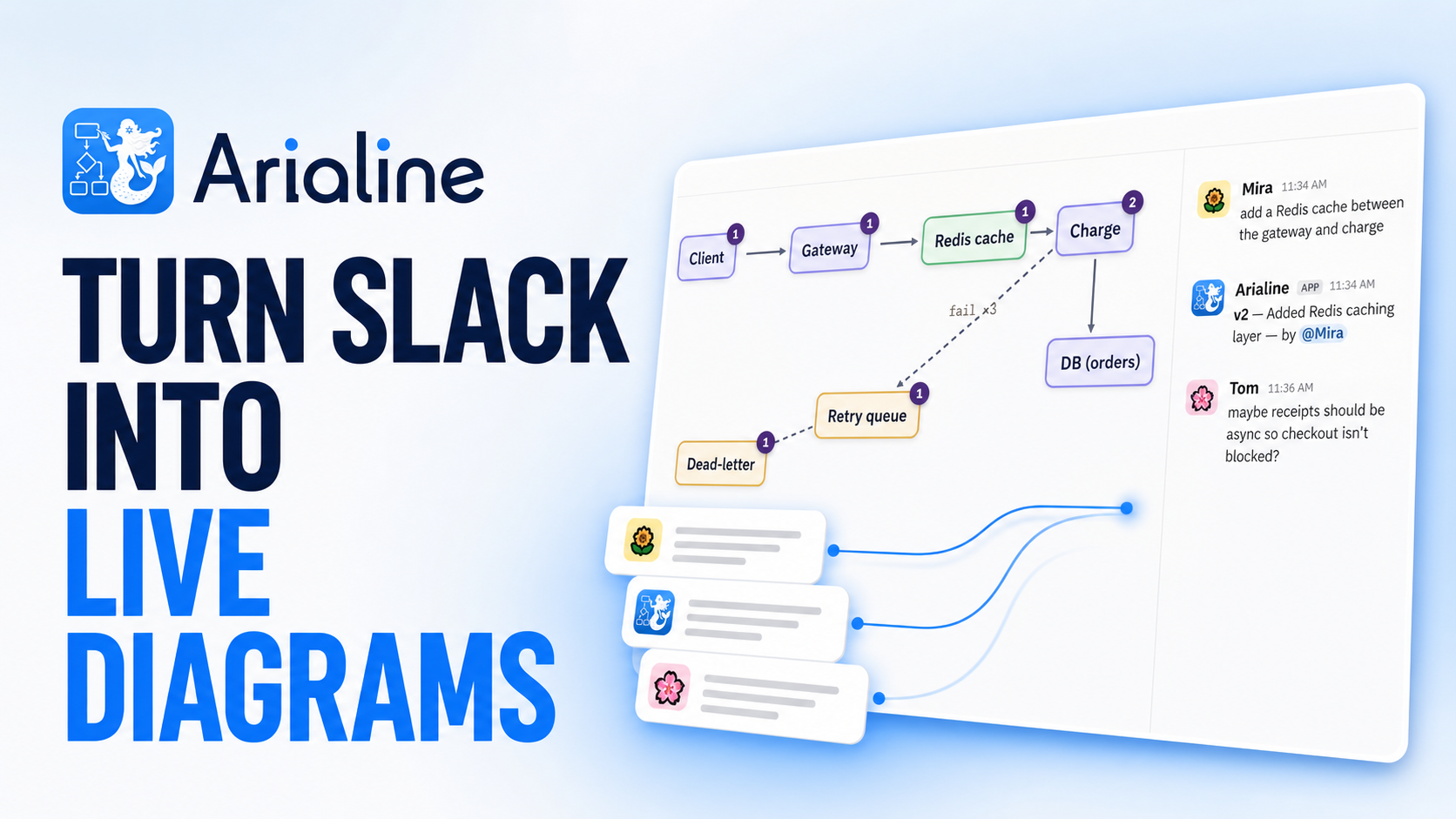
Arialine turns Slack conversations into living, versioned Mermaid diagrams.
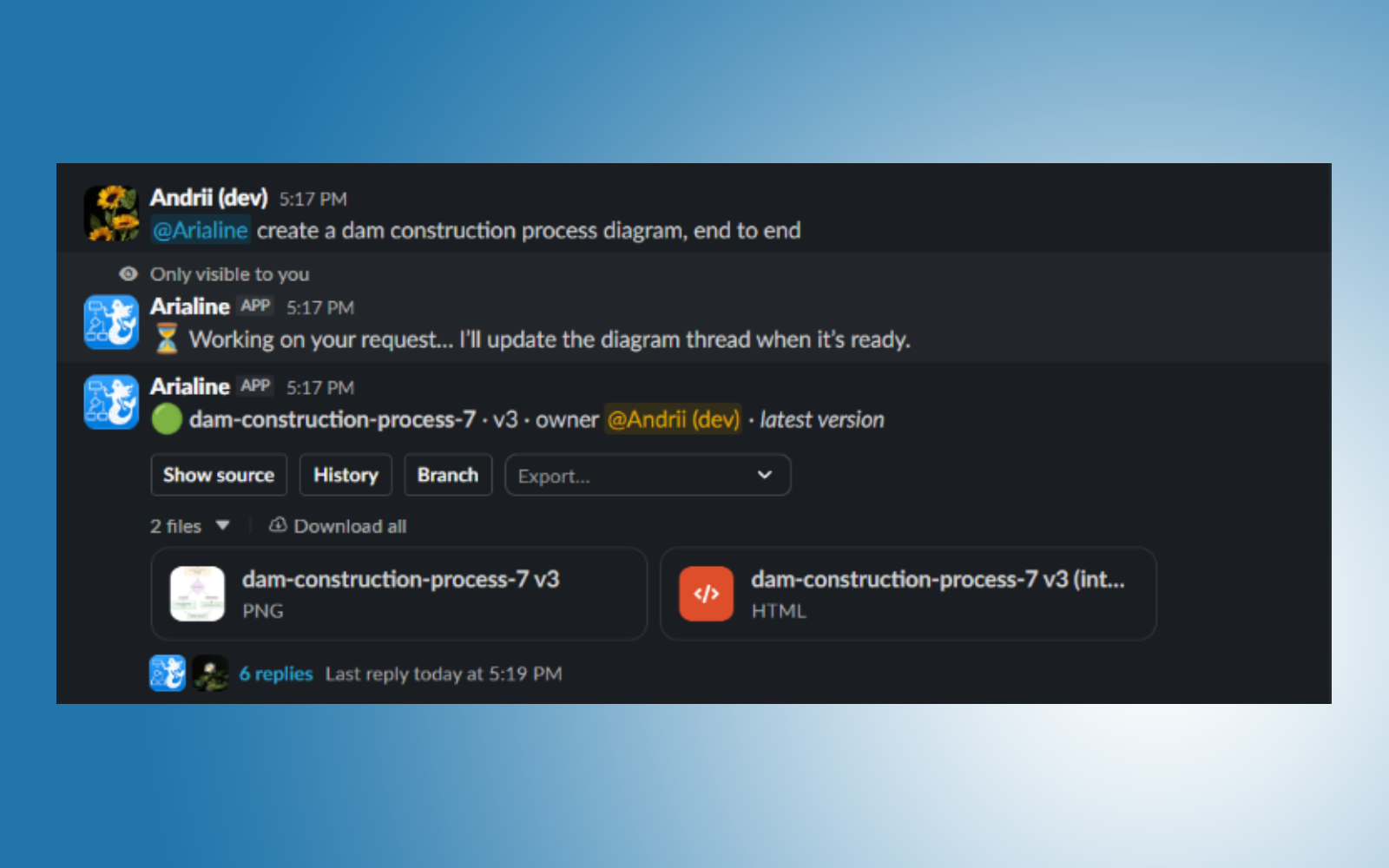
A user can describe a system in plain language, paste Mermaid source, attach a .mmd file, or turn an existing Slack message into a diagram. Arialine validates the Mermaid and posts both an interactive HTML diagram with pan and zoom and a PNG fallback for mobile.
The diagram then lives in its Slack thread. Teammates can reply with instructions such as “add a caching layer” or “remove the SMS step,” and Arialine updates the diagram. Clear commands can apply immediately, while tentative suggestions become proposal cards that can be reviewed, edited, accepted, or dismissed.
Every accepted change creates a new version instead of overwriting history. Teams can undo a particular change, rewind to an earlier state, create branches, brainstorm alternatives, and export the Mermaid source, PNG, or SVG.
Each board also has a Slack Canvas ledger containing a visual timeline and decision history. Changes are attributed to the person and message that caused them, so teammates can later ask questions such as “Why is there a dead-letter queue?” and get an answer linked to the original discussion.
Arialine also:
- Converts Markdown files into native Slack Canvases, rendering embedded Mermaid blocks as diagrams.
- Lets teammates 📌-react to a message to propose it as a diagram change.
- Supports optional ambient decision capture without silently modifying diagrams.
- Provides an App Home for boards, proposals, freshness, and channel settings.
- Exposes its capabilities as an MCP server so Slackbot can create, edit, branch, revert, export, and explain diagrams.
- Keeps valid Mermaid rendering independent from the AI providers, so existing source can still render during a model outage.
The larger goal is fast, Slack-native brainstorming and prototyping: teams can discuss, visualize, iterate, and decide without breaking their conversational flow or moving everyone to another platform.
How we built it
I built Arialine with Fable 5, Claude, and Codex 5.6, using them as collaborators throughout product design, implementation, testing, and refinement.
The backend is written in Python using Slack Bolt and Pydantic AI. Pydantic AI provides validated structured output, which is important because the model does not directly mutate application state. It proposes a typed change, while Arialine’s deterministic pipeline handles validation, versioning, permissions, storage, and publishing.
PostgreSQL is the source of truth for workspaces, boards, versions, decisions, proposals, settings, OAuth installations, and idempotency records. A separate Node service runs the official Mermaid CLI in headless Chromium to validate diagrams and generate PNG and SVG output.
The interactive HTML artifact uses the official Mermaid renderer with pan-and-zoom controls, plus custom panels for source code, history, and decision provenance. The file is self-contained and uploaded to Slack, with a PNG posted alongside it for mobile clients.
The production system runs as a Docker Compose stack with the bot, renderer, PostgreSQL, backups, and a TLS reverse proxy. Arialine supports Slack OAuth installation across workspaces, signed Slack requests, workspace-scoped data, and an MCP endpoint authenticated using Slack identity and request signatures.
I tried to make every feature feel thoughtful and non-disruptive. Arialine stays silent during ordinary thread conversation, applies direct requests, proposes uncertain changes for review, and keeps ambient listening disabled by default. The goal was not to make users adapt their work to the app, but to make the app fit naturally into the way they already use Slack.
Challenges we ran into
The most serious early issue was multi-tenancy. My first implementation accidentally allowed diagrams to be shared across workspaces. Fixing that required more than adding a workspace ID to one table: boards, settings, proposals, pending actions, events, OAuth installations, MCP calls, and every lookup had to be consistently scoped to the correct Slack workspace. That bug led me into a broader security review of the entire app, including OAuth state, request signing, secret handling, data boundaries, and cross-workspace authorization.
AI provider reliability was another challenge. Providers occasionally returned rate limits or temporary availability errors, so I added a fallback chain across four providers. At one point, however, I had also configured three long retries for each provider. A failed request could therefore wait roughly 30 seconds several times before moving to the next provider. I had forgotten how those retries multiplied across the fallback chain. Removing the excessive retries and using short, provider-specific timeouts made Arialine dramatically faster.
Slack’s different clients and content formats introduced several unexpected constraints. Interactive HTML works well on desktop, but mobile displays HTML as source code, which is why every version also needs a PNG. Slack also escapes characters such as > inside message text, which can silently break Mermaid arrows. Slack Canvases support only a subset of Markdown and may reject structures such as nested blockquotes, so the Markdown importer needed progressive sanitization and visible error handling rather than assuming standard Markdown would work unchanged.
Marketplace preparation was challenging as well. Slack’s final automated checks expect the supplied HTTPS URLs to respond successfully, but my URLs were returning 503 responses during the submission check. Because the website was then hosted through Cloudflare, I migrated the landing site to Vercel to make that public surface more predictable. Managing reviewer sandbox invitations and keeping the production app, Devpost sandbox, OAuth credentials, and signing secrets clearly separated also required careful attention.
Accomplishments that we're proud of
I am most proud that Arialine genuinely uses Slack’s native capabilities instead of placing a thin notification layer over an external product.
The interactive HTML preview turns a Slack file into a real pan-and-zoom diagram canvas. Threads become the collaborative editing interface. Canvases become visual decision ledgers. Reactions become proposals. App Home becomes the workspace console. Slackbot becomes another way to access the same diagram engine through MCP.
I am also proud of the decision-history model. Arialine does not merely generate a picture—it preserves why the picture changed, who caused the change, and where the original conversation happened. Every version is reversible, and every user entry point produces the same history.
Finally, I am proud that the app tries to respect users’ attention. It does not treat every message as an instruction, does not silently apply uncertain suggestions, does not auto-enable ambient monitoring, and does not require teams to learn Mermaid syntax or maintain another external workspace.
What we learned
I learned a great deal about OAuth, distributed Slack apps, Enterprise Grid, request signing, scopes, events, interactivity, shortcuts, Canvases, App Home, file handling, Slackbot, and MCP.
I also learned that platform-native development means testing the platform’s real behavior rather than relying only on assumptions or documentation. Some of Arialine’s most important decisions came from discovering how Slack actually handles HTML files, mobile previews, file-message updates, Canvas Markdown, uploaded image permissions, retries, duplicate events, and organization-level installations.
On the AI side, I learned that resilience is not simply “add more retries.” Retries, deadlines, and fallback providers have to be designed as one latency budget. I also learned to keep deterministic work out of the model whenever possible: valid Mermaid renders directly, versions come from the database, and validation—not the model—is the final authority.
Most importantly, I learned that good AI collaboration software should support the team’s existing work rather than compete with it. The most valuable experience was not creating another assistant or editor, but connecting Slack’s existing surfaces so the conversation, artifact, and decision history remain together.
What's next for Arialine
The next priority is production hardening: proper workspace and user-level rate limiting, stronger operational monitoring, and a better user-management and support experience.
I also want to complete the Slack Marketplace process, improve onboarding and localization, and make administration easier for larger teams. A particularly exciting direction is connecting Slack Huddle whiteboards to Arialine: when a huddle ends, its sketch could become a versioned living board with the meeting’s decisions preserved in its ledger.
Beyond that, I want to keep contributing to the Slack ecosystem and deepen Arialine’s integrations with the tools teams already use. The long-term vision is for Arialine to become Slack’s native diagram and prototyping layer—an unobtrusive place where conversations turn into shared visual artifacts, decisions stay explainable, and teams can keep building without leaving the room where the work began.
Built With
- ai
- block
- blockkit
- bolt
- claude
- codex
- llm
- markdown
- mcp
- mermaid
- mrkdown
- postgresql
- python
- salesforce
- slack


Log in or sign up for Devpost to join the conversation.