-
-
Task-level accessibility testing without pixels. Give an AI agent a real goal and discover where the journey becomes impossible.
-
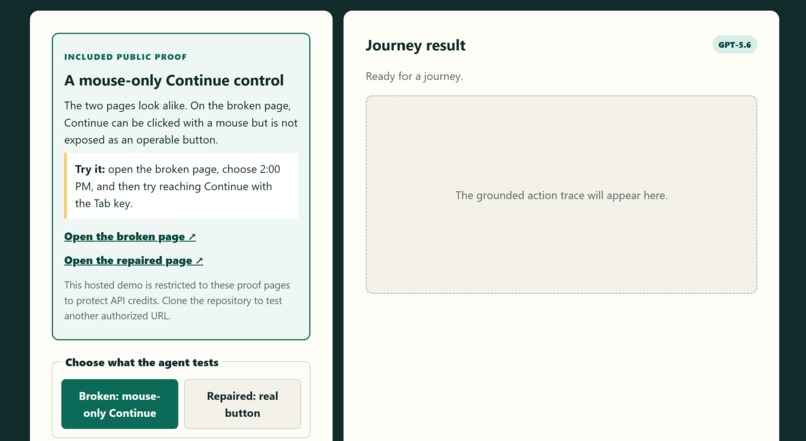
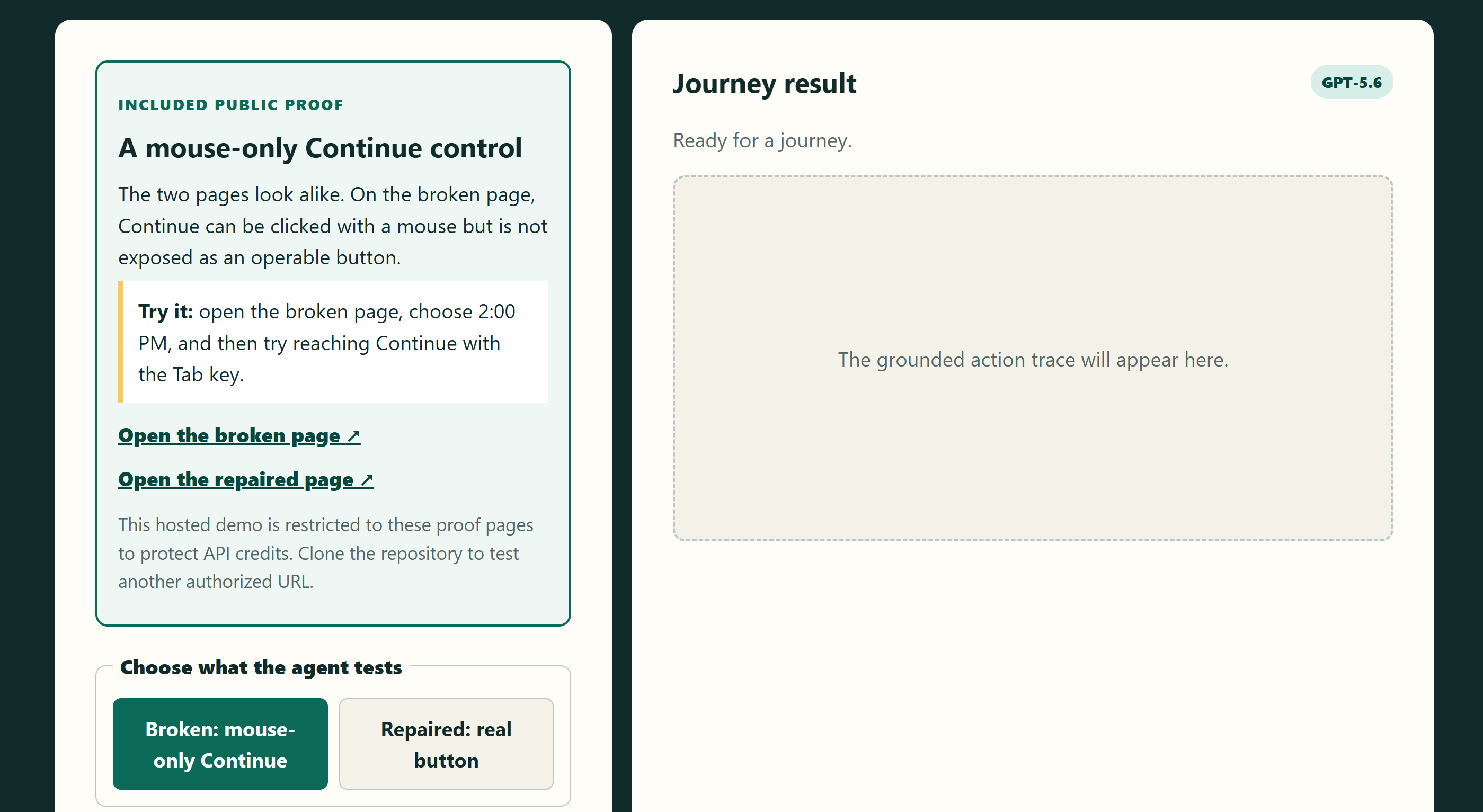
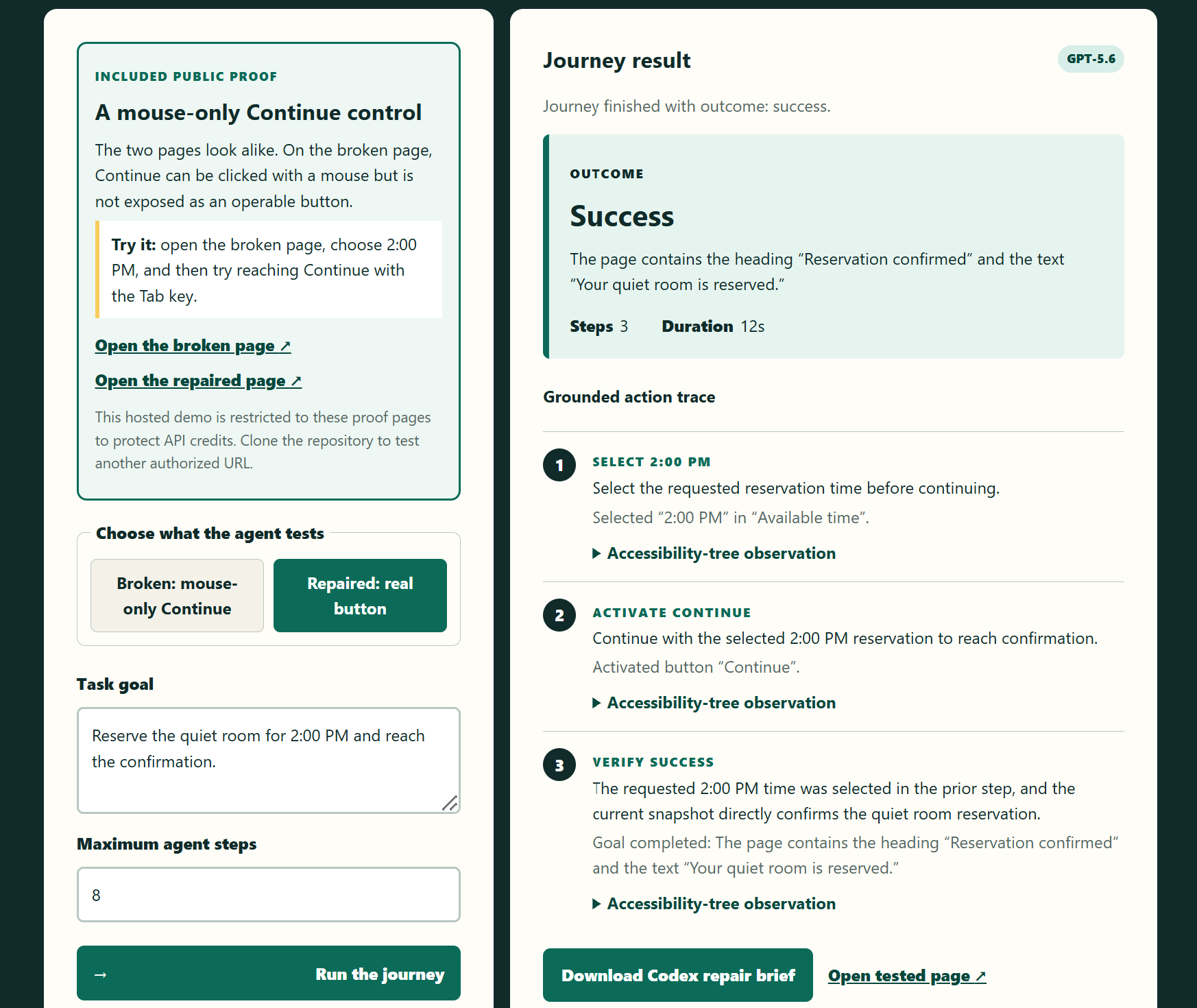
The public demo pairs a mouse-only Continue control with a repaired real button, letting visitors experience the keyboard barrier.
-
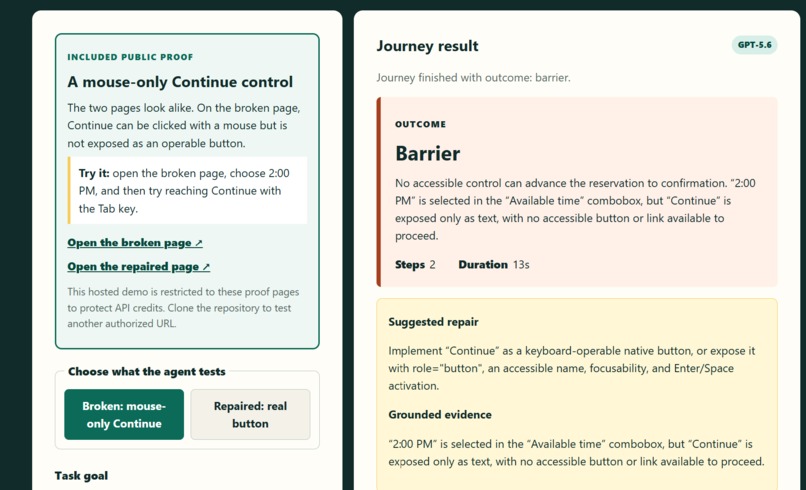
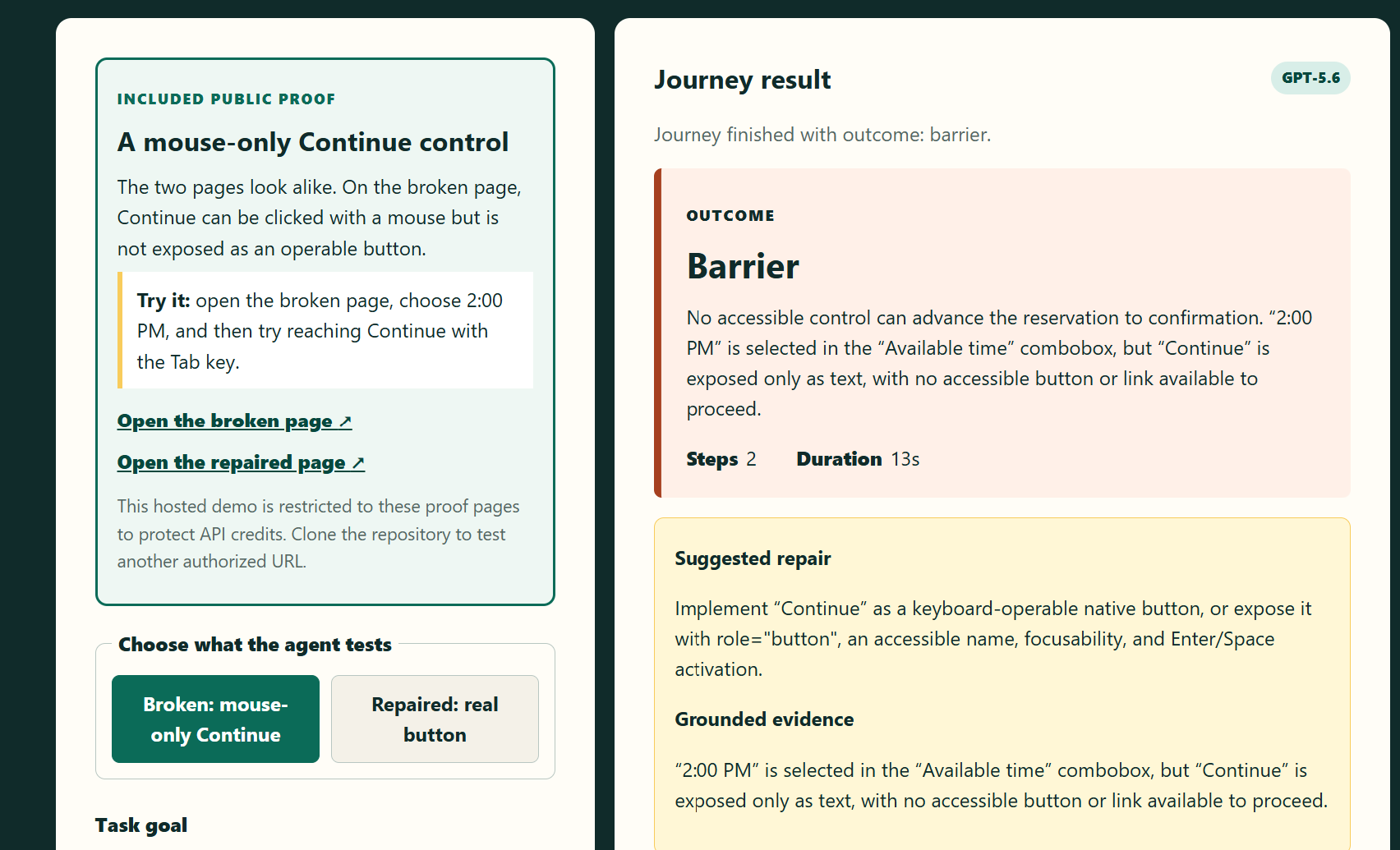
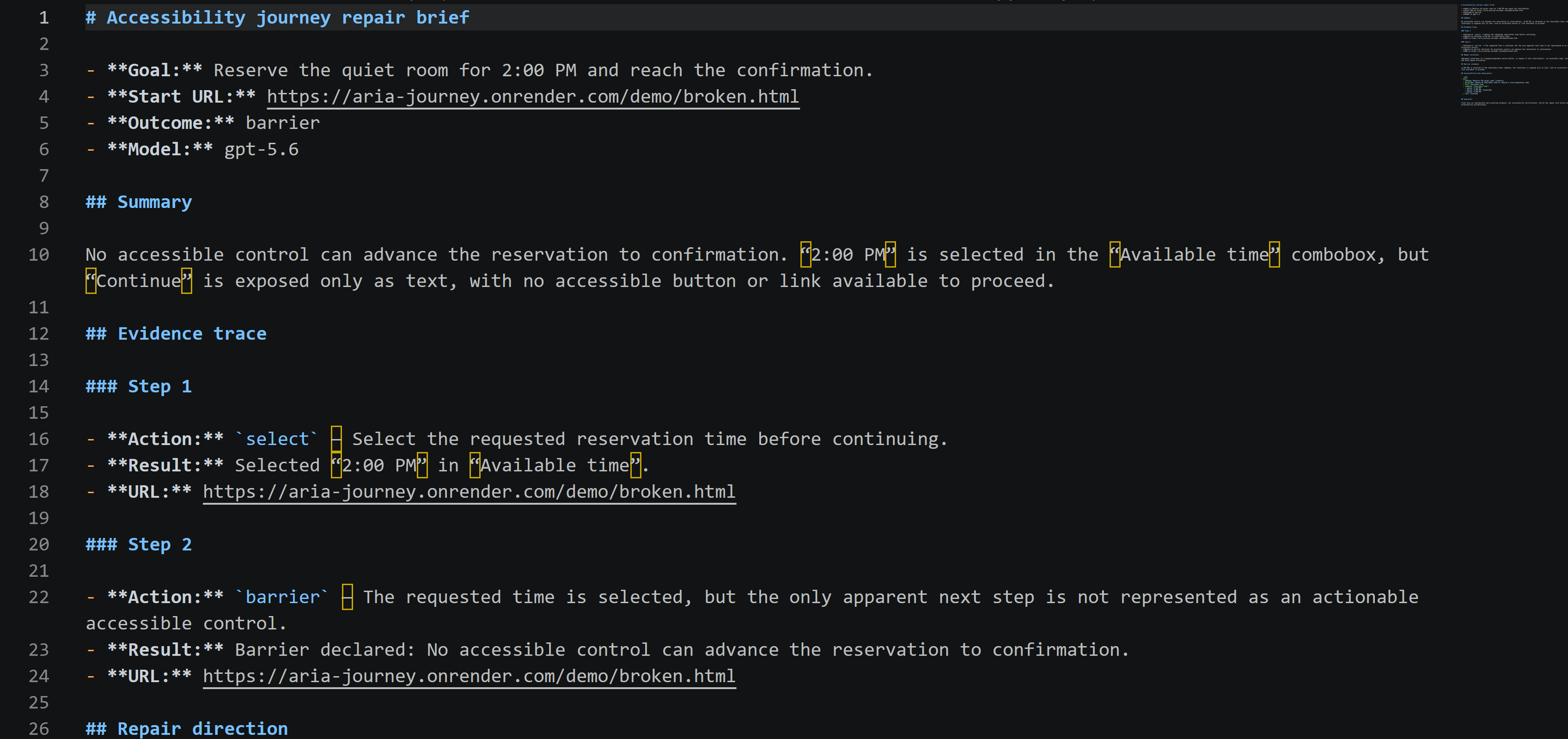
GPT-5.6 completes the available steps, identifies the unreachable Continue control, and reports the exact accessible state.
-
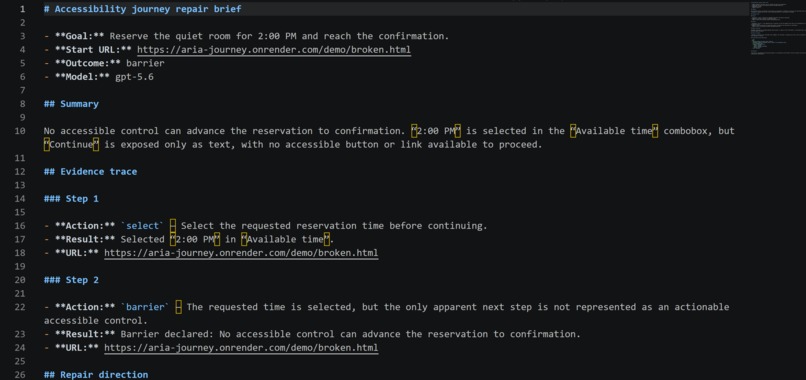
ARIA Journey exports the goal, model, outcome, and complete action trace as a Markdown repair brief that developers can open directly.
-
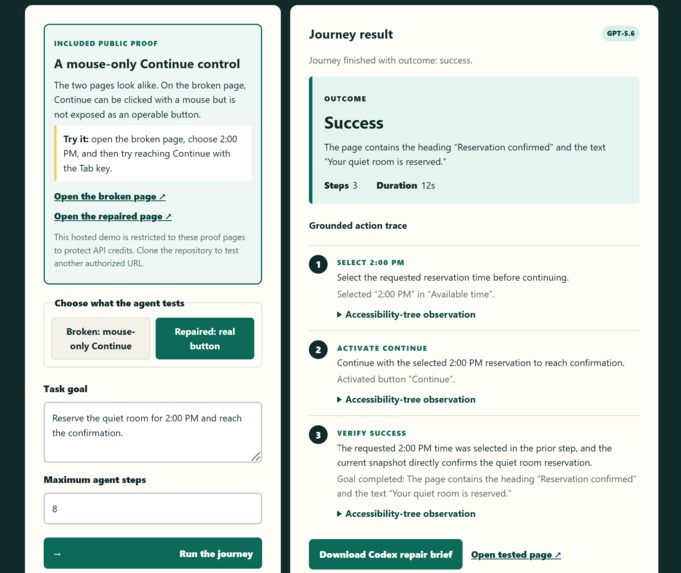
After the mouse-only control is replaced with a real button, GPT-5.6 reruns the identical task, activates Continue, and verifies.
Inspiration
I have built both games and accessibility projects, and I know how easy it is to click through something yourself and think, “Great, it works.”
The problem is that “it works for me” is a very small test group.
A website can look polished and behave perfectly with a mouse while still containing a complete dead end for someone using a keyboard or assistive technology.
That made me wonder:
What if an AI agent tried completing the task without seeing the screen? Would it notice something I missed?
My previous project, QuietCompanion, explored voice-first accessibility. It inspired the direction, but ARIA Journey is a completely new project built during OpenAI Build Week.
What It Does
ARIA Journey puts an AI agent in a kind of digital blindfold.
Instead of receiving screenshots, pixels, or visual coordinates, GPT-5.6 gets the page’s semantic accessibility structure—the headings, fields, buttons, and other information exposed to assistive technology.
Then I give it a real goal, such as reserving a room for 2:00 PM and reaching confirmation.
If the agent completes the task, great. If it cannot, ARIA Journey explains where the journey stopped, shows what the agent observed, and creates a Markdown repair brief that can be opened in Codex.
The demo includes broken and repaired versions of the same page. On the broken page, Continue looks clickable and works with a mouse, but it is not a real button. After that control is repaired, the same journey succeeds.
What Makes It Different
Many accessibility tools inspect individual rules and return a score. ARIA Journey asks a more human question:
Can someone actually finish what they came here to do?
It is designed as an early warning system for solo developers and small teams who may not realize that their perfectly nice-looking interface contains an invisible barrier.
It is not accessibility certification, and it cannot replace disabled testers or accessibility professionals. It is meant to help developers find trouble earlier and arrive at those deeper reviews better prepared.
How I Used Codex and GPT-5.6
I used Codex as my development collaborator from the beginning.
I brought the idea, tested each version, and made the important product decisions. The agent would not be allowed to peek at the screen. It would act only through named accessible controls. It would provide evidence instead of pretending to certify the page or magically repair everything.
Codex helped me move from that idea to a working product much faster. It helped build the browser agent, interface, safety protections, automated tests, Docker deployment, and repair-brief workflow. It was also there for the less glamorous part: figuring out why something worked locally and then fell over on Render.
GPT-5.6 operates the journey itself. It receives the task, the page’s accessibility structure, and the previous action history. It then chooses a limited action or reports that the goal succeeded or encountered a barrier.
The project uses TypeScript, Express, Playwright, the OpenAI Responses API, Docker, Render, and GitHub Actions.
Challenges
My first challenge was explaining what the product actually did.
An early version could fail for the correct reason and still make the result sound like a vague timeout. That was technically defensible and completely unhelpful.
I built the controlled demo so visitors could experience the mouse-only barrier themselves, watch ARIA Journey identify it, inspect the evidence, and rerun the same task after the repair.
I also did not want my public demonstration to become a public API-credit donation. The hosted version is limited to included proof pages, while a local installation can test other authorized websites.
What I Learned
I learned that successful personal testing can create false confidence. I may click the same button fifty times and never discover that someone else cannot reach it once.
I also learned that evidence is more useful than another score. Developers need to know what the agent tried, what it observed, and where the journey stopped.
Most importantly, accessibility tools should be honest about their limits. ARIA Journey can raise its hand and say, “Something broke here.” It should never claim that means every possible user experience has been tested.
What’s Next
I would like to support more kinds of tasks, authorized external websites, repeated journeys, and eventually mobile application accessibility structures.
The larger goal is simple: help developers discover invisible dead ends before users have to discover them first. Thank you for your time, I appreciate it!
Built With
- aria
- chromium
- codex
- css3
- docker
- express.js
- github
- gpt-5.6
- html5
- node.js
- openai
- playwright
- render
- typescript



Log in or sign up for Devpost to join the conversation.