-
-
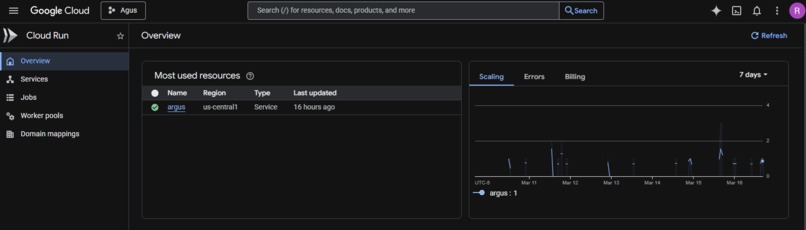
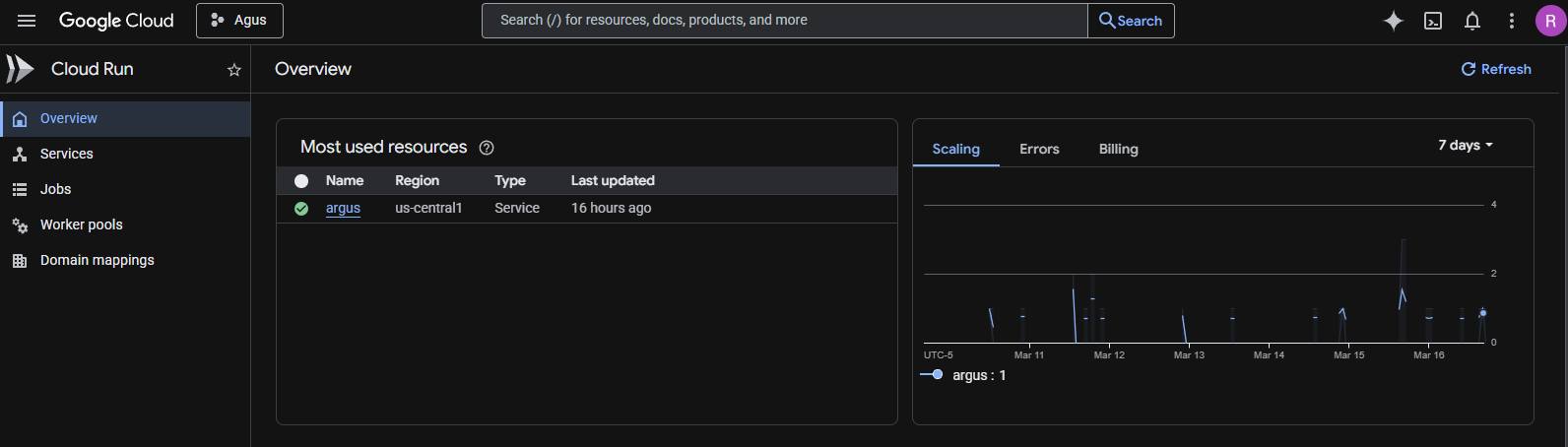
Screenshot of the Argus service running with a green checkmark and the live URL.
-
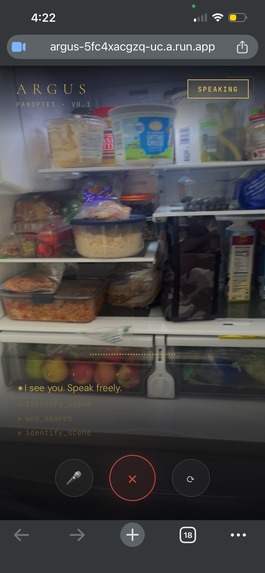
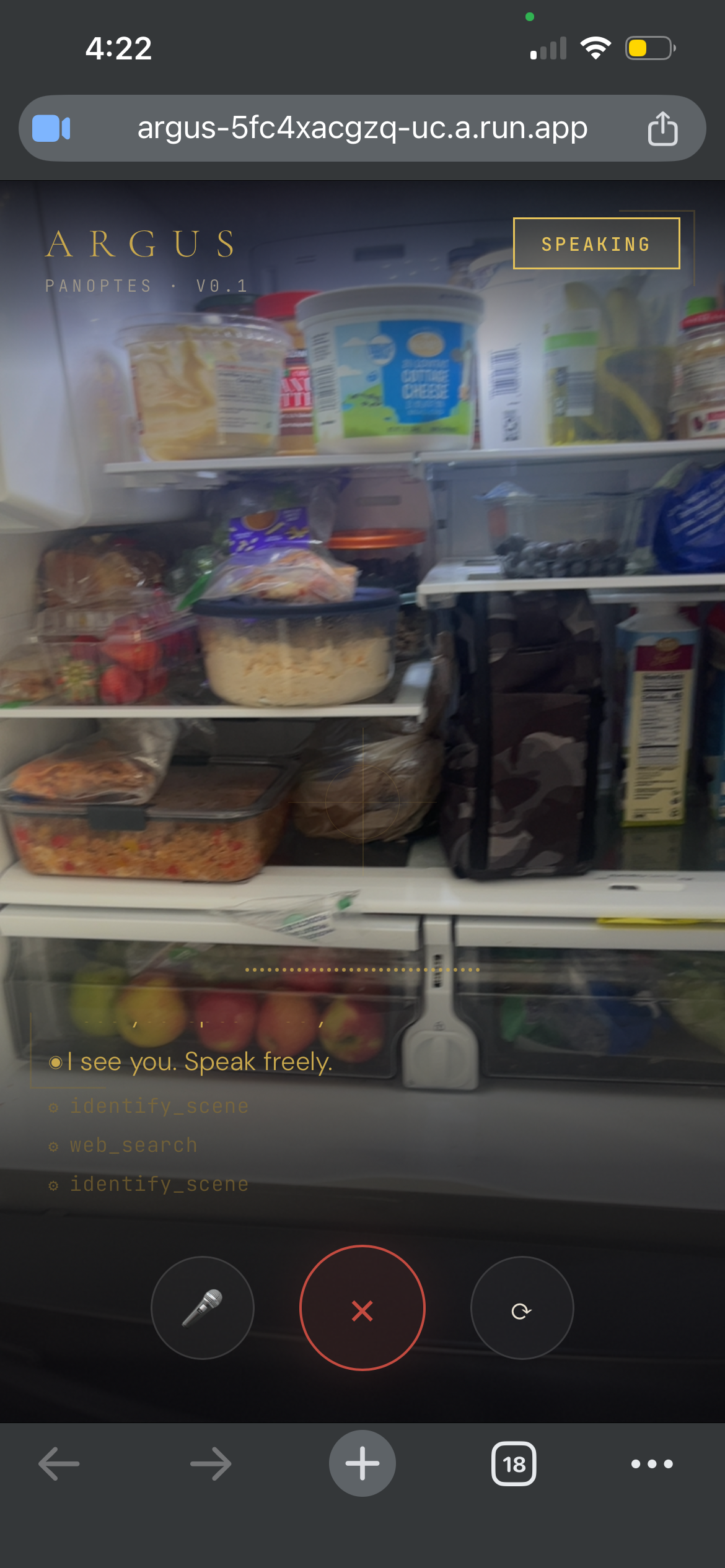
Screenshot Argus mid-response with the camera feed visible and the kitchen response in the transcript.
-
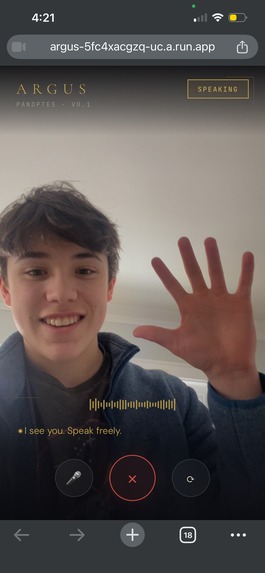
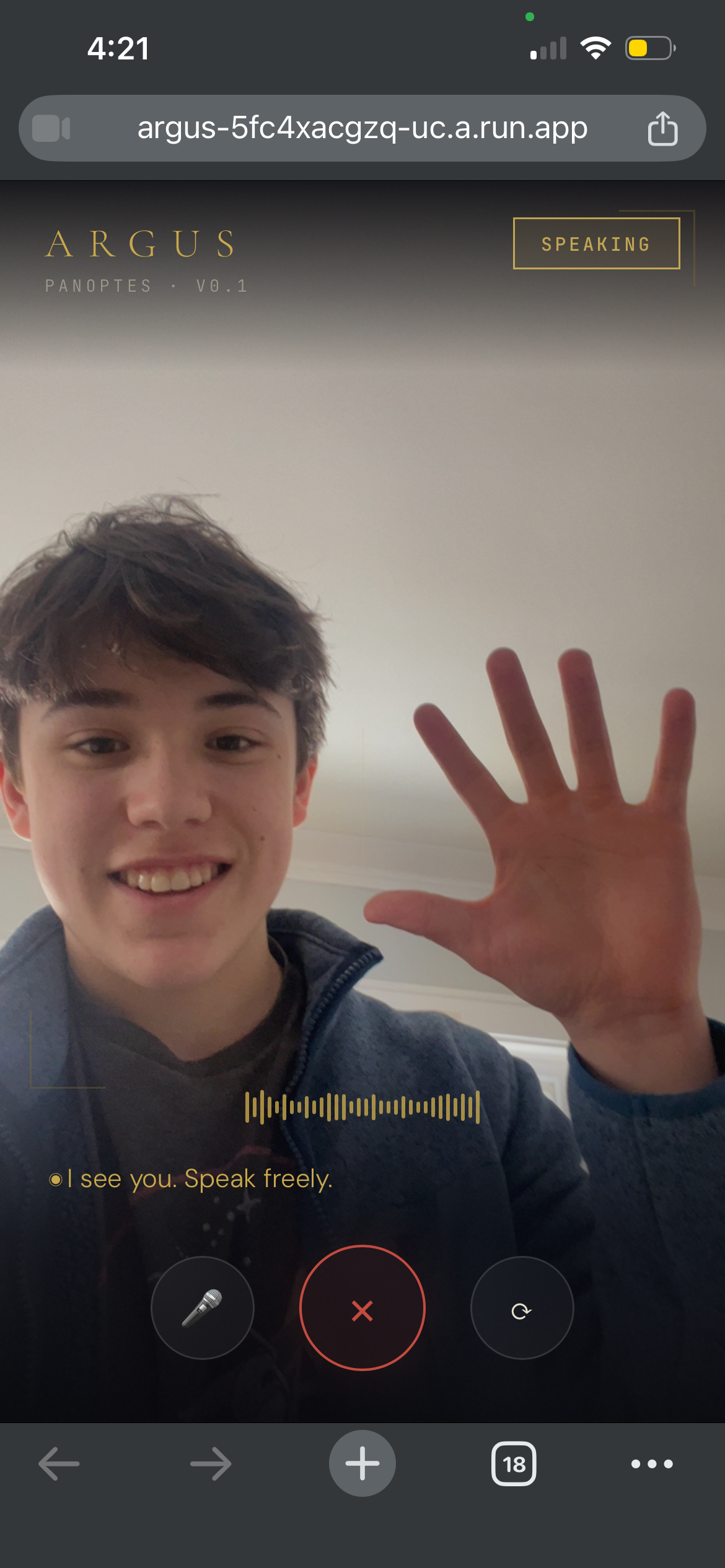
Screenshot of the full app screen with the waveform active and a greeting message visible in the transcript.
-
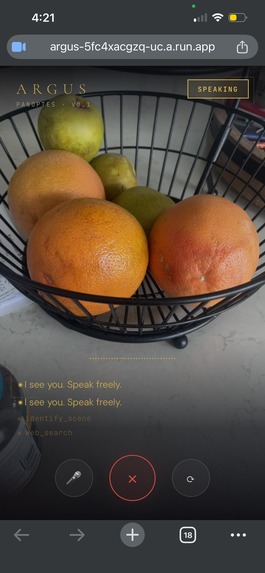
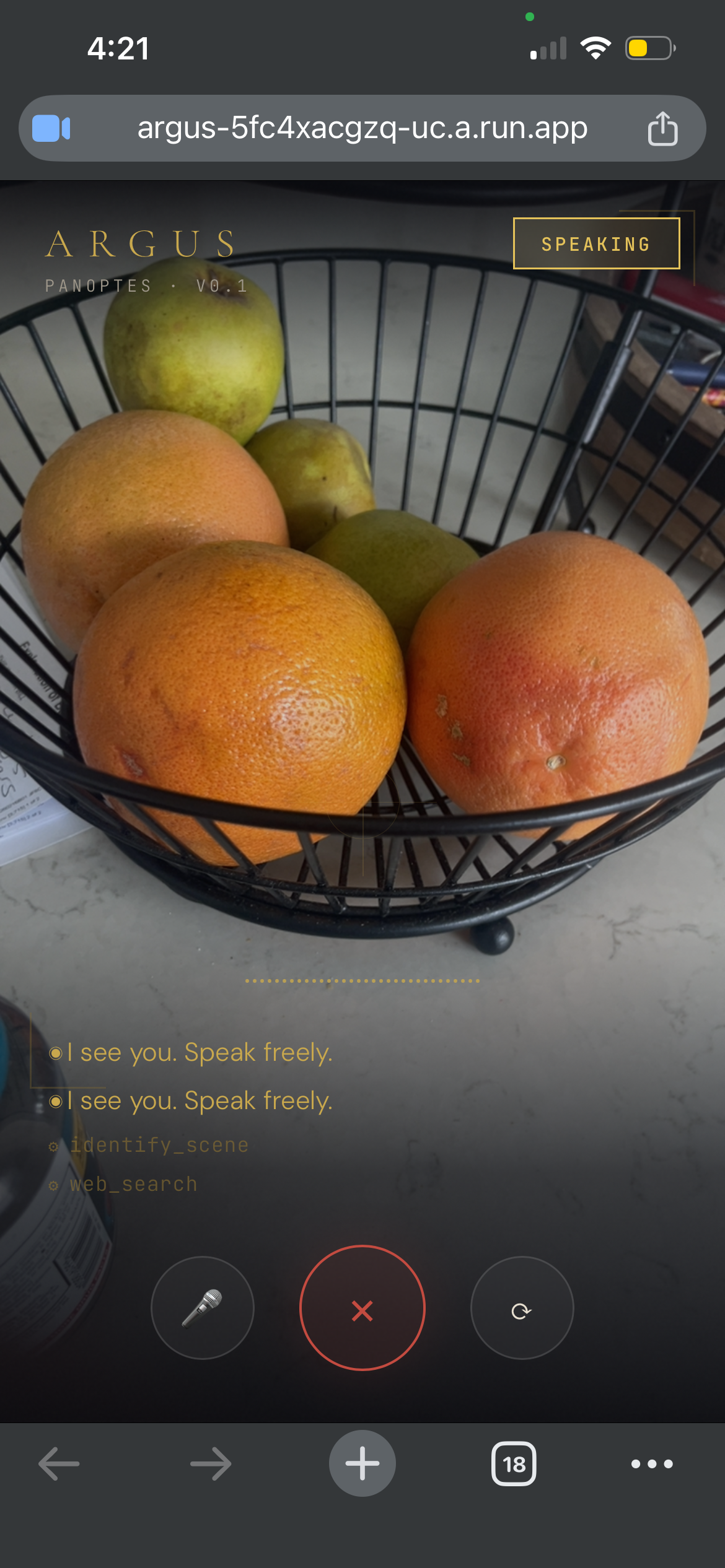
Screenshot showing multiple ⚙ tool_name lines in the transcript — shows the agentic behavior happening in real time.
Inspiration
The best moments to have AI help you are the worst moments to type. Hands covered in flour, staring at a leaking pipe under the sink, pushing a grocery cart and trying to remember what you already have at home. Every existing AI assistant makes you stop what you're doing, pick up your phone, and type out a question.
We wanted to build something different — an AI that fits into your life instead of interrupting it. Something that sees what you see, hears what you hear, and already knows who you are before you say a word. That's Argus.
The name comes from Argus Panoptes — the hundred-eyed giant of Greek mythology, the all-seeing guardian. It felt right.
What We Built
Argus is a real-time AI life companion that runs on your phone. It uses your camera and microphone to observe the world around you and responds by voice — no typing, no menus, no friction.
Seven specialized agents:
- 🍳 Kitchen — Sees your ingredients, suggests recipes, sets timers by voice
- 🛒 Shopping — Voice-controlled shopping list with add, check-off, and query
- 🔧 Fix-It — Point at something broken, get a step-by-step repair guide
- 🧠 Memory — Remembers your preferences, allergies, and goals across sessions
- 🌤️ Weather — Real-time weather grounded to your actual location
- 🍽️ Restaurant — Finds restaurant info and websites by voice
- 🔍 Web Search — Grounds answers in live web data, no hallucinations When you connect, Argus speaks first — greeting you with the weather, the time, and anything it remembers about you. You don't have to say a word.
How We Built It
Frontend: A single-page PWA that streams 16kHz PCM audio and 640×480 JPEG frames over WebSocket to the backend every 2 seconds. No native app required — works in any mobile browser.
Backend: Node.js + Express on Google Cloud Run. A WebSocket server bridges the client
to the Gemini Live API session. Tool calls are dispatched with Promise.all for parallel
execution and sent back to Gemini via sendToolResponse.
AI: We use gemini-2.5-flash-native-audio-preview-12-2025 — native audio in, native
audio out. No text-to-speech pipeline, no latency tax. The voice is the model.
Memory: Google Cloud Firestore stores per-user documents — preferences, shopping lists, daily logs, and observation history. Each browser gets a UUID from localStorage, giving every user their own persistent memory with zero authentication overhead.
Grounding: Three real-time grounding sources:
- Open-Meteo for weather (no API key required)
- DuckDuckGo Instant Answer API for web search (no API key required)
- Restaurant lookup with Google Maps fallback
Infrastructure: Fully automated with Terraform IaC and a single deploy script
(deploy-cloudrun.sh). Cloud Run scales to zero when idle — no idle cost.
Challenges
Silent Firestore failures. The Firestore SDK constructs successfully even with missing credentials — it only fails on the first actual read/write, and those errors were being silently swallowed in catch blocks. The memory appeared to work but nothing was actually being saved. Fixed with upfront credential detection (file existence check locally, ADC on Cloud Run) and a test read on initialization to catch failures at startup instead of silently mid-session.
Async tool calls in a synchronous callback. The Gemini SDK's onmessage callback
isn't awaited by the SDK itself. Tool calls are async operations, but the callback context
is synchronous — unhandled promise rejections were causing silent failures. Solved with an
async IIFE pattern inside the callback with a .catch() handler.
IP geolocation behind Cloud Run. Cloud Run sits behind Google's load balancer, so
req.socket.remoteAddress always returns an internal IP. The real client IP comes in via
X-Forwarded-For. Had to parse and sanitize the header, with fallback to environment
variable defaults for local development.
Accomplishments
- Persistent memory that actually works in production, verified across sessions
- Proactive greeting — Argus speaks first on connect, no user prompt required
- 14 functional tools across 7 agents, all live in production
- Auto-geolocation — weather is always accurate with zero user setup
- One-command deployment with Terraform + shell script
- Zero extra API keys beyond Gemini — judges and users can run it immediately
What We Learned
The hardest part of building with the Gemini Live API wasn't the API itself — it was the surrounding infrastructure. Streaming audio at the right sample rate, sequencing tool calls correctly, handling session lifecycle, making Firestore actually persist in a Cloud Run environment — these are the unsexy problems that determine whether a demo works or doesn't.
We also learned that the most impressive AI experience isn't the most complex one. The single moment that lands hardest in demos is when Argus speaks first. One proactive greeting communicates more about what the system is capable of than five minutes of documentation.
What's Next
- Native mobile app (React Native) with background listening
- Wearable form factor — Argus as a clip-on camera companion
- Calendar and email awareness for proactive reminders
- Proactive push notifications ("You have eggs expiring tomorrow")
- Image memory — storing and recalling visual context across sessions
Built With
- duckduckgoinstantanswerapi
- express.js
- gemini2.5flashnativeaudio
- geminiliveapi
- googlecloudbuild
- googlecloudfirestore
- googlecloudrun
- javascript
- node.js
- open-meteoapi
- pwa
- terraform
- websockets

Log in or sign up for Devpost to join the conversation.