-
-
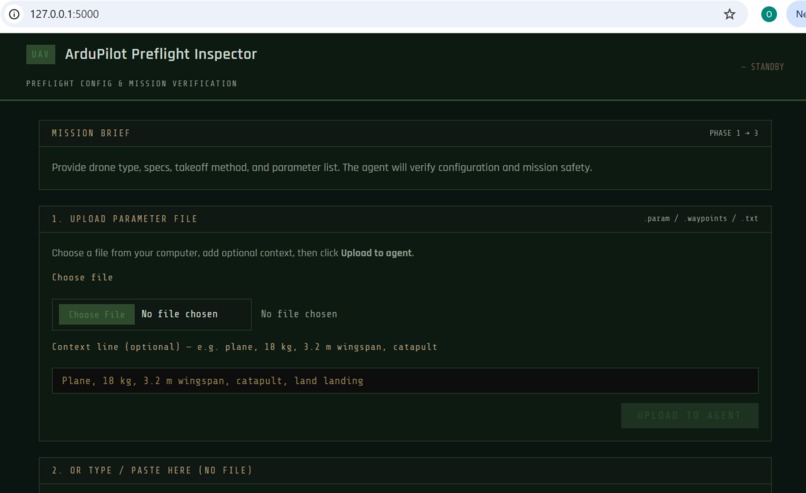
Preflight AI Inspector Flask UI 2
-
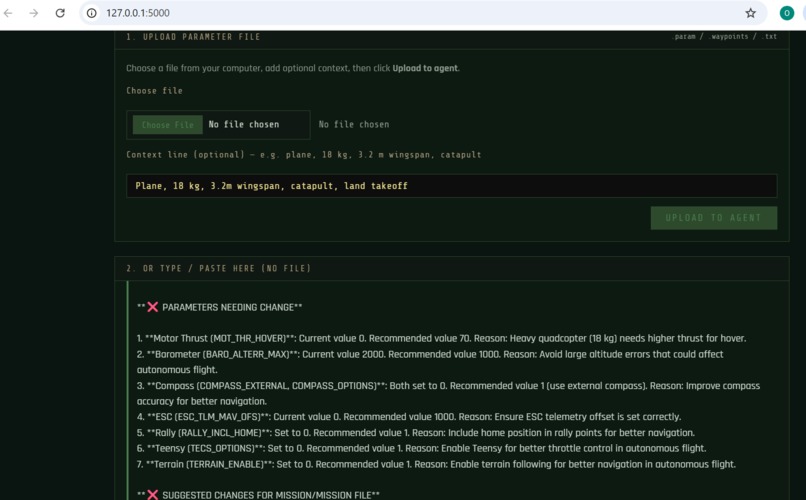
Preflight AI Inspector Flask UI
Inspiration
Drone operators and UAV pilots spend a lot of time checking parameter lists and mission files before flight. Missing a wrong value or an unsafe waypoint can lead to crashes or lost aircraft. We wanted an AI that acts like an expert ArduPilot flight engineer: you upload your parameters or mission, and it tells you what’s safe and what to change. The DigitalOcean Gradient AI Hackathon was the perfect chance to build that with a real agent and knowledge base.
What it does
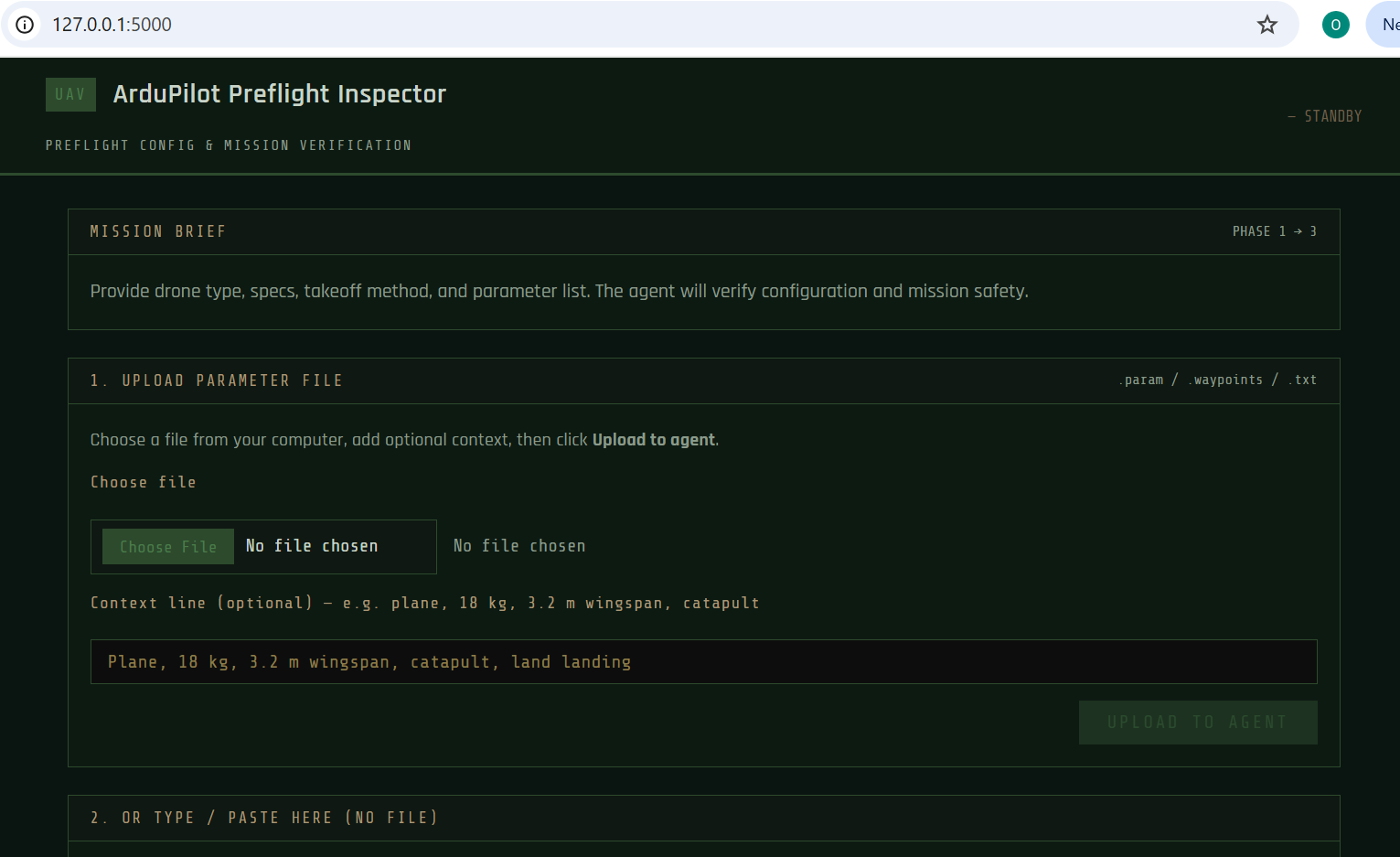
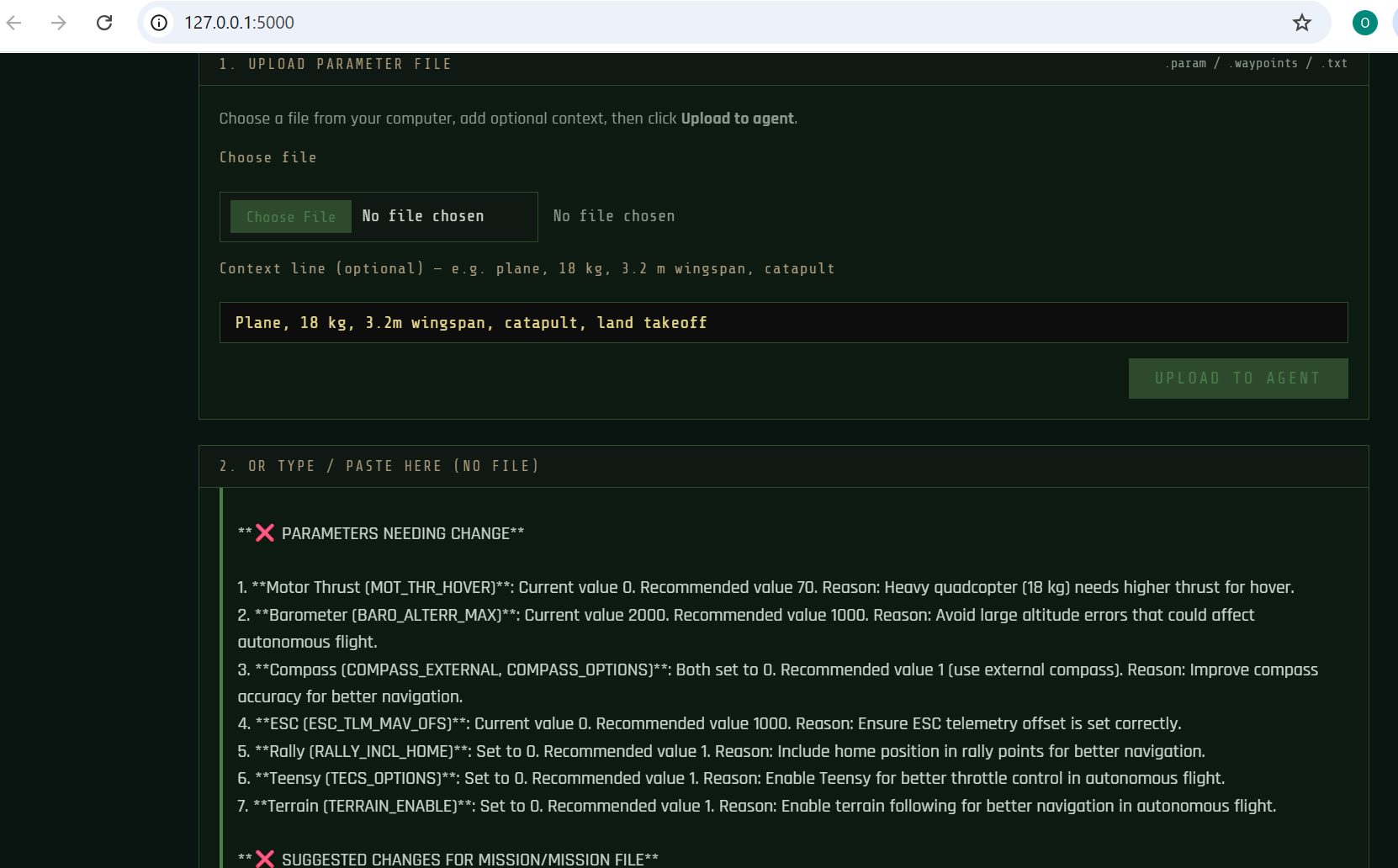
ArduPilot Preflight AI Inspector is a preflight checker for ArduCopter (quads) and ArduPlane (fixed-wing). You either upload a parameter or mission file (.param, .waypoints, .txt) or type/paste your config. The AI agent (hosted on DigitalOcean Gradient) checks everything against your drone type, weight, wingspan, and takeoff method (land vs catapult), then returns a clear report: which parameters are safe and which need changes, with exact parameter names and recommended values. If you’re flying an autonomous mission, the agent asks for your mission file, checks waypoints and commands, and suggests fixes. A Flask web app with a military-style UI lets you upload files or chat with the agent in one place.
How we built it
- DigitalOcean Gradient: We created an AI agent with detailed instructions (multi-phase workflow: parameter check → mission check when applicable). We attached a knowledge base built from ArduPilot documentation (web crawl of the parameters and docs) so the agent can reference official parameter meanings and safety practices.
- Backend: The agent is called via the OpenAI-compatible API; we use the Python
openaiclient with the agent’s endpoint and access key from environment variables. - Flask web app: A simple app in a
webapp/folder: one panel for file upload (choose .param or mission file + optional context line), another for typing or pasting text. Both send to the same agent; responses appear in a single chat-style thread. Styling is a dark, military-inspired theme (dark green, olive, monospace) so it feels like a mission-planning tool. - CLI scripts: We also added
run_demo.py,chat.py, andsend_params.pyso the agent can be used from the command line for automation or quick checks.
Challenges we ran into
- Agent flow: Making the agent consistently follow the flow (parameter check first, then ask for mission file only when the user said “autopilot/mission”) required clear phase instructions and examples in the agent prompt.
- File upload in the UI: We wanted a clear split between “upload a file” and “type/paste here” so users wouldn’t be confused. We added numbered sections (“1. Upload parameter file” and “2. Or type/paste here”) and short labels so it’s obvious where to put a file vs. free text.
- Environment and paths: Running the Flask app from the project root while keeping
webapp/self-contained meant we had to load.envandagent_clientfrom the repo root; we used explicit paths andsys.pathso it works whether you run from root or from insidewebapp/.
Accomplishments that we're proud of
- Real workflow: The agent doesn’t just answer one-off questions; it guides a full preflight flow (params → suggestions → mission upload when needed → mission check and final GO/CHANGES).
- Real flight demo: We ran a fixed-wing plane (3.2 m wingspan, 18 kg) through the preflight check and captured it on video, then flew the plane.
- Usable UI: The web app is simple but clear: file upload plus text chat, with a consistent military-style look and readable input fields (black background, light yellow text).
- Knowledge base: Using ArduPilot docs in the agent’s knowledge base means suggestions are grounded in official parameter names and safety practices.
What we learned
We learned how to design an agent prompt for a multi-step, domain-specific workflow (phases, when to ask for more input, and how to format the response). We also got hands-on with DigitalOcean Gradient: creating an agent, attaching a crawled knowledge base, and calling it from both a web app and CLI with the same client code.
What's next for ArduPilot Preflight AI Inspector
- Mission file parsing: Parse .waypoints or mission files structurally and feed waypoints/commands into the agent in a more structured way for better checks.
- History and comparisons: Let users save “last approved” configs and diff new uploads against them.
- SITL integration: Optionally pull parameters or telemetry live from ArduPilot SITL and run the agent check automatically before arming.

Log in or sign up for Devpost to join the conversation.