
The most advanced augmented reality debugging tool in the world.
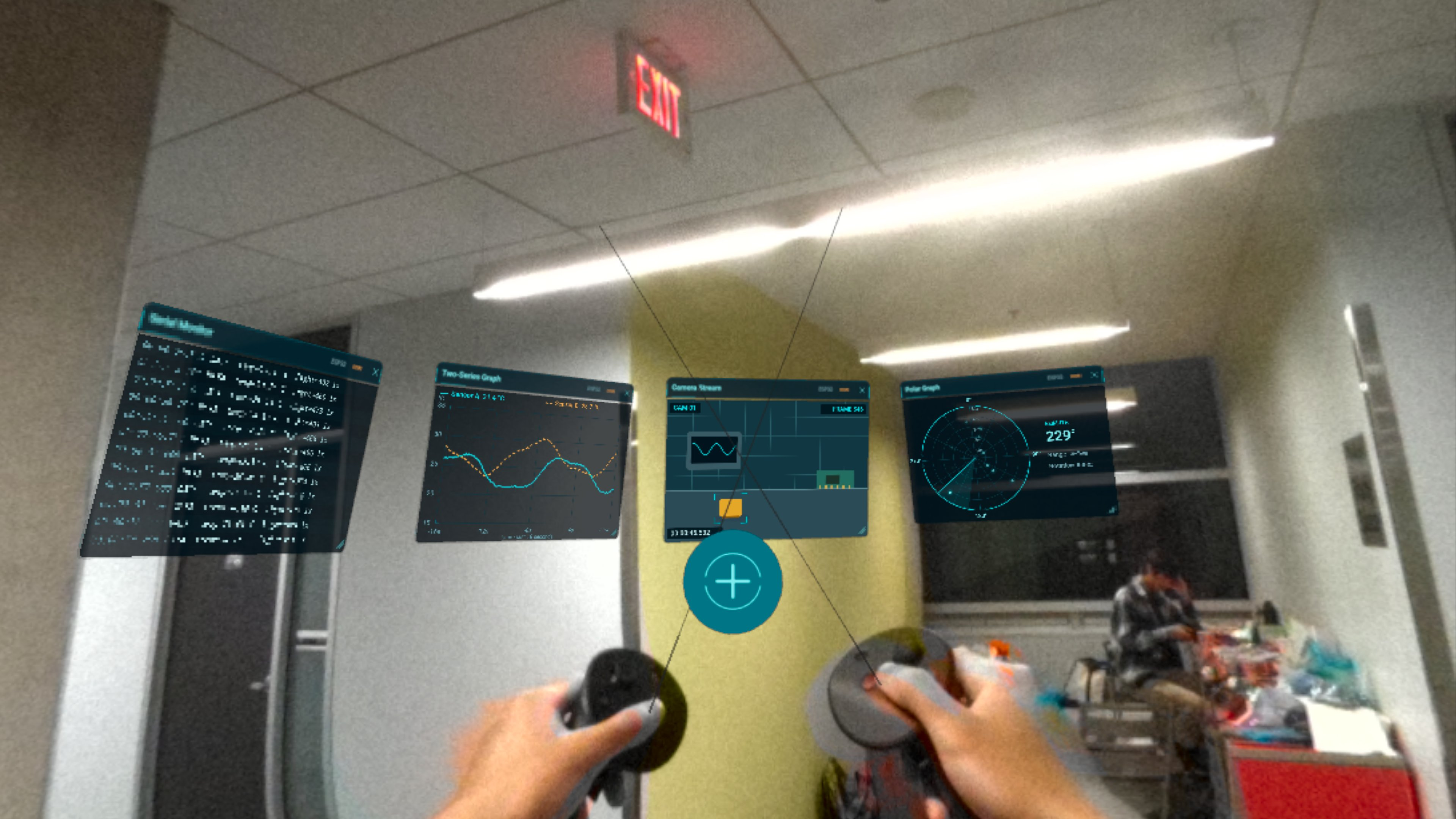
Have a broken sensor?
Debugging Arduinos, ESP32s and Raspberry Pi’s suck.
You have to plug it into your computer, hook up the Serial Monitor, add a bunch of print statements etc,.
It’s tedious enough for just one device. Want to work with multiple? Forget it.
We’re here to solve this with ARDB; Augmented Reality DeBugger.
What It Does
ARDB allows you to view sensor data values simultaneously, in augmented reality.
The result? Rapidly view log messages, find faulty sensors, and fine tune parameters in real-time.
Data Formats
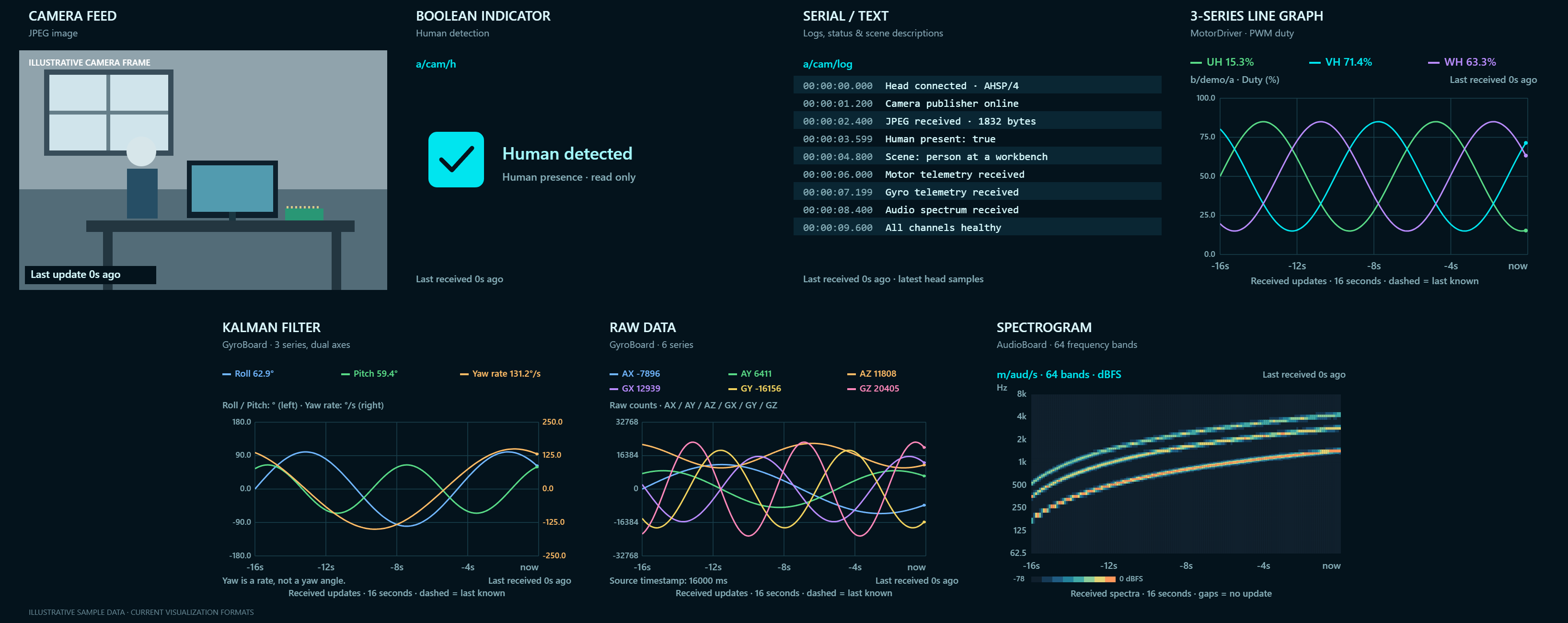
5 visualization formats are supported:
- serial monitor (for text based outputs)
- line graph
- multi-line graph
- camera stream
- polar coordinate graph
Developer Experience
This is not a prototype. We took developer experience very seriously.
We created a custom client library for logging. Simply import it, pass in some metadata, sprinkle some print statements around, and your data is now being tracked.
Technicals
Graphics
WebXR and Three.js is used to render the 3D graphics. Our AR platform is the Meta Quest Pro.
Networking
The networking is extremely technically complex.
We leverage MQTT as the main form of data transfer within our project. Information from all our clients is sent to a single TinyMQTT broker under different topics.
Any radio-enabled IoT device is technically able to act as the MQTT broker and head node of the network.
Any radio-enabled IoT client device (ESP32, RPi, Arduino Uno R4+) can connect to the broker.
Since TCP isn't supported over the web, our head node creates HTTPS streams to transmit data over self-signed SSL certificates to allow our data to be received by the Quest Pro.
Custom networking is intentionally open to users to allow for MQTT brokers to host offline access points for off-the-grid debugging.
To prevent excessive resource use, clients have exponential backoff until a maximum of 30 or 60 seconds (set by the user), and no packets are sent or collected unless the client has made a connection with the MQTT broker.
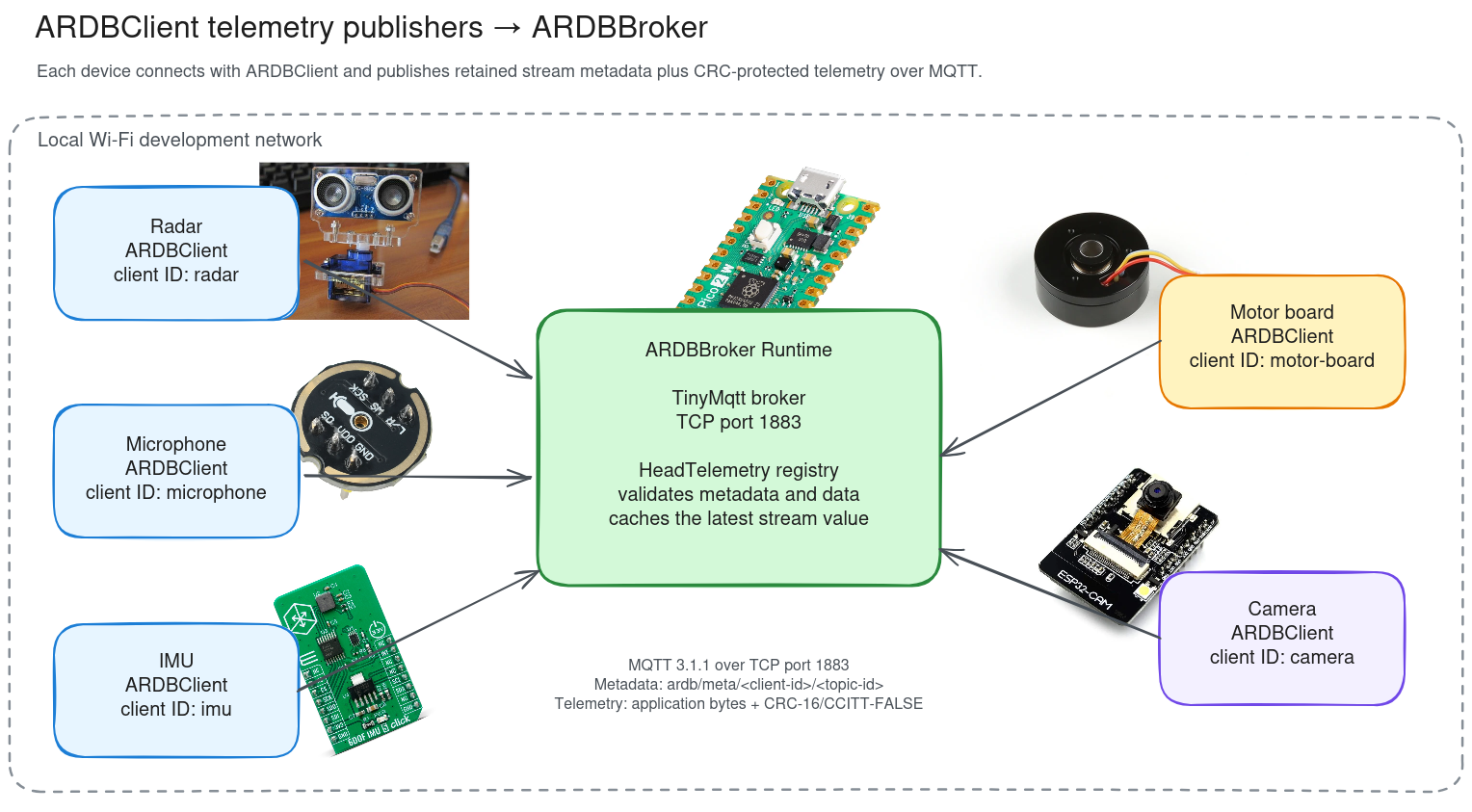
The Quest Pro accesses the same server and reads the data.
Built With
- augmented-reality
- embedded
- esp32
- mqtt
- raspberry-pi
- webxr


Log in or sign up for Devpost to join the conversation.