-
-
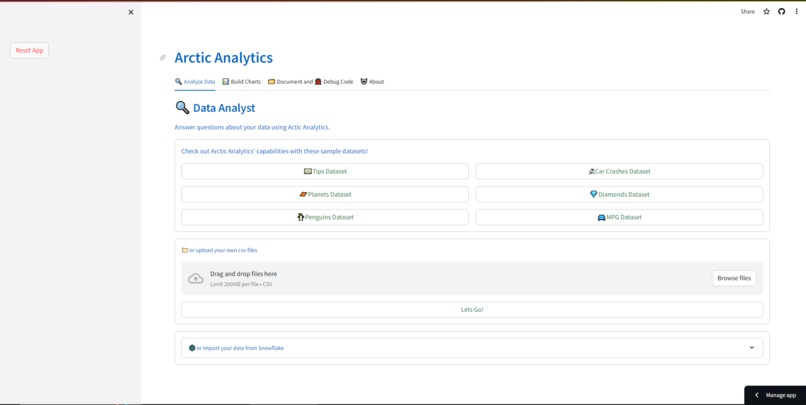
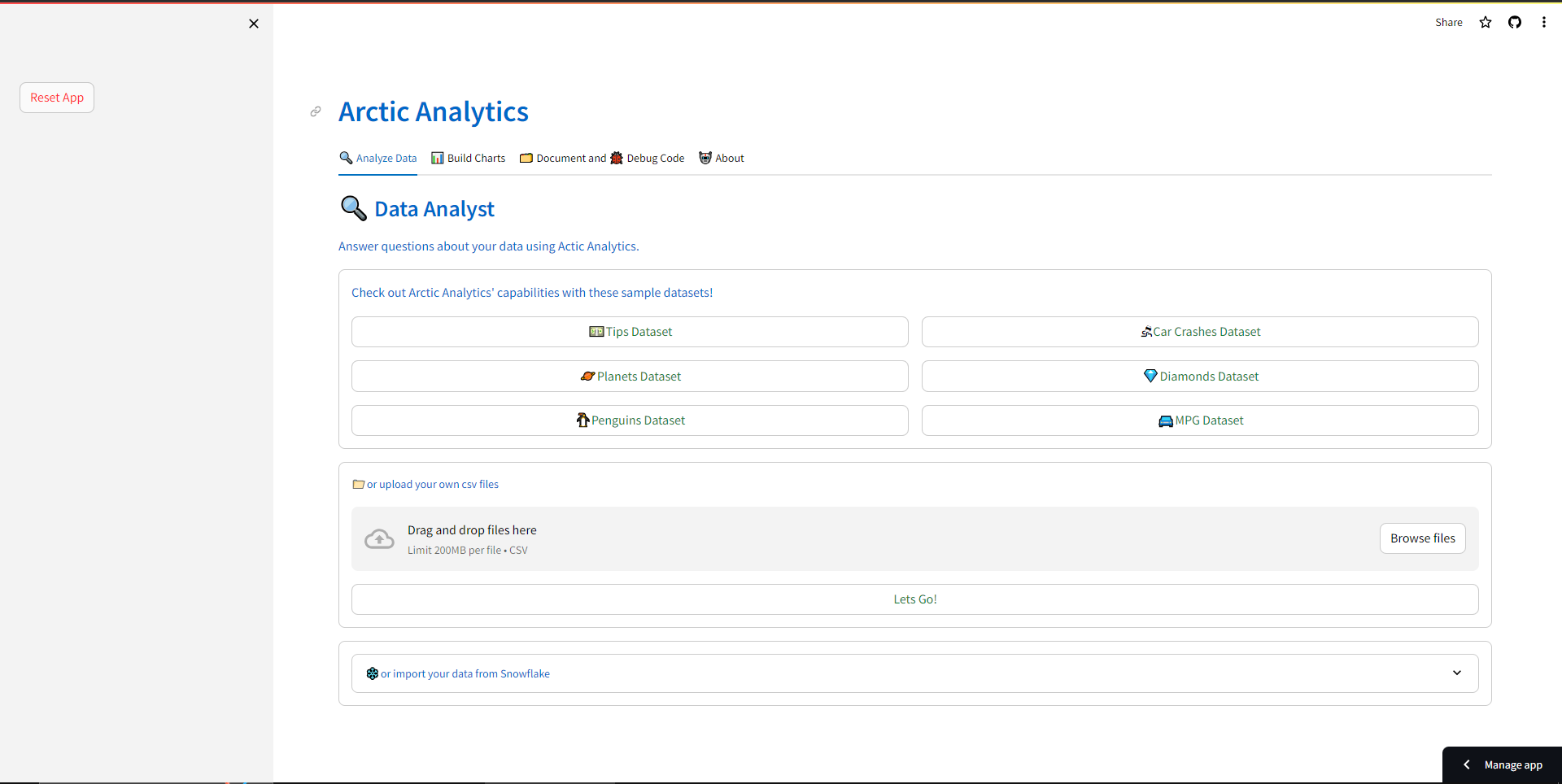
The home screen of Arctic Analytics
-
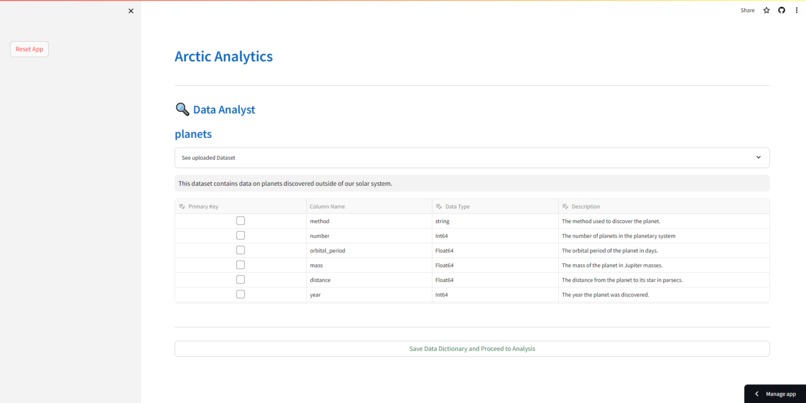
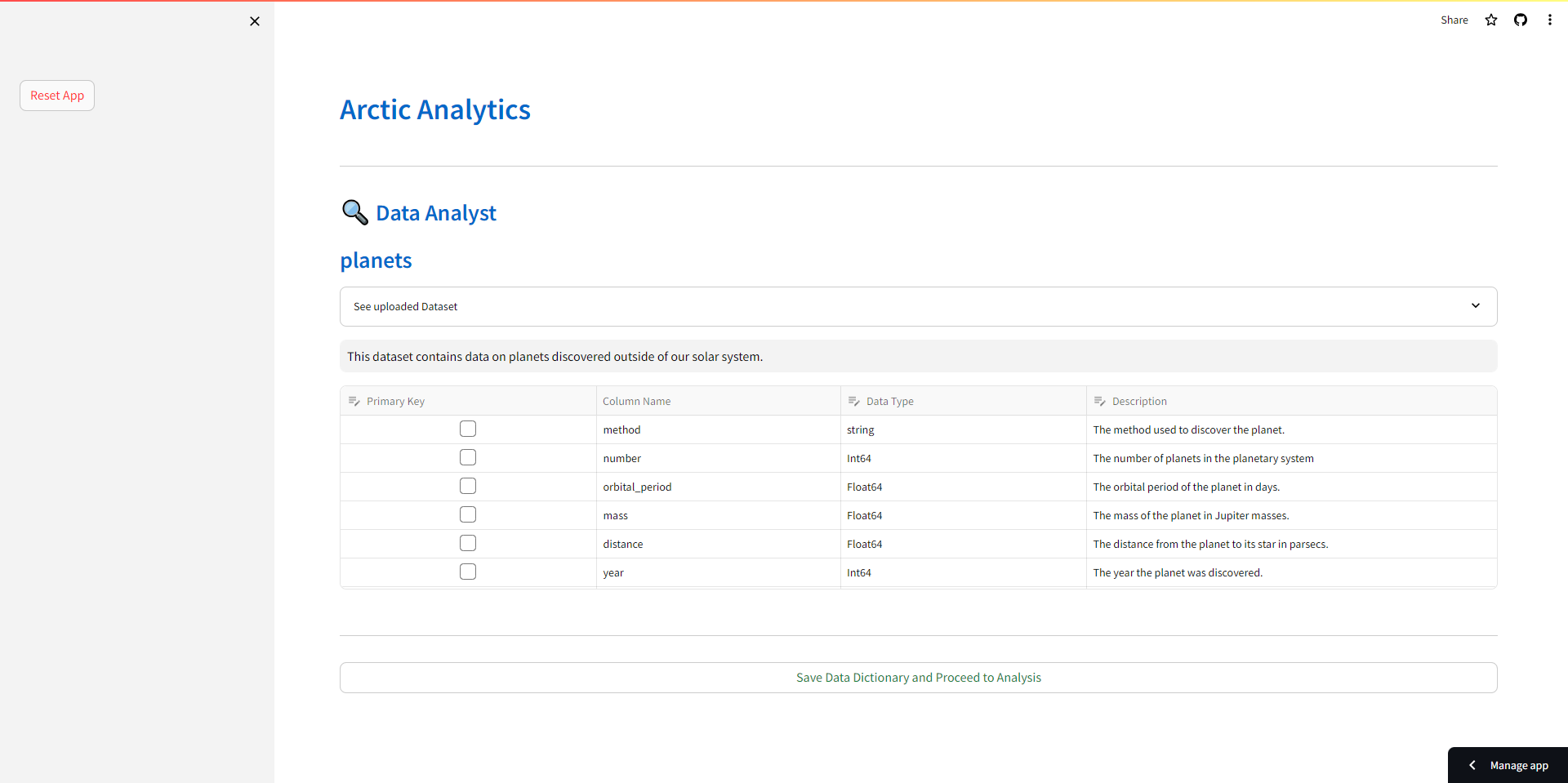
The user is prompted to add their data dictionary after they load their dataset
-
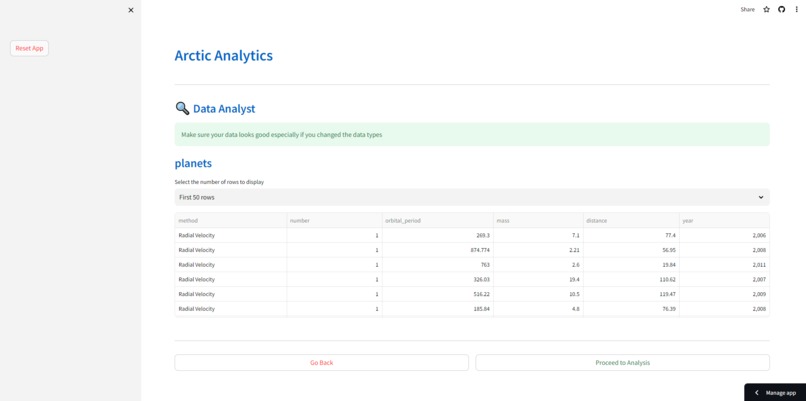
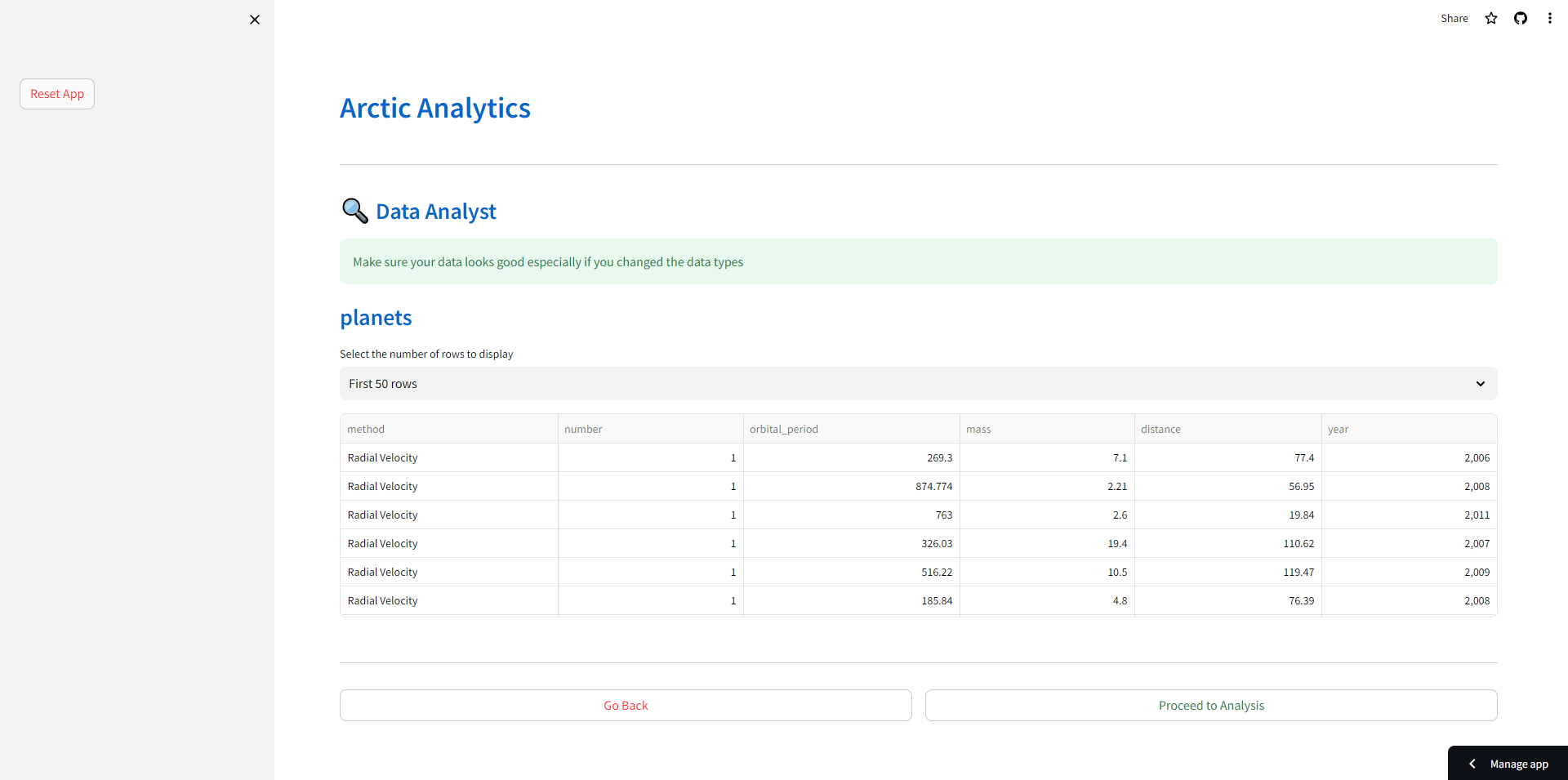
The user is shown the dataset before processing to the analysis
-
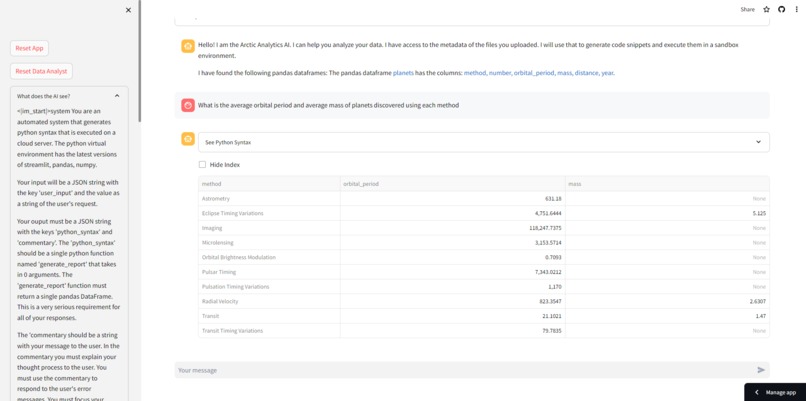
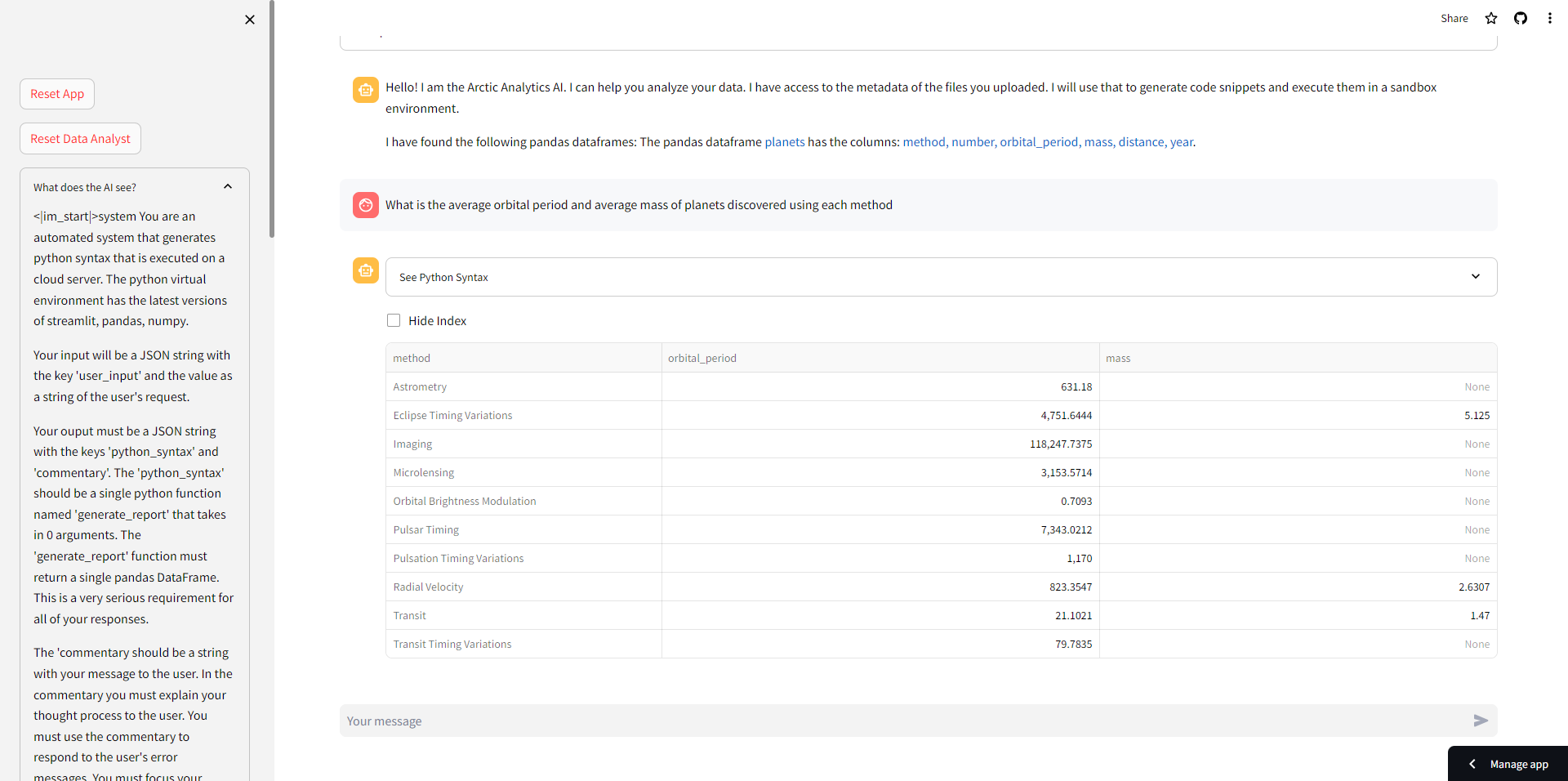
Arctic Analytics answers the user's question -- without ever seeing the actual dataset
-
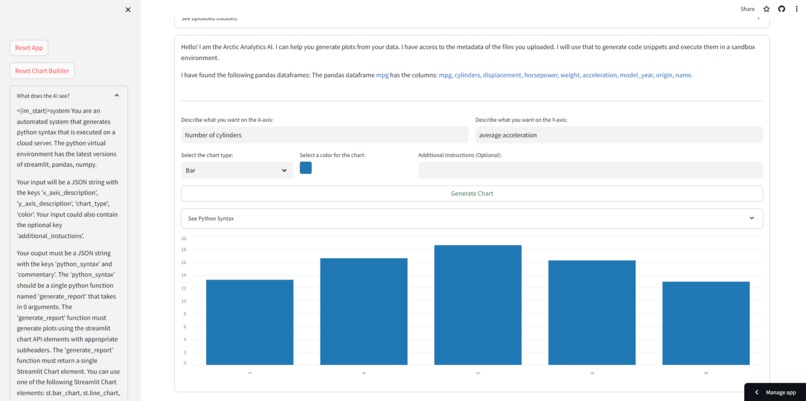
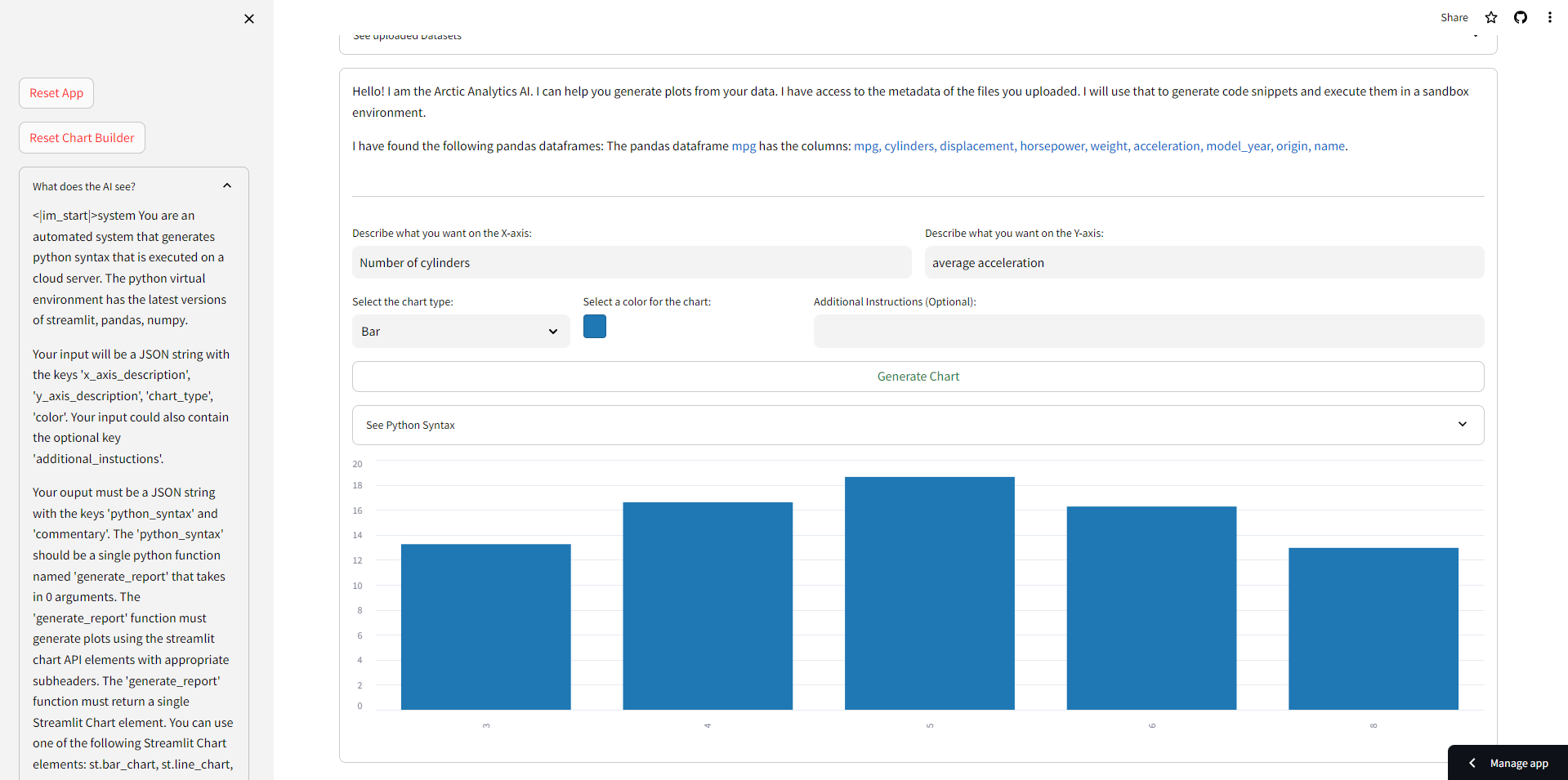
Arctic Analytics creates charts for the user -- without ever seeing the actual dataset
-
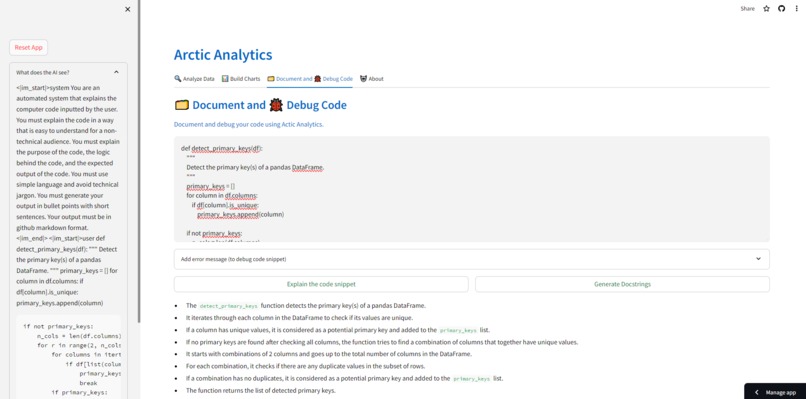
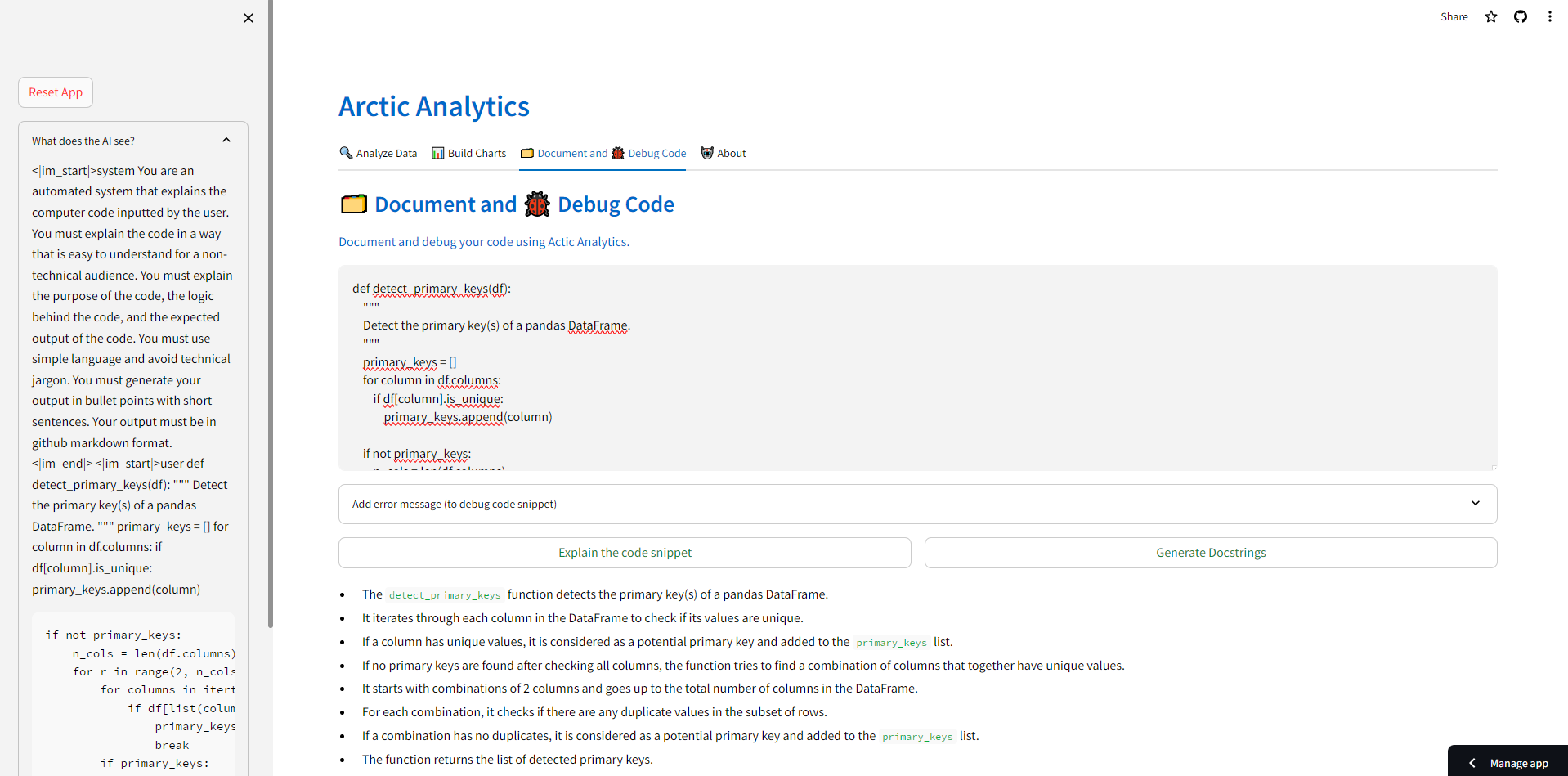
Arctic Analytics helps explains user inputted code
Inspiration
The driving force behind Arctic Analytics was a commitment to data privacy and the democratization of analytics. In an era where digital privacy is crucial, my goal was to craft a tool that would make data analysis accessible to all, without compromising sensitive information. The idea was to create an innovation that not only safeguards user data but also empowers individuals, regardless of their technical expertise, to unlock the potential of their data through a secure and user-friendly AI-powered platform. Arctic Analytics is the realization of this vision, merging ethical values with technological advancement to ensure data privacy while making analytics approachable.
What it does
Arctic Analytics empowers users to ask questions and generate insights & visuals from their datasets through AI, without the AI ever accessing the dataset. Arctic Analytics also shows the user the actual string of characters (See the "What does the AI see" section on the sidebar) that are passed to snowflake-arctic-instruct. This not only shows the user what exactly is being shared with the AI, but it also demystifies some of the mystery around Artificial Intelligence. In addition to that Arctic Analytics can also help create documentation, comments, and doc strings. Finally, it can also debug your code
Challenges I ran into
I ran into 3 major challenges while developing Arctic Analytics
- The context window of the snowflake-arctic-instruct model was limited to ~3000 tokens. This meant that I had to be very strategic in the words I used and the information I passed to the model while constructing the system message. I am hopeful that future iterations of the snowflake-arctic-instruct will have a higher token limit, which will automatically make Arctic Analytics scale to more real-world use cases
- The snowflake-arctic-instruct model does not (currently) have a way to reliably and consistently generate its outputs in JSON mode. I envisioned the model generating its output as a JSON string with two keys for each user input. The first key is the 'python_syntax' which when executed answers the user's message. The second key is 'commentary' which provides commentary on the Python syntax focussing on the thought process and the logical reasoning behind each line of Python syntax (instead of explaining the syntax itself). Not only was I unable to get the model to generate outputs in JSON mode, but I couldn't get the commentary to be worded the way I envisioned it (The model reverts to explaining the syntax)
- The python_syntax generated by the snowflake-arctic-instruct model was impressive for its quality, accuracy, and speed, and was free from bugs. However, the generated python_syntax does not adhere to the specific instructions outlined in the system message (examples: The function should be named a particular way, not to include pd.read_csv() statements, return a single pandas df, etc.)
Accomplishments that I'm proud of
- I obviously could not solve the token limitation challenge I outlined above. But, I am hopeful that it's only a matter of time before Snowflake addresses this problem. When the token limit is inevitably increased, Arctic Analytics can be immediately scaled from being able to perform analytics on single datasets to entire schemas or databases.
- I created a way to extract the 'python_syntax' out from the plain text (not JSON) strings outputted by the snowflake-arctic-instruct model
- I built a series of guardrails and checks that run on the python_syntax generated by the snowflake-arctic-instruct model to ensure it adheres to the guidelines outlined in the AI's system message. If any checks fail an automated message is sent back to the model explaining the problem and asking for a fix. I am hopeful that such a feedback mechanism creates the synthetic data needed to train future versions of the snowflake-arctic-instruct model
What I learned
My background is in data science and machine learning. Before this, my experience building front-end UI and UX was limited. Throughout the hackathon, I learned the use of try-exception blocks that are used heavily as a part of the system of guardrails and checks
In addition to that I've also had to figure out a way to make time to work on the hackathon whilst working a full-time job.
Limitations
Due to several factors inside and outside of my control, Arctic Analytics has a few limitations. These limitations can be categorized into groups
- Token limit: The UI allows the user to upload or connect to any number of datasets, the system message gets too long if Arctic Analytics is tasked with analyzing more than 1 dataset at a time. Even while analyzing just a single dataset, due to the size of the system message no more than 3-4 back-and-forth messages are possible before the token limit is reached.
- Model response: While the model is very good at generating the correct python_syntax, it does not always adhere to the instructions in the system message. These are only partially overcome by the system of guardrails and feedback mechanisms that I have developed. If the model fails the guardrails 3 consecutive times, the application fails gracefully prompting the user to re-start their work.
- Codebase: The codebase can be structured and re-written in a way that follows industry standard best practices
What's next for Arctic Analytics
Arctic Analytics is truly an open-source project. I invite anyone in the world to contribute to this project and help scale it for use in the real world.
Built With
- python
- replicate
- snowflake-arctic-instruct
- streamlit


Log in or sign up for Devpost to join the conversation.