-
-

Arcora app icon — original 1024 x 1024 image, uncropped.
-
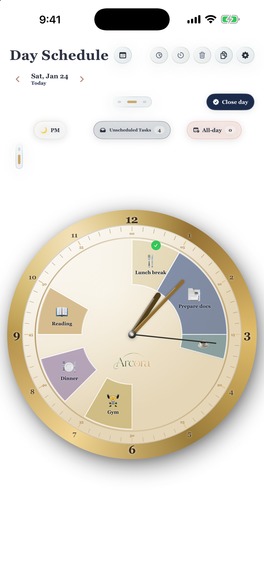
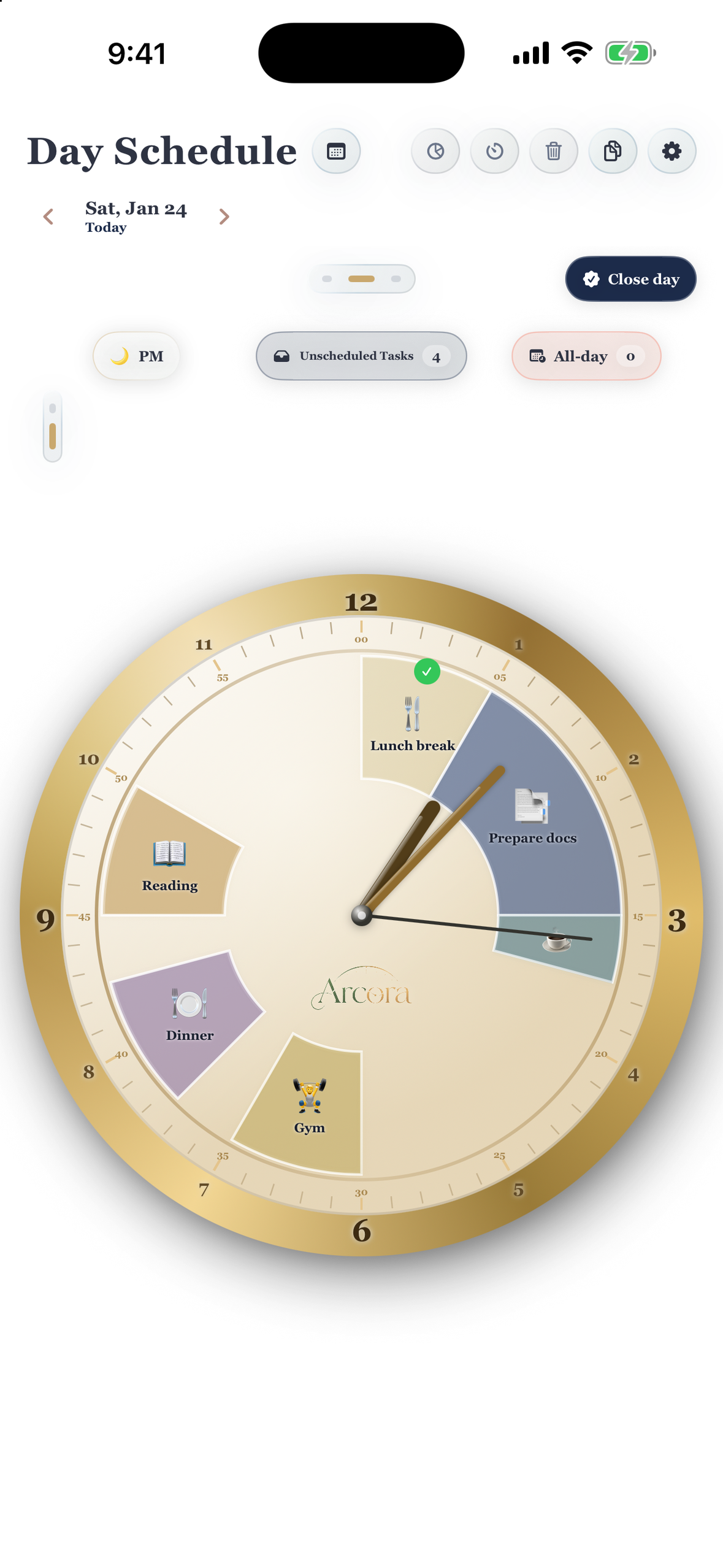
Give your day a shape. Colored arcs show commitments and the space between them. Native iOS; sample data.
-
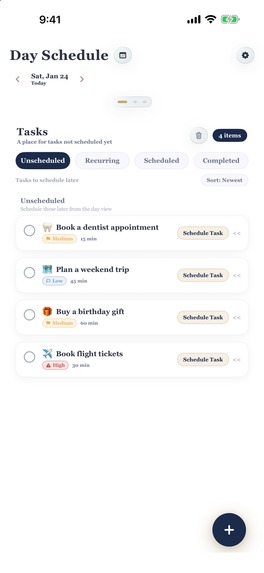
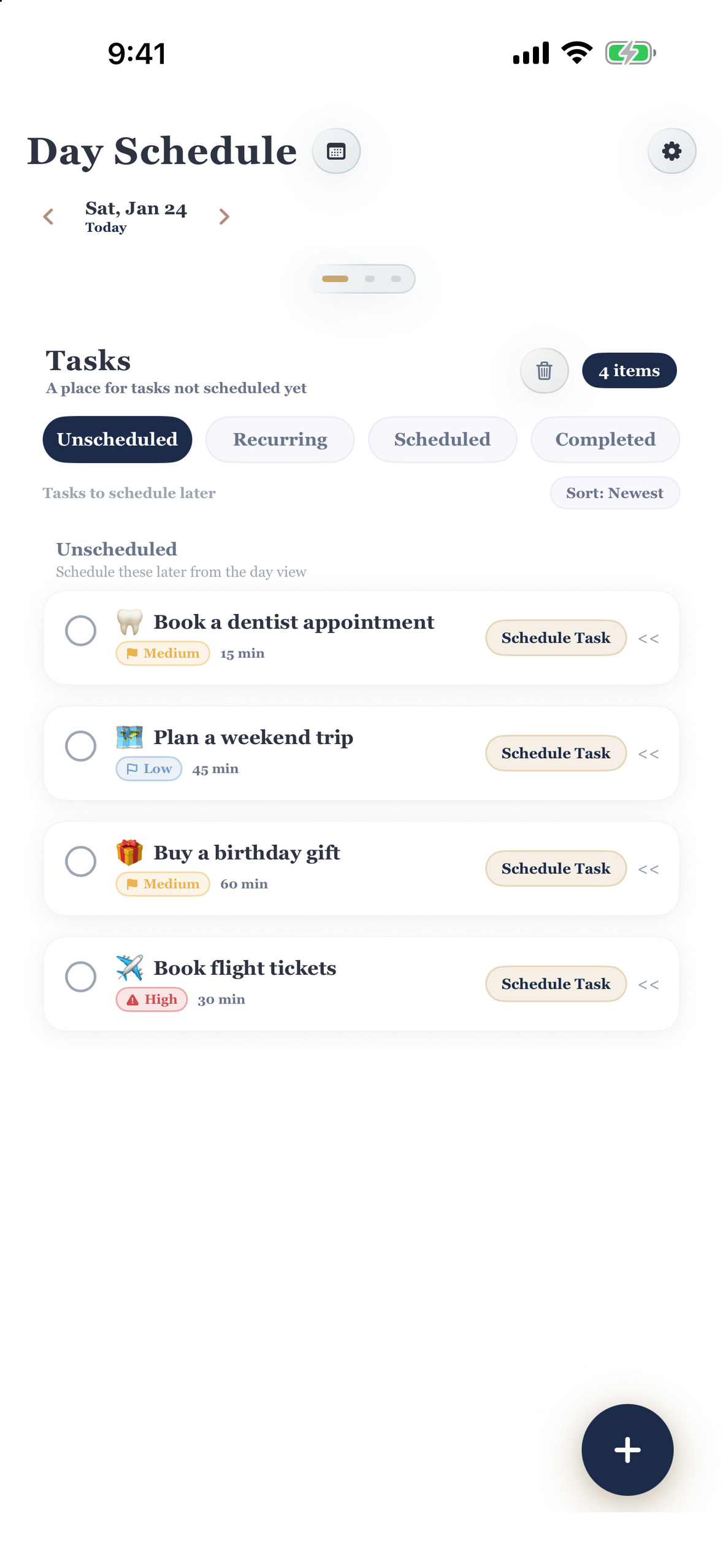
Capture now, schedule when ready. Priorities and estimates turn unscheduled to-dos into a next action. Native iOS; sample data.
-
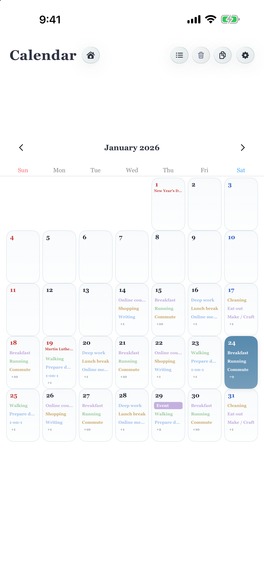
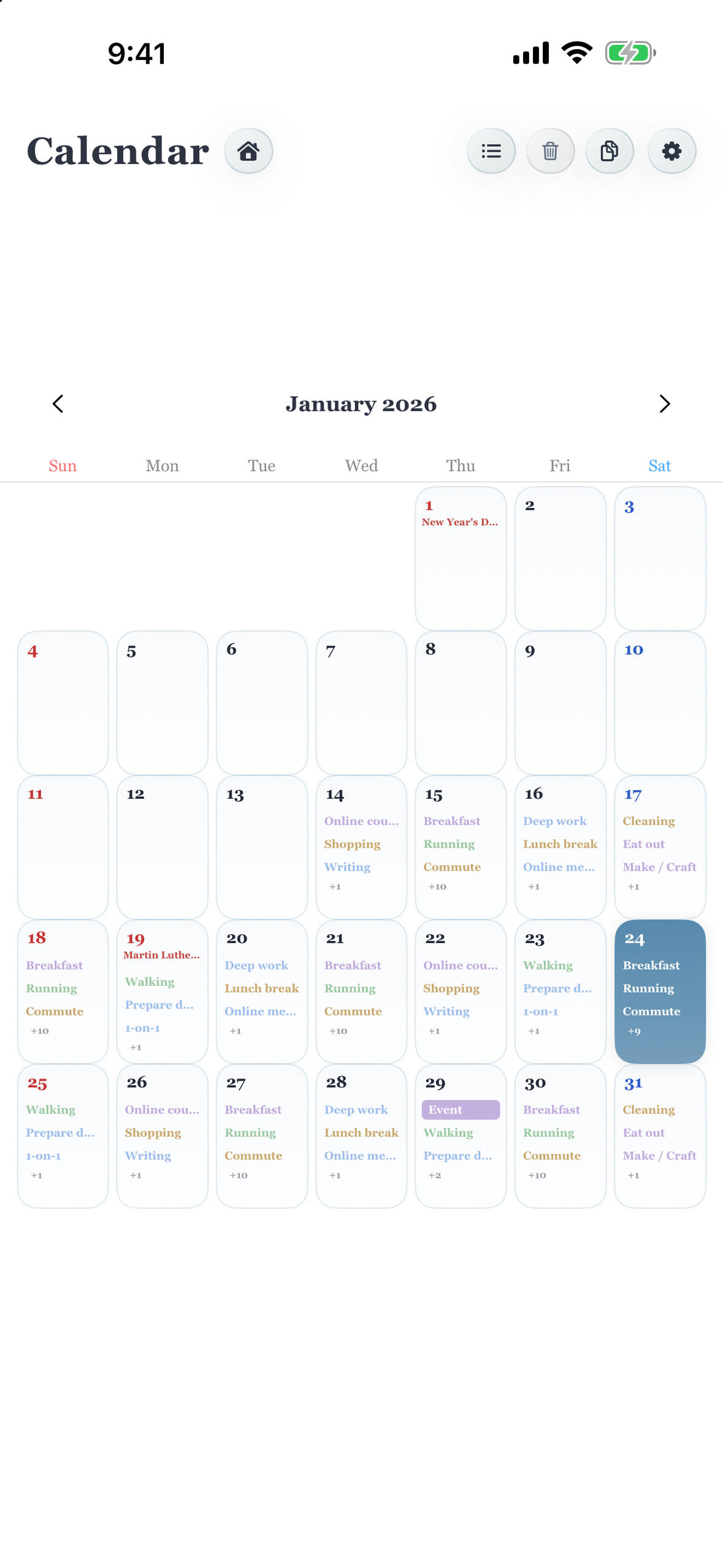
Look beyond today. Work, routines, and personal plans share one calendar. Native iOS; sample data.
-
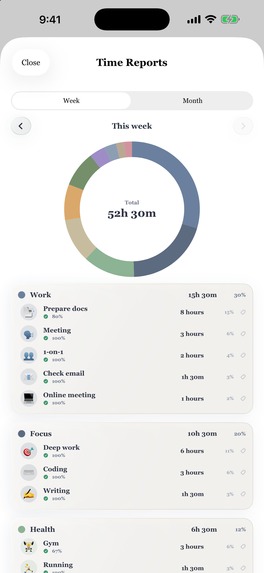
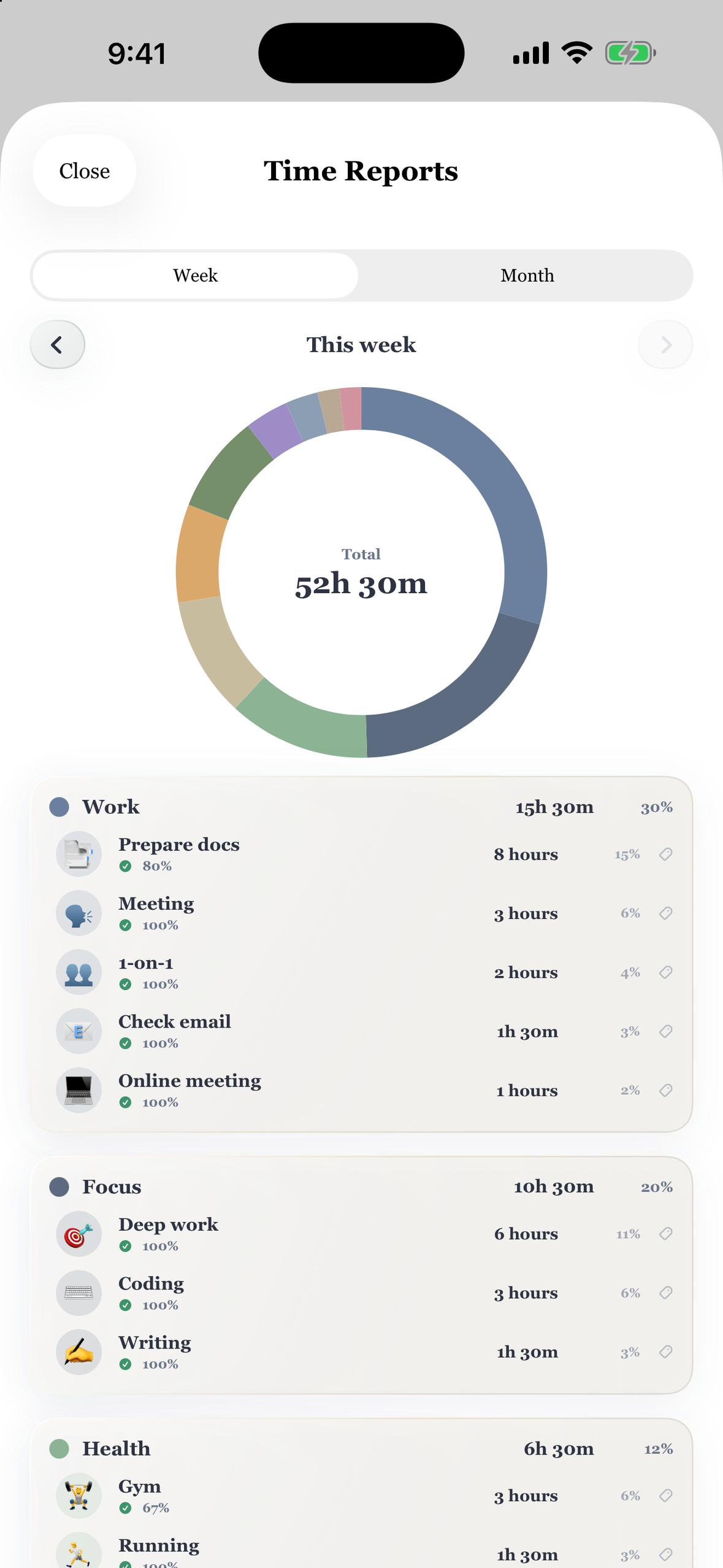
Review planned time by task and category, with completion context. Schedule-based reports, not automatic time tracking. Sample data.
-
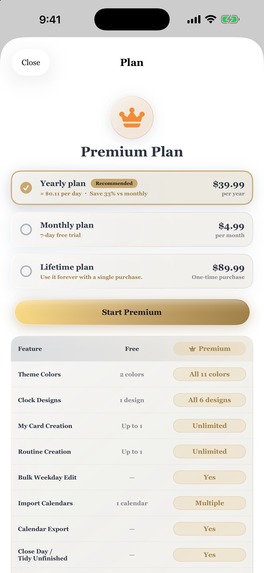
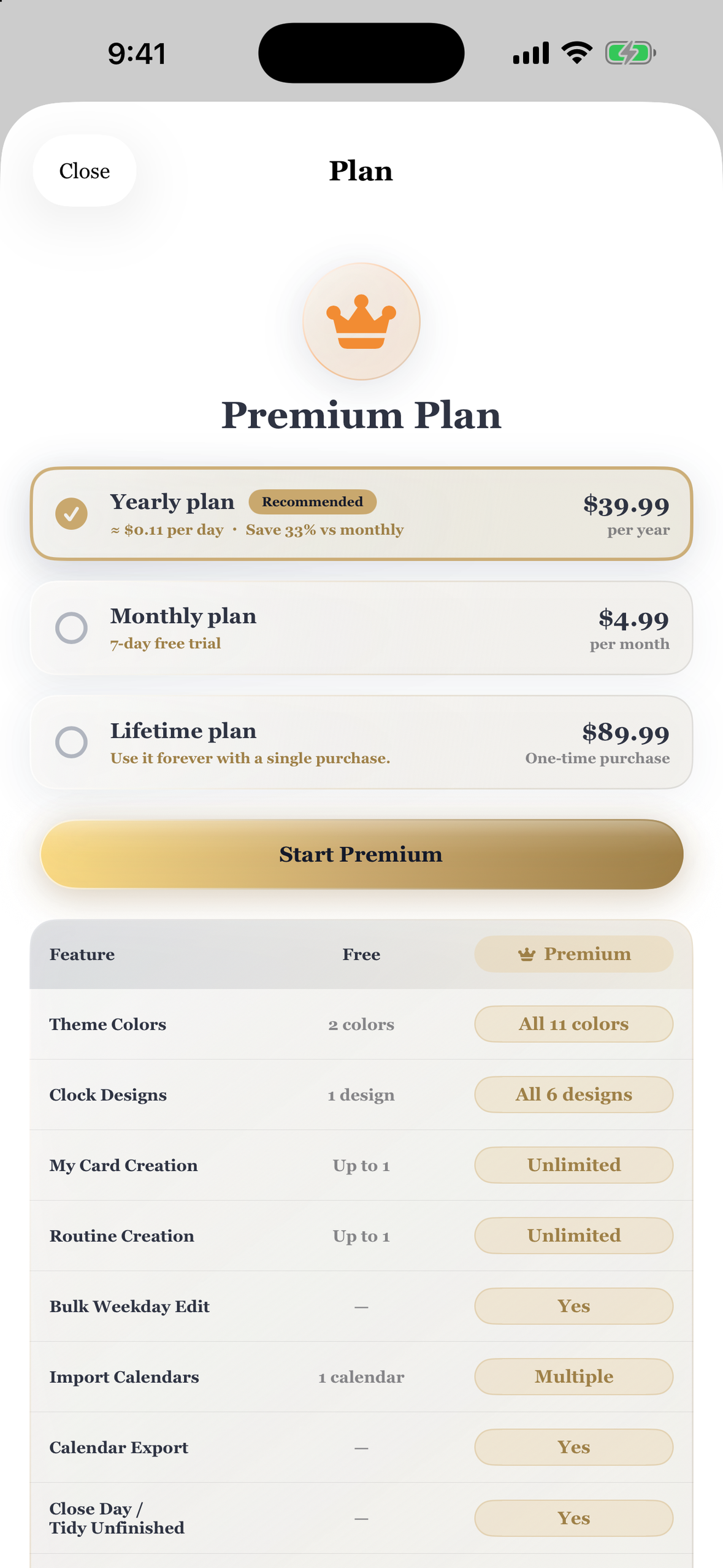
Free to start; monthly, yearly, or lifetime Premium. Eligible monthly users get a 7-day trial. Local USD test prices.

Inspiration
A to-do list tells you what needs doing. But where does it fit in your day?
Knowing what needs doing is only part of planning. Judging how long it will take, seeing where it fits, and noticing when it is time to move on can be harder. Meetings, errands, focused work, and rest all draw from the same few hours.
Arcora is an everyday schedule and task planner that makes time easier to see. It is designed for people who find time difficult to judge or organize, including people with ADHD who prefer a visual approach to planning. Available on iOS and Android, Arcora uses colored arcs that turn the day's commitments into visible shapes: when an activity starts, how long it lasts, what comes next, and where there is room for a break.
The idea is simple: put the plan where you can see it, instead of keeping every task and time estimate in your head. Capture what is on your mind, give it time when you are ready, and return to a clear visual reference as the day changes.
What it does
Turn a task into a time block
Start with something concrete, such as preparing a project proposal. Capture it in the unscheduled-task inbox, add a priority, an estimated duration, and a note, then give it a place in the day. The task becomes a colored arc on the clock.
That connection between a to-do and the time set aside for it is Arcora's central experience. The clock shows the shape of a commitment, while the inbox gives tasks a home before they have a date or time.
See both the plan and the space around it
Place meetings, commutes, chores, exercise, study, and breaks directly on the clock. Each arc shows a planned time span, helping make gaps and overlapping commitments visible. Switch to a timeline for the same day in sequence, or use weekly and monthly calendars to look further ahead.
More than 100 preset tasks provide a starting point. Custom tasks and categories let the plan reflect your own work and life. A full day of plans can be copied to another date, and recurring plans and reusable routines support the commitments that return each week.
Keep the details with the work
A plan can contain several tasks that you check off individually. Notes, priorities, and time estimates keep the next action close to the task itself. Premium adds colored tags and image notes for organizing work and keeping reference material at hand.
Optional reminders can alert you before a scheduled plan begins. A single focus countdown from 1 to 60 minutes keeps remaining time visible, including on the Lock Screen and Dynamic Island on supported iPhones.
Close the day with a decision
An unfinished task should have a useful next step. Premium day-end review lets you mark it complete, carry it forward, or return it to the unscheduled inbox.
Weekly and monthly Premium reports group planned time by task and category and show the portion assigned to completed plans. These are reports about the schedule and its completion, rather than automatic measurements of how long someone actually worked. Together, review and reporting help connect today's plan with the next one.
Keep your plan within reach
Home Screen widgets show the clock, upcoming plans, and unscheduled tasks, with completion controls for supported items. StandBy, Live Activities, and Apple Watch offer quick ways to return to the day without navigating through the full app.
On iPhone and iPad, selected device-calendar events can appear alongside Arcora plans. Premium can export selected plans to a chosen calendar. Optional iCloud synchronization keeps Arcora data available across devices using the same Apple ID.
A visual planner that feels personal
Arcora pairs a tactile analog-clock design with a restrained palette and clear task icons. Eleven color themes and six clock designs let people choose a view they want to return to. The brass clock and light surfaces in the demo are one combination; customization supports different preferences throughout the app.
VoiceOver support, 12-hour and 24-hour time, and Japanese, Buddhist, and Minguo calendar options help the planner fit different ways of reading a day.
An hour becomes an arc, a task becomes a time block, and a transition becomes something you can see coming. This visual structure gives people a practical reference for deciding what to do now and what can wait.
Free to start, with a choice of Premium plans
Core scheduling and the unscheduled-task workflow are available for free. Premium expands the experience with unlimited custom tasks and routines, all themes and clock designs, colored tags, image notes, planned-time reports, day-end review, and calendar export.
RevenueCat manages purchases, Premium entitlements, and restoration across monthly and yearly subscriptions and a one-time lifetime purchase. The monthly plan offers a seven-day introductory free trial for eligible accounts. The plan screen presents the available options and a feature comparison so users can choose how they want to pay.
This approach supports ongoing development while keeping the core experience free of advertising. People can begin with everyday planning and choose Premium when they want more ways to customize, organize, and review their plans.
How it is built
The iOS version of Arcora is built natively in Swift and SwiftUI. CloudKit supports optional synchronization, EventKit connects selected device calendars, WidgetKit powers widgets and complications, ActivityKit provides the focus timer's Live Activity, and WatchConnectivity connects the Apple Watch companion.
No app account is required. Plans are stored on the device and, when enabled, in the user's own iCloud. RevenueCat receives an anonymous app identifier, basic device and OS details, and purchase information for purchase management and related analytics. Schedule content and image notes are not sent to RevenueCat.
Challenges and what we learned
The key interaction challenge is connecting capture, scheduling, completion, and review without losing the context of a task. A useful planner needs to accommodate both a firm appointment and an idea that does not yet have a time.
The clock also presents a design challenge: time spans, icons, labels, and overlapping plans must remain readable in a small circular space. Timeline and calendar views provide complementary ways to inspect the same underlying plans.
On the engineering side, local records, optional synchronization, calendar integration, widgets, Watch updates, and purchase entitlements must agree about what the user can see and do. The implementation separates purchase validation from the visible purchase state and includes restoration and subscription-management paths.
The lesson guiding Arcora is that a planner should help someone make the next decision: what to capture, where to put it, and what to do with what remains.
Accomplishments and what's next
Arcora connects an unscheduled inbox, visual time blocking, task completion, and day-end review in one native experience. Its clock is the starting point for a broader work-and-life planning workflow.
The next steps are to learn from people using Arcora in everyday life and refine onboarding, the clarity of time blocks, and the transitions between capturing, scheduling, and reviewing tasks.
Give your day a shape. Leave room for what matters.

Log in or sign up for Devpost to join the conversation.