-
-
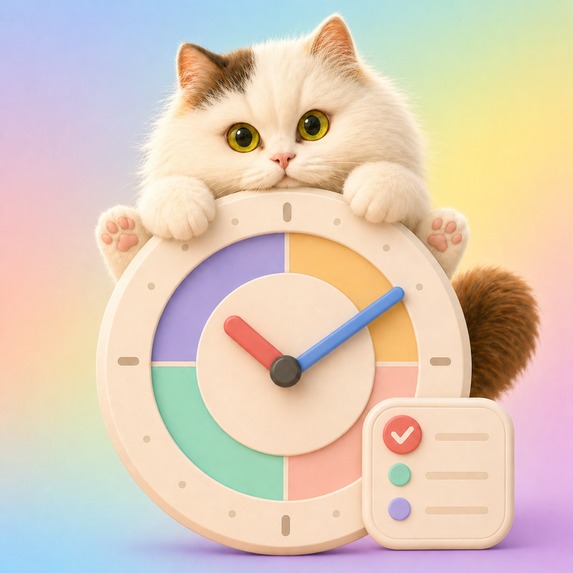
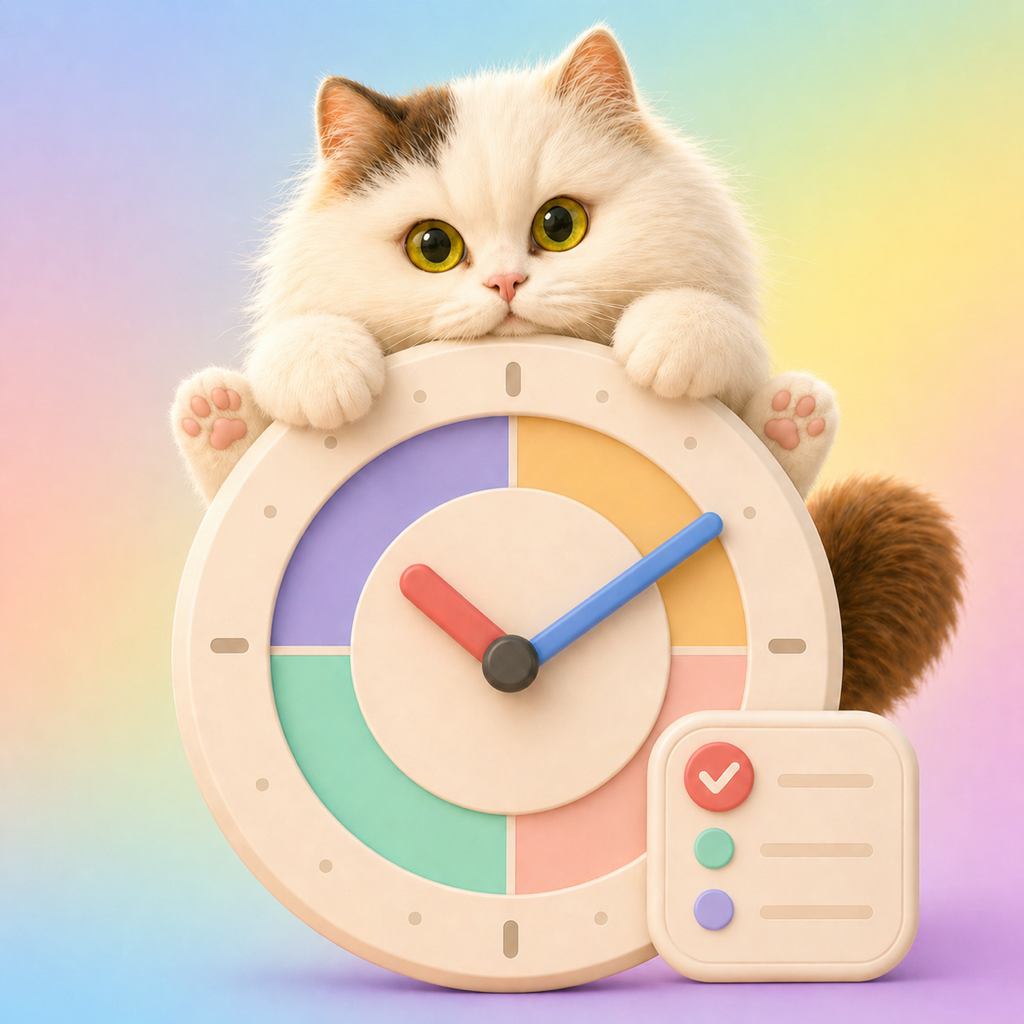
Arcmii app icon — original 1024 x 1024 image, uncropped.
-
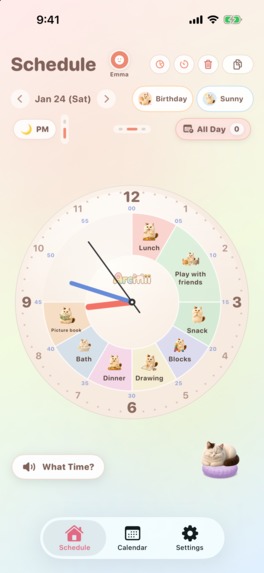
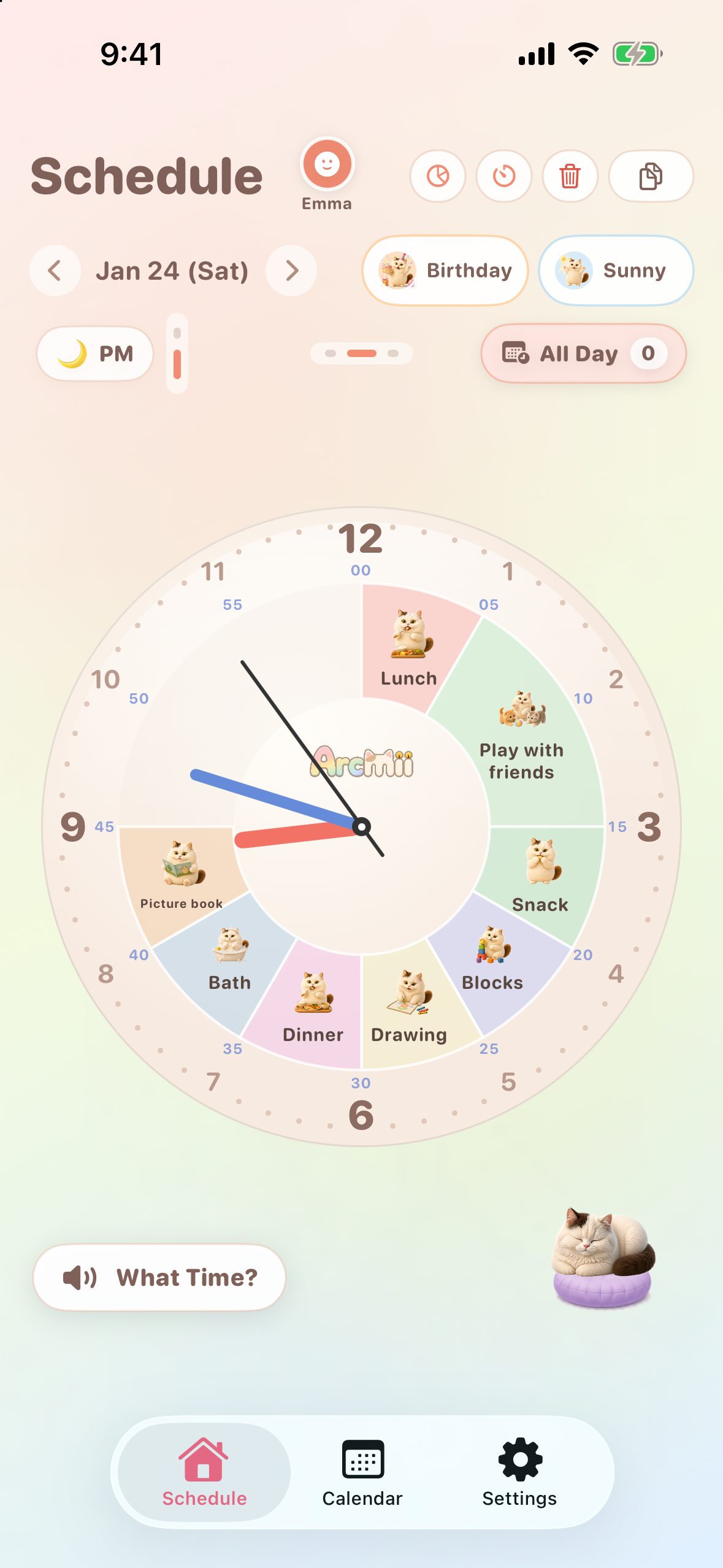
Make time visible. Cat picture cards and wide colored arcs show the day at a glance. Native iOS screen; sample data.
-
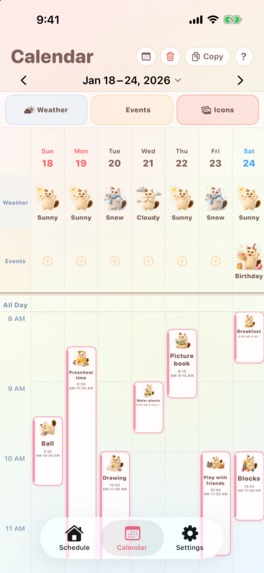
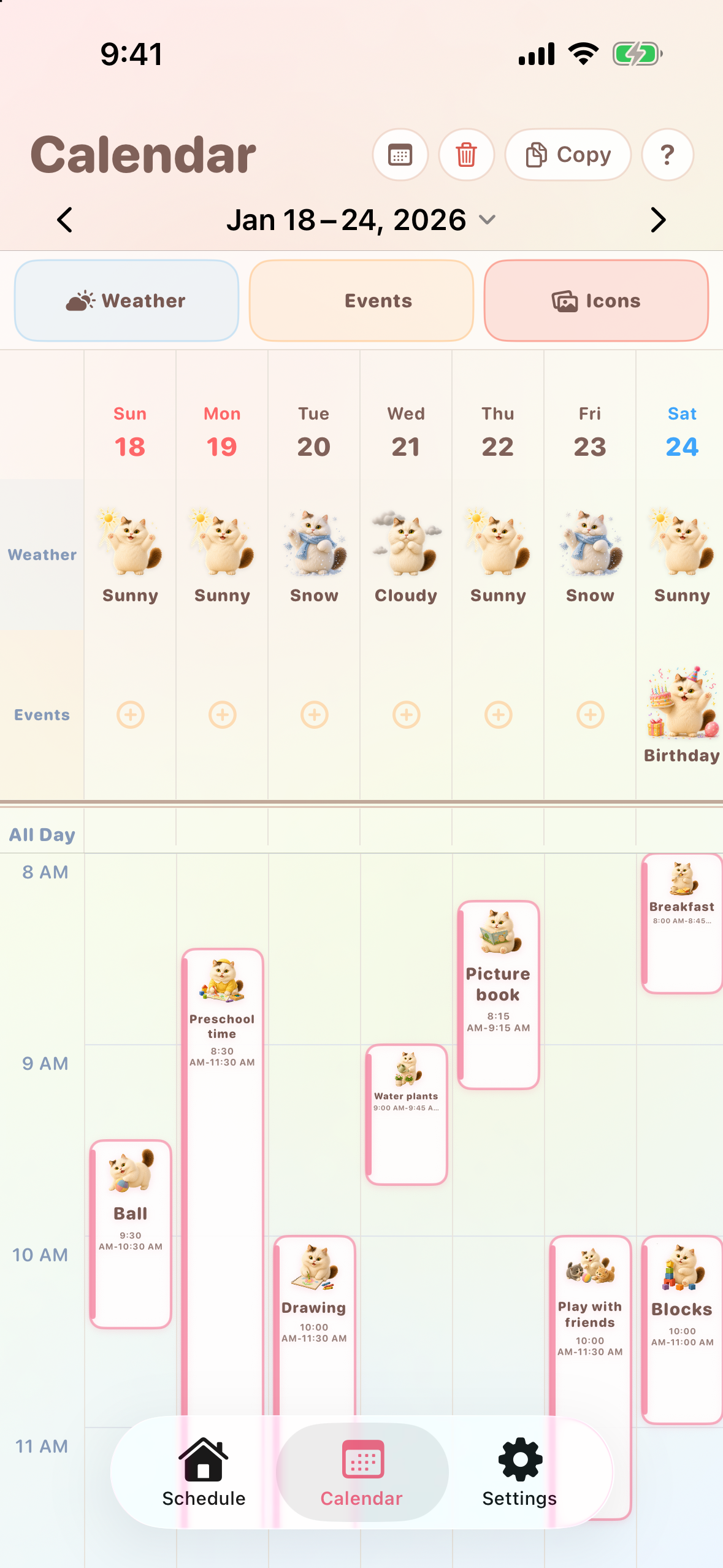
See the week at a glance. Varied activities and time blocks leave room to breathe. Native iOS screen; sample data.
-
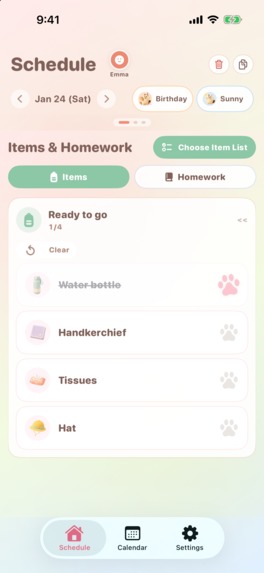
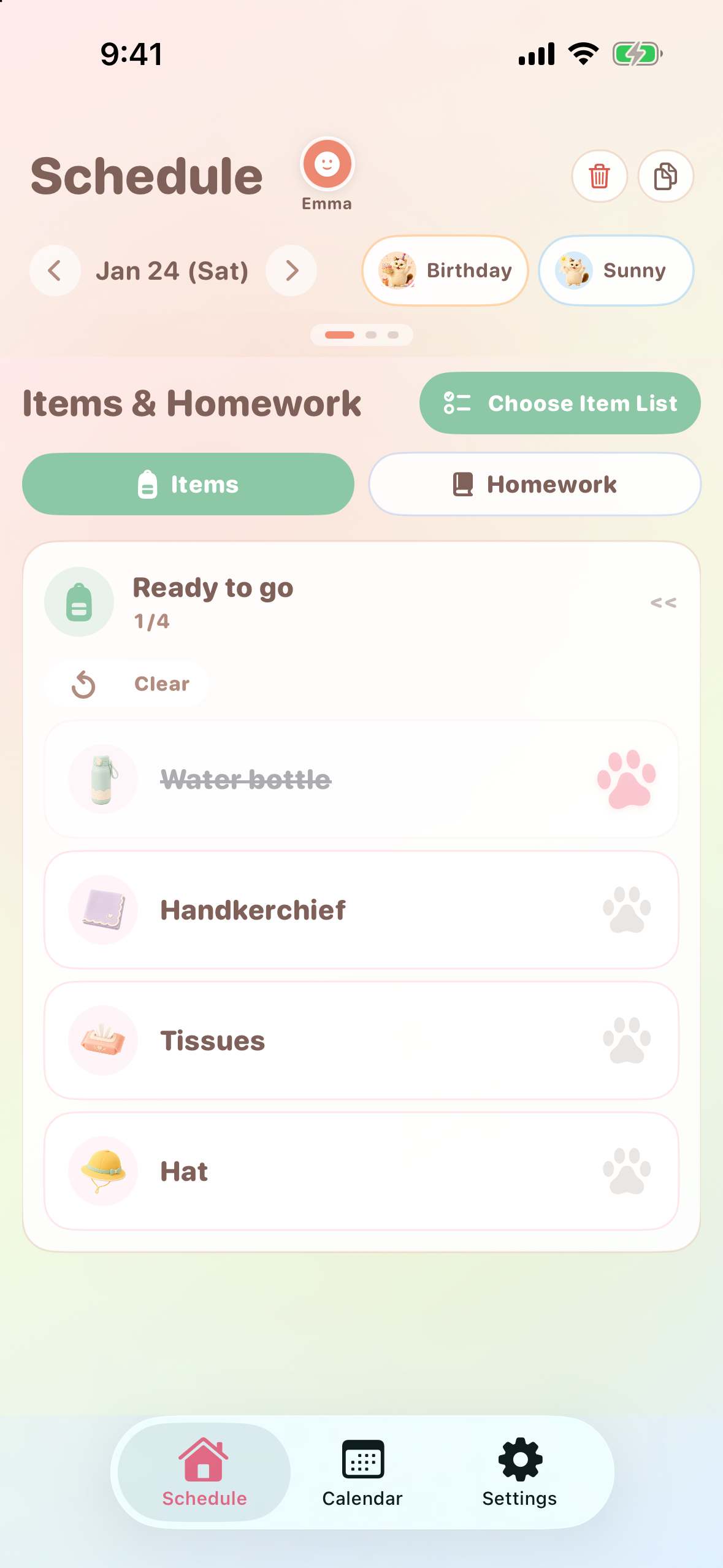
Build independence, one item at a time. Picture checklists and paw marks make preparation clear. Native iOS; sample data.
-
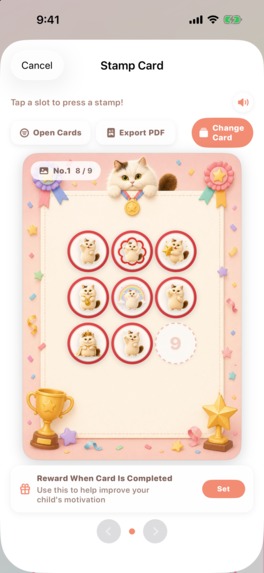
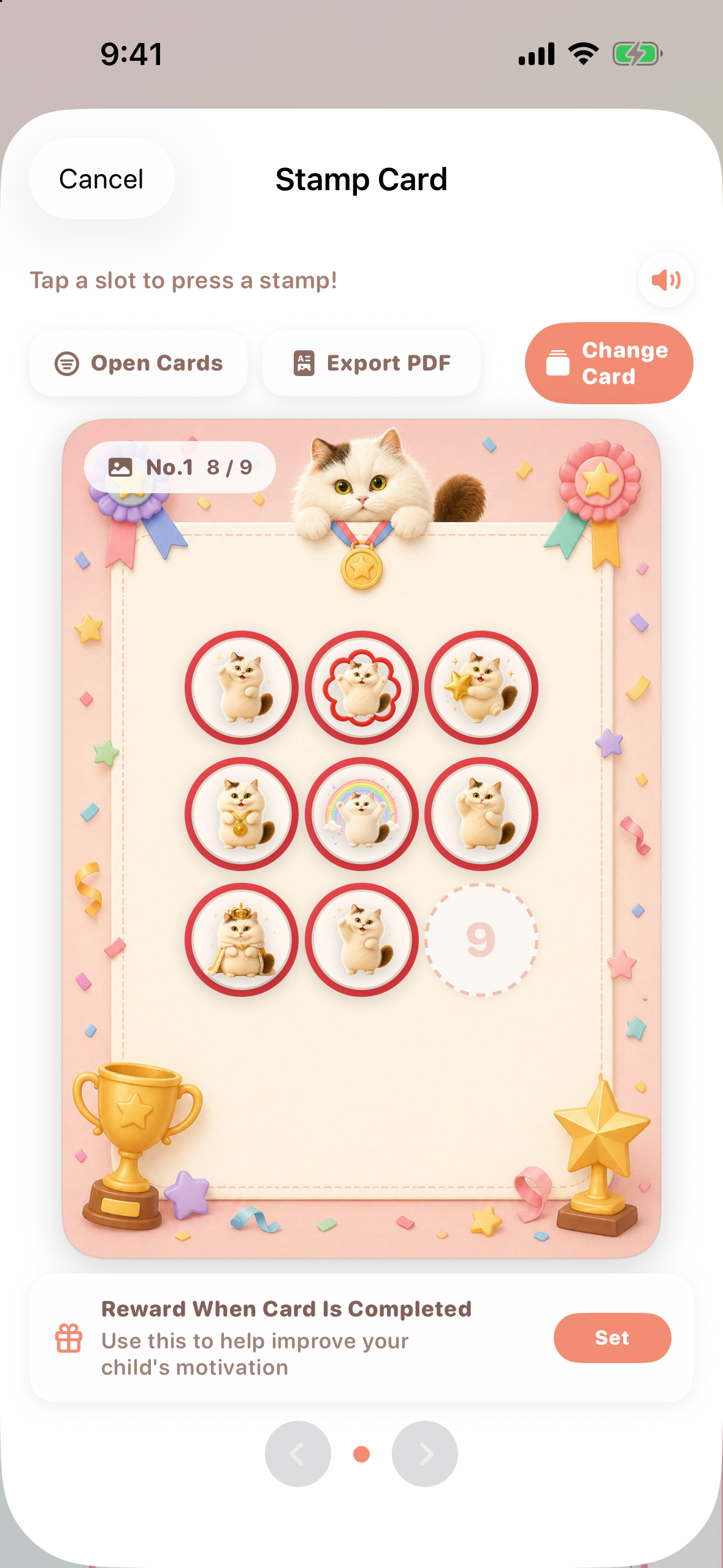
Celebrate small wins. Collect stamps and work toward a family reward. Native iOS screen; sample data.
-
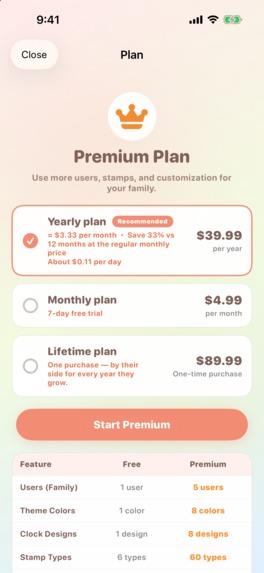
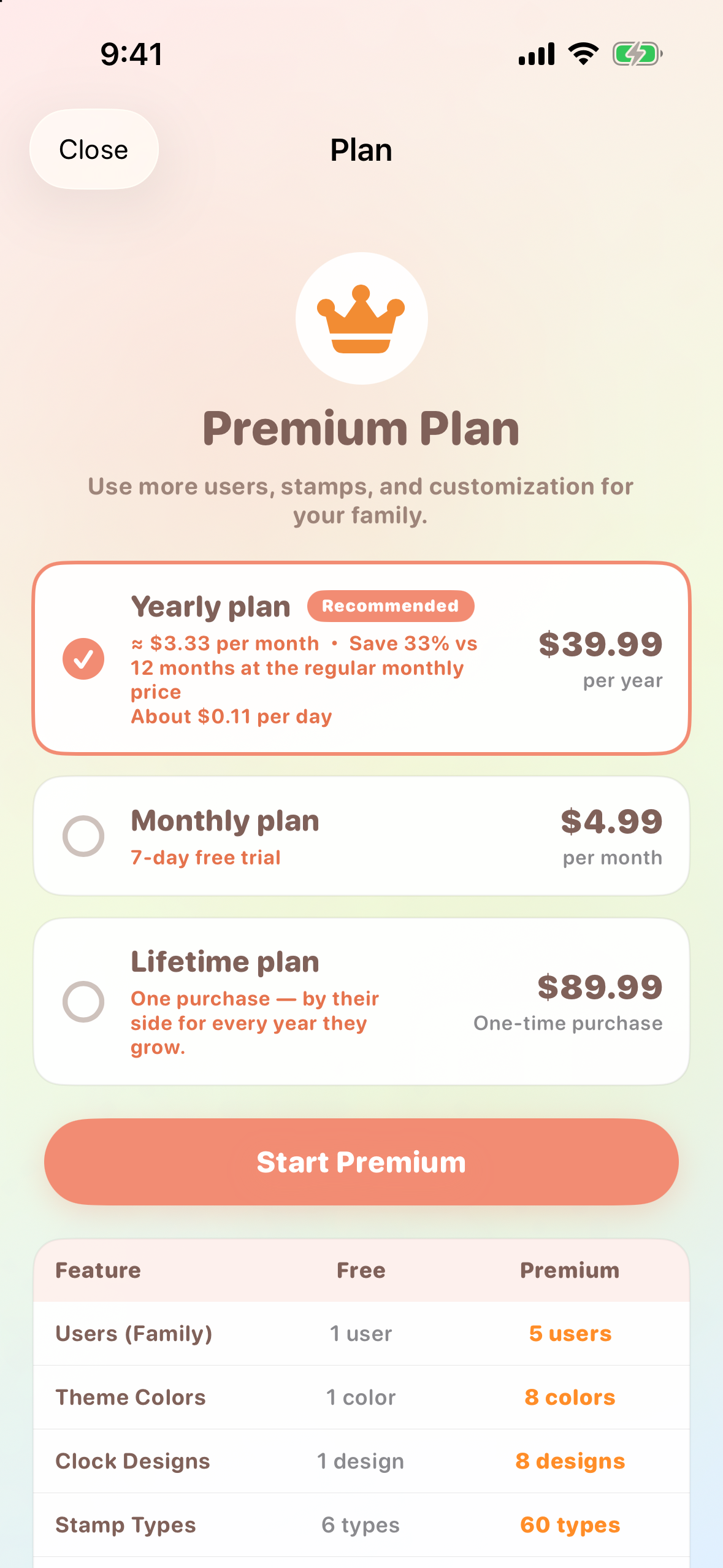
Free to start, Premium to grow: monthly, yearly and lifetime plans. Eligible monthly users get a 7-day trial. US test prices.
Inspiration
How do I help my child learn to tell time? Can getting ready, doing homework, and packing a bag be something we enjoy together?
Arcmii is an educational app that helps children explore clocks, the passage of time, and everyday routines together with a parent. Available on iOS and Android, Arcmii places familiar picture cards on an analog clock to turn daily activities into opportunities to learn.
"What comes next?" Look at the clock together. "How much longer?" Check the time left. Bag packed or homework finished? Add a stamp and celebrate a little "I did it!"
Learning happens in familiar moments: finding breakfast on the clock, noticing which activity comes next, checking what belongs in a school bag, and celebrating something finished. Parents and children can talk about "before," "after," and "how much longer" with pictures and clock hands in front of them.
Arcmii gives families a playful way to practice telling time, follow a sequence, and take part in daily preparation. It is for parents who want to say "Hurry up!" a little less and share more little "I did it!" moments.
What it does
Learn about time through everyday activities
Meals, brushing teeth, homework, and play become familiar pictures arranged around the clock. Friendly cat illustrations and colored arcs connect an activity with its place in the day and the time set aside for it.
Families can add plans, adjust their times, switch between AM and PM, and choose from eight clock designs. Spoken time gives children another way to practice telling time. The clock becomes a shared reference for "What are we doing now?" and "What's next?"
See the day and the week together
Switch to a timeline for a list of the day's activities, or look ahead in the weekly calendar. Colored time blocks show school mornings, appointments, and weekend play alongside the spaces between them.
The monthly calendar brings weather and event decorations into the picture. Short diary notes, completed activities, and statistics by week and category give families ways to look back and say, "Look what you did!"
Get ready, one item at a time
"What do we need for tomorrow?" Picture-card checklists make belongings and homework something a parent and child can check together. Tick off a packed item or a finished task, save reusable sets, and bring them back with a tap. Home Screen widgets let families check items without opening the full app.
Familiar pictures let children take part even while they are still learning to read. Working through a short sequence together gives them a way to practice preparation, notice what is finished, and decide what comes next.
Celebrate effort with reward stamps
Bag packed. Homework done. Add a stamp for today's effort.
Booklet-style stamp cards turn those small accomplishments into something a child can revisit. Families can choose favorite stamps and card designs, set a reward to work toward, and watch the card fill with everyday "I did it!" moments.
Make remaining time easy to see
An analog-style study timer shows how much time is left in a session of 1–60 minutes. Live Activities and Dynamic Island keep the countdown available on the Lock Screen and supported iPhones, so a quick glance can answer "How much longer?"
Keep the plan close when life gets busy
Apple Watch shows the clock and today's plans. Home Screen widgets put schedules and checklists within easy reach. These small entry points help a family return to the same routine throughout the day.
Free to start, with Premium for growing family needs
Core features are free. Premium adds family and customization options, including schedules for up to five children, iCloud synchronization across the user's devices, and connections to selected device calendars.
RevenueCat powers monthly, yearly, and lifetime plans and manages Premium access. The choice of plans gives families flexibility in how they pay for continued use. Purchases include a parental gate and restoration support, and the monthly plan offers a seven-day free trial for eligible subscribers.
Designed with families in mind
No app account is required. There are no ads or advertising tracking. Arcmii supports 20 languages and includes a hiragana display option for Japanese.
Plans and tasks stay on the device and, when enabled, in the user's own iCloud. Calendar integration reads events from chosen calendars and can export selected plans. RevenueCat handles purchases and related analytics, receiving an anonymous app identifier, basic device and OS details, and purchase information.
How it is built
The iOS version of Arcmii is built natively in Swift and SwiftUI. CloudKit supports optional iCloud synchronization, EventKit connects device calendars, WidgetKit powers widgets, ActivityKit provides the timer's Live Activities, and WatchConnectivity supports the Apple Watch companion.
RevenueCat connects the purchase flow to Premium entitlement management across subscription and lifetime products.
Challenges and what we learned
The central design challenge is making time approachable for a child while keeping the tools useful for a parent. A picture, an activity name, and a colored time block need to work together at a glance. The clock, calendar, checklists, and stamp cards also need consistent language and interactions, so families can move between them naturally.
The engineering challenge is preserving records and the correct access state across child profiles, recurring schedules, calendar integration, and purchase changes. Purchase testing covered subscription changes, expiry, restoration, and lifetime access.
The strongest lesson is that clarity lives in small details: show the next activity, make time visible, and acknowledge what was done. A warm interface depends on dependable handling of the family's plans underneath it.
Accomplishments and what's next
Arcmii brings learning to tell time, practicing daily routines, and celebrating effort into one connected experience for children and parents. Its visual identity carries through the cat picture cards, clock designs, checklists, and stamp booklets, giving families familiar cues as they move through their day.
The next steps are to learn from families using Arcmii in everyday life and refine onboarding, the clarity of the picture cards, and the moments where parents and children explore time together.
Make room for a little "I did it!" every day.

Log in or sign up for Devpost to join the conversation.